Home

10 Everyday Business Tasks You Can Automate with AI Today  

10 Everyday Business Tasks You Can Automate with AI Today  

Join our Newsletter!

Business task automation

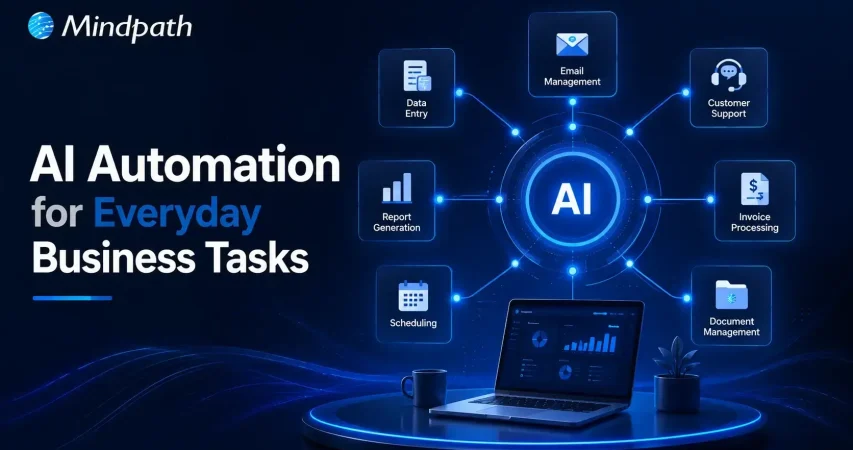
Business process automation is changing how companies manage routine work without adding unnecessary complexity. Many daily activities still consume valuable time, even though AI can now complete them faster and with greater accuracy. Businesses adopting intelligent automation are creating more space for innovation, better customer experiences, and sustainable growth.

Key Takeaways

  • 01
    Business process automation eliminates repetitive work while improving efficiency across everyday operations.
  • 02
    AI enables smarter automation by handling decisions, language, and unstructured business data.
  • 03
    Prioritizing high-impact workflows delivers faster results and a stronger return on investment.
  • 04
    Successful automation requires secure integration, employee training, and continuous performance monitoring.
  • 05
    Custom AI solutions create scalable automation tailored to evolving business goals and processes.

Choosing the right tasks to automate often delivers greater value than simply adopting new technology. Understanding where AI fits within existing workflows helps organizations improve efficiency without disrupting essential operations. In this blog, you’ll discover ten everyday business tasks that can be automated with AI. So, let’s keep reading!

Want to automate more than just everyday business tasks? Explore Mindpath’s AI Development Services to build custom AI solutions that streamline operations, improve productivity, and support long-term business growth.

What is Business Process Automation?

Business process automation refers to the use of technology to streamline repetitive workflows and reduce manual effort across business operations. It automates routine tasks using predefined rules, helping organizations improve efficiency, maintain consistency, reduce errors, and complete everyday processes faster while allowing teams to focus on more valuable work.

Today, AI is making business process automation more intelligent by handling tasks that require analysis, language understanding, and decision-making. Instead of following fixed rules alone, AI learns from data and adapts to changing situations. This shift is driving smarter business task automation across departments and industries.

Key Benefits At a Glance

  • 01
    Reduces Manual Errors: Standardized workflows improve accuracy and minimize mistakes in everyday business operations.
  • 02
    Improves Operational Efficiency: Automated processes complete routine tasks faster with minimal human intervention.
  • 03
    Optimizes Employee Productivity: Teams spend less time on repetitive work and more on strategic priorities.
  • 04
    Lowers Business Costs: Automation reduces operational expenses by minimizing manual effort and repetitive workloads.

Why Businesses are Prioritizing AI Automation?

Businesses are accelerating AI adoption as automation becomes a competitive advantage rather than a future investment. According to Gartner, 80% of CEOs expect AI to significantly reshape their operational capabilities, reflecting a shift toward smarter and more autonomous business operations. As organizations look to automate repetitive tasks, AI is helping them improve efficiency, agility, and long-term business value.

1. Improved Productivity

AI completes repetitive work quickly and operates without interruptions. This allows employees to focus on strategic and creative responsibilities.

2. Better Customer Experience

AI-powered assistants respond instantly and provide support throughout the day. Faster responses help improve customer satisfaction and engagement.

3. Smarter Decision Making

AI analyzes large volumes of business data within minutes. These insights help leaders make faster and more informed decisions.

4. Reduced Operational Costs

Automating routine workflows lowers administrative effort and operating expenses. It also minimizes costly manual errors across business processes.

5. Higher Accuracy

AI follows consistent rules when processing information and completing tasks. This improves data quality and reduces the chances of human mistakes.

6. Easier Business Growth

AI for business operations helps organizations handle increasing workloads efficiently. Businesses can scale processes without expanding teams at the same pace.

10 Everyday Business Tasks You Can Automate with AI Today

Business process automation helps organizations eliminate repetitive work and improve everyday efficiency with AI. Here are ten common business tasks that businesses can automate today to save time, reduce errors, and support sustainable growth.

1. Customer Support

AI chatbots answer common customer questions instantly and provide support around the clock. This reduces response times and allows support teams to handle more complex issues.

2. Email Management

AI organizes inboxes, prioritizes important messages, and drafts professional replies. Teams spend less time managing emails and more time on meaningful work.

3. Meeting Summaries

AI records conversations, creates concise meeting notes, and highlights action items. Everyone stays aligned without manually documenting every discussion.

4. Lead Management

AI captures new leads, qualifies prospects, and updates CRM records automatically. This helps sales teams respond faster and improve conversion opportunities.

5. Invoice and Expense Processing

AI generates invoices, categorizes expenses, and tracks payment reminders efficiently. Business task automation reduces manual effort while improving financial accuracy.

6. Social Media Content

AI creates captions, suggests content ideas, and repurposes existing materials. Marketing teams can maintain consistent posting with less manual work.

7. Document Review

AI summarizes lengthy documents and identifies important information within seconds. It speeds up reviews while helping teams make informed decisions.

8. Data Reporting

AI analyzes business data and generates dashboards with meaningful insights. Leaders can monitor performance without spending hours preparing reports.

9. Inventory Management

AI tracks inventory levels and predicts future demand using historical trends. Businesses can avoid stock shortages and improve supply planning.

10. Internal Knowledge Support

AI assistants help employees quickly find policies, documents, and training resources. These are among the most valuable business tasks that can be automated to improve workplace productivity.

How to Decide Which Business Tasks to Automate First?

Knowing how to automate business tasks starts with identifying processes that consume the most time and resources. Focusing on the right workflows first helps businesses achieve faster results and long-term operational improvements.

  • Identify Repetitive Tasks: Automate activities performed every day across business workflows. Business task automation saves valuable time and improves overall productivity.
  • Choose Rule-Based Processes: Select workflows with simple and consistent decision-making. These processes are easier to automate with reliable accuracy.
  • Reduce Manual Errors: Prioritize tasks where human mistakes happen frequently. Automation improves consistency and minimizes costly operational errors.
  • Start with Quick Wins: Focus on processes delivering immediate measurable business improvements. Early success builds confidence for broader automation initiatives.
  • Improve Employee Experience: Automate routine administrative work that slows daily productivity. Employees can concentrate on higher value and strategic responsibilities.

Best Practices for Successful Business Process Automation

Successful automation begins with clear goals and well-defined business processes. Choosing the right AI automation tools helps organizations improve efficiency while achieving consistent and scalable results.

  • Start with One Process: Automate a single workflow before expanding across the organization.
  • Integrate Existing Systems: Connect AI with everyday business applications for smoother workflows.
  • Review AI Outputs: Verify AI-generated results before using them in critical business tasks.
  • Protect Sensitive Information: Choose secure AI platforms that safeguard business and customer data.
  • Train Employees Effectively: Equip teams with practical AI skills for successful adoption.

Ready to Transform Your Business with AI Automation?

Business process automation is no longer limited to large enterprises. Organizations of every size can automate routine workflows, improve operational efficiency, and reduce manual effort with the right AI strategy. Starting with high impact tasks allows businesses to achieve measurable results while building a strong foundation for long term growth and innovation.

At Mindpath, we develop custom AI solutions that align with your business goals and existing workflows. From intelligent automation and AI agents to enterprise AI applications, our experts help organizations streamline operations, improve productivity, and accelerate digital transformation with scalable AI development services.


Frequently Asked Questions

Track metrics such as time saved, error reduction, operational costs, employee productivity, and customer satisfaction to evaluate the impact of automation.
The right choice depends on business goals, existing systems, scalability needs, and the level of customization required for long term growth.
Simple workflows can deliver measurable improvements within weeks, while larger automation projects may require several months to achieve full business value.
Yes. Modern AI solutions can integrate with many CRM, ERP, accounting, and collaboration platforms without replacing existing infrastructure.
After initial success, businesses should prioritize high impact workflows that involve repetitive tasks, multiple departments, or frequent manual processing.

Support Is One Click Away

Featured Posts

Related Post

Chatbot examples

AI chatbots are molding the future of customer engagement in 2026 by providing accuracy and efficacy. The real-life chatbot examples demonstrate how intelligent systems analyze user interactions, offer relevant and timely recommendations, and aid in decision-making as it unfolds. Organizations that are leveraging these types of solutions notice concrete results in user satisfaction and conversions. This clearly shows that AI chatbot assistants can convert complex customer journeys into simple, actionable experiences.

These examples of chatbots have also shown us the benefits of predictive insights and targeted communication. When brands effectively leverage AI chatbots, they minimize friction in their customer journey, maximize retention, and achieve measurable growth. By looking at these real-life use cases, we can evaluate the strategies we can adopt to improve digital experiences and obtain better data-driven results. So, keep reading this blog as we are going to showcase real-life examples of AI chatbots that have aided businesses in increasing conversion.

Want to engage your audience, provide instant support, or personalize their experience? At Mindapth, our custom chatbot development services are designed to deliver solutions that match your business requirements.

Market Demand of AI Chatbots

According to Fortune Business Insights, the global AI chatbot market is growing rapidly, from USD 9.90 billion in 2026 to USD 65.94 billion by 2032, a CAGR of 31.1%. Customer demand for instant service, cost savings through automation, advances in NLP, wider industry adoption, and the rise of generative AI with human-like conversations are driving this growth.

These important figures illustrate the strong market demand: Outgrow says that sales through chatbots are up 67%, Tidio states that 62% of users prefer to chat rather than wait for a human agent, Master of Code says 26% of sales transactions begin with a bot, and 35% of leaders said that they closed sales because of digital assistants. Outgrow also states that 57% of businesses have seen better ROI, and that 45% of businesses have seen reduced response time through chatbots. Looking at these numbers, it shows that AI chatbot examples are demonstrating how businesses can become more efficient, collaborative, and create greater sales.

How AI Chatbots Increase Conversions?

Do chatbots really increase conversions? Businesses worldwide are beginning to embrace AI chatbots to transform customer experiences and make them smoother, faster, and more personalized. Here are the insights that demonstrate that chatbots are very much influencing conversions.

Benefits of AI Chatbots in Increasing Conversions

1. 24/7 Availability

AI chatbots are always-on and provide 24/7 access for customers to quickly find answers for whoever, whenever they want assistance. Being constantly available keeps customers engaged and increases the likelihood of execution of a purchase.

2. Personalized Interactions

Real-world Chatbot examples illustrate how AI reads customer engagement data to provide personalized recommendations, product suggestions, etc. This personalization creates more meaningful conversations and promotes higher conversion rates.

3. Reduced Cart Abandonment

AI chatbots minimize cart abandonment by helping consumers through checkout and by answering last-minute questions. This kind of assistance is simple, but improves selling and makes customers feel good about purchasing.

4. Automated Lead Qualification

Chatbot applications can qualify leads with the right questions and key details. The sales team will not have to waste time with any unqualified prospects.

5. Faster Sales Cycles

Utilizing conversational AI for business growth by speeding up the sales process, provides immediate support and follow-ups to customers. The quickness is what allows businesses to turn a lead into a customer quickly and effectively.

6. Increased Sales Volume

Successful chatbot examples illustrate how AI recommends products, engages customers, and inspires repeat purchases. These real-world examples show businesses can also drive revenues while lower acquisition costs.

Want to reduce operational costs while improving customer engagement? Discover how conversational AI chatbots streamline business operations and drive efficiency across teams.

10 Real-life Examples of AI Chatbots

Real-life examples of artificial intelligence chatbots highlight how companies are using artificial intelligence (AI) to innovate the way that organizations interact with potential and current customers. More and more companies are turning to chatbots for lead generation and conversions, thus effectively proving their worth as tools for enhancing sales and ultimately customer experience.

10 Real-life Examples of AI Chatbots

1. Sephora – Personalized Shopping Assistant

Sephora utilizes an AI chatbot to assist customers in selecting makeup and skincare products, to support customers based on their preferences. This chatbot example assists shoppers in finding the right products, much quicker than a human, resulting in higher conversions overall. This video definitely ranks as one of the best chatbot examples in the retail world.

2. Domino’s – Easy Food Ordering

Domino’s has incorporated a chatbot that allows the customers to order pizza directly through a messaging app. This practical application of chatbot makes ordering easy while also cutting down on wait time and increases customer satisfaction. It is one of the most effective AI chatbots that increased sales in the food industry.

3. H&M – Style Recommendations

H&M has a chatbot that suggests clothing based on user style preferences. These website-chatbot examples improve the shopping experience by making it more personal. It shows how real-life examples of AI chatbots in business can drive higher engagement.

4. Flipkart – Seamless E-commerce Recommendations

Flipkart’s chatbot provides personalized product suggestions based on browsing history and preferences. This example of chatbots enhances shopping experiences, boosts conversions, and increases customer satisfaction. It is among the best AI chatbot examples in online retail.

5. Amtrak – Julie Virtual Assistant

Amtrak’s virtual assistant Julie answers millions of passengers queries every year. These examples of chatbots on websites save time for both customers and staff. The company reported significant cost savings and better chatbot ROI examples.

6. Lyft – Ride Booking Made Easy

Lyft allows users to book rides via its chatbot on Messenger or Slack. This real-life example of AI chatbots in business shows how brands can remove friction in customer journeys. It directly improves bookings and conversions.

7. KLM Airlines – Travel Assistant

KLM Airlines uses a chatbot to provide booking confirmations, flight updates, and boarding passes. This website chatbot example streamlines travel support. It is one of the AI chatbots that increased sales through seamless customer care.

8. PVR Cinemas – Movie Booking Assistant

PVR Cinemas uses a chatbot to help customers check movie schedules, book tickets, and view offers instantly. This chatbot example simplifies the booking process, improves customer engagement, and drives higher ticket sales. It is one of the best AI chatbot examples in the entertainment and cinema industry.

9. Starbucks – Coffee Ordering Chatbot

Starbucks has a chatbot that lets customers place their orders ahead via mobile. This application of chatbot reduces wait time and encourages repeat purchases. It’s among the strongest chatbot ROI examples in food service.

10. L’Oréal – Beauty Genius for Personalized Shopping

L’Oréal launched ‘Beauty Genius’, an AI chatbot that gives personalized beauty tips and product recommendations. It uses AI and AR to analyze selfies and suggest the best skincare and makeup from over 750 products. This chatbot improves customer engagement and drives more conversions for the brand.

Looking for AI systems that can plan and act independently for your business? Discover Agentic AI to learn how intelligent agents are transforming decision-making and workflow automation.

Want to Transform Your Business with Chatbot Solutions?

AI chatbots play a vital role in boosting sales, improving efficiency, and creating better customer experiences. These chatbot examples highlight how leading brands use AI to personalize interactions, reduce friction, and drive measurable growth. By learning from real-life cases, your business can adopt similar strategies to maximize ROI and conversions.

At Mindpath, we specialize in developing bespoke chatbot solutions designed to align with your unique business needs. Our tailored approach ensures your chatbot goes beyond generic automation and instead creates real value through seamless user journeys. With expertise in crafting solutions inspired by the best chatbot examples, we help you enhance engagement, streamline processes, and accelerate business growth.

Hire Node.js Developer

More and more businesses are moving toward web apps that can grow and work well in order to stay competitive in the digital world. Microservices, cloud-native apps, and real-time communication are now essential technologies. This change has made it even more important to hire Node.js Developer experts who can build backend systems that are quick, effective, and easy to expand.

Node.js is a popular technology for modern development because it is event-driven and doesn’t block. Businesses of all sizes, from small ones to big ones, are hiring Node.js developers to make apps that can handle a lot of users and real-time interactions.

But when you hire a developer, you shouldn’t just look for someone with good technical skills. It takes a clear understanding of what the project needs, an evaluation of skills, and making sure that the work is in line with business goals. This guide will show you the best way to find and hire Node.js developers.

Looking to find the perfect Node.js developer without going through a lengthy hiring process? Mindpath provides professional services to help you hire expert NodeJS developers quickly and efficiently.

Why Node.js is Popular for Modern Development

Before we talk about how to hire people, let’s talk about why node js is so popular for web development.

Node.js makes it easier for developers to do their jobs because they can use JavaScript on both the front end and the back end. Its I/O model is asynchronous and non-blocking, which means that apps can handle many requests at once. This makes it great for real-time apps like chat platforms, streaming services, and tools for working together.

Node.js helps companies like Netflix, LinkedIn, and PayPal make their systems work better and grow. There is a growing need for skilled nodejs developers to work in all kinds of businesses because so many people use it.

Understanding the Role of a Node.js Developer

A Node.js developer is responsible for writing the server-side logic, managing databases, and making sure that the front-end and back-end systems work well together. When you hire dedicated Node.js developers, you’re basically paying for people who know how to build scalable architectures and make your apps run better.

Some of the things they have to do are:

  • Creating RESTful APIs
  • Adding services from other businesses
  • Running databases, both SQL and NoSQL
  • Making sure the app is safe and works well
  • Collaborating with frontend developers

If you know what this job involves, you can tell your development team what you need.

Looking to understand what makes Node.js a top choice for modern backend development? Discover the key advantages of NodeJS that support scalability and performance.

Skills to Look for in a Node.js Developer

Checking the skills of Node.js developers is one of the most important parts of the hiring process. A good developer should be able to fix things and know a lot about tech.

1. Core Technical Skills:

Most of the time, Node.js developers need to know how to do these things:

  • Good at programming in JavaScript and asynchronous
  • Familiarity with Node.js frameworks like Express.js
  • Used microservices and RESTful APIs
  • Knowing how to work with databases like MySQL, MongoDB, or PostgreSQL
  • Knowing how to use Git and other version control systems

2. Backend Expertise:

Some of the most important skills for a good Node.js backend developer are:

  • Planning how the server-side will work
  • Creating and linking APIs
  • Making things work better
  • Best ways to keep things safe

3. Soft Skills:

You need more than just technical skills to finish a project well. You also need to be able to talk to people, work with them, and be open to change.

Want to speed up development and improve backend functionality with the right tools? Discover essential Node.js libraries that help developers build scalable applications faster.

Benefits of Hiring a Node.js Developer

Node.js developers have a lot of useful skills that make them good for projects that use modern technology.

1. High Performance and Scalability

Node.js developers can make apps that can handle a lot of requests at once, which means they will work well even when there is a lot of traffic.

2. Faster Development

Using JavaScript all the way through the stack speeds up development and makes it easier for teams to work together.

3. Cost Efficiency

You can save money by hiring Node.js developers because they make development easier and cut down on the number of technologies you need.

4. Real-Time Capabilities

Node.js is great for apps that need to change in real time, like chat apps and dashboards that show live data.

5. Strong Ecosystem

The npm ecosystem has thousands of libraries that you can use to speed up and improve your development work.

Wondering how businesses build scalable and reliable digital products? Discover how to create high-performing apps with NodeJS experts that support long-term growth.

Hiring Models to Hire NodeJS Developer

Companies that want to hire a Node.js developer can choose from a number of hiring models based on what they need.

1. In-House Developers:

You have more control and it’s easier to work together when you hire full-time developers, but it may cost more.

2. Freelancers:

Freelancers are great for short-term projects, but they might not be able to work on them for a long time.

3. Dedicated Developers:

Dedicated nodejs developers will only work on your project, which will make them more productive and reliable.

4. Remote Developers:

You can hire Node.js developers from anywhere in the world, which is often cheaper.

Curious why many companies choose experienced teams over individual developers? Checkout why businesses prefer NodeJS development companies for consistent and high-quality results.

Working with a Node.js Development Company

It may be easier to find workers if you work with a Node.js development company. These companies have experienced developers, proven workflows, and solutions that can grow with your needs.

They also offer full Node.js development services, which include:

  • Creating and building apps
  • Putting APIs together
  • Help and upkeep
  • Making things work better

This method is great for businesses that want a complete solution without having to hire and manage their own staff.

Tips for Hiring the Right Node.js Developer

You need a plan to find the right people. Here are some helpful tips for hiring Node.js developers who will do a good job.

1. Define Your Project Requirements

Before you start hiring, you need to know exactly what you want to get out of the project, what technical skills you need, and what the final product should look like.

2. Evaluate Technical Skills

Check out how well they know Node.js and how much experience they have in the real world. Look at the tools they’ve used and the projects they’ve worked on.

3. Conduct Technical Interviews

Ask them questions about asynchronous programming, API design, and performance optimization to find out how much they know.

4. Check Portfolio and Experience

Check out their previous work to see what they can do with Node.js for web development and back-end systems.

5. Consider Cultural Fit

Make sure that the way the developer talks and works fits in with the way your team does things.

6. Test Problem-Solving Ability

Being able to solve problems in the real world is often more important than knowing a lot about theory.

Planning to hire the right developer without facing costly mistakes later? Read about the essential factors to consider while hiring NodeJS developer for better decision-making.

Challenges in Hiring Node.js Developers

Many companies want to hire NodeJS developers, but they may run into issues like:

  • There aren’t enough developers with experience
  • A lot of companies want the best workers
  • It’s hard to judge someone’s technical skills
  • Leading teams that work from home well

You need a clear plan for hiring and ways to judge candidates that you can trust to deal with these issues.

Want to build faster and more efficient applications that handle high user demand smoothly? Explore how to increase web performance with NodeJS to deliver better user experiences.

Future Outlook of Node.js Development

The need for Node.js developers will probably grow as more and more businesses use modern web technologies. Even though microservices, serverless architecture, and cloud computing are becoming more popular, Node.js is still a great choice for scalable backend development.

Companies that pay for Node.js development services can make apps that are more flexible and ready for the future.

Looking to Hire a Node.js Developer for Your Project?

Finding the right Node.js developer is key to building scalable and high-performing applications. Whether you’re hiring in-house, remotely, or through a development company, focus on skills, experience, and alignment with your business goals.

Review candidates carefully, choose the right hiring model, and build a team that delivers quality results.

Get started today and hire the right Node.js developer to drive your project forward, or partner with Mindpath, a trusted Node.js development company that delivers skilled developers and scalable solutions tailored to your business needs.

FAQs:

1. What skills does a Node.js developer need?

A Node.js developer should know a lot about JavaScript, have used frameworks like Express.js, and know a lot about APIs, databases, and programming that doesn’t happen at the same time.

2. Why should I hire a Node.js developer?

Node.js developers help make apps that can grow and work well, with shorter development cycles and the ability to work in real time.

3. Can you hire a Node.js developer who works from home?

Yes, companies can hire Node.js developers from other countries to get the best workers and save money.

5. What are the benefits of hiring Node.js developers?

Some of the benefits are faster development, the ability to grow, lower costs, and access to modern tools and frameworks.

6. Should I hire a company that makes Node.js or a freelancer?

Freelancers are good for small tasks, but a Node.js development company is better for big, hard-to-build apps.

progressive web apps

Many companies are now looking into progressive web apps to improve their ways of communicating with people using mobile devices. This solution has the capability of being responsive and reliable, while providing users with an experience that reflects expectations in today’s world. Companies are wishing to provide users with something that has simplicity and speed. This change is not only about changing ideal trends, but rather the relationships that effectively span through the utilization of mobile devices and help establish long-term commitment to retention.

This shift to a modern approach is allowing organizations to rethink how they plan differently today for mobile-first users. It enables organizations to offer something new with a sense of reality and cost-effectiveness. Users benefit without even realizing what goes on behind the scenes, while businesses reap the benefits by providing an experience that works. This blog will ultimately help you understand why so many people are considering this path forward. Let’s dive in!

Want to develop a Progressive Web Application and increase your business growth four times? Contact us and talk to our experts, they will help you achieve your business objective with an unexceptional progressive web app. 

What is a Progressive Web App?

A Progressive Web App (PWA) is a modern type of web application that works like a regular app but runs through a web browser on any device. It combines the best parts of websites and mobile apps, allowing users to access it easily without needing to download anything. PWAs can work offline and continue running in the background, giving people a smooth and reliable experience wherever they are.

Businesses are turning to PWAs to offer better performance and engagement for their customers.  According to Gartner, more than 50% of consumer-facing apps will be PWAs by 2027, showing just how important this technology is becoming for the future of digital experiences. A survey by Grand View Research reveals that the global PWA (progressive web app) market is expected to reach $9,425.9 million by 2030, growing at a rate of 30.5% from 2024 to 2030.

Benefits of PWAs (Progressive Web Apps)

Adopting PWA is genuinely beneficial for companies trying to remain competitive in a mobile-first environment. These solutions offer the advantages of both web and native apps features to provide users with a seamless experience. The following are some key benefits to consider:

Benefits of PWAs (Progress Web Apps (1)

1. Cost Efficiency

Developing a web app is often much more affordable than building a native app. Instead of creating separate versions for web, iOS, and Android, one project works across all major platforms. A progressive web app iOS solution uses a single codebase, which keeps development simple and costs less. Ongoing updates and maintenance are also easier and more budget-friendly than managing multiple native apps.

2. Responsive Design Across Devices

The responsive design makes PWA development valuable for reaching users on any device. A single PWA can adapt to mobile phones, desktops, laptops, or tablets without needing separate builds. For example, it works just as well on a Google Pixel phone as it does on a Windows computer. This approach helps businesses offer a consistent experience everywhere while keeping development simple.

3. Instant Updates for Users

A PWA stays current whenever it’s online, so users always see the latest version. There’s no need to download or install updates manually. New features and content appear automatically without extra steps. This makes the experience smooth and hassle-free for everyone.

4. Simple and Quick to Install

A progressive web app makes installation easy for users. There’s no need to visit an app store or follow long steps to get started. Everything happens right in the browser with just a few clicks. This gives users faster access to content without any extra hassle.

5. Effortless to Share and Access

PWA can be shared easily through a direct URL, just like any standard website. This means users can pass it along to others without any special steps or downloads. It works smoothly across devices, making access simple and convenient. This flexibility helps businesses reach a wider audience with minimal effort.

6. Native App-Like Experience

A progressive web app offers many of the same features people love about native apps. It works even when there’s little or no internet connection, keeping access smooth and reliable. Push notifications help keep users engaged and informed on most devices. With home screen installation and familiar mobile navigation, it gives users a true app-like experience.

Worried about keeping your apps secure? Explore Application Security Best Practices to learn essential strategies for protecting your web and mobile applications.

Real-World Examples of PWAs

Many leading brands are proving the value of this technology through real progressive web app examples. These practical cases show how businesses can offer faster, more reliable experiences that keep users engaged.

Real world use examples of pwas

1. Starbucks

Starbucks created a PWA to boost customer engagement with a smoother ordering process and rewards program. This solution replaced its old mobile site to offer a consistent experience on any device. Customers can easily customize drinks, check store details, and view nutrition information.

2. Flipkart

Flipkart’s PWA helps shoppers enjoy a smooth browsing experience, even with poor connections. Users can explore product categories, special deals, and bestsellers with ease. This approach keeps customers engaged longer and makes online shopping more accessible across India.

3. Walmart

Walmart uses a PWA to handle thousands of products while making ordering and delivery seamless. Geo-tracking shows top-selling items nearby to personalize recommendations. Push notifications to keep users updated on deals and new arrivals.

4. Pinterest

Pinterest launched a PWA to expand its global reach with a faster, lighter site. Compared to its old version, the new app loads quicker and uses less data. This led to more time spent, higher ad engagement, and improved click-through rates.

5. Twitter

Twitter Lite was one of the first big brands to adopt a PWA to boost daily user activity. It consumes less data, loads quickly on slower networks, and still feels like a native app. As a result, page views, tweets sent, and overall engagement increased significantly.

6. Uber

Uber is a strong example of progressive web app design focused on speed and convenience with minimal storage use. It loads quickly, even when the network is weak, so users can book rides without delays. Depending on the location, people can also order food or rent bikes and scooters.

Looking to build a robust web application? Discover choosing the right tech stack for your web application and make informed decisions on frameworks, languages, and databases.

Are You Looking to Elevate Your Digital Presence?

Progressive web apps prove that businesses can deliver fast, reliable, and engaging user experiences without the high costs of traditional apps. With examples like Starbucks, Flipkart, and Uber leading the way, it’s clear that investing in this approach helps brands stay competitive in a mobile-first world. Adopting the right strategy ensures you get the most out of modern application development services.

At Mindpath, we develop future-ready AI solutions that unlock the true value of progressive web apps. Our expert web application development services help you create mobile-first experiences that are cost-effective, secure, and easy to maintain. From planning to launch, we ensure your app stands out and keeps your customers engaged. Let’s shape your next success story together.

Frequently Asked Questions

1. How do Progressive Web Apps support long-term user engagement?

PWAs improve engagement by offering fast load times, smooth navigation, and app-like interactions. Features like offline access and push notifications help users stay connected without interruptions, creating a more reliable experience that encourages repeated usage and strengthens long-term user relationships.

2. Are Progressive Web Apps suitable for all types of digital products?

PWAs work well for many use cases, especially where speed, accessibility, and cross-device compatibility are important. However, highly complex applications that require deep hardware integration may still benefit from native development, depending on specific technical requirements and performance expectations.

3. How do PWAs impact user acquisition and accessibility?

PWAs are easy to access through a simple URL, removing barriers like app store downloads. This makes it easier for new users to try the application instantly. Faster access and lower data usage also help reach users in areas with limited connectivity.

4. What makes PWAs a practical choice for mobile-first strategies?

PWAs are designed to perform well on mobile devices with responsive layouts and optimized performance. They adapt to different screen sizes and network conditions, ensuring consistent experiences. This makes them highly effective for businesses focusing on mobile-first user behavior.

5. How do PWAs simplify updates and feature rollouts for businesses?

PWAs update automatically when users access them online, eliminating the need for manual downloads or approvals. This allows businesses to roll out new features, fix issues, and improve performance quickly, ensuring users always interact with the latest version of the application.