Custom Software Development for Business: Do’s and Don’ts You Should Know

Join our Newsletter!

Featured Posts

Support Is One Click Away

Home

Custom Software Development for Business: Do’s and Don’ts You Should Know

custom software development

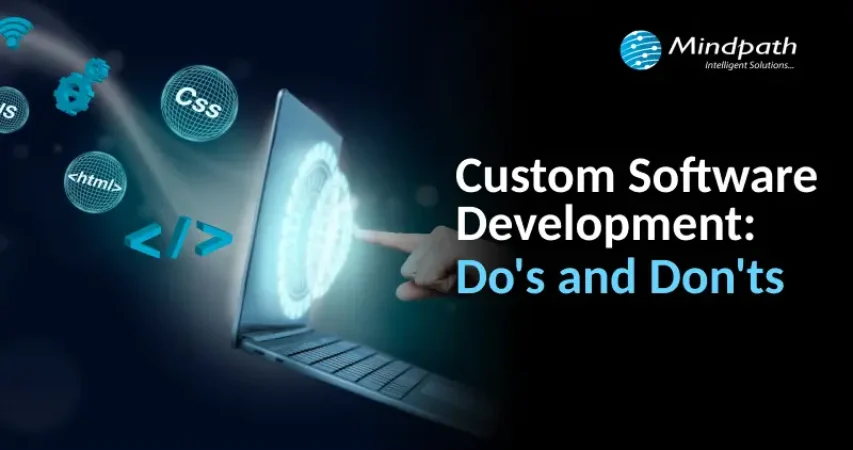
Custom Software Development for Business: Do’s and Don’ts You Should Know

In the digital-first world, businesses are leaning more towards custom software development to meet their own goals and support customer expectations. Whether automating a process, improving user experience, or improving team productivity, the right software makes all the difference. While custom software gives flexibility and power, the way they are built is not always a straightforward process. Small errors during the development can lead to large setbacks, and it is important to understand the best way to go about the process.

A successful custom software project starts with good direction and good decision-making, up front. Every step, from planning to production, is a critical one in the process. In this article, we will look into some fundamental dos and don’ts of custom software development to help you avoid mistakes and navigate confidently for the purpose of building software that works for you. 

Before we dive in, let’s have an idea of what is custom software development. 

Want software that actually solves your challenges instead of adding more? At Mindpath, we offer custom software development services that build tailored tools to improve efficiency and drive real results.

What is Custom Software Development?

Custom software development means creating software that is specially designed for a specific business or group. Unlike off-the-shelf software that’s made for everyone, custom software is built from the ground up to meet unique needs, solve particular problems, and support specific goals. It includes the planning, construction, testing, launch, and maintenance of the software to ensure it maintains its performance over time.

If you are asking, what is an example of customized software? A great example can be a custom search engine. It enables developers to modify how search results appear based on what the user is searching for. It is not just searching broadly; it is displaying whatever they are looking for using smart algorithms, so it helps them find and quickly display the most relevant information. 

Must Read: Custom Software Development Guide 2025

Benefits of Custom Software

1. Personalization

Custom apps are made just for your business, so they fit your needs perfectly. This helps your project stand out and gives you a strong edge over others.  

2. Long-Term Cost Savings

Custom software may cost more at the start, but it saves money over time. You can build it part by part to fit your budget and save yourself later with unforeseen costs.  

3. Enhanced Security & Reliability

The security features of custom solutions follow the best security procedures to protect your data. Usually, all custom solutions are thoroughly tested, so your software will be more functional and safer to use.  

4. Built-In Flexibility & Growth

Your business can grow or change over time, and your custom software can too. You can add features or updates whenever the business needs it.  

5. Smooth System Integration

The custom tools can connect seamlessly with the systems you use today so you can do your job faster and your team make better decisions. 

Curious how custom solutions can support your growing business? Explore the key benefits of custom software development and see how it helps companies scale with confidence.

Dos of Custom Software Development

To achieve the best results from software development tailored specifically for your business needs, you want to make sure you follow the right steps from the beginning. These best practices will help to ensure your project stays on track and is a success. 

1. Be Clear on Goals

Before building custom software, you should be clear about your business objectives. Consider what issue you are trying to solve or what task you want to simplify. Speak to the people who are doing that work now and evaluate how existing tools are being used. It is equally useful to define existing software solutions and to evaluate what features you like or dislike. 

2. Define Requirements

It’s really important to provide clear software requirements, and it can be challenging to do this without appropriate support. If you don’t have the time or the team to devote to this type of analysis, then consider engaging the services of a professional, such as a solution architect or business analyst. They will help you articulate your requirements in a manner that the development team can understand and build.  

3. Choose the Right Software Development Company

Choosing the right custom software development company is a big step toward your project’s success. Look for a team that understands your industry, has done similar work before, and offers the skills your project needs. A good company will communicate clearly, follow a strong process, and take data security seriously. 

4. Utilize Existing Tools and Platforms

Using existing software tools and platforms can save time and money when building custom solutions. By combining off-the-shelf software with custom features, businesses get reliable systems without starting from scratch. This approach helps growing businesses cut costs while still getting great value from custom software development. 

5. Estimating Your Project’s Return on Investment (ROI)

When planning your project, it’s important to estimate the return on investment or ROI for different options. You might compare building custom software, integrate existing tools, or buying off-the-shelf solutions. ROI measures the benefits your business gains from using new software, like higher revenue or better productivity.  

Want to know the method behind building scalable and maintainable software? Learn how the software development life cycle helps you streamline development by providing a structured approach that improves efficiency and overall project outcomes.

Don’ts of Custom Software Development

Avoiding common mistakes is just as important as following the right steps when developing custom software. Here are some key things you should avoid during the custom software development process. 

1. Neglect Data Management

Never overlook data security when building custom software. A small mistake can lead to a data breach, which can hurt your business, cost money, and damage customer trust. Always use secure development practices and make sure your software partner handles your data carefully. 

2. Complex UX Design

Making the design too complex can confuse users and slow down development. A simple and clear user experience helps people use the software easily and keeps the project on track. Always focus on what your users really need and design with simplicity in mind. 

3. Overlook Integration Needs

It’s important to plan how your new software will connect with your existing tools. Ignoring integration can lead to extra work, errors, or missing features later. Make sure all needed integrations are listed early and tested properly before launching. 

4. Ignore Scope Change Impacts

Changing your software project’s scope during development can lead to more time, higher costs, and confusion. Even small changes may require big updates in design, development, and planning. It’s best to plan everything clearly from the start and avoid adding new features unless absolutely needed. 

5. Delay User Testing

Don’t wait until the end of your project to test the software. It’s important to test features and gather feedback while the software is still being built. This helps fix issues early and makes sure everything works well for your users. 

Concerned about risks that could slow down your custom software build? Explore the major custom software development mistakes that can disrupt progress and find out how to avoid them.

Ready to Build Custom Software that Truly Works for Your Business?

A successful software project depends on clear goals, careful planning, and avoiding common pitfalls like data mismanagement and scope changes. By following best practices and testing early, businesses can create powerful solutions that boost productivity and growth while meeting unique needs. 

At Mindpath, we provide custom software development services designed to meet your unique business needs. Our solutions are built to enhance efficiency and growth. We also offer business intelligence services that deliver valuable insights. These insights help you make informed decisions and drive long-term success. Partner with us to build software that truly supports your goals. 

Related Post

Explore how digitization transforms logistics with real-world use cases, benefits, and cutting-edge technologies that boost efficiency, reduce costs, and enhance customer experience.
Explore how AI chatbots are revolutionizing the education sector, providing personalized learning, smart feedback, improved engagement, teaching assistance, and better student support.

Related Post

Node.js developer in New York expenses vary depending on criteria such as expertise, project size, and hiring technique. Whether you’re a startup searching for a low-cost alternative or a major company looking for top-tier expertise, understanding these expenses will help you make an informed selection.

1. Hourly Rates for Node.js Developers

Hiring a Node.js developer in New York is based on experience. Junior developers (0-2 years) charge $12-$50 per hour for minor bug fixes, API connections, and application changes. Mid-level developers (3-5 years experience) charge $50-$100 per hour and specialize in full-stack development, performance optimization, and complicated backend operations. Senior developers (5+ years) charge $80-$150+ per hour and have extensive abilities in system architecture, database administration, and high-performance solutions. The more experienced the developer, the greater the cost because of their ability to manage complicated projects efficiently. If you’re seeking cost-effective alternatives, remote hiring from nations with reduced labor expenses can be a possibility. However, recruiting locally in New York allows for greater cooperation, real-time assistance, and easier project management. Deciding the right developer level depends on your project requirements, budget, and long-term goals.

2. Project-Based Costs

The overall cost of a Node.js project varies depending on its complexity, length, and team size. Small projects, such as rudimentary web apps with limited functionality, often cost between $12,000 and $25,000. Medium projects, which include bespoke apps with various connectors and real-time capabilities, cost between $25,000 and $45,000. Large-scale projects can cost more than $60,000. Examples include enterprise-level programs with high scalability, improved security, and cloud integration. A separate development team is frequently required for larger projects, which raises the cost even further. Businesses can collaborate with a Node.js development business, with yearly service rates ranging from $72,000 to $116,000. Choosing between freelancers, an in-house team, and an agency has a big influence on the overall cost. While freelancers are cost-effective for short-term work, agencies provide comprehensive development services with long-term support. Evaluating your project scope beforehand helps in budgeting and selecting the best hiring model.

3. Factors Affecting Hiring Costs

Several factors affect the cost of hiring a Node.js developer in New York. Project complexity is important—simple apps cost less, but complicated projects needing high scalability, AI integration, or data security raise costs. The hiring approach also influences price. Freelancers charge less but may not provide ongoing help. In-house developers provide consistency but incur additional overhead expenditures like salary and perks. Development agencies offer comprehensive solutions but are usually the most expensive. Another important consideration for developers is their location. Hiring in New York facilitates smoother cooperation and speedier communication, but it is more expensive than outsourcing to nations like as India or Eastern Europe, where hourly rates are much cheaper. When selecting a developer, you must consider experience, quality, and affordability. By carefully considering these factors, businesses can find a cost-effective yet skilled Node.js developer to match their project’s needs.

Need skilled Node.js developers in New York for your next project? At Mindpath, provides expert developers to build secure, scalable, and high-performance applications. Whether you need a dedicated team or a single developer, we offer flexible hiring models to fit your budget and project needs.

Partner with Mindpath today and bring your vision to life with top-tier Node.js development!

Discover the ultimate guide to hiring Node.js developers in London. Learn about the skills, benefits, and cost factors involved in finding the right talent for your project.
ReactJS and AI

Have you ever wondered how you can make your React applications even smarter? What if you could combine the power of Artificial Intelligence with React to create more intuitive and dynamic user experiences? In this blog, we’ll explore how integrating AI with React can take your front-end development to the next level, making your apps smarter, faster, and more engaging.  

Combining React with Artificial Intelligence (AI) is transforming front-end development. When combined with AI, React, which is recognized for its speed and flexibility in creating user interfaces, improves application intelligence. This connection allows developers to create dynamic, data-driven experiences that anticipate user desires, automate procedures, and offer personalized interactions. As AI continues to alter sectors, incorporating its capabilities into React apps is crucial for remaining competitive in creating smart, intuitive, and adaptable frontend solutions. 

Let’s dive in to explore the benefits of combining React and AI for front-end development! 

Benefits of Combining React and AI For Front-end Development

1. Real-Time Decision Making

The combination of React with AI enables frontend apps to make intelligent judgements instantaneously, directly within the user interface. This capacity is especially valuable in situations when prompt and precise replies are required. For example, an e-commerce platform can identify and respond to suspicious activity while the user is still interacting with it, assuring real-time security. Similarly, an application can analyze user emotions via text or graphics and tailor its replies or propose actions based on the user’s requirements.  This connection enhances application intelligence by allowing them to interpret data, analyze trends, and deliver answers in real time. Users benefit from a seamless experience in which choices are made automatically in the background, improving security, engagement, and personalization without disrupting the flow of interaction. 

2. Visual and Text Recognition

Integrating AI with React enables frontend apps to recognize images and respond to voice instructions, resulting in a more engaging and intuitive user experience. AI-powered technologies incorporated directly into React components enable apps to seamlessly analyze photos and understand spoken language, resulting in smoother and more engaging interactions. For example, a user can upload a photo, and the system can recognize objects, words, or patterns in the image, delivering quick insights or actions depending on the input. Similarly, users can employ voice commands to explore the program, run searches, and operate other features while remaining hands-free. These features are essential for accessibility, since they allow people with impairments to engage with the software easily. This combination not only improves usability, but it also creates new opportunities for applications in fields such as e-commerce, healthcare, and education. Visual and speech recognition driven by AI and React improves how customers interact with digital platforms, making the experience richer, smarter, and more inclusive.   

3. Predicting User Behavior

Combining AI with React enables apps to anticipate user needs and make proactive suggestions, making the experience smoother and more engaging. By analyzing user behavior and trends, AI systems can forecast future actions or preferences, providing relevant material or actions before the user ever requests them. 

For example, an e-commerce website can provide things based on a user’s browsing history, whereas a media app can suggest movies or music depending on their likes. With React components constantly changing in real time, these ideas show smoothly inside the interface, ensuring that customers receive timely and personalized advice. This predictive feature improves user happiness by reducing effort and providing just what the customer requires. It turns programs into intuitive tools that seem one step ahead, resulting in a smooth, intelligent, and highly engaging experience. 

4. Smart Form Handling

Frontend application forms get smarter and more adaptable when AI is integrated with React. These forms can analyze user input patterns and dynamically modify their structure to make appropriate suggestions or simplify data entry. AI algorithms work in the background, learning from past user inputs to provide intelligent auto suggestions while reducing repetitive typing. 

For example, if a user repeatedly submits the same information, such as an address or email, the form might anticipate, and auto-fill fields based on previous entries. Forms can be modified in real time by rearranging parts or offering context-specific alternatives to improve the user experience. This clever handling of forms not only saves time but also enhances accuracy and user satisfaction. By reducing the effort required to input data, applications become more user-friendly and efficient, making the overall interaction smoother and more enjoyable.

5. Personalized Experiences

When React and AI work together, frontend apps can deliver highly personalized experiences that adjust to each user’s preferences and behavior. AI analyses user interactions in real time, learning their preferences, dislikes, and behaviors. This information is then utilized to dynamically customize the content, layout, and interface, ensuring that each user’s trip is unique and entertaining. 

For example, an e-commerce platform can provide items depending on a user’s browsing history or previous purchases. Similarly, a news app can prioritize articles about topics that the user frequently reads. With React components that update in real time, these personalized modifications display quickly, improving the user experience without interruptions. 

Dynamic personalization not only improves user happiness but also enhances engagement by offering material and features that seem tailored to them. This clever flexibility converts programs into engaging, user-centric platforms that keep users returning for more. 

Also Read: Step By Step Guide To Choose React Development Company

How Can Mindpath Help?

Mindpath leverages the power of React and AI to create intelligent, user-friendly frontend apps. Our team of professionals develops solutions that are tailored to your users’ demands, making your app more engaging and effective. We can help you include real-time decision-making, visual and speech recognition, smart forms, and personalized experiences into your application. Whether you want to forecast user activities, give fast suggestions, or build dynamic designs, we’ll make your app stand out. Mindpath is a dependable partner who knows the newest technologies and works to develop front-end solutions that actually connect with your target audience. 

Final Thought!

Integrating AI with React elevates frontend development, enabling smarter, more intuitive applications. By combining React’s flexibility with AI’s capabilities, you can enhance user experiences with real-time decision-making, visual and voice recognition, predictive behavior, and dynamic personalization. At Mindpath, we harness the power of these technologies to create intelligent, user-friendly applications tailored to your needs. With our expertise in React and AI, we help you build engaging, efficient, and personalized solutions that connect with your audience and drive success. 

Ready to elevate your front-end development?

Partner with Mindpath to create intelligent, AI-powered React applications that engage and delight your users.

Learn how combining React and AI enhances front-end development, offering smarter, personalized user experiences and dynamic features.
hiring a wordpress developer

WordPress remains a top choice for website development due to its scalability, ease of use, and flexibility. However, to unlock WordPress’s true potential, it is crucial to hire the right developer- an expert who can understand your goals, the technical nuances of WordPress, and your customers. Yet, hiring a WordPress developer is a major investment.

It is not just about finding a professional who can write code; it is a strategic partnership between your business and an expert who can offer you the required solutions. Besides, it involves more than just checking technical skills. This detailed hiring WordPress developer guide will guide you through the hiring process, helping you make an ultimate hiring a WordPress developer checklist.

Are you looking for expert help to build your WordPress site? At Mindpath, you can hire WordPress developers who are highly skilled and dedicated to building high-performing websites that drive measurable results.

Top Reasons for Hiring a WordPress Developer

Before diving into the WordPress developer checklist to ensure a successful hiring, let’s understand why you should hire expert WordPress developer.

Top Reasons for Hiring a WordPress Developer

1. Customized Solutions

A professional WordPress developer can provide custom WordPress development for the site to match your unique brand identity, functional requirements, and user experience goals. Pre-built themes or plugins won’t offer you such flexibility.

2. Efficient and Clean Code

Skilled developers always prioritize writing scalable, secure, and optimized code. This ensures better SEO scores, fewer compatibility issues, and faster load times.

3. SEO Optimization

Developers know how to develop a website for search engines. For example, they use schema markup, semantic HTML, image optimization tools, and caching techniques that boost visibility and improve rankings.

4. Compliance and Security

From database protection to SSL configuration and plugin installation, professional WordPress developers deploy best security practices to protect your site from data breaches and malware. Besides, they ensure that all the plugins and elements are updated to the latest versions.

5. Advanced Functionality

Do you need a custom API integration or booking system? Well, a skilled WordPress developer knows how to integrate complex features that align with your user needs and business goals. They can also create custom plugins to expand the features of your site.

6. Strategic Insight

Apart from coding, WordPress developers help businesses to get detailed insight into conversion optimization, user behavior, latest trends, and more. All these things will help businesses in making smarter decisions.

Want to make sure your WordPress site is accessible to everyone? Check out our post on improve WordPress web accessibility to learn practical steps for making your site more inclusive and user-friendly.

Types of WordPress Experts- Which One Should You Hire

Understanding the benefits and value a developer can bring is just the beginning. To make the right decision on hiring a WordPress Developer, it is crucial to learn about the different types of WordPress developers you can hire. Remember that each brings a unique focus area and skill set.

1. Front-End WordPress Developers

These experts specialize in interactive and visual aspects of websites. They manage styling, layouts, and user experience and responsiveness using JavaScript, CSS, page builders, and HTML.

2. Back-End WordPress Developers

They focus on database management, server-side functionality, custom theme development, and plugin development. They work with WordPress core functions, MySQL, PHP, and more to create scalable websites.

3. Full-Stack WordPress Developers

Such experts handle back-end and front-end development tasks. They can create a website from scratch while ensuring seamless integration.

While hiring dedicated WordPress developer, you should choose the right type of developer to ensure your project aligns with the design goals, technical needs, and vision.

Curious about which developer’s role best suits your project? Dive into our article on Front-End vs Back-End vs Full-Stack to understand each role and decide which path aligns with your website’s needs.

WordPress Developer Checklist- Skills to Consider

Your hiring WordPress developer checklist should cover the key skills of WordPress developers. HTML, CSS, PHP, MySQL, and JavaScript rank among the key languages for WordPress development. Most developers are familiar with these languages, but knowledge of these technologies is not enough. Here are some skills that matter the most.

Hard Skills or Technical Capabilities

  • Knowledge of using core languages such as jQuery, JS, HTML5, CSS3, PHP, MySQL, React.js, and other languages.
  • Clear understanding of plugin architecture and WordPress core.
  • Building and customizing themes from scratch, and experience with various page builders like Beaver Builder, Gutenberg, Thrive Architect, Elementor, and Themify Builder.
  • Familiarity with REST API.
  • Knowledge of various optimization methods like scheme markup, image compression, caching, Core Web Vitals, minifying CSS, use of CDN, and more.
  • Understating security issues and applying fixes

Soft Skills

  • Ability to explain technical concepts in practical and simple terms.
  • Habit of making clear documentation.
  • Clarity and responsiveness in replies.
  • Ability to collaborate with backend teams and designers.
  • Familiarity with various management tools such as Jira, Trello, and Slack.
  • Willingness to accept feedback and incorporate it quickly.

Some Bonus Skills that Add Value

These skills are not that important for every project, but they can make a developer more valuable. These skills can include:

  • Experience in handling WooCommerce.
  • Knowledge about Headless WordPress configurations.
  • Use of Git or similar tools to manage collaborative workflows and code.
  • Experience in creating responsive and accessible designs to help websites meet the legal requirements of ADA.gov, etc.
  • A better understanding of the business’s goals, like lead generation, conversions, etc.

Want a more flexible and user-friendly website than a static HTML page can offer? Explore our blog on converting HTML to WordPress to see how shifting to WordPress can simplify maintenance and boost performance.

Hiring A WordPress Developer: Best Practices

Hiring a skilled WordPress developer can be a challenging process. That’s why utilizing a structured hiring a WordPress developer checklist is vital. A well-defined hiring checklist can help you save time, and you can hire the best talent for your projects. Here is how to begin your process to hire expert WordPress developer using a proven checklist.

1. Understand your Project Requirements and Goals

Before starting to search for a WordPress developer, it would be better for you to understand your project requirements. Do you want to create a new WordPress site from scratch or optimize an existing site? Are you creating a blog site, business website, or eCommerce platform?

Understanding these things will help narrow down the skills required. For instance, if you want to integrate APIs or advanced features into your site, then hiring a developer with skills in JavaScript or PHP would be a great choice.

Avoiding this step can lead to mismatched expectations. The more precise your needs, the easier your hiring a WordPress developer would be.

2. Selecting the Right Hiring Model

While hiring a WordPress developer, selecting the right engagement model is vital to aligning your development project budget, timeline, and scope. In general, WordPress developers come under three key categories these are:

  • Freelancers: Ideal for short-term and small projects due to their cost-effectiveness and flexibility.
  • Agencies: Offer complete solutions, including website design, development, SEO optimization, and maintenance. Agencies are ideal for large-scale and complex projects.
  • In-House Web Developers: They are best for organizations with ongoing development requirements. Businesses will enjoy faster turnaround and full control. However, this model requires businesses to invest in salaries, management overhead, and benefits.

Consider your budget, long-term objectives, and project size to choose the right model.

3. Developer’s Industry Experience

When using a hiring WordPress developer checklist, an important factor to consider is the developer’s industry-specific experience.

Working with a WordPress developer familiar with your business niche can significantly improve the outcomes while reducing costly trial and error. For instance, for creating an eCommerce website, hiring a developer with WooCommerce expertise will be the best option.

On the other hand, for a blog site, you should prefer to hire an expert with deep SEO and performance optimization knowledge.

This approach will accelerate development and boost functionality. And always ask developers whether they have built websites like yours.

4. Check References and Review Portfolios

Start by examining developers’ portfolios for design consistency, quality, and diversity of development projects that match your business niche. Also, check the custom developer tasks completed by developers to get an idea about their technical skills as well as problem-solving skills.

If possible, assess site performance, usability, and responsiveness to understand the developer’s attention to detail. Also, go through client references to confirm the developer’s support quality, professionalism, and reliability.

5. Conduct Technical Tests and Interviews

Don’t just rely on resumes. Conduct thorough practical tests and interviews. Start by creating targeted interview questions. For instance, you can ask, “How do you solve plugin conflicts”? Or “How do you check a site’s responsiveness?”

Practical tests can include fixing a site speed problem or creating a custom feature or post type. Such tests show developers’ technical skills, efficiency, and creativity. Besides, it helps you to know whether they can work under pressure. This step is pivotal for confident hiring decisions.

Stuck deciding whether WordPress or Drupal is a better match for your business? Our WordPress vs Drupal guide breaks down key differences to help you pick the perfect solution.

Common Mistakes to Avoid

Even with a solid WordPress checklist, mistakes can happen. Here are some common mistakes that you should avoid during the hiring process.

1. Don’t hire an expert based on just low rates. Focusing on the cost factor over quality can lead to poor site performance, missed deadlines, and you may end up with a site that may not meet your business goals.

2. Avoid developers who don’t want to sign confidential agreements. After all, keeping your business data, personal information, and intellectual property safe is important, especially when sharing sensitive details and backend access.

3. Don’t overlook maintenance service and ongoing support offered by the developer. Without this, your site may become vulnerable to bugs and security issues, affecting user experience, speed, and scalability.

4. Don’t ignore red flags such as lack of references, unclear communication, or vague answers.

5. Don’t make your hiring process long and complicated. Excessive interview rounds and lengthy assessments can frustrate candidates, and you may lose top talent.

6. Developers can only create and customize your site. They are not content strategist or designers. So, expecting them to handle everything would be a big mistake, leading to missed opportunities and misaligned results.

Want to ensure your WordPress site is running on the right PHP version for top performance and security? Check out our guide on WordPress PHP compatibility to keep your site efficient, stable, and future-ready.

Hire Smart and Built Better with Mindpath

Hiring a WordPress developer is a major investment that you make in your business. This can greatly influence your business’s digital future. By following this detailed WordPress developer checklist, you can avoid common mistakes and find a WordPress developer who can create a website that will boost your online presence.

If you are searching for a trusted platform to hire an experienced WordPress developer, you may not find a better option than Mindpath. We specialize in providing the industry’s best WordPress developers, who combine creative design skills, deep technical knowledge, and commitment to quality to develop a perfect solution. Your website needs creative vision, thoughtful design, and expert attention that can bring your brand to life. And for this, you can always count on Mindpath.

Discover the essential factors for hiring a top WordPress developer. Learn about expertise, communication, experience, cost, and finding the right platform.