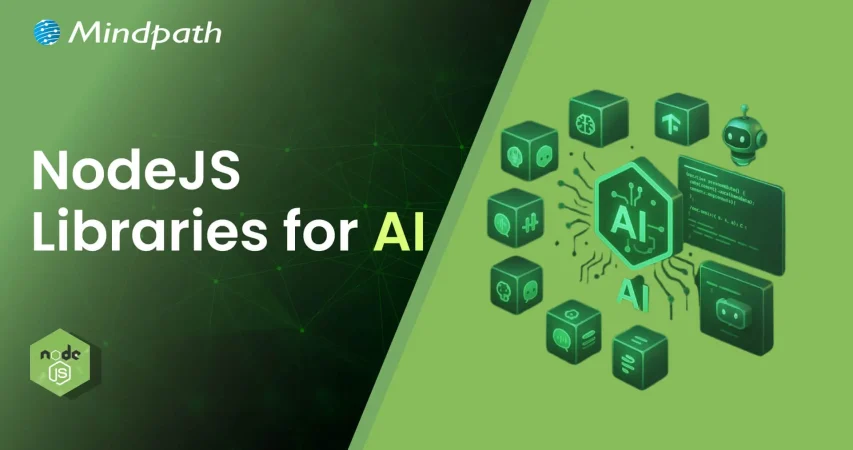
The Ultimate Guide to Node js Libraries for AI Integrations

Join our Newsletter!

Featured Posts

Support Is One Click Away

Home

The Ultimate Guide to Node js Libraries for AI Integrations

Node js libraries for AI

The Ultimate Guide to Node js Libraries for AI Integrations

 As we know, with Node.js libraries, adding AI to your projects is becoming easier. These Node.js libraries for AI can offer you the ability to develop apps that can think, respond, and learn over time. If you enjoy working in JavaScript and you are curious about the new AI features like chatbots, smart predictive features (like those in Google Assistant), and apps that recognize voice input, then now is your chance. You don’t need to begin from scratch. If you use the right libraries, you can build smarter apps at less cost and more value.

These Node.js AI libraries come with beginner-friendly options that are powerful enough for advanced applications. You can add new features such as understanding language, detecting images, or performing machine learning without deep knowledge of AI. They are built to seamlessly integrate into your existing Node.js stack, enabling you to save time and effort in your development workflows. In this blog post, we’ll discuss some of the best libraries to quickly get started with AI in Node.js applications.

Are you looking to elevate your business’s web development with the use of Node.js? At Mindpath, we offer Node.js development services that aim to grow your business by providing reliable and AI-powered web solutions tailored to your unique needs.

Importance of Integrating AI into Node.js Applications

Node.js is increasingly becoming a leading option for creating smart, dynamic applications because it is lightweight and driven by events. Thus, can Node.js be used for AI? Yes, it can! Developers are already using Node.js as an API or tool for AI with tools like TensorFlow.js and Natural. In the 2024 Developer Survey by Stack Overflow, JavaScript continued to be the most popular programming language, which means that Node.js is a great starting ground for AI initiatives.

Integrating Node.js with AI applications allows developers to make applications that change and adapt in real-time. The asynchronous nature of Node.js allows developers to execute several operations simultaneously, making it a good platform for artificial intelligence features like chatbots and live prediction tools. More and more AI libraries support Node.js, as development can happen more quickly. As demand for AI using more efficient and adaptable models rises, Node.js is a new practical, scalable programming option for any developer who wants to create smart digital experiences.

Let us have a quick look at the benefits of integrating AI in Node.js applications:
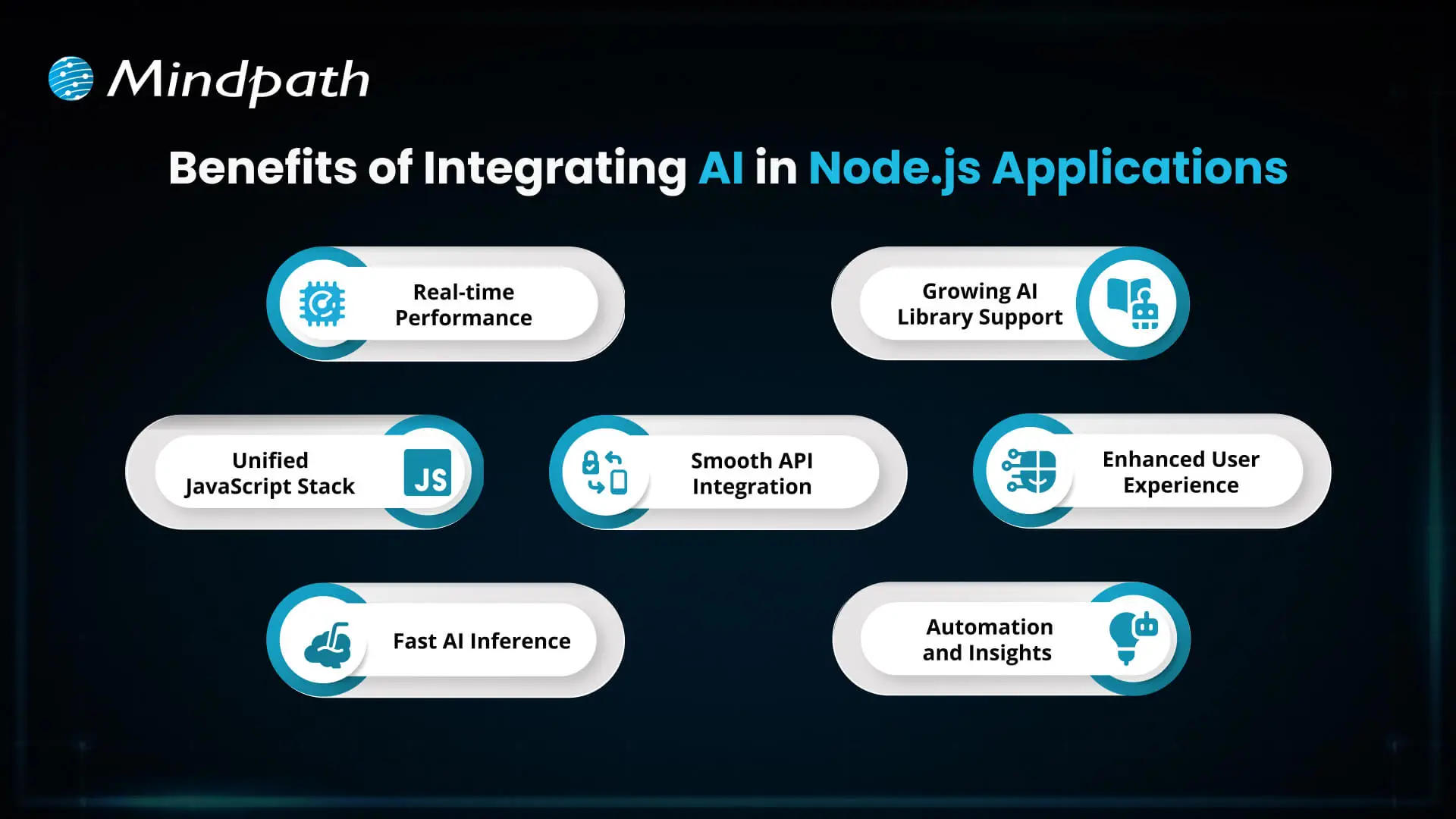
Benefits of Integrating AI in Node.js Applications

1. Real-time Performance

AI integration with Node.js handles real-time tasks like chatbots and fraud detection efficiently with its non-blocking, event-driven architecture. It supports thousands of concurrent requests, delivering quick and responsive AI features.

2. Unified JavaScript Stack

With Node.js AI integration, developers can use JavaScript for both frontend and backend, including AI features. This reduces context switching and makes the development process faster and more efficient.

3. Fast AI Inference

Node.js runs on the V8 engine, which ensures high-speed execution for AI models. This is perfect for real-time predictions like dynamic pricing or personalized recommendations.

4. Smooth API Integration

Node.js makes it easy to connect with external AI services and pre-trained models through APIs. It works well with AI built in other languages like Python, enabling flexibility in integration.

6. Growing AI Library Support

The Node.js ecosystem offers a wide range of AI libraries via npm, such as TensorFlow.js and ONNX.js. These tools allow developers to implement machine learning directly in JavaScript.

7. Enhanced User Experience

AI features like intelligent chat, personalization, and predictions improve how users interact with your app. Node.js helps deliver these features in a fast and seamless way.

8. Automation and Insights

AI in Node.js apps can automate repetitive tasks and analyze data in real-time. This leads to smarter applications that save time and improve performance.

Looking to streamline your web development in 2025? Check out our blog on Top 25 NodeJS Libraries in 2025 to find the best tools that will help you build powerful and efficient applications.

What are the Top Node.js Libraries for AI Integration?

Building intelligent apps is now simpler with the rise of Node.js artificial intelligence libraries that support machine learning, NLP, and smart automation. These powerful AI Node.js libraries help developers create responsive and data-driven features without complex setups. Here are some of the best Node.js libraries for AI integration:
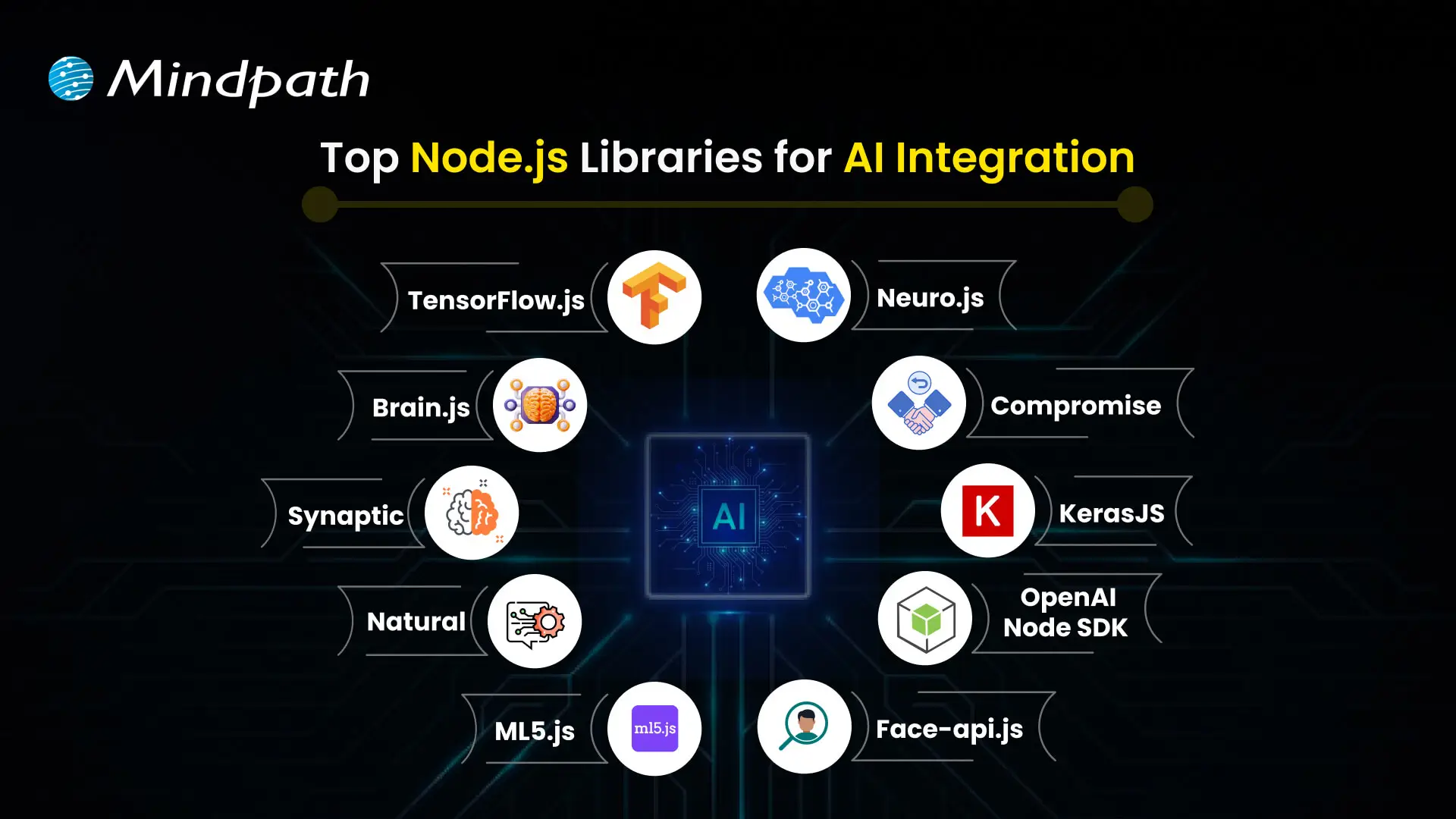
Top Node.js Libraries for AI Integration

1. TensorFlow.js

TensorFlow.js is one of the top Node.js libraries for machine learning, allowing developers to build, train, and run models entirely in JavaScript. It works both in the browser and with Node.js, making it versatile for a wide range of projects. The library is a good example of how Node.js libraries for AI can power real-world communication tools.

2. Brain.js

Brain.js is a simple neural network library that’s ideal for beginners working on small AI projects. It uses JavaScript to make machine learning accessible without complex configuration. Found in the list of useful npm libraries, it helps developers get started quickly with AI-powered features.

3. Synaptic

Synaptic offers a flexible system for creating different types of neural networks, including feedforward and recurrent ones. It supports supervised and unsupervised learning, giving developers options based on their use case. As one of the advanced Node.js libraries for AI, it works well for experimental and custom AI models.

4. Natural

Natural is a powerful Node.js natural language processing library that provides tools like stemming, classification, tokenization, and sentiment analysis. It’s great for applications that need to work with text data in real-time. This is one of the most complete Node.js libraries for AI when it comes to language-based features.

5. ML5.js

ML5.js is built on TensorFlow.js but focuses on simplicity and creative use, making it perfect for artists, designers, and beginners. It lets you easily create interactive AI experiences on the web. As part of the growing set of npm AI tools, it balances power with ease of use.

6. Neuro.js

Neuro.js focuses on building intelligent features for chatbots and virtual assistants using JavaScript. It’s tailored for tasks in NLP and conversational AI. The library is a good example of Node.js support for AI development in real-world communication tools.

7. Compromise

Compromise is a fast and lightweight library for real-time text processing. It’s designed for performance and currently supports only English, making it efficient for many use cases. As part of the JavaScript libraries used in NLP, it’s a useful choice for developers needing quick language insights.

8. KerasJS

KerasJS is a browser-based library that allows you to run deep learning models built with Keras using JavaScript. It supports several pre-trained models like Inception v3 and ResNet, useful for tasks such as image recognition and sentiment analysis. As one of the top Node.js libraries for machine learning, it offers flexibility for deploying models in web environments, with Node.js support in CPU mode.

9. OpenAI Node SDK

The OpenAI Node SDK helps developers connect easily with models like GPT and Codex for generating text, images, and code. It simplifies integration with OpenAI services using Node.js. Available among advanced npm libraries, it enables powerful generative AI in modern apps.

10. Face-api.js

Built on TensorFlow.js, face-api.js provides tools for face recognition, detection, and expression tracking. It runs on both browsers and Node.js, making it suitable for cross-platform apps. As part of modern Node.js libraries for AI, it brings computer vision capabilities to JavaScript projects.

Choosing the right libraries is just the start; you can also enhance Web Performance with Node.js Development Services, which are built to support advanced AI workflows.

Looking to Enhance Your App with Node.js and AI?

The growth of powerful Node.js libraries for AI integration is making it easier to build applications that think, learn, and adapt. AI libraries will help a developer create smarter, faster, and more sensible digital experiences, from real-time predictions, natural language processing, to so much more. With JavaScript at the core, the path to intelligent development is now more accessible.

At Mindpath, we provide professional Node.js development services for current and future applications that are powered by AI. We build intelligent backend systems, provide seamless API integrations, and build scalable features with Node.js, and when combined with AI, we are empowered to deliver increasingly smarter solutions. If you are looking to build an application soon, then we are ready to provide fast, reliable, and intelligent solutions focused on performance and innovation.


Frequently Asked Questions

1. How should the right Node.js AI library be selected for a specific project?

The choice depends on the project’s goal, complexity, and data requirements. Lightweight libraries work well for simple tasks, while advanced frameworks are better for deep learning or large-scale models. Evaluating performance, community support, and integration flexibility helps ensure the right fit.

2. Is it necessary to have strong AI knowledge to use Node.js AI libraries effectively?

Basic understanding of AI concepts is helpful, but many Node.js libraries are designed to simplify implementation. Pre-trained models, clear documentation, and API-based integrations allow developers to add intelligent features without deep expertise in machine learning algorithms.

3. How do Node.js AI integrations handle performance in real-time applications?

Node.js supports non-blocking operations, which allows multiple processes to run simultaneously. This makes it suitable for handling real-time AI tasks like predictions or interactions, ensuring fast responses while maintaining efficiency even under high user demand.

4. What are the common challenges when integrating AI into Node.js applications?

Challenges often include managing large datasets, ensuring model accuracy, handling latency, and maintaining scalability. Proper architecture, efficient APIs, and optimized models are essential to overcome these issues and ensure smooth, reliable AI functionality within applications.

5. How secure are AI integrations in Node.js applications?

Security depends on how data is handled and processed. Using secure APIs, encrypting sensitive data, and following best practices for authentication and access control are essential. Regular monitoring and updates also help maintain the integrity and safety of AI-powered systems.

Related Post

Discover the ultimate guide to hiring Node.js developers in London. Learn about the skills, benefits, and cost factors involved in finding the right talent for your project.

Related Post

software development life cycle

In today’s rapidly evolving technology landscape, the software development life cycle defines how powerful digital solutions are conceptualized, developed, and delivered. It provides structure to a multi-faceted process, which permits development teams to remain focused, minimize risk, and deliver stellar results. This life cycle clearly delineates the sequence of steps that support the journey from idea to launch, while ensuring that each phase contributes to the development of software that delivers user needs, as well as business needs.

Developing software requires following a more structured process than just writing code; it requires a clear and organized process to keep projects on-track and ensure value is being delivered. If you have an understanding of the journey, then you are more equipped to build software that does what it needs to do! To detail this journey is what this blog aims to do with some context on the phases, models, and best practices relating to the development life cycle. So, let’s dive in! 

Want to transform your business with smarter technology solutions? At Mindpath, we provide innovative software development services that build smart tools to meet your unique business needs.

What is SDLC?

The software development life cycle (SDLC) is a process that provides your team with a method for planning, building, and delivering software products. The SDLC divides the entire software development journey into distinct stages, allowing for better management of time, cost, and quality of the product being developed. Adhering to the SDLC can help reduce risks, avoid schedule delays, and deliver a system that meets the user’s requirements.

This approach can also help a team when dealing with changing requirements and multiple team members. It provides clarity in the process, aligns the development team on quarter goals, and improves communication between everyone. The process of custom software development becomes predictable, organized, and focused on providing value with the SDLC. 

Now that we are clear on the SDLC definition, let us learn about the software development life cycle stages. 

Must Read: Software Development Cost

What Are The 7 Stages of the Software Development Life Cycle?

The SDLC is broken down into a series of well-defined stages, which provide guidance to a project from start to completion. Each stage has a distinct purpose and contributes towards ensuring the end product is functional, efficient, and meets user requirements. Here are the 7 stages: 

1. Planning

In the planning stage, the team comes together to define what the software should do and what problems it will solve. They also look at whether the project is realistic in terms of technology and budget. During this phase, important documents like the Project Plan and Software Requirement Specification are created to guide everyone. 

2. Requirements

In this stage, the team focuses on understanding what users need from the software. They gather information by talking to stakeholders through interviews and surveys. Then, they review the data to identify the essential features. This leads to a clear document that guides development and ensures the software meets user expectations. 

3. Design

Turning ideas into a clear plan during the design stage. The team maps out how the software will function, what it will look like, and how data will flow. All these details are recorded in a software design document that serves as a guide for developers. This stage bridges the gap between planning and building, ensuring the software works smoothly and is easy to use. 

Curious about what makes a software engineer truly effective at every stage of development? Discover qualities of a good software engineer and see the skills and traits that drive successful SDLC implementation.

4. Coding

This phase brings the software design to life through coding. Developers write the program following clear guidelines to ensure everything functions correctly. Regular code reviews help catch errors early and maintain quality. By the end, a working version of the software is ready to move on to testing and refinement. 

5. Testing

Quality checks take center stage during the testing phase to find any bugs or issues in the software. The team runs different tests, from checking small parts of the entire system, to making sure everything works well. When problems are found, they are recorded and sent back to the developers for fixing. This cycle continues until the software meets all the set requirements and runs smoothly. 

6. Deployment

Once the software is ready, it is carefully released to the users during the Deployment phase. Different methods are used to make sure the launch goes smoothly without disrupting users. Support, like user guides and training, is often provided to help users get started. 

7. Maintenance

After deployment, the maintenance stage keeps the software running smoothly and up to date. The team fixes bugs, makes improvements, and responds to user feedback to meet changing needs. Regular updates and support help users get the most from the software. Over time, the software may need major upgrades or replacement to stay useful and relevant. 

Curious how businesses are building world-class software teams without geographical limits? Explore how our offshore software development can deliver skilled talent and cost-effective solutions.

Models of Software Development Life Cycle

Different models guide how software development is planned and carried out. Each model offers a unique way to manage the process and reach project goals. Here are some popular software development life cycle models used by teams. 

1. Waterfall Model

The Waterfall Model is a step-by-step approach where each phase must finish before the next begins. It is very structured and relies on clear documentation at every stage. This model works best when requirements are well understood from the start. 

2. V-Shaped Model

The V-Shaped Model focuses heavily on testing at every stage of development. Each development step has a matching testing phase to make sure everything is working correctly. This helps find and fix problems early in the process. 

3. Iterative Model

The Iterative Model builds the software in small parts called iterations. After each part is developed and tested, feedback is used to improve the next version. This process repeats until the software meets all the requirements. 

4. Spiral Model

The Spiral Model mixes planning, prototyping, and testing in repeated cycles. Each cycle creates a new version of the software that can be improved based on feedback. This model helps manage risks but can be expensive and time-consuming. 

5. Big Bang Model

The Big Bang Model is very simple and starts development without detailed planning. It relies on trial and error, making it flexible but also unpredictable. This model is mostly used for small projects or when there is no fixed deadline. 

Looking for technology that fits your business perfectly instead of forcing you to adapt? Explore the custom software development benefits that deliver tailored solutions and real results.

Best Practices to Improve SDLC

Improving the Software Development Life Cycle (SDLC) helps teams deliver better software more efficiently. Following best practices can reduce errors, save time, and keep everyone on the same page throughout the project. 

1. Define the Scope Clearly

Without a clear scope, developers may feel lost and end up redoing tasks. Outlining deliverables, timelines, and milestones early avoids confusion and reduces wasted effort.

2. Manage Workflows Effectively

When work is not organized well, the development process slows down. Keeping an eye on key metrics like cycle time and sprint health helps teams plan tasks better and improve SDLC development.

3. Integrate Continuously

Using CI/CD allows teams to test and deploy code often, which prevents delays and reduces errors. It also makes the final product more secure and reliable.

4. Use Smart Scrum Practices

Following scrum routines like daily stand-ups and retrospectives helps teams stay connected. It also makes it easier to spot and fix problems early in the development cycle.

5. Keep Documentation Updated

Good documentation keeps everyone aligned and helps avoid repeated mistakes. It also saves time later by providing a clear record of security issues and project details.

Curious to know how small oversights in custom software development can cause major issues? Discover the most common custom software development mistakes and learn in detail how to prevent delays and deliver software that truly meets your business goals.

Why does the Software Development Life Cycle Matter Today?

The software development life cycle is key to building reliable, efficient, and user-friendly software. From planning to maintenance, every step in the SDLC adds structure and clarity to the process. By following best practices based on real software development examples, teams can deliver high-quality solutions with fewer setbacks. 

At Mindpath, we guide you through every stage of SDLC with our software development services. From gathering requirements to post-launch support, we help create software that fits your needs, goals, and timelines. Whether it’s a simple software or a full-featured application, our team ensures your vision becomes a successful reality. 

Frequently Asked Questions

1. Why is the software development life cycle important for businesses today?

The software development life cycle helps businesses build reliable and high-quality software without confusion. It brings structure to the entire process, reduces risks, and ensures that the final product meets both user expectations and business goals while staying on time and within budget.

2. Can the software development life cycle handle changing requirements during a project?

Yes, the software development life cycle is flexible enough to handle changes, especially when using modern models like Agile or iterative approaches. These methods allow teams to adjust features, improve functionality, and respond to feedback without disrupting the entire development process.

3. How does choosing the right SDLC model impact a project’s success?

Selecting the right model directly affects how smoothly a project runs. Some models work best for fixed requirements, while others support frequent changes. Choosing wisely helps teams manage time better, reduce errors, and deliver software that aligns with expectations.

4. What challenges can arise during the software development life cycle?

Common challenges include unclear requirements, poor communication, and lack of proper planning. These issues can delay timelines or affect quality. Following best practices like clear documentation and regular updates helps teams overcome these challenges effectively.

5. How can teams improve efficiency in the software development life cycle?

Teams can improve efficiency in the software development life cycle by using automation tools, maintaining clear communication, and tracking progress regularly. Adopting practices like continuous integration and proper workflow management also helps reduce errors and speeds up delivery.

ai in web development

Have you ever pondered if machines could design, code or even personalize user experiences better than humans? Sounds like a dream, right? Well, this isn’t a dream anymore, it is the power of Artificial Intelligence. You heard it right; artificial intelligence is becoming a powerful tool in web development in today’s digital world. Want to know how AI in web development can be beneficial for you? From accelerating development to building smarter sites, AI is quietly revolutionizing the construction and experience of digital platforms. 

But what does this revolution look like? And why are businesses and developers embracing AI more than ever? The answers may surprise you. Stay tuned as we uncover the ways AI is transforming the future of web development! 

Are you ready to elevate your website? Contact us for top-notch AI development services and we will bring your AI-driven web vision to life. 

Role of AI in Web Development

AI in web development refers to the use of artificial intelligence for building websites, faster, smarter and easier to manage. It can help with a lot of things such as writing code, fixing bugs and even assisting with the design. AI can be used in web development to save time, reduce errors and create personalized websites. By leveraging AI, developers can avoid doing repeated tasks and focus on more important things. It can find errors, accelerate things and also help users get their requirements faster.

AI plays a major role in making websites better by suggesting designs, writing parts of the code and even testing how well a website works. Once the site goes live, AI can watch how people use it and make things smoother. Now you must have got a good idea about AI in web development. Let us also learn about some of its benefits: 

Also Read: Benefits of AI

Benefits of AI in Web Development

AI is simplifying website creation for everyone. It assists with coding, designing, and even communicating with users. If you’re creating a website or just beginning, AI can help you save time and get things to work more efficiently. Here are some easy ways it can actually help.

Benefits of AI in Web Development

1. Smarter Coding and Testing

The powerful combination of AI and web development can help developers to write cleaner codes by spotting bugs early and improving how the code works. With deep learning, AI-based tools also facilitate automated testing, which assists quality assurance teams in verifying whether the website functions correctly. Although some problematic areas continue to require manual testing, AI streamlines the process and reduces costs. That’s one of the reasons why QA and testing budgets have declined over the past few years, and why more individuals are using AI websites for improved results. 

2. Smooth Website Development

AI in web development handles mundane and time-consuming work so developers can concentrate on the larger aspects of a project. With smart tools and data-driven choices, the entire web development process becomes more efficient and faster. This is incredibly useful, particularly if you’re new to it. By using AI to create websites, you save time and effort while building something awesome and making web development feel less stressful and a lot more efficient from the very start. 

3. Boosts Customer Support

AI in customer service makes it simple to integrate smart chatbots onto websites that are able to engage with visitors’ day and night. These virtual assistants comprehend questions and respond in natural, friendly terms. They provide instant answers, resolve issues rapidly, and never require breaks. This allows owners of websites to assist users without requiring a support team full-time. It’s an easy method to ensure visitors are satisfied and that they always receive assistance, even when there is no one present. 

4. Cost Effective and Personalized Experience

With the help of AI tools, websites are now able to provide customers with a more personalized and seamless experience at reasonable costs. Work that required time can now be processed automatically, saving time for both users and website owners. AI also assists in identifying fraudulent or toxic activities, protecting users. This is why many top AI websites utilize intelligent features to serve customers better. Ultimately, AI assists in providing more value to the customer at a low cost. 

5. Effortless Content Management

Website content management becomes a lot simpler with the assistance of AI. Through analyzing user behavior on a website, AI provides clear concepts regarding what type of content users like most. Website owners can develop improved posts, videos, or pages that genuinely interest visitors due to this. With the assistance of AI web templates and smart recommendation tools, you can lead users to whatever they require and retain them for a longer period. It’s an easy way to make content better and make each visit feel more personal.

Is your business making the most of AI to stay ahead of the competition? Explore how integrating AI in your business strategy can optimize processes, drive growth, and improve decision-making.

How to Use AI in Web Development?

Today, web development thrives on the partnership between AI and human expertise. While AI handles repetitive tasks and enhances efficiency, it still relies on human creativity and problem-solving. Here’s how you can use AI in web development to streamline your process and improve results. 

1. Artificial Design Intelligence (ADI)

Artificial Design Intelligence (ADI) assists you in creating a complete website by simply responding to a few simple questions. It selects the most suitable layout, design, and content depending on your requirements. It’s like having an intelligent assistant that designs a professional-looking site that reflects your style and objectives. This AI website generator makes the process fast and efficient, ensuring you get the site you want with minimal effort.  

2. Search Easier with Voice Assistants

Rather than typing and reading lengthy pages, users can simply speak their question. Voice AI listens, the correct answer quickly, and voices it back. Voice AI assists websites in providing rapid and clear responses, speeding up searches, making it easier, and more accessible to all. 

3. Coding Assistants

Developers can use smart coding assistants to speed up their work. These tools suggest code, spot errors, and help build websites faster. Even when working on big ideas, they take care of the small stuff. It’s like having a smart helper while writing your code. 

4. Personalize User Help with Chatbots

AI chatbots make it easy for users to get the info they need. They can ask questions in simple language, and the bot instantly provides answers or links. The benefit of chatbot is that it provides fast, accurate responses, making the experience more personal and efficient by using the website’s content.

5. Easy Search Engine Optimization (SEO)

AI can make SEO much easier by providing the best keywords, topics, and headlines for your content. It can even write parts of your text, ensuring the right keyword density for better search engine rankings. This helps your website attract more visitors without the hassle of manual research. 

AI is reshaping industries by automating the processes, empowering faster decision-making, and providing data-driven insights. Learn how AI is e-commerce is transforming the future of e-commerce sector.

Ready to Transform Your Website with AI?

AI is changing web development by making tasks faster and more efficient. From designing and coding to improving user experience, AI helps developers focus on what truly matters. By integrating AI, your website can become smarter, more personalized, and easier to manage for everyone involved. 

Mindpath offers top-tier AI development services and delivers high-performing artificial intelligence solutions that enhance your website’s design, performance, and functionality. Our expert team utilizes AI tools to streamline processes, boost user experience, and create custom solutions.  

Frequently Asked Questions

1. Is AI in web development suitable for small businesses and startups?

Yes, AI in web development is highly suitable for small businesses and startups. It helps reduce development costs, automate repetitive tasks, and speed up website launches. Even with limited resources, businesses can build professional, scalable, and user-friendly websites without needing a large technical team. 

2. Will AI replace human web developers in the future?

No, AI is designed to assist, not replace, web developers. While it can automate coding suggestions, testing, and design support, human creativity, strategy, and problem-solving remain essential. Developers use AI as a productivity tool to work faster and more efficiently, not as a substitute for expertise. 

 3. How secure are AI-powered websites?

AI-powered websites can be highly secure when properly configured. AI tools can detect unusual behavior, prevent fraud, and monitor vulnerabilities in real time. However, security also depends on proper development practices, regular updates, and human oversight to ensure strong protection against evolving cyber threats. 

 4. How does AI in web development improve user engagement?

AI in web development enhances user engagement by analyzing visitor behavior and delivering personalized content, recommendations, and experiences. It can adjust layouts, suggest relevant products or articles, and provide instant support through chatbots, making interactions more meaningful and increasing the chances of conversions. 

 5. What skills are needed to start using AI in web development?

To start using AI in web development, basic knowledge of programming, APIs, and web frameworks is helpful. Familiarity with AI tools, automation platforms, and data analysis can be beneficial. However, many modern AI platforms are beginner-friendly and require minimal technical expertise to get started. 

Node js libraries for AI
Discover top Node.js libraries for AI integrations and learn to enhance your applications with machine learning, NLP, and more.