Home

How to Fine-Tune an AI Model for Your Business Needs?

How to Fine-Tune an AI Model for Your Business Needs?

Join our Newsletter!

AI Model Fine Tuning

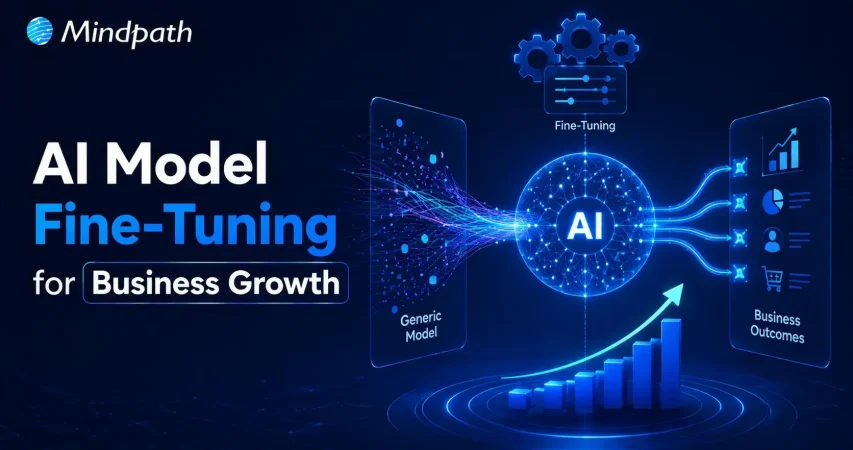
Artificial intelligence is reshaping modern businesses across every industry. Yet generic models often fail to understand company-specific knowledge and business processes. To fine-tune AI model performance, organizations need a focused customization strategy. This approach improves accuracy, consistency, and relevance for real business applications.

Key Takeaways

  • 01
    Fine-tuning transforms general AI models into specialized business solutions with greater accuracy.
  • 02
    High-quality training data directly impacts model performance, consistency, and long-term reliability.
  • 03
    Fine-tuning delivers faster implementation and lower costs than building models from scratch.
  • 04
    Continuous evaluation and optimization keep AI models accurate, scalable, and business-ready.
  • 05
    The right customization strategy helps businesses maximize long-term value from AI investments.

Fine-tuning allows businesses to adapt AI without building an entirely new model. It also helps improve performance for specialized tasks and enterprise workflows. In this blog, you’ll learn what fine-tuning is, when businesses should use it, how the process works, and the best practices for building reliable enterprise AI solutions. So, let’s keep reading further!

Looking for a customized AI model that delivers better results? Discover Mindpath’s AI Model Fine-Tuning Services to optimize model accuracy, efficiency, and domain-specific performance.

What Does It Mean to Fine-Tune an AI Model?

Fine tuning large language models helps businesses adapt pre-trained AI for specific tasks and industry needs. Instead of creating a model from the beginning, organizations refine an existing one using relevant business data. This process improves response quality, accuracy, and consistency across specialized use cases.

Pre-trained models understand general language but often miss company context and domain knowledge. Fine-tuning teaches the model using carefully prepared business datasets and real examples. As a result, it delivers more relevant responses, follows organizational standards, and performs better in practical business environments.

Core Components At a Glance

  • 01
    Foundation Model: Select a pre-trained model suited to your business objectives.
  • 02
    Domain-Specific Data: Train using clean, accurate, and relevant business datasets.
  • 03
    Supervised Fine-Tuning: Refine model behavior with labeled examples and expected outputs.
  • 04
    Parameter-Efficient Fine-Tuning: Reduce training costs by updating only selected model parameters.
  • 05
    Training Hyperparameters: Configure learning settings to improve model performance and stability.
  • 06
    Evaluation and Validation: Test accuracy and prevent overfitting before production deployment.

Fine-Tuning vs Training an AI Model from Scratch

Businesses often compare building a new AI model with choosing to fine-tune AI model performance. Both approaches improve AI capabilities, but they differ significantly in cost, time, resources, and business outcomes.

Understanding these differences helps organizations choose the right strategy for their goals. The right decision depends on data availability, project complexity, budget, and long-term scalability.

Category Training an AI Model from Scratch Fine-Tuning an AI Model
Definition Builds a completely new AI model using large-scale datasets. Customizes a pre-trained model for specific business requirements.
Data Requirements Requires enormous volumes of diverse training data. Uses smaller, high-quality, domain-specific datasets.
Development Time Typically takes several months or longer. Usually completes within days or a few weeks.
Development Cost Involves substantial investment in infrastructure and AI expertise. Significantly lowers development and operational costs.
Computing Resources Requires powerful GPU clusters and extensive computing capacity. Needs fewer computational resources for efficient training.
Customization Offers complete control but demands significant development effort. Delivers targeted customization with faster implementation.
Business Use Cases Suitable for creating entirely new AI models or research projects. Best for industry-specific applications, enterprise workflows, and AI assistants.
Best Choice Large enterprises with extensive budgets, proprietary data, and research teams. Businesses seeking faster deployment, lower costs, and measurable business value.

When Should Your Business Fine-Tune an AI Model?

Not every business needs to customize an AI model from the beginning. AI model customization for enterprise becomes valuable when generic models cannot meet specific business requirements or performance expectations.

1. Specialized Business Knowledge: Fine-tune AI model capabilities for industry-specific tasks and terminology.

2. Consistent Brand Responses: Ensure outputs match your company’s tone, style, and standards.

3. Complex Business Workflows: Handle specialized processes beyond basic prompt-based instructions.

4. High-Quality Training Data: Use curated datasets to improve accuracy and task performance.

5. Lower Operational Costs: Reduce prompt complexity while improving response efficiency and consistency.

How to Fine-Tune an LLM: Step-by-Step Process?

Understanding how to fine tune an LLM helps businesses build AI solutions that deliver better results. A structured process improves model accuracy, reliability, and long-term performance.

Step 1: Select Base Model

Choose a pre-trained model that aligns with your business objectives and use case. Selecting the right foundation improves AI model optimization and overall model performance.

Step 2: Prepare Training Data

Collect clean, relevant, and high-quality datasets for your specific business requirements. Well-structured data helps the model learn accurate patterns and produce reliable outputs.

Step 3: Process Data

Convert the dataset into a format the model can understand during training. Proper preprocessing improves learning efficiency and reduces errors throughout the fine-tuning process.

Step 4: Configure Model

Load the base model and define settings based on your intended task. Correct configuration ensures the model learns effectively from your specialized business data.

Step 5: Validate Performance

Measure model accuracy using evaluation datasets before final deployment. Regular testing identifies weaknesses and helps improve response quality and reliability.

Step 6: Train and Deploy

Train the model with optimized parameters and monitor its performance continuously. Deploy only after verifying consistent, accurate, and business-ready results.

What are the Best Practices to Fine-Tune AI Model?

Successful fine-tuning depends on more than selecting the right model and dataset. Knowing how to train an AI model using proven practices improves performance, reduces errors, and delivers better business outcomes.

1. Clean Training Data

Remove duplicate, outdated, and incorrect records. Clean data improves learning accuracy and consistency.

2. Prevent Overfitting

Reserve unseen data for performance evaluation. Test generalization before deploying the fine-tuned model.

3. Start with Small Datasets

Begin training using limited sample data. Verify results before scaling the complete dataset.

4. Optimize Learning Rate

Choose balanced training settings for stable learning. Avoid values that reduce model performance.

5. Use Efficient Training Methods

Apply lightweight techniques like LoRA whenever possible. Reduce computational costs without sacrificing model quality.

Common Challenges to Watch for

  • 01
    Poor Data Quality: Inaccurate datasets reduce model performance and response reliability.
  • 02
    Overfitting: Excessive learning limits performance on new, unseen business scenarios.
  • 03
    Knowledge Retention: Fine-tuning may reduce previously learned general model capabilities.
  • 04
    High Computing Costs: Training large models requires significant computational resources and infrastructure.
  • 05
    Performance Evaluation: Measuring response quality consistently remains challenging across complex business tasks.

Ready to Fine-Tune Your AI for Better Business Results?

Fine-tuning helps businesses transform general AI models into solutions built for their unique goals and workflows. With the right strategy, quality data, and continuous optimization, organizations can improve accuracy, deliver more relevant responses, and maximize the value of their AI investments.

At Mindpath, we provide end-to-end AI development services, including AI model fine-tuning, to help businesses build AI solutions that align with their unique requirements. Our team works closely with you to create scalable, reliable, and business-focused AI applications that


Frequently Asked Questions

Yes. Businesses can periodically update and re-fine-tune the model with new datasets to improve accuracy, adapt to changing requirements, and maintain consistent performance over time.
Not necessarily. If prompt engineering or Retrieval-Augmented Generation (RAG) meets your requirements, fine-tuning may not be needed. The right approach depends on your business goals, data availability, and expected outcomes.
Success should be measured using business-focused metrics such as response accuracy, task completion rate, customer satisfaction, reduced manual effort, and overall return on investment.
Fine-tuning can help models follow industry-specific guidelines and approved response patterns. However, businesses should also implement security controls, governance policies, and regular monitoring for enterprise use.
After deployment, businesses should continuously monitor performance, collect user feedback, update training data, and retrain the model whenever business requirements or data change.

Support Is One Click Away

Featured Posts

Related Post

Conversational AI Trends 2024
Artificial Intelligence is the term of the decade. While we might not notice, AI is slowly seeping into our everyday life. Conversational AI, a byproduct of AI is already popular in the form of voice assistants like Siri and Alexa, customer assistant chatbots, messenger bots, and more such solutions.   Market research suggests that in 2022, the worldwide conversational AI market was valued at approximately $7.61 billion. It’s expected to expand steadily at a compound annual growth rate (CAGR) of 23.6% from 2023 to 2030. This growth is primarily driven by increased demand, lower chatbot development expenses, AI-driven customer support, and the adoption of omnichannel approaches.  In this blog, we will explore 5 conversational AI trends that will be prominent in the year 2024. So let’s dive right in!  

5 Conversational AI Trends for 2024

1. Chatbots Will Become More Compassionate

One of the biggest trends in the area of conversational AI is that chatbots are going to acquire emotional intelligence. Chatbots will be able to recognize human emotions and respond to them in a manner that’s more humane.   AI chatbots with emotional intelligence will be able to understand complex human emotions such as frustration, dissatisfaction, and anger and thus tweak their response strategy to handle the unpleasant situations that might take place during customer interactions.   Emotional intelligence can also come in handy to enhance chatbot responses and make them much more user-friendly.  

2. More Personalization For Customers

Conversational AI, especially in the domain of chatbots, is becoming more sophisticated by the day where their application is not limited to simply answering the questions. Conversational AI chatbots are all set to offer more personalization to customers in the coming year.   With their ability to understand natural language, chatbots will be able to grasp customer intent. With adequate training on customer data, they will be able to offer customized responses to customer queries, ultimately boosting the customer experience.   Moreover, conversational AI-powered platforms will also be able to curate content such as articles, videos, guides, etc., for users based on their previous activities, providing a rather holistic and personalized experience.  

3. Conversational Search Engines

In 2024, conversational search engines will revolutionize how users interact with search platforms. Traditional keyword-based search is gradually being replaced by more conversational and natural language queries. So instead of typing keywords, we can ask search engines questions as we would to any other human being, and they would respond!   With the advancement of AI and machine learning algorithms, search engines will become adept at understanding the context and intent behind user queries, leading to more relevant search results.  Conversational search engines will enable users to ask complex questions in a more conversational tone, and the search engine will provide answers based on understanding the semantics of the question rather than just matching keywords. This will enhance the search experience, especially on mobile devices and smart speakers, where typing is cumbersome. 

4. Quick Deployment Of Virtual Agents

Advancements in natural language processing (NLP) and machine learning algorithms will enable companies to build and deploy virtual agents rapidly, without extensive customization or development time.   In 2024, the demand for virtual agents will continue to rise, driven by the need for efficient customer service solutions and automation in various industries. Pre-trained models and modular architectures will streamline the deployment process, allowing organizations to implement virtual agents within weeks rather than months.  Training these models is the most time-consuming process. With the availability of large-scale data, it would become much easier and quicker to train the models and deploy them over the coming years.  

5. Multilingual Capabilities Will Expand

Conversational AI technologies will evolve to support a wide range of languages, dialects, and accents, enabling businesses to cater to a global audience seamlessly.  As businesses continue to expand globally, the need for multilingual conversational AI solutions will become more pronounced in 2024. Enterprises operating in diverse markets will require AI-powered platforms that can communicate effectively with customers in their native languages.  Advanced translation models and cross-lingual transfer learning techniques will allow the development of multilingual virtual assistants that can understand and respond to user queries in multiple languages.  To wrap up, the year 2024 promises to be an exciting year for conversational AI, with innovations in emotional intelligence, personalization, search capabilities, virtual agent deployment, and multilingual support reshaping the landscape of customer interactions and user experiences. These conversational AI trends are all set to transform the customer experience for businesses.   If you are also looking to give your business a competitive edge and improve customer experience, it’s the right moment to invest in conversational AI. At Mindpath, we take pride in having innovation as our core value. Our team of professionals combines cutting-edge technology with deep industry knowledge to deliver bespoke solutions tailored to your business needs.   Whether you want a custom AI chatbot or leverage technologies like OpenAI’s ChatGPT, we can help you with all of it.   So if you are looking to unlock the full potential of conversational AI for your business, we can help! Contact us now to explore how our advanced AI solutions can elevate your customer experience and drive business success.  Let’s talk
Conversational AI, a byproduct of AI is already popular in the form of voice assistants like Siri and Alexa, customer assistant chatbots, messenger bots, and more such solutions.  
WordPress Vulnerabilities

WordPress powers more than 43.4 percent of the websites (Source: W3Techs), making it a top choice among businesses, developers, and bloggers. However, with immense popularity comes a higher risk. WordPress’s widespread use and open-source nature have made it a prime target for malicious exploits, cyberattacks, and data breaches. So, it is crucial for site owners to understand and mitigate WordPress vulnerabilities.

A compromised website can cause various devastating consequences, including damage to your business reputation and financial loss. Some major reasons behind security breaches are weak credentials, outdated software, insecure configuration, and third-party plugins. 

This detailed guide will help you learn more about the common WordPress security vulnerabilities. Besides, you will explore some actionable strategies to protect your website. 

If you want to safeguard your WordPress site against attacks, expert intervention can make all the difference. Mindpath offers WordPress development services where we focus on building secure websites according to your business needs.

How Secure is WordPress- Is it Really Vulnerable?

Given WordPress’s dominance on the web, it is no surprise that it attracts malicious attacks frequently. Vulnerabilities in third-party plugins and themes are the most common entry points, a pattern confirmed repeatedly in the WordPress vulnerability database. A notable example is CVE-2024-10924, a critical authentication bypass flaw in the “Really Simple Security” plugin. It allowed attackers to log into WordPress sites with administrative rights and execute code across millions of sites remotely.

There are other WordPress security issues that can expose your site to attackers, like exposed endpoints, arbitrary file uploads, and path traversal. These are regularly documented in the WordPress vulnerability database. While this CMS remains a robust platform, these threats have forced businesses to focus more on ongoing vigilance.

Must Read: Custom WordPress Development

Why Should Businesses Prioritize WordPress Security?

Before exploring the “how”, let’s understand the ”why”. Remember that a security breach can lead to disastrous consequences for businesses. Some impactful consequences of WordPress exploits are: 

1. Search Engine Blacklisting

If your website is compromised, search engines can flag it as malicious redirects, malware, or spammy backlinks. As a result, your site may get blacklisted, affecting your organic traffic and visibility. 

2. Dat Breaches

A vulnerable website makes it easier for hackers to access sensitive data, including users’ names, payment details, addresses, passwords, and more. This can erode customer trust and attract legal penalties. 

3. Downtime

Cyberattacks can lead to a complete shutdown or defacement of your website. Besides, it can take several days or weeks to recover your site, leaving your business inaccessible to customers. 

4. Financial Fallout

The cost of a data breach can go beyond just technical cleanup. Affected businesses face legal penalties, reputational damage, and more. For small businesses, it can be catastrophic.

5. Loss of Admit Control

Attackers can lock out users, escalate privileges, and change credentials, making it challenging to regain admin control without technical intervention. 

The only way to avoid such consequences is by securing your WordPress site with proper security measures. Besides, it is crucial to check website safety regularly. Read on to know more about WordPress Vulnerabilities and how to fix them. 

Do you want your website to be accessible to every visitor? Learn how to improve WordPress web accessibility can help you reach more users and create an inclusive online experience.

Major WordPress Security Vulnerabilities and Solutions

While WordPress itself is regularly maintained and updated, WordPress exploits generally arise from outdated components, insecure integration, etc. Understanding those security risks is the first step toward creating a resilient and secure website. Below, we have listed some common vulnerabilities along with effective mitigation tactics.

1. Outdated Components- The Biggest Threat

Most dangerous and frequent WordPress vulnerabilities arise from outdated components, such as plugins, themes, and the core. Outdated components can offer an easy entry point to hackers. WordPress core updates come with crucial security patches, and the same applies to plugins and themes. 

 Solutions:

  • Regularly check for updates to plugins, core, and themes. 
  • Enable automatic updates wherever possible.
  • Remove unsupported and unused extensions. 
  • Use a WordPress vulnerability scanner to check the website regularly. 

2. Brute Force Attacks

Attackers use trial-and-error methods to guess user login credentials, exploiting common and weak passwords. Once they gain access, hackers can take over the site and carry out various malicious actions.

Solutions:

  • Deploy robust password policies and create passwords combining special symbols and numbers. 
  • Enable 2FA or two-factor authentication to access the admin panel. 
  • Use security plugins such as Limit Login Attempts Reloaded to prevent unauthorized logins. 
  • Be careful while assigning user roles. 

3. Vulnerable Themes and Plugins

Not all plugins are the same. Poorly coded extensions can lead to serious security issues, including XSS or Cross-site Scripting, SQL injection, as well as remote code execution. 

Solutions:

  • Check update history, active installations, and reviews before installing a plugin.
  • Install plugins and themes only from WordPress.org and trusted developers, like the WordPress Cue theme. 
  • Use powerful security plugins such as Sucuri and Wordfence to effectively monitor WordPress plugins vulnerabilities
  • Stay away from pirated themes to prevent potential malware attacks.  

4. Malware Infections

Malicious software programs are designed to steal data, damage systems, and disrupt regular operations. Malware can take different forms, like trojans, ransomware, or spyware. These infections are challenging to detect. 

Solutions:

  • Keep the system updated and ensure you are using the latest version of WordPress. 
  • Limit admis access and follow secure login practices. 
  • Schedule regular malware and backups utilizing advanced tools. 

5. Cross-Site Scripting

This is a common type of injection attack where attackers inject malicious scripts into websites. Poor security configurations and outdated components let attackers inject JavaScript or client-side scripts into a website. Once injected, attackers can access credentials, session cookies, and can also redirect visitors to a malicious site. 

Solutions:

  • Validate and sanitize every user input. 
  • Prefer to encode output data to avoid script execution.
  • Carry out a detailed WPcheck and use response headers to control browser behavior.

Unsure whether your WordPress project is following the right development standards and best practices? Check out our WordPress developer checklist to make sure every essential step is covered for a smooth and successful build.

6. SQL Injections

This WordPress vulnerability happens when attackers inject SQL code through input fields such as contact forms, login, or signup to access the database. This vulnerability can expose sensitive information, compromise credentials, and alter your site content. 

Solutions:

  • Change the WordPress database prefix in the config.php file. 
  • Install a WAF or Web Application Firewall to prevent injection attempts. 
  • Properly sanitize as well as validate user inputs. 

7. DDoS Attacks

Distributed Denial-of-Service is a type of attack where attackers overwhelm servers with fake traffic, making your website inaccessible to visitors. This can cause SEO damage, and downtime. 

Solutions:

  • Carefully monitor your website traffic patterns for unusual spikes.
  • Use rate-limiting tools and extra server bandwidth.
  • Deploy a firewall service or CDN, such as Cloudflare or Bunny.net, to reduce the risk of DDoS.

8. Poor Hosting Platforms

Shared or insecure hosting platforms can expose your site to various WordPress vulnerabilities from other websites using the same hosting environment. A compromised server can damage multiple websites, causing widespread damage. 

Solutions:

  • Choose a trusted and managed WordPress hosting provider.
  • Ensure that the hosting has strong security protocols.
  • Opt for a dedicated IP address.
  • Ensure the hosting offers regular backups, malware scanning, and firewalls

9. Phishing Attacks

Deceptive messages and emails trick users into sharing personal data or clicking on malicious links. After clicking the links, attackers get access to credentials and can inject malware into websites. 

Solutions:

  • Don’t respond to unknown senders or URLs. 
  • Regularly inspect the website’s code to identify and remove phishing pages. 
  • Take backups of your website regularly and before changing code. 

10. CSRF or Cross-Site Request Forgery

Also known as session riding, it tricks visitors into carrying out unintended activities through deceptive forms or links. A CSRF attack can lead to admin-level exploits, data exposure, and unauthorized transactions. 

Solutions:

  • Deploy session validation and secure coding practices.
  • Educate admins and users about social engineering techniques and phishing tactics. 
  • Verify user requests using CSRF tokens. 

Now that you understand the common WordPress vulnerabilities and how to fix them, it’s time to explore some powerful tools that can help you in this. 

Want to make sure your WordPress website runs seamlessly with the latest technology? Discover how WordPress PHP compatibility can protect your site and enhance its performance.

Top WordPress Security Plugins to Consider

To effectively protect your site from a wp vulnerability, using the right security plugins is crucial. Security Plugins listed below offer proactive monitoring, protection, as well as recovery features, helping to reduce the risk. 

Plugin Key Features
Sucuri Security Remote malware and WordPress vulnerabilities scanning, website firewall, malware removal, CDN, and security activity auditing
Wordfence Security Malware scanner, country blocking, live traffic monitoring, and login security
MalCare One-click malware removal, regular malware scanning, offsite scanning, and brute force protection
SecuPress Anti-brute force, security scanner, 2FA, backup and malicious IPs blocking
Cloudflare Turnstile CAPTCHA, free SSL certificate, email routing, and DNSSEC- Domain Name System Security Extension 
SolidWP Magic Link, version management, regular backups, and continuous monitoring
Defender Pro Firewall rules, malware scanning, IP blocking, login protection, and vulnerability reports
Jetpack Security Real-time backups, brute-force protection, spam filtering, and downtime monitoring 

Selecting the right WordPress vulnerable plugins depends on your WordPress website’s requirements. However, installing any of these can boost your website’s security features. 

Planning to upgrade your website but unsure if switching from HTML to WordPress is the right move? Learn the benefits of converting HTML to WordPress and how it can boost your site’s performance, scalability, and user experience.

WordPress Post-Hack Protocol- Follow These Steps

Even with the best WordPress vulnerability scanner and necessary security strategies, no site is 100 percent safe. If your WordPress site has been hacked, a strategic and swift action is crucial. With a clear post-hack strategy, you can restore functionality and regain control. 

1. Immediately restrict public access to your site to prevent further damage. 

2. Change the database password and administrative passwords immediately. 

3. Restore your website using a backup created before the hack. 

4. Use reliable security plugins to detect infected files, entry points, and unauthorized changes. 

5. After restoring your site, patch all the components with the latest updates. 

6. Change default login URLs, implement strong firewalls, and disable the file editing function. 

7. Establish continuous security scans and monitor activity logs to identify potential threats early. 

8. If the hack has exposed user data, inform your users about the breach. 

9. In the wp-config.php file, change the security salts and keys. 

A proactive WordPress recovery plan ensures your site bounces back more secure and stronger from WordPress vulnerabilities.

Wondering how to hire the right WordPress developer to help your business grow online? Explore our detailed guide on Hiring a WordPress Developer to discover expert insights that guide you toward making the best hiring decision.

Build A Secure and Resilient Website with The Right Security Measures

Securing your WordPress website against these WordPress vulnerabilities is vital in this digital world, where cyberattacks are common and increasing. Understanding major flaws, applying the right security measures, and partnering with a trusted WordPress developer can reduce the chance of cyberattacks while keeping your site running smoothly.

Mindpath’s web development team has years of experience in creating secure, accessibility-compliant, and scalable WordPress websites. Our experts keep themselves updated with the latest WordPress security problems and vulnerabilities to offer you end-to-end WordPress development services. From plugin vetting and WordPress vulnerability audits to security configuration and continued support, we will help you stay ahead of every WordPress exploit while ensuring a seamless user experience. 

Frequently Asked Questions

1. How often do WordPress vulnerabilities actually get exploited, and is the risk as serious as security experts claim?

The risk is very real. WordPress powers over 43% of the web, which makes it an attractive target. Automated bots scan for outdated plugins and weak credentials constantly. Most successful attacks are not sophisticated at all, they exploit basic oversights that could have been easily prevented.

2. Can a website owner with no technical background realistically keep their WordPress site secure on their own?

For basic security hygiene, yes. Keeping plugins updated, using strong passwords, and enabling two-factor authentication are manageable without technical skills. However, deeper security configurations, vulnerability audits, and post-hack recovery genuinely benefit from professional involvement to avoid making things worse accidentally.

3. How do you know if your WordPress site has already been compromised before any visible damage appears?

Often there are subtle early signs like unexpected admin users, unusual traffic spikes, slower load times, or strange redirects. Regular malware scans using security plugins can catch infections early. Waiting for visible damage to appear usually means the attacker has already had extended access.

4. Are free WordPress security plugins actually effective or do businesses need to invest in premium solutions?

Free versions of reputable plugins like Wordfence and Sucuri offer solid baseline protection. Premium versions add real-time firewall rules, faster malware removal, and advanced monitoring. For business websites handling customer data or transactions, the investment in premium protection is generally worth it.

5. If a WordPress site gets hacked, how long does recovery typically take and what does that process actually involve?

Recovery time depends heavily on how quickly the breach is detected and whether clean backups exist. With recent backups, restoration can take hours. Without them, rebuilding can take days. Identifying the entry point, cleaning infected files, and patching vulnerabilities all need to happen before the site goes live again.

ReactJS Trends 

If you have any interest in web development, you have likely seen how everything is evolving. Developers are examining better ways of implementing new interfaces that deliver a better experience to their users. As the demand for fast, reliable interfaces is continually increasing, it’s increasingly vital to keep up with the evolving ReactJS trends. By establishing these foundations within yourself, you will be able to develop and apply smarter development choices soon.

With each successive year, ReactJS continues to develop and create outcomes in how modern applications are designed. The updates, tools, and ideas that make up the ReactJS universe are forcing developers to think differently and advance the way they work. These changes aren’t just technical; they also reflect what users expect from digital experiences. Knowing what’s gaining attention and where the focus is shifting can give you an edge, right? So, in this blog, we will look at the best ReactJS trends to watch in 2026. Let’s dig in!

Want to stay ahead with the latest ReactJS trends? Our ReactJS development services can help you create modern, scalable, and future-ready applications, designed as per your business requirements.

Evolution of ReactJS

Since it was first implemented in 2013, React has changed the frontend development space through its component structure and virtual DOM. In earlier versions of React, we had JSX and rendering efficiency, which all led to building scalable user interfaces. Newer versions (React 15 and 16) further refined the usability of the library through performance improvements, error boundaries, and server rendering, and, in the process, significantly improved development stability and experience. Meanwhile, React 17 through 19 introduced further original ideas and modern development workflows.

With React 17, we saw improvements to the upgrade paths of React and compliance with the browsers, while React 18 gave us concurrent rendering, new powerful hooks, and React 19 built on React 18 with server components, action-based state management, and support for Web Components. React continues to evolve to meet the needs of web development.

Upcoming Features in ReactJS

ReactJS 19 is the latest version, bringing fresh improvements to the way developers build user interfaces. With ReactJS’ upcoming features, version 19 focuses on better performance, cleaner code, and easier state handling. These updates mark a big step forward in the future of ReactJS and give a clear view of what’s new in ReactJS in 2026.

Upcoming Feature in ReactJS

1. Enhanced Hooks

One of the React 2026 updates includes powerful new hooks that will make state and effect management even smoother. These enhanced hooks aim to simplify logic and reduce repetitive code in components. They’re designed to give developers more flexibility and control in modern web development.

2. React Compiler

React is introducing a new compiler that optimizes code during build time. It helps reduce manual work by automatically improving performance behind the scenes. Instagram is already using this tool, making it one of the most promising ReactJS features.

3. Server Components

React now supports server components, allowing parts of the UI to render on the server. This feature works well with frameworks like Next.js and helps improve app performance. It reduces the JavaScript sent to the browser, making pages load faster.

4. Web Components Support

React will soon support the direct use of web components inside your code. This opens the door to combining different front-end technologies in one project. It’s a big step forward in creating flexible and reusable UI elements for modern web development.

5. Document Metadata

React 2026 updates will include better control over document metadata like titles and meta tags. This allows developers to manage SEO-related data more efficiently within their components. It saves time and keeps everything organized in one place.

Want to ensure your digital products stay competitive as new react trends shape the future of web development? Discover how the latest React roadmap helps business owners plan smarter, more future-ready tech investments.

What are the Top ReactJS Trends for 2026?

The React ecosystem is going through major improvements that are changing the way developers approach front-end development. ReactJS trends 2026 highlight a shift toward more efficient workflows, faster rendering, and cleaner architecture. With smarter tools and updated features, we can see how ReactJS is evolving in 2026 to meet the growing demands of modern web development.

ReactJS Trends 

1. Server Components in Action

React’s new server components allow parts of the UI to be rendered on the server, reducing the workload on the browser. This makes applications faster and easier to manage, aligning with the latest ReactJS trends. They also allow developers to send less JavaScript to the client, improving performance. This results in faster initial page loads and a smoother user experience.

2. Advanced Concurrent Features

React’s concurrent features, like Suspense and automatic batching, make multitasking smoother and interfaces more responsive. This update improves how React handles rendering without blocking the user experience. It helps manage large-scale applications more efficiently. Developers can build interfaces that stay fast even during heavy updates.

3. Improved Developer Experience

Tools like React DevTools are being enhanced to support more efficient debugging and testing. These improvements help streamline development workflows and reduce troubleshooting time. Developers get better visibility into component behavior and performance bottlenecks. This leads to quicker bug fixes and smoother iterations.

4. TypeScript Integration

The adoption of TypeScript continues to grow as teams seek more scalable and maintainable codebases. This is now a major trend in front-end trends 2026, supporting safer and more reliable coding. TypeScript’s static typing reduces runtime errors and improves code clarity. It also makes collaboration easier across large development teams.

5. Advancing React Native

React Native updates are making it easier to develop high-quality cross-platform apps. It remains a strong choice for teams working across both web and mobile interfaces. New libraries and tools are being introduced to improve development speed. These updates also enhance native-like performance and UI consistency.

Want to be sure that your web application delivers a fast and smooth user experience that keeps customers engaged? Discover how improving React performance can directly enhance satisfaction and boost overall business results.

6. AI-Powered User Interfaces

React is being used to build smarter, AI-driven interfaces that adapt to user behavior in real time. These features support more personalized and predictive user experiences. AI integration helps applications anticipate user actions and deliver relevant content. This enhances engagement and boosts user satisfaction.

7. Enhanced Performance Optimization

Performance remains a top focus, with React adding better support for edge computing and efficient memory handling. These updates are critical to meeting modern speed and scalability demands. They ensure faster content delivery across global networks. Optimizations also help reduce power and data usage on devices.

8. Web3 Integration

React is being adapted to work smoothly with decentralized technologies like blockchain wallets and smart contracts. This is part of the broader movement in JavaScript frameworks 2026 towards Web3-ready solutions. It simplifies the process of building secure and decentralized apps. React’s flexibility supports fast adoption in emerging blockchain-based platforms.

9. Faster and Smarter Toolchains

Modern tools like Vite and frameworks such as Next.js and Gatsby are becoming more powerful. These enhancements reflect improvements seen across React front-end development practices. They reduce build times and make testing and deployment more efficient. Developers benefit from improved hot reloading and modular workflows.

10. Community-Led Progress

The React ecosystem continues to expand thanks to open-source contributors who build tools, libraries, and new practices. These efforts keep ReactJS trends moving forward with fresh ideas and evolving standards. Active community support ensures regular updates and fast issue resolution. It also helps spread knowledge and best practices across the industry.

Want to scale your application seamlessly as your customer base grows? Learn how the benefits of ReactJS development services make large-scale, high-traffic apps easier to maintain and expand.

Are You Looking Forward to Embracing the Future of ReactJS?

ReactJS trends are reshaping the landscape of modern web development. With fresh tools, smarter architecture, and growing support for cutting-edge features, staying current is no longer optional. Developers who stay informed can build faster, smarter, and more scalable applications. Understanding these shifts puts you in control of how you approach digital solutions in 2026 and beyond.

At Mindpath, we offer expert ReactJS development services designed for growth and scalability. Our team stays aligned with the latest ReactJS trends, ensuring your product is future-ready. From concept to deployment, we develop efficient and high-performing applications tailored to your goals. Partner with us to unlock seamless, modern interfaces built with precision and care.

Frequently Asked Questions