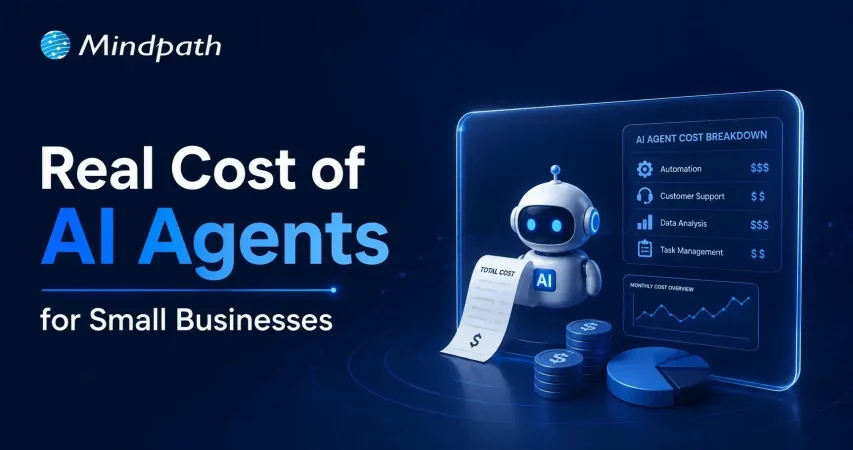
The Real Cost of AI Agents for Small Businesses: A Transparent Breakdown 

Home

The Real Cost of AI Agents for Small Businesses: A Transparent Breakdown 

The Real Cost of AI Agents for Small Businesses: A Transparent Breakdown 

Join our Newsletter!

Cost to build an AI Agent

Small businesses today are watching AI agents handle customer queries, automate workflows, and close sales round the clock. Exciting? Absolutely. But many business owners jump in without truly understanding the cost to build an AI agent. That gap between excitement and reality often leads to budget overruns. So, let’s talk numbers, trade-offs, and what actually goes into building one.

Key Takeaways

  • 01
    The cost to build an AI agent ranges from $3,000 to $50,000 upfront.
  • 02
    Complexity, integration, and data readiness are the biggest cost drivers.
  • 03
    Hidden costs like token bloat and API fees catch most small businesses off guard.
  • 04
    Starting with one narrow task keeps your budget controlled and ROI measurable.
  • 05
    Consistent maintenance and prompt tuning protect your long-term agent investment.

Furthermore, the pricing rarely tells the full story. Vendors show you the entry plan; they rarely show you integration fees, maintenance costs, or what happens when your agent scales. Every layer adds up quietly. In this blog, we break down every real cost involved so you can plan smarter, spend better, and build an AI agent that actually works for your business. So, let us read further and know more!

Looking for a cost-effective way to implement AI? Our AI development services help businesses build scalable AI solutions with measurable ROI.

What Factors Influence the Cost to Build an AI Agent?

Building an AI agent is never one flat price. Implementing an AI agent cost shifts dramatically based on what you need, how complex your workflows are, and which technology stack your team chooses. Several moving parts quietly push the budget up or down. Understanding these factors upfront saves you from nasty surprises later. Let’s break down exactly what drives the cost.

1. Scope and Complexity

Rule-based chatbots follow fixed scripts and cost far less to build. True agentic AI that reasons, plans, and adapts autonomously demands significantly more development effort and budget.

2. Integrations and Tooling

Every external system your agent connects to, such as your CRM, ERP, or payment gateway, adds development time. Giving the agent capabilities like web browsing or database querying also requires rigorous security testing.

3. Data Readiness and Preparation

Unstructured or siloed data needs heavy cleanup before your agent can use it effectively. Setting up vector databases and memory architecture to support long-term recall adds another layer to your AI automation cost.

4. Technology Stack

Your choice between proprietary LLMs, open-source models, and no-code builders directly shapes both upfront and recurring costs. Custom frameworks like LangChain offer more control but require significantly more development time.

5. Security and Compliance

Regulated industries like healthcare and finance carry strict compliance requirements including HIPAA and GDPR. Penetration testing, security audits, and data privacy measures push the AI automation cost noticeably higher.

6. Maintenance and Continuous Training

Launching your agent is only the starting point. Production environments demand ongoing prompt tuning, knowledge updates, and performance monitoring throughout the agent’s entire lifecycle.

What Is the Actual Cost to Build an AI Agent for Small Businesses?

The AI customer service agent cost for small businesses ranges from $3,000 to $50,000 upfront. Monthly maintenance and token fees add $50 to $1,000 more.

1. Cost Breakdown by Agent Type

Costs vary widely depending on complexity and autonomy level. Here is what each tier typically costs small businesses today.

2. Off-the-Shelf Configured Agents: $3,000 – $10,000+

No coding is needed here. You pay for prompt setup, branding, and basic routing configuration.

3. Basic Custom Agents (MVP): $10,000 – $25,000

These agents handle customer support, lead qualification, and simple automation. They connect to your website or one external API.

4. Mid-Level and Internal Agents: $25,000 – $50,000+

These require multi-step planning and deep CRM integration. Human-in-the-loop oversight adds complexity and cost.

5. Ongoing Operational Costs

Building the agent covers only the starting investment. Monthly operational costs keep it running and improving.

6. API and Token Usage: $20 – $500+ Per Month

Usage costs depend on query volume and your chosen LLM. OpenAI, Anthropic, and Gemini all price differently.

7. Cloud Hosting: $50 – $300 Per Month

This covers serverless functions and knowledge base storage. Costs scale as your agent handles more traffic.

8. Maintenance: 15% – 30% of Build Cost Annually

Regular updates, bug fixes, and prompt refinements are essential. Strong ROI of AI agent development depends heavily on consistent maintenance investment.

Hidden Costs of AI Agents Nobody Talks About

1. Agentic Token Bloat

Reasoning loops silently stack up your LLM API charges.

2. AI Drift Maintenance

Changing business rules add 15-20% to annual build costs.

3. System Integration and API Fees

Custom API connections cost $25,000 to $75,000 additionally.

4. Debugging and Monitoring

Silent agent failures waste valuable developer time and money.

How Can Small Businesses Reduce the Cost to Build an AI Agent?

Building an AI agent does not have to drain your budget. Smart planning and the right approach can significantly cut costs without compromising on quality or performance.

1. Leverage No-Code Agent Builders

Skip expensive developer fees with visual drag-and-drop platforms. Non-technical staff can build and integrate agents independently and affordably.

2. Mix Models and Use Open-Source

Avoid paying GPT-4 prices for every routine task. Smaller open-source models like Llama 3 cut token costs significantly.

3. Start With a Single Narrow Task

Target one high-volume process like scheduling or email replies. This keeps your initial AI agent ROI for small businesses measurable and clear.

4. Run in Parallel First

Test your agent alongside existing workflows for four to six weeks. This catches errors before full deployment and protects your investment.

5. Optimize Your Prompt Engineering

Well-structured prompts use fewer tokens and reduce unnecessary back-and-forth. This directly lowers how much does an AI agent cost per month operationally.

Is the Cost to Build an AI Agent Worth It for Your Small Business?

For most small businesses, the answer is yes. The cost to build an AI agent pays back quickly through saved labor, faster response times, and scalable automation. Start small, measure results, and expand only where it genuinely moves your bottom line.

At Mindpath, we provide AI development services tailored specifically for small business budgets and goals. We help you skip the guesswork, avoid hidden costs, and build agents that actually deliver results. Let us help you make the right investment from day one. Contact us today for a free consultation, and discover how the right AI solution can help your business save time, reduce costs, and grow with confidence.
Frequently Asked Questions

Q1. What is a realistic budget to start with when thinking about the cost to build an AI agent?

Starting small is always the smarter move. A basic MVP agent typically costs between $10,000 and $25,000. For tighter budgets, no-code platforms bring that figure down to $3,000. Start narrow, prove value, then scale gradually.

Q2. Can a small business actually afford an AI agent in 2026?

Absolutely, and more businesses are doing it successfully. The key is matching the agent’s complexity to your actual needs. Overspending on features you do not need is the biggest mistake small businesses make early on.

Q3. How long does it take to build and deploy an AI agent?

A basic configured agent can go live within two to four weeks. Custom-built agents with CRM integrations and multi-step workflows typically take two to four months. Planning your data readiness beforehand cuts deployment time significantly.

Q4. Does the cost to build an AI agent include ongoing maintenance?

Rarely upfront. Most vendors quote the build cost only. Maintenance, prompt tuning, and API updates add 15% to 30% of the build cost annually. Always ask for a full lifecycle cost estimate before signing any agreement.

Q5. What is the biggest mistake businesses make when budgeting for an AI agent?

Underestimating hidden costs. Token usage, API integration fees, cloud hosting, and drift maintenance all add up quietly. Many businesses budget only for the build and get caught off guard by operational expenses within the first three months.

Related Post

Agile methodology in web development

Web development is the priority of every business that wishes to have a strong digital presence. Your business must adapt to new trends and emerging user behavior patterns in diverse web development projects with ease. The utility of agile methodology in web development has been gaining a lot of traction due to the assurance of multiple benefits. 

Do you think that thousands of software engineers praise the agile methodology just for fun? Agile approaches to web development not only bring adaptability but also the benefits of innovation and efficiency in the development process. You can stay ahead of the competition in the modern technological landscape with a dynamic approach to web development.

Do you want a website that adapts quickly to your business needs and drives growth? Mindpath’s web development services deliver custom agile solutions that enhance performance, user experience, and scalability.

Understanding the Agile Methodology

Many people may think that agile methodology is a newly formulated approach for web development. On the contrary, it is one of the most popular approaches in software and web development. The reason to choose agile for web development is the emphasis on delivering more value to the end users and developers. One of the biggest highlights of the agile methodology is how it facilitates collaboration between different members of development team. 

The primary way in which agile methodology works for web development involves breaking projects into sprints. The sprints are manageable iterations and can help in ensuring consistent progress in web development projects. With the agile approach, development teams can adapt quickly to user feedback, new business requirements and market conditions. The flexibility for cross-functional teams to work closely improves collaboration and enhances decision-making.  

The most prominent thing about the agile approach is the emphasis on customer expectations and needs. Agile development promotes a culture of continuous improvement with the use of sprint reviews and daily updates. The assurance of continuous improvement ensures that the final product delivers the value that end users want. The continuous refinement in different iterations helps in delivering high-quality web projects.

Planning to enhance your Agile strategy with cutting-edge tools and frameworks? Discover the latest insights in our web development trends blog to stay ahead of industry changes.

How is Agile Different from Traditional Web Development?

The popularity of the agile methodology has grown by huge margins as organizations embrace it in different domains, including project management. You might think about how the agile methodology for website development delivers better results than traditional development approaches. You can use the differences between the two approaches for web development to understand how the agile approach is better. 

1. Scope for Adaptability

The biggest reason to choose agile over traditional web development approaches is the assurance of adaptability. Traditional development focuses more on prior planning with detailed specification of project requirements and needs at the beginning. On the other hand, agile methodology recognizes that a web development project’s requirements will change at different stages. Therefore, agile development emphasizes flexibility while supporting iterative modifications on the basis of continuous feedback.

2. Iterative Development Process

You can differentiate agile web development and traditional web development in terms of the facility of an iterative development process. Traditional web development follows the waterfall approach in which you complete one step after the other. Agile development relies on an iterative development process by breaking down a project into smaller iterations. The iterative approach offers continuous feedback loops and easier recognition of potential problems in the early stages.

3. Enhanced Collaboration

Traditional web development works with clear demarcation of roles and responsibilities of team members. It also restricts stakeholder involvement with formal review processes at different stages of the development project. You can notice the benefits of agile development in how it promotes cross-team collaboration and collaboration with stakeholders. Team members can work together and share their expertise with the objective of achieving shared goals. Agile development calls for regular meetings and feedback to encourage continuous collaboration with all stakeholders.

4. Emphasis on End User Requirements

Another crucial point of difference between agile and traditional development is how they focus on requirements of the end user. Traditional web development relies heavily on extensive documentation and can be susceptible to delays or failures. In addition, traditional development approaches cannot adapt to the emerging needs of end users. However, agile methodology boasts of adaptability and can respond faster to changes in customer needs or market trends. Most important of all, agile development aims to deliver value to the end user rather than creating comprehensive documentation.

Want to make your Agile web development process smarter and more data-driven? Check out our AI in web development blog to discover how intelligent automation enhances productivity and innovation.

How Does the Agile Methodology Enhance Web Development?

The biggest question that any business owner will have about agile development revolves around its advantages for their web project. Why should you ditch the traditional development approach for agile development? You must know the advantages of agile software development to give the best answer to this question. While it is better than traditional web development in many ways, agile development is an ideal choice for achieving more value with web development projects. 

1. Assurance of Better Quality in the Final Product

Agile development follows an iterative approach, which involves testing each feature when it is developed. The continuous feedback and quality improvement in each sprint offers the assurance of creating a better final product. Development team members and stakeholders work in collaboration to fix the loopholes together in early stages of development. The flexibility to refine the product at different stages provides the assurance of high-quality final products.

2. Emphasis on Customer Needs

The discussions about agile development will be incomplete without mentioning how it focuses on customer needs. You can notice the advantages of agile methodology in how it keeps customers in the loop. Developers can make changes in the web project prototype on the basis of feedback from product owners. As a result, agile development helps in building products that align closely with customer expectations. Weekly meetings and feedback sessions with stakeholders ensures that agile methodology will deliver a customer-centric product.

Want better results from your Agile web projects? Discover our web apps features blog to learn the key features that drive success.

3. More Flexibility and Control over the Project

New web development teams have been looking up to agile methodology for the benefit of flexibility. Team members can make changes in the project for their respective sprints according to the feedback of customers. If a stakeholder needs a new feature in the product, the development team can repeat the process to make the required modifications. It helps in avoiding disruptions to the overall development process. At the same time, agile development ensures that all stakeholders enjoy better control. Each member in agile development teams is accountable for their actions while maintaining complete independence in their sprints.

4. Faster Launches and Continuous Improvement

Another notable addition among the advantages of agile development is the time to market for web projects. Web developers can launch websites or web apps quickly as the agile methodology always leaves room for continuous improvement. The collaboration between web developers and stakeholders offers the ideal ground for continuous improvement and timely project delivery. With the agile methodology, developers can deliver incremental changes in all iterations to deliver a better product.

5. Resource Optimization and Cost Reduction

Agile development empowers teams to verify assumptions and obtain feedback in the early stages of the development process. As a result, development teams can allocate resources according to the most critical features. The effective optimization of resource allocation ensures that you can achieve more savings in web projects with the agile methodology.     

Wondering which tools can streamline your workflow and improve project delivery under Agile methodology? Learn more in our web development tools blog to explore platforms and technologies that boost productivity and performance.

Final Thoughts

The benefits of the agile methodology in web development showcase that it can facilitate a more efficient and seamless development process. You should understand that agile approaches to web projects involve breaking the larger project into smaller sprints. It promotes collaboration between teams working on the development project alongside ensuring the involvement of stakeholders. The scope for flexibility and continuous improvement ensures that developers can create a final product that aligns with customer expectations and needs.

Mindpath has been one of the leading platforms for web development with years of experience in this domain. Our web development services have always earned the appreciation of clients with the assurance of multiple benefits. We have specialized in the agile methodology with expertise in renowned agile development frameworks and tools. Reach out to us and build your next web project with the agile methodology now.

augmented staff onboarding

Businesses are in constant need of scaling their IT workforce in the current scenario. This is why many organizations have turned to staff augmentation. It is a viable approach to bring in the external IT experts to work along with your internal teams. As per recent ISACA studies, around 75% of employees are prioritizing hybrid work environments. This has made IT staff augmentation even more powerful.

However, simply hiring augmented professionals is not enough. Without a structured approach, even the most talented developers might struggle to integrate properly with your workflow. In this guide, we will go through some practical steps for staff augmentation onboarding. This can help you successfully adopt remote or hybrid teams while maintaining precise collaboration.

Need a cost-effective way to scale your team with qualified IT talent on demand? At Mindpath, we offer flexible staff augmentation services to help businesses hire top-tier developers and specialists without long-term commitments.

What is Augmented Staff Onboarding and How It Can Upgrade Your Operations?

IT staff augmentation is all about hiring experts temporarily from a third-party organization. Further, the extended team will help your business grow while accelerating the project workflow. They will work under your management while filling the skill gaps.

With proper augmented staff onboarding, you can easily tackle the risks and expenses related to traditional hiring models. A company leveraging these services will match you with all the resources you require for a limited timeframe. Here are the benefits that make staff augmentation an attractive prospect.

1. Minimal Cost

If we compare it to full-scale hiring, augmented staff is a much more budget-friendly solution. Your vendor will cover their recruitment charges and benefits. However, the pricing structure completely depends on the region or the offshore companies you are selecting.

2. Outstanding Productivity

Unlike freelancers or outsourced teams, integrating augmented teams can be managed in real time. You can collaborate with them and encourage your productivity.

3. Global Pool of Talent

With IT staff augmentation, you are breaking the limits of the local talent pool. Further, casting a wider net offers you a better chance of finding skills that exactly match your business objectives.

For your knowledge, an effective onboarding process can upgrade your business productivity by 70%. Organizations with a streamlined onboarding process can boost new hire retention by 82%.

Want to stay ahead of evolving workforce strategies and technology demands? Discover the latest staff augmentation trends that are transforming how businesses scale teams and adopt hybrid work models.

A Detailed Step-by-Step IT Staff Onboarding Process

Integrating augmented professionals into your team needs more than an orientation meeting. So, here is a structured approach to ensure seamless integration of augmented teams into your existing workforce.

1. Define the Roles and Project Expectations

Before the augmented team starts working on your project, you should clearly define your expectations. Moreover, you need to be precise about your project goals and milestones. Make the experts know their individual responsibilities and reporting structure.

Clear expectations can eliminate any type of confusion while allowing your team members to start contributing faster. In the recent scenario, average tech skills are becoming outdated. So, identify their gaps and bring in experts who can make an immediate impact.

2. Prepare the Technical Environment

One of the biggest onboarding delays happens when new employees wait to access new tools and systems. So, before your staff augmentation onboarding, make sure they have access to development environments and other collaboration tools. They should also be aware of your security credentials and permissions.

Offering access to project management tools and collaboration platforms ensures everyone can trace the task and can update the feedback in real time. The new team should be responsible enough to immediately begin exploring the system architecture and your project structure.

3. Conduct a Structured Orientation Session

Orientation can be tagged as the first official step in the remote team onboarding. So, this session should introduce augmented staff to the company’s mission and culture.

You should be vocal about your company’s goals and values. Further, you can discuss the overview of your products or services. Give an introduction to key stakeholders and be sure about the project timelines.

You can also schedule a one-on-one session with the managers or team leads to explain the expectations. This approach will ensure augmented professionals completely understand the bigger picture.

Planning to streamline your recruitment process and onboard experts faster? Check out how staff augmentation hiring enables businesses to quickly integrate skilled professionals into their teams.

4. Introduce Augmented Staff to Your Internal Team

A major challenge in staff augmentation is generating a sense of belonging. So, if your external professionals are not feeling connected enough, the overall collaboration can suffer.

You can introduce your team members through virtual team meetings. Further, you can make informal introductions with your major stakeholders. This is one of the major steps in staff augmentation onboarding as it encourages collaboration.

5. Assign a Mentor or Guide

Assigning a mentor can speed up the learning process. The mentor can help the new members understand the internal workflows. Further, they can answer queries regarding the tools or other internal systems.

A dedicated point of contact can minimize communication gaps, and the augmented staff will also understand who to approach when they find something challenging. This approach can encourage productivity while strengthening collaboration between the internal and external teams.

A professional point of contact can easily fill in the communication gaps, and the external staff will also understand who to contact when they face any issues. This step can upgrade your productivity while strengthening the collaboration efforts.

6. Regarding a Clear Communication Channel

Communication is the backbone of successful staff augmentation onboarding. So, when your team works across multiple regions or time zones, clear communication becomes essential.

To ensure clear communication, define your communication protocols and response expectations. Conduct a meeting and use an individual collaboration platform to assess the doubts of your team. Your organization should also welcome queries and concerns of the augmented staff. In this way, professionals will feel comfortable sharing their innovations or ideas.

Want to optimize your team collaboration while keeping operational costs under control? Discover how cost effective IT staff augmentation helps businesses maintain efficiency and productivity without increasing hiring expenses.

7. Provide Training and Resources

Even experienced professionals or IT specialists need time to understand a company’s internal systems. So, your stretched team should have proper access to your documentation process.

Continuous training and workshops can upgrade the knowledge while making your team understand the overall project environment.

8. Verify Performance and Progress

Your onboarding process shouldn’t be for the first weeks. You should acknowledge continuous feedback to make your external staff know your project needs. Your managers should also check the performance of your team every week. Assess their work and give them reviews for better work processing.

These sessions can help you identify early opportunities to improve collaboration and overall productivity.

9. Follow up on the Onboarding Process

Your business should assess the importance of the onboarding process. Most importantly, consider the concerns and feedback of your internal team. Companies that refine their onboarding strategies over time can scale their augmented teams more effectively while increasing productivity.

Wondering which workforce model best fits your business needs and long-term goals? Learn the key differences between staff augmentation vs managed services to make a more informed decision.

Conclusion

If your business needs quick and scalable IT talent, staff augmentation can be an ideal solution. However, your IT staff onboarding process should be streamlined enough. It can simplify the process while making your augmented teams match the existing workflows.

Companies like Mindpath can help your business upgrade its IT capabilities. Our expert team leverages efficient strategies and streamlined staff augmentation. Our approaches have already been beneficial for many industry leaders. We can be your perfect match for fulfilling the digital transformation your company demands.

Discover best practices for onboarding augmented IT staff, from identifying team needs to seamless integration, ensuring success.

Support Is One Click Away

Featured Posts

Related Post

Conversational AI, a byproduct of AI is already popular in the form of voice assistants like Siri and Alexa, customer assistant chatbots, messenger bots, and more such solutions.