Home

Top Cloud Security Risks You Need to Know About

Top Cloud Security Risks You Need to Know About

Join our Newsletter!

Cloud security risks

Cloud Computing has certainly emerged as a breath of fresh air for modern organizations. The novel technology has empowered businesses to carry out their operations in a flexible and scalable manner. However, you need to bear in mind that the adoption of cloud also gives rise to a number of risks and threats for businesses. 

Businesses need to broaden their insight into Cloud security risks. The knowledge can help them prepare themselves to strategically tackle the risks of cloud computing. It is time to dive into the realm of cloud computing and learn about the main risks that threaten businesses.

Looking for a reliable way to manage cloud security risks without putting your business data and operations in danger? Mindpath offers Cloud Infrastructure Services that help in mitigating risks by providing proactive monitoring.

Insight into Cloud Computing

Before looking at the top Cloud security risks, you need to have a clear insight into cloud computing technology. Cloud computing is the on-demand delivery of computing services—including servers, storage, databases, networking, and software over the internet. These services are available over the internet to the users, thereby allowing them to access the necessary services and make payment for only what they use. These capabilities have contributed to some of the most important cloud computing trends in recent years. 

Due to cloud computing, individuals and businesses do not need to purchase and maintain any physical hardware. They have the option to simply leverage the remote data centers of cloud providers. By doing so, they can access computing power as well as data in an efficient manner. 

Want to protect your cloud workloads from emerging threats? Learn about cloud security tools that help prevent and manage security risks effectively.

Top Cloud Security Risks

Poor cloud security practices have the potential to give rise to a broad range of security risks and threats. Both individuals and businesses need to be aware of such Cloud security challenges and risks. Some of the top risks include:

1. Data Breaches

Such types of risks arise when unauthorized actors gain access to sensitive data or information that is stored on the cloud. Such types of risks can give rise to grave consequences, such as financial damage and losses. Legal consequences may also arise for businesses because of data breach incidents. Some of the common causes of data breaches on the cloud include compromise of credentials, existence of vulnerable applications, and many more.

2. Poorly Configured Cloud Settings

Cloud security misconfiguration is a serious risk that may compromise the quality of security. These security challenges in cloud computing may arise because of open storage buckets, highly permissive IAM policies, and poor configuration settings. Organizations need to be extremely careful about the cloud settings that are in place so that such a risk can be tackled effectively. 

3. Insecure APIs 

The role of APIs is critical for the functionality of the cloud. In such a case, an insecure API may be a reason for cloud security issues and vulnerabilities. Typically, insecure APIs have weak encryption or authentication, which may be exploited by hackers. As a result, they may be able to gain access to valuable resources on the cloud. Since API vulnerabilities may go under the radar at times, they can be the favorite target for malicious actors. 

4. Account Hijacking

Account hijacking refers to the security risks of cloud computing, which occurs when an attacker makes use of stolen credentials to gain access to a cloud account. An attacker can carry out diverse manipulations with the data after they have taken over the account. For instance, they may steal the information, which may lead to the disruption of service. 

5. Insider Threats

These cloud security issues arise because of internal stakeholders. They could be employees, partners, or contractors who have access to the cloud resources of a business. They may either intentionally or unintentionally misuse the access that they have. You need to keep in mind that insider threats are extremely dangerous as they are carried out by people who are trusted. Such cloud security threats can easily bypass conventional security measures and thus may be hard to discover as well as mitigate. 

Want to understand what puts your cloud systems at risk? Discover cloud computing attacks and see how organizations mitigate modern threats effectively.

6. Data Loss

The data that is saved on the cloud may be lost because of diverse reasons. It may be lost due to accidental deletion, hardware failure, or the actions of malicious actors. In case organizations do not maintain regular backup, they face the risk of losing their valuable data on a permanent basis. Businesses need to be extremely cautious while handling their data on the cloud in order to prevent data loss of any kind.

7. Lack of Proper Visibility

When business entities grow, it may get difficult to maintain holistic visibility into the cloud environment. The lack of cloud visibility is one of the major security issues with cloud computing. This is because it can act as a barrier to threat detection as well as response. Malicious actors such as cybercriminals and hackers may get the opportunity to gain unauthorized access and compromise the security. It can heighten the risk relating to undetected breaches.  

8. Absence of Encryption Practice

Encryption is an integral part of safeguarding sensitive data that is stored or in transit in cloud environments. The data or information that is not properly encrypted is likely to become easy prey for access or interception by unauthorized users. The business entities that are unable to encrypt their sensitive data are exposed to the dangers of cloud computing.

9. Ineffective Identity and Access Management (IAM)

Poor practices relating to Identity and Access Management are considered to be serious cloud computing security problems. Poor practices may include weak password policies or giving undue permission to employees within the organization. Such poor practices can give rise to opportunities for cybercriminals to compromise cloud security.

10. Third-Party Risks

Third-party risks arise because of vendors or partners that deal in the cloud environment. Due to their poor security practices, security concerns may arise for businesses. There is a possibility that attackers may target a third-party vendor in order to gain access to the broader cloud ecosystem. In order to reduce this risk, it is essential for businesses to prioritize vendor risk management.

Looking for insights on cloud security risks? Check out cloud computing vulnerabilities to see how weaknesses are exploited and how to mitigate them.

Best Practices for Cloud Security

As security risks in the cloud setting are growing like never before, organizations need to adopt best practices to deal with such concerns. These practices can act as the ultimate cloud security solutions that can help you strengthen your security posture. Some of the best practices include:

1. Maintaining Solid Access Controls

Businesses should make sure that they have strong access controls in place. Some of the controls that you can introduce include multi-factor authentication along with strong password policies. They are believed to be good measures for securing access to cloud accounts. 

2. Encryption Practices 

Business entities need to place high emphasis on both data at rest and data in transit encryption. It is vital to encrypt sensitive data at all times by following strict encryption protocols.  Moreover, the implementation of encryption key management policies is also crucial to protect data in the best way possible. 

3. Monitoring and Auditing of Cloud Activities 

Businesses need to use advanced monitoring tools for the purpose of keeping a tab on the activities that take place on the cloud. You need to perform the audit of logs on a continuous basis so that you will be able to locate suspicious activities such as unauthorized access.

4. Safe APIs

You need to know that APIs serve as common entry points for cybercriminals as well as attackers.  In order to tackle the security risks of cloud computing relating to insecure APIs, you need to use safe APIs. You must ensure that there exists strong authentication as well as encryption for all types of API communications. 

5. Principle of Least Privilege

Businesses need to adopt the principle of least privilege. It will help you limit the access rights relating to users. Moreover, it is essential to monitor, review, and update controls on a frequent basis. This will help you identify if users get extra access in the cloud environment. 

Struggling to manage security risks in cloud applications? Learn about cloud-native development and discover how secure development practices protect your environment.

Final Words

There exists a diverse range of risks in the cloud environment that business entities need to be aware of in the current times. Some of the main risks include Data Breaches, poorly configured cloud settings, and many more. In addition to gaining knowledge about such risks, it is essential to familiarize yourself with the best practices relating to cloud security. Some of the best practices include maintaining solid access controls, encryption, and many more. 

You need to leverage Mindpath’s top-quality cloud solutions. The cloud managed services are perfect as they can help your business to flexibly leverage the resources. Moreover, the experts will ensure that you are safe from cloud security risks that exist in the current business world. 

Are You Managing Cloud Security Risks?

Identify risks and strengthen your cloud environment.

Frequently Asked Questions

Common risks include data breaches, misconfigured cloud settings, insecure APIs, account hijacking, insider threats, data loss, and weak identity management.
Businesses can reduce cloud security risks through strong access controls, encryption, regular backups, secure configurations, continuous monitoring, and regular security assessments.
Misconfigured storage, excessive permissions, and incorrect security settings can expose sensitive resources and create opportunities for unauthorized access or data breaches.
Encryption protects sensitive information by making data unreadable to unauthorized users, both when it is stored and while it moves between systems.
IAM ensures users receive appropriate access to cloud resources, helping businesses limit unnecessary permissions and reduce the risk of unauthorized account activity.

Support Is One Click Away

Featured Posts

Related Post

multiagent ai systems

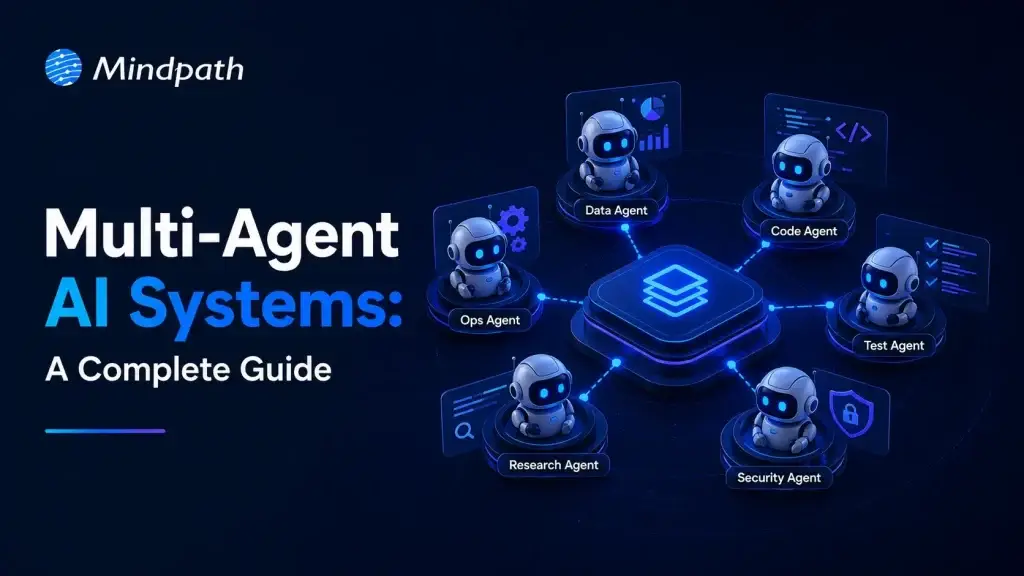
Businesses are entering a new phase where intelligent software handles complex decisions instead of completing isolated tasks. Multi-Agent AI Systems are leading this transformation by allowing multiple AI agents to collaborate, communicate, and solve business challenges with greater speed and accuracy. This shift is helping organizations automate entire workflows while improving operational efficiency across different departments.

Key Takeaways

  • 01
    Multi-agent AI systems simplify complex business workflows through intelligent collaboration.
  • 02
    Specialized AI agents improve speed, accuracy, and operational efficiency.
  • 03
    Businesses gain scalable automation with coordinated AI decision making.
  • 04
    Strong architecture ensures reliable communication between multiple AI agents.
  • 05
    Careful implementation maximizes long-term business value and performance.

As organizations expand their AI capabilities, they require solutions that can coordinate multiple tasks without constant human intervention. That is where intelligent collaboration between AI agents becomes valuable for modern enterprises. In this blog, we are going to explore what multi-agent AI systems are, their benefits, architecture, working process, use cases, implementation approach, and why businesses are adopting them in 2026.

Looking to deploy intelligent AI agents that collaborate seamlessly across your business? Explore our multi-agent AI system development services to build scalable, secure, and high-performing AI solutions tailored to your needs.

What are Multi-Agent AI Systems?

A multi-agent AI system is an artificial intelligence environment where sethrough AI agent orchestration to veral independent AI agents work together toward shared or individual objectives. Each agent performs specialized responsibilities while exchanging information and coordinating decisions to achieve efficient business outcomes.

Instead of relying on one intelligent model for every responsibility, these systems distribute tasks across multiple specialized agents. This collaborative approach improves decision quality, reduces processing delays, and enables businesses to automate increasingly complex operational processes.

How Do Multi-Agent AI Systems Work?

Multi-agent AI systems follow a structured workflow where specialized agents collaborate to complete complex business tasks efficiently.

1. Task Distribution: The system divides a business request into smaller tasks and assigns them to specialized AI agents.

2. Independent Processing: Each agent performs its assigned task using its own knowledge, tools, and reasoning capabilities.

3. Agent Communication: Agents exchange updates through AI agent orchestration to stay aligned throughout the workflow.

4. Decision Coordination: The system combines outputs from multiple agents to generate a unified and accurate response.

5. Continuous Learning: Feedback and performance data help agents improve accuracy and efficiency over time.

Benefits of Multi-Agent AI Systems

Organizations are increasingly investing in this approach because it delivers measurable improvements across business operations.

1. Improved Task Specialization

Each AI agent focuses on a specific responsibility instead of managing every business function simultaneously. This specialization improves response quality while reducing errors during complex business processes.

2. Better Scalability

Additional agents can be introduced whenever business requirements continue expanding across departments or operational functions. Organizations can therefore increase automation without rebuilding existing AI infrastructure.

3. Faster Decision Making

Multiple agents process different tasks simultaneously while continuously sharing relevant information with one another. Parallel execution significantly reduces delays across time-sensitive business workflows.

4. Greater Operational Reliability

If one agent experiences temporary issues, other agents continue performing their assigned responsibilities without interruption. This distributed structure minimizes operational downtime while improving business continuity.

5. Flexible Business Automation

Organizations can customize different agents for finance, customer service, logistics, sales, or internal operations independently. This flexibility allows businesses to automate diverse workflows using the same intelligent ecosystem.

Multi-Agent AI System Architecture

A well-designed architecture enables multiple AI agents to communicate, collaborate, and complete business objectives efficiently.

1. User Interface

The user interface acts as the entry point where users submit requests or business queries. It collects inputs and forwards them to the system for further processing.

2. Orchestrator

The orchestrator manages task allocation and coordinates communication between different AI agents throughout the workflow. It ensures every agent receives appropriate responsibilities and works toward the desired outcome.

3. Specialized AI Agents

Each agent is designed for a specific responsibility, such as research, planning, data analysis, customer support, or content generation. This specialization improves both efficiency and response quality across business operations.

4. Shared Knowledge Base

A centralized knowledge base stores documents, business rules, databases, and historical information for all agents. Access to shared information helps maintain consistency and supports better decision-making.

5. Communication Layer

The communication layer enables agents to exchange updates, share results, and coordinate their activities efficiently. This multi-agent AI framework ensures smooth collaboration without creating duplicated efforts.

6. Monitoring and Feedback System

The monitoring layer tracks agent performance, workflow progress, and system health in real time. Business feedback is also collected to improve future accuracy and overall system performance.

Real-World Use Cases of Multi-Agent AI Systems

Businesses across industries are adopting intelligent agent collaboration to automate complex workflows and improve operational efficiency.

1. Customer Support Automation

Different agents handle customer identification, issue analysis, response generation, and ticket resolution simultaneously. This approach delivers faster responses while improving customer satisfaction across multiple communication channels.

2. Supply Chain Management

Multiple agents monitor inventory levels, forecast demand, optimize transportation, and identify potential supply disruptions. Businesses gain better visibility while reducing operational delays and unnecessary costs.

3. Healthcare Operations

AI agents coordinate appointment scheduling, patient record management, clinical documentation, and insurance verification together. Medical professionals spend less time on administrative work and more time providing patient care.

4. Financial Services

Agents analyze transactions, detect fraudulent activities, generate compliance reports, and assess financial risks continuously. Financial institutions improve security while making faster and more informed business decisions.

5. Software Development

Different agents assist with requirement analysis, coding, testing, documentation, and deployment activities during software development. These collaborative AI agents accelerate development cycles while improving software quality.

6. Business Intelligence

AI agents collect information from different business systems before generating dashboards and strategic insights. Decision makers receive accurate recommendations without manually combining information from multiple sources.

How to Build a Multi-Agent AI System?

Organizations should follow a structured approach when planning how to build a multi agent AI system for business automation.

1. Identify Business Objectives

Begin by defining the workflows that require automation and measurable business improvements. Clear objectives help determine the required agent capabilities.

2. Design Agent Responsibilities

Assign specific responsibilities to every agent instead of expecting one model to perform every task. Specialized roles improve efficiency and simplify future maintenance.

3. Select the Right Technology Stack

Choose appropriate AI models, databases, APIs, cloud infrastructure, and development frameworks before implementation begins. Technology decisions directly influence scalability and long-term performance.

4. Develop Communication Workflows

Create standardized communication methods that allow agents to exchange information accurately and efficiently. Well-defined workflows improve collaboration across the complete system.

5. Test and Optimize

Validate system performance using real business scenarios before deploying it into production environments. Continuous testing improves reliability and supports successful multi-agent AI implementation.

Challenges of Multi-Agent AI Systems

Businesses should understand these common challenges before implementing multi-agent AI systems across critical operations.

1. Communication Complexity: Poor coordination between agents can reduce efficiency and create inconsistent outcomes.

2. Data Security: Protecting sensitive business data remains essential when multiple agents access shared information.

3. Integration Challenges: Connecting AI agents with existing legacy systems may require careful planning and development.

4. Performance Monitoring: Continuous monitoring helps maintain accuracy, reliability, and overall system performance.

5. Higher Implementation Costs: Initial development and deployment can require significant investment in technology and expertise.

6. Scalability Management: Managing a growing network of AI agents becomes more complex as business operations expand.

Ready to Build Smarter AI Systems for Your Business?

Businesses are rapidly moving toward intelligent automation that manages complete workflows instead of isolated tasks. Multi-Agent AI Systems provide the flexibility, scalability, and intelligence needed to improve operational efficiency, accelerate decision making, and support long-term digital transformation across industries.

At Mindpath, we help organizations design, develop, and deploy custom AI Development Services that solve real business challenges and support long-term growth. Our team builds secure, scalable, and future-ready AI agent solutions that integrate seamlessly with your existing systems while delivering measurable business value.

Frequently Asked Questions

Frontend and Backend

Building a scalable business application requires more than an attractive user interface or a powerful server. Businesses need both layers to work together effectively. The frontend and backend serve different purposes, but their integration influences application performance, security, usability, and the ability to support growing business needs.

The frontend manages what users see and interact with, while the backend handles business logic, data processing, authentication, and communication with databases and other services. When these layers are designed around clear responsibilities and reliable communication, businesses can build applications that are easier to maintain, extend, and scale.

Key Takeaways

  • 01
    The frontend delivers the user interface and interactions, while the backend manages business logic, data access, and server-side processing.
  • 02
    APIs enable the frontend and backend to exchange data and coordinate application workflows.
  • 03
    Caching, efficient data handling, asynchronous processing, and performance monitoring help applications remain responsive as usage grows.
  • 04
    Security requires coordinated controls across both layers, including server-side authorization, input validation, secure sessions, and safe data handling.
  • 05
    Choosing an appropriate architecture depends on business requirements, expected traffic, system complexity, budget, and long-term maintenance needs.
Planning a scalable business application? Explore Mindpath’s full-stack development services to discuss your application architecture, integration requirements, and development goals.

What are Frontend and Backend Development?

What Is Frontend Development?

Frontend development focuses on the parts of an application that users see and interact with. It includes page layouts, navigation, buttons, forms, dashboards, visual elements, and responsive behavior across different screen sizes.

Frontend developers use technologies such as HTML, CSS, and JavaScript, along with libraries and frameworks such as React, Angular, and Vue.js. Their work helps ensure that users can navigate the application, complete tasks, and access information through a clear and consistent interface.

For a business application, the frontend might include a customer dashboard, a product catalog, an account settings page, or an employee management interface. The design should consider usability, accessibility, responsiveness, and the needs of the intended users.

What Is Backend Development?

Backend development focuses on the server-side systems that process requests, enforce business rules, manage data, and connect applications with other services. It supports the operations users rely on when they sign in, submit a form, place an order, or retrieve information.

Backend developers may use technologies such as Node.js, Python, Java, PHP, and Ruby, alongside databases such as PostgreSQL, MySQL, and MongoDB. The appropriate technology depends on the application’s data model, performance requirements, integrations, team expertise, and operational constraints.

For example, when a customer submits an order, the backend can validate the request, check product availability, apply business rules, coordinate payment processing, and store the order record. The frontend then displays the relevant result to the customer.

To understand how the different development roles compare, read our guide to frontend vs. backend developers.

How Frontend and Backend Work Together to Build Scalable Applications

The frontend and backend communicate to turn user actions into application operations. The frontend collects input and presents results, while the backend validates requests, applies business logic, and retrieves or updates data. This interaction must be reliable, secure, and efficient if the application is expected to support more users and more complex workflows.

1. API Communication

Application programming interfaces (APIs) provide defined ways for the frontend and backend to exchange information. The frontend sends requests to backend endpoints, and the backend returns data or a response indicating the result of the operation.

REST APIs and GraphQL are two common approaches to application data communication. Depending on the requirements, systems may also use WebSockets or other communication patterns for real-time updates.

For example, an ecommerce frontend may request product information, submit cart updates, and retrieve order details through APIs. The backend checks permissions, validates input, applies business rules, and returns the appropriate response.

Clear API contracts help frontend and backend teams develop independently while reducing integration problems. Teams should document expected data formats, authentication requirements, error responses, and versioning policies.

2. Architecture That Supports Growth

An application’s architecture determines how its components are organized and how they communicate. A modular monolith can be a practical starting point for many business applications because it keeps related functionality in one deployable system while maintaining clear internal boundaries.

For more complex systems, a microservices architecture separates selected business capabilities into independently deployable services. For example, an application might have separate services for payments, user accounts, notifications, and product management.

Microservices can allow teams to scale or deploy specific services independently, but they also introduce additional operational complexity, network communication, monitoring, and data consistency challenges. Businesses should choose this approach when its benefits justify the extra effort rather than treating it as a requirement for every scalable application.

3. Asynchronous Processing

Some application operations take longer than a typical user interaction should require. Examples include generating reports, processing large files, sending bulk notifications, and running complex calculations.

Asynchronous processing allows an application to handle these tasks without making users wait for the entire operation to finish within the original request. A backend may place work in a queue and process it through a background worker while the frontend displays a pending status.

For example, a business dashboard could let a user request a large report, return a confirmation, and notify the user when the report is ready. The implementation should provide clear status updates, error handling, and a way to retry failed operations when appropriate.

4. Efficient Data Handling

The amount and structure of data exchanged between the frontend and backend can affect response times, bandwidth usage, and application responsiveness. Sending more data than a screen requires can increase processing costs and make interfaces feel slow.

Developers can improve data handling by selecting only the necessary fields, using pagination for large result sets, applying suitable filtering and sorting, and avoiding unnecessary API requests. Caching can also reduce repeated work when the data and freshness requirements allow it.

For example, an employee directory with thousands of records can return a limited page of results rather than sending every employee record to the browser. The frontend can request additional pages as users navigate the directory.

Data validation should take place on the backend even when the frontend already checks user input. Client-side validation improves usability, but it cannot replace server-side controls.

5. Scaling Frontend and Backend Resources

As an application gains users, different parts of the system may experience different types of demand. The frontend may need efficient asset delivery and content caching, while the backend may need additional processing capacity, database optimization, or more workers.

Frontend resources can often be delivered through a content delivery network (CDN), while backend services may scale by adding instances or allocating additional computing resources. Database scaling strategies depend on query patterns, data volume, consistency requirements, and the chosen database technology.

Independent scaling can help teams respond to specific bottlenecks, but it requires suitable architecture, monitoring, deployment practices, and capacity planning. A well-designed application scales according to measured demand rather than adding infrastructure without understanding the workload.

Want to understand how frontend, backend, and full-stack roles fit together? Read our guide to frontend vs. backend vs. full-stack developers.

6. Secure Communication and Access Control

Security depends on the way the frontend, backend, APIs, databases, and connected services work together. The frontend can provide a secure and understandable sign-in experience, but the backend must enforce authentication and authorization before allowing access to protected resources.

For example, hiding an administrative button in the frontend does not prevent an unauthorized user from attempting to call the underlying API. The backend must verify the user’s permissions for each protected operation.

Important practices include:

  • Use HTTPS to protect data transmitted between clients and services.
  • Validate and sanitize untrusted input at appropriate system boundaries.
  • Enforce authentication and authorization on the backend.
  • Store passwords and secrets using suitable security practices; never expose private credentials in frontend code.
  • Use parameterized database queries or equivalent protections against injection attacks.
  • Manage sessions, tokens, dependencies, and error messages carefully.
  • Log relevant security events while avoiding unnecessary exposure of sensitive information.

Security should be considered throughout development rather than added only before launch. Regular testing, dependency updates, access reviews, and incident-response planning help maintain protection as the application evolves.

For additional guidance, read our article on application security best practices.

7. State Management and Data Consistency

Frontend applications often need to manage information such as the current user, selected filters, form values, shopping cart contents, and data retrieved from APIs. State management helps components access and update the information they need in a predictable way.

For smaller applications, built-in React state and context may be sufficient. Larger applications may benefit from dedicated state management or data-fetching libraries, depending on their complexity.

It is important to distinguish temporary frontend state from persistent backend data. The frontend may cache a response or optimistically display an update, but the backend remains responsible for enforcing business rules and persisting authoritative records.

When multiple users can update the same data, the application may also need conflict handling, refresh strategies, or real-time updates to keep information consistent.

8. Performance Optimization Across Both Layers

Application performance is a shared responsibility. A frontend can be slowed by large JavaScript bundles, unoptimized images, excessive rendering, or unnecessary network requests. A backend can be slowed by inefficient database queries, expensive computations, external service delays, or insufficient capacity.

Frontend optimization may include:

  • Reducing unnecessary JavaScript and loading code when it is needed.
  • Optimizing images, fonts, and other static assets.
  • Using appropriate caching and minimizing redundant requests.
  • Measuring real user experience and addressing accessibility issues.

Backend optimization may include:

  • Analyzing database queries and adding appropriate indexes.
  • Caching frequently requested data where safe and useful.
  • Moving suitable long-running operations to background workers.
  • Setting sensible timeouts, retries, and resource limits for external services.

Teams should measure performance across the full request path. This helps them identify whether delays originate in the browser, network, API, database, or an external dependency.

Read our guide to optimizing React performance for large applications for related frontend performance considerations.

9. Load Balancing and Traffic Management

Load balancing distributes incoming requests across multiple available servers or service instances. It can help a backend handle higher traffic volumes and reduce dependence on a single instance, provided the application and its infrastructure are configured appropriately.

For example, a business application may receive a spike in traffic during a product launch or a promotional campaign. A load balancer can distribute requests across healthy backend instances while monitoring helps the team identify capacity issues.

Load balancing does not remove every bottleneck. Databases, third-party services, shared storage, and application-level limits may still constrain throughput. Businesses should combine traffic management with health checks, capacity planning, suitable caching, and performance monitoring.

10. Centralized Logging, Monitoring, and Observability

When an application spans the browser, APIs, backend services, databases, and third-party systems, identifying the cause of an issue can be difficult without coordinated monitoring.

Frontend monitoring can capture JavaScript errors, failed requests, and user-facing performance issues. Backend monitoring can track API latency, error rates, resource use, database performance, and background job failures.

Centralized logs, metrics, and distributed traces help teams follow a request across different components and identify where a failure or delay occurred. Correlation IDs can help connect related events across services.

Monitoring should also include meaningful alerts and operational procedures. Teams need to know which issues require immediate attention and how to investigate them without collecting unnecessary sensitive user data.

Frontend and Backend: Key Differences

Although frontend and backend development work closely together, their main responsibilities differ. Understanding these differences helps businesses plan teams, select technologies, and define system boundaries.

Area Frontend Backend
Primary role Presents the interface and handles user interactions. Processes requests, enforces business rules, and manages data access.
Common technologies HTML, CSS, JavaScript, React, Angular, Vue.js. Node.js, Python, Java, PHP, Ruby, and other server technologies.
Typical responsibilities Layouts, navigation, forms, accessibility, and client-side state. Authentication, authorization, APIs, business logic, and data persistence.
Performance priorities Rendering, asset delivery, responsiveness, and interaction speed. API latency, database queries, processing capacity, and service reliability.
Security responsibilities Safe interface behavior, appropriate handling of client-side data, and secure communication. Server-side access control, input validation, secrets management, and data protection.

The two layers are not completely independent. Decisions about data formats, authentication, caching, rendering, and error handling affect both. Collaboration and clear technical contracts help keep the complete application reliable.

How to Choose the Right Architecture for a Scalable Business Application?

The right architecture depends on the business problem, expected traffic, data requirements, integration needs, available skills, and budget. A small internal tool may need a straightforward application structure, while a complex enterprise platform may require separate services and more advanced operational controls.

1. Define Business and User Requirements

Identify the main workflows, user groups, integrations, data requirements, and expected usage patterns. These details help determine which frontend capabilities and backend responsibilities the application needs.

2. Select Technologies Based on Project Needs

Choose frontend frameworks, backend technologies, and databases according to the required functionality, team expertise, performance targets, and maintenance expectations. Avoid selecting a complex stack solely because it is popular.

3. Define API Contracts and Data Ownership

Document the information exchanged between the frontend and backend, including request formats, responses, errors, authentication, and versioning. Clear contracts help teams work independently and reduce integration issues.

4. Plan for Security and Reliability

Design authentication, authorization, input validation, logging, backup, recovery, and monitoring into the application. Consider how the system will handle failed requests, unavailable dependencies, and unexpected traffic.

5. Scale Based on Measured Demand

Begin with an architecture that matches current requirements while preserving practical options for growth. Use monitoring and load testing to identify bottlenecks before introducing additional infrastructure or splitting the application into multiple services.

6. Plan for Maintenance and Future Enhancements

Include testing, documentation, dependency updates, deployment practices, and ongoing support in the development plan. Maintainable code and clear ownership help businesses evolve the application without making every new feature unnecessarily difficult to deliver.

Why Full-Stack Development Can Help?

Full-stack development brings frontend and backend expertise together within a development team or individual role. This can help teams coordinate interface design, API development, data handling, and integration work across the application.

For businesses, a full-stack approach can be useful when building a new product, integrating existing systems, or extending an application with new functionality. The team still needs clear responsibilities, appropriate specialization, testing, and security reviews to ensure that both layers meet their requirements.

Read more about full-stack development and how it brings frontend and backend work together.

Looking for support across the complete application lifecycle? Explore Mindpath’s full-stack development services for help with frontend development, backend systems, API integration, and application scalability.

Final Thoughts

The frontend and backend are two essential parts of a modern business application. The frontend shapes how users interact with the product, while the backend handles data, business logic, integrations, and server-side operations. Their coordination influences usability, security, performance, and maintainability.

Businesses planning scalable applications should focus on clear API contracts, efficient data handling, appropriate architecture, coordinated security controls, and reliable monitoring. The best technical approach is the one that fits the application’s actual requirements and can evolve as those requirements change.

At Mindpath, we help businesses plan and build digital products with practical development approaches. Our full-stack development services can support projects that need coordinated frontend and backend expertise, integrations, and maintainable application architecture.

full stack nodejs

Companies are now seeking scalable and robust applications, which can meet both years of functional performance and user expectations. That’s when full-stack Node.js development comes into play, uniting the power of frontend and backend within a single environment. It allows developers to build faster and smarter while creating applications to remain adaptable as the business continues to grow.

In this way, constructing end-to-end solutions is more fluid and intelligent. With cohesive databases, APIs, and user interfaces integrating and interfacing, developers can automate some of the hassle proactively. Understanding full-stack Node.js ultimately gives developers an advantage to think forward as technology grows and gives organizations tangible opportunities to grow with applications that perform and scale easily. So, let’s dive in to know how this expertise truly makes a difference.

Want to build an advanced application without compromising performance? At Mindpath, our full-stack development services will help you provide the best solutions, handling both front-end and back-end with efficiency.

Understanding the Fundamentals of Full-Stack Development

Full-stack development means developing on the front end and back end of a web application. The front end refers to all the things that the user responds to and interacts with, such as buttons, layouts, designs, etc. The back end refers to all of the things that run in the background, like databases, servers, etc., and all the logic that makes it run smoothly, working together.

A full-stack developer has the capability to deal with both sides. They are capable of building UX and the technology that serves the app. This gives them agile skills that allow them to build comprehensive applications entirely from front to back.

Understanding the Basics of Node.js

Node.js is a platform that allows you to run JavaScript code in a JavaScript runtime outside of the browser. It is built on Google’s V8 engine, which is extremely fast and built to be efficient. Node.js allows developers to write server-side applications using the same exact language as for the front end, making development and management easier and smoother.

An advantage of Node.js is that it operates asynchronously, which allows tasks to not have to wait for one another to complete, meaning that applications can handle multiple requests at once. Because of this, the use of full-stack Node.js is quickly becoming a good choice when building scalable, real-time, and modern applications.

The success of using Node.js in full-stack development depends on hiring the best developer. Discover the key Factors to Consider while Hiring Node.js Developers.

Why is Node.js Important for Full-Stack Development?

Utilizing Node.js full-stack technology is an impressive approach to developing a complete web application. Here are reasons that Node.js is a valuable technology option in the full-stack.

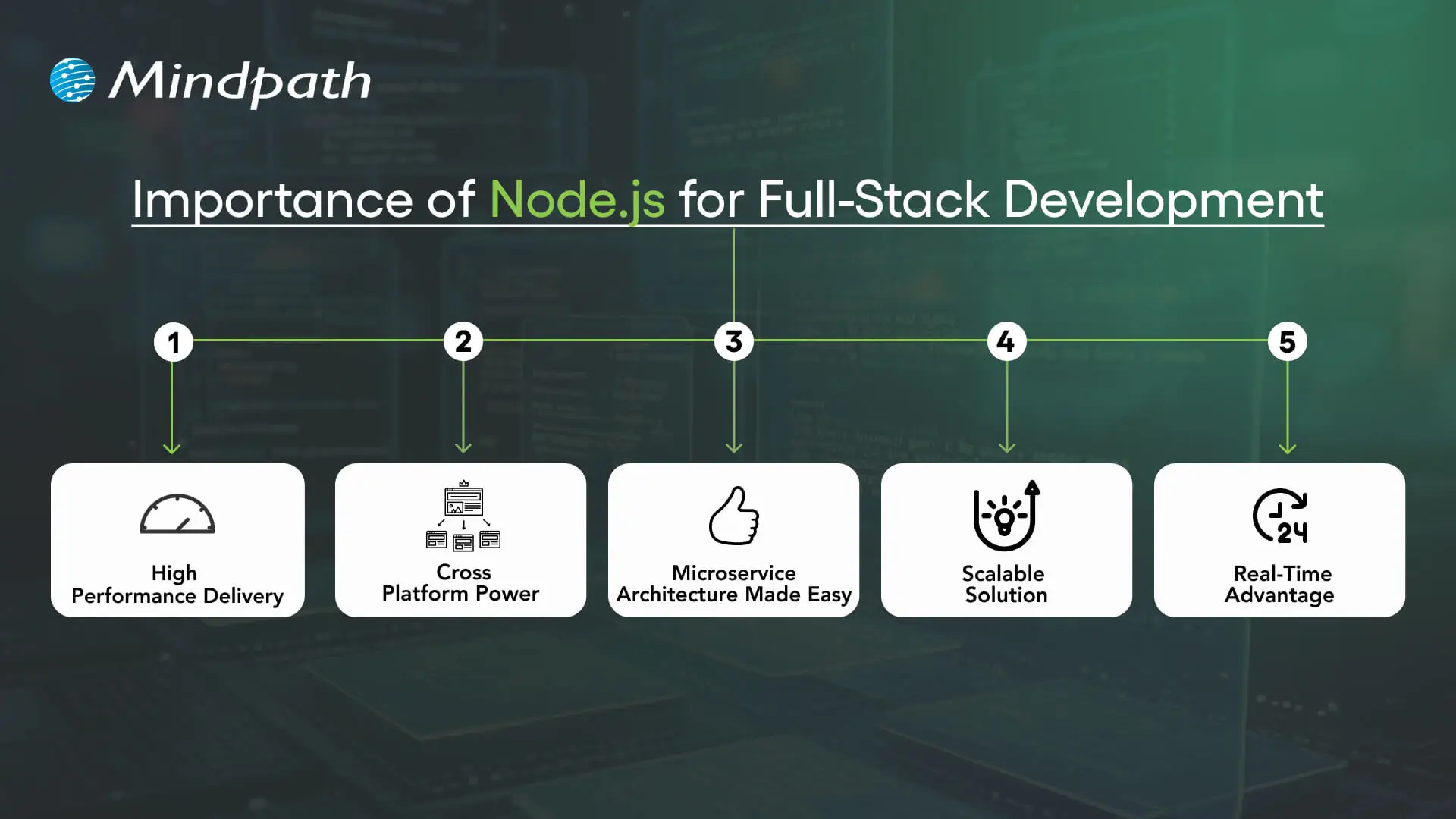
Importance of Node.js for Full-Stack Development

1. High Performance Delivery

Node.js utilizes a non-blocking I/O hardware model that can handle hundreds or even thousands of requests simultaneously, providing faster response times and greater user-specific.

2. Cross-Platform Power

With the Node.js full stack, developers can write mobile and desktop apps to run on Windows, macOS, Linux, and more. By relying on a single JavaScript code base, developers can save time and effort writing for multiple platforms.

3. Microservice Architecture Made Easy

Full-stack Node allows users to break one larger application down to multiple smaller independent services using infrastructure that is easier to work with. This approach lets developers build faster, stay flexible, and rely on proven solutions.

4. Scalable Solution

Full-stack Node.js is used by major players like Walmart, Uber, and Trello to handle millions of users. It helps to lower load time significantly, and it ensures your applications will scale seamlessly, as your demands increase.

5. Real-Time Advantage

When it comes to applications that leverage chat, live streaming, food delivery, or payments, Node.js full-stack is the way to go. It seamlessly provides real-time updates to keep the user engaged and connected.

Key Steps to Use Node.js in Full-Stack Development

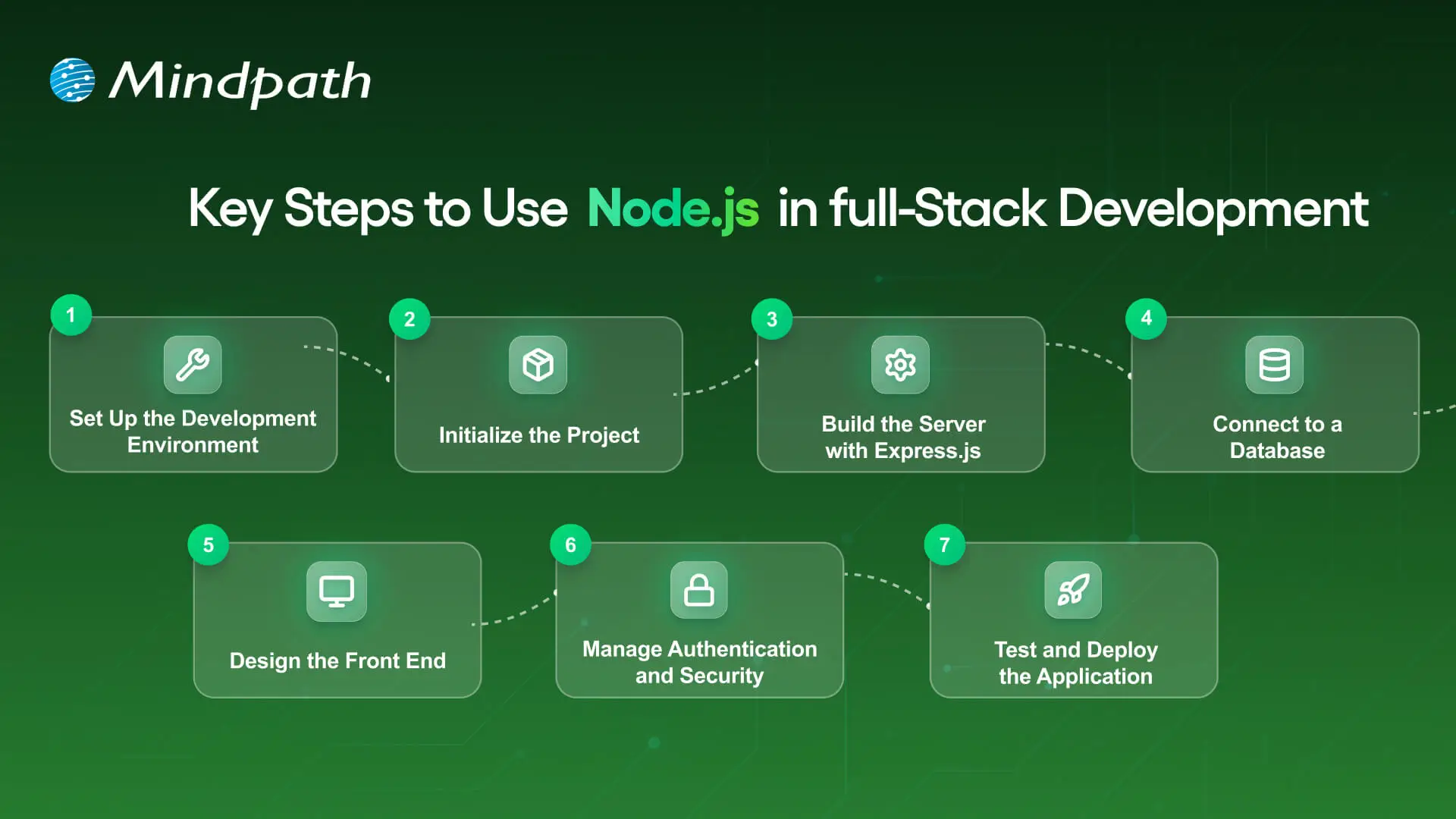
A full-stack Node.js developer is involved in both the front end and the back end of web application development and will work to build complete web applications. Below is a synopsis of the primary steps to utilize Node.js in full-stack development that is easy and productive.

Key Steps to Use nodejs in full stack development

1. Set Up the Development Environment

To begin your application-building experience, you will need to install Node.js and npm (Node Package Manager). These tools will allow you to execute JavaScript beyond the browser, and they will also help manage libraries with ease. Verify the setup by checking versions with simple commands in your terminal.

2. Initialize the Project

Make a new folder for your app, and use ‘npm init’ to create a ‘package.json’ file. A package.json file holds important information, such as your project name, dependencies, and scripts. It will serve as the basis for managing everything in your project.

3. Build the Server with Express.js

Install Express.js so you’ll be able to set up the backend server and handle all of the different routes. Express.js makes handling requests, responses and APIs supposedly easy. This step will ensure the backend runs appropriately with the frontend.

4. Connect to a Database

Based on your needs for this project, select a database like MongoDB or PostgreSQL. This should be paired with a Node.js library like Mongoose or Sequelize, which will allow you to connect to and perform both read and write operations on your data. At this point, you will have the ability for your application to persist and retrieve your data.

5. Design the Front-End

Build the front-end using a library such as React, Angular, or Vue. You can link the front-end through RESTful APIs or GraphQL to your Node.js back end. At this point, players will finish the bridge for a Full-stack Node.js application.

6. Manage Authentication and Security

Use libraries like Passport.js or JWT to add secure login and registration. Secure necessary paths so that any authorized user can get to those routes. You should always consider security in any Full-stack Node.js application.

7. Test and Deploy the Application

Create unit and integration tests to ensure that your application does what you intended. Deploy the application to cloud hosting solutions like Google Cloud, AWS, or Heroku. To utilize your Full-stack Node.js application’s performance tool on different scales, you should monitor its performance!

Looking to integrate AI in your Node.js projects? Explore our Ultimate Guide to Node.js Libraries for AI Integration to discover the most effective libraries for building smart, scalable, and future-ready applications.

Ready to Unlock the Power of Full-Stack Node.js?

Full-stack Node.js has proved to be a smart choice for building scalable, high-performing, and real-time applications. It unites front-end and back-end seamlessly, helping developers create complete solutions with speed and flexibility. With its ability to handle microservices, cross-platform apps, and real-time updates, it has become an essential technology for modern web development.

At Mindpath, we provide expert full-stack development services designed to match your business goals. Our skilled Node.js developers bring deep technical knowledge and practical experience to build secure, scalable, and user-friendly applications. If you are looking to transform your digital ideas into reality, hiring a Node.js expert from our team ensures growth and lasting impact.

Master full-stack development with Node.js! Its scalability, performance, and seamless frontend-backend integration.