Home

Unlocking Cyber Security: Fresh Approaches to Protect Your Business

Unlocking Cyber Security: Fresh Approaches to Protect Your Business

Join our Newsletter!

Unlocking Cyber Security

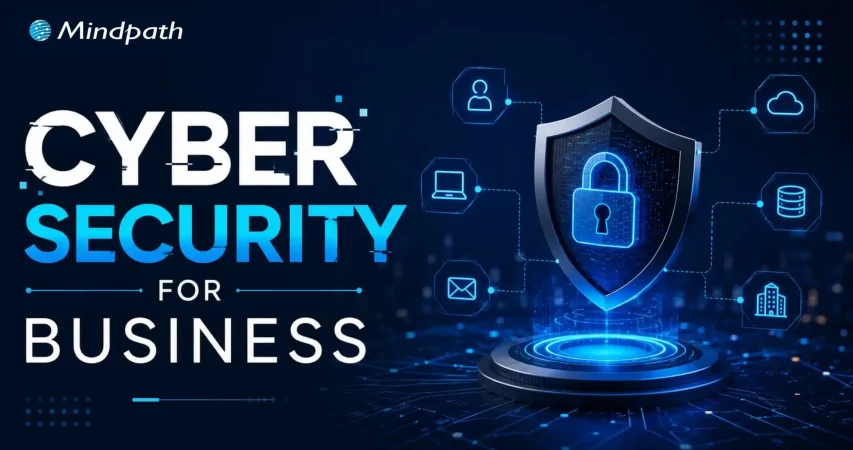
Ever wondered how secure your business really is in today’s digital age? What if we tell you that there are better ways to protect your digital assets from emerging threats? As cyber-attacks become more sophisticated, it’s essential to stay ahead of the curve. In this blog, we’ll explore effective strategies to enhance your business’s cyber security. 

Cybersecurity refers to protecting your computer systems and data against cyber-attacks. These risks include hackers attempting to steal or destroy your data, malware that locks your files until you pay a fee, and attacks that interrupt your business. With so many gadgets and more skilled hackers, it is essential to employ numerous levels of security. This includes employing tools to detect and resolve issues, as well as ensuring that your people and procedures are prepared to respond. Cybersecurity is all about integrating smart technology and behaviors to keep your digital world safe. Cybersecurity is essential because it protects us from online threats that might lead to catastrophic consequences, such as identity theft or data loss. Our everyday lives rely on secure systems like power plants, hospitals, and banking. If these systems are not secured, they can harm everyone. 

So, let’s dive in to explore the ways in which we can increase cyber security! 

Ways to Increase Cyber Security

1. Regular Updates

To keep your computers safe, update them on a regular basis. This includes desktop computers, laptops, and mobile devices. Keep your operating systems and web browsers up to date to guard against emerging threats. Check for updates to any software on your computer, including security programs. Cloud-based software often updates automatically, so you don’t have to worry about it. If the employees use mobile devices for work, make sure they maintain their software up to date, particularly security programs. This helps keep all your gadgets safe. 

2. Training Employees

Make sure your staff are aware of your company’s security plan. Begin by developing a cybersecurity policy that specifies best practices and processes for keeping information secure. This policy ought to specify what procedures to take if there is a security breach. Encourage staff to adopt strong, unique passwords for all accounts and devices. They should use different passwords for their PC, mobile devices, and corporate accounts. Whenever possible, enable two-factor authentication. This provides an additional security layer by needing a second device or code to complete the sign-in procedure. This helps to safeguard your accounts even when passwords are stolen. Additionally, provide regular training for your employees on cybersecurity. This helps them stay informed about the latest threats and best practices. 

3. Limiting Access

Make sure that only authorized individuals have access to company computers and accounts. Even trustworthy people should not access information or equipment that they are not authorized to use. For example, do not allow a customer to use a work laptop to search something up. Different workers may require varying degrees of access depending on their positions. Ensure that staff do not reveal their account details. For example, an accountant should never share their accounting software password with a salesman. When feasible, build unique logins for each employee. This enables you to restrict and limit what each individual may access depending on their function, therefore improving overall security.

4. Securing Wi-Fi

If your business’s Wi-Fi is not sufficiently safeguarded, it might pose a security concern. Make sure your Wi-Fi is password-protected so that only employees have access to it. Ideally, keep the WiFi password secret from employees. If you need to provide Wi-Fi connectivity to customers, create a separate network exclusively for them. This guest network should be separate from the network of your company to avoid unauthorized access to important files and data. Keeping these networks distinct helps secure your company’s information from potential security attacks. 

5. Create Backups

To avoid data loss, back up your computer’s information on a regular basis. If files are stolen or go missing, maintaining a backup allows you to restore them. Make sure that all vital data is backed up. For example, if you have vendor information on your desktop, keep a copy on the cloud. Both copies should be encrypted and password-protected to prevent unauthorized access. This way, if something goes wrong, you’ll still have access to vital data. 

6. Create Mobile Action Plan

Mobile devices may be a security issue, especially if they hold sensitive information or provide access to your business network. To reduce these dangers, ask users to password lock their devices and encrypt their data. Encourage them to use security programs to protect their information, particularly while accessing public networks. In addition, create explicit protocols for reporting missing or stolen devices. This allows you to respond swiftly to security breaches and guarantees that your data and network are protected. 

7. Passwords and Authentications

Ensure that staff use unique passwords for each account and update them every three months. To improve security, use multi-factor authentication (MFA), which needs more than just a password to access accounts and typically includes a second form of verification, such as a code texted to a mobile device. Additionally, check with providers who handle sensitive data, such as banking services, to determine if they provide MFA for your accounts. This extra step helps to secure your information from unauthorized access. 

Increase Your Cyber Security at Mindpath

At Mindpath, we make it easier to safeguard your company from cyber-attacks. We assist you in increasing your security by using strong passwords, keeping software up to date, and implementing additional levels of protection such as multi-factor authentication. Our staff guarantees that your data is safe and secure, providing you peace of mind while enabling you to concentrate on your company. Let us assist you in keeping your digital world safe! 

Wrapping Up!

Cybersecurity is more essential than ever in today’s digital environment. You can significantly boost your company’s cyber security by applying the measures we’ve covered, which include frequent updates, complete staff training, restricted access, secure Wi-Fi, dependable backups, a mobile action plan, and strong password restrictions. Our web development services are devoted to assisting you in navigating these challenges with ease. Our team is committed to providing you with the resources and assistance you require to safeguard your digital assets and keep your peace of mind. 

Ready to fortify your business against cyber threats?

Connect with Mindpath for top-notch security solutions tailored to your needs.

Support Is One Click Away

Featured Posts

Related Post

AI integration in business

Artificial intelligence is one of the most powerful technologies for business transformation in 2026. As more examples of AI integration in business come to the limelight, business owners and managers want to discover effective ways to embrace AI. Businesses have been adopting AI not only to automate tasks but also to find new solutions to foster innovation, enhance process efficiency, and drive customer engagement.

Organizations have been using AI in different capacities for over a decade, and the success of their AI initiatives paved the path for broader adoption. You can come across different use cases of AI in the domain of business, ranging from predicting market trends to developing marketing content. Let us find out how AI use cases deliver results for businesses in the real world. 

Watching the use case of AI is not enough; want to adopt AI for your business? Mindpath, an AI Integration Services provider, has expertise in providing intelligent solutions that help businesses move towards real-world success.

Is AI Important for Businesses?

The biggest concern for any business in the existing technological landscape is about AI adoption. While AI use cases in business have been delivering promising results, business owners want to find out whether AI is necessary for their business. How will a business embrace AI? Artificial intelligence is still an elusive concept for many business owners owing to a lack of awareness. As a matter of fact, many people believe that the use of AI in business is only about automation. On the contrary, the utility of AI in business revolves around leveraging machine learning, natural language processing, and other AI technologies to streamline operations. 

You can discover numerous use cases of artificial intelligence for business that help in resolving challenges in different departments. For example, AI can enhance customer satisfaction levels, enable intelligent workflows, and reduce the time invested in repetitive tasks. The applications of AI in almost every department of an organization, such as sales, customer service, and operations, lead to results that add more value to the business.  

Unraveling the Top Use Cases of AI for Business

The advantages of AI for business in different real-world use cases encourage more companies to integrate AI into their operations. Artificial intelligence not only powers personalized ads and consumer-facing technologies like Alexa but also revolutionizes how businesses work, compete, and innovate. According to a survey by EY, almost 72% of executives have reported that employees use AI every day in the workplace for tasks like communication, software development, and data analysis (Source). The following real-world AI use cases will offer the best insights into the utility of artificial intelligence in the business landscape.

1. Enhancing Process Efficiency

Artificial intelligence helps in achieving significant improvements in the operational efficiency of businesses. AI plays a crucial role in automation repetitive tasks and optimizing resource allocation, thereby reducing waste. Artificial intelligence tools help in cutting costs and also contribute to the bottom line of a business. For instance, supply chain optimization tools can leverage AI to draw accurate predictions for demand and optimize the inventory.

Business leaders can also utilize AI business applications for the automation of document processing tasks, which are generally repetitive in nature. Automation of invoice processing and data entry offers an easy solution to enhance operational efficiency. On top of it, businesses can also enhance process efficiency through the use of AI in energy management. AI-powered solutions can analyze patterns of energy usage and automate processes like lighting, heating, and cooling according to usage trends.    

2. Improved Workplace Productivity

The automation capabilities of artificial intelligence can also serve a crucial role in enhancing workplace productivity. Employees can use AI for automation of repetitive tasks that consume a lot of time, thereby finding the time to focus on strategic tasks. At the same time, the benefits of AI in business point to how employees can make more informed decisions with AI. Virtual meeting assistants are the most promising example of embracing artificial intelligence to make informed decisions. 

AI tools can not only provide meeting transcriptions but also a summary of key points in the meetings. As a result, employees can focus on activities that bring more value to their organization. Artificial intelligence tools for task automation also serve as useful choices for the automation of project management workflows. For instance, Google Smart Compose allows employees to use AI for writing emails faster with better accuracy. Therefore, employees don’t have to waste a lot of time getting their emails right without compromising the quality of communication.

Curious about the different AI approaches companies are using today? Check out the types of AI and discover how they power automation, analytics, and customer engagement.

3. Predictive Analytics

The next most popular use case of artificial intelligence in the modern business landscape is predictive analytics. Companies can use AI for business growth by analysing historical data, identifying patterns, and predicting future outcomes. Businesses have been adopting AI to make smarter decisions, whether it is about identifying customer needs, reducing risk, or optimizing inventory. Artificial intelligence can tap into the power of advanced algorithms and real-time data streams to empower businesses with insights that help them make proactive decisions.

The utility of AI in predictive analytics not only helps in making informed decisions but also improves efficiency and empowers businesses to deliver better customer experiences. The value of AI for decision makers is visible in examples across retail, finance, and healthcare sectors. AI-powered predictive analytics can help businesses in the retail sector forecast demand and optimize their inventory to avoid running out of stock. Similarly, healthcare companies can use AI predictive analytics to evaluate patient history and determine the risk of diseases.       

4. Content and Product Development

Artificial intelligence gained significant popularity owing to the arrival of generative AI tools. One of the most notable use cases of generative AI is content development, which can help businesses in many ways. The curiosity to learn how businesses use AI will also point to how artificial intelligence can help in generating content, product designs, and functional prototypes for product development. As a matter of fact, many businesses already use generative AI in marketing, product innovation, and software development. 

The use cases of AI in marketing content generation involve creating blog posts, personalized emails, ad copies, and product descriptions. Businesses can also create custom training content and simulations with the help of generative AI. Artificial intelligence also provides a new direction for approaches to creating e-commerce product content based on customer behavior trends. On top of it, generative AI can offer product ideas, creative concepts, and UI mockups according to user instructions.

Want to accelerate content production and streamline coding tasks in your business? Discover generative AI tools for content creation and code creation to learn how they boost efficiency and creativity.

5. New Benchmarks of Security

The biggest impact of artificial intelligence in business is visible in the domain of cybersecurity. The advantages of AI integration in business can help in fighting against emerging security threats. Artificial intelligence can serve as a protective layer for businesses by improving threat detection capabilities with seamless analysis of datasets to recognize potential anomalies and risks of breaches. The proactive approach to cybersecurity with AI empowers businesses to respond quickly and address risks before they inflict damage. 

Artificial intelligence can not only enhance detection but also facilitate automation of incident response and alerting mechanisms. As a result, businesses can reduce the burden on security teams by initiating countermeasures instantly. AI-powered simulations can also help businesses strengthen cybersecurity training and enhance their overall resilience. For instance, AI tools can detect fraudulent transactions and anomalies in user behavior for better security in finance. 

6. Talent Acquisition and Management

Managing talent is one of the formidable challenges for business owners. Starting from the process of attracting talent to retention, businesses can use AI to empower their workforce with skilled resources. The different examples of AI implementation in companies showcase the automation capabilities of AI. Businesses can use AI-powered automation in different steps of the talent management cycle. 

The use cases of AI for talent acquisition point to the use of AI tools for resume and portfolio analysis. In addition, recruiters can also use AI to review video interviews of candidates. The comprehensive assessment with AI helps in identifying the right talent for a company. Artificial intelligence also helps in boosting employee retention, as evident in the example of LinkedIn Talent Insights. It uses AI to offer accurate predictions for employee attrition rates and also offers recommendations to enhance employee retention.

Planning to integrate AI into your business strategy but unsure where to start? Discover AI solutions for small businesses and startups to learn how tailored technologies can deliver measurable results.

Want to Harness AI to Drive Real Business Growth?

The applications of artificial intelligence in the business landscape have helped business owners discover new perspectives on efficiency and innovation. As the demand for digital transformation with AI continues to gain momentum, more businesses will join the bandwagon. However, professional assistance can help a business identify the ideal strategic approach to leverage AI for its operations.

We at Mindpath have helped thousands of clients with AI adoption in different business departments. Our experts specialize in end-to-end AI solutions, and the experience of serving a wide range of clients enhances our strengths. We are committed to understanding the client’s requirements and vision to help them achieve the best outcomes for their business with AI. Consult with our experts and find the ideal use cases to embrace AI in your business right now.

Frequently Asked Questions 

ai automation for small businesses

Small businesses today lose countless productive hours to tasks that AI automation for small businesses can now handle faster, smarter, with around the clock intelligence, and speed. The majority of SMBs are still dealing with many morning hours spent in the inbox, updating spreadsheets by hand, or following up. AI agents have smoothly transcended the “experimental” phase. Now they take over entire business processes end to end without any human.

Key Takeaways

  • 01
    AI automation moves beyond rule-based scripts by learning, adapting, and solving problems independently.
  • 02
    SMBs that automate high-impact workflows first gain measurable results within weeks.
  • 03
    AI agents work around the clock, handling leads, support, and scheduling without human supervision.
  • 04
    Starting with one workflow is enough. You scale automation gradually as confidence builds.
  • 05
    The right AI tools reduce overhead, improve accuracy, and free your team for strategic work.

The question isn’t if AI can aid your business. It already assists thousands such as you. But then the question becomes, what workflows are best to streamline first that you can feel the impact right away? Certain automations can save hours each day. Others avoid unnecessary mistakes that are expensive. Some even enhance the customer experience in a single night! So, in this blog, we will explore the 10 business workflows that every SMB should consider automating with AI agents today. Let us keep reading further to know more!

Ready to automate more than just a few tasks? Explore our AI Development Services to build custom AI agents that streamline your business workflows.

What is AI Automation? A Quick Overview

AI automation involves using AI technology to handle tasks that would otherwise demand human cognition, such as decision-making, interpreting complex information, and grasping context. It does not require rules to learn and adapt to new situations; it handles exceptions on its own. It is more of a thinking system than a programmed script.

Once business is familiar with how it works, the process makes their adoption choices smarter. AI-powered business automation combines Robotic Process Automation with advanced cognitive technologies. In machine learning, patterns are identified and predictions made. It has Natural Language Processing, which is the ability to read and write human language. Computer vision is the ability to process visual information, such as in the reading of documents and images.

Why Should Small Businesses Automate Business Workflows with AI Agents Right Now?

The timing has never been better. AI automation for small businesses has moved from expensive enterprise territory to accessible, plug-and-play solutions any team can adopt today. SMBs that automate now gain a serious competitive edge before the window narrows.

1. 24/7 Customer Support

AI agents for small businesses instantly respond to customer queries, qualify leads, and book appointments around the clock. You never need to manage night shifts or miss a potential sale again.

2. Massive Time Savings

Automating repetitive tasks saves professionals an average of 2.25 hours daily, freeing roughly 11 hours every week. Your team redirects that time toward strategic planning and revenue-generating work.

3. Autonomous Problem-Solving

Agentic AI handles unpredictable tasks intelligently, learns from real data, and adapts to changing workflows over time. It goes far beyond following rigid, pre-set rules.

4. Drastically Lower Overhead

AI agents transform SMBs by taking over data entry, invoicing, and scheduling without costly human errors. This directly reduces the pressure to hire additional administrative staff.

5. Data-Driven Insights

AI quickly analyzes sales trends, tracks inventory, and forecasts customer demand in real time. This helps you make smarter decisions faster than your competitors ever could.

10 Business Workflows Every SMB Should Automate with AI Agents Right Now

Not every automation delivers equal value. The smartest move is starting with workflows that drain your team’s time and directly impact revenue. Here are the ten workflows where AI agents for SMB businesses create the fastest, most measurable results.

1. Lead Qualification

When a new lead submits a form, an AI agent enriches their data, scores purchase intent, and routes them to the right sales rep instantly. Platforms like Clay or HubSpot AI make this ai agents for automating business workflow a plug-and-play reality for growing teams.

2. Support Triage

An AI agent reads incoming messages across email, WhatsApp, and social media, resolves common Tier-1 queries, and escalates complex issues to human agents. Tools like Intercom and Zendesk AI handle this autonomously, cutting response times dramatically.

3. Invoice Reconciliation

Invoices arrive in different formats, and an AI agent extracts line-item data, matches it against purchase orders, and pushes approved invoices directly into your accounting software. Make combined with AI document extractors handles this entire cycle without human intervention.

4. Cold Outreach

A sales agent researches target accounts, writes hyper-personalized cold emails referencing recent company news, and schedules follow-ups based on recipient engagement automatically. Apollo.io and Lindy.ai are strong AI workflow automation tools built precisely for this use case.

5. Meeting Intelligence

An AI agent joins your virtual meetings, transcribes conversations in real time, and creates assignable tasks directly inside your project management board. Otter.ai and ClickUp Brain eliminate the need for anyone to take manual notes ever again.

6. Reputation Management

Every time a customer leaves a review on Google, Yelp, or Facebook, an AI agent analyzes the sentiment and crafts a context-aware response within minutes. Birdeye or Zapier-based workflows make this one of the smartest wins in AI automation for small businesses.

7. HR Onboarding

An internal AI agent answers policy questions around the clock, automates software account provisioning, and collects onboarding paperwork without HR lifting a finger. Microsoft 365 Copilot Studio and Siit handle this seamlessly across growing teams.

8. Content Repurposing

Upload a blog post, podcast, or YouTube video and an AI agent generates summaries, pulls key quotes, and formats tailored content for X, Instagram, and LinkedIn automatically. Jasper AI and Hootsuite turn one piece of content into a full week of social posts.

9. Ad Management

Marketing agents continuously analyze campaign performance across Google and Meta, reallocating budgets toward top-performing creatives and audience segments in real time. Madgicx and native ad platform AIs maximize your return on ad spend without daily manual oversight.

10. Admin Assistance

An AI agent accesses your inbox, identifies high-priority meetings, coordinates across time zones, and updates your calendar without back-and-forth emails. This workflow alone gives busy founders back hours every single week.

Ready to Put AI Agents to Work for Your Business?

The ten workflows above are not future possibilities. They are working solutions that SMBs actively use today. AI automation for small businesses is no longer optional. It is the difference between scaling efficiently and falling behind competitors who have already made the move.

At Mindpath, we provide AI development services that help small businesses design, build, and deploy intelligent agents tailored to their exact workflows. We turn complexity into clarity. Contact us today, and we will help you automate smarter and grow faster.

Frequently Asked Questions

Legacy modernization roadmap 

Enterprise systems drive day to day operations but most leaders experience the burden of old platforms. You want speed, security and scale, and the legacy complexity is slowing all of your moves. A clear legacy modernization roadmap brings direction and control to this shift. It assists you in matching the technology to the business objectives and make measurable change with certainty.

Nevertheless, modernization does not only require upgrades. You require clarity, leadership focus, and effective execution at all levels. That is why the enterprise leaders need to consider modernization as one of the strategic priorities rather than a side project. The right roadmap takes vision and action through the right path and mitigates risk. In this blog, we deconstruct one of the practical structures that were established with the enterprise decision makers in mind. So, let’s dive in!

Looking to align technology upgrades with your overall business strategy? Mindpath’s legacy modernization services ensure your systems support growth and deliver better ROI.

What is Legacy Modernization Roadmap?

A legacy modernization roadmap gives enterprises a clear, structured plan to upgrade outdated IT systems. It successfully takes leaders on the path of evaluation, objective creation and strategy choice with good business fit. Consequently, organizations decrease technical debt levels, enhance their performance and develop secure, cloud-ready systems that accommodate long term development.

Legacy system transformation focuses on turning rigid, high maintenance platforms into agile and scalable architectures. Teams subdivide large systems into small stages and embrace cloud, microservices, and automation. This will enhance flexibility, enhance security, and enable the enterprises to respond more swiftly to market needs with confidence.

Want to understand how modernizing legacy systems can transform your business operations? Explore the benefits of modernizing legacy systems to drive efficiency and growth.

Why Enterprises Need a Legacy Modernization Roadmap?

Companies are faced with sluggish systems and increased maintenance expenses. A clear legacy modernization roadmap, backed by strong legacy modernization strategy, helps leaders improve performance and drive steady business growth.

1. Strong Business Alignment

Businesses require a sense of direction which links technology with expansion strategies. A clear road map converts the IT initiatives into the business goals in the long run and makes the systems growth enablers.

2. Lower Costs and Better Returns

Systems of the past are very demanding in terms of maintenance and repair. New platforms lower the operating expenses and provide more potent returns by being efficient and using smart resources.

3. Better Security and Compliance

Obsolete software exposes the businesses to security risks and compliance lapses. The modern systems enhance the security of data and assist companies in complying with the industry requirements with ease.

4. Greater Agility and Scalability

Companies have to react fast to market changes, shifts and customer needs. A legacy modernization roadmap builds flexible architectures that support faster releases and seamless scaling.

5. Smarter Technology Adoption

Businesses would prefer to exploit innovation without conflict in the system. The application of AI in legacy modernization enables the incorporation of smart tools that enhance insights, automation, and decision making.

6. Reduced Operational Risk

Changing fundamental systems without a strategy brings about discontinuity and chaos. A transformational roadmap keeps transition risks under control and makes the business survive in the process of transformation.

Looking to modernize your systems with the help of advanced AI technologies? Learn from AI-driven legacy system modernization to accelerate your transformation journey.

A Step-by-Step Guide for Legacy Modernization Roadmap

A good plan makes modernization objectives measurable. This step-by-step method can assist Intrapreneurship leaders of an enterprise to progress with organization, management, and certainty.

1. System Discovery and Assessment

Teams draw out existing systems and find out the dependencies. They check-up technical health and flag bottlenecks in the performance. They also use legacy modernization tools to uncover hidden risks and code issues.

2. Strategy and Value Definition

Leaders establish the future architecture and business results. They select the appropriate modernization strategy depending on objectives and complexity of the system. A legacy modernization roadmap helps align technical decisions with measurable ROI targets.

3. Planning and Risk Readiness

Work teams develop a clear plan of execution using milestones. They describe the process of data migration, compliance processes, and security controls. The legacy application modernization roadmap ensures teams reduce risk before execution begins.

4. Phased Execution and Deployment

Professionals upgrade the systems through stages that are manageable. They do not disrupt and update in controlled cycles. A legacy modernization roadmap keeps teams focused on stability and steady progress.

5. Testing and Quality Validation

Automated and performance tests are done on teams at each stage. They measure functionality to stipulated KPIs and business objectives. The step will guarantee reliable performance of the new system with real workloads.

6. Optimization and Continuous Monitoring

Post-deployment, the leaders observe health of the system. Teams monitor the performance metrics and feedback. They streamline procedures that facilitate scaling and expansion in the long run.

Wondering how SaaS can reduce the complexity of legacy systems? Explore SaaS trends to streamline your transformation process.

Ready to Build a Future Ready Enterprise with a Clear Roadmap?

A strong legacy modernization roadmap gives enterprise leaders clarity and control. It relates business objectives and technology action systematically. Phased execution helps organizations to reduce risk, cut costs, and improve performance. Teams empower long term digital growth and invest in it with the certainty of the proper planning and governance.

At Mindpath, we provide legacy modernization services that help you achieve outcomes using a successful legacy modernization framework, adaptable to your enterprise-specific needs. Our specialists evaluate systems, establish strategy, and make modernization accurate. Our priorities are on security, scalability, and quantifiable value at all levels. Collaborate with Mindpath to modernize key systems and speed up sustainable business change.

FAQs

1. Why should enterprise leaders prioritize a legacy modernization roadmap now?

Competitive pressure and rising maintenance costs demand faster innovation. A legacy modernization roadmap helps leaders align technology with strategic growth goals. It creates clarity, reduces operational risk, and strengthens long term scalability in an increasingly digital business environment.

2. How long does a legacy modernization roadmap typically take?

Timelines depend on system complexity, data volume, and business readiness. Some initiatives move quickly with focused scope, while large transformations require phased execution. A well structured legacy modernization roadmap defines milestones early and keeps teams aligned with realistic delivery targets.

3. How do we measure success during modernization?

Enterprises should measure improvements in performance, cost efficiency, uptime, and user experience. Business impact should guide every technical decision. A clear legacy modernization roadmap establishes KPIs at the start and tracks measurable outcomes throughout the transformation journey.

4. Which architecture approach suits complex legacy systems?

Enterprises often evaluate cloud native, microservices, or hybrid models based on workload demands. Technical audits help identify system dependencies and scalability limits. A legacy modernization roadmap supports informed architecture decisions that balance innovation, risk control, and operational stability.

5. How can we manage data and compliance risks during modernization?

Data migration requires strong governance and phased validation. Teams should conduct security reviews and compliance checks before execution. A structured Legacy modernization roadmap reduces exposure to data loss and regulatory gaps. Mindpath’s legacy modernization services provide expert guidance for secure and compliant transitions.