How do hospitals maintain and keep everything running smoothly? Starting from patient records to important surgery schedules, billing and staff coordination, each and everything is well maintained and smooth, isn’t it? Are you curious to know what’s behind this? Well, it’s Hospital Management System (HMS) which does the magic in handling hospital operations smoothly.
Are you confused about what does it mean and why is it essential for modern hospitals? Don’t worry, we have got you covered! This blog will walk you through everything you need to know about HMS. So, let’s dive in to learn!
Is your Hospital Management System keeping up with today’s healthcare demands? Mindpath provides Healthcare Software Development Services that help healthcare organizations build smarter systems and deliver better patient outcomes.
What is a Hospital Management System?
A hospital management system (HMS) is a type of software that helps hospitals manage everything effortlessly. It allows the doctors, nurses and other staff of a hospital to collect, store and share patient data in a secure and organized way. With the help of this system, the medical teams can easily get access to records such as X-rays, prescriptions and other important documents of patients.
In most of the hospitals, doctors, nurses and the staff spend a lot of their time doing paperwork which can slow down things and also impact the patient’s overall experience. HMS can help in reducing the workload by handling many tasks automatically. It can bring all the necessary information and tools into one place which can help hospitals run their daily operations more proficiently with less delays.
As per Market Research Future (MRFR) analysis, the global Hospital Management Software Market was valued at USD 29.33 billion in 2024. It is projected to reach USD 54.20 billion by 2034, growing at a rate of 6.33% annually between 2025 and 2034. This growth shows the increasing demand for smarter, more connected healthcare systems.
Now that you have a clear idea about what HMS is, there is a major question that arises:
What is the Function of HMS?
When a hospital begins implementing HMS, numerous day-to-day activities are simplified and streamlined. An HMS assists personnel in focusing more on patients and less on documentation. Let us discuss some important functions that make this system so valuable:
1. Scheduling Appointments
HMS facilitates patients to schedule appointments easily and doctors’ schedule efficiently which can eliminate confusion and lengthy waiting times.
2. Patient Data Management
It stores all the patient records including medical history, test results as well treatment details which can help doctors and nurses to quickly access the right information when needed.
3. Handling Billing and Invoice
It makes the billing process faster and more accurate by handling everything, from bill generation to payment tracking as well as insurance processing.
4. Inventory Management
Hospitals can keep track of medicines, equipments and supplies which helps in avoiding shortages and guarantees everything is available on time.
5. Reporting and Analytics
The system provides useful reports on hospital performance and operations, which helps in planning and improving services.
6. Communication
It facilitates easier communication between doctors, nurses and patients to remain connected and exchange crucial updates, resulting in improved coordination and care.
7. Integration with Other Systems
Hospital management software can easily integrate with other systems such as electronic medical records so that everything is integrated into one place with a complete view of every patient’s care experience.
Struggling to improve efficiency and patient outcomes in hospital operations? Discover how AI in healthcare is transforming hospital management with intelligent automation and data-driven insights.
Let us learn about some of the key benefits if you’re looking for more information about hospital management system:
Key Benefits of Hospital Management System
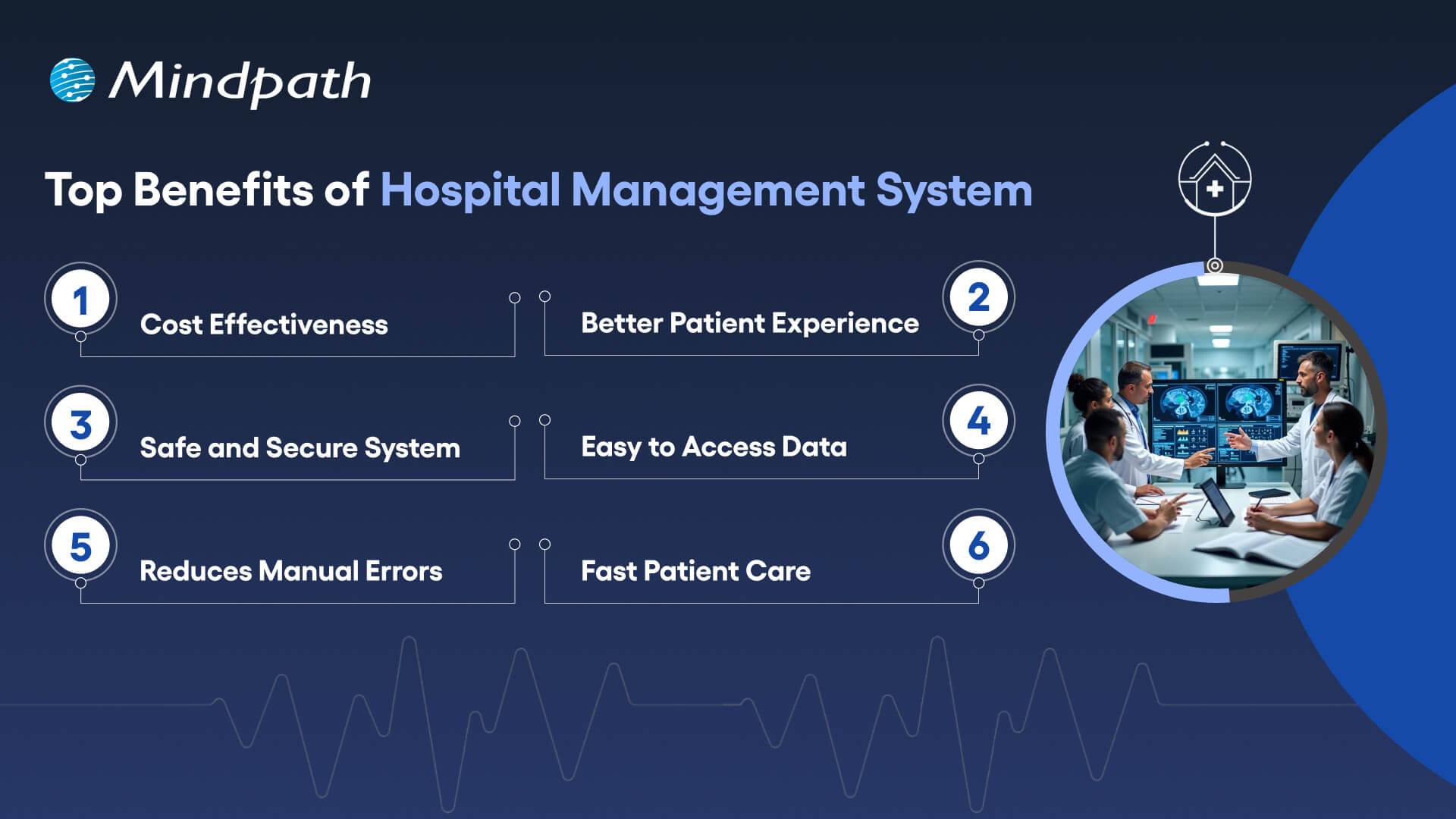
A good hospital management software system can make a huge difference in how smoothly a hospital runs. It assists both staff and the patients by improving the quality of care and simplifying daily tasks. Here are some major benefits of you can expect:
1. Cost Effectiveness
With everything automated and systematized, hospitals are able to cut down on paperwork, labor costs, and wastage of supplies. It also aids in improved planning and utilization of resources such as medicines and equipment. This reduces unnecessary costs and makes the operations more cost-effective, enabling the hospital to utilize its budget where it’s actually needed.
2. Better Patient Experience
Patients are able to schedule appointments with minimal waits, receive follow-up reminders, and view their reports online. It makes them feel more in charge of their treatment and less anxious. It makes everything easier, from arrival to discharge, which results in a more pleasant, efficient hospital stay for each patient.
3. Safe and Secure System
Patient data is stored securely and shared only to permitted staff members. This protects information from abuse or loss. A secure system ensures trust between patients and the hospital, and ensures appropriate processing of sensitive information while keeping the hospital in line with privacy and security regulations.
4. Easy to Access Data
All medical information such as treatment history, test reports, and medications are kept in one place. Doctors, nurses, and medical staff are able to access this info quickly from various departments. This streamlines treatment and prevents the need to repeat tests or inquire about the same information from patients repeatedly.
5. Reduces Manual Errors
The system maintains accurate and up-to-date information, preventing staff from making mistakes such as providing the wrong medication or omitting important steps. Access to information in real time eliminates confusion, enhances coordination, and ensures that doctors adhere to the proper treatment protocols based on the most current and comprehensive patient information.
6. Speed Up Patient Care Process
When doctors and staff have quick access to patient records and reports, they can make faster decisions. Automated tasks like test scheduling and report delivery save time. This helps patients get the care they need without delays, which is especially important in emergency or critical care situations.
Curious how AI is transforming industries and healthcare? Explore Generative AI use cases across diverse sectors and see how it’s reshaping healthcare platforms.
Ready to Upgrade Your Healthcare System?
A hospital management system can really make a difference in how a hospital operates. From enhancing patient care to accelerating operations and minimizing mistakes, HMS makes hospitals more efficient, well-organized, and responsive. Be it scheduling appointments, record management, or cost-cutting, HMS makes everything more efficient and reliable for patients and staff alike.
At Mindpath, we specialize in delivering modern healthcare software development services that make hospital processes faster and smarter. Whether you’re planning a full hospital management system project or need a custom solution for specific tasks, we’re here to help.
As a trusted healthcare app development company, we focus on building secure, user-friendly, and high-performing digital solutions. Our team understands the needs of healthcare and creates tools that support doctors, staff, and patients every step of the way.
Frequently Asked Questions
1. Why is a Hospital Management System important for modern healthcare facilities?
A Hospital Management System helps hospitals handle complex operations in a structured and digital way. As patient volumes grow, manual processes become inefficient. HMS ensures better coordination, faster access to information, improved compliance, and smoother workflows, helping healthcare facilities deliver consistent and quality care.
2. Can a Hospital Management System be customized for different hospital sizes?
Yes, a Hospital Management System can be customized based on the size and needs of the hospital. Small clinics may require basic modules, while large multi-specialty hospitals need advanced integrations, analytics, and multi-department access. Flexible architecture allows the system to scale as the organization grows.
3. How does HMS support regulatory compliance in healthcare?
HMS helps hospitals maintain accurate digital records, secure patient data, and track treatment history systematically. Automated documentation and audit trails make it easier to comply with healthcare regulations and data protection standards. This reduces legal risks and ensures transparency in hospital operations.
4. What technologies are commonly used to build a hospital management system?
Modern systems are built using cloud computing, secure databases, API integrations, and sometimes AI-driven analytics. These technologies enable real-time data access, system interoperability, and remote accessibility. Strong cybersecurity frameworks are also implemented to protect sensitive medical information.
5. How long does it take to implement a Hospital Management System?
Implementation time depends on hospital size, required features, and integration complexity. Basic setups may take a few months, while large-scale systems with multiple modules and integrations can take longer. Proper planning, staff training, and phased deployment ensure smoother adoption and minimal operational disruption.