Home

AI in Web Development – Everything You Need to Know

AI in Web Development – Everything You Need to Know

Join our Newsletter!

ai in web development

Have you ever pondered if machines could design, code or even personalize user experiences better than humans? Sounds like a dream, right? Well, this isn’t a dream anymore, it is the power of Artificial Intelligence. You heard it right; artificial intelligence is becoming a powerful tool in web development in today’s digital world. Want to know how AI in web development can be beneficial for you? From accelerating development to building smarter sites, AI is quietly revolutionizing the construction and experience of digital platforms. 

But what does this revolution look like? And why are businesses and developers embracing AI more than ever? The answers may surprise you. Stay tuned as we uncover the ways AI is transforming the future of web development! 

Are you ready to elevate your website? Contact us for top-notch AI development services and we will bring your AI-driven web vision to life.

Role of AI in Web Development

AI in web development refers to the use of artificial intelligence to build, test, and maintain websites faster, smarter, and easier to manage. It helps with writing code, fixing bugs, automating repetitive tasks, and even assisting with design. AI saves time, reduces errors, and enables developers to create more personalized web experiences. That said, human oversight remains essential for security, architecture decisions, and design consistency. AI works best as a tool that supports developers, not replaces them.

AI plays a major role in making websites better by suggesting designs, writing parts of the code and even testing how well a website works. Once the site goes live, AI can watch how people use it and make things smoother. Now you must have got a good idea about AI in web development. Let us also learn about some of its benefits: 

Benefits of AI in Web Development

AI is simplifying website creation for everyone. It assists with coding, designing, and even communicating with users. If you’re creating a website or just beginning, AI can help you save time and get things to work more efficiently. Here are some easy ways it can actually help.
Benefits of AI in Web Development

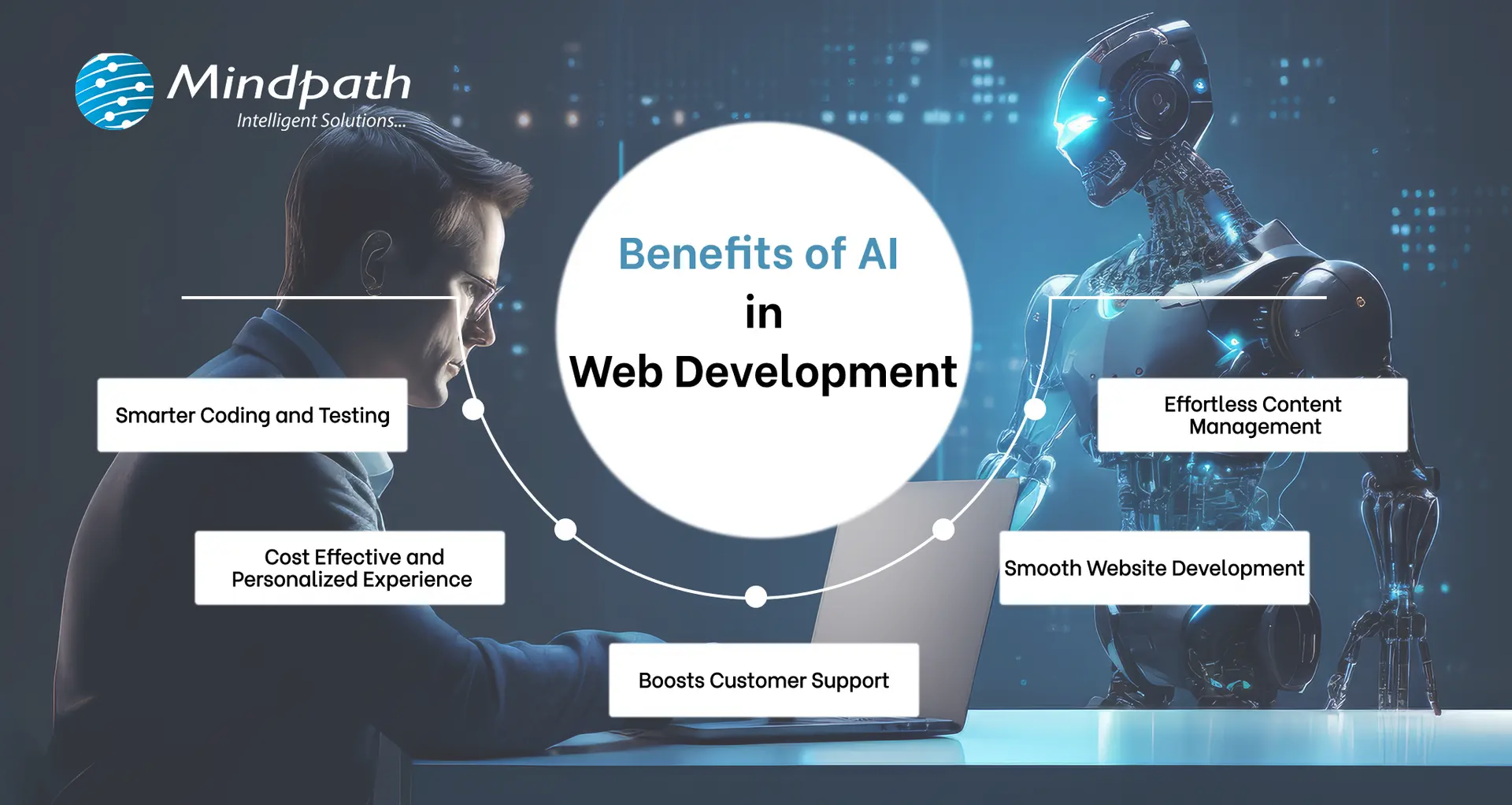
1. Smarter Coding and Testing

The powerful combination of AI and web development can help developers to write cleaner codes by spotting bugs early and improving how the code works. With deep learning, AI-based tools also facilitate automated testing, which assists quality assurance teams in verifying whether the website functions correctly. Although some problematic areas continue to require manual testing, AI streamlines the process and reduces costs. That’s one of the reasons why QA and testing budgets have declined over the past few years, and why more individuals are using AI websites for improved results. 

2. Smooth Website Development

AI in web development handles mundane and time-consuming work so developers can concentrate on the larger aspects of a project. With smart tools and data-driven choices, the entire web development process becomes more efficient and faster. This is incredibly useful, particularly if you’re new to it. By using AI to create websites, you save time and effort while building something awesome and making web development feel less stressful and a lot more efficient from the very start. 

3. Boosts Customer Support

AI in customer service makes it simple to integrate smart chatbots onto websites that are able to engage with visitors’ day and night. These virtual assistants comprehend questions and respond in natural, friendly terms. They provide instant answers, resolve issues rapidly, and never require breaks. This allows owners of websites to assist users without requiring a support team full-time. It’s an easy method to ensure visitors are satisfied and that they always receive assistance, even when there is no one present. 

4. Cost Effective and Personalized Experience

With the help of AI tools, websites are now able to provide customers with a more personalized and seamless experience at reasonable costs. Work that required time can now be processed automatically, saving time for both users and website owners. AI also assists in identifying fraudulent or toxic activities, protecting users. This is why many top AI websites utilize intelligent features to serve customers better. Ultimately, AI assists in providing more value to the customer at a low cost. 

5. Effortless Content Management

Website content management becomes a lot simpler with the assistance of AI. Through analyzing user behavior on a website, AI provides clear concepts regarding what type of content users like most. Website owners can develop improved posts, videos, or pages that genuinely interest visitors due to this. With the assistance of AI web templates and smart recommendation tools, you can lead users to whatever they require and retain them for a longer period. It’s an easy way to make content better and make each visit feel more personal.

Is your business making the most of AI to stay ahead of the competition? Explore how integrating AI in your business strategy can optimize processes, drive growth, and improve decision-making.

How to Use AI in Web Development?

Today, web development thrives on the partnership between AI and human expertise. While AI handles repetitive tasks and enhances efficiency, it still relies on human creativity and problem-solving. Here’s how you can use AI in web development to streamline your process and improve results. 

1. Artificial Design Intelligence (ADI)

Artificial Design Intelligence (ADI) assists you in creating a complete website by simply responding to a few simple questions. It selects the most suitable layout, design, and content depending on your requirements. It’s like having an intelligent assistant that designs a professional-looking site that reflects your style and objectives. This AI website generator makes the process fast and efficient, ensuring you get the site you want with minimal effort.  

2. Search Easier with Voice Assistants

Rather than typing and reading lengthy pages, users can simply speak their question. Voice AI listens, the correct answer quickly, and voices it back. Voice AI assists websites in providing rapid and clear responses, speeding up searches, making it easier, and more accessible to all. 

3. Coding Assistants

Developers can use smart coding assistants to speed up their work. These tools suggest code, spot errors, and help build websites faster. Even when working on big ideas, they take care of the small stuff. It’s like having a smart helper while writing your code. 

4. Personalize User Help with Chatbots

AI chatbots make it easy for users to get the info they need. They can ask questions in simple language, and the bot instantly provides answers or links. The benefit of chatbot is that it provides fast, accurate responses, making the experience more personal and efficient by using the website’s content.

5. Easy Search Engine Optimization (SEO)

AI can make SEO much easier by providing the best keywords, topics, and headlines for your content. It can even write parts of your text, ensuring the right keyword density for better search engine rankings. This helps your website attract more visitors without the hassle of manual research. 

AI is reshaping industries by automating the processes, empowering faster decision-making, and providing data-driven insights. Learn how AI is e-commerce is transforming the future of e-commerce sector.

Ready to Transform Your Website with AI?

AI is changing web development by making tasks faster and more efficient. From designing and coding to improving user experience, AI helps developers focus on what truly matters. By integrating AI, your website can become smarter, more personalized, and easier to manage for everyone involved. 

Mindpath offers top-tier AI development services and delivers high-performing artificial intelligence solutions that enhance your website’s design, performance, and functionality. Our expert team utilizes AI tools to streamline processes, boost user experience, and create custom solutions.  

Frequently Asked Questions

Want AI Built Into Your Website?

Add search, chat, and personalization that actually get used.

Frequently Asked Questions

Yes, AI in web development is highly suitable for small businesses and startups. It helps reduce development costs, automate repetitive tasks, and speed up website launches. Even with limited resources, businesses can build professional, scalable, and user-friendly websites without needing a large technical team.
No, AI is designed to assist, not replace, web developers. While it can automate coding suggestions, testing, and design support, human creativity, strategy, and problem-solving remain essential. Developers use AI as a productivity tool to work faster and more efficiently, not as a substitute for expertise.
AI-powered websites can be highly secure when properly configured. AI tools can detect unusual behavior, prevent fraud, and monitor vulnerabilities in real time. However, security also depends on proper development practices, regular updates, and human oversight to ensure strong protection against evolving cyber threats.
AI in web development enhances user engagement by analyzing visitor behavior and delivering personalized content, recommendations, and experiences. It can adjust layouts, suggest relevant products or articles, and provide instant support through chatbots, making interactions more meaningful and increasing the chances of conversions.
To start using AI in web development, basic knowledge of programming, APIs, and web frameworks is helpful. Familiarity with AI tools, automation platforms, and data analysis can be beneficial. However, many modern AI platforms are beginner-friendly and require minimal technical expertise to get started.

Support Is One Click Away

Featured Posts

Related Post

react architecture 

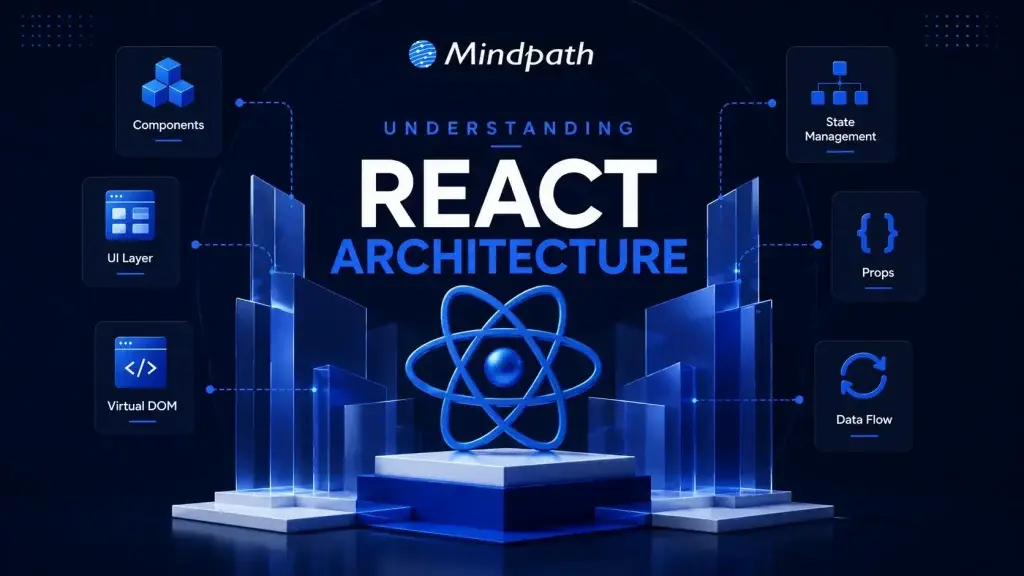
Strong react architecture is the first step in building powerful digital products. It is also on a daily basis that the modern apps require speed, flexibility, as well as clean structure. So, what makes the complex applications continue to run smoothly as they increase? Intelligent architecture decisions determine performance, maintainability, and future growth. Thus, the need to know this basis becomes critical to serious business success.

Since user demands are increasing, the dispersed development is costly to roadblock and restrict innovation. A scalable approach ensures that the components are organized, data flows are clear, and teams are productive. Then, what is the secret to successful businesses creating React applications that can actually be maintained? In this blog, we will explore the react components architecture strategies behind scalable React applications. So, keep reading further!

Ready to turn your React architecture knowledge into a live, high-performing application built for scale? Explore Mindpath’s React development services and see how our expert team builds clean, modular, and future-ready solutions tailored to your business goals.

What is React Architecture and Why Does It Matter?

The react architecture is the intelligent architecture of a React application. It structures the code into reusable units that perform particular duties. This design ensures that the interface is clean, modular and simpler to construct. Having a clear data flow and logical design, developers build apps that remain organized as the complexity increases.

The significance of react scalable architecture is that it informs scalable and maintainable development. In the absence of adequate structure, large projects usually get confusing and difficult to operate. Proper architectural planning enhances performance, facilitates teamwork, and minimizes errors. It assists companies to create trusted applications that are easily adapted with changes in user requirements and capabilities.

Core Principles of React Architecture for Scalable Development

Developing scalable applications requires very solid structural foundations. Having clear principles enables teams to build faster, still keep quality, and reduce complexity.

Now, let’s look at the main principles that determine effective and future-proof React development.

1. Separation of Concerns

Do not mix UI, business logic, and data layers together. This results in a cleaner code base and also contributes to a more scalable react architecture that is easier to maintain.

2. Unidirectional Data Flow

Data flows from a parent component to a child component in a definite sequence. Hence making it simpler to identify changes and fix bugs.

3. Component-Based Modularity

Simply create reusable components which each have a single, well-defined responsibility. This way, you can keep your application flexible and well-organized.

4. Co-location

Keep related files together with their components. This practice not only makes the codebase clearer but also helps in managing project complexity.

5. Encapsulation via Module Boundaries

Only share the essential information between modules. This not only safeguards the structure but also makes the systems more manageable.

Key Features of a Strong React Architecture

A robust application framework is one of the great enablers of expansions, speed, and long-term stability. In fact, the proper basis goes hand-in-hand with boosting a team’s productivity and the quality of code.

Check below for the major characteristics that render feature-based architecture react a bigger scale and easier to handle.

1. Feature-Based Structure

Organizing code based on business features instead of file types is a good approach. Besides keeping projects nicely structured, it also allows easy scaling. React architecture patterns are more efficient when members of different teams can work on features independently.

2. Smart File Placement

Teams can locate related files very close to their main components to improve clarity and save on development time. With less confusion, programmers can work faster by navigating projects easily.

3. Clear Module Access

Have a single public entry point for each feature. This not only safeguards your internal code but also keeps your modules well-ordered. Besides that, it will make the whole system easier to maintain over time.

4. Layered State Management

Manage state according to its purpose and scope. For better control, keep local, server, and global data very separate. React clean architecture naturally leads to lesser complexity.

5. Separate Logic and UI

Separating business logic from visual components makes testing easier and improves code reusability. It will also result in neat development workflows.

6. Custom Hooks for Logic

Custom hooks are a good idea to implement reusable logic effectively. With components primarily responsible for rendering, hooks can handle the behavior part. This leads to simpler code overall.

7. Container and UI Split

There are two layers: one is responsible for data, and the other is oriented towards the presentation. The former deals with the application logic, and the latter is primarily focused on the look and feel. As a result, applications become cleaner and more flexible.

8. Centralized Service Layer

Separate API calls into one specific service section. This will enhance security, error management, and uniformity. Besides, it will help to keep the components cleaner.

React Architecture Best Practices for Scalable Applications

Developing scalable applications successfully entails doing a lot more than simply writing good code. Well-thought-out and intelligent ways of doing things lead to more robust systems, better performance, as well as easier expansion.

Below are the best practices that assist developers in creating dependable and scalable React applications.

1. Use Feature-Based Folder Structure

Instead of categorizing code based on file types, organize it according to business features. This helps in making the large applications scalable and easier to maintain.

2. Follow Single Responsibility Principle

A component is ideal for handling only one aspect of the task. This leads to cleaner, simpler and more reliable code.

3. Separate Logic and UI

Avoid mixing business logic with UI components. As a result, it will be easier to test, reuse, and have long-term flexibility.

4. Keep State Local

Put state in the nearest place to its actual user. Doing so lowers the complexity and prevents unnecessary global dependencies.

5. Apply Code Splitting

Load only the components required for your task at the moment. It will make the application faster and cut down the initial loading time drastically.

6. Use Type Safety

TypeScript aids in identifying bugs at an early stage of development. Thus enhancing your code quality and making really reliable applications.

Ready to Strengthen Your React Application for Future Growth?

Strong react architecture creates the foundation for scalable, maintainable, and high-performing applications. With the right structure, businesses improve development speed, reduce complexity, and build products that adapt smoothly to changing user needs.

At Mindpath, we provide ReactJS development services focused on scalable solutions, clean code, and long-term success. Our experts build powerful applications using smart react architecture strategies that support business growth.

Devops vs devsecops

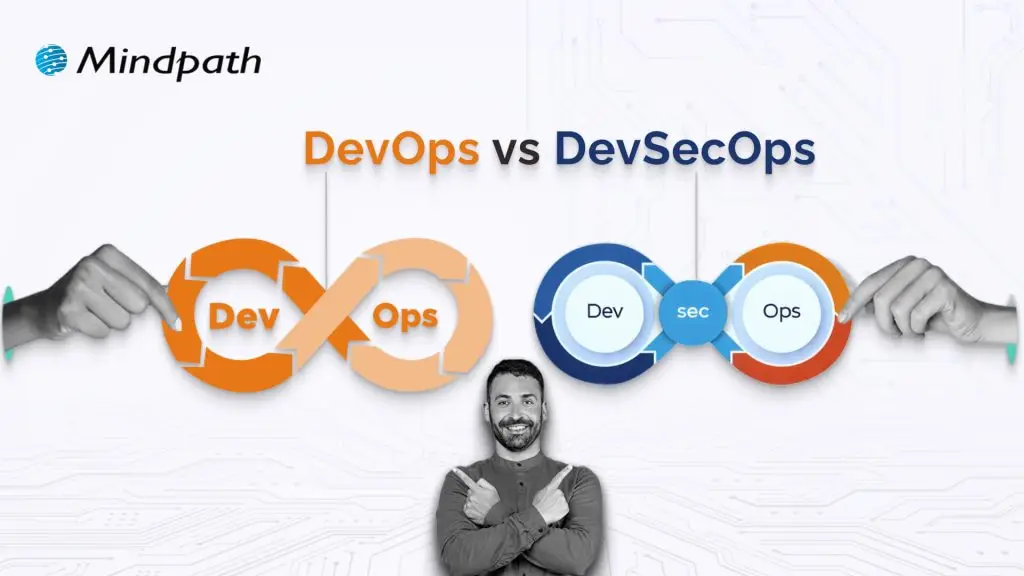
DevOps vs. DevSecOps is a topic that will often arise when companies look for better and faster software delivery. Businesses are looking to release applications and software faster than ever, but they are also mindful of the growing sophistication of security threats. So where can businesses find the balance of speed and safety? This is where the transition from DevOps to DevSecOps comes into play; the need for speed is balanced with more stringent security requirements.

In today’s fast-moving digital age, the speed of development plays an important role, but it’s hardly enough. In addition to wanting systems that develop software quickly, organizations want systems that will also withstand vulnerabilities at each stage. That is why there’s so much interest in DevSecOps. DevSecOps does not replace DevOps; it enhances it by using continuous security assessments and ongoing protection. A clear understanding of these differences allows businesses to make better choices that can balance innovation with resilience. So, keep reading further to know the difference between DevOps and DevSecOps in this blog.

Still unaware of how DevOps benefits your business? Get in touch with us to gain full insight into adopting DevOps services that makes your operations seamless.

What is DevOps?

DevOps is a collaborative software development methodology that unites an organisation’s Development (Dev) and IT Operations (Ops) teams to deliver software faster, more reliably, and at greater scale. Its foundation is automation, continuous integration (CI), and continuous delivery (CD), commonly combined as CI/CD. DevOps helps break down silos between teams, enabling shared goals while reducing risk. It simplifies processes, improves team efficiency, and aligns technology outcomes with both customer and business objectives.

Furthermore, it drives a cultural change that values accountability, empathy, and shared responsibility. With automation, fast iterations, and rapid feedback, businesses are able to deliver secure and reliable software. In addition to this, not only does the process encourage innovation and creativity, but it also gives businesses flexibility and resilience in a competitive marketplace.

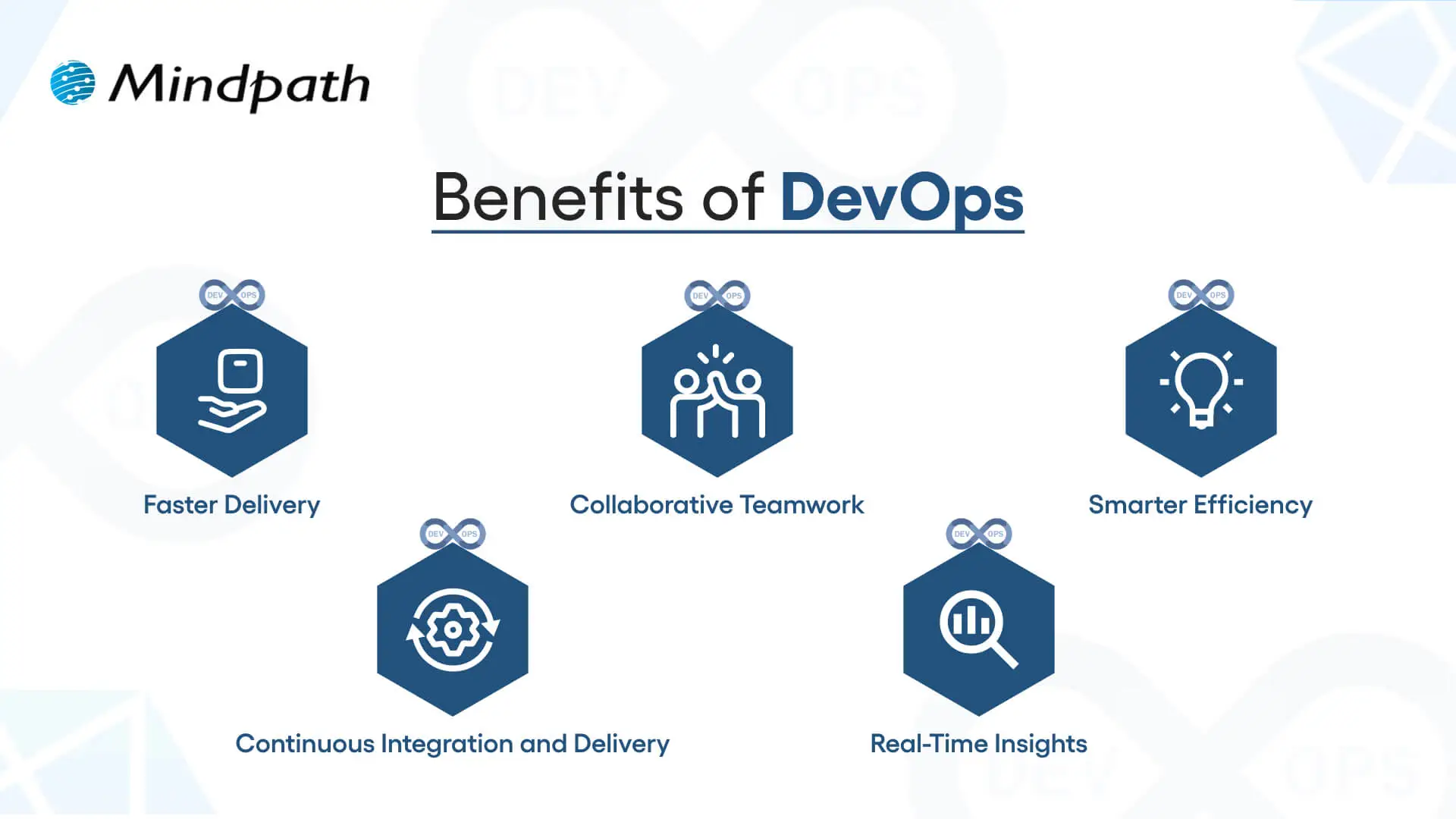
Here are some of the benefits of DevOps: 

1. Faster Delivery

Development cycles can go a lot quicker with automation and simplified processes. This enhanced delivery allows more frequent releases and decreases time to market.

2. Collaborative Teamwork

Development teams, operations, and other teams are all working toward common goals. Good team collaboration eliminates silos and improves project quality.

3. Smarter Efficiency

Automation eliminates repetitive tasks and optimizes workflows. Teams have the ability to save time and focus on activity that produces value, instead of spending time on manual processes.

4. Continuous Integration and Delivery (CI/CD)

Continuous integration and continuous delivery allow for reliable and consistent deployments. Your users can get new features and fixes fast and seamlessly.

5. Real-Time Insights

Monitoring tools enable instant visibility across the ecosystem. Teams can identify problems early, troubleshoot quickly, and improve performance.

These points explain how DevOps speeds up collaboration and delivery when comparing DevOps vs. DevSecOps, while DevSecOps extends an approach that has been inherently faster approach by adding stronger security practices.

Curious how automation and modern practices can improve your DevOps pipeline? Visit our blog on DevOps Trends to discover actionable insights and emerging innovations.

What is DevSecOps?

DevSecOps (Development, Security, and Operations) is the practice of integrating automated security checks into every phase of the software development lifecycle. It unites development, security, and operations teams so they can plan, build, test, and release applications together, making security a shared responsibility from the start. In return, DevSecOps allows for faster, more reliable processes, ensuring that security is built in from the very beginning rather than added as an afterthought.

To better understand the three pillars of DevSecOps, simply think of collaboration, automation, and continuous security. Collaboration ensures that everyone is sharing the responsibility, automation introduces automated security checks into CI/CD pipelines, and continuous security ensures that monitoring is continuous. With the three pillars of DevSecOps, organizations are able to create dependable applications while implementing continuous security measures to defend them against constantly evolving threats.

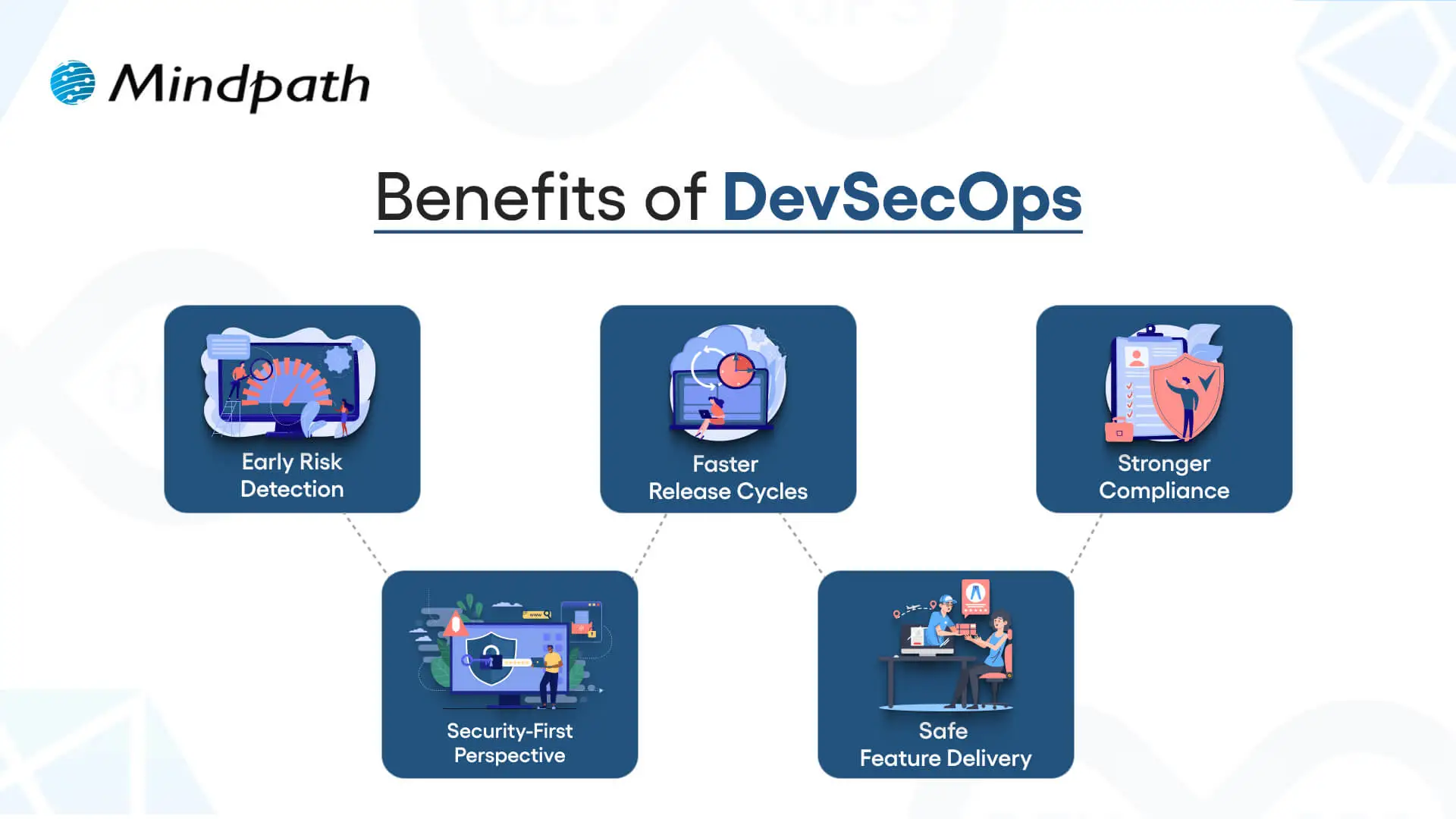
Here are the benefits of DevSecOps:

Benefits of DevSecOps

1. Early Risk Detection

DevSecOps allows for the identification of vulnerabilities during the development phase rather than at the end of the development process. Finding and remediating risk early in this way saves time and expense and means that users receive secure applications.

2. Faster Release Cycles

As teams can impact security testing in their workflow, delays are prevented, human error is removed, and developers get new features into the hands of users sooner.

3. Stronger Compliance

DevSecOps processing can assist software teams in meeting compliance obligations with strict regulatory guidelines. Automated checks and secure development practices ensure that data continues to be protected, while developers can be assured that they meet industry standards.

4. Security-First Perspective

Treating security as a shared responsibility, teams practicing DevSecOps have developers, security professionals, and operations staff collaborating to manage risks actively and ensure they minimize incidents throughout the development period.

5. Safe Feature Delivery

With DevSecOps, teams can deliver new functionality faster while also guaranteeing that security practices are undertaken throughout the development period. This can be one of the key differences in terms of DevOps vs. DevSecOps: how features are delivered.

Aiming to enhance operational efficiency and reduce development risks? Check out our blog on DevOps Challenges and Solutions to discover proven approaches that improve performance, stability, and cross-team cooperation.

DevSecOps vs. DevOps: Key Differences

DevOps vs. DevSecOps reveals how software teams value speed, teamwork, and security. While DevOps emphasizes faster delivery, DevSecOps enhances that process, making security a priority at every step of the development process.

1. Security Focus

The primary distinction between DevOps vs DevSecOps is security. DevOps puts movement between development and operations to speed up the delivery of software, but its security processes are usually significant afterthoughts. DevSecOps has security processes established from start to finish and considers them a core capability. By treating security as a core capability, vulnerabilities are eliminated upstream, so they are remedied before deployment.

2. Collaboration Culture

DevOps emphasizes collaboration between development teams and operations teams to promote continuous integration and delivery. Security is often treated as an independent effort, which creates holes in the development process. DevSecOps emphasizes the work of the security team interacting directly with developers and operations teams in every phase of development. This develops a culture of security being everyone’s responsibility.

3. Timing of Security

Conventional DevOps teams often include security at the final phase of the development cycle. If bugs occur towards the end of the process, they can delay the project significantly. DevSecOps reinforces timing by introducing a shift-left strategy with security at the beginning of the development process to build secure and reliable applications.

4. Tools and Automation

In contrast, when discussing DevOps vs. DevSecOps tools, the distinction is clear. DevOps follows automated processes for build, test, and deploy; however, normally, the security tools are still standalone. With DevSecOps, you use drive-by automated security scans, code analysis, and continuous monitoring in the CI/CD pipeline. It allows teams to detect threats in real-time without having to slow their delivery pace.

5. Salary Comparison

There is a notable salary gap when looking at DevOps vs. DevSecOps salaries in the UK. DevOps Engineers generally earn from £65,000 to £92,500+ with a difference based on skills and location, while DevSecOps Engineers receive a greater salary, with salaries for senior roles exceeding £130,000+ a year, particularly for positions based in London.

Looking to optimize your CI/CD pipeline with smarter automation and streamlined processes? Visit our blog on DevOps Best Practices to discover the strategies high-performing teams use to achieve consistent, stable releases.

DevOps vs. DevSecOps: A Comparison Table

When exploring DevOps vs. DevSecOps, it’s clear that both approaches aim to improve software delivery but take different routes to get there. This table highlights the main distinctions, making it easier to see how DevSecOps builds on DevOps with an added focus on security.

Aspect DevOps DevSecOps
Core Goal Focused on speeding up development and deployment cycles. Balances speed with security to deliver safe, reliable software.
Team Culture Collaboration between development and operations teams. Shared responsibility among development, operations, and security teams.
Security Approach Security checks are introduced late in the release pipeline. Security is integrated into every stage of the development lifecycle.
Automation Uses CI/CD pipelines to automate builds, tests, and deployments. Extends CI/CD with automated security scanning and compliance checks.
Risk Handling Issues are often fixed after vulnerabilities are found in production. Risks are identified and mitigated early to prevent breaches.
Compliance Handled towards the end of development, often as a final step. Built into processes from the beginning, ensuring continuous compliance.
Toolset Relies on monitoring, deployment, and collaboration tools. Adds tools for code analysis, threat detection, and policy enforcement.
End Result Delivers applications quickly but may leave gaps in security. Produces faster releases that are also secure, compliant, and resilient.

Which approach will drive your business forward?

The comparison of DevOps vs. DevSecOps shows that while DevOps accelerates delivery, DevSecOps ensures that speed is not achieved at the cost of security. Businesses gain the ability to innovate quickly while reducing vulnerabilities. Choosing the right model depends on priorities, but integrating security early always results in stronger, more resilient software outcomes.

At Mindpath, we offer tailored DevOps services designed to improve speed, collaboration, and reliability across your software delivery cycle. By helping teams embrace automation, modern practices, and security-focused strategies, Mindpath ensures that businesses not only accelerate development but also deliver secure, high-performing applications that stand out in today’s competitive digital market.

trends in education

The trends in education are changing how schools, universities, training providers, and EdTech companies deliver learning. Artificial intelligence (AI), adaptive learning platforms, digital credentials, and immersive technologies are creating new ways to support learners and improve educational operations. However, successful adoption depends on more than introducing new tools. Institutions also need to consider learning outcomes, accessibility, data privacy, security, and implementation costs.

Key Takeaways

  • 01
    AI-powered learning can help educators personalize lessons, provide feedback, and identify knowledge gaps while keeping human oversight in place.
  • 02
    Adaptive learning platforms adjust content and learning activities according to learner progress and assessment results.
  • 03
    Blockchain-based credentials can support the verification and sharing of academic records when implemented with appropriate governance.
  • 04
    Virtual reality, augmented reality, mobile learning, and accessible interfaces can support more flexible and engaging learning experiences.
  • 05
    Education technology investments should prioritize measurable learning outcomes, data protection, accessibility, integration, and long-term costs.

Educational technology, commonly known as EdTech, now supports activities ranging from online classes and assessments to student administration and professional training. As digital learning evolves, institutions need to understand which technologies address their actual challenges and how to implement them responsibly. This guide covers the major education technology trends shaping 2026 and beyond, with practical examples and considerations for organizations planning their next steps.

Planning a digital learning platform or modernizing an existing education system? Contact Mindpath to discuss your requirements for secure, scalable education software solutions.

Why Education Technology Is Evolving

Education technology is moving beyond the digitization of classroom materials. Modern education systems increasingly connect learning management systems (LMS), student information systems, digital assessments, communication tools, and analytics. These connected platforms can help institutions manage learning activities, provide timely support, and make better-informed operational decisions.

Several factors are influencing this evolution:

  • Changing learner expectations: Students and professionals increasingly expect flexible access to learning materials across devices and locations.
  • Demand for personalized support: Educators need practical ways to identify learning gaps and adapt instruction to different needs.
  • Operational efficiency: Institutions are looking for ways to simplify repetitive administrative tasks and connect disconnected systems.
  • Skills development: Employers and training providers need learning experiences that can adapt as job requirements change.
  • Trust and accessibility: Institutions must protect learner information and ensure digital services work for people with different abilities, devices, and levels of connectivity.

These priorities help explain why the most useful trends in education are not simply about adopting new technology. They are about applying technology to specific learning and operational needs.

Interested in AI-supported learning experiences? Read our guide to chatbots in education to understand how conversational interfaces can support learner questions and routine assistance.

Top Trends in Education Technology for 2026 and Beyond

The following trends represent important technology approaches for education providers to evaluate. Their suitability depends on the institution’s learning objectives, available infrastructure, budget, and the needs of its students and educators.

1. Artificial Intelligence and Generative AI in Education

Artificial intelligence is becoming an important part of digital learning platforms, educational content creation, and administrative support. AI-powered systems can assist with answering common questions, generating practice exercises, summarizing learning materials, and providing feedback based on defined criteria.

Generative AI can also help educators create draft lesson plans, explanations, and learning resources for different levels of understanding. These outputs still require review to ensure that they are accurate, suitable for the curriculum, and appropriate for the intended learners.

Practical applications of AI in education

  • AI learning assistants: Respond to common learner questions and direct students to relevant resources.
  • Content development: Help educators prepare draft quizzes, exercises, summaries, and lesson materials.
  • Feedback support: Provide preliminary feedback on practice work while leaving consequential grading decisions to qualified educators.
  • Administrative automation: Assist with routine inquiries, document processing, and selected institutional workflows.
  • Learning insights: Help educators identify patterns in learner progress when reliable and appropriately governed data is available.

For education providers, the goal should be to use AI to support educators and learners rather than replace human judgment. Institutions should establish clear rules for accuracy, data handling, transparency, and acceptable use before deploying AI tools.

For additional context, see Mindpath’s guide to generative AI use cases.

2. Hyper-Personalized Learning Experiences

Personalized learning adapts learning resources to individual needs, while hyper-personalized approaches may use a broader range of learner information and interactions to tailor the experience more closely. The objective is to help learners access relevant material, practice specific skills, and receive support at an appropriate level.

For example, an online learning platform might recommend additional exercises when a learner struggles with a topic or offer more advanced material after the learner demonstrates understanding. AI can help generate or recommend content, but educators should be able to review the recommendations and intervene when needed.

How personalized learning can help

  • Provide learning resources that match a learner’s current progress.
  • Offer alternative explanations for difficult concepts.
  • Recommend revision activities based on assessment results.
  • Help educators identify learners who may need additional support.
  • Allow learners to progress through selected activities at a suitable pace.

Personalization should not rely on assumptions about a learner’s ability or potential. Institutions need appropriate data practices, transparent recommendations, and opportunities for learners and educators to correct inaccurate information.

3. Adaptive Learning Platforms

Adaptive learning is closely related to personalization, but it specifically focuses on adjusting learning activities in response to learner performance and progress. An adaptive platform may change the difficulty of questions, recommend revision material, or guide learners toward additional practice when an assessment reveals a knowledge gap.

For example, if a student repeatedly struggles with a mathematical concept, the platform could recommend foundational exercises before moving to more advanced problems. If the student demonstrates mastery, the system could suggest a more challenging activity.

Key features of adaptive learning systems

  • Progress tracking and assessment analysis.
  • Recommendations based on demonstrated learning needs.
  • Flexible learning paths and content difficulty.
  • Feedback that helps learners understand mistakes.
  • Dashboards that help educators review progress and identify support needs.

Adaptive learning is most useful when its recommendations align with curriculum goals and reliable assessment methods. It should support teaching decisions rather than guarantee a particular academic result.

4. Blockchain and Verifiable Digital Credentials

Digital credentials allow institutions to issue academic records, certificates, and other qualifications in electronic formats. Blockchain is one possible technology for recording or verifying credential information, particularly when multiple parties need to confirm that a credential has not been altered.

For example, a university could issue a digital certificate that an employer can verify through an approved process. This may simplify credential checks and reduce reliance on manual document verification.

Potential uses of blockchain in education

  • Credential verification: Support checks for degrees, certificates, and other qualifications.
  • Portable records: Help learners share verifiable credentials with employers or other institutions.
  • Professional certification: Support the verification of training and continuing education achievements.
  • Record integrity: Make unauthorized changes to recorded credential information easier to detect in suitable implementations.

Blockchain is not necessary for every digital credential system. Institutions should compare it with conventional signed digital credentials and other verification methods before choosing an approach. They must also consider privacy, correction and revocation processes, interoperability, governance, and the cost of maintaining the system.

5. Virtual Reality and Augmented Reality in Learning

Virtual reality (VR) and augmented reality (AR) can make some learning activities more interactive by connecting digital information with simulated or real-world environments. VR typically places learners inside a simulated environment, while AR adds digital content to a view of the physical world.

These technologies can be useful when students need to visualize complex concepts or practise activities that are difficult, expensive, or unsafe to reproduce in a conventional classroom.

Examples of VR and AR in education

  • Science: Explore three-dimensional models of molecules, organs, or other complex structures.
  • History and geography: Examine reconstructed locations and environments through virtual experiences.
  • Healthcare training: Practise selected procedures in simulations before supervised practical training.
  • Engineering: Visualize equipment, components, and technical processes in three dimensions.
  • Workplace training: Rehearse tasks and safety procedures in controlled simulated environments.

VR and AR should be selected according to clear learning objectives. Hardware costs, motion discomfort, device availability, accessibility, and the need for high-quality learning content can limit adoption. For some lessons, a well-designed video, interactive model, or practical demonstration may be more effective and affordable.

6. Mobile-First and Flexible Digital Learning

Mobile-first learning platforms are designed to work effectively on smartphones and tablets as well as desktop computers. This approach can help students access lessons, submit assignments, review progress, and communicate with educators without depending on a particular location.

Flexible learning experiences can combine live online classes, recorded lessons, downloadable resources, classroom teaching, and self-paced activities. Some platforms also support offline access to selected materials, allowing learners to continue studying when connectivity is limited.

What institutions should prioritize

  • Responsive interfaces that adapt to different screen sizes.
  • Simple navigation and readable content on smaller displays.
  • Low-bandwidth experiences where practical.
  • Secure authentication and account recovery.
  • Accessible forms, media controls, captions, and assistive technology support.
  • Offline access where it fits the platform’s learning and security requirements.

A mobile-first approach should consider the devices learners actually use, their connectivity constraints, and the accessibility requirements of the audience. Designing for mobile should not mean removing important functionality from desktop users.

7. Learning Analytics and Data-Informed Decisions

Learning analytics involves using relevant educational data to understand participation, progress, and learning activity. When used appropriately, analytics can help educators identify areas where students may need additional support and help administrators evaluate how learning programs are performing.

For example, an institution might review assessment results, course completion patterns, or participation in online activities to identify where a course needs improvement. Analytics can also help administrators understand platform usage and plan support resources.

Common applications of learning analytics

  • Monitoring course participation and completion.
  • Reviewing assessment results and common learning difficulties.
  • Evaluating the use of learning resources.
  • Identifying potential support needs for educator review.
  • Measuring the performance of digital learning initiatives against defined goals.

Analytics should be interpreted carefully. Low participation or a change in performance does not automatically explain why a learner is struggling. Institutions should minimize unnecessary data collection, restrict access to sensitive records, and avoid using unvalidated predictions as the sole basis for high-impact decisions.

8. Accessible and Inclusive Education Technology

Accessibility is a core requirement for education technology, not an optional feature. Digital learning platforms should accommodate learners with different abilities, language needs, devices, and levels of digital literacy.

Inclusive design can improve access by providing captions, keyboard navigation, screen-reader compatibility, adjustable text, clear layouts, and alternative formats for learning materials. Multilingual interfaces and low-bandwidth options can also help serve a broader range of learners.

Accessibility considerations for EdTech platforms

  • Use clear headings and descriptive link text to make content easier to navigate.
  • Provide captions or transcripts for relevant audio and video content.
  • Ensure interactive features can be used with a keyboard and assistive technologies.
  • Maintain sufficient color contrast and allow readable text sizing.
  • Offer accessible alternatives when activities depend on particular sensory or physical interactions.
  • Test the platform with users who have different accessibility needs.

Institutions should evaluate their platforms against applicable accessibility standards and test real user journeys. Accessibility improvements should be included throughout design, development, content creation, and maintenance.

9. Cloud-Based Education Platforms and System Integration

Cloud-based platforms can help educational organizations deliver digital services without relying exclusively on infrastructure maintained on-site. Depending on the architecture and service model, cloud infrastructure can support application availability, storage, collaboration, and capacity planning.

Integration is equally important. When learning platforms, student information systems, payment services, communication tools, and analytics operate separately, staff may need to enter the same information multiple times. Properly designed integrations can reduce duplication and provide a more consistent experience.

Important considerations for connected education systems

  • Reliable data exchange between the learning platform and institutional systems.
  • Role-based permissions for students, educators, administrators, and other users.
  • Data migration and quality checks when replacing older systems.
  • Backup, recovery, monitoring, and incident-response plans.
  • Scalable infrastructure that reflects actual usage and budget requirements.
  • Clear ownership of integrations and ongoing maintenance.

Cloud adoption does not automatically make a platform secure or cost-effective. Institutions should assess data residency, contractual responsibilities, access controls, service continuity, integration complexity, and the total cost of ownership.

10. Cybersecurity, Data Privacy, and Responsible Technology Use

Education platforms handle sensitive information, including learner identities, contact details, assessment records, and institutional data. As digital systems become more connected, security and privacy must remain central to technology planning.

AI-powered features introduce additional considerations because they may process learner submissions, conversations, or other personal information. Institutions need to understand what data a service collects, how it is used, where it is stored, and whether it is shared with third parties.

Security and governance practices to consider

  • Apply strong authentication and role-based access controls.
  • Collect only the information required for defined educational purposes.
  • Encrypt sensitive data in transit and at rest where appropriate.
  • Review vendors, integrations, data-processing terms, and retention policies.
  • Define how AI-generated content and automated recommendations will be reviewed.
  • Train staff and learners to recognize phishing, account misuse, and other common risks.
  • Establish processes for reporting incidents and responding to data breaches.

Organizations should also assess bias, transparency, and the possibility of inaccurate AI outputs. Human review is particularly important when technology influences assessment, student support, admissions, or other consequential decisions.

How to Choose the Right Education Technology

Not every institution needs every emerging technology. The right solution is the one that addresses a defined problem, fits existing workflows, and can be maintained over time. Before investing in an EdTech platform, decision-makers should evaluate the following factors.

1. Define the Learning or Operational Problem

Start by identifying the issue the institution wants to address. It could be limited access to learning materials, time-consuming administrative work, disconnected student records, or a lack of useful progress reporting. A clear problem statement helps prevent investment in features that do not serve a meaningful purpose.

2. Identify Users and Their Requirements

Gather input from students, educators, administrators, and IT teams. Document their workflows, accessibility needs, preferred devices, and concerns. Involving users early helps identify practical requirements that may not be obvious during technical planning.

3. Assess Integration and Technical Requirements

Review the existing technology stack, data formats, APIs, authentication methods, and systems that must connect to the new solution. Confirm that the proposed platform can support required integrations and that the organization has a plan for data migration, maintenance, and future upgrades.

4. Evaluate Privacy, Security, and Accessibility

Review how the solution handles personal information, manages permissions, supports accessibility, and meets applicable legal and institutional requirements. For AI features, examine data usage, output reliability, human oversight, and options for correcting mistakes.

5. Test the Solution Before Scaling

Where possible, run a pilot with a defined group of users. Collect feedback and measure outcomes against the original goals before expanding the deployment. A pilot can reveal usability issues, integration gaps, training needs, and unexpected costs while the scope is still manageable.

6. Measure Outcomes and Plan for Maintenance

Define measurable indicators such as course completion, learner satisfaction, task completion time, platform availability, or the reduction of manual administrative work. Choose measures that relate directly to the original problem. Also budget for support, security updates, training, content maintenance, and future improvements.

Challenges in Adopting Education Technology

Although digital tools can support teaching and institutional operations, their benefits depend on how they are designed and implemented. Education providers should plan for the following challenges.

1. Cost and Implementation Complexity

Software licensing, custom development, devices, integration, training, and ongoing support can all contribute to the total cost. Institutions should compare these expenses with the expected benefits and consider a phased rollout when a full implementation would create unnecessary risk.

2. Unequal Access to Devices and Connectivity

Some learners may have limited internet access, older devices, or accessibility requirements that a platform does not adequately support. Mobile-friendly design, downloadable materials, low-bandwidth options, and accessible alternatives can help address these barriers.

3. Data Privacy and Security Risks

Connected platforms increase the importance of careful data governance. Institutions should establish clear access permissions, vendor-review procedures, retention rules, and incident-response plans before introducing new services.

4. Accuracy, Bias, and Overreliance on AI

AI systems can produce incorrect information or recommendations that do not fit a learner’s context. Outputs should be reviewed according to the risk involved, and students should be encouraged to verify information, think critically, and seek guidance from educators.

5. Training and Change Management

Even a technically capable platform may underperform if staff and learners do not understand how to use it. Provide practical training, clear guidance, feedback channels, and ongoing support so that technology complements existing teaching practices.

What the Future of Education Technology May Look Like

The next stage of EdTech is likely to place greater emphasis on connected systems, responsible AI use, flexible learning pathways, and evidence of educational value. Rather than treating each technology as a separate investment, institutions can evaluate how different tools work together to support learners and educators.

  • More connected learning environments: Learning platforms, student systems, and administrative tools may become better integrated to reduce fragmented workflows.
  • Greater focus on responsible AI: Institutions will need clear policies for privacy, accuracy, transparency, and human oversight as AI use expands.
  • More flexible learning formats: Mobile access, self-paced modules, blended teaching, and accessible digital resources can support varied learner needs.
  • Improved credential portability: Digital credentials and verification tools may make it easier to share and validate learning achievements across organizations.
  • Stronger emphasis on outcomes: Institutions may place more weight on evidence of learning, accessibility, user experience, and operational value when evaluating technology investments.

These are potential directions, not guaranteed outcomes. Adoption will vary according to institutional priorities, budgets, infrastructure, regulation, and evidence that a technology delivers meaningful value.

Final Thoughts

The major trends in education for 2026 and beyond include AI-powered learning, personalization, adaptive platforms, digital credentials, VR and AR, mobile-first access, learning analytics, cloud integration, and stronger attention to accessibility and cybersecurity. Each trend offers opportunities, but its value depends on how well it addresses the needs of learners, educators, and institutions.

Education providers should begin with clear goals, involve users in planning, assess privacy and accessibility, and measure the results of each implementation. Technology should support effective teaching and meaningful learning rather than become an end in itself.

At Mindpath, we help organizations plan and build scalable digital products. Our education software solutions can support institutions looking to modernize learning platforms, integrate systems, and develop digital experiences aligned with their requirements.