Home

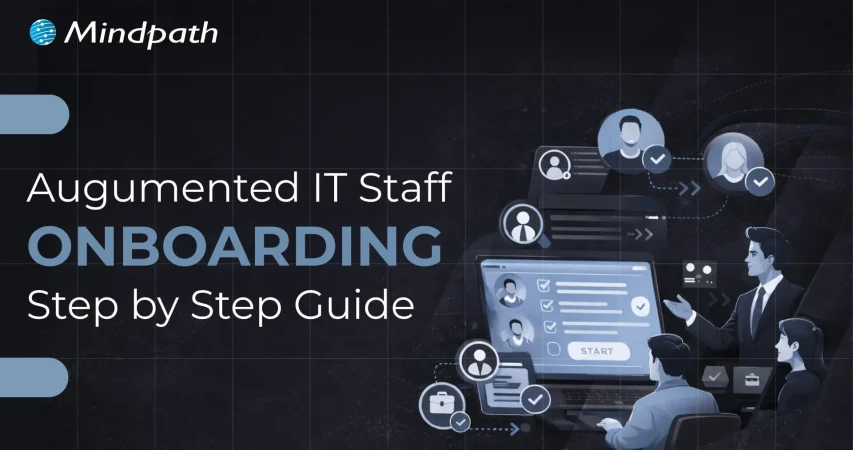
Augmented IT Staff Onboarding: A Step-by-Step Integration Guide 

Augmented IT Staff Onboarding: A Step-by-Step Integration Guide 

Join our Newsletter!

augmented staff onboarding

Businesses are in constant need of scaling their IT workforce in the current scenario. This is why many organizations have turned to staff augmentation. It is a viable approach to bring in the external IT experts to work along with your internal teams. As per recent ISACA studies, around 75% of employees are prioritizing hybrid work environments. This has made IT staff augmentation even more powerful.

However, simply hiring augmented professionals is not enough. Without a structured approach, even the most talented developers might struggle to integrate properly with your workflow. In this guide, we will go through some practical steps for staff augmentation onboarding. This can help you successfully adopt remote or hybrid teams while maintaining precise collaboration.

Need a cost-effective way to scale your team with qualified IT talent on demand? At Mindpath, we offer flexible staff augmentation services to help businesses hire top-tier developers and specialists without long-term commitments.

What is Augmented Staff Onboarding and How It Can Upgrade Your Operations?

IT staff augmentation is all about hiring experts temporarily from a third-party organization. Further, the extended team will help your business grow while accelerating the project workflow. They will work under your management while filling the skill gaps.

With proper augmented staff onboarding, you can easily tackle the risks and expenses related to traditional hiring models. A company leveraging these services will match you with all the resources you require for a limited timeframe. Here are the benefits that make staff augmentation an attractive prospect.

1. Minimal Cost

If we compare it to full-scale hiring, augmented staff is a much more budget-friendly solution. Your vendor will cover their recruitment charges and benefits. However, the pricing structure completely depends on the region or the offshore companies you are selecting.

2. Outstanding Productivity

Unlike freelancers or outsourced teams, integrating augmented teams can be managed in real time. You can collaborate with them and encourage your productivity.

3. Global Pool of Talent

With IT staff augmentation, you are breaking the limits of the local talent pool. Further, casting a wider net offers you a better chance of finding skills that exactly match your business objectives.

For your knowledge, an effective onboarding process can upgrade your business productivity by 70%. Organizations with a streamlined onboarding process can boost new hire retention by 82%.

Want to stay ahead of evolving workforce strategies and technology demands? Discover the latest staff augmentation trends that are transforming how businesses scale teams and adopt hybrid work models.

A Detailed Step-by-Step IT Staff Onboarding Process

Integrating augmented professionals into your team needs more than an orientation meeting. So, here is a structured approach to ensure seamless integration of augmented teams into your existing workforce.

1. Define the Roles and Project Expectations

Before the augmented team starts working on your project, you should clearly define your expectations. Moreover, you need to be precise about your project goals and milestones. Make the experts know their individual responsibilities and reporting structure.

Clear expectations can eliminate any type of confusion while allowing your team members to start contributing faster. In the recent scenario, average tech skills are becoming outdated. So, identify their gaps and bring in experts who can make an immediate impact.

2. Prepare the Technical Environment

One of the biggest onboarding delays happens when new employees wait to access new tools and systems. So, before your staff augmentation onboarding, make sure they have access to development environments and other collaboration tools. They should also be aware of your security credentials and permissions.

Offering access to project management tools and collaboration platforms ensures everyone can trace the task and can update the feedback in real time. The new team should be responsible enough to immediately begin exploring the system architecture and your project structure.

3. Conduct a Structured Orientation Session

Orientation can be tagged as the first official step in the remote team onboarding. So, this session should introduce augmented staff to the company’s mission and culture.

You should be vocal about your company’s goals and values. Further, you can discuss the overview of your products or services. Give an introduction to key stakeholders and be sure about the project timelines.

You can also schedule a one-on-one session with the managers or team leads to explain the expectations. This approach will ensure augmented professionals completely understand the bigger picture.

Planning to streamline your recruitment process and onboard experts faster? Check out how staff augmentation hiring enables businesses to quickly integrate skilled professionals into their teams.

4. Introduce Augmented Staff to Your Internal Team

A major challenge in staff augmentation is generating a sense of belonging. So, if your external professionals are not feeling connected enough, the overall collaboration can suffer.

You can introduce your team members through virtual team meetings. Further, you can make informal introductions with your major stakeholders. This is one of the major steps in staff augmentation onboarding as it encourages collaboration.

5. Assign a Mentor or Guide

Assigning a mentor can speed up the learning process. The mentor can help the new members understand the internal workflows. Further, they can answer queries regarding the tools or other internal systems.

A dedicated point of contact can minimize communication gaps, and the augmented staff will also understand who to approach when they find something challenging. This approach can encourage productivity while strengthening collaboration between the internal and external teams.

A professional point of contact can easily fill in the communication gaps, and the external staff will also understand who to contact when they face any issues. This step can upgrade your productivity while strengthening the collaboration efforts.

6. Regarding a Clear Communication Channel

Communication is the backbone of successful staff augmentation onboarding. So, when your team works across multiple regions or time zones, clear communication becomes essential.

To ensure clear communication, define your communication protocols and response expectations. Conduct a meeting and use an individual collaboration platform to assess the doubts of your team. Your organization should also welcome queries and concerns of the augmented staff. In this way, professionals will feel comfortable sharing their innovations or ideas.

Want to optimize your team collaboration while keeping operational costs under control? Discover how cost effective IT staff augmentation helps businesses maintain efficiency and productivity without increasing hiring expenses.

7. Provide Training and Resources

Even experienced professionals or IT specialists need time to understand a company’s internal systems. So, your stretched team should have proper access to your documentation process.

Continuous training and workshops can upgrade the knowledge while making your team understand the overall project environment.

8. Verify Performance and Progress

Your onboarding process shouldn’t be for the first weeks. You should acknowledge continuous feedback to make your external staff know your project needs. Your managers should also check the performance of your team every week. Assess their work and give them reviews for better work processing.

These sessions can help you identify early opportunities to improve collaboration and overall productivity.

9. Follow up on the Onboarding Process

Your business should assess the importance of the onboarding process. Most importantly, consider the concerns and feedback of your internal team. Companies that refine their onboarding strategies over time can scale their augmented teams more effectively while increasing productivity.

Wondering which workforce model best fits your business needs and long-term goals? Learn the key differences between staff augmentation vs managed services to make a more informed decision.

Conclusion

If your business needs quick and scalable IT talent, staff augmentation can be an ideal solution. However, your IT staff onboarding process should be streamlined enough. It can simplify the process while making your augmented teams match the existing workflows.

Companies like Mindpath can help your business upgrade its IT capabilities. Our expert team leverages efficient strategies and streamlined staff augmentation. Our approaches have already been beneficial for many industry leaders. We can be your perfect match for fulfilling the digital transformation your company demands.

Support Is One Click Away

Featured Posts

Related Post

Cost to build an AI Agent

Small businesses today are watching AI agents handle customer queries, automate workflows, and close sales round the clock. Exciting? Absolutely. But many business owners jump in without truly understanding the cost to build an AI agent. That gap between excitement and reality often leads to budget overruns. So, let’s talk numbers, trade-offs, and what actually goes into building one.

Key Takeaways

  • 01
    The cost to build an AI agent ranges from $3,000 to $50,000 upfront.
  • 02
    Complexity, integration, and data readiness are the biggest cost drivers.
  • 03
    Hidden costs like token bloat and API fees catch most small businesses off guard.
  • 04
    Starting with one narrow task keeps your budget controlled and ROI measurable.
  • 05
    Consistent maintenance and prompt tuning protect your long-term agent investment.

Furthermore, the pricing rarely tells the full story. Vendors show you the entry plan; they rarely show you integration fees, maintenance costs, or what happens when your agent scales. Every layer adds up quietly. In this blog, we break down every real cost involved so you can plan smarter, spend better, and build an AI agent that actually works for your business. So, let us read further and know more!

Looking for a cost-effective way to implement AI? Our Agentic AI development services help businesses build scalable AI solutions with measurable ROI.

What Factors Influence the Cost to Build an AI Agent?

Building an AI agent is never one flat price. Implementing an AI agent cost shifts dramatically based on what you need, how complex your workflows are, and which technology stack your team chooses. Several moving parts quietly push the budget up or down. Understanding these factors upfront saves you from nasty surprises later. Let’s break down exactly what drives the cost.

1. Scope and Complexity

Rule-based chatbots follow fixed scripts and cost far less to build. True agentic AI that reasons, plans, and adapts autonomously demands significantly more development effort and budget.

2. Integrations and Tooling

Every external system your agent connects to, such as your CRM, ERP, or payment gateway, adds development time. Giving the agent capabilities like web browsing or database querying also requires rigorous security testing.

3. Data Readiness and Preparation

Unstructured or siloed data needs heavy cleanup before your agent can use it effectively. Setting up vector databases and memory architecture to support long-term recall adds another layer to your AI automation cost.

4. Technology Stack

Your choice between proprietary LLMs, open-source models, and no-code builders directly shapes both upfront and recurring costs. Custom frameworks like LangChain offer more control but require significantly more development time.

5. Security and Compliance

Regulated industries like healthcare and finance carry strict compliance requirements including HIPAA and GDPR. Penetration testing, security audits, and data privacy measures push the AI automation cost noticeably higher.

6. Maintenance and Continuous Training

Launching your agent is only the starting point. Production environments demand ongoing prompt tuning, knowledge updates, and performance monitoring throughout the agent’s entire lifecycle.

What Is the Actual Cost to Build an AI Agent for Small Businesses?

The AI customer service agent cost for small businesses ranges from $3,000 to $50,000 upfront. Monthly maintenance and token fees add $50 to $1,000 more.

1. Cost Breakdown by Agent Type

Costs vary widely depending on complexity and autonomy level. Here is what each tier typically costs small businesses today.

2. Off-the-Shelf Configured Agents: $3,000 – $10,000+

No coding is needed here. You pay for prompt setup, branding, and basic routing configuration.

3. Basic Custom Agents (MVP): $10,000 – $25,000

These agents handle customer support, lead qualification, and simple automation. They connect to your website or one external API.

4. Mid-Level and Internal Agents: $25,000 – $50,000+

These require multi-step planning and deep CRM integration. Human-in-the-loop oversight adds complexity and cost.

5. Ongoing Operational Costs

Building the agent covers only the starting investment. Monthly operational costs keep it running and improving.

6. API and Token Usage: $20 – $500+ Per Month

Usage costs depend on query volume and your chosen LLM. OpenAI, Anthropic, and Gemini all price differently.

7. Cloud Hosting: $50 – $300 Per Month

This covers serverless functions and knowledge base storage. Costs scale as your agent handles more traffic.

8. Maintenance: 15% – 30% of Build Cost Annually

Regular updates, bug fixes, and prompt refinements are essential. Strong ROI of AI agent development depends heavily on consistent maintenance investment.

Hidden Costs of AI Agents Nobody Talks About

1. Agentic Token Bloat

Reasoning loops silently stack up your LLM API charges.

2. AI Drift Maintenance

Changing business rules add 15-20% to annual build costs.

3. System Integration and API Fees

Custom API connections cost $25,000 to $75,000 additionally.

4. Debugging and Monitoring

Silent agent failures waste valuable developer time and money.

How Can Small Businesses Reduce the Cost to Build an AI Agent?

Building an AI agent does not have to drain your budget. Smart planning and the right approach can significantly cut costs without compromising on quality or performance.

1. Leverage No-Code Agent Builders

Skip expensive developer fees with visual drag-and-drop platforms. Non-technical staff can build and integrate agents independently and affordably.

2. Mix Models and Use Open-Source

Avoid paying GPT-4 prices for every routine task. Smaller open-source models like Llama 3 cut token costs significantly.

3. Start With a Single Narrow Task

Target one high-volume process like scheduling or email replies. This keeps your initial AI agent ROI for small businesses measurable and clear.

4. Run in Parallel First

Test your agent alongside existing workflows for four to six weeks. This catches errors before full deployment and protects your investment.

5. Optimize Your Prompt Engineering

Well-structured prompts use fewer tokens and reduce unnecessary back-and-forth. This directly lowers how much does an AI agent cost per month operationally.

Is the Cost to Build an AI Agent Worth It for Your Small Business?

For most small businesses, the answer is yes. The cost to build an AI agent pays back quickly through saved labor, faster response times, and scalable automation. Start small, measure results, and expand only where it genuinely moves your bottom line.

At Mindpath, we provide AI development services tailored specifically for small business budgets and goals. We help you skip the guesswork, avoid hidden costs, and build agents that actually deliver results. Let us help you make the right investment from day one. Contact us today for a free consultation, and discover how the right AI solution can help your business save time, reduce costs, and grow with confidence.

Frequently Asked Questions

reactjs developer skills

The advantages of ReactJS have made every business owner think about its utility in developing web projects. It is the most powerful and commonly used JavaScript library for creating intuitive interfaces. If you want React developers in your team, then you must know the ReactJS developer skills that you should look for in candidates.

The declarative approach and component-based architecture of ReactJS have revolutionized front-end development completely. Knowing what skills to look for saves time and hiring costs. The right developer brings structure, speed, and scalability to your project. In this article, we break down the core ReactJS developer skills every successful web project depends on.

Want to hire ReactJS developers for your next web project? Explore more on Mindpath’s React JS development services to get expertise in developing a web application aligned with your business goals.

Discovering the Skillset of Expert ReactJS Developers

The general assumption about the skillset of ReactJS developers is that they know how to work with React. However, fluency in React itself is not the only addition in the React skill set for any developer. React developers must have a broader skillset beyond the library to craft impactful web projects. The following skills can help business owners identify the best React developers for their next web project.

1. HTML and CSS

The foremost addition in a list of ReactJS skills is the combination of HTML and CSS, which play a crucial role in organizing the styling of the web experience. React developers must know the concepts of semantic HTML and how to use the right HTML tags for better SEO and accessibility. ReactJS developers should have an in-depth understanding of the fundamentals of CSS, such as selectors, CSS Grid, responsive design principles, and the box model.

Apart from CSS fundamentals, the essential React skills for developers also include knowledge of CSS preprocessors and frameworks. Developers can use the pre-processors to streamline styling workflows and improve ease of maintenance in larger projects.

2. JavaScript ES6

JavaScript ES6 or ECMAScript 2015 brought many interesting features to the domain of modern web development. When you hire React developer for the next web project, you should check their level of fluency in JavaScript ES6. The distinctive features of JavaScript ES6, such as arrow functions, template literals, and ES6 classes, make React web development more efficient. For instance, arrow functions can ensure simpler syntax for functions and intuitive management of the context.

ReactJS developers must know how to leverage ES6 classes for a more structured use of JavaScript along the lines of component-based architecture. Developers can also use features like template literals to embed expressions in strings, thereby creating cleaner code.

3. Event Handling and DOM Manipulation

The virtual DOM in React is one of its distinctive features. All the listings for React JS developer jobs showcase the necessity of learning about DOM manipulation. At the same time, you must know that direct DOM manipulation is not required in React. On the other hand, developers must know the process through which the browser renders and interacts with the Document Object Model. DOM manipulation is required in scenarios where you want to build interactive and dynamic user interfaces.

Another crucial addition among skills required for ReactJS developer is event handling. It focuses on responding to different user events through event listeners and callback functions. Therefore, React developers must know the fundamentals of event delegation, capturing, and bubbling.

4. Git

You cannot think about hiring React developers who don’t know how to work with Git, the most popular version control system. Git helps in promoting team collaboration and source code revision management to ensure efficiency in the development lifecycle. ReactJS developers must know the fundamental concepts, such as commits, repositories, branches and merges. On top of it, developers must also know how to work with branching strategies, hosting platforms of Git and conflict management.

Git is a promising tool for frontend development with React as it provides the ideal foundation for collaborative development. Developers who know how to work with platforms like GitLab and GitHub can ensure better efficiency in team collaboration, project management and code reviews.

5. Redux

The list of technical skills you should search in the profiles of ReactJS developers also includes Redux. It is a specialized library used for state management in larger and more complex React applications. The cost of hiring ReactJS developers is justified when you notice how fluency in Redux can offer credible benefits to your web projects. The most promising features of Redux include centralized state management, application scalability and predictable state updates.

Redux works with a single storage for all states of an application, thereby ensuring consistency in management of state transition. Efficient state management also serves as a catalyst for easier scalability and managing increasing complexity without vulnerability to bugs. Centralized state management with Redux also ensures predictability in the behavior of your web applications, thereby facilitating easier maintenance and debugging.

6. JavaScript XML or JSX

Every ReactJS developer must know how to work with JavaScript XML or JSX. It is also one of the notable additions among react developer must-have skills as it serves a critical role in ensuring simpler development and management of UI components. JSX helps developers write HTML-like structures in JavaScript, offering a seamless blend of markup and JavaScript logic. JSX also provides an easier solution for creating and managing the user interface components of their web applications.

The other notable applications of JSX include data and logic integration. JSX can help in injecting data and logic directly into the UI, thereby ensuring dynamic content rendering, required for modern web applications. On top of it, the declarative nature of JSX ensures that the code is easily readable and accessible for debugging.

7. React Hooks

Professional ReactJS developers must also have strong command on React Hooks, a revolutionary feature for state management. Hooks have introduced new perspectives on managing React features in functional components. It is one of the essential ReactJS developer job skills and aspiring developers must know about the important hooks they must learn to create web applications.

The notable React Hooks that a developer must know include ‘useState’, ‘useEffect’, ‘useRef’ and ‘useContext’. Each hook serves a distinct function such as providing direct access to DOM elements or managing component-specific state. On top of it, ReactJS developers must know how to create reusable logic through custom hooks.

8. Testing, Debugging and Performance Optimization

The most important skill that you can find in expert React developers is testing and debugging skills. You can find answers to “why hire React developers?” in their skillsets that focus on comprehensive testing to create robust apps. The notable testing methods include unit testing, that involves testing the individual components independently or integration testing. React developers must also know how to work with debugging tools and browser developer tools to inspect the code.

Apart from testing and debugging, React developers must also know the best practices for performance optimization. Skilled ReactJS developers can use different techniques such as virtualization, code splitting and bundle size optimization to craft responsive applications.

Want to improve your application’s speed without increasing development time or infrastructure costs? Discover how optimizing React performance benefits business owners looking for efficiency and ROI.

Mandatory Soft Skills

Most of the discussions about skills of ReactJS developers focus only on the technical skills. Choosing a React JS development service for capitalizing on the expertise of skilled developers also requires attention to soft skills. You need developers who have the capabilities for critical thinking and problem-solving with efficient solutions. React developers must have skills for clear and concise communication that empowers them to work in collaboration with other teams.

React developers should also have attention to detail for crafting intuitive user experiences and writing code without bugs. Most important of all, ReactJS developers should strive to learn continuously and improve their skills to stay updated with emerging technologies and recent ReactJS trends.

Are You Hiring the Right ReactJS Developer for Your Project?

Choosing the wrong developer costs more than just time. The right ReactJS skills decide whether your web project scales or struggles long term. Businesses that hire with clarity build faster, iterate smarter, and deliver better user experiences consistently. Knowing exactly what to look for puts you ahead from day one.

The thought of hiring a developer from a reputed ReactJS development company might seem like a challenge. Interestingly, you can find the best ReactJS developers at Mindpath for your next web project; they help you build modern web solutions. The notable technical skills of React developers include knowledge of HTML and CSS, JSX, JavaScript ES6, React Hooks and direct DOM manipulation. On top of it, ReactJS developers must also have soft skills such as communication, adaptability, critical thinking and problem-solving. Learn how to pick the best ReactJS developers for your web projects now.

Frequently Asked Questions

1. How many years of experience should a ReactJS developer have before hiring?

Experience years alone do not define a good ReactJS developer. A developer with two years of focused React JS developer skills and strong project exposure often outperforms someone with five years of scattered experience. Always prioritize skill depth over tenure.

2. What is the difference between a ReactJS developer and a full-stack developer?

A ReactJS developer specializes in building front-end interfaces using the React library. A full-stack developer handles both front-end and back-end development. For projects that demand high-quality UI performance and speed, hiring a dedicated React specialist usually delivers better and more focused results.

3. How do ReactJS developer skills impact the overall cost of a web project?

Developers with stronger ReactJS developer skills write cleaner, more efficient code from the start. This reduces bug fixes, rework, and long-term maintenance costs significantly. Investing in skilled developers upfront is always cheaper than correcting poor development decisions midway through a project.

4. Is ReactJS still relevant for web development in 2026?

ReactJS remains one of the most widely used and actively maintained JavaScript libraries in 2026. Its component-based architecture, strong community support, and compatibility with modern tools keep it highly relevant. Businesses building scalable, fast, and interactive web applications still rely on React heavily.

5. Can a ReactJS developer work on mobile app projects as well?

Yes, ReactJS developers can transition into mobile development using React Native, which shares similar principles. However, mobile and web development require different performance considerations and design approaches. Businesses should clarify project scope upfront to ensure the developer has the right experience for both platforms.

Find out what makes a great ReactJS developer! Explore core skills like component-based architecture, hooks, state management, and more.
what is a chabot

In this fast-paced world of business, companies are actively seeking smarter tools to improve customer service and communication. Chatbots are one of the most common, and a great way to get attention. If you have engaged with a virtual assistant on a website, chances are that you have seen it in action. So, what is a chatbot? You may have wondered about this when you are chatting with a brand online or if you are shopping on a website where you are getting instant replies.

As these types of digital assistants proliferate, they are quickly becoming an essential aspect of how businesses operate in 2026. With faster response times and the ability to interact with multiple customers at once, it is no surprise that chatbots are altering how companies relate to their customers. In this blog, we will provide you with everything you need to know about chatbots including benefits, features and examples of chatbots in action.

Struggling to keep up with customer queries or deliver 24/7 support efficiently? Mindpath’s GenAI-driven chatbot development services can help you manage customer service and boost business performance.

What is a Chatbot in Simple Words?

A chatbot is an artificial intelligence (AI) software application that is designed to have human-like conversations. They use natural language processing (NLP) to understand what users are stating and respond in a way that feels natural in a conversation and is helpful. They can help with answering questions, can guide the user, and can perform some tasks.

Chatbots can be a part of a website, an app, a messaging app, or a voice assistant. AI chatbots help businesses communicate with customers 24/7. They can perform tasks like making bookings, solving common problems, and providing information. AI chatbots are invaluable tools for improving customer experience and communication.

How does a Chatbot Work?

Chatbots work by using artificial intelligence and natural language processing to understand what users are saying. When someone types or speaks to a chatbot, it reads the message and tries to figure out what the person wants. It does this by matching the message with words or phrases it already knows.

Once the chatbot understands the request, it picks the most suitable response and replies to the user. Some chatbots follow simple rules, while others learn from past conversations to improve over time. This process allows chatbots to provide quick and helpful replies in a natural and professional way.

What are the Benefits of Using AI Chatbots for Businesses?

AI chatbots are now widely used by businesses to improve customer interaction and automate routine tasks. Here are some of the key benefits of chatbot technology that can help boost your business:

benefits-of-ai-chatbots-scale

1. Improve Sales

Chatbots can increase sales by showing new products or offering special discounts to website visitors. They send helpful messages that guide users toward making a purchase. These bots also assist in product selection and order placement. This makes it easier for new visitors to become paying customers.

2. Lead Generation

Chatbots help gather leads even before a conversation starts. They ask visitors for basic details like name and email to begin the chat. They can also qualify these leads by asking relevant questions based on customer needs. This helps your sales team know who they’re speaking with and what the customer is looking for.

3. Boost Customer Engagement

Chatbots make online experiences more interactive and personal. Instead of searching through a website, users can chat and get instant answers. Bots reply with clear information based on user questions. This keeps customers engaged and helps them find what they need quickly.

4. Reduce Costs

Using chatbots is more affordable than hiring multiple support agents. They can handle many tasks like answering FAQs or booking appointments, which saves time and money. You’ll still need some team members, but bots make the process faster. This is especially helpful for managing high volumes without extra costs.

5. Understand Your Customers Better

As chatbots collect important customer data during conversations, they can also run surveys to check customer satisfaction. By reviewing these chats, businesses can find out what customers like or dislike. This feedback helps improve products and services over time.

Wondering why chatbots are becoming essential for modern businesses? Explore the top Benefits of Chatbots Every Business Leader Should Know and learn how they drive growth.

6. Fewer Support Requests

Chatbots handle many common questions, which reduces the number of queries sent to human agents. This helps agents focus on more complex issues. It also improves customer satisfaction by providing quick solutions. A chatbot for business can balance automation and personal support effectively.

7. Multilingual Support

Multilingual support allows chatbots to speak different languages. This is helpful if your business has customers from various countries. The bot can reply in the language your customer prefers. This makes a chatbot for small businesses and large companies more accessible to global audiences.

8. 24/7 Customer Support

Chatbots are always available, even when your team is offline. If someone is browsing late at night and needs help, the bot can step in. It can guide them to the right product or answer their questions. This leads to better customer service and more satisfied clients.

9. Lower Bounce Rates

Chatbots can keep users on your site longer by offering help when someone is about to leave. They provide answers or discounts that encourage people to stay. This improves your website’s engagement and SEO performance. Visitors feel supported and are more likely to explore further.

10. Boost Marketing

Marketing chatbots can suggest products, offer deals, and guide customers through the buying process. They also collect useful data for future campaigns. One of the ideas can be a spinning wheel offering discounts, which encourages users to buy. This creates an engaging and effective marketing strategy.

How can conversational AI take your customer engagement to the next level? Explore the power of Conversational AI Chatbots for Business Growth and discover how they drive results.

Real-World Use Cases of Chatbots

Chatbots are being used across many industries to simplify tasks and improve customer experiences. Here are some real-world chatbot examples that show how businesses are using them effectively for different needs.

use-cases-of-chatbots-scale

1. Help Customers Book Tickets Easily

A chatbot can answer common questions like seat availability, movie timings, and refund policies while guiding users to book tickets smoothly. PVR Cinemas uses this on their website to help visitors quickly complete bookings and check offers.

2. Make Customer Experience More Engaging

Chatbots can add personality by offering quizzes, jokes, and product suggestions in a fun and helpful way. LEGO’s chatbot Ralph helps users find the right gift through playful questions and interactive chat.

3. Handle Event-related Queries at Scale

When thousands of people need answers about an event, a chatbot can respond instantly with details like schedules, speakers, and directions. Slush uses one to manage large volumes of attendee questions efficiently on their event site.

4. Assist With Product Searches and Suggestions

A chatbot can search inventory and offer personalized product recommendations based on customer preferences. Sephora’s chatbot does this well by guiding users to suitable makeup products and checking stock availability.

5. Provide Updates on Orders and Shipping

Instead of navigating emails and websites, customers can enter their order ID in a chatbot to get instant shipping updates. H&M allows shoppers to track their deliveries directly through its chatbot.

Thinking about Using Chatbots to Elevate Customer Experience?

Chatbots are transforming how businesses interact with customers by offering fast, helpful, and personalized service. From booking tickets to answering questions, these tools simplify tasks and improve user satisfaction. With so many benefits, it’s no surprise that more companies are embracing chatbot technology to stay ahead in 2026.

At Mindpath, we offer custom chatbot development tailored to your business goals. Our chatbot development services are designed to help you improve customer interactions, increase engagement, and streamline operations. Whether you need a simple support bot or a fully integrated solution for sales, marketing, or service, our expert team builds smart, reliable chatbots that deliver real results.

Frequently Asked Questions

1. How can a chatbot improve customer experience on a website?

A chatbot improves customer experience by offering instant responses, guiding users to the right information, and reducing wait times. It creates a smooth journey by helping visitors find what they need quickly, which increases satisfaction and encourages them to stay longer on the website.

2. What is a chatbot used for in daily business operations?

A chatbot is used for handling routine tasks like answering FAQs, booking appointments, collecting customer data, and assisting with purchases. It helps teams save time by automating repetitive work while ensuring customers receive quick and consistent support throughout their interaction.

3. Can chatbots work effectively for both small and growing businesses?

Yes, chatbots are useful for both small and growing businesses. They help manage customer queries without needing a large team, making operations more efficient. As the business grows, chatbots can scale easily to handle more interactions without increasing costs significantly.

4. What should businesses consider before implementing a chatbot?

Before implementing a chatbot, businesses should define clear goals, understand customer needs, and choose the right type of chatbot. It is also important to plan integration with existing systems and ensure proper testing to deliver a smooth and effective user experience.

5. What is a chatbot’s role in improving website engagement?

A chatbot plays an important role in keeping users engaged by starting conversations, offering assistance, and providing relevant suggestions. It reduces bounce rates and encourages interaction, helping businesses create a more interactive and user-friendly website experience that keeps visitors interested.