Serverless Architecture in Cloud Computing: Complete Guide for 2026

Join our Newsletter!

Featured Posts

Support Is One Click Away

Home

Serverless Architecture in Cloud Computing: Complete Guide for 2026

serverless architecture in cloud computing

Serverless Architecture in Cloud Computing: Complete Guide for 2026

Have you heard a lot about serverless architecture in cloud computing and are still unsure of what it is? If so, you’re not alone. Many developers, startups, and business owners wonder how this model works and how their approach to building and deploying apps will change with it. So, what is the hype about, and why is it catching everyone’s attention in 2026?

Serverless architecture in cloud computing is a smarter way of providing a scalable application without the hassle of server management. With serverless computing, you rely on the cloud provider to do all the provisioning, scaling, and maintenance, leaving you to deal with just the code and get features delivered faster. Since more companies are evolving into modern cloud solutions, serverless is becoming a common approach to delivering applications. In this blog, we will cover everything you need to know. So, let’s dig in!

Ready to transform your cloud infrastructure with serverless architecture? Connect with us, and our team will guide you from planning to deployment, ensuring maximum efficiency and scalability.

What is Serverless Architecture in Cloud Computing?

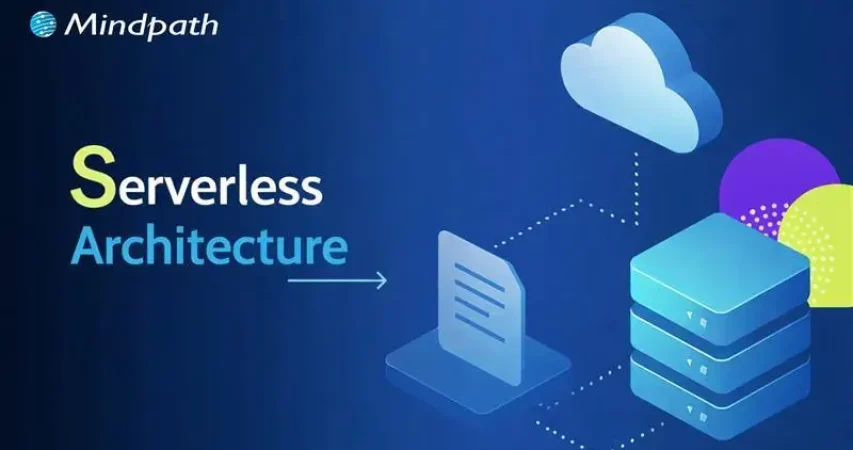
Serverless architecture in cloud computing is a modern way to bring software to market. Rather than having to manage a server’s infrastructure, developers develop and run applications without having to deal with the environment. The developer doesn’t need to worry about servers, updates, scaling, and instead just writes code and deploys. The cloud provider takes away all of the backend tasks, such as server provisioning, maintenance and scaling, making the team’s development as a whole faster without focusing on technology-driven software engineering.

In a serverless model, application code is decomposed into independent functions, commonly known as Function as a Service (FaaS). Each function performs a specific function with the ability to respond to events such as HTTP requests or file uploads. Once the application is deployed, the cloud provider executes the function when required. If no servers are available, the provider spins one up for you automatically. Developers do not take part in this process; it is handled for them on their behalf without the developers noticing.

Must Read: Cloud Computing Trends

Fundamental Concepts in Serverless Computing Architecture

To understand how serverless computing truly works, it’s important to grasp its core principles. Here are the fundamental concepts that define serverless architecture and how they support modern application development:

1. Cold Start

If a function hasn’t run in a while, it might take longer to start up. This is called a cold start.

2. Warm Execution

When a function runs quickly because it was recently used, it’s called a warm execution.

3. Invocation

Every time a serverless function runs, it’s called an invocation.

4. Duration

This is the total time a function takes to run from start to finish.

5. Orchestration

Orchestration means managing how different serverless functions work together in a sequence.

6. Function-as-a-Service (FaaS)

FaaS lets developers write small functions that run automatically when certain events happen.

7. Event

An event is what triggers a function to run, like an HTTP request or file upload.

8. Stateless

Serverless functions don’t remember anything from one run to the next.

Ever wondered how cloud apps grow without server management? Read our blog on Cloud-Native Development to see how it powers agile and resilient serverless architectures.

Advantages of Serverless Architecture

Serverless architecture helps businesses build and deploy apps faster with less infrastructure management. According to Grand View Research, the global serverless architecture market was valued at USD 9.42 billion in 2023 and is expected to grow at a 28.2% CAGR from 2024 to 2030. Here are some key advantages that make serverless a popular choice in cloud computing today:

1. Cost-Effective Usage Model

Serverless platforms charge only for actual function execution time. There are no costs for idle servers, making it highly economical, especially for applications that run on demand or infrequently.

2. Faster Time-to-Market

Cloud functions enable developers to build and deploy features quickly. This rapid development approach helps businesses stay agile and respond faster to market needs.

3. Auto Scaling Capabilities

Applications built on cloud functions can easily scale up or down based on real-time user demand. This automatic scaling ensures performance stays smooth during traffic spikes without any manual effort.

4. Simplified Backend Management

With serverless architecture in cloud computing, developers no longer need to manage servers, updates, or scaling. It allows teams to focus on development while the cloud provider handles operations behind the scenes.

5. Modular and Clean Code

Each function in a serverless setup performs a specific task, promoting modular design. This leads to easy maintenance, especially when working with components like a serverless database or microservices.

6. Ideal for Event-Based Solutions

Serverless architecture in cloud computing supports event-driven applications, making it perfect for real-time analytics, chatbots, IoT, and more. It allows seamless integration with tools that react instantly to user actions or data changes.

How do teams deploy serverless apps faster and more reliably? Explore our DevOps blog to learn how automation and collaboration make it possible.

Serverless Architecture Use Cases

Serverless architecture in cloud computing is changing the way developers build and manage applications. It’s perfect for handling tasks that run occasionally or need to scale quickly without manual setup. Here are some common and practical use cases:

1. Automated CI/CD Workflows

Serverless tools help speed up software delivery by automating tasks. For example, pushing code can trigger a function to build the app or run tests right away.

2. Scalable APIs

You can use serverless Lambda with tools like Amazon API Gateway to build RESTful APIs. These APIs grow with your traffic, so you never have to worry about performance limits.

3. Event-Driven Actions

Serverless architecture in cloud computing is ideal for user actions that trigger automated tasks. For example, when someone signs up, it can update a serverless database and send a welcome email using cloud functions.

4. Background Processing

Serverless functions are great for behind-the-scenes work like video processing or updating product details. These tasks run in the background without slowing down the main app.

5. Flexible Growth

With serverless architecture in cloud computing, teams can move parts of an app one step at a time. It’s easy to expand later by adding more functions or connecting to a serverless database.

6. Smarter Security Tasks

Cloud functions can check new containers for security risks or support safer login methods. They’re also useful for things like two-factor authentication and SSH key validation.

Securing serverless applications can be challenging, how is it done? Discover about DevSecOps to see how security is built into every stage of cloud development.

What is the Difference Between Serverless Architecture and Cloud Architecture?

While both serverless architecture and cloud architecture use cloud environments to run applications, they differ in how infrastructure is managed and how applications are built. Here’s a quick comparison to help you understand the key differences between the two:

Aspect Cloud Architecture Serverless Architecture
Definition A broad model where computing resources are delivered over the internet. A model where apps run without managing servers directly.
Infrastructure Management Developers may manage virtual machines or containers or use managed services. All server management is handled by the cloud provider.
Scalability Manual or auto-scaling needs to be configured. Automatically scales based on demand.
Cost May include fixed costs for allocated resources, even if unused. Pay only for the time and resources your code actually uses.
Development Focus Requires DevOps involvement for setup, monitoring, and updates. Developers focus only on writing and deploying code.
Flexibility Offers a range of service models like IaaS, PaaS, and SaaS with customizable resources. Designed for small, modular functions that respond to specific events.
Examples AWS (EC2, S3), Microsoft Azure (VMs), Google Cloud (Compute Engine) AWS Lambda, Azure Functions, Google Cloud Functions

Is Your Business Ready to Go Serverless in the Cloud?

Serverless architecture in cloud computing offers a powerful way to build fast, scalable, and cost-efficient applications. With no server maintenance to worry about, developers can focus fully on innovation. As businesses aim for agility and flexibility in 2026, serverless becomes the smart choice for modern app development and digital transformation.

At Mindpath, we offer expert cloud computing services tailored to your business goals. From setting up serverless frameworks to managing cloud resources and infrastructure, we help you scale with ease. Partner with us to streamline your operations and deliver high-performing cloud-based solutions with confidence.

Frequently Asked Questions

1. When does serverless architecture make the most sense for a business?

Serverless architecture works best for applications with unpredictable traffic, event-driven workflows, or rapid scaling needs. It is especially useful for startups and growing platforms that want to reduce infrastructure management while focusing on faster development and efficient resource utilization.

2. Does serverless architecture completely eliminate the need for backend management?

Serverless reduces infrastructure management, but backend responsibilities still exist. Developers must manage application logic, APIs, databases, and integrations. Monitoring performance, handling errors, and ensuring security remain important to maintain a reliable and scalable application environment.

3. How does serverless impact application performance during high traffic?

Serverless platforms automatically scale based on demand, allowing applications to handle sudden traffic spikes efficiently. However, performance can sometimes be affected by cold starts. Proper architecture design and optimization strategies help ensure consistent and smooth performance even under heavy loads.

4. Is serverless architecture suitable for large and complex applications?

Serverless can support complex applications, but it requires careful planning. Breaking applications into smaller, independent functions improves scalability and maintainability. For highly complex systems, a hybrid approach combining serverless with traditional cloud services may offer better flexibility and control.

5. What should be considered before adopting serverless architecture?

It is important to evaluate factors like application type, execution frequency, cost patterns, and vendor dependency. Understanding limitations such as cold starts, debugging complexity, and monitoring challenges helps in making informed decisions and ensures successful adoption of serverless architecture.


Related Post

Discover key factors for choosing the right Node.js development company. Learn how Mindpath ensures success!

Related Post

benefits of devops

While building software, just think that the developers and the operations teams are working like a well-coordinated crew, being fast, smooth and always on the same page. Isn’t it an interesting combination? Well, that’s the power behind embracing the benefits of DevOps. It is a new method to simplify your software process, in a way that will help teams work more effectively in an increasingly fast-paced digital world.

As we approach 2026, DevOps continues to evolve the way businesses build and run software. DevOps is not just a fast way to deliver software; it is a cultural approach that allows for speed, scale, agility, and reliability. This blog will look at how DevOps is rewriting the development process and why it is now essential for progressive teams. 

Are you looking to implement DevOps in your organization? Mindpath provides customized solutions to help teams speed up the development process and reach quantifiable goals.

What is DevOps?

DevOps refers to the collaboration of development and IT operations teams working together for the software development processes. It helps them to build, test as well as launch software faster and smoother. The major idea behind DevOps is better teamwork, faster delivery, and fewer problems during the software process. 

Even though it is not a tool or a product, it often includes using helpful technologies such as cloud platforms, containers and real-time communication tools. A big part of it is CI/CD, which stands for continuous integration and continuous delivery. This helps teams update software more often without slowing down. With DevOps, both developers and operations teams can share tasks, improve quality, and make sure the final product reaches users quickly and safely. 

How Does DevOps Work?

DevOps works by bringing development and operations teams together to make software faster and more reliable. The process follows a cycle that includes planning, coding, building, testing, releasing, deploying, operating, monitoring, and collecting feedback. Each step is connected to keep the work smooth and continuous. What is the main purpose of DevOps? It is to create software that meets user needs, runs well from the start, and is delivered without delays. 

To support this, teams use DevOps tools like automation platforms, monitoring systems, and CI/CD pipelines. These tools help developers work independently and speed up tasks that used to take longer. For example, with continuous integration, developers can update shared code several times a day and quickly catch bugs. Teams also follow shared rules for testing and quality, so everyone stays on the same page. 

Planning to modernize your DevOps approach using automation and stronger safeguards? Check out our blog on DevSecOps to learn why automated security integration is essential for speed, stability, and resilience.

What are the Key Benefits of DevOps?

Adopting DevOps brings real improvements to how teams build and deliver software. The DevOps benefits focus on making the development process more efficient, reliable, and easier to manage. Let’s have a look at some of it: 

top benefits of devops

1. Lower Costs

Combining updates and maintenance in one process helps teams work more efficiently. DevOps reduces the need for last-minute fixes and wasted effort. This saves money and helps teams do more with the same resources.  

2. Higher Team Productivity

Open communication and fewer repeated tasks let teams focus on real progress. Everyone knows what to do and can work on high-value goals. As a result, productivity rises, and team members feel more involved.  

3. A More Stable Work Environment

DevOps helps create a calmer and more organized workplace by reducing the pressure of constant changes. Teams can handle updates with ease, due to smoother processes and clear communication. This balance helps everyone stay focused and productive. 

4. Faster Delivery

With DevOps, updates and new features can be launched more quickly. DevOps for business helps in meeting customer needs faster and staying ahead of the competition. Streamlined deployment also helps with fewer delays and more consistent results. 

5. Better Product Quality

Frequent feedback and testing throughout development help improve the final product. DevOps uses automation to catch up on problems early, before they grow. This keeps the focus on delivering quality and reduces the need for rework. 

Must Read: DevOps Trends 

6. Fix Issues Quickly

DevOps makes it easier to detect and solve issues early. Smaller releases and constant monitoring help teams act fast when something goes wrong. This keeps systems running smoothly and reduces downtime. 

7. Greater Flexibility

DevOps supports teamwork across different departments, helping companies respond quickly to change. Breaking down barriers between teams encourages flexibility in how work gets done. This leads to quicker decisions and faster progress. 

8. Frees Up Space for Innovation

When tasks like testing and deployment are automated, teams have more time for creative thinking. Developers can focus on building new ideas instead of repeating the same steps. This makes work more exciting and leads to better solutions. 

9. Guarantees Continuous Updates

DevOps supports a smooth flow of updates and new features with every release. Automation and teamwork make sure each change is tested and delivered quickly. This gives users regular improvements while keeping everything stable. 

10. Minimal Mistakes

Frequent code releases and testing help teams catch up with problems early. This keeps software quality high and prevents bigger issues later on. It’s a key benefit of DevOps that helps teams move forward with confidence. 

Aiming to enhance operational efficiency and reduce development risks? Check out our blog on DevOps Challenges and Solutions to discover proven approaches that improve performance, stability, and cross-team cooperation.

DevOps Best Practices

Following the right approach is key to getting the most out of DevOps. It helps teams collaborate better, improve software quality, and speed up delivery. Here are some of the most effective DevOps best practices to consider: 

1. Build a Culture of Trust and Teamwork

To make DevOps work well, teams need to feel safe to share ideas and learn from mistakes. When there is trust and open communication, collaboration becomes much easier. Breaking down walls between departments helps everyone work toward a shared goal. A culture of trust and empathy makes it easier to adopt DevOps smoothly.

2. Continuous Integration and Delivery

CI/CD DevOps practices involve adding small code changes frequently to a shared space. This helps teams spot issues early and keep the code clean. Once the code is tested, it moves into production smoothly through continuous delivery. This process saves time and gives developers confidence when releasing updates.

3. Automate Testing Early On

Automated testing is a key part of a strong CI/CD pipeline. Instead of waiting for manual tests, automated tests run every time a change is made. These tests can include everything from unit to load testing, depending on your needs. This helps reduce bugs and makes sure the software stays reliable.

4. Track the Right Metrics

To keep improving, teams need to measure what matters. Metrics like deployment speed, failure rates, and time to fix issues give a clear picture of performance. Each team may focus on different metrics based on their goals. It’s also important to collect logs and monitor systems to quickly fix problems and improve how everything runs.

5. Automate Repetitive Tasks

Manual tasks can slow down development and lead to mistakes. Automating these tasks speeds things up and keeps results consistent. It also frees up teams to focus on more valuable work. A reliable automation process adds confidence and improves overall efficiency.

Planning to strengthen your software delivery lifecycle? Explore our blog on DevOps vs DevSecOps to understand how shifting from simple automation to integrated security can elevate speed, reliability, and protection.

Ready To See How DevOps Can Boost Your Business?

The benefits of DevOps include enhanced collaboration, faster software delivery, and improved product quality. It also reduces costs while fostering a stable and efficient work environment. Through automation and continuous feedback, teams can quickly adapt and respond to changes, making DevOps a vital approach for building reliable software in today’s dynamic digital landscape. 

At Mindpath, we specialize in helping organizations successfully implement DevOps practices. We focus on automating processes, strengthening team collaboration, and accelerating software delivery with quality and security. Our expert guidance ensures your DevOps transformation aligns with your business objectives, enabling smoother and more efficient software development. 

Frequently Asked Questions

1. How can DevOps help a business recover faster from unexpected failures?

DevOps practices, like automated testing, monitoring, and CI/CD pipelines, allow teams to detect and fix issues early. Quick rollback mechanisms and real-time alerts reduce downtime, ensuring the business can recover faster while maintaining service continuity for customers.

2. Can adopting DevOps change the way teams collaborate beyond development and operations?

Yes. DevOps fosters cross-functional collaboration, breaking silos between teams like QA, security, and product management. Shared responsibility, transparent workflows, and continuous feedback enhance coordination, resulting in faster decision-making and smoother project delivery across the organization.

3. How do the benefits of DevOps extend to customer experience?

DevOps accelerates release cycles, enabling frequent updates and faster bug fixes. Continuous monitoring ensures software stability, while automation reduces errors. Together, these practices deliver a reliable, responsive, and high-quality user experience that aligns with evolving customer expectations.

4. What is the role of automation in reducing operational risks within DevOps?

Automation handles repetitive and error-prone tasks such as deployments, configuration management, and testing. By minimizing human intervention, it lowers the risk of mistakes, ensures consistency across environments, and enhances overall system reliability, even under high-demand scenarios.

5. How can DevOps support businesses preparing for rapid growth or scaling?

DevOps enables scalable infrastructure through containerization, microservices, and cloud integration. Continuous monitoring and automated deployment pipelines allow applications to handle increasing traffic without performance degradation, making growth smoother and reducing technical bottlenecks as demand rises.

Are you looking for skilled ReactJS developers in Canada to build a modern, high-performing web application? Do you need experts who can turn your ideas into reality with seamless, scalable solutions? Finding the right developers can be challenging, but with the right approach, you can hire top ReactJS talent in Canada to elevate your project.
Hiring ReactJS developers in Canada is a strategic decision for businesses looking to build fast, scalable, and user-friendly web applications. With a strong tech industry and a growing pool of experienced developers, Canada offers access to top-tier talent specializing in ReactJS development. Whether you’re looking for a dedicated developer or an entire team, choosing skilled professionals ensures smooth project execution, high-quality code, and seamless user experience. Investing in expert ReactJS developers will help you stay ahead in the competitive digital landscape.

Let’s explore how you can find and hire the best developers for your needs!

Steps to Hire ReactJS Developers in Canada

1. Define Your Project Requirements Clearly

Before hiring a ReactJS developer in Canada, it’s essential to define your project needs. Clearly outline the scope, technical requirements, and desired functionalities of your web application. Identify whether you need a simple front-end development service or a full-stack ReactJS expert who can manage backend integrations. Also, determine the experience level—junior developers are great for smaller tasks, while mid-level and senior developers handle complex applications. Understanding your project’s technical needs helps in shortlisting candidates with the right expertise. A well-defined job description attracts qualified professionals and streamlines the hiring process. Consider scalability, performance optimization, and integration needs to ensure the selected developer can meet long-term business goals. Proper planning at this stage avoids hiring mismatches and ensures a smooth development journey.

2. Search on Relevant Job Boards and Networks

To find the best ReactJS developers in Canada, leverage multiple hiring platforms. Popular job boards like LinkedIn, Indeed, Glassdoor, and AngelList are excellent for connecting with skilled professionals. Additionally, specialized platforms like Toptal, Upwork, and Stack Overflow Jobs offer access to freelance and contract developers. Engaging with local tech communities, attending ReactJS meetups, and networking on developer forums can also help you discover top talent. Many experienced developers participate in open-source projects, so reviewing GitHub profiles can provide insights into their coding expertise. Recruitment agencies and staffing firms specializing in tech hiring can further simplify the search. A multi-channel approach increases your chances of finding a developer with the right skills and experience. Since Canada has a competitive tech market, actively sourcing candidates through various platforms ensures a more efficient hiring process and better access to top-tier ReactJS developers.

3. Screen Resumes and Portfolios for Technical Expertise

Once you have a pool of potential candidates, the next step is resume and portfolio screening. Focus on developers with strong experience in ReactJS fundamentals, including JSX, components, hooks, and lifecycle methods. Assess their familiarity with related technologies like JavaScript, HTML, CSS, TypeScript, and state management libraries such as Redux or Context API. For full-stack roles, check their proficiency in Node.js, databases, and RESTful APIs. A candidate’s portfolio is equally important—it provides real-world examples of their skills and problem-solving abilities. Look for projects that demonstrate responsiveness, performance optimization, and clean code structure. Open-source contributions and side projects can indicate passion and expertise. Beyond technical skills, ensure their past work aligns with your project needs. A structured resume and well-documented portfolio reflect a professional approach, making it easier to identify the most qualified developers for the next stage of evaluation.

4. Conduct Technical Assessments and Interviews

To ensure a candidate’s practical skills, conduct a technical assessment before hiring. Start with a coding challenge that tests problem-solving abilities, React component structuring, state management, and API handling. Online coding platforms like HackerRank, Codility, or LeetCode can help streamline this process. During the technical interview, dive deeper into React best practices, performance optimization techniques, debugging strategies, and security considerations. Ask candidates about their experience with responsive design, testing frameworks (Jest, React Testing Library), and DevOps deployment workflows. Apart from coding skills, a behavioral interview helps assess soft skills such as communication, teamwork, and adaptability. Understanding how a developer approaches problem-solving, and collaboration ensures they align with your work culture. A well-rounded evaluation process guarantees you hire someone with the right mix of technical expertise and interpersonal skills, making them a valuable asset to your development team.

5. Consider Location, Salary Expectations, and Hiring Model

When hiring a ReactJS developer in Canada, consider regional salary variations and the hiring model that best suits your business needs. Salaries differ based on location—developers in Toronto, Vancouver, and Montreal tend to have higher salary expectations due to the competitive job market, while smaller cities may offer cost-effective hiring options. Define whether you need a full-time, contract, freelance, or remote developer, as each model impacts cost and availability. Discuss salary expectations early to avoid misalignment. The average salary for a ReactJS developer in Canada ranges between CAD 80,000 to CAD 120,000 per year, depending on experience. If hiring remotely, factor in time zones and work flexibility. For startups and small businesses, outsourcing or hiring through IT staff augmentation firms can be a cost-effective alternative. Considering these factors ensures a smooth hiring process and helps you secure the right ReactJS developer within your budget and project requirements.

Looking for skilled ReactJS developers in Canada? At Mindpath, we provide top-tier ReactJS experts to build scalable and high-performance web applications. Whether you need a dedicated developer or a full development team, we ensure a seamless hiring process tailored to your project needs. Partner with Mindpath today and accelerate your digital success!

Contact Us Now!

Discover the key factors influencing software development costs and how to optimize your budget. Learn how Mindpath can help.
Wordpress and php

In the technology-driven times, WordPress has been continuously recommending running the latest PHP versions. In fact, PHP 8.3 is now the standard for performance, security, and long-term support. It is a must for business owners to keep track of WordPress and PHP compatibility. This is because it can directly impact the performance and SEO ranking of their websites. Moreover, it can also impact customer trust, which is of high importance in the competitive business world.

As PHP evolves quickly, many sites still run outdated versions that no longer receive security updates. Hence, they face cyber risks. Businesses must comprehend the WordPress recommended PHP version and learn how to check the current WordPress PHP version. You should also possess knowledge of WordPress PHP compatibility so that you can future-proof your website. Let us discuss what business owners must know about WordPress and PHP compatibility.

Are you ready to make sure that your WordPress site works well with the newest versions of PHP and that all of your users have a good experience? Mindpath’s WordPress development services provide expert guidance to keep your site secure, fast, and highly reliable for your visitors.

An Insight into WordPress

In the prevailing digital world, WordPress has emerged as the leading content management system in the world. It has been powering a large number of websites that are available online today. In the year 2025, WordPress continues to grow in the digitalized business world. When WordPress first came into existence, it served as a blogging platform. But it has evolved into a versatile platform for businesses and professionals over the years.

The CMS platform has become highly popular thanks to its open-source nature and large plugin ecosystem. Furthermore, the presence of customizable themes that allow organizations of diverse sizes to build professional websites makes it a highly popular platform in the current times. A key aspect of the success of WordPress is its compatibility with modern technologies, such as PHP, which powers its core.

An Insight into PHP

PHP is the short form of Hypertext Preprocessor. It is one of the most widely used open-source scripting languages for web development that exists today. Since its launch, PHP has powered millions of websites. In fact, it remains the backbone of popular platforms such as WordPress and Drupal. The key factors that contribute to its popularity include its lightweight nature and easy integration with HTML. Therefore, PHP acts as an essential language for dynamic as well as interactive websites.

Over the years, PHP has undergone major transformations. It has developed from PHP 5.x to the current PHP 8.3. The latest version offers improvements in performance and security. It has numerous useful features, including Just-in-Time compilation and improved error handling. These advancements are pivotal for businesses that have WordPress sites.

Unsure which platform can better support your website’s design, features, and long-term growth? Explore our WordPress vs Webflow comparison to understand their key differences and choose the best fit for your business.

Chief PHP Versions Businesses Need to Know

PHP has been evolving quickly, and each version has new features, performance improvements, and security fixes. The business entities that use WordPress need to understand different PHP versions, as outdated versions expose websites to vulnerabilities and risks. But newer versions can deliver speed and stability to websites. The top PHP Versions that businesses must be aware of include:

  • PHP 8.5 – It is an active development branch for the upcoming PHP release. PHP 8.5 is scheduled for release in November 2025.
  • PHP 8.4 – PHP 8.4 is known as a feature-rich PHP version. It has several new features, such as asymmetric visibility, property hooks, and many more.
  • PHP 8.3 – It is the latest stable PHP version. It has introduced several enhancement features that improve type safety, developer experience, and performance.
  • PHP 8.2 – This PHP version brings significant benefits when it comes to site performance as well as health, especially in relation to speed and security.

There are other PHP versions like PHP 8.1 and PHP 8.0. Even though these versions were regarded as valuable tools for businesses before they became outdated, they give rise to security threats today. PHP 7.4 is another older version that has reached its end of life. It means that the specific version does not receive any official security updates currently.

PHP 8.3 is the latest release. At present, it is the recommended standard for WordPress websites. WordPress PHP 8.3 delivers significant performance boosts, advanced language features, and long-term support. It is essential for businesses to choose the right PHP version so that plugins, themes, and custom code can run smoothly.

Must Read: Custom WordPress Development

The Need for WordPress and PHP Compatibility

WordPress and PHP compatibility serve as the ultimate foundation of a top-quality website. As WordPress is built on PHP, the version your site runs directly affects its speed and stability. Outdated PHP versions basically lack security patches, thereby making websites vulnerable to cyberattacks, data breaches, and compliance issues.

Another critical factor that businesses need to bear in mind revolves around performance. Newer PHP versions, such as PHP 8.3, are capable of delivering faster load times. The selection of the best PHP version for WordPress is vital to reduce server resource usage and improve scalability.

The business enterprises that rely on lead generation or content-heavy sites can tremendously benefit from the latest PHP versions for WordPress. Without the latest PHP version, a WordPress business site may become slow or unstable. It may frustrate visitors and affect their experience.

Another critical factor is compatibility, which businesses need to bear in mind. It can ensure the smooth operation of plugins and themes. If your website runs an unsupported WP PHP version, it may lead to errors and broken features. It may also lead to downtime and disrupt the experience of customers. Businesses need to choose the WordPress-recommended PHP version so that they can safeguard the functionality of their website and streamline the maintenance aspects.

Facing recurring security issues, but not sure what’s causing them? Read our safeguarding WordPress vulnerabilities guide to uncover common risks and learn how to prevent them effectively.

Procedure to Update PHP for WordPress Websites

It is a must for businesses to update the PHP version of their website. This is a key step that can help maintain security as well as compatibility. Below are the steps you must follow to update the PHP version for your website to get optimum WordPress PHP version support.

Step 1 – Current PHP Version Validation

Business owners need to check the PHP version of their business site. You can check this from the admin dashboard. In case you find that your website does not run the latest PHP version, you need to update it instantly.

Step 2 – Creating a Backup of your Website

In the next step, it is time to create a backup of your website. This step you need to take as a precautionary measure in case something goes wrong during the process. In case your hosting provider does not provide backups as part of its service, you can use plugins in order to create a full backup. You have to make sure that you capture details such as the database, themes, plugins, and media files.

Step 3 – Testing Changes in a Staging Environment

Now it is time to try the new version in the staging environment instead of going live. It serves as a reliable way of checking the compatibility between WordPress and the latest PHP version.

Step 4 – Updating the PHP Version

After verifying whether your business website works or not with the new PHP WordPress version, you need to log in to your hosting control panel. Then you must find the built-in PHP manager. The exact steps may vary depending on control panels, but they are mostly similar. Then you need to update the PHP version. After making the modification, you have to wait for the update to finish so that the upgrade can be done successfully. You need to choose the latest version so that you can get the necessary WordPress PHP support to manage your website.

Step 5 – Testing Website Functionality

After the update is over, you need to test the functionality of the live website. You have to do this in the front end as well as the back end in order to see if everything works in the desired way. You have to make sure that you review the common WordPress functions along with the plugin features.

Do you want your website to be accessible to every visitor? Learn how to improve WordPress web accessibility can help you reach more users and create an inclusive online experience.

Best Practices for Business Owners

There are certain best practices that business entities need to follow so that they can run their website smoothly while using the latest WordPress PHP versions. If you have a WordPress site for your business, you certainly need to follow these best practices.

1. Staying on Top of PHP Updates

You need to make sure that the WordPress core, plugins, and themes are current at all times. It is a must for businesses to keep a lookout for the latest PHP updates. This step can enhance the overall performance and functionality of your business website.

2. Practice of Backing Up

It is critical to back up all the necessary data before the actual update. A full site backup can ensure that your business website is in safe hands. In case things do not go according to plan, the backup can serve as a safety net.

3. Keeping Clean Code

You must ensure that if you use custom code, it must follow WordPress’s PHP coding standards. This practice is pivotal since it can prevent conflicts with core WordPress functions.

4. Testing in Staging

Many businesses may fail to realize the importance of a staging environment. However, it is essential for you to understand its significance. In fact, you need to use a staging environment in order to test updates.

Ready to upgrade your HTML site to something more powerful and manageable? Explore why converting HTML to WordPress can streamline updates and improve your online presence.

Final Words

In the digital landscape of 2025, businesses need to stay current with WordPress and PHP compatibility to ensure their success. PHP 8.3 is now the recommended version for business websites. Thus, business owners need to make the update so that they can gain the benefits relating to stronger security, better performance, and smoother functionality of the website. On the other hand, if businesses ignore PHP upgrades, their risks relating to cyberattacks and plugin conflicts increase, which can affect customer trust.

Mindpath’s WordPress development services can make PHP upgrading a simpler process for your business. Businesses can leverage the excellent services to improve the security and performance of their business website. Our experts will make sure that your website can run in an efficient manner.