Home

Hospital Management System – A Comprehensive Guide

Hospital Management System – A Comprehensive Guide

Lorem ipsum dolor sit amet, consectetur adipiscing elit. Ut elit tellus, luctus nec ullamcorper mattis, pulvinar dapibus leo.

Join our Newsletter!

hospital management system

How do hospitals maintain and keep everything running smoothly? Starting from patient records to important surgery schedules, billing and staff coordination, each and everything is well maintained and smooth, isn’t it? Are you curious to know what’s behind this? Well, it’s Hospital Management System (HMS) which does the magic in handling hospital operations smoothly.  

Are you confused about what does it mean and why is it essential for modern hospitals? Don’t worry, we have got you covered! This blog will walk you through everything you need to know about HMS. So, let’s dive in to learn! 

Is your Hospital Management System keeping up with today’s healthcare demands? Mindpath provides Healthcare Software Development Services that help healthcare organizations build smarter systems and deliver better patient outcomes.

What is a Hospital Management System?

A hospital management system (HMS) is a type of software that helps hospitals manage everything effortlessly. It allows the doctors, nurses and other staff of a hospital to collect, store and share patient data in a secure and organized way. With the help of this system, the medical teams can easily get access to records such as X-rays, prescriptions and other important documents of patients.  

In most of the hospitals, doctors, nurses and the staff spend a lot of their time doing paperwork which can slow down things and also impact the patient’s overall experience. HMS can help in reducing the workload by handling many tasks automatically. It can bring all the necessary information and tools into one place which can help hospitals run their daily operations more proficiently with less delays. 

As per Market Research Future (MRFR) analysis, the global Hospital Management Software Market was valued at USD 29.33 billion in 2024. It is projected to reach USD 54.20 billion by 2034, growing at a rate of 6.33% annually between 2025 and 2034. This growth shows the increasing demand for smarter, more connected healthcare systems. 

Now that you have a clear idea about what HMS is, there is a major question that arises: 

What is the Function of HMS?

When a hospital begins implementing HMS, numerous day-to-day activities are simplified and streamlined. An HMS assists personnel in focusing more on patients and less on documentation. Let us discuss some important functions that make this system so valuable: 

1. Scheduling Appointments

HMS facilitates patients to schedule appointments easily and doctors’ schedule efficiently which can eliminate confusion and lengthy waiting times. 

2. Patient Data Management

It stores all the patient records including medical history, test results as well treatment details which can help doctors and nurses to quickly access the right information when needed. 

3. Handling Billing and Invoice

It makes the billing process faster and more accurate by handling everything, from bill generation to payment tracking as well as insurance processing. 

4. Inventory Management

Hospitals can keep track of medicines, equipments and supplies which helps in avoiding shortages and guarantees everything is available on time. 

5. Reporting and Analytics

The system provides useful reports on hospital performance and operations, which helps in planning and improving services.  

6. Communication

It facilitates easier communication between doctors, nurses and patients to remain connected and exchange crucial updates, resulting in improved coordination and care. 

7. Integration with Other Systems

Hospital management software can easily integrate with other systems such as electronic medical records so that everything is integrated into one place with a complete view of every patient’s care experience. 

Struggling to improve efficiency and patient outcomes in hospital operations? Discover how AI in healthcare is transforming hospital management with intelligent automation and data-driven insights.

Let us learn about some of the key benefits if you’re looking for more information about hospital management system: 

Key Benefits of Hospital Management System

A good hospital management software system can make a huge difference in how smoothly a hospital runs. It assists both staff and the patients by improving the quality of care and simplifying daily tasks. Here are some major benefits of you can expect: 
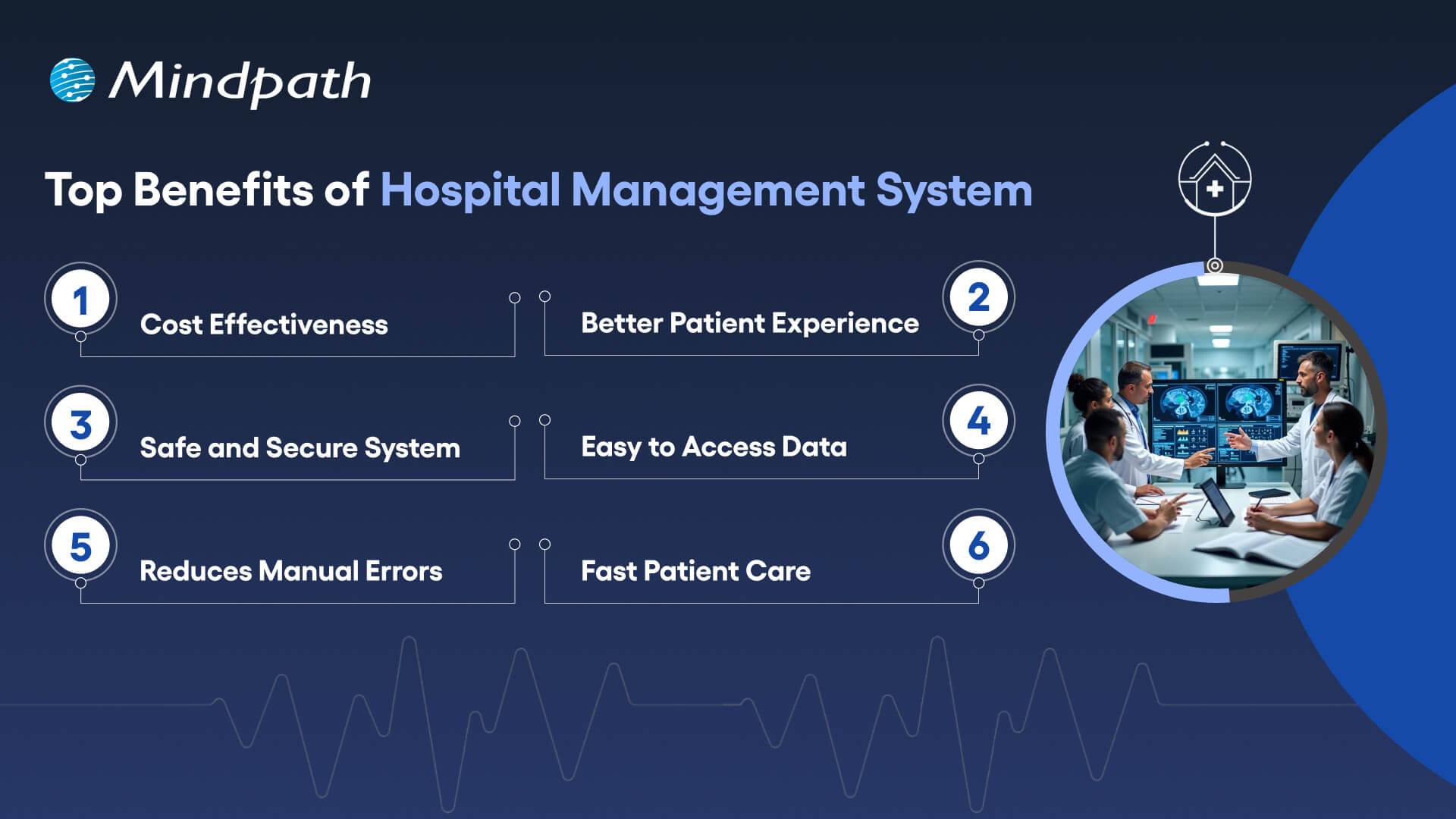
Benefits of Hospital Managemnt System

1. Cost Effectiveness

With everything automated and systematized, hospitals are able to cut down on paperwork, labor costs, and wastage of supplies. It also aids in improved planning and utilization of resources such as medicines and equipment. This reduces unnecessary costs and makes the operations more cost-effective, enabling the hospital to utilize its budget where it’s actually needed. 

2. Better Patient Experience

Patients are able to schedule appointments with minimal waits, receive follow-up reminders, and view their reports online. It makes them feel more in charge of their treatment and less anxious. It makes everything easier, from arrival to discharge, which results in a more pleasant, efficient hospital stay for each patient. 

3. Safe and Secure System

Patient data is stored securely and shared only to permitted staff members. This protects information from abuse or loss. A secure system ensures trust between patients and the hospital, and ensures appropriate processing of sensitive information  while keeping the hospital in line with privacy and security regulations. 

4. Easy to Access Data

All medical information such as treatment history, test reports, and medications are kept in one place. Doctors, nurses, and medical staff are able to access this info quickly from various departments. This streamlines treatment and prevents the need to repeat tests or inquire about the same information from patients repeatedly. 

5. Reduces Manual Errors

The system maintains accurate and up-to-date information, preventing staff from making mistakes such as providing the wrong medication or omitting important steps. Access to information in real time eliminates confusion, enhances coordination, and ensures that doctors adhere to the proper treatment protocols based on the most current and comprehensive patient information. 

6. Speed Up Patient Care Process

When doctors and staff have quick access to patient records and reports, they can make faster decisions. Automated tasks like test scheduling and report delivery save time. This helps patients get the care they need without delays, which is especially important in emergency or critical care situations. 

Curious how AI is transforming industries and healthcare? Explore Generative AI use cases across diverse sectors and see how it’s reshaping healthcare platforms.

Ready to Upgrade Your Healthcare System?

A hospital management system can really make a difference in how a hospital operates. From enhancing patient care to accelerating operations and minimizing mistakes, HMS makes hospitals more efficient, well-organized, and responsive. Be it scheduling appointments, record management, or cost-cutting, HMS makes everything more efficient and reliable for patients and staff alike. 

At Mindpath, we specialize in delivering modern healthcare software development services that make hospital processes faster and smarter. Whether you’re planning a full hospital management system project or need a custom solution for specific tasks, we’re here to help. 

As a trusted healthcare app development company, we focus on building secure, user-friendly, and high-performing digital solutions. Our team understands the needs of healthcare and creates tools that support doctors, staff, and patients every step of the way. 

Frequently Asked Questions

1. Why is a Hospital Management System important for modern healthcare facilities?

A Hospital Management System helps hospitals handle complex operations in a structured and digital way. As patient volumes grow, manual processes become inefficient. HMS ensures better coordination, faster access to information, improved compliance, and smoother workflows, helping healthcare facilities deliver consistent and quality care. 

2. Can a Hospital Management System be customized for different hospital sizes?

Yes, a Hospital Management System can be customized based on the size and needs of the hospital. Small clinics may require basic modules, while large multi-specialty hospitals need advanced integrations, analytics, and multi-department access. Flexible architecture allows the system to scale as the organization grows. 

3. How does HMS support regulatory compliance in healthcare?

HMS helps hospitals maintain accurate digital records, secure patient data, and track treatment history systematically. Automated documentation and audit trails make it easier to comply with healthcare regulations and data protection standards. This reduces legal risks and ensures transparency in hospital operations. 

4. What technologies are commonly used to build a hospital management system?

Modern systems are built using cloud computing, secure databases, API integrations, and sometimes AI-driven analytics. These technologies enable real-time data access, system interoperability, and remote accessibility. Strong cybersecurity frameworks are also implemented to protect sensitive medical information. 

5. How long does it take to implement a Hospital Management System?

Implementation time depends on hospital size, required features, and integration complexity. Basic setups may take a few months, while large-scale systems with multiple modules and integrations can take longer. Proper planning, staff training, and phased deployment ensure smoother adoption and minimal operational disruption. 

Support Is One Click Away

Featured Posts

Related Post

LLM - Powered App Development Cost

Imagine you’ve got an idea for a custom LLM-powered app. Maybe you want to automate customer support, build an AI assistant, or transform how your team works. But here’s what stops most entrepreneurs and business leaders cold: they don’t really know how much LLM-powered app development costs actually impact their budget. The price tag feels mysterious, unpredictable, and frankly, intimidating.

Key Takeaways

  • 01
    LLM app costs vary based on complexity, integrations, infrastructure, and scale.
  • 02
    SMBs can start AI projects with manageable budgets and phased investments.
  • 03
    API-based models offer faster deployment and lower upfront development costs.
  • 04
    RAG solutions improve AI performance without expensive model fine-tuning requirements.
  • 05
    Careful planning and cost optimization help maximize long-term AI value.

Good news: you’re definitely not alone. Hundreds of companies across the UK, US, Europe, Australia, and Canada wrestle with this exact question daily. They want real answers, not guesswork. They need clarity on what drives costs when building AI solutions. We’ve analyzed the numbers, industry benchmarks, and actual project data. Ready to cut through confusion? Everything unfolds in this blog.

Ready to build a custom LLM-powered application? Explore Mindpath’s AI development services to create scalable, intelligent solutions tailored to your business needs.

Why Can’t Businesses Ignore LLM-Powered App Development Anymore?

AI stopped being a trend years ago. Every competitor is moving forward with intelligent apps while you’re watching from the sidelines. Companies that skip LLM-powered app development risk becoming irrelevant faster than you’d think.

The payoff is real and measurable. Better customer service, faster workflows, and smarter operations aren’t theoretical anymore. Your team knows what needs fixing. AI solves it. LLM development pricing makes sense when the alternative is falling behind.

Here are the 5 reasons why AI integration is no longer negotiable:

1. Massive Productivity Gains

Your team does less tedious work today. Real-time returns show up immediately.

2. Enhanced Customer Retention

Support gets faster and smarter simultaneously. Customers notice better service instantly.

3. Hyper Efficiency in Workflows

Humans focus on strategic work instead. Automation handles repetitive stuff every day.

4. Rapid Market Growth

The AI space is expanding aggressively right now. Early movers have significant advantages.

5. Competitive Positioning in Your Industry

Your competitors are already building AI solutions. LLM-powered app development cost becomes minimal when you’re losing market share.

Key Factors Driving LLM-Powered App Development Costs

1. Model Architecture & Selection

API models keep your initial costs down. Custom models demand expensive computing power.

2. Data Preparation & Management

Building clean data takes real time. Proprietary knowledge needs special architecture setup.

3. System Integration & Infrastructure

Enterprise systems integration requires custom backend work. Self-hosted models need serious cloud infrastructure.

4. Regulatory Compliance & Security

Regulated industries need advanced protection standards.

5. Inference & Ongoing Maintenance

LLM token costs scale with user volume. Models need constant monitoring and optimization

LLM App Development Pricing for Different Business Scenarios

Every business is different, so your AI app development cost varies wildly depending on what you’re actually building. Let’s break down real pricing for the scenarios most companies face today.

1: Basic AI Chatbot or MVP

Build Cost: $20,000–$50,000 with a 2-4 month development timeline. Ideal for customer support, lead qualification, and knowledge retrieval. Running costs typically range from $50–$500 per month, while LLM Fine Tuning Cost remains minimal.

2: Mid-Level Business Assistant

Build Cost: $50,000–$150,000 with a 4–8 month implementation timeline. Includes custom dashboards, workflow automation, and business system integrations. Running costs generally range from $500–$5,000 per month.

3: Complex Enterprise AI

Build Cost: $150,000–$500,000+ with development timelines exceeding 9 months. Building LLM-powered applications at enterprise scale requires private infrastructure and compliance measures. Running costs can range from $5,000–$40,000+ per month.

How Much Should SMBs Budget for an LLM-Powered Application?

LLM-powered automation for SMBs is becoming more affordable and accessible than ever before. Understanding the expected budget helps businesses plan smarter investments and avoid unnecessary development expenses.

1. Proof of Concept & Business Analysis ($3,000 – $15,000)

Every successful AI project starts with validating the idea before full-scale development begins. This stage helps businesses identify valuable use cases, assess feasibility, and reduce the risk of costly changes later.

2. Data Preparation & Ingestion ($5,000 – $30,000)

AI systems perform only as well as the data they receive. Preparing, cleaning, and organizing business documents ensures the model can deliver accurate and relevant responses.

3. Application & Integration Development ($5,000 – $40,000)

This phase focuses on building the user experience and connecting AI with existing business systems. It often includes interfaces, workflows, databases, and Retrieval-Augmented Generation (RAG) capabilities.

4. API Usage Costs ($200 – $2,000/month)

Many SMBs choose cloud-based AI models because they eliminate large infrastructure investments. Costs increase with application usage, making scalability easier to manage during growth.

5. Infrastructure for Self-Hosted Deployments ($3,000 – $15,000/month)

Businesses requiring complete control over data may choose private model hosting environments. This approach increases the LLM-Powered App Development Cost but provides stronger privacy, security, and customization options.

6. Vector Database Hosting ($500 – $5,000/month)

Vector databases allow AI applications to search and retrieve business knowledge efficiently. They play a critical role in improving response accuracy and delivering context-aware answers.

7. AI Gateway & Observability ($0 – $300/month)

Monitoring tools help organizations track model performance, usage patterns, and operational expenses. Early visibility into system behavior prevents unexpected costs and improves reliability.

8. Maintenance & Updates ($1,000 – $5,000/month)

AI applications require continuous optimization to maintain performance as business needs evolve. Regular updates, prompt improvements, and data management ensure long-term value from the investment.

API vs Self-Hosting: Which Option Delivers Better Long-Term Value?

The initial development budget is only part of the investment. Businesses must also evaluate ongoing operational expenses, scalability requirements, security needs, and long-term maintenance costs before choosing an AI deployment strategy.

The right choice depends on how frequently the application is used, the level of data privacy required, and the organization’s growth plans. Understanding both approaches helps businesses avoid unexpected costs as their AI adoption expands.

Factor API-Based Models Self-Hosted Models
Upfront Cost Low initial spend High setup cost
Monthly Cost Usage-based pricing Fixed infrastructure cost
Deployment Time Weeks to launch Months to deploy
Data Privacy Shared environment Full data control
Maintenance Provider managed In-house management
Best For SMBs, startups Large enterprises

How to Reduce LLM-Powered App Development Costs?

Building an LLM-powered application does not always require a large budget. With the right strategy, businesses can reduce development expenses while still creating a reliable and scalable AI solution. Here are some practical ways to control costs:

1. Start with an MVP

Validate ideas early before investing heavily in full development.

2. Use API-Based Models

Reduce infrastructure costs with ready-to-use cloud AI services.

3. Implement RAG First

Improve responses using business data without expensive model training.

4. Reuse Existing Data

Leverage current business information to reduce preparation expenses significantly.

5. Prioritize High-Impact Use Cases

Focus resources on projects delivering maximum business value first.

6. Scale Infrastructure Gradually

Expand resources only when application demand and usage increase.

7. Optimize Prompts Regularly

Improve output quality while lowering token consumption and costs.

8. Partner with Experts

Avoid costly mistakes through experienced AI development guidance.

Ready to Build an AI Solution That Fits Your Budget?

Understanding the budget to build LLM-powered app in 2026 helps businesses make smarter technology investments. From development and infrastructure to maintenance and scaling, knowing the cost factors allows you to plan effectively and build AI solutions that support long-term business growth.

At Mindpath, we provide AI development services tailored to your business goals and budget. Our team helps organizations build scalable LLM-powered applications, from MVPs to enterprise solutions, with the right strategy, technology, and support for successful implementation.

Frequently Asked Questions

Html to Wordpress

Anyone who has a HTML website might feel left out in the era of websites that load within seconds. Did you know that HTML websites were a thing when there was not content management system in the market? The transition from HTML to WordPress is no longer an option in an extremely competitive digital market. With static HTML pages, you would have to struggle to get the top ranks in search engine results.

Key Takeaways

  • 01
    WordPress loads faster and ranks better than static HTML websites today.
  • 02
    Anyone can manage a WordPress site without needing advanced coding skills.
  • 03
    Regular security updates and plugins keep WordPress websites well protected.
  • 04
    Mobile responsive themes ensure websites perform well across all devices.
  • 05
    Plugins let businesses add new features without relying on developers.

The biggest problem with HTML websites is that they come with duplicate code on every page, thereby making them slow. On the other hand, WordPress is faster, more secure and offers more flexibility to build any type of website. As a matter of fact, more than 43% of websites in the world run on WordPress. Let us find out why you should ditch HTML and switch to WordPress now.

Want to convert your static HTML site into a fully functional WordPress site with enhanced features and performance? Mindpath offers WordPress development services to help you build a custom website according to your business demands.

The Rise of WordPress in Website Building

WordPress started off as a blogging platform and the open source nature empowered it to transform into a website builder. Before WordPress, you would need a technical team to create a website and manage it. The search for a HTML to WordPress converter tool has been growing because WordPress has made it easier to build websites. You can now install the WordPress software and use the desired themes or plugins to develop websites with sophisticated functionalities and updated designs.

If you have been wondering whether switching to WordPress is a good decision, then you must take a look at websites powered by WordPress. Big names in the world of business such as Disney, Times Magazine, Sony Music and many others use WordPress. The versatile mix of power and simplicity with WordPress has been one of the biggest reasons for its widespread adoption.      

Is WordPress a Reliable CMS for Website Building?

Giving up on HTML, which has been a trusted ally of website developers for a long time, can be difficult. However, the need to convert HTML to WordPress is growing as WordPress is the top content management system in the world right now. It works as an open-source ecosystem that offers benefits for beginners as well as experienced developers.

WordPress offers a user-friendly interface in its dashboard, which you can use to create websites from scratch. The best thing about the WordPress dashboard is that you don’t need advanced technical expertise to use it. In addition, you can also find thousands of themes and plugins in WordPress that help you customize your website the way you want.

Want to build a website that truly reflects your brand’s unique identity and goals? Explore our guide to custom WordPress development to discover how tailored solutions can enhance your site’s performance and impact.

Why Should You Choose WordPress Over HTML?

With so many powerful features, it is hard to ignore the urge to switch to WordPress right away. You should search for a HTML website to WordPress converter that makes it easier to embrace the benefits of WordPress. Don’t you know how WordPress will enhance your HTML website? An overview of the advantages of transitioning to WordPress can offer some help in finding the answer to such questions.

Key Reasons to Choose WordPress Over HTML

1. Easy for Beginners

The best thing about WordPress is that beginners will find it easy to use without any technical complexities. You don’t need coding skills to create your website and manage it on WordPress. The intuitive dashboard of WordPress allows you to create customized layouts, add more pages and update menus at one place. 

WordPress offers better flexibility than traditional website development approaches with more control over design, content management and functionality. Furthermore, the themes and plugins offered by WordPress help you add new features without waiting for developers. In other words, anyone can build a website without technical skills when they know how to use WordPress.   

2. Optimize Your Website for Smartphones

Do you know that most of the traffic to your business will come from mobile users? Many of you would need a HTML to WordPress converter online when you discover that WordPress offers mobile responsiveness. Most of the WordPress themes are tailored to function seamlessly on different screen sizes and device types. 

The interesting part of mobile responsiveness with WordPress is that your website will have the same aesthetic appeal on all devices. Apart from the consistent user experience on different devices, mobile responsiveness also makes your website rank higher on Google. With a few modifications to theme files and some new WordPress plugins, your static HTML website will run seamlessly on all mobile devices.

3. Assurance of Better Security

Businesses should also trust WordPress for its commitment to safeguarding any website hosted on the platform. You will get regular security updates on WordPress, which help in combating new security threats. On top of it, WordPress also offers additional security plugins and SSL certificates to enhance your website’s security. The biggest benefit of converting HTML to WordPress is visible in the efforts made by WordPress to address emerging vulnerabilities.

You must understand that modern approaches to website security need multiple layers of protection. For instance, you will need data encryption, backup systems and malware scanning to maintain the security of your website. WordPress offers the complete package to safeguard your website from hackers and unprecedented security breaches.

4. Build Any Type of Website

In its initial days, WordPress served as a useful tool for blogging alone. The transition of WordPress to a powerful driving force behind some of the biggest websites shows how it has evolved over the course of time. You should know how to add HTML to WordPress for switching from an outdated format to a versatile toolset. You can use WordPress for any type of website, whether it is for a small business or a large corporation.

WordPress is capable of hosting e-commerce websites, communities or social media networks. Businesses can always find WordPress plugins that will make their website better. Most important of all, you don’t have to worry about adaptability when your website needs to grow alongside your business. It is definitely a huge advantage for websites in an extremely competitive business landscape.

Unsure whether your WordPress project is following the right development standards and best practices? Check out our WordPress developer checklist to make sure every essential step is covered for a smooth and successful build.

5. Adopt the Design You Want

The problem with a static HTML website is that you don’t have any control over the design once it’s published. WordPress does not let you worry about changing the design of your website according to emerging trends. When you convert a website to WordPress, you get the advantage of capitalizing on its extensive theme library. You can have a business site, blog or an ecommerce site and still ensure that their design matches with your needs and style. 

The theme library of WordPress offers free and premium themes that you can choose for your website. You can also find additional themes from third-party developers and design marketplaces that bring unique features and layouts. The live previews of each theme help you check each design without affecting website functionality or content.  

6. Rank Higher with SEO Support

WordPress stands out as the most popular option to create websites now because of its SEO support. What will you gain from a website that never shows up on the first page of search results? You can download WordPress and capitalize on its strong SEO foundation to ensure a higher rank on search engines. The advantages of WordPress for SEO revolve around its strict coding guidelines that call for clean and structured code.

The code is not the only thing that makes WordPress websites easier to rank on Google and other search engines. You will also find user-friendly URLs, meta-descriptions and titles to gain more visibility in search engines. On top of it, the SEO plugins on WordPress will provide a lot of support in optimizing your website.

7. Vibrant Community of Developers

The biggest strength of WordPress is its large and active community of developers. As an open-source platform, WordPress continues growing with the contributions of multiple users and developers. The community not only introduces updates to the source files but also makes WordPress more secure and updated along the lines of latest trends. 

Another promising reason to convert HTML to WordPress theme for your website is the accessibility to website creation tools offered by the community. It ensures that developers alone don’t have the exclusive rights to use WordPress tools. Even a blogger or business owner can be a part of the WordPress community and capitalize on its diverse offerings.

8. Add New Features without Developers

Websites have to evolve and add new features to accommodate the emerging requirements of users. WordPress allows you to add new features to your website without the intervention of developers. The collection of powerful plugins available with WordPress can help you introduced advanced features without code changes. 

Plugins are the ideal tools for adding shopping carts, contact forms and other features on WordPress websites. You can also explore custom WordPress plugins by third-party developers to enhance their websites. On top of it, you can activate or deactivate plugins as required, which offers the flexibility for customizing a website to your needs. 

Final Thoughts

The decision to convert your website from HTML to WordPress should not be a difficult one, considering the benefits of WordPress. It allows anyone to create a website without technical knowledge alongside offering the flexibility to add new features. In addition, you cannot ignore the benefits of regular security updates, a supportive community and control over website design. 

Mindpath specializes in converting HTML websites to WordPress for any type of website. We have years of experience in WordPress development that brings more credibility to our services. Our services for switching your website to WordPress also offer the assurance of an easy conversion procedure. If you want a website that is easier to update and maintain, then Mindpath is here to help you.

Frequently Asked Questions

1. How long does it usually take to convert an HTML website to WordPress?

The timeline depends on website size and complexity. Simple sites can be converted within a few days, while larger websites with custom features may take a few weeks to ensure everything transfers smoothly without losing existing content or functionality.

2. Will switching from HTML to WordPress affect existing search engine rankings?

A proper conversion process actually tends to improve rankings over time. WordPress offers stronger SEO support through clean code and optimization plugins. However, redirects and URL structures need careful handling during migration to avoid any temporary ranking drops.

3. Can an existing HTML website design be preserved after converting to WordPress?

Yes, the existing design can often be recreated or closely matched using custom WordPress themes. Developers can convert the original HTML layout into a WordPress theme, keeping the same look while adding the flexibility WordPress offers for future updates.

4. Is WordPress secure enough for businesses handling sensitive customer information?

WordPress provides solid security through regular updates, SSL support, and dedicated security plugins. Businesses handling sensitive data should still follow best practices like strong passwords, backups, and trusted plugins to maintain a secure and reliable website environment.

5. Does converting to WordPress require ongoing technical maintenance after launch?

Some maintenance is recommended, such as updating plugins, themes, and the WordPress core regularly. However, WordPress is designed to be manageable even for non-technical users, making routine upkeep far simpler compared to maintaining a static HTML website.

Wordpress vs workflow

In the year 2025, the debate of WordPress vs Webflow is hotter than ever. This is because business entities and content creators are looking for the best platform to build secure as well as SEO-friendly websites. It is true that WordPress has been dominating the CMS market thanks to its vast plugin ecosystem coupled with high flexibility. But it is essential to bear in mind that Webflow has been gaining momentum with designers as well as startups, thanks to its no-code visual editor along with built-in hosting. 

In case you are wondering, is Webflow better than WordPress? You need to look at the main difference between these tools. You need to know which one is better so that you can choose the tool that perfectly aligns with your needs. The guide breaks down everything you need to know while choosing Webflow or WordPress.

Choosing the right platform makes all the difference when it comes to performance and growth for your online presence. Explore Mindpath’s WordPress development services for expert guidance on what your business needs.

A Deep Dive into WordPress

WordPress is the most popular content management system (CMS) in the world, currently powering over 40% of all websites on the internet. It lets you create, build, and manage your own website without needing coding knowledge. WordPress has gained massive popularity thanks to its ease of use coupled with flexibility, making it an ideal tool for beginners, professionals, and businesses alike.

At its core, WordPress is a free, open-source content management system. This means anyone can use, modify, or distribute it at no cost, and it’s continually improved by a global community of developers. One of the biggest strengths of WordPress is its SEO-friendly structure. The novel platform generates clean and crawlable code that adds value to search engines’ index content efficiently. Users can even leverage useful plugins such as Yoast SEO and Rank Math for optimizing titles and meta descriptions that can improve the visibility in search results.

An Insight into Webflow

Webflow is a cloud-based visual web development platform that lets you design, build, and launch responsive websites without writing code. It bridges the gap between design and development by letting users design visually on a canvas while the platform automatically generates clean, production-ready HTML, CSS, and JavaScript in the background. This makes Webflow a favorite among designers who want creative freedom without relying on developers.

A standout feature of Webflow that you need to be aware of is related to its design flexibility. Users have the option to create fully custom layouts as well as animations without having to write a single line of code. Webflow basically combines the best of graphic design tools with the functionality of a content management system (CMS), generating clean HTML, CSS, and JavaScript behind the scenes as you design. For businesses that need more tailored solutions, custom WordPress development offers similar flexibility with the added power of plugins, themes, and scalability, allowing organizations to build websites that precisely meet their unique requirements. It serves as a valuable tool for businesses and startups that wish to leverage its ability to deliver professional and responsive websites effectively and efficiently.

Comparison Between WordPress and Webflow

Now that you have an insight into Webflow and WordPress, it is time to look at the difference between these novel tools. Developers as well as businesses need to understand the difference between WordPress and Webflow so that they can make a wise selection. The core differences have been presented by focusing on specific areas such as ease of use, design, customisation, and many other features. 

1. Ease of Use

Webflow offers a visual no-code editor. It is highly appealing to designers as well as marketers. In fact, it is great for rapid prototyping along with pixel-perfect layouts. On the other hand, WordPress requires setup with a theme or page builder. So beginners may take some time to learn how to use the tool. However, developers with proper knowledge and experience can get full control over the tool. Thus, while discussing Webflow vs WordPress, a major difference between them revolves around the ease of use.  

2. Design and Customization

Webflow serves as an ideal tool for making custom designs without requiring any coding. The responsive control built in can ensure that users can derive optimum value from the tool even if they have limited coding-related skills. On the other hand, WordPress has a large ecosystem of themes as well as plugins. These elements make it highly customizable in nature. But this maturity also makes it plugin-dependent at times.

3. SEO Features

Webflow provides built-in SEO tools such as meta tags and schema options. It even delivers strong performance when it comes to integrated hosting. However, WordPress relies on plugins such as Yoast SEO for advanced SEO control. Thus, this feature makes WordPress extremely powerful, which is capable of precise optimization. You need to bear in mind that, starting from Webflow to WordPress, the role of top SEO features is a must for users.

Stuck deciding whether WordPress or Drupal is a better match for your business? Our WordPress vs Drupal guide breaks down key differences to help you pick the perfect solution.

4. Security

While talking about WordPress vs Webflow, it is a must to take into account the security aspects. Webflow is certainly more secure by default in comparison to WordPress. This is mainly because it offers built-in security features such as DDoS and SSL protection. The top-notch security feature of Webflow acts as its major strength. When it comes to WordPress, the security mainly depends on users. You need to manage separate security plugins and carry out frequent maintenance in order to prevent vulnerabilities. In order to boost the level of security, you need to make sure that you, as a user, maintain cybersecurity resilience while developing your website. 

5. Performance

Webflow is capable of offering better out-of-the-box performance. This is mainly because of integrated hosting coupled with a global Content Delivery Network and clean code. On the other hand, when it comes to WordPress, its performance mainly depends on the chosen hosting and plugins. The selected theme can also impact the performance that is delivered by the tool. If you use Webflow, your website can load faster by default. But if you choose WordPress, you can rest assured about the site performance if you choose appropriate hosting. 

6. Pricing

If you are wondering – is Webflow similar to WordPress in terms of pricing, the answer is no. The pricing of WordPress is variable in nature. You may have to incur separate costs for different things, such as hosting and a domain. Similarly, the price also depends on the chosen plugins and themes. So it may seem cheaper initially, but its price may increase with additional functionality. When it comes to Webflow, the pricing is based on the all-inclusive subscription model. It can become expensive for you if you opt for higher-tier plans.  

Want to make sure your WordPress site is accessible to everyone? Check out our post on improve WordPress web accessibility to learn practical steps for making your site more inclusive and user-friendly.

WordPress vs Webflow – Comparison Table

The difference between WordPress and Webflow has been presented in the table below. You need to understand how Webflow and WordPress are different from each other so that you can choose the ideal tool wisely. The insight can surely guide you to decide which platform you intend to use to fulfil your specific needs. 

Features Webflow WordPress
Ease of Use  No Coding Knowledge needed  Coding knowledge is not strictly needed but can help for advanced customization
Design and Customization Highly flexible in nature  Availability of extensive themes for customization
SEO Features Built-in SEO tools Availability of SEO friendly structure 
Security  High security  Low security 
Performance High optimization for speed Performance depends on hosting 
Pricing Subscription-based pricing model Variable pricing model

Final Winner Between WordPress and Webflow

You must choose Webflow if you prioritize visual design control along with built-in hosting. Webflow is the better choice if you need to manage your website in a simple way. It is well-suited for small business entities as well as startups that want to launch their site quickly with a clean and modern design.

WordPress is an ideal choice for you if you are looking for scalability and advanced SEO capabilities, along with flexibility through plugins. In such cases, WordPress can certainly act as a stronger platform that can meet your needs perfectly. The platform is best-suited for enterprises and e-commerce stores that wish to have full control over SEO as well as integrations. 

Therefore, both Webflow and WordPress serve as useful tools. You need to choose between WordPress and Webflow by considering your needs. In case you are wondering – Does Webflow work with WordPress? The good news is, yes! Webflow can definitely work along with WordPress if you utilize the official Webflow Pages plugin. It will certainly allow you to build pages in Webflow while serving them on your WordPress site.

Worried about security risks and vulnerabilities on your WordPress site? Read our guide on safeguarding WordPress vulnerabilities to learn how to protect your site and keep it secure against threats.

Final Words

The emergence of WordPress and Webflow has been transformational in the prevailing business world. Both these platforms have their unique strengths and advantages. The ultimate choice between WordPress and Webflow in the year 2026 mainly depends on the goals of your website and your budget. You also need to take into consideration the long-term growth plan before making the choice between WordPress and Webflow.

If you wish to derive optimum value from WordPress, you need to partner with a reliable partner. Mindpath’s top-grade WordPress development services can certainly help you develop a world-class website. It can offer the ultimate go-to solution in terms of scalability as well as limitless customization. You can also take advantage of the advanced SEO-friendly structure in order to boost the online visibility of your website. It can certainly give an edge to businesses in the competitive business world.

Frequently Asked Questions