Home

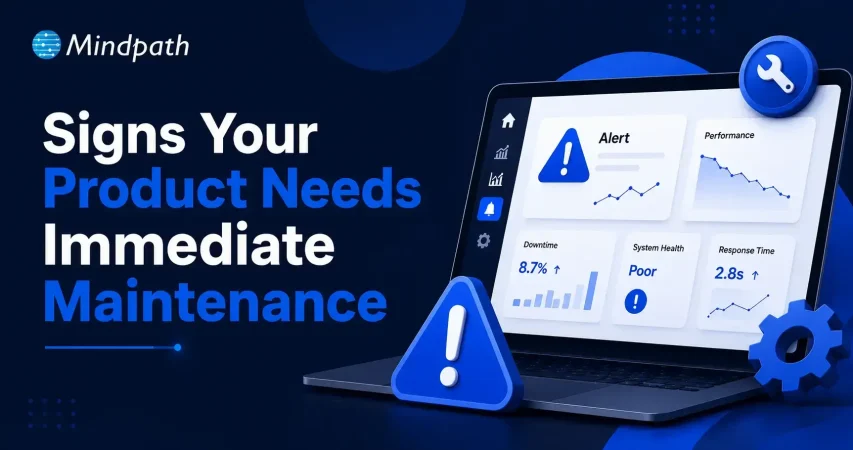
Signs Your Product Needs Immediate Maintenance Support

Signs Your Product Needs Immediate Maintenance Support

Join our Newsletter!

maintenance support

Failure can be indicated well before it is seen. Reliable delivery teams begin to become aware of minor disruptions at an early stage. When systems exhibit minor yet consistent problems, maintenance support is needed. Are there minor errors that are occurring more frequently than anticipated? Do the response times seem a little bit out of tune during normal operations? These signals do not tend to be loud; however, they reflect more technical gaps that require consideration.

Besides, regular delays, unplanned downtime, and user complaints are hard to come by on their own. They accumulate pressure against business continuity and trust, over time, by users. Consequently, a prompt response maintains systems as dependable and effective. By neglecting the early warning signs, risks and cost are likely to rise. In this blog, key indicators will highlight when immediate maintenance action becomes necessary.

Ready to fix recurring issues before they start affecting your customers and revenue? Mindpath offers maintenance and support services to quickly resolve problems and keep your product running smoothly.

Why are Maintenance and Support Services Essential for a Business Product?

Business products need consistent performance to meet user expectations and market demands. Even small issues can affect reliability and growth. Maintenance support keeps systems stable, secure, and aligned with changing needs, ensuring smooth operations over time.

As businesses grow, products face higher traffic, security risks, and shifting user behavior. Regular updates and monitoring improve efficiency. Strong support services help businesses adapt quickly, protect performance, and maintain long term value without unexpected setbacks.

Here are the key points why support and maintenance are important:

1. Stronger Security and Risk Control

Frequent updates are used to address vulnerabilities before they are a major problem. This safeguards data, compliance, and minimizes exposure to cyber risks.

2. Better User Experience

Ongoing improvements make interfaces smoother and faster to use. As a result, users stay satisfied and engage more with the product.

3. Reduced Costs Over Time

Regular upkeep averts serious problems that require costly repairs. This will reduce the long term costs and eliminate the surprises of costs of repairs.

4. Improved Performance and Scalability

Regular optimisation and monitoring of systems is more effective. They are also capable of managing more workloads as the business needs increase.

5. Less Downtime and Smooth Operations

Active surveillance detects problems earlier than they can impact performance. This will maintain uniform operation and minimize unplanned disruptions.

6. Continued Relevance and Flexibility

The updates maintain products in line with new technologies and market demands. This assists companies remain competitive and prepared to change.

Key Signs Your Product Needs Immediate Maintenance Support

Products are capable of alerting to a decrease in their performance through early signs, and fixing them with the help of maintenance and support at once is the best way to do that. Not reacting quickly to these signs can lead to instability, whereas, by taking timely actions, we can keep the systems dependable.

1. System Struggles to Handle Growth

When ‍ the user base increases, the application either runs very slow or stops working altogether. Software maintenance support can help not only in improving the scalability of the application but also in ensuring smooth performance during system ‍ ‌‍ ‍‌growth.

2. Frequent Crashes and Downtime

During ordinary operation, the system crashes, sticking or having to be continually restarted. This is not only a reflection of its instability but also a signal for the need of quick measures that would strive to bring back the regular functioning.

3. Slow Speed and Response Issues

One of the main reasons why users get frustrated with an application is when pages take too long to load. Not only does it affect user experience, but it can also lead to low user engagement. In this regard, application maintenance support is a great solution to optimize performance and minimize latency.

4. Rising User Complaints

Another sign of a troubled product is when users start reporting problems more frequently such as errors, missing features, or poor usability. In fact, this could be a clear indication that the product is no longer satisfying the users and hence, requires immediate improvement.

5. Security Gaps and Risks

If updates are not implemented, the system becomes vulnerable to exposure and unauthorized access. Therefore, regular patches are not only vital for data security but are also the best way to keep the application safe from security loopholes.

6. Outdated Technology Stack

With technology advancing rapidly, the use of outdated frameworks and systems often becomes a major hindrance to performance and compatibility. This is why only technology updates lead to better efficiency and at the same time meet the needs of modern users.

7. Hard-to-Manage Code Structure

Simple changes take too long due to complex and unstructured code. This slows development and signals the need for code optimization.

8. Failed Backup and Data Risks

Backup processes fail or recovery tests do not work properly. This increases the risk of data loss and demands immediate attention.

9. Overloaded Support Team

The team spends most time fixing urgent issues instead of improving the product. This shows deeper system problems that need structured maintenance.

10. Broken Integrations and Features

Third-party tools or APIs stop working as expected. This not only affects the product operation but the entire functioning also gets disrupted.

Is Your Product Ready for Reliable Performance?

Ignoring early warning signs can impact performance, security, and user trust. Timely maintenance support helps businesses stay ahead of issues and ensure smooth operations. A proactive approach keeps systems stable, efficient, and aligned with changing business needs.

At Mindpath, we provide maintenance and support services to keep your product running without disruptions. Our team ensures consistent performance, quick issue resolution, and long-term stability, helping businesses focus on growth with confidence and reliability.

Frequently Asked Questions

1. How often should a product receive maintenance support to stay stable?

Regular maintenance depends on product complexity and usage levels. High traffic systems need more frequent monitoring and updates. Consistent checks help prevent unexpected issues, improve performance, and ensure the product continues to meet user expectations without interruptions.

2. What happens if early signs of product issues are ignored?

Ignoring small issues can lead to serious performance failures, security risks, and poor user experience. Over time, this increases downtime and repair costs. Addressing problems early helps maintain stability and avoids major disruptions that can affect business operations.

3. How does maintenance support help in improving user satisfaction?

Maintenance support ensures smooth performance, faster load times, and fewer errors. Users expect reliable and quick experiences. Continuous improvements and timely fixes help meet these expectations, leading to better engagement, trust, and long-term user retention.

4. Is maintenance support necessary even when the product is performing well?

Even well-performing products require regular updates and monitoring. Hidden issues can grow over time without visible signs. Proactive maintenance support helps prevent future problems, keeps systems secure, and ensures consistent performance as business needs evolve.

5. Can regular support reduce long-term product costs?

Yes, regular maintenance helps identify and fix small issues before they become expensive problems. It reduces the need for emergency repairs and system overhauls. This approach ensures better resource management and keeps overall operational costs under control.


Support Is One Click Away

Featured Posts

Related Post

ai in mobile apps

Every day, AI in mobile apps revolutionizes user interaction with technology. Just think of a single application that understands your behavior, foresees your requirements, and adjusts its capabilities for a smooth and unique experience. Enterprises are equipped with smart features such as conversational agents, personalized algorithms, and speech assistants to attract user interaction in a better way. This transformation is making regular applications become intelligent friends that facilitate actions and offer answers that are convenient and timely.

Beyond convenience, AI in application development brings innovation and returns efficiency. In a nutshell, developers can analyze real-time data, discover patterns, and tailor personalized experiences for users, keeping them more engaged for longer periods. Companies can gain insight into users through actionable data, and users enjoy quicker, seamless, and more meaningful interactions. As the future of AI continues to unfold, this new progress opens the doors to new opportunities in retailing, healthcare, education, and entertainment. This article shall delve into the positive impacts, utilization, and practical scenarios of AI in mobile apps. So, keep reading further!

Ready to bring AI into your mobile app development, but confused about where to start? Mindpath provides full guidance on mobile app development services to help you gain user attraction and create powerful digital experiences.

Evolution of AI in Mobile App Development

AI in mobile app evolution has changed the design of the same user simple tools into smart, user-engagement-focused experiences. The earliest examples of AI in mobile applications were predictive text and basic speech recognition, while mid-level AI brought in personalized recommendations, more intelligent search functions, and AI-enabled chatbots. All these technological innovations enabled the most efficient user-behavior apps to comprehend and reply to users without wasting time.

Currently, artificial intelligence in mobile applications powers advanced features such as real-time analytics, augmented reality, and the ability for apps to operate autonomously. Besides, AI dramatically simplifies the development process by automatic testing, code generation, and cross-platform integration. These innovations reflect the consistent trend of AI eventually transforming mobile into more intelligent, rapid, and personalized user experiences, hence driving app usage to be a natural daily occurrence.

Looking to understand how mobile apps can enhance the impact of AI and unlock greater value for your business? Discover more insights in our blog on the Mobile App Development, which benefits your business by improving customer engagement and driving measurable growth.

Benefits of Artificial Intelligence in Mobile Apps

AI-enabled mobile app development is a game-changer as it opens opportunities for intuitive, personalized and efficient apps. Developers can thus use smart features to build apps that not only attract users but also make their routine tasks effortless.

1. Tailored Experiences for Users

Mobile applications powered by Artificial Intelligence will eventually have the capability to study user behavior and preferences so as to offer customized content and recommendations. This means that the applications will be more engaging, and the users will have a custom-made experience which gives them the impression that the entire thing is just for them.

2. Stronger Security Measures

AI is one of the factors that revolutionize the environment of mobile applications to uncover unconventional user behaviour patterns with the aid of artificial intelligence technology, to prevent unauthorized access, and ensure the safety of the data. If you associate with a firm that is proficient in AI app development, then you will definitely have security protocols being implemented in a proper way.

3. Instant Customer Support

AI-driven virtual assistants solve problems right away, thus increasing user delight. Consequently, the need for human support is made smaller although the speed and correctness of the answers are maintained.

4. Smarter Search and Navigation

The power of AI allows applications to interpret voice inputs, pictures and even the users’ thoughts in order to deliver more accurate search results. Thus, users are able to locate their desired items in less time, which means the experience is more fluid and user-friendly.

5. Predicting Trends and Behavior

The AI in mobile apps is capable of studying user actions which were done in the past to predict their future inclinations and the general trend of the market. Thus, enterprises will be able to have a clearer vision of the suitable decisions to take, which will further promote the involvement of clients.

6. Streamlined Tasks and Efficiency

Artificial intelligence can automate the execution of monotonous operations that include scheduling, setting of reminders, data handling, and so on, thereby saving valuable time and eliminating errors. A company can utilize AI app ideas to create apps that are both quality-excellence and user-friendly.

Curious how mobile apps can leverage AI to transform your business and stay ahead in 2025? Explore our blog on Mobile App Development Trends to discover how these innovations can enhance user experiences.

Use Cases of AI in Mobile App Development

Artificial Intelligence is transforming how mobile applications function and enabling them to become smarter, faster, and more adaptable. The use of artificial intelligence in mobile application development is progressing and promotes opportunities for interesting new applications across industries.

1. Personalized Content and Recommendations

AI in mobile apps can use advanced data analytics of users’ intent and behaviors to formulate personalized content and product recommendations and offerings. By suggesting items or services they might like, apps proactively enhance user engagement and satisfaction, and they also help businesses utilize data to make informed decisions.

2. Intelligent Virtual Assistants

Applications incorporate artificial intelligence technology for mobile app development, and voice assistants now exist that can take user directions. These voice assistants can help navigate tasks quickly, without even using your hands, allowing access to information obtained faster and can speed up your daily tasks.

3. Automated Task Management

AI takes over basic responsibilities, such as scheduling and reminders, or the organization of emails from mobile applications. This increases efficiency and minimizes the time a user will spend on monotonous tasks.

4. Enhanced Security and Fraud Detection

AI in mobile apps identifies unusual patterns of user behaviour and prevents fraud from happening right away. Businesses can leverage advanced monitoring and threat detection functionality to safeguard sensitive information and ensure user safety.

5. Industry-Specific Smart Solutions

Artificial intelligence powers the development of applications in the healthcare, finance, and e-commerce arenas which can provide personalized services, forecasts, and automation. Working with an AI application development company can help ensure applications comply with industry standards, while also improving the user experience.

Want to make sure that your applications are not only functional but also secure, compliant, and trustworthy for your users? Discover our blog on application security best practices to explore essential techniques for protecting your software and building trust.

Real-World AI in Mobile Application Examples

AI in mobile apps is transforming everyday interactions by making them smarter, faster, and more intuitive. Real-world examples show how AI improves user experiences, streamlines tasks, and delivers personalized solutions across different industries.

Real-World AI in Mobile Application Examples

1. Voice Control with Siri, Google Assistant, and Alexa

These virtual assistants use artificial intelligence in mobile applications to understand voice commands and perform tasks like setting reminders or controlling smart home devices.

2. Personalized Streaming on Netflix and Spotify

Streaming apps use AI in mobile apps to analyze user behavior and recommend movies, shows, or music that match individual preferences.

3. Smart Social Feeds on Facebook and Instagram

Social media platforms use AI mobile app development to personalize news feeds and suggest relevant content, friends, and groups for each user.

4. Tailored Shopping on Amazon

Amazon uses AI in mobile apps to recommend products based on browsing history and past purchases, creating a personalized shopping experience.

5. Visual Search with Google Lens

Google Lens uses AI technology for mobile app development to recognize images and provide instant results through photo-based searches.

Want to build a mobile app but don’t know which technology to use for better execution? Learn from the mobile app development technologies blog to understand what suits best for your business.

Ready to Build Smarter Mobile Apps with AI?

The use of AI in mobile apps introduces new opportunities for businesses and users. This advancement creates great user experiences, strengthens security, and provides more effective daily interaction. As industries pursue innovation, apps will work smarter, adapt more quickly, and become infinitely personal, helping brands engage with users, in meaningful and authentic ways.

Working with Mindpath gives organizations access to superior AI mobile application development services built for measurement. We build intelligent, fast, and user-friendly applications to support your organizational priorities. We provide a blend of strategy, innovation, and technology to design digital solutions that drive growth and maintain user engagement.

devops best practices

Does your team prepare itself well enough to handle the fast pace of software development in 2026? As there are so many changes happening in the way businesses build and deliver products, it is very important to pause and think about what’s working and what’s not, isn’t it? The perfect solution for this lies in following DevOps best practices, so that you can keep your software development processes smooth and your teams connected.  

Well, DevOps can help your business improve teamwork, speed up release, and even reduce errors. Its goal is to create a robust process supporting development and operations. If you are asking what the best practices for DevOps are, and how they may help your business improve on delivery, performance, and collaborate between teams, then this blog can serve you better. 

Before delving into the main topic, let us first understand the fundamentals of DevOps. 

Want to reduce downtime and accelerate software delivery? Mindpath offers expert DevOps services, which help streamline your workflows, automate deployments, and improve overall efficiency.

What is DevOps?

DevOps is a proactive approach to linking development and IT operations teams to collaboratively work in a way that transforms the software development process. With DevOps, both teams can share responsibilities in building, testing, and releasing software. The main purpose of it is to improve speed, reduce errors, and deliver better results.

DevOps also improves communication across teams, which reduces delays and results in fewer disruptions. Automating repetitive tasks gives teams more time to focus on solving problems. It also allows for faster feedback loops, meaning teams can address problems quickly and improve product quality over time. This approach allows teams to adapt to change more easily while also scaling systems and keeping up with customer demand. 

Looking to elevate your business with smarter workflows? Check out our Benefits of DevOps blog to learn how it accelerates innovation while fostering collaboration across teams.

What are the 7 Key Principles of DevOps?

There are several main principles that define how teams work and deliver software. These principles provide an underpinning to enhance collaboration, automation, and improvement across a work ecosystem. Now, let’s explore the 7 key principles of DevOps: 

1. Strong Team Collaboration

DevOps brings developers and operations teams together to work as one. This helps solve problems faster and build better software. 

2. Customer-Centric Approach

Every decision is made by keeping the customer in mind. Teams collect feedback and use real-time tools to improve the user experience. 

3. Data-Driven Decisions

DevOps teams rely on real data-driven decisions before making changes. This helps them choose the right tools and improve their results with confidence. 

4. Automation Across the Workflow

Tasks like testing, deployment, and setup are automated to save time. This lets teams focus on planning, solving problems, and improving the product. 

5. Continuous Improvement

DevOps supports small and frequent updates instead of waiting for one big release. This helps teams meet user needs quickly and make steady progress. 

6. Embracing Failure as Learning

If something goes wrong, teams treat it as a chance to learn. This mindset helps them improve and make smarter decisions in the future. 

7. Shared Responsibility

In DevOps, the entire team takes responsibility for the software from beginning to end. Developers and operations work closely at every stage to build, test, and fix issues together. 

Struggling with speed, collaboration, or automation in DevOps? Our DevOps Challenges and Solutions blog explains how modern businesses address these issues.

What are the DevOps Best Practices?

To get the most out of DevOps, teams follow a set of proven methods that support faster delivery, better quality, and stronger teamwork. These top DevOps practices help create smooth workflows and make it easier to manage changes and fix problems quickly. Let’s explore the most effective DevOps methods that can drive real results. 

1. Continuous Integration/Continuous Deployment (CI/CD)

One helpful way to speed up your CI/CD pipeline is by using a smart testing platform that runs tests faster and more efficiently. It allows teams to run large sets of tests in parallel, get faster feedback, and use resources wisely to lower costs. A key benefit is that it keeps your tests stable across different environments, which helps improve software quality and delivery speed. 

2. Use Infrastructure as Code (IaC) for Better Control

Infrastructure as Code lets teams manage and set up their infrastructure using code instead of doing it manually. This makes deployments faster and keeps environments consistent across all stages of software delivery. Using IaC also helps track changes easily and improves teamwork by allowing developers to handle infrastructure in a clear and organized way. 

3. Integrate Security into Your DevOps Process

Adding security checks early in the development pipeline helps find and fix vulnerabilities before they cause problems. This approach keeps your software safe and ensures it meets important security rules. Using automated security tools makes it easier for teams to maintain strong protection without slowing down delivery. 

4. Leverage Configuration Management Tools

Configuration Management tools help automate system setup and updates to keep environments consistent across teams. They work well with CI/CD pipelines to speed up deployments and make collaboration easier. By using these tools, teams can also enforce security rules and track changes to meet compliance requirements. 

5. Adopt Shift-Left Testing for Faster Issue Detection

Starting to test early in the development process helps find problems before they grow bigger. Using automated and AI-driven testing tools makes it easier to catch errors quickly and improve the quality of the code. This approach also speeds up delivery by reducing the time spent fixing issues later on. 

Must Read: DevOps Trends

6. Automate Testing for Reliable Software

Automated testing is a key DevOps best practice that helps check code quality quickly and consistently. By using automated test tools in your DevOps pipeline, teams can find and fix problems early. This ensures every change is tested before going live, making software more reliable and ready for continuous delivery.  

7. Use Cloud Services for Flexibility and Speed

Cloud services make it easy to quickly set up and scale resources as needed while automating many tasks. They support key DevOps practices like automated pipelines, security integration, and managing infrastructure with code. Using cloud platforms helps teams deliver software faster and maintain smooth, reliable operations. 

8. Adopt Containerization

Using containerization is a smart DevOps best practice that helps keep software running the same way in development, testing, and production. Containers make it easier to scale applications and use resources more efficiently. This approach reduces errors and speeds up delivery by ensuring consistency across all stages. 

9. Implement Microservices Architecture

Microservices break down applications into smaller, independent parts that can be updated and scaled down on their own. This makes it easier for teams to manage and improve specific services without affecting the whole system. To make this work well, strong monitoring, testing, and automation are important to keep everything running smoothly. 

10. Focus on Continuous Improvement

Continuous improvement means always looking for ways to do things better by learning from past experiences. Teams can use the Plan-Do-Check-Act cycle to test small changes, check results, and keep improving. This helps them build better software faster and fix issues more quickly. 

Wondering how DevOps can accelerate growth and efficiency in your organization? Read our blog on DevOps for Businesses to discover strategies that streamline operations, enhance collaboration, and improve software delivery.

Want to Transform Your Software Delivery with DevOps Best Practices?

Following DevOps best practices helps teams build software faster, reduce errors, and work better together. By using automation, cloud tools, and early testing, your team can improve software quality and speed up delivery. These practices make workflows smoother and help your business keep up with fast-changing demands with time. 

At Mindpath, we apply proven DevOps practices like CI/CD, containerization, and infrastructure as code to streamline software delivery. Our expert teams focus on collaboration, automation, and continuous improvement to ensure secure, high-quality releases. With our DevOps-centric approach, your business can achieve better performance and faster results. 

Frequently Asked Questions

1. What are the main benefits of following DevOps best practices for a business?

Implementing DevOps best practices improves collaboration between development and operations teams, speeds up software delivery, reduces errors, and enhances system reliability. It also allows businesses to respond faster to market changes while maintaining consistent quality and security across applications.

2. How can DevOps best practices improve software delivery speed?

By automating repetitive tasks, integrating CI/CD pipelines, and using containerization and infrastructure as code, DevOps practices streamline workflows. Early testing and continuous feedback loops help teams detect and fix issues faster, reducing bottlenecks and enabling quicker, reliable releases.

3. Why is security integration important in DevOps workflows?

Integrating security early in the DevOps pipeline ensures vulnerabilities are identified and resolved before software goes live. Automated security checks maintain compliance, prevent data breaches, and protect user information without slowing down development or delivery processes.

4. How do microservices and containerization contribute to DevOps efficiency?

Microservices break applications into independent modules, allowing updates or scaling without affecting the entire system. Containerization ensures consistent environments across development, testing, and production. Together, they reduce errors, improve scalability, and make deployment faster and more reliable.

5. Can small businesses adopt DevOps best practices effectively?

Yes, DevOps practices are scalable for businesses of all sizes. Even small teams can leverage automation, cloud infrastructure, and CI/CD pipelines to improve collaboration, speed up releases, and maintain software quality. Early adoption supports growth while keeping operational costs efficient.

Discover essential DevOps best practices to enhance efficiency, streamline processes, and boost collaboration for your business with Mindpath.
Benefits of agile methodology

Approaching software development without a flexible mindset can often result in delays and stress. This is where the benefits of agile methodology come into play. Agile allows a team to react quickly to change, provide value continuously, and maintain common goals. Agile fosters teamwork, quick delivery, and incremental updates. If you ever find that you are constantly feeling stuck or that things are moving too slowly, then Agile can provide a steady flow that will keep things moving forward and adjust its plans accordingly.

Agile offers structure while maintaining flexibility. Project work is broken down into smaller bits and allows for feedback and change along the way. This helps keep developers, testers, and clients engaged through the process. People can track progress more easily and receive results faster. Agile doesn’t just focus on completing tasks, but on building something useful at every step. This blog highlights some of the primary benefits of Agile that many of today’s teams prefer to embrace.

Explore how custom software development services using agile methodologies elevate your business performance. Reach us at Minpath, and we will provide expert guidance to you every step of the way.

What is Agile Methodology?

Agile methodology is an adaptive and collaborative method of software development based on the principles set forth in the values of the Agile Manifesto. Agile focuses on teamwork, the ability to adapt, continuous improvement, and the delivery of working software in small, manageable pieces. An agile team is self-organized and can adapt quickly to changes during the development life cycle. So, what is the main objective of agile methodology? It is to be responsive and provide value more quickly.

Agile focuses on helping teams select tools and techniques for their goals rather than abiding by a single standardized process. Each project can look a little different, but they all follow the same Agile principles by planning in short iterative cycles, soliciting feedback, and adjusting from there. Ultimately, Agile allows teams to deal with uncertainty during a project in order to improve at every turn.

Types of Agile Methodologies

Agile provides several methodologies that adhere to its fundamental principles; however, they differ in structure and practice. Each is intended to foster teamwork, speed, and flexibility in its own unique way.

Types of Agile Methodologies

1. Crystal

Crystal is a lightweight agile methodology that encourages rapid delivery of working software, communication with customers, reducing risks, and frequent releases. It is flexible with respect to team size and project complexity, and it promotes collaboration and communication to improve team and customer feedback.

2. Scrum

Scrum is a prescribed agile framework that arranges work into fixed-length sprints, which allow the team the opportunity to inspect how much work was done so far and adjust based on that. The goal is to enhance visibility, facilitate some level of collaboration consistently, and have continuous improvement as the team works through it with prescribed roles and ceremonies.

3. Kanban

The kanban approach is concerned with delivering work continuously and has a strong lean focus on improving the process. The visual workflow helps teams find bottlenecks, work on reducing cycle times, and allows managing work to be simplified using boards and cards.

4. Lean

Lean focuses on maximizing customer value by eliminating waste and improving efficiency throughout the development process. It supports fast delivery, strong team collaboration, and quick response to feedback.

5. Scrumban

Scrumban fuses the structured planning of Scrum with the visual task management of Kanban to allow flexible value-based delivery. It is an adaptable and process-focused method that allows teams to incorporate regular updates, rapid releases, clear task ownership, and adaptability as project needs change.

Wondering how Agile practices fit into the bigger picture of building high-impact web applications, our web app development roadmap outlines the full step-by-step journey from planning to deployment.

Top Benefits of Agile Methodology

Agile provides a modern approach for the management of software projects, which is focused on flexibility, collaboration, and rapid delivery. Here are some important agile software development benefits that aid teams in creating better products with better timeliness.

Top Benefits of Agile Methodology

1. Customer-Centric Results

Agile methodologies promote regular feedback and involvement from customers in every aspect of development, leading to products that can be tailored to more accurately fit the needs of the user. One of the key agile software development advantages is that this increases customer satisfaction (as perceived by customers during development) and trust moving forward.

2. High-Quality Deliverables

With every sprint of work teams are testing and improving their work. You will note that the ongoing improvement is one of the key benefits of agile software development, and it helps teams develop stable and reliable products. Solving problems early is part of the workflow.

3. Flexibility to Change

Agile teams can quickly adjust plans in response to new feedback or ever-changing goals, and ease of change is one of the greatest strengths of agile software development. The essence of agility is the ability to stay aligned with business needs without spending unnecessary time or going off track.

4. Clearer Planning and Estimations

Agile operates within short, structured cycles, which allow for considerably improved estimation of timelines and budgets. This is one of the most important benefits of agile software development, especially for project managers whose primary goal is to solicit the meters for project planning in the most effective way possible. Predictable progress encourages smarter decisions.

5. Reduced Development Risks

Frequent reviews and updates allow teams to catch issues early when they are still not serious problems. This built-in risk control offered by agile is of major benefit to agile project success. Agile provides full visibility into work progressing at all times.

6. Stronger Team Collaboration

Agile encourages daily stand-ups, a routine dialogue, and real-time feedback/updates. This collectively helps with teamwork, collaboration, and confusion regardless of role. Better communication is one of the fundamental advantages of agile methodology and contributes to an easier, smoother project flow.

Want to know how businesses turn ideas into scalable software solutions? Explore the custom software development process and the role Agile plays in efficient execution.

Ready to Embrace the Agile Advantage?

Agile has changed the way modern teams build software by promoting collaboration, speed, and flexibility. The benefits of agile methodology include higher customer satisfaction, better product quality, reduced risk, and smoother workflows. By using short cycles and continuous feedback, Agile helps teams deliver faster, smarter, and with greater confidence, making it a preferred choice for many development teams today.

Want to apply these custom software development benefits to your next project? At Mindpath, we offer custom software development services built around proven agile methodologies. Contact us and our team will help you with clear communication, flexible planning, and faster delivery that meets your business goals. With Mindpath, you get tailored solutions that revolve around your business requirements and deliver long-term value with every sprint.

Frequently Asked Questions

1. Is Agile methodology suitable only for software development projects?

No, Agile is used in many industries beyond software development, including marketing, healthcare, education, and product management. Any team that needs flexibility, faster delivery, and continuous improvement can benefit from adopting Agile practices in their workflow.

2. How long does it take for a team to adapt to Agile?

The transition time depends on team size, experience, and project complexity. Some teams adapt within a few weeks, while others may need a few months to fully understand Agile practices and build a smooth collaborative workflow.

3. Can Agile work for large enterprise projects?

Yes, Agile works well for both small and large projects. Large enterprises often use scaled Agile frameworks to manage multiple teams while maintaining collaboration, transparency, and faster delivery across complex projects and departments.

4. What tools are commonly used in Agile project management?

Teams often use tools like Jira, Trello, Asana, and Azure DevOps to manage Agile workflows. These tools help track tasks, manage sprints, monitor progress, and improve communication between developers, testers, and stakeholders.

5. How does Agile improve communication between clients and development teams?

Agile encourages regular meetings, sprint reviews, and continuous feedback throughout the project. This keeps clients involved in decision-making, improves transparency, and helps development teams stay aligned with changing business expectations and project goals.