Home

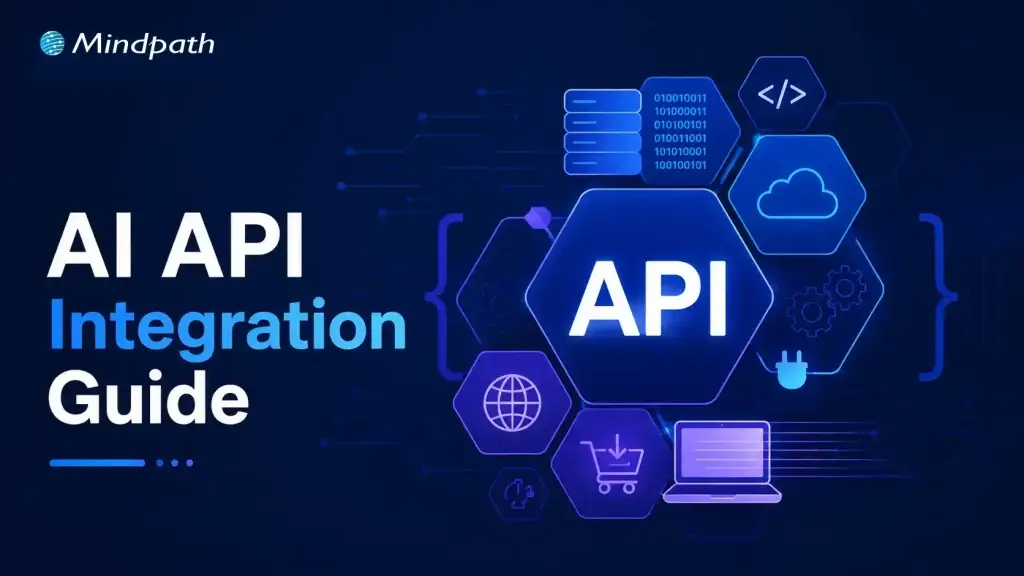
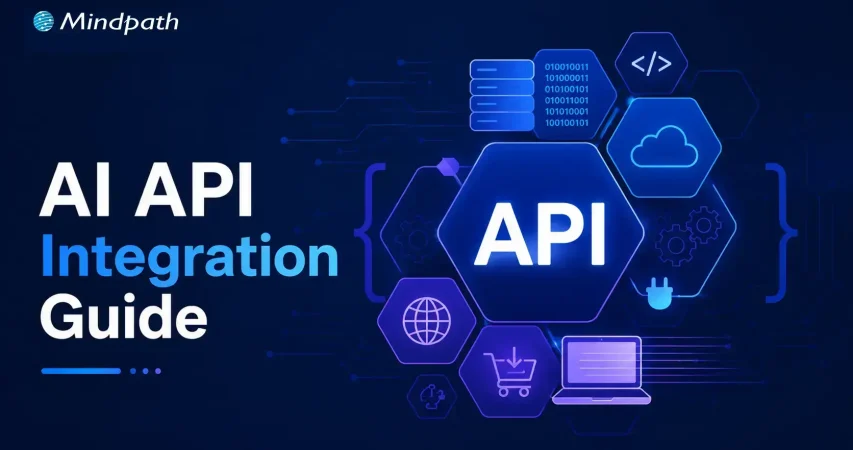
AI API Integration Guide: How Businesses Can Connect AI with Existing Systems

AI API Integration Guide: How Businesses Can Connect AI with Existing Systems

Join our Newsletter!

AI API Integration

Businesses are under pressure to do more with the systems they already have. Replacing a CRM, ERP, or support platform just to add AI is rarely practical. AI API integration offers another path: connect AI directly to existing workflows to automate tasks, accelerate decisions, and create more value from technology investments already in place.

Key Takeaways

  • 01
    AI APIs connect intelligent capabilities with existing business applications and workflows.
  • 02
    Businesses can add AI without replacing established technology systems.
  • 03
    Choosing the right AI capability depends on specific business goals and data.
  • 04
    Secure architecture helps manage data, performance, costs, and scalability.
  • 05
    Phased implementation makes AI integration easier to test, measure, and expand.

But adding an AI API is not as simple as connecting two systems. Businesses must consider data, security, compatibility, performance, and scalability before AI can work reliably in day-to-day operations. In this blog, we will explore how businesses can integrate AI APIs with existing systems effectively. Let’s begin!

Ready to connect AI with your existing business systems? Mindpath offers AI Integration Services to help businesses connect AI capabilities with existing applications and workflows.

Understanding AI APIs and System Integration

Businesses often have valuable data, established workflows, and critical applications they cannot afford to replace. AI APIs provide a practical way to add intelligence to this existing infrastructure. They act as a bridge between business applications and AI services, allowing systems such as CRMs, ERPs, and support platforms to send data to AI models and use the results within existing workflows.

Most AI services use endpoints through a REST API for AI models, with requests and responses commonly exchanged in JSON. This lets development teams integrate capabilities such as summarization, classification, content generation, and information extraction without building models from scratch. The business can focus its resources on connecting AI to the right processes while keeping its existing technology foundation intact.

Choosing the Right AI Capabilities for Your Business

AI integration creates value when the capability solves a specific business problem, rather than when AI is added simply because it is available. Before choosing an API, businesses should identify the task, the people using it, the data involved, and the outcome they want to improve.

Some practical capabilities include:

1. Text generation

Create product descriptions, emails, reports, or internal content faster.

2. Summarization

Turn lengthy documents, meetings, or customer conversations into concise insights.

3. Classification

Categorize support tickets, customer feedback, documents, or incoming requests automatically.

4. Image recognition

Extract information from images, forms, invoices, or visual content.

5. Recommendations

Personalize products, content, or actions based on customer and business data.

6. Forecasting

Analyze historical information to support demand, sales, or operational planning.

The right AI API for business should fit the existing workflow, data environment, and technical requirements. Starting with one clearly defined use case also makes it easier to measure results before expanding the integration.

How Does AI API Integration Fits into Existing Systems?

Choosing the right AI capability is only the first step. The next question is how that capability will fit into the systems and workflows already running across the business. AI API integration works best when businesses map where AI can add value without creating unnecessary changes to existing applications or processes.

A practical integration should consider:

1. Existing systems

Identify the CRM, ERP, support tools, databases, and applications AI needs to connect with.

2. Data flow

Define what information AI receives, how it is processed, and where the output goes.

3. Integration layer

Use middleware, adapters, or API gateways when direct connections are difficult, especially with legacy systems.

4. Security

Protect API credentials and control which systems and users can access AI services.

5. Performance

Account for response times, API limits, traffic volumes, and expected workloads.

6. Scalability

Design the integration so new AI capabilities and business systems can be added without major rework.

This approach helps businesses introduce AI without disrupting established operations while creating a reliable foundation for future use cases.

How to Integrate AI APIs Into Business Systems?

Once the right AI capability and integration architecture are identified, businesses can move toward implementation. A structured approach helps development teams connect AI without disrupting existing workflows. This becomes particularly important when businesses need to connect AI to legacy systems, where older applications may lack modern API support.

Here are eight practical steps for integrating an AI API:

1. Define the Business Use Case

Start with one specific workflow and identify the task AI will improve. Define the expected outcome, users, data requirements, and measurable success criteria before development begins.

2. Select the Right AI API

Compare available APIs based on capability, output quality, pricing, latency, documentation, security requirements, and usage limits. The selected API should fit both the business objective and technical environment.

3. Map Existing Systems

Identify the applications, databases, workflows, and integration points involved in the process. For legacy applications, determine if middleware, adapters, or an API gateway is needed to establish communication.

4. Configure API Authentication

Set up secure authentication using API keys, tokens, or other supported methods. Credentials should be stored securely and access should follow the principle of least privilege.

5. Build and Validate Data Flows

Define how data will move between the business system and the AI API. Validate request payloads, data formats, permissions, and sensitive information before sending data to the model.

6. Add Error and Rate-Limit Handling

AI APIs can experience timeouts, service errors, or usage limits. Build retries, timeout controls, rate-limit handling, logging, and fallback workflows so temporary failures do not disrupt business operations.

7. Test With Realistic Workloads

Test the integration using representative data and expected traffic levels. Evaluate response accuracy, latency, security, system stability, and how AI outputs affect the downstream workflow.

8. Roll Out and Monitor Gradually

Begin with a controlled deployment instead of connecting AI across every workflow at once. Monitor API usage, costs, performance, output quality, and user adoption before expanding to additional systems and use cases.

Securing and Managing AI API Integrations

Connecting an AI API to a business system also means giving AI access to business data. That makes security and governance a core part of the integration, not an afterthought. Businesses need controls that protect sensitive information while keeping AI services reliable, cost-efficient, and aligned with internal policies.

Key areas to manage include:

1. Secure authentication

Protect API keys, tokens, and service credentials through secure storage and controlled access.

2. Data privacy

Limit the information sent to AI services and apply appropriate controls to sensitive or personally identifiable information.

3. Access controls

Define which applications, teams, and users can access specific AI capabilities and data.

4. Audit logging

Track API requests, system activity, errors, and AI outputs to support monitoring and accountability.

5. Output controls

Validate AI-generated results before they trigger important business actions or enter downstream systems.

6. Performance monitoring

Track response times, failure rates, API usage, and output quality to identify issues early.

7. Cost management

Monitor request volumes, token usage, and model selection to prevent unexpected API expenses.

8. Fallback mechanisms

Maintain alternative workflows when an AI service becomes unavailable or produces an unusable response.

Measuring the Value of Artificial Intelligence API Integration

AI integration should deliver measurable business value, not simply add another technology layer. After deployment, teams should track how the integration affects workflows, users, costs, and outcomes.

Useful metrics include:

1. Time saved

Measure reductions in manual work and processing time.

2. Accuracy

Track the quality and consistency of AI outputs.

3. Adoption

Monitor how frequently employees or customers use the integrated capability.

4. Cost efficiency

Compare API and implementation costs with operational savings.

5. Business impact

Measure improvements in customer satisfaction, productivity, or process efficiency.

Once results are clear, businesses can expand the integration to additional workflows and systems while using the initial learnings to guide future AI initiatives.

AI API Integration Challenges and How to Avoid Them

Artificial intelligence API integration can deliver strong business value, but common technical and operational challenges can slow adoption. Planning for these issues early helps teams build integrations that remain reliable as usage grows.

1. Poor data quality

Clean and validate data before sending it to AI APIs.

2. Legacy compatibility

Use middleware or adapters to connect older systems.

3. Security gaps

Apply strong authentication, access controls, and data protection.

4. API dependency

Design flexible integrations to reduce vendor lock-in.

5. High latency

Choose suitable models and optimize request and response flows.

6. Unexpected costs

Monitor API usage, token consumption, and request volumes.

7. Unreliable outputs

Add validation and human review for critical workflows.

8. Scaling issues

Test higher workloads before expanding across business systems.

Comparing AI API Options for Business Integration

Businesses can choose different approaches based on their requirements for control, cost, scalability, and maintenance.

AI API Provider Core Strength Ideal Business Use Case Key Technical Highlight
OpenAI API Advanced language and reasoning models AI agents, automation, content workflows Strong tools, structured outputs, long context
Anthropic Claude API Long-context reasoning and analysis Document analysis, coding, research workflows Large context windows, strong reasoning capabilities
Google Gemini API Multimodal AI and data processing Video, audio, document-heavy applications Large context, multimodal model capabilities
Groq Fast, low-latency inference Real-time chat and voice applications High-speed inference across supported models
SiliconFlow Flexible multi-model AI infrastructure Multi-model applications and AI platforms Unified access to multiple AI models
AWS Bedrock Managed enterprise AI infrastructure Regulated workloads and AWS environments Multiple models with AWS governance controls
Azure OpenAI Enterprise AI within Azure Microsoft-based business applications Azure security, compliance, and integration capabilities

Ready to Connect AI With Your Existing Systems?

AI API integration gives businesses a practical way to add intelligence without replacing established systems. With the right use case, architecture, security controls, and implementation approach, organizations can build reliable AI-powered workflows that improve efficiency, decision-making, and business performance.

Mindpath AI development services help businesses connect AI capabilities with existing applications and workflows. From integration planning and API development to AI implementation, we help businesses build scalable integrations aligned with their technical and business requirements.

Ready to Connect AI With Your Systems?

Integrate AI into your existing business workflows.

Frequently Asked Questions

It allows businesses to add AI capabilities through APIs, middleware, or adapters without immediately replacing critical legacy applications.
Key considerations include model performance, pricing, security, latency, integration requirements, data handling, scalability, and compatibility with existing systems.
Yes, with proper authentication, access controls, data protection, privacy measures, audit logging, and clear policies for handling sensitive information.
Useful measures include time saved, output accuracy, user adoption, operating costs, workflow efficiency, and improvements in customer or employee experiences.
Expansion makes sense after the initial workflow demonstrates reliable performance, measurable value, manageable costs, and stable integration with existing systems.

Support Is One Click Away

Featured Posts

Related Post

AI Agent for Cost Reduction

Rising operational expenses are pushing companies of every size to rethink how they run their day-to-day processes. More organizations are now turning to AI agents for cost reduction, using intelligent automation to cut down manual effort, reduce errors, and get more done with the resources they already have.

Key Takeaways

  • 01
    AI agents go beyond basic automation. They make context aware decisions and adapt over time, which gives them an edge over traditional rule-based systems. 
  • 02
    Savings come from more than one place. Reduced labor hours, fewer errors, round the clock availability, and smarter use of people all add up to lower operational costs. 
  • 03
    Process automation creates department wide impact. From customer support to supply chain, AI agents streamline entire workflows instead of just isolated tasks. 
  • 04
    Cost optimization is not a one-time fix. AI agents keep learning from operations and tend to surface new efficiency gains as time goes on. 
  • 05
    Choosing the right implementation approach makes a real difference. Businesses that plan carefully and start with their biggest cost centers tend to see faster, more lasting results. 

From customer support to supply chain management, these digital workers are quietly reshaping how businesses spend and save. In this blog, we are going to explore how AI agents are helping companies reduce costs, improve efficiency, and stay competitive in 2026.

Are rising operational costs slowing your business growth? At Mindpath, we provide AI agent development services that help organizations automate business processes, reduce operational expenses, and improve long-term efficiency with customized AI development solutions.

Why Businesses are Adopting AI Agents for Cost Reduction in 2026?

AI agents are software programs built to perform tasks on their own, make decisions, and interact with systems or people without constant supervision. Unlike traditional automation tools that follow rigid, preset rules, AI agents can understand context, learn from data, and adjust their actions as conditions change.

In 2026, businesses are no longer treating AI agents as experimental tools. They are being deployed across finance, HR, IT support, sales, and operations to handle repetitive, time consuming work. This shift is a major driver of AI for operational efficiency, freeing up teams to focus on strategic work while agents manage the routine execution. As adoption grows, companies are realizing that the savings go well beyond simple task automation. They extend into smarter decision-making, faster turnaround times, and leaner day-to-day operations.

What makes this moment different from earlier waves of automation is how accessible it has become. Cloud infrastructure, affordable computing power, and more capable AI models have made it possible for mid-sized and even small businesses to deploy agents that were once out of reach for anyone but large enterprises. As a result, most leadership teams have stopped asking whether they should use AI agents and started asking which processes to automate first.

How AI Agents Improve Business Efficiency and Reduce Costs?

Efficiency sits at the heart of nearly every cost saving strategy, and this is exactly where AI agents make the biggest difference. Using AI agents for business efficiency allows companies to remove bottlenecks and cut down the time spent on manual, repetitive work.

Here is how they help:

1. Faster Task Completion

AI agents can process requests, generate reports, and complete workflows in minutes instead of hours, which directly cuts down on labor hours spent on routine work.

2. Fewer Human Errors

Automated agents follow the same logic every time, so the risk of costly mistakes drops and there is less rework to pay for down the line.

3. Round the Clock Availability

Unlike human teams, AI agents can keep working through the night without overtime pay, so productivity does not have to pause when the office closes.

4. Better Use of People

When agents handle the routine work, employees get more time for the tasks that actually need human judgment, and that raises overall output without hiring more staff.

5. Room to Grow

AI agents can take on a heavier workload without a matching jump in cost, which makes it easier for a business to scale without its budget scaling right along with it.

These improvements add up over time. A single automated workflow might only save a few hours a week on its own, but once agents are working across several departments, the combined effect on productivity and cost becomes significant enough to shape overall business strategy.

AI Agents for Process Automation Across Business Functions

Process automation is one of the clearest places where businesses see a return on their AI investment. Deploying AI agents for process automation lets companies streamline entire workflows instead of just automating one task here and there.

Some of the most useful applications include:

1. Customer Support

AI agents can answer common questions, route tickets, and follow up with customers instantly, which means fewer support staff are needed to keep response times fast.

2. Finance and Invoicing

Agents can process invoices, catch discrepancies, and manage approvals on their own, cutting down manual accounting hours and reducing payment delays.

3. HR and Onboarding

From answering employee questions to handling paperwork, agents make HR workflows simpler and take a real chunk out of the administrative load.

4. IT Support and Monitoring

AI agents can spot issues, send alerts, and resolve common problems before a person ever has to step in, which keeps downtime and support costs down.

5. Supply Chain Coordination

Agents can track inventory, forecast demand, and trigger reorders automatically, helping businesses avoid both wasted stock and costly shortages.

What these examples have in common is that AI agents rarely replace just one step in a process. They tend to connect several steps into one coordinated flow, and that is what allows businesses to save money at the level of the whole process rather than one task at a time.

AI Cost Optimization: Smarter Ways to Reduce Business Costs with AI Agents

Beyond automation, AI cost optimization is about using data and intelligence to make smarter financial decisions across the business. AI agents for cost reduction really prove their worth here, moving from simply executing tasks to actively helping manage costs.

A few ways AI agents support cost optimization:

1. Predictive Spend Analysis

Agents can study historical data to forecast expenses and flag anything unusual early, helping teams catch budget problems before they grow.

2. Vendor and Contract Management

AI agents can review contracts, compare vendor pricing, and point out better deals, which puts businesses in a stronger position when negotiating.

3. Energy and Infrastructure Monitoring

In IT heavy environments, agents can fine-tune server usage and cloud resource allocation, which cuts unnecessary infrastructure spending directly.

4. Less Manual Reporting

Agents can build real-time financial dashboards without anyone entering data by hand, which saves reporting time and speeds up decisions.

5. Ongoing Improvement

AI agents learn from the operations they run and often surface new efficiency gains over time, so the savings tend to compound rather than stay flat.

Understanding how to reduce business costs with AI agents really comes down to identifying which repetitive, data heavy, or decision-driven processes can be handed over to intelligent systems and doing that in a structured way rather than all at once. Businesses that start with a clear audit of their biggest cost centers tend to see faster, more lasting results than those that automate without much of a plan.

Ready to Cut Costs with AI Agents?

The evidence is hard to ignore. Businesses that adopt intelligent automation are seeing real reductions in operational spending, faster workflows, and fewer costly mistakes. AI agents for cost reduction are not a futuristic idea anymore. They are a practical strategy that companies across industries are already using to stay lean and competitive in 2026.

At Mindpath, we help businesses design and implement AI agent solutions built around their specific operational challenges. Whether that means automating customer support, streamlining finance workflows, or optimizing IT infrastructure, our team works closely with you to find the right opportunities and build agents that deliver real, measurable savings. If you are ready to see what AI agents can do for your business, Mindpath is here to help you get started.

DevOps challenges

DevOps has played a crucial role in transforming conventional approaches to software development. Businesses utilize DevOps to ensure faster software delivery with improved quality and better collaboration between development and operations teams. However, the discussions about DevOps challenges don’t come into the limelight, with most of the emphasis being on the benefits of DevOps.

Most of the teams working with the DevOps approach experience many struggles and roadblocks, which can be frustrating at times. Awareness of the prominent challenges for DevOps and their solutions can help a business owner find the best strategic approach for DevOps implementation. This post will help you discover some of the prominent challenges in DevOps and their potential solutions.

Don’t know how to tackle the challenges in the DevOps process? Mindpath offers DevOps Consultation & Implementation services, where our experts provide practical strategies to help you move forward and streamline your operations. 

Why does DevOps Face Challenges?

The most common answers to “What is DevOps?” paint it as a combination of software development and IT operations. However, you need to dive a little deeper to understand what DevOps actually entails. DevOps is not about introducing a new department in the organization or bringing a specific set of tools for better results. As a matter of fact, DevOps is a paradigm shift that requires businesses to change how they think about collaboration and communication.

You can notice that success in DevOps initiatives is more about the cultural and philosophical shift rather than the technical aspects. Even with the undeniable benefits of DevOps attracting the eyes of business owners, there is no way to ignore the challenges. Many organizations fail in DevOps implementation due to their inability to recognize the challenges that are not purely technical.

Exploring the Most Prominent DevOps Challenges

The utility of DevOps is clearly evident in the different advantages like faster time to market, easier recovery from incidents, reduced deployment failures, and enhanced efficiency. However, a lack of awareness of the challenges with DevOps can lead businesses to waste resources and end up with substandard results. The following sections will help you learn about the most critical challenges for DevOps implementation.

1. Cultural Resistance and Fragmentation

The most prominent challenge for DevOps is the cultural shift that comes with it. The traditional approach to software development involved development and operations teams working in silos. Both teams had different goals, mindsets, and metrics for the same project, thereby leading to conflict. For instance, developers focus on faster delivery and innovation, while the operations team emphasizes stability above everything.

The fundamental difference between the two teams can create problems in the adoption of the DevOps methodology for new projects. One of the notable problems that arises from differences between the development and operations teams is the ‘us vs. them’ mentality. In addition, professionals in both teams accustomed to traditional workflows will showcase resistance to new tools and practices. Furthermore, the lack of active involvement of leadership also creates difficulties for the cultural shift required in DevOps.

2. Complexity of Tools and Integration Process

Any business that wants to embrace DevOps can capitalize on a wide range of tools for every phase of the software development lifecycle. You can find DevOps tools for almost everything, including CI/CD, security, version control, and monitoring. The assurance of access to so many tools offers the flexibility to choose any tool according to your needs. At the same time, it also creates challenges for DevOps projects as choosing the right tools can be a considerably daunting task. Some businesses end up adopting a lot of tools that don’t align with each other, thereby leading to inefficiencies.

Businesses have to face difficulties in achieving seamless integration between different DevOps tools. On top of it, DevOps teams must learn about a wide range of tools, which calls for investing a lot of time in training. The challenges due to the complexity of tools also focus on the inconsistencies in development, testing and production environments that lead to deployment failures.

Looking to optimize your CI/CD pipeline with smarter automation and streamlined processes? Visit our blog on DevOps Best Practices to discover the strategies high-performing teams use to achieve consistent, stable releases.

3. Lack of Attention to Security

The next prominent challenge for businesses in the adoption of DevOps is the lack of attention to security. Since DevOps aims at ensuring faster software delivery, most of the focus of DevOps solutions is on speed. However, businesses forget about security until the final stages of the software development cycle. Pushing security to the later stages of development as an afterthought is responsible for many challenges in DevOps. One of the most critical outcomes of ignoring security till the last stage of development focuses on compliance issues. Without integrating security practices from the beginning, any DevOps initiative is likely to face regulatory penalties.

The delayed attention to security results in the discovery of bugs and errors in the final stages of development. As a result, businesses have to spend more resources and time fixing such errors. The possibilities of bugs passing undetected through different stages of development can lead to the creation of insecure code. The problems arising from insecure code, such as data loss and breaches, can damage the reputation of an organization.

4. Rigidity of Legacy Systems

Most of the organizations embracing DevOps work with legacy systems and applications in their infrastructure. The adoption of DevOps for businesses with legacy systems is a daunting task, as the old systems were not designed for agile paradigms. You can think of monolithic architectures that involve large and tightly coupled applications, which create difficulties in frequent modification, testing, and deployment.

The automation-first principle in DevOps is not applicable in legacy processes that rely heavily on manual configuration and deployment. Businesses have to go through nightmares to discover the complex dependencies in legacy systems during transformation efforts. At the same time, businesses must also remember that older systems have more security vulnerabilities, making it difficult to integrate them into a DevOps pipeline.

Planning to integrate security into your DevOps workflow? Explore our blog on DevSecOps to learn how automated security checks and continuous monitoring strengthen every stage of development.

Discovering the Ideal Solutions to DevOps Challenges

The insights on challenges for DevOps reveal that adopting a unified approach to development and IT operations is not easy. However, businesses can overcome these challenges by following a holistic approach to address the limitations of people, processes, and technology. The following sections offer an overview of some of the proven solutions to the challenges of DevOps implementation.

1. Culture of Collaborating and Sharing Responsibility

The foremost addition among the biggest DevOps trends points to efforts to break down silos and establish cross-functional teams. DevOps initiatives require shared goals around desired business objectives rather than focusing on KPIs of individual departments. Business owners must foster open communication and transparency between teams to create new paths for collaboration and knowledge sharing. Most important of all, leaders must showcase active participation in the projects and communicate with team members. When all team members share the same goals and responsibilities, the chances of cultural resistance and conflicts are reduced by a huge margin.

2. Adoption of Standardized Combination of Tools

The large assortment of tools for DevOps is obviously one of the most complex challenges for business owners. However, the solution suggests that adopting a standard set of tools with a thoughtful approach can prevent confusion. For instance, businesses must identify the critical areas for automation while choosing DevOps services and select tools that perform the best in the concerned areas. Most important of all, businesses must choose tools that facilitate easier integration with existing systems. Platforms such as Azure DevOps or GitLab can be the best picks for DevOps with their integrated version control, project management, and CI/CD capabilities.

3. Security from Early Stages

Another proven solution to a formidable DevOps challenge is the adoption of security as a shared responsibility in all stages of the development cycle. Integration of security practices and tools in the early stages of development can involve scanning the source code during development and testing applications to identify vulnerabilities in the running state. DevOps teams should also use techniques like software composition analysis to recognize and resolve open-source vulnerabilities. The other proven solutions to embrace security in the early stages include automated security checks for CI/CD pipelines and security training.

Looking to combine fast DevOps practices with automated security checks? Check out our blog on DevOps vs DevSecOps to understand how DevSecOps adds proactive, automated safeguards to every stage of your pipeline.

Want to Simplify DevOps and Achieve Faster Time to Market?

The overview of the notable DevOps challenges and the solutions recommended for them showcases that embracing DevOps is not easy. On the other hand, a holistic and strategic approach to fighting against the challenges can help businesses embrace DevOps easily. The right DevOps strategy will not only ensure faster time to market but also achieve new benchmarks of competitive advantage.

We at Mindpath have been serving our clients with end-to-end IT solutions, including DevOps services tailored to their needs and vision. Our experts have the experience required to understand the client’s vision and offer relevant solutions. Talk to our DevOps consultants and discover the ideal way to make the most of DevOps benefits now.

Frequently Asked Questions

1. Why do some DevOps implementations fail despite having the right tools?

Failure often happens when organizations focus only on tools and ignore cultural alignment. Without proper collaboration, shared goals, and leadership support, even the best tools cannot deliver results. DevOps success depends equally on mindset, communication, and well-defined processes.

2. How can organizations measure the success of their DevOps adoption?

Success can be measured through key indicators such as deployment frequency, lead time for changes, system reliability, and recovery time after failures. These metrics help assess efficiency, stability, and the overall impact of DevOps practices on business performance.

3. What role does leadership play in overcoming DevOps challenges?

Leadership plays a critical role in driving cultural change and setting clear goals. Strong leadership ensures team alignment, encourages collaboration, and supports continuous improvement. Without active involvement from leadership, DevOps initiatives may struggle to gain momentum and direction.

4. How can teams manage the transition from legacy systems to a DevOps environment?

The transition should be gradual, starting with identifying critical systems and modernizing them step by step. Breaking monolithic systems into smaller components, automating processes, and testing continuously helps reduce risks and ensures a smoother shift to DevOps practices.

5. Why is continuous learning important in a DevOps environment?

DevOps involves evolving tools, practices, and technologies. Continuous learning helps teams stay updated, adapt to changes, and improve their workflows. It also enables better problem-solving and ensures that teams can effectively handle new challenges as they arise.

Discover key DevOps challenges and effective solutions to streamline development and operations, and boost deployment efficiency.
benefits of devops

While building software, just think that the developers and the operations teams are working like a well-coordinated crew, being fast, smooth and always on the same page. Isn’t it an interesting combination? Well, that’s the power behind embracing the benefits of DevOps. It is a new method to simplify your software process, in a way that will help teams work more effectively in an increasingly fast-paced digital world.

As we approach 2026, DevOps continues to evolve the way businesses build and run software. DevOps is not just a fast way to deliver software; it is a cultural approach that allows for speed, scale, agility, and reliability. This blog will look at how DevOps is rewriting the development process and why it is now essential for progressive teams. 

Are you looking to implement DevOps in your organization? Mindpath provides customized solutions to help teams speed up the development process and reach quantifiable goals.

What is DevOps?

DevOps refers to the collaboration of development and IT operations teams working together for the software development processes. It helps them to build, test as well as launch software faster and smoother. The major idea behind DevOps is better teamwork, faster delivery, and fewer problems during the software process. 

Even though it is not a tool or a product, it often includes using helpful technologies such as cloud platforms, containers and real-time communication tools. A big part of it is CI/CD, which stands for continuous integration and continuous delivery. This helps teams update software more often without slowing down. With DevOps, both developers and operations teams can share tasks, improve quality, and make sure the final product reaches users quickly and safely. 

How Does DevOps Work?

DevOps works by bringing development and operations teams together to make software faster and more reliable. The process follows a cycle that includes planning, coding, building, testing, releasing, deploying, operating, monitoring, and collecting feedback. Each step is connected to keep the work smooth and continuous. What is the main purpose of DevOps? It is to create software that meets user needs, runs well from the start, and is delivered without delays. 

To support this, teams use DevOps tools like automation platforms, monitoring systems, and CI/CD pipelines. These tools help developers work independently and speed up tasks that used to take longer. For example, with continuous integration, developers can update shared code several times a day and quickly catch bugs. Teams also follow shared rules for testing and quality, so everyone stays on the same page. 

Planning to modernize your DevOps approach using automation and stronger safeguards? Check out our blog on DevSecOps to learn why automated security integration is essential for speed, stability, and resilience.

What are the Key Benefits of DevOps?

Adopting DevOps brings real improvements to how teams build and deliver software. The DevOps benefits focus on making the development process more efficient, reliable, and easier to manage. Let’s have a look at some of it: 

top benefits of devops

1. Lower Costs

Combining updates and maintenance in one process helps teams work more efficiently. DevOps reduces the need for last-minute fixes and wasted effort. This saves money and helps teams do more with the same resources.  

2. Higher Team Productivity

Open communication and fewer repeated tasks let teams focus on real progress. Everyone knows what to do and can work on high-value goals. As a result, productivity rises, and team members feel more involved.  

3. A More Stable Work Environment

DevOps helps create a calmer and more organized workplace by reducing the pressure of constant changes. Teams can handle updates with ease, due to smoother processes and clear communication. This balance helps everyone stay focused and productive. 

4. Faster Delivery

With DevOps, updates and new features can be launched more quickly. DevOps for business helps in meeting customer needs faster and staying ahead of the competition. Streamlined deployment also helps with fewer delays and more consistent results. 

5. Better Product Quality

Frequent feedback and testing throughout development help improve the final product. DevOps uses automation to catch up on problems early, before they grow. This keeps the focus on delivering quality and reduces the need for rework. 

6. Fix Issues Quickly

DevOps makes it easier to detect and solve issues early. Smaller releases and constant monitoring help teams act fast when something goes wrong. This keeps systems running smoothly and reduces downtime. 

7. Greater Flexibility

DevOps supports teamwork across different departments, helping companies respond quickly to change. Breaking down barriers between teams encourages flexibility in how work gets done. This leads to quicker decisions and faster progress. 

8. Frees Up Space for Innovation

When tasks like testing and deployment are automated, teams have more time for creative thinking. Developers can focus on building new ideas instead of repeating the same steps. This makes work more exciting and leads to better solutions. 

9. Guarantees Continuous Updates

DevOps supports a smooth flow of updates and new features with every release. Automation and teamwork make sure each change is tested and delivered quickly. This gives users regular improvements while keeping everything stable. 

10. Minimal Mistakes

Frequent code releases and testing help teams catch up with problems early. This keeps software quality high and prevents bigger issues later on. It’s a key benefit of DevOps that helps teams move forward with confidence. 

Aiming to enhance operational efficiency and reduce development risks? Check out our blog on DevOps Challenges and Solutions to discover proven approaches that improve performance, stability, and cross-team cooperation.

DevOps Best Practices

Following the right approach is key to getting the most out of DevOps. It helps teams collaborate better, improve software quality, and speed up delivery. Here are some of the most effective DevOps best practices to consider: 

1. Build a Culture of Trust and Teamwork

To make DevOps work well, teams need to feel safe to share ideas and learn from mistakes. When there is trust and open communication, collaboration becomes much easier. Breaking down walls between departments helps everyone work toward a shared goal. A culture of trust and empathy makes it easier to adopt DevOps smoothly.

2. Continuous Integration and Delivery

CI/CD DevOps practices involve adding small code changes frequently to a shared space. This helps teams spot issues early and keep the code clean. Once the code is tested, it moves into production smoothly through continuous delivery. This process saves time and gives developers confidence when releasing updates.

3. Automate Testing Early On

Automated testing is a key part of a strong CI/CD pipeline. Instead of waiting for manual tests, automated tests run every time a change is made. These tests can include everything from unit to load testing, depending on your needs. This helps reduce bugs and makes sure the software stays reliable.

4. Track the Right Metrics

To keep improving, teams need to measure what matters. Metrics like deployment speed, failure rates, and time to fix issues give a clear picture of performance. Each team may focus on different metrics based on their goals. It’s also important to collect logs and monitor systems to quickly fix problems and improve how everything runs.

5. Automate Repetitive Tasks

Manual tasks can slow down development and lead to mistakes. Automating these tasks speeds things up and keeps results consistent. It also frees up teams to focus on more valuable work. A reliable automation process adds confidence and improves overall efficiency.

Planning to strengthen your software delivery lifecycle? Explore our blog on DevOps vs DevSecOps to understand how shifting from simple automation to integrated security can elevate speed, reliability, and protection.

Ready To See How DevOps Can Boost Your Business?

The benefits of DevOps include enhanced collaboration, faster software delivery, and improved product quality. It also reduces costs while fostering a stable and efficient work environment. Through automation and continuous feedback, teams can quickly adapt and respond to changes, making DevOps a vital approach for building reliable software in today’s dynamic digital landscape. 

At Mindpath, we specialize in helping organizations successfully implement DevOps practices. We focus on automating processes, strengthening team collaboration, and accelerating software delivery with quality and security. Our expert guidance ensures your DevOps transformation aligns with your business objectives, enabling smoother and more efficient software development.