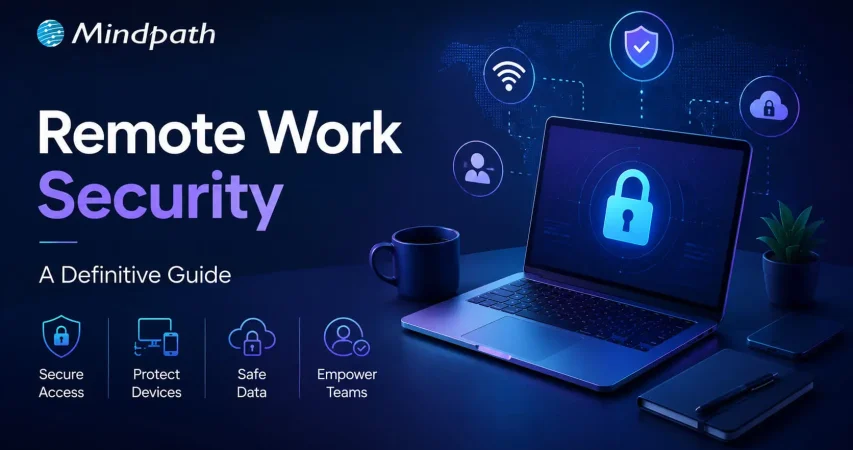
Remote work security refers to the practices, technologies, and policies that protect corporate data and networks when employees work outside a traditional office environment. Teams operate across devices, networks, and locations every day, and without corporate firewalls in place, even small gaps can create serious vulnerabilities. The risks evolve quickly, which is why businesses need protection strategies built on strict user verification, encrypted network connections, and continuous endpoint monitoring without disrupting daily workflows or user experience.
Decisions on security must be clear and consistent as organizations increase remote setups. Leaders need to pose the correct questions and take actions. Meanwhile, employees require straightforward and easy to use systems that facilitate day-to-day operations. Consequently, there is a need to have a balanced approach to succeed in the long term. This blog will provide explanations of important aspects of remote work cybersecurity in a clear and practical manner. So, keep reading further!
Ready to secure your remote workforce and protect your business from evolving cyber threats? Contact us to explore how our team can help you build a safer and more resilient remote work environment.
The Growing Cyber Risk in Remote Work Environments
Not only in the office, remote work also faces rising cyber threats today. Remote work security is vital because employees are using their personal networks and devices to access systems. These are some of the weak points that hackers attack. Consequently, minimal security breaches have the potential to compromise business information and interrupt routine business activities within a short time.
Simultaneously, remote workforce cybersecurity is exposed to increasing threats as the techniques of attacks advance daily. Phishing, ransom, and identity attacks are growing at a high rate. Remote setups are fast to adapt to cybercriminals. Thus, organizations need to remain vigilant and increase security to manage these changing threats.
Want to better understand how to scale teams without increasing security risks? Explore the benefits of hiring remote developers to balance flexibility with control.
Here are some of the remote workforce security risks:
1. Unsecured Network Risks
At home or cafes, employees tend to connect to unsecured networks. These connections can easily be intercepted by attackers to get sensitive data.
2. Weak Password Security Risks
A large number of users use the same password on several accounts. A single breach may reveal multiple systems within a short time.
3. Personal Device Security Risks
Individual gadgets frequently lack frequent security patches and safeguards. This provides malware and attacks with easy entry points.
4. Phishing and Social Engineering Risks
To deceive users, hackers use spoofed emails, or messaging. Such attacks seek to steal usernames or confidential information.
5. Shadow IT Security Risks
Employees sometimes use apps without company approval for convenience. This bypasses security controls and increases risk.
6. Software Update Security Risks
Remote devices might not get security patches in a timely manner. This exposes systems to well-known threats and vulnerabilities.
7. Physical Security Risks
The devices may be lost or found in high-traffic or communal areas. Critical business information may be put at risk as a result of unauthorized access.
Looking to simplify how your remote teams stay connected and secure daily? Discover powerful remote work tools that support safer collaboration.
Importance of Cybersecurity in Remote Work
Remote work security is key in safeguarding data and systems when working remotely. Here are the reasons why solid cybersecurity is still needed in the daily remote work setting.
1. Protecting Expanding Digital Entry Points
Remote work adds devices, networks and points of access to systems. Cybersecurity for remote work helps control risks in these expanded environments.
2. Securing Sensitive Business Data
Every day, employees gain access to and share crucial information that is not secured by office infrastructure. Work from home security will also protect data when storing and transferring data.
3. Reducing Phishing and Online Fraud Risks
Users who are distantly located are faced with rising phishing attacks in the form of emails and fraudulent communications. High level of security awareness will avoid unintentional sharing of sensitive login information.
4. Maintaining Strong Security Standards
Both personal and shared devices may not have consistent security updates and protection tools. The use of consistent policies guarantees similar protection standards across all systems.
5. Ensuring Business Continuity
Cyber attacks have the ability to interrupt workflow and slow down processes happening remotely. Good security control mechanisms assist in stability and prompt recovery exercises.
6. Building Trust and Meeting Compliance
Data security breaches may destroy reputation and decrease customer confidence within a short time. Adequate security would keep the rules and guard business reputation.
Planning to strengthen your security foundation as your business grows? Read about application security best practices to protect your systems effectively.
Cybersecurity Best Practices
Remote working security requires effective habits to safeguard information and systems in remote configurations. These are the best practices that can be implemented in order to enhance safety and minimize risks.
1. Safe Network Access (VPN Use)
Connect with secure VPN to all remote work activities on a daily basis. This secures information transfer among the commonly shared and open internet systems.
2. Home Network Protection
Protect home routers by using strong passwords and updating encryption parameters. Store smart devices on different networks to minimize security risks.
3. Timely Software Updates
Automatically update all systems and security applications. Frequent patches seal identified vulnerabilities and thwart cyber attacks in real-time.
4. Stronger Login Protection (MFA)
Implement several authentication measures whenever accessing the company system. Remote work security enhances safety of access via additional authentication measures.
5. Strong Password Management
Use different passwords on each account using secure password tools. Do not use the same passwords in personal and work accounts.
6. Employee Security Awareness
Train employees on how to detect phishing emails and suspicious online activities. Establish a powerful security culture to avoid unintentional data breaches.
Is Your Organization Truly Ready for Strong Remote Workforce Security?
Remote work has transformed the way teams work and exchange information on a daily basis. Powerful Remote Work Security assists in safeguarding information, hardware, and networks during the increase in cybercrime. It guarantees safer communication, stronger control, and minimized risks in the distributed work setting in the long term business stability and trust.
At Mindpath, we offer remote work security solutions to secure modern distributed teams with robust, trustworthy systems. Our strategy revolves around safe access, data security and risk mitigation. We assist companies to create secure remote working environments that do not affect productivity at all.