Home

Generative AI in Market Research – Benefits, Use Cases, and Future Trends

Generative AI in Market Research – Benefits, Use Cases, and Future Trends

Join our Newsletter!

generative ai in market research

Generative AI is undoubtedly among the most promising technologies that have come into existence in recent years. The impact of Generative AI can be felt in diverse domains such as healthcare, business, and many more. The global generative AI market size is expected to touch USD 890.59 billion by the year 2032.

A particular area where generative AI is being used as a revolutionary tool is market research. Typically, businesses conduct market research, which helps them to make strategic decisions. In recent times, businesses across diverse industries have been leveraging generative AI in order to simplify their market research process. If you are curious to know, ‘How is generative AI in market research?’ You will find an answer to this question now.

Ready to take advantage of generative AI for smarter market research? At Mindpath, we offer AI development services to build custom solutions that deliver actionable insights and a competitive edge.

What is the Role of Generative AI in Market Research?

Before understanding the exact role of generative AI in market research, one must have clarity on “what is generative AI.” Generative AI is a type of artificial intelligence that creates new content, including text, images, video, and audio, by learning patterns from large existing datasets. Unlike traditional AI, which classifies or predicts, generative AI produces original outputs, making it foundational to tools like ChatGPT, Google Gemini, and Midjourney.

Today, the role of generative AI in market research is of immense value. By integrating this technology, businesses can automate traditional research workflows, rapidly synthesize unstructured data from sources like open-ended surveys and customer reviews, and simulate synthetic consumer focus groups, uncovering actionable insights in real time. This allows teams to predict customer behavior more accurately and bring offerings to market faster.

Benefits of Generative AI in Market Research

The economic potential of generative AI in the next productivity frontier is immense. In the market research landscape, generative AI is already playing an instrumental role in creating value for businesses. Some of the chief benefits of generative AI include:

1. Ability to gain faster insights

Generally, market research is a lengthy process for businesses. Traditionally, businesses took several days or even weeks to conduct market research. However, the adoption of generative AI in market research has simplified the entire process. Businesses can conduct market research in an efficient and accurate manner with the help of generative AI. Thanks to the novel technology, the boundaries of market research AI have expanded for businesses.

2. The bigger picture of customers

Thanks to generative AI, businesses are able to get a bigger picture of their existing as well as potential customers. By using the capabilities of generative AI, businesses are in a position to understand the exact preferences of their target audience. Moreover, they are able to create detailed customer profiles, which helps to create value for them.

3. Improved cost efficiency

Previously, businesses had to incur significant costs to carry out market research. Many businesses had to hire researchers or interviewers. Even if research was carried out in-house, it was time-consuming and expensive. However, the integration of generative AI in the market research process has made it much more cost-efficient. By adopting the novel technology, businesses are able to automate recurring tasks. Thus, the possibility of human errors is reduced significantly.

Curious how the generative AI revolution is reshaping market research? Explore the generative AI revolution to see how it’s transforming insights and decision-making.

Top Use Cases

Today, a greater number of businesses have started to rely on generative AI to conduct market research.  In order to understand the potential of this innovative technology, it is necessary to look at the real-world use cases of it. Some of the top use cases include:

1. Automation of data collection

Many business entities are adopting generative AI to automate how they gather data from the market. For example, they are able to generate survey questions. Moreover, this novel technology enables business entities to analyze the responses of their audience in an instant manner. As a result, it is possible to save valuable time and resources while undertaking market research activities.

2. Generation of research reports

After conducting research, businesses create reports based on the research findings and insights. The adoption of generative AI in the market research process has simplified how businesses create content for their reports. Instead of relying on manual report generation, businesses are able to use it to generate quality and accurate reports that are based on their market research. Thus, they can refer to these informative documents to craft their business strategies and plans.

3. Information synthesis

In the current era, a large number of data is available for businesses. This automatically makes the market research process very tedious in nature. However, by using generative AI for market research purposes, businesses today are able to synthesize information effectively. This is because generative AI is capable of sifting through a large volume of data in a precise and efficient manner. By synthesizing information at a comprehensive level, businesses are able to gain valuable and accurate insights.

Wondering how generative AI is changing industries beyond tech? Check out generative AI use cases in diverse industries to see its impact on marketing, healthcare, finance, and more.

Future Trends

The future trends for generative AI in market research are full of new opportunities and possibilities. It may redefine the entire market research landscape. As the impact of it can already be felt today, it is necessary for businesses to keep a tab on future trends. Some of the top future trends include:

1. Better collaboration between AI and humans

In the future, the use of generative AI for conducting market research may facilitate better collaboration between AI technology and human researchers. As a result, the overall richness of the research process may be enhanced. This type of collaboration can help businesses get better insights, which can impact their operations.

2. Higher personalization in research

The integration of generative AI in market research may contribute to heightened personalization. Businesses may rely on AI-driven solutions so that they can tailor their research approaches as well as strategies. So they may be in a position to get their hands on more precise and accurate insights. It can certainly empower business entities to take advantage of their research findings and create value for their market audience.

3. Real-time research

By using generative AI, businesses may be able to carry out research activities on a real-time basis. In the evolving market landscape, such a research technique can be of high strategic relevance for businesses. By gaining accurate insights in real time, businesses can deploy strategies in a proactive manner. Moreover, new opportunities can arise in their path to move ahead of their competition.

Looking to leverage the best tools for generative AI in market research? Explore top GenAI tools to learn how cutting-edge solutions enhance data analysis, insights, and decision-making.

Final Words

The adoption of generative AI in market research has been nothing less than revolutionary. The rapid adoption of novel technology in diverse areas is likely to contribute to the growth of the generative AI market in the future. Gradually, businesses have started realizing the amazing potential of it.

The benefits, as well as the use cases of generative AI in market research, highlight its promising nature. In fact, the future of generative AI in the market research context is very bright. Business entities need to capitalize on the capabilities of generative AI so that they can strengthen their market research process and gain an edge over their competitors. AI development services can help organizations design and implement custom generative AI solutions tailored to their market research needs.

Want Faster Insight From Your Research?

We build tools that summarize and analyze responses at scale.

Frequently Asked Questions

Generative AI analyzes large datasets, summarizes customer feedback, identifies market trends, and generates actionable insights, helping businesses make faster and more informed decisions.
Yes. Generative AI processes surveys, reviews, and social media conversations to uncover customer preferences, pain points, and emerging trends with greater speed and accuracy.
Businesses benefit from faster analysis, reduced research costs, improved data accuracy, automated reporting, and deeper customer insights for better strategic planning.
No. Generative AI automates data analysis and reporting, while researchers interpret findings, validate results, and make strategic business recommendations.
Businesses should ensure high-quality data, protect customer privacy, validate AI-generated insights, and implement governance policies for responsible AI usage.

Support Is One Click Away

Featured Posts

Related Post

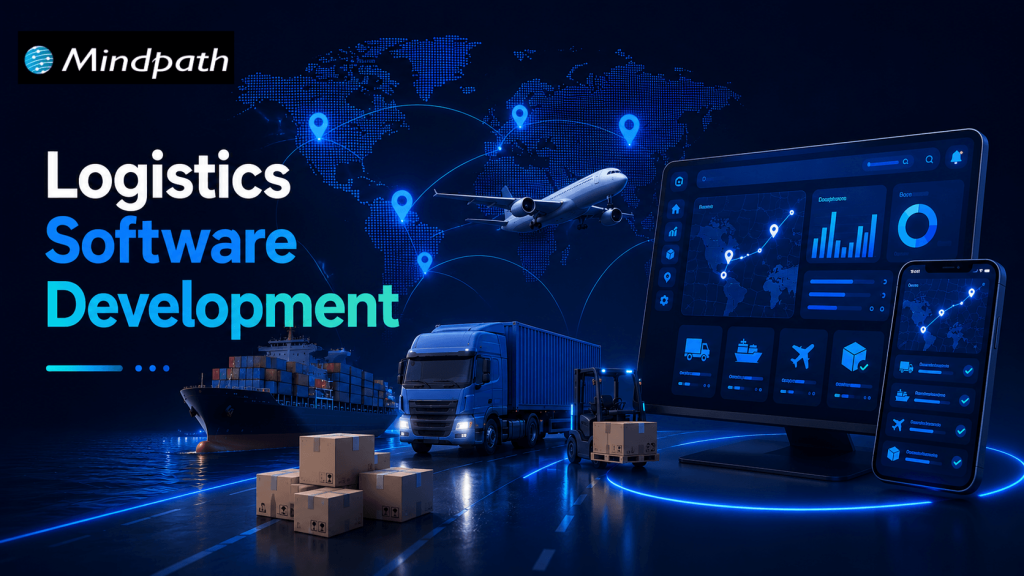
Logistics Software Development

Managing transportation, warehouses, inventory, and deliveries can become complicated as a logistics business grows. Disconnected systems, manual data entry, delayed shipment updates, and inefficient delivery routes can increase operational costs and affect customer satisfaction.

This is where logistics software development becomes valuable. By creating digital solutions that connect logistics operations, businesses can automate repetitive tasks, improve shipment visibility, and manage resources more efficiently.

Key Takeaways

  • 01
    Logistics software development helps businesses automate transportation, warehouse operations, inventory management, and delivery workflows.
  • 02
    Custom logistics software solutions can support unique business requirements, improve visibility, and connect existing systems.
  • 03
    Essential features include real-time shipment tracking, route optimization, inventory management, automated notifications, and reporting.
  • 04
    AI, machine learning, and predictive analytics can help logistics companies make informed decisions and anticipate operational challenges.
  • 05
    A successful logistics software project starts with clear business goals, suitable technology, reliable integrations, and a scalable development strategy.

Modern logistics software can support everything from fleet management and warehouse operations to last-mile delivery and supply chain analytics. With artificial intelligence (AI), cloud computing, and automation, businesses can also improve planning and respond to changing operational conditions.

For logistics providers, e-commerce companies, manufacturers, and third-party logistics (3PL) businesses, investing in the right software can create a more connected and efficient supply chain.

In this guide, we explore logistics software development, its main types, essential features, business benefits, emerging technologies, and the steps involved in building a suitable solution.

Looking to develop a scalable software solution for your business? Explore Mindpath to learn about its software development and AI development services, and discuss your project requirements with the team.

What Is Logistics Software Development?

Logistics software development is the process of designing, building, integrating, and maintaining software applications that help businesses manage the movement, storage, and delivery of goods.

These applications organize logistics activities through centralized dashboards, automated workflows, tracking systems, and data analytics.

For example, a logistics company managing multiple delivery vehicles can use custom software to assign drivers, plan routes, monitor shipments, and notify customers about delivery updates. Managers can review operational data from one platform instead of switching between multiple tools.

Depending on business requirements, logistics software may include:

  • Transportation management systems (TMS)
  • Warehouse management systems (WMS)
  • Fleet management applications
  • Inventory and order management systems
  • Shipment tracking and delivery management software
  • Supply chain visibility platforms
  • Freight management and logistics analytics solutions

Businesses can adopt ready-made software, customize an existing platform, or invest in custom logistics software development. The right approach depends on operational complexity, integration requirements, budget, and long-term goals.

Types of Logistics Software Solutions

Different logistics businesses require different digital solutions. Understanding the main types helps organizations select the right technology for their operations.

1. Transportation Management System (TMS)

A transportation management system helps businesses plan, execute, and monitor the movement of goods.

It can support shipment scheduling, carrier selection, freight cost tracking, route planning, and delivery status monitoring.

For example, a distribution company shipping products across multiple cities can use a TMS to coordinate carriers, manage delivery schedules, and identify transportation inefficiencies.

2. Warehouse Management System (WMS)

A warehouse management system manages activities within a warehouse or distribution center.

Common capabilities include inventory tracking, receiving, picking, packing, stock transfers, and dispatch management.

A WMS helps warehouse teams maintain better inventory visibility, reduce manual errors, and process orders more consistently.

3. Fleet Management Software

Fleet management software helps companies monitor vehicles, drivers, fuel consumption, maintenance schedules, and vehicle utilization.

When integrated with GPS and telematics systems, it can provide vehicle location updates and operational information that supports better fleet planning.

This type of solution is particularly useful for transportation providers, courier businesses, and companies operating their own delivery fleets.

4. Last-Mile Delivery Software

Last-mile delivery software manages the final stage of delivering a shipment to its destination.

Features may include automated dispatching, driver applications, delivery route planning, estimated arrival times, customer notifications, and electronic proof of delivery.

These capabilities can help e-commerce businesses and delivery providers improve communication and coordinate multiple deliveries more effectively.

5. Supply Chain Management Software

Supply chain management software connects activities involving suppliers, inventory, procurement, transportation, and distribution.

It can provide a broader view of product movement and help businesses coordinate different stages of their supply chain.

When connected with enterprise resource planning (ERP), warehouse, and transportation systems, it can reduce information gaps between departments.

Essential Features of Logistics Management Software

The right features depend on the business model, operational scale, and user requirements. However, several capabilities are commonly valuable in modern logistics software solutions.

1. Real-Time Shipment Tracking

Shipment tracking provides updates about shipment locations and delivery status using carrier integrations, GPS, or other tracking data sources.

It helps logistics managers identify delays and gives customers better visibility into their orders.

2. Route Optimization

Route optimization software evaluates factors such as delivery locations, vehicle capacity, traffic information, and delivery windows to recommend efficient routes.

More efficient routes may reduce unnecessary mileage, fuel consumption, and delivery times.

3. Inventory and Order Management

Inventory management helps businesses monitor available stock, incoming shipments, outgoing orders, and stock movement.

Order management connects order processing with warehouse fulfillment and transportation, reducing the need for repetitive manual updates.

4. Automated Notifications

Automated notifications keep customers, drivers, and operations teams informed about shipment dispatch, delivery progress, delays, and completed deliveries.

These updates can reduce routine customer inquiries and improve communication.

5. Reporting and Analytics

Logistics dashboards can display key performance indicators such as on-time delivery rates, shipping costs, vehicle utilization, inventory accuracy, and order fulfillment times.

These insights help managers identify bottlenecks and make decisions based on operational data.

6. System Integration

Logistics software often needs to exchange data with ERP platforms, e-commerce stores, accounting applications, warehouse systems, carrier APIs, and customer relationship management (CRM) tools.

Reliable integrations help maintain consistent information across business systems and reduce duplicate data entry.

7. Security and Access Control

Logistics applications may handle customer details, shipment records, commercial information, and operational data.

Role-based permissions, encryption, secure authentication, backups, and appropriate monitoring help protect this information.

Benefits of Custom Logistics Software Development

Custom logistics software development can be useful when existing platforms cannot fully support a company’s workflows or integration requirements.

1. Improved Operational Efficiency

Automating repetitive activities such as dispatch assignments, shipment updates, and order processing allows teams to spend less time on manual coordination.

2. Better Supply Chain Visibility

A connected platform can provide a more complete view of shipments, inventory, vehicles, and delivery progress. This helps teams identify issues and coordinate responses more quickly.

3. Reduced Operational Waste

Route optimization, inventory visibility, and automated workflows can help businesses identify avoidable expenses and use their resources more effectively. Actual savings depend on the existing process and the quality of implementation.

4. Enhanced Customer Experience

Customers benefit from clearer shipment updates, more accurate delivery estimates, and convenient access to order information.

5. Greater Scalability

A well-designed system can accommodate additional warehouses, users, vehicles, locations, and integrations as business requirements evolve.

6. Workflow Customization

Custom software can reflect specific business rules, reporting requirements, pricing structures, and approval processes that generic tools may not support adequately.

However, custom development also requires ongoing maintenance, security updates, testing, and technical support. Businesses should evaluate these responsibilities alongside the expected benefits.

How AI Is Transforming Logistics Software Development

Artificial intelligence is expanding the capabilities of logistics management software by helping businesses analyze operational data, forecast demand, and automate selected decisions.

Here are some important applications.

1. AI-Powered Route Optimization

AI-assisted systems can evaluate historical delivery information, traffic conditions, delivery windows, and other available data to recommend suitable routes.

Depending on data quality and system capabilities, this can help dispatchers respond to changing conditions and improve delivery planning.

2. Predictive Demand Forecasting

Machine learning models can analyze historical orders, seasonal patterns, and other relevant business data to estimate future demand.

These forecasts can help businesses plan inventory levels, staffing, and transportation capacity.

3. Predictive Fleet Maintenance

When reliable vehicle and telematics data is available, predictive models can identify patterns associated with possible equipment problems.

Maintenance teams can use these insights to investigate potential issues and plan servicing before a breakdown disrupts operations.

4. Intelligent Document Processing

AI-powered document processing can extract information from invoices, shipping documents, delivery receipts, and other logistics records.

With appropriate validation and human review, this can reduce repetitive data entry and improve document processing workflows.

5. Logistics Analytics and Decision Support

AI-assisted analytics can help teams identify unusual delivery delays, changes in transportation costs, and operational patterns that require attention.

AI should support well-defined business processes rather than being added simply because the technology is available. Data quality, integration, accuracy, privacy, and human oversight remain important considerations.

Logistics Software Development Process

Building effective logistics software requires a structured approach that connects technical decisions with actual business needs.

Step 1: Identify Business Requirements

Determine the main challenges the software should solve. These might include shipment delays, poor inventory visibility, manual dispatching, or disconnected operational systems.

Define measurable objectives before selecting features.

Step 2: Select the Right Software Type

Decide whether the business needs a TMS, WMS, fleet management application, delivery platform, or an integrated solution.

Compare custom development with ready-made software to understand the cost, implementation effort, flexibility, and maintenance requirements.

Step 3: Plan Features and Integrations

Prioritize essential features for the initial release. Identify the systems, APIs, devices, and data sources the application must connect with.

Starting with a focused minimum viable product (MVP) can help businesses validate the solution before expanding its functionality.

Step 4: Design the User Experience

Create intuitive interfaces for dispatchers, warehouse staff, drivers, administrators, and customers.

Mobile usability is particularly important for drivers and field teams who may need to access information while working away from an office.

Step 5: Develop and Test the Application

Develop the software using an architecture and technology stack suited to the required functionality.

Testing should cover application performance, integration reliability, access permissions, data accuracy, security, and real-world operational scenarios.

Step 6: Deploy and Integrate

Deploy the application in the selected environment and connect it with the required business systems.

A phased rollout can help teams identify implementation issues and provide feedback before the software is introduced across the entire organization.

Step 7: Monitor and Improve

After launch, monitor system performance, user adoption, delivery KPIs, errors, and feedback.

Regular maintenance and planned improvements help keep the application reliable as business requirements change.

How to Choose the Right Logistics Software Development Company

Selecting a development partner is an important decision because logistics systems often involve complex workflows and multiple integrations.

Evaluate potential partners using the following criteria:

  • Relevant technical experience: Look for experience with custom software, APIs, cloud platforms, mobile applications, and data integration.
  • Understanding of logistics workflows: The team should understand the requirements of transportation, warehousing, fleet operations, or delivery management relevant to your project.
  • Scalable architecture: Confirm that the proposed solution can accommodate expected business growth.
  • Security practices: Ask about data protection, access control, backups, testing, and ongoing maintenance.
  • Clear project communication: Ensure the development process includes defined milestones, testing procedures, documentation, and feedback cycles.
  • Post-launch support: Understand how updates, technical issues, integrations, and future improvements will be handled.

Ask for relevant case studies or demonstrations where available, and evaluate whether the proposed solution addresses your specific business requirements.

Conclusion

Logistics software development helps businesses connect transportation, warehouse management, fleet operations, and delivery workflows through digital solutions designed around their needs.

From real-time shipment tracking to AI-assisted route optimization, the right capabilities can improve visibility, reduce manual work, and support more informed operational decisions.

The best solution is not necessarily the one with the most features. It is the one that solves the most important business problems, integrates reliably with existing systems, and can evolve as requirements change.

If your organization is exploring logistics software modernization, begin by identifying operational bottlenecks, defining measurable objectives, and prioritizing the features that will deliver the greatest practical value.

Explore how digitization transforms logistics with real-world use cases, benefits, and cutting-edge technologies that boost efficiency, reduce costs, and enhance customer experience.
custom software development process

Whenever you are creating a tailored solution for your business, it is very important to clearly understand how the development process will be structured. The custom software development process clearly guides you in turning your ideas into a usable working solution. Every step matters – from understanding the requirements, conceptualizing the software, determining the specifications, and creating software that supports your goals. You will get to know what is to come, how teams will work together, and what to expect at every step as your project moves forward in purpose and clarity.

A thorough comprehension of how this process works gives you a better sense of clarity and confidence as you engage with the project. You will be able to understand each phase clearly and watch your vision come together step by step. Upon having this understanding, it is very easy and clear to collaborate with your development team. In this blog, you’ll go through the whole process and will understand how the custom software will come to life, step by step.

At Mindpath, we offer custom software development services to turn your vision into reality by guiding you through every step. Contact us today for a solution that turns your ideas into real-world project.

Importance of Custom Software Development for Businesses

Custom software development is valuable because it provides businesses with tools made solely for them. Unlike off-the-shelf software, custom software solutions fit unique business requirements and methods. This leads to improved performance, increased efficiencies, and better results. It also minimizes unnecessary rework, saving time and money, and allowing companies to be more efficient overall.

Custom software is scalable with your business. You will be able to add features or alter functionality based on your requirements. This adjustable system uniquely supports a company’s long-term goals and puts you ahead of your competitors. Custom software solutions offer a better experience for both the user and employees, which supports increased productivity and satisfaction.

Understanding the Custom Software Development Process

It is essential to know about the process to be followed prior to starting a software project. By getting familiar with the software development process steps, you can be an active participant and an advantageous decision-maker throughout the project. By understanding the process, you will also ensure value delivery by building software with clear goals, planning, and execution.

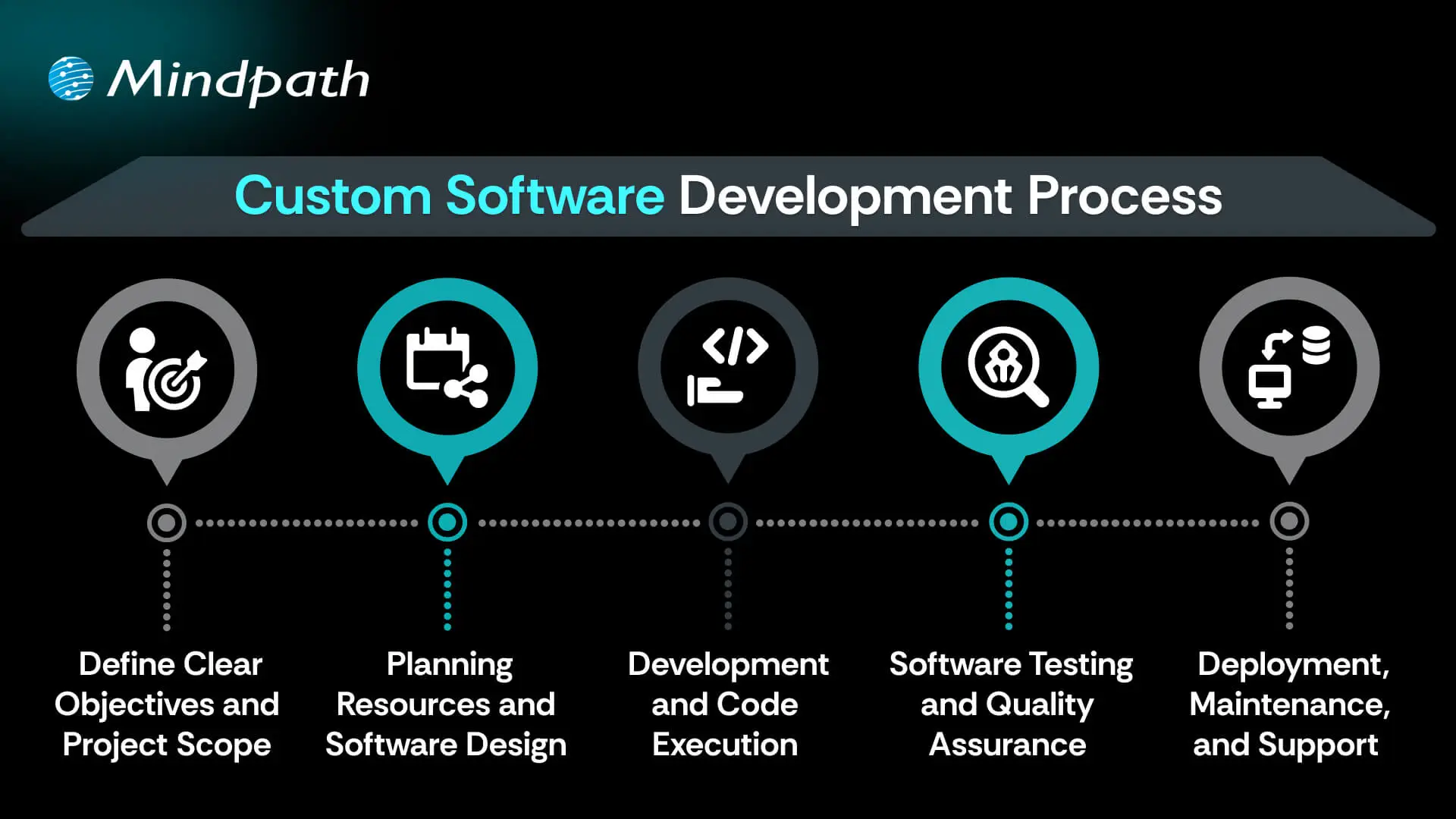
Custom Software Development Process

1. Define Clear Objectives and Project Scope

The custom software development process begins by defining your goals and understanding what the software must achieve. This includes identifying the target users, the problem it solves, and how it should perform differently from existing tools. A detailed list of features and expected outcomes is prepared. Both functional and non-functional requirements are clearly documented. This step sets the direction and purpose for everything that follows.

2. Planning Resources and Software Design

Planning involves creating a detailed timeline, setting milestones, and organizing resources for development. Budgets, risks, and deliverables are clearly outlined to avoid delays or extra costs. During software development design, wireframes and prototypes are created to visualize the interface and user flow. The architecture is also planned, including system components and how they will interact. Technologies such as programming languages, frameworks, and databases are chosen here.

3. Development and Code Execution

At this point in the custom software development process, the programmers will begin the actual coding based on the approved designs. The developers will prepare technical infrastructure with tools, servers, and version control. The front-end, back-end, and database modules are built and integrated together. Each piece of software functionality is developed based on the description created in the design documents. The functionality is translated into active, live software with working features to start testing.

Curious how software functions seamlessly from the user interface to the server? Explore the role of frontend and backend to understand how both sides work together to deliver smooth, secure, and engaging digital experiences.

4. Software Testing and Quality Assurance

After the software is developed, it will go through a series of testing strategies to check for quality and reliability. The first step, or unit testing, will cover each feature and try to eliminate some early problems. Then the following step, called integration testing, will check the work of modules and ensure they work as a system. Once that’s complete, the next phase is system testing, which ensures all performance, security, usability, and reliability aspects are achieved and validated prior to the release of the product.

5. Deployment, Maintenance, and Support

In the final step of the custom software development process, the solution moves to a live environment for end users. The deployment may include installing the software on servers, setting up databases, and giving users access. After launch, the software is continuously monitored for issues. Maintenance includes fixing bugs, adding new features, and updating it for better performance. Ongoing support keeps the software running smoothly over time.

Concerned about risks that could slow down your custom software build? Explore the major custom software development mistakes that can disrupt progress and find out how to avoid them.

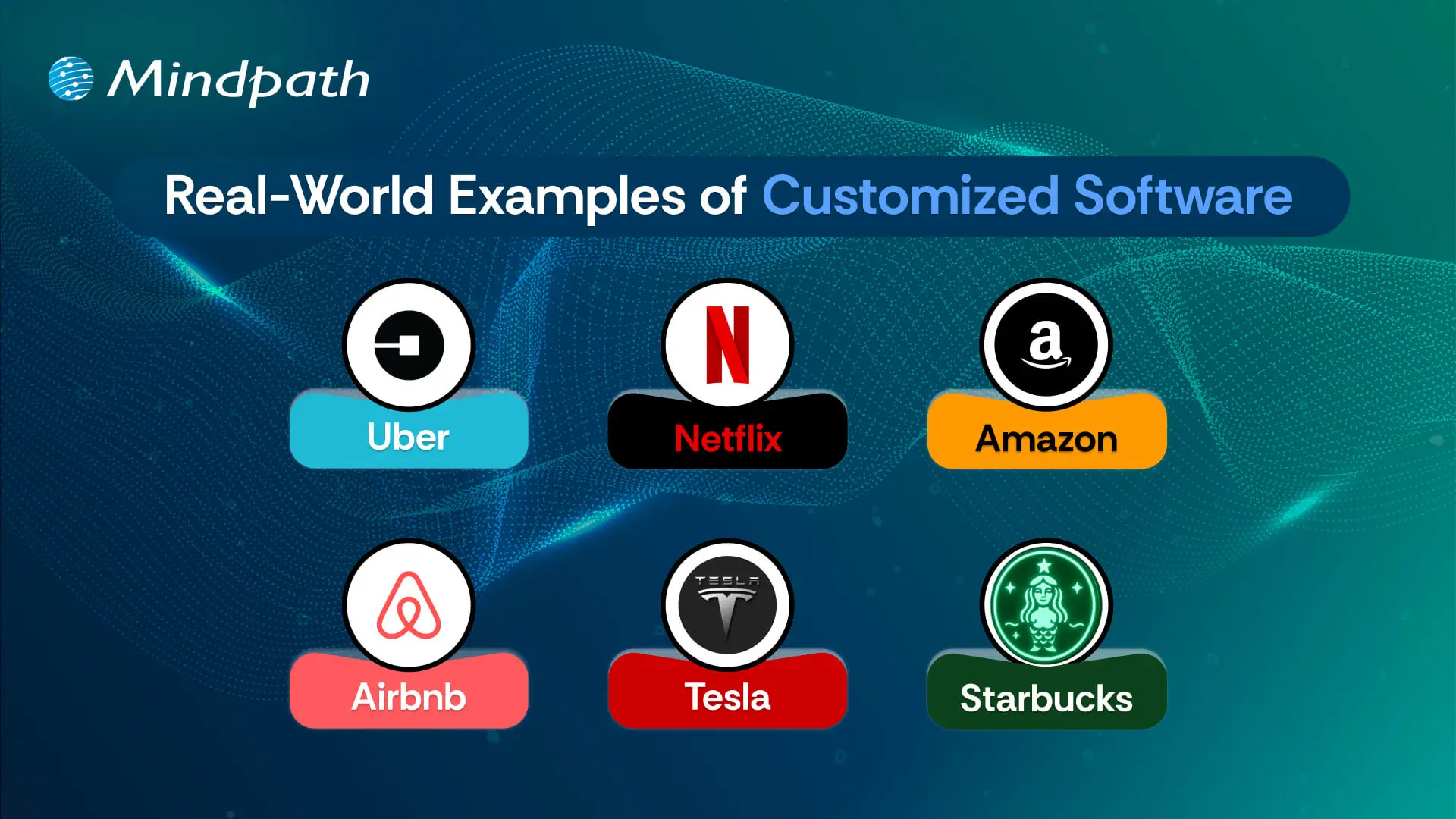
Real-World Examples of Customized Software

Below are six real-world customized software examples that demonstrate how businesses are navigating unique challenges by investing in custom software to create a digital solution. These tools have been developed to improve usability, performance, and long-term sustainability.

Real-World Examples of Customized Software

1. Uber

Uber constructed a custom ride-booking system complete with GPS tracking, so you know where your ride is located, secure payment options, and updates on the driver’s progression. The app shifted transportation in cities globally.

2. Netflix

Netflix utilizes AI-based recommendation engines and adaptive streaming systems to provide an overall personalized viewing experience through a fully custom platform.

3. Amazon

Amazon uses custom software to manage inventory, predict customer preferences, and allow one-click ordering for a fast and reliable purchasing experience.

4. Airbnb

Airbnb built a custom platform for travelers to pay securely, check real-time availability, and search by location for hosted accommodations around the globe.

5. Tesla

Tesla uses customized software for its smart vehicles to drive the autopilot capabilities, over-the-air updates, and real-time diagnostics to enable sophisticated performance.

6. Starbucks

Starbucks utilizes a custom application to allow customers to mobile order, encrypt reward tracking, and offer options for contactless payments, making the product experience more convenient and helping to cultivate loyalty.

Curious how different kinds of software are built to serve unique business and user needs? Discover the various types of software development to understand how each one contributes to creating powerful digital solutions.

Ready to Create Software That Aligns with Your Business?

Custom software development is the process of creating digital solutions that fulfill your specific business goals. From clarifying your vision to deploying the software and providing ongoing support, every step of the official custom software development process undergoes proper plan and execution. The final outcome of custom software typically entails better efficiency, enhanced experiences for users, and long-term growth through technology that suits your needs.

As a premier custom software development company, we at Mindpath specialize in providing full-spectrum custom software development services that suit your specific business. Our team expertly develops scalable, secure, and simple solutions that integrate well into your workflows and future goals. Partner with us to turn your ideas into powerful, high-performance software built for results.

AI Model Fine Tuning

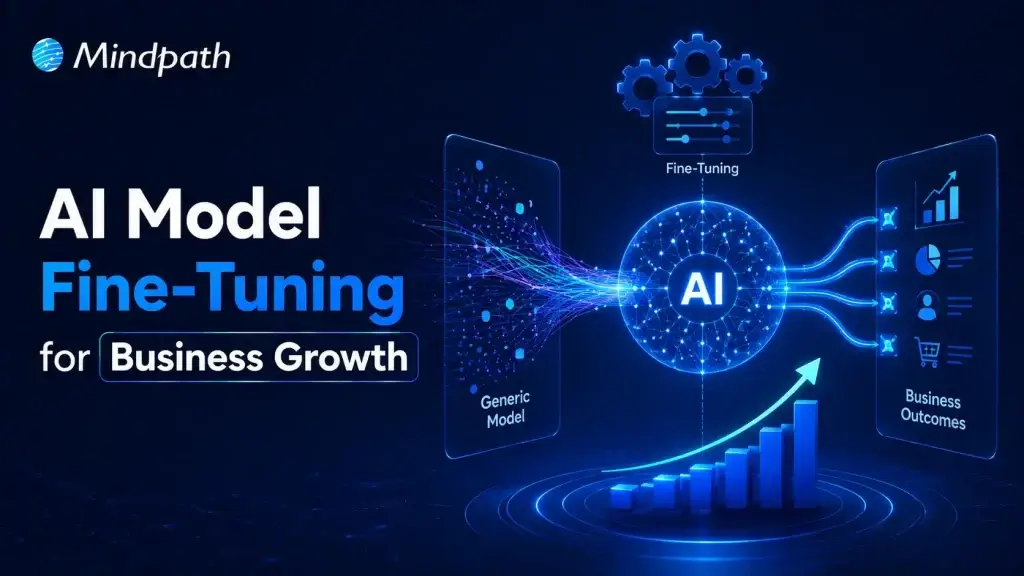
Artificial intelligence is reshaping modern businesses across every industry. Yet generic models often fail to understand company-specific knowledge and business processes. To fine-tune AI model performance, organizations need a focused customization strategy. This approach improves accuracy, consistency, and relevance for real business applications.

Key Takeaways

  • 01
    Fine-tuning transforms general AI models into specialized business solutions with greater accuracy.
  • 02
    High-quality training data directly impacts model performance, consistency, and long-term reliability.
  • 03
    Fine-tuning delivers faster implementation and lower costs than building models from scratch.
  • 04
    Continuous evaluation and optimization keep AI models accurate, scalable, and business-ready.
  • 05
    The right customization strategy helps businesses maximize long-term value from AI investments.

Fine-tuning allows businesses to adapt AI without building an entirely new model. It also helps improve performance for specialized tasks and enterprise workflows. In this blog, you’ll learn what fine-tuning is, when businesses should use it, how the process works, and the best practices for building reliable enterprise AI solutions. So, let’s keep reading further!

Looking for a customized AI model that delivers better results? Discover Mindpath’s AI Model Fine-Tuning Services to optimize model accuracy, efficiency, and domain-specific performance.

What Does It Mean to Fine-Tune an AI Model?

Fine tuning large language models helps businesses adapt pre-trained AI for specific tasks and industry needs. Instead of creating a model from the beginning, organizations refine an existing one using relevant business data. This process improves response quality, accuracy, and consistency across specialized use cases.

Pre-trained models understand general language but often miss company context and domain knowledge. Fine-tuning teaches the model using carefully prepared business datasets and real examples. As a result, it delivers more relevant responses, follows organizational standards, and performs better in practical business environments.

Core Components At a Glance

  • 01
    Foundation Model: Select a pre-trained model suited to your business objectives.
  • 02
    Domain-Specific Data: Train using clean, accurate, and relevant business datasets.
  • 03
    Supervised Fine-Tuning: Refine model behavior with labeled examples and expected outputs.
  • 04
    Parameter-Efficient Fine-Tuning: Reduce training costs by updating only selected model parameters.
  • 05
    Training Hyperparameters: Configure learning settings to improve model performance and stability.
  • 06
    Evaluation and Validation: Test accuracy and prevent overfitting before production deployment.

Fine-Tuning vs Training an AI Model from Scratch

Businesses often compare building a new AI model with choosing to fine-tune AI model performance. Both approaches improve AI capabilities, but they differ significantly in cost, time, resources, and business outcomes.

Understanding these differences helps organizations choose the right strategy for their goals. The right decision depends on data availability, project complexity, budget, and long-term scalability.

Category Training an AI Model from Scratch Fine-Tuning an AI Model
Definition Builds a completely new AI model using large-scale datasets. Customizes a pre-trained model for specific business requirements.
Data Requirements Requires enormous volumes of diverse training data. Uses smaller, high-quality, domain-specific datasets.
Development Time Typically takes several months or longer. Usually completes within days or a few weeks.
Development Cost Involves substantial investment in infrastructure and AI expertise. Significantly lowers development and operational costs.
Computing Resources Requires powerful GPU clusters and extensive computing capacity. Needs fewer computational resources for efficient training.
Customization Offers complete control but demands significant development effort. Delivers targeted customization with faster implementation.
Business Use Cases Suitable for creating entirely new AI models or research projects. Best for industry-specific applications, enterprise workflows, and AI assistants.
Best Choice Large enterprises with extensive budgets, proprietary data, and research teams. Businesses seeking faster deployment, lower costs, and measurable business value.

When Should Your Business Fine-Tune an AI Model?

Not every business needs to customize an AI model from the beginning. AI model customization for enterprise becomes valuable when generic models cannot meet specific business requirements or performance expectations.

1. Specialized Business Knowledge: Fine-tune AI model capabilities for industry-specific tasks and terminology.

2. Consistent Brand Responses: Ensure outputs match your company’s tone, style, and standards.

3. Complex Business Workflows: Handle specialized processes beyond basic prompt-based instructions.

4. High-Quality Training Data: Use curated datasets to improve accuracy and task performance.

5. Lower Operational Costs: Reduce prompt complexity while improving response efficiency and consistency.

How to Fine-Tune an LLM: Step-by-Step Process?

Understanding how to fine tune an LLM helps businesses build AI solutions that deliver better results. A structured process improves model accuracy, reliability, and long-term performance.

Step 1: Select Base Model

Choose a pre-trained model that aligns with your business objectives and use case. Selecting the right foundation improves AI model optimization and overall model performance.

Step 2: Prepare Training Data

Collect clean, relevant, and high-quality datasets for your specific business requirements. Well-structured data helps the model learn accurate patterns and produce reliable outputs.

Step 3: Process Data

Convert the dataset into a format the model can understand during training. Proper preprocessing improves learning efficiency and reduces errors throughout the fine-tuning process.

Step 4: Configure Model

Load the base model and define settings based on your intended task. Correct configuration ensures the model learns effectively from your specialized business data.

Step 5: Validate Performance

Measure model accuracy using evaluation datasets before final deployment. Regular testing identifies weaknesses and helps improve response quality and reliability.

Step 6: Train and Deploy

Train the model with optimized parameters and monitor its performance continuously. Deploy only after verifying consistent, accurate, and business-ready results.

What are the Best Practices to Fine-Tune AI Model?

Successful fine-tuning depends on more than selecting the right model and dataset. Knowing how to train an AI model using proven practices improves performance, reduces errors, and delivers better business outcomes.

1. Clean Training Data

Remove duplicate, outdated, and incorrect records. Clean data improves learning accuracy and consistency.

2. Prevent Overfitting

Reserve unseen data for performance evaluation. Test generalization before deploying the fine-tuned model.

3. Start with Small Datasets

Begin training using limited sample data. Verify results before scaling the complete dataset.

4. Optimize Learning Rate

Choose balanced training settings for stable learning. Avoid values that reduce model performance.

5. Use Efficient Training Methods

Apply lightweight techniques like LoRA whenever possible. Reduce computational costs without sacrificing model quality.

Common Challenges to Watch for

  • 01
    Poor Data Quality: Inaccurate datasets reduce model performance and response reliability.
  • 02
    Overfitting: Excessive learning limits performance on new, unseen business scenarios.
  • 03
    Knowledge Retention: Fine-tuning may reduce previously learned general model capabilities.
  • 04
    High Computing Costs: Training large models requires significant computational resources and infrastructure.
  • 05
    Performance Evaluation: Measuring response quality consistently remains challenging across complex business tasks.

Ready to Fine-Tune Your AI for Better Business Results?

Fine-tuning helps businesses transform general AI models into solutions built for their unique goals and workflows. With the right strategy, quality data, and continuous optimization, organizations can improve accuracy, deliver more relevant responses, and maximize the value of their AI investments.

At Mindpath, we provide end-to-end AI development services, including AI model fine-tuning, to help businesses build AI solutions that align with their unique requirements. Our team works closely with you to create scalable, reliable, and business-focused AI applications that