Home

Staff Augmentation vs Traditional Hiring: Which Model is Right for Your Business?

Staff Augmentation vs Traditional Hiring: Which Model is Right for Your Business?

Lorem ipsum dolor sit amet, consectetur adipiscing elit. Ut elit tellus, luctus nec ullamcorper mattis, pulvinar dapibus leo.

Join our Newsletter!

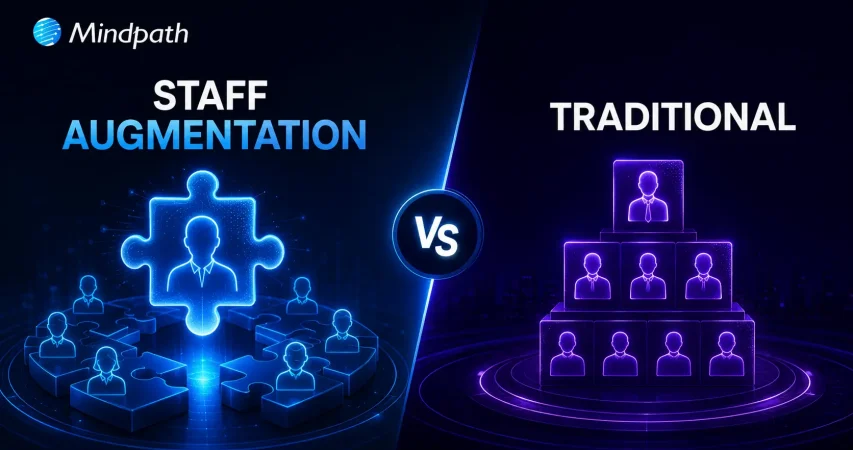
Staff Augmentation vs Traditional

IT staff augmentation offers a flexible, scalable, and cost-effective alternative to traditional hiring models. It enables businesses to quickly access specialized talent, adapt to changing project needs, and optimize resource allocation without long-term commitments. This approach enhances operational efficiency, speeds up hiring processes, and supports strategic growth in dynamic markets.

Are you struggling to find the right talent for your IT projects or facing challenges with traditional hiring processes? Traditional hiring could take months, but what if there was a faster, more flexible solution? Now, with IT staff augmentation, you may satisfy your project goals fast and effectively without the long-term commitment and expense associated with traditional employment.

In today’s fast-changing business environment, companies need to scale quickly and adapt to project demands. IT staff augmentation allows businesses to add skilled professionals to their existing teams without long-term hiring commitments, making it easier to adjust resources as project needs change.

What are the traditional hiring models?

Traditional hiring models cover a range of techniques used by businesses to onboard new staff members. Here’s a short breakdown:

1. Direct Hiring

This is the most popular approach used by businesses to hire people directly for full- or part-time jobs. It includes posting job positions, evaluating applications, setting up interviews, and choosing job applicants.

2. Temporary Hiring

Businesses employ people to do certain tasks or for a set amount of time. Temporary hires are made by the company itself or through employment agencies to cover short-term positions like project-based labour or seasonal labour.

3. Contractual Hiring

Contractual hiring is employing individuals or businesses under a formal contract to do certain activities or projects. Contractors may labour for a certain amount of time until the project is finished, and they are normally compensated for their services in accordance with the conditions specified in the contract.

4. Freelancers or Independent Contractors

Businesses employ independent contractors or freelancers on a project-by-project basis. They work for themselves and supply specialized knowledge or services on demand, frequently from a distance. They are not employees.

Drawbacks of traditional hiring models

Despite being frequently employed, traditional employment strategies include several drawbacks that businesses need to consider:

1. Time and Resource Inefficiency

It might take a while and a lot of resources to advertise job positions, evaluate applications, hold interviews, and decide who gets hired. This inefficiency frequently leads to protracted spells of unemployment, which affects output and pushes back project deadlines.

2. Cost Implications

Conventional hiring includes indirect costs like pay, benefits, and overhead related to permanent workers in addition to direct expenditures like advertising, onboarding charges, and recruiting agency fees (if applicable). Budgetary constraints may be strained by these costs, especially if turnover rates are significant or if highly skilled personnel require premium pay.

3. Rigidity in Staffing

In traditional models, once employed, workers usually commit to long-term jobs that might not match project-specific requirements or changing corporate demands. This lack of adaptability may cause resources to be overextended during peak hours or underutilized during off-peak hours, which would reduce overall operating efficiency.

4. Skills and Expertise Gaps

Access to the knowledge or abilities required for specialized projects or cutting-edge technology could not always be ensured by traditional recruiting practices. Talent with specialized skills may be difficult for organizations to find and keep, which might impede innovation and competitiveness in quickly changing sectors.

Overview of IT Staff Augmentation

IT staff augmentation is a flexible outsourcing model that helps businesses quickly add skilled IT professionals to their existing teams. Instead of hiring full-time employees, companies bring in experts on a temporary or project basis to fill skill gaps and meet project goals. These professionals are typically hired through staffing agencies, freelancers, or direct contracts based on the specific expertise needed.

Key Benefits of IT Staff Augmentation

1. Flexibility and Scalability

Two key benefits of hiring more IT professionals are flexibility and scalability. IT staff augmentation lets companies quickly bring in skilled experts when needed without making long-term hiring commitments. This helps businesses adapt to changing project demands while keeping work on track. It also allows companies to scale their teams up or down as projects change, reducing costs and making it easier to expand into new markets when needed.

2. Cost-Effectiveness

Staff augmentation is a cost-effective way to access specialized talent without the high costs of traditional hiring. It reduces recruitment, onboarding, and long-term employee expenses like benefits and office space. Companies can also scale their workforce based on project needs, helping them manage budgets more efficiently.

3. Access to Specialized Talent

Access to specialized talent helps companies quickly bring in expertise they don’t have in-house. By hiring skilled professionals through agencies or direct contracts, businesses can handle technical or short-term projects without making long-term hires. This approach improves project outcomes, drives innovation, and helps companies stay competitive in fast-changing industries.

4. Faster Hiring Process

IT staff augmentation helps companies hire skilled professionals much faster than traditional recruitment. With access to pre-screened talent, businesses can quickly fill roles, start projects sooner, meet deadlines, and stay flexible while reducing hiring delays and maintaining quality.

Choosing Between IT Staff Augmentation and Traditional Hiring

Criteria IT Staff Augmentation Traditional Hiring
Flexibility High – Can scale up/down as needed Low – Fixed, long-term commitments
Cost Cost-effective, reduced overhead Higher costs, including benefits and office space
Time to Hire Fast – Quick onboarding with pre-vetted candidates Slow – Lengthy recruitment and onboarding process
Access to Talent Access to specialized, global talent quickly Limited to available local talent
Project Adaptability Easily adapt to changing project needs Rigid, less adaptable to project changes
Commitment Short-term or project-based Long-term employment contracts

Conclusion

In conclusion, IT staff augmentation helps businesses stay flexible, scale teams quickly, and access specialized talent without the commitment of traditional hiring. It improves efficiency, optimizes resources, and keeps companies competitive in a fast-changing market.

Whether you need to scale for a new project or hire specialized IT talent, Mindpath offers flexible staffing solutions tailored to your needs. Contact us today to learn how we can support your business.


Support Is One Click Away

Featured Posts

Related Post

Mobile app development tools

In today’s rapid technological environment, businesses and developers are always trying to find new ways to create apps that engage users and run efficiently. This is why understanding what is mobile application development is essential. In short, mobile application development is the creation of software applications that run on mobile devices, such as smartphones and tablets, involving both creativity and technical skill. Selecting the best mobile app development tools can greatly enhance speed, quality, and innovation. The right tools will make coding, design, testing, and deployment easier for teams of people. It fosters the idea developed into a real app more quickly and effectively.

Investigation into the mobile app development ecosystem demonstrates a rapid and reliable delivery of apps to users. Tools shape the entire process, from user interface design to backend integration. This indicates that choices of tools are critical to success. The right set of tools maximizes people’s efficiency while conserving time, minimizing mistakes, and encouraging collaboration on projects. This provides support for more modern amenities. In this blog, we will highlight some of the best mobile development tools that are leading the industry today. So, keep reading further!

With advanced knowledge and expertise, Mindpath offers mobile app development services that are designed to deliver high-performing and user-centric apps, also ensure that your mobile product stands out in performance and design.

What is a Mobile App Development Tool?

A mobile app development tool is a software program, framework, or environment used to design, build, test, and deploy applications for mobile devices like smartphones and tablets. It offers developers resources such as integrated development environments, visual design interfaces, pre-built components, and code-free solutions to make the app-building process faster and easier. These tools also enable API integration, automated testing, data syncing, and analytics, all while helping teams build robust, user-friendly apps.

By employing mobile app development tools, developers can operate in a visual environment with hardware reliability and flow design. They also simplify the backend of features such as push notifications and cloud services. App development becomes equitable, faster, organized, and with fewer errors leading developers to be able to innovate and enhance quality.

Want to build a mobile app but don’t know which technology to use for better execution? Learn from the mobile app development technologies blog to understand what suits best for your business.

Top 10 Mobile App Development Tools

Selecting the appropriate mobile app development tools is essential for developing performant and conveniently accessible applications. The right development tool simplifies coding and design, enhances collaboration, and increases testing and deployment features. It helps developers bring their ideas to reality more effectively. Here is a list of some of the best mobile app development tools:

1. React Native

React Native is one of the best mobile application development frameworks for producing high-quality applications across platforms. It lets developers apply their existing expertise in JavaScript and React framework to develop native-like interactions for iOS, Android, and other platforms. The cross-platform features of React Native let developers build applications with a higher degree of speed, efficiency, and consistency while maintaining performance.

2. Ionic

Ionic is another notable cross-platform mobile app development tool that allows developers to create applications for iOS, Android, and the web, all using standard web technologies, such as HTML, CSS, and JavaScript. It offers a vast set of UI components that have been pre-designed to help you build engaging and visually enhancing applications. It allows developers to enhance their engagement in the applications while maintaining a consistent level of speed and efficiency for multi-platform development.

3. Xamarin

Xamarin is a powerful mobile app development software that provides developers the ability to build Android, iOS, and Windows apps using a single C# codebase. It integrates nicely with Microsoft Visual Studio, allowing developers to build apps more quickly and efficiently. Xamarin allows the development of high-performance apps that will feel and appear native-like while multiplexing and simplifying maintenance.

4. Flutter

Flutter is a widely used development framework by Google that enables developers to build native applications for iOS, Android, the web, and even desktop, all from a single codebase. Thanks to its large offering of fully customizable widgets, developing visually attractive, highly responsive applications is easy. Its cross-platform capability allows teams to develop applications rapidly while continuing to provide a level of consistency across devices.

5. Xcode

Xcode is a full-fledged development environment focused on developing applications on Apple devices (iOS, macOS, iPadOS, watchOS, tvOS). It is an integrated development environment (IDE) that has a structured interface, designed to create, debug, and manage a significant project effectively. Additionally, it provides support for a number of languages, enabling developers to produce the high quality of Apple’s native applications.

6. Swift

Swift is regarded as one of the top tools for mobile application development, specifically for creating apps on iOS, macOS, and watchOS. Its speed, security, and user-friendliness enable developers to build high-performance native applications easily and swiftly. Modern syntax and capabilities make Swift the preferred programming language for application development work on Apple.

7. Kotlin Multiplatform

Kotlin Multiplatform is considered one of the best tools in mobile app development because it allows developers to share code across platforms but still maintain native performance. That is, it allows you to build apps for Android, iOS, and more using a single codebase and reusing your business logic, while still using the native user interface libraries. With support from Google and a growing community, Kotlin Multiplatform is an excellent option for cross-platform mobile app development.

8. Firebase

Firebase is one of the top mobile application development tools. It supplies developers with a complete backend platform for constructing mobile applications and continually enhancing, updating, or developing for future use. It also provides high-level services such as, real-time databases, authentication, analytics, and cloud messaging to make managing a mobile app much easier. Firebase allows developers to solely focus on the front end of the mobile app. Developers use Firebase when they want a fully functioning backend infrastructure that allows for the mobile app to run smoothly.

9. Apache Cordova

Apache Cordova is a mobile app development tool that is popular among developers because it provides the framework to create cross-platform applications using standard web technologies (HTML, CSS, and JavaScript). It makes it easy to develop applications for an entire app by interfacing with native device features through a variety of plugins. Cordova supports faster development and an easy maintenance process while delivering applications that run effectively and efficiently across multiple platforms.

10. Titanium SDK

Titanium SDK is a widely used mobile application development tool framework that affords developers the ability to create native applications for iOS and Android using a single codebase in JavaScript. It also provides access to native device features and enables teams to test simultaneously across platforms. Titanium SDK helps teams iterate faster at development without sacrificing performance or consistency of mobile applications.

Curious how mobile apps can leverage AI to transform your business and stay ahead in 2025? Explore our blog on Mobile App Development Trends to discover how these innovations can enhance user experiences.

Ready to Choose the Right Mobile App Development Tool?

Selecting the right mobile app development tools can make a significant difference in creating high-quality, efficient, and engaging applications. The tools highlighted in this blog help streamline coding, design, testing, and deployment, enabling developers to deliver reliable and innovative apps faster. Choosing the right framework ensures better performance, consistency, and a smoother development process.

At Mindpath, we offer professional mobile app development services that help businesses turn their ideas into fully functional applications. Their team uses modern tools and frameworks to deliver scalable, secure, and high-performing apps for iOS, Android, and cross-platform projects. Mindpath focuses on quality, efficiency, and user experience, ensuring that your app stands out in today’s competitive market.

custom software development

In the digital-first world, businesses are leaning more towards custom software development to meet their own goals and support customer expectations. Whether automating a process, improving user experience, or improving team productivity, the right software makes all the difference. While custom software gives flexibility and power, the way they are built is not always a straightforward process. Small errors during the development can lead to large setbacks, and it is important to understand the best way to go about the process.

A successful custom software project starts with good direction and good decision-making, up front. Every step, from planning to production, is a critical one in the process. In this article, we will look into some fundamental dos and don’ts of custom software development to help you avoid mistakes and navigate confidently for the purpose of building software that works for you. 

Before we dive in, let’s have an idea of what is custom software development. 

Want software that actually solves your challenges instead of adding more? At Mindpath, we offer custom software development services that build tailored tools to improve efficiency and drive real results.

What is Custom Software Development?

Custom software development means creating software that is specially designed for a specific business or group. Unlike off-the-shelf software that’s made for everyone, custom software is built from the ground up to meet unique needs, solve particular problems, and support specific goals. It includes the planning, construction, testing, launch, and maintenance of the software to ensure it maintains its performance over time.

If you are asking, what is an example of customized software? A great example can be a custom search engine. It enables developers to modify how search results appear based on what the user is searching for. It is not just searching broadly; it is displaying whatever they are looking for using smart algorithms, so it helps them find and quickly display the most relevant information. 

Benefits of Custom Software

1. Personalization

Custom apps are made just for your business, so they fit your needs perfectly. This helps your project stand out and gives you a strong edge over others.  

2. Long-Term Cost Savings

Custom software may cost more at the start, but it saves money over time. You can build it part by part to fit your budget and save yourself later with unforeseen costs.  

3. Enhanced Security & Reliability

The security features of custom solutions follow the best security procedures to protect your data. Usually, all custom solutions are thoroughly tested, so your software will be more functional and safer to use.  

4. Built-In Flexibility & Growth

Your business can grow or change over time, and your custom software can too. You can add features or updates whenever the business needs it.  

5. Smooth System Integration

The custom tools can connect seamlessly with the systems you use today so you can do your job faster and your team make better decisions. 

Curious how custom solutions can support your growing business? Explore the key benefits of custom software development and see how it helps companies scale with confidence.

Dos of Custom Software Development

To achieve the best results from software development tailored specifically for your business needs, you want to make sure you follow the right steps from the beginning. These best practices will help to ensure your project stays on track and is a success. 

1. Be Clear on Goals

Before building custom software, you should be clear about your business objectives. Consider what issue you are trying to solve or what task you want to simplify. Speak to the people who are doing that work now and evaluate how existing tools are being used. It is equally useful to define existing software solutions and to evaluate what features you like or dislike. 

2. Define Requirements

It’s really important to provide clear software requirements, and it can be challenging to do this without appropriate support. If you don’t have the time or the team to devote to this type of analysis, then consider engaging the services of a professional, such as a solution architect or business analyst. They will help you articulate your requirements in a manner that the development team can understand and build.  

3. Choose the Right Software Development Company

Choosing the right custom software development company is a big step toward your project’s success. Look for a team that understands your industry, has done similar work before, and offers the skills your project needs. A good company will communicate clearly, follow a strong process, and take data security seriously. 

4. Utilize Existing Tools and Platforms

Using existing software tools and platforms can save time and money when building custom solutions. By combining off-the-shelf software with custom features, businesses get reliable systems without starting from scratch. This approach helps growing businesses cut costs while still getting great value from custom software development. 

5. Estimating Your Project’s Return on Investment (ROI)

When planning your project, it’s important to estimate the return on investment or ROI for different options. You might compare building custom software, integrate existing tools, or buying off-the-shelf solutions. ROI measures the benefits your business gains from using new software, like higher revenue or better productivity.  

Want to know the method behind building scalable and maintainable software? Learn how the software development life cycle helps you streamline development by providing a structured approach that improves efficiency and overall project outcomes.

Don’ts of Custom Software Development

Avoiding common mistakes is just as important as following the right steps when developing custom software. Here are some key things you should avoid during the custom software development process. 

1. Neglect Data Management

Never overlook data security when building custom software. A small mistake can lead to a data breach, which can hurt your business, cost money, and damage customer trust. Always use secure development practices and make sure your software partner handles your data carefully. 

2. Complex UX Design

Making the design too complex can confuse users and slow down development. A simple and clear user experience helps people use the software easily and keeps the project on track. Always focus on what your users really need and design with simplicity in mind. 

3. Overlook Integration Needs

It’s important to plan how your new software will connect with your existing tools. Ignoring integration can lead to extra work, errors, or missing features later. Make sure all needed integrations are listed early and tested properly before launching. 

4. Ignore Scope Change Impacts

Changing your software project’s scope during development can lead to more time, higher costs, and confusion. Even small changes may require big updates in design, development, and planning. It’s best to plan everything clearly from the start and avoid adding new features unless absolutely needed. 

5. Delay User Testing

Don’t wait until the end of your project to test the software. It’s important to test features and gather feedback while the software is still being built. This helps fix issues early and makes sure everything works well for your users. 

Concerned about risks that could slow down your custom software build? Explore the major custom software development mistakes that can disrupt progress and find out how to avoid them.

Ready to Build Custom Software that Truly Works for Your Business?

A successful software project depends on clear goals, careful planning, and avoiding common pitfalls like data mismanagement and scope changes. By following best practices and testing early, businesses can create powerful solutions that boost productivity and growth while meeting unique needs. 

At Mindpath, we provide custom software development services designed to meet your unique business needs. Our solutions are built to enhance efficiency and growth. We also offer business intelligence services that deliver valuable insights. These insights help you make informed decisions and drive long-term success. Partner with us to build software that truly supports your goals. 

Frequently Asked Questions

1. How to decide if custom software development is the right choice for a business?

Choosing custom software development makes sense when existing tools do not fully meet business needs. It is ideal for companies that want better control, flexibility, and scalability. Evaluating long-term goals, workflows, and expected returns helps in making a confident and practical decision.

2. What should be prioritized first in custom software development projects?

The first priority in custom software development should always be clarity. Clear goals, defined user needs, and proper planning create a strong foundation. Without this, teams may face confusion, delays, and rework, which can impact both timelines and overall project success.

3. How can businesses ensure smooth collaboration with development teams?

Strong communication plays a key role in successful collaboration. Regular updates, clear documentation, and shared expectations help both sides stay aligned. Using simple workflows and feedback cycles also ensures that issues are addressed early and progress remains consistent throughout the project.

4. What are the early signs that a software project may face challenges?

Delays in planning, unclear requirements, and frequent unexpected changes are common warning signs. Poor communication and lack of testing can also create issues. Identifying these early allows teams to take corrective steps before they affect the overall quality and delivery timeline.

5. How can user feedback improve the final software outcome?

User feedback helps teams understand what works well and what needs improvement. Gathering input during development allows quick fixes and better feature alignment. This leads to software that is more user-friendly, efficient, and closely matched to real business needs and expectations.

Learn the essential dos and don’ts of custom software development to ensure project success and create tailored solutions.
Top App Ideas

Are you in search of top app ideas that can take your business to the next level? Confused about which app can be beneficial for your business? If so, you are not alone in this! Nowadays most of the business owners are turning to smart, easy-to-use apps that can boost customer engagement, simplify daily tasks, and even gain better profits. When you are looking for an app idea that can help you develop your business in 2026, choosing the right app idea can make a huge difference.

In today’s technology-enabled world, new technologies like AI, machine learning, and cloud services make it easier than ever to construct transformational apps. These apps can keep you ahead in a fast-moving market and provide the best possible service to your customers. In this blog, we have compiled a list of the best app ideas to transform your business in 2026. Each idea is based on current trends, real needs, and new opportunities for the future. 

Great ideas grow with the right technical foundation. Discover how Mindpath’s services for web and application development may help your company create cutting-edge digital products.

30 Top App Ideas to Watch in 2026

Here are the 30 best apps to make in 2026, carefully selected to reflect future business trends and user needs. They all focus on real-world problems, user experience and how to help companies to accelerate their growth in a digital-first world. 

1. E-learning App

An e-learning application allows people to learn anything, anytime, directly from their phones. An e-learning app can provide video lessons, quizzes, and tracking progress over a few different topics, such as languages, coding, or business.  

2. Expense Management App

An expense management app helps users track spending, set budgets, and stay on top of their finances with ease. It replaces messy receipts and manual tracking with simple, automated tools. This is one of the best app ideas for startups looking to offer real value and solve everyday money problems. 

3. AI Prompts Generator

An advanced AI prompt generator helps users come up with smart, goal-based prompts for writing, content creation, and planning. It adjusts to user needs, whether it’s for business, education, or personal growth, and keeps getting better with use. It’s one of those mobile app ideas that can change the world by making creativity and productivity easier for everyone.  

4. AI Image Enhancer

An AI image enhancer lets users quickly improve photo quality without needing advanced editing skills. It can sharpen details, fix colors, and upscale low-res images with just a few taps. Perfect for anyone who wants clearer, better-looking photos in less time. 

5. AI Chatbots for HRMS

An AI chatbot for HRMS makes it easy for employees to handle tasks like leave requests and timesheet updates right from their chat workspace. It connects smoothly with tools like Microsoft Teams and works with different HR systems.  

6. Eco-Friendly Commute Planner

An eco-friendly commute planner helps users find routes that are both timesaving and better for the environment. It suggests options like biking, carpooling, or public transport based on real-time traffic and emissions data. Among practical business app ideas, this one encourages greener habits while supporting corporate sustainability goals. 

7. Language Learning App

A language learning app makes it fun and simple to pick up a new language, starting with basics like the alphabet and moving up to real conversations. It can include voice features to help with pronunciation and keep learners engaged. This is one of the best trending mobile app ideas for beginners who want to build language skills step by step. 

8. Food Delivery App

A food delivery app connects users with local restaurants and food vendors for quick, tasty meals at home. It can include features like user reviews, exclusive deals, and social sharing to create a lively food-loving community. It’s a simple way to enjoy great food while supporting neighborhood businesses. 

9. Vehicle Insurance App

A vehicle insurance app helps users compare plans, get instant quotes, and manage their policies all in one place. It makes tracking renewals and paying premiums quick and stress-free. With easy claim filing and real-time updates, it keeps the whole insurance process simple and smooth. 

10. UPI Payment App

A UPI payment app lets users send and receive money instantly using just their phone, without needing cash or cards. It links multiple bank accounts and supports payments through numbers, virtual addresses, or QR codes for easy transactions. This convenience makes it one of the million-dollar app ideas transforming how people handle money every day. 

Choosing the right tools and frameworks is essential to bringing your app ideas to life effectively. Learn about the top mobile app development technologies that power innovative apps and help you stay ahead of the competition.

11. Drone Service App

A drone service app connects users with professional drone operators for tasks like aerial photography, surveying, and fast deliveries. It makes using drone technology easy and accessible for various needs. This app opens up new possibilities by bringing the power of drones right to your fingertips. 

12. Restaurant Reservation App

A restaurant reservation app lets users quickly book tables at their favorite spots without waiting. It shows availability, menus, and special deals, making dining planning easy and personalized. For restaurants, it helps manage bookings smoothly, so everyone enjoys a better experience. 

13. Customer Support Chatbot App

A customer support chatbot app helps businesses respond instantly to common questions, cutting down wait times and improving user satisfaction. With features like natural language processing and 24/7 availability, it provides reliable help anytime and can hand off complex issues to human agents. 

14. Workflow Management App

A workflow management app streamlines team collaboration by automating tasks and organizing projects. It offers features tailored to fit specific team needs, making remote work easier. With shared access and PC-friendly tools, it’s a top choice for improving business operations. 

15. Container Tracking App

A container tracking app makes it easier to keep tabs on your shipments in real time. You can see exactly where your cargo is and when it’s expected to arrive. It’s a simple way to stay organized and keep your logistics running smoothly. 

Curious how the latest tech can make tracking shipments even easier? Explore the mobile app development trends and discover the innovations transforming logistics and business apps.

16. Voice Translation App

A voice translation app can be a game-changer for anyone traveling to a country where they don’t speak the language. Just speak into your phone, and it instantly translates your words into the local language and the other way around too. It’s like having a personal translator in your pocket, making conversations abroad way less stressful. 

17. Video Editing App

With so many people posting videos on social media, a solid video editing app is a must. It helps users turn casual clips into clean, professional-looking content that actually grabs attention. Whether it’s for personal stories or product promos, this app makes polished videos super easy to create. 

18. Interior Design App

An interior design web app lets users visualize home changes with 3D tools and AR. They can place virtual furniture in real spaces for a personalized touch. It’s one of those new app ideas perfect for home makeover lovers. 

19. Fitness App

A fitness app like this makes staying healthy a lot easier by letting users track key habits and health stats in one place. With support from real experts and custom plans, it’s great for anyone looking to prevent lifestyle issues. Plus, built-in chat helps users connect with coaches and others on the same journey. 

20. AI Logo Maker

An AI logo maker allows users to generate unique and professional logos by inputting keywords, colours, and information about their industry. The AI logo maker will suggest designs quickly and to be easily customized. It is a good option for anyone looking for a sleek logo without paying a designer to create it.

Want your AI logo maker to perform flawlessly and scale with ease? Learn how the right tech stack for web app success can power your app from concept to launch.

21. Railway Tracking App

A train tracker app would give commuters real-time alerts of where the trains are on track and when they are due to arrive at their station, alleviating stress related to planning commuting journeys. It removes the guesswork of if a train is late or having any other disruptions so they can avoid waiting at the station or running around for alternative methods of transportation. 

22. Virtual Art Curator

A Virtual Art Curator application uses AI technology to develop individualized virtual art exhibitions tailored to your preferences and chosen styles. It will recognize the types of art and artists you enjoy and actively auto focus on a gallery designed specifically for your tastes and interests. 

23. Car Sharing App

When users share their vehicles and intended destination in real-time, finding rides is easy for the passenger that will be heading the same way. Passengers can connect with their driver going in the same direction and share the ride. It is a simple way to save some money and cut down on congestion by taking a trip together.  

24. Disaster Management App

A disaster management app can alert people to disasters that are happening nearby, informing them of the type of disaster and its severity to keep them safe. It can help people understand what to do during an emergency, and it can help locate people that are stranded. The app will help rescue teams by providing real-time information on damage and people requiring assistance. 

25. Doctor’s Consulting App

A doctor’s consulting app lets you easily ask questions and get answers directly from doctors. You can also stay updated with the latest medical news and research. Plus, it makes booking appointments quick and simple, all in one place. 

26. Logistics App

A goods-transporter app connects people who require swift deliveries with any nearby available vehicles. It helps to coordinate shipments with trucks that might return to the shipper empty after deliveries. It helps save time and makes it easier for everyone to transport goods. 

27. Virtual Clothes Shopping App

A virtual clothes shopping application will show users what they look and fit like, without the need to try them on physically. This saves a considerable amount of time spent changing and waiting in dressing room lines. Virtual shopping with an app is faster and more entertaining from the comfort of your home. 

28. Restaurant POS App

Using a restaurant POS app makes reserving the ideal table so easy and quick. You simply choose your favorite table and time and reserve it directly within the app. It’s a simple way to figure out a nice evening out without the hassle. 

29. Grocery Delivery App

A grocery delivery app offers users the ability to shop at their local stores and have fresh groceries delivered to their doorstep, with fast delivery times. Grocery shopping is made easy with customized shopping lists, real time inventory updates to the app, and a streamlined payment process. Users can also monitor their delivery in real time, ensuring a simple experience every time.

30. Event Management App

An event management app alleviates the stress of planning! They take care of guest lists, ticket sales, and real-time updates, all in one app. Event management apps can sync seamlessly with payment systems and social media, enabling event promotion and engagement with attendees to be easier. 

Ready to turn your app ideas into reality? Explore the Web App Development Roadmap to see step-by-step how to plan, design, and launch apps that deliver real business value.

Ready to Turn a Top App Idea into Your Business Success in 2026?

These top app ideas for 2026 offer practical ways to improve customer experience and streamline business tasks. Whether it’s AI tools, delivery apps, or event planners, each idea focuses on real needs that can help your business grow and stay competitive in a fast-changing market. 

At Mindpath, we specialize in web and application development services that bring your top app ideas to life. Our expert team creates custom, scalable solutions designed to meet your business needs and future challenges. With Mindpath, you get reliable support and cutting-edge technology to grow your business confidently. 

Frequently Asked Questions

1. How can a business decide which app is worth developing in 2026?

Businesses should evaluate market demand, customer pain points, and revenue potential. Conducting competitor analysis, surveys, and pilot testing helps identify which app concepts can deliver real value. Prioritizing apps that improve efficiency, engagement, or profitability ensures resources are used wisely.

2. What factors make an app scalable as user demand grows?

Scalable apps rely on flexible architecture, cloud infrastructure, and modular design. They should handle increased traffic, add new features without major rework, and integrate easily with other systems. Scalability ensures the app continues performing well as the business expands.

3. How can apps enhance both customer experience and operational efficiency?

Apps that automate tasks, simplify workflows, or provide real-time insights benefit both users and internal teams. For example, delivery, logistics, or expense tracking apps reduce manual effort while offering faster, smoother experiences for customers, improving satisfaction and operational efficiency simultaneously.

4. What role does technology like AI or AR play in modern business apps?

AI and AR add intelligence and interactivity, enhancing personalization and problem-solving. AI can provide recommendations, automate routine tasks, and analyze data for insights. AR improves visualization and engagement, helping users interact with products or services in innovative ways.

5. How should businesses future-proof their apps in 2026?

Future-proofing requires choosing adaptable frameworks, regular updates, and integration capabilities with emerging technologies. Monitoring user feedback, staying aligned with trends, and designing for modularity ensures apps remain relevant, flexible, and capable of supporting long-term business growth.