Home

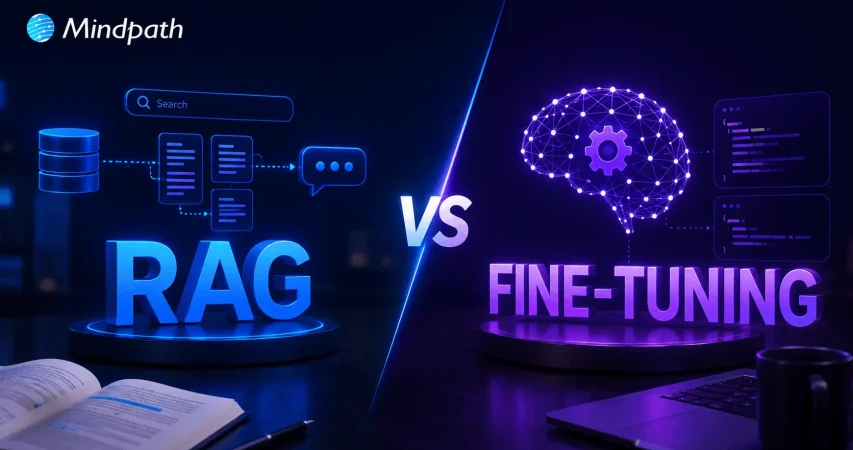
RAG vs Fine-Tuning: Which Is Better for Your LLM?

RAG vs Fine-Tuning: Which Is Better for Your LLM?

Join our Newsletter!

RAG vs fine-tuning

Large language models are transforming how businesses automate decisions, customer support, and daily operations. As organizations compare RAG vs fine-tuning, choosing the right approach becomes a critical business decision. Both methods improve AI performance, yet they solve different challenges and deliver very different outcomes. Understanding these differences helps businesses build smarter, more reliable AI applications.

Key Takeaways

  • 01
    RAG delivers current knowledge through external data without modifying the underlying language model.
  • 02
    Fine-tuning improves specialized performance, consistency, and domain-specific AI behavior for businesses.
  • 03
    Each approach addresses different business challenges rather than competing with each other.
  • 04
    Cost depends on implementation complexity, maintenance, infrastructure, and long-term business objectives.
  • 05
    Choosing the right approach improves AI accuracy, scalability, and overall business value.

The right strategy depends on your goals, data, budget, and long-term AI roadmap. Selecting the wrong method can increase costs while limiting your model’s accuracy and flexibility. In this blog, you’ll learn the difference between RAG and fine-tuning, when to use each approach, their costs, key benefits, and how to choose the right solution for your business. So, let’s keep reading!

Want to improve your AI with reliable, real-time business knowledge? At Mindpath, we offer RAG Development Services that enhance AI accuracy with intelligent data retrieval.

What is RAG in Large Language Models?

Retrieval Augmented Generation (RAG) is an AI framework that connects large language models (LLMs) with external knowledge sources. Instead of relying only on training data, it retrieves relevant information from business documents or databases to generate accurate, context-aware, and up-to-date responses.

RAG works by retrieving relevant information from connected knowledge sources before the LLM generates a response. It searches indexed content, adds the retrieved context to the user’s query, and produces accurate answers using current business information without retraining the underlying model.

Key Benefits of RAG

  • Reduces Hallucinations: Grounds responses using verified business information.
  • Uses Current Data: Retrieves updated knowledge without retraining the model.
  • Source Transparency: Links responses to trusted documents for verification.
  • Lower Costs: Avoids expensive model retraining for knowledge updates.
  • Protects Data: Keeps sensitive business information within secure systems.
  • Easy Scalability: Expands knowledge by indexing new business documents.

Drawbacks at a Glance

  • Depends on Data Quality: Poor knowledge sources reduce response accuracy.
  • Retrieval Errors: Incorrect document retrieval leads to inaccurate responses.
  • Misses Complex Context: Struggles to connect information across multiple documents.
  • Higher Response Time: Retrieval processes can slow answer generation.
  • Infrastructure Costs: Storage, indexing, and maintenance increase implementation expenses.

What is Fine-Tuning?

Fine-tuning adapts a pre-trained large language model using a smaller, task-specific dataset. In discussions around RAG vs fine-tuning, this approach improves the model’s knowledge, response style, and performance for specialized business tasks without building an entirely new model.

Fine-tuning works by training an existing LLM on carefully prepared examples that reflect specific business requirements. It is commonly used to improve domain expertise, maintain consistent response quality, follow brand guidelines, and perform specialized tasks with greater accuracy.

Key Benefits of Fine Tuning

  • Improves Accuracy: Delivers better performance for specialized business tasks.
  • Maintains Brand Voice: Produces responses with consistent tone and style.
  • Faster Responses: Requires shorter prompts for efficient output generation.
  • Reduces Token Costs: Uses fewer tokens during each interaction.
  • Supports Compliance: Follows defined rules and business requirements.
  • Enhances Privacy: Minimizes sensitive information in user prompts.

Drawbacks at a Glance

  • Higher Training Costs: Requires significant computing resources and investment.
  • Needs Regular Retraining: New data requires repeated model updates.
  • Reduced Flexibility: Performs best only for specialized tasks.
  • Risk of Bias: Poor training data affects response quality.
  • Can Forget Knowledge: New training may reduce existing capabilities.

RAG vs Fine-Tuning LLM: Key Differences

Understanding the difference between RAG and fine-tuning helps businesses choose the right AI strategy. While both improve LLM performance, they differ in how they access knowledge, learn information, and solve business challenges.

Feature RAG Fine-Tuning
Primary Purpose Retrieves external knowledge Improves model behavior and expertise
Knowledge Source External documents and databases Learned during model training
Information Updates Instant through knowledge base updates Requires retraining with new data
Response Style Uses the base model’s default style Customizes tone, format, and behavior
Source Transparency Can cite retrieved sources Cannot reference learned sources
Implementation Cost Lower initial training costs Higher training and maintenance costs
Best Use Cases Enterprise search, chatbots, knowledge assistants Industry-specific tasks, brand voice, structured outputs
Maintenance Update documents only Retrain the model as data evolves

Is RAG better than Fine-Tuning?

Choosing between RAG and fine-tuning depends on your business needs and AI objectives. Understanding where each approach fits helps you make a more informed decision. Let us have a look at when to use RAG vs fine-tuning:

1. When to Use RAG?

  • Frequently Updated Data: Ideal when business information changes regularly.
  • Large Knowledge Bases: Best for searching extensive documents and databases.
  • Source Verification: Use when responses must include reliable document references.
  • Private Business Data: Suitable for securely accessing internal company knowledge.
  • Faster AI Deployment: Choose RAG for quicker implementation without retraining.

2. When to Use Fine-Tuning?

  • Custom AI Behavior: Ideal for consistent tone, style, and responses.
  • Structured Outputs: Best for fixed formats like JSON or templates.
  • Stable Knowledge: Suitable when business information rarely changes.
  • Faster Responses: Generates answers without retrieving external information.
  • Specialized Tasks: Improves performance for domain-specific business applications.

Cost of Fine-Tuning vs RAG

The cost of fine-tuning vs RAG depends on your implementation goals and long-term AI strategy. Understanding the major cost factors helps businesses plan budgets more effectively before investing.

Cost Factor RAG Fine-Tuning
Initial Implementation $15,000 – $80,000 $20,000 – $150,000+
Monthly Operating Cost $300 – $5,000/month $500 – $10,000+/month
Knowledge Updates Low cost, update documents High cost, retrain model
Infrastructure Vector database, embeddings, APIs GPUs, model hosting, storage
Deployment Time 2–8 weeks 4–12+ weeks
Best for Budget Frequently changing business data Stable, specialized AI tasks

Verdict: There is no one-size-fits-all answer because the right investment depends on your business goals, data complexity, update frequency, and long-term AI strategy.

Ready to Choose the Right AI Approach for Your Business?

Choosing between RAG vs fine-tuning depends on your business objectives, data requirements, and desired AI outcomes. While RAG helps access external knowledge, fine-tuning enables businesses to customize AI models for specific tasks, improve accuracy, and deliver consistent responses. Selecting the right approach helps organizations create reliable and scalable AI applications.

At Mindpath, we help businesses develop customized AI solutions with advanced fine-tuning capabilities. Our AI development services help organizations optimize LLM performance, build domain-specific applications, and create intelligent solutions that align with their unique business requirements and growth goals.


Frequently Asked Questions

Yes. Many businesses begin with RAG to quickly deliver accurate, knowledge-based responses. As AI requirements mature, fine-tuning can improve response quality, domain expertise, and consistency for specialized workflows without replacing the existing solution.
High-quality data is essential for both approaches. Accurate, well-structured, and updated information improves response quality, while incomplete or outdated data can reduce accuracy, introduce bias, and affect overall AI performance.
Businesses should assess data update frequency, response consistency, implementation budget, compliance requirements, scalability goals, and long-term AI objectives. Evaluating these factors helps determine whether combining both approaches provides greater business value.
Industries such as healthcare, finance, legal, insurance, and manufacturing often benefit from fine-tuning. These sectors require consistent terminology, specialized knowledge, structured outputs, and reliable responses tailored to industry-specific processes and regulations.
Businesses should build scalable AI architectures, maintain high-quality data, monitor model performance regularly, and choose flexible solutions that adapt to changing business needs. A clear AI roadmap supports long-term growth and technology adoption.

Support Is One Click Away

Featured Posts

Related Post

Drupal vs wordpress

At present, the debate of Drupal vs WordPress is more relevant than ever. WordPress is already powering a large number of websites all across the world. Gradually, Drupal has been strengthening its foothold in enterprise as well as government projects. This has given rise to an important question among businesses and professionals: Is Drupal better than WordPress, or is WordPress still the easier choice for users? 

The guide gives a comprehensive insight into both Drupal and WordPress. You need to get a holistic insight into these platforms so that you can choose the best solution that perfectly fits your needs.  An in-depth comparison between these novel platforms has been made, which can simplify your selection process and help identify the right CMS for your needs in 2026.

Want to build a CMS in your online presence that is flexible, user-friendly, and reliable? Our WordPress development services help you with custom solutions focused on delivering a secure and future-proof CMS tailored to your business needs.

What is WordPress?

In 2026, WordPress remains the world’s most popular free, open-source Content Management System (CMS), enabling anyone to build and manage websites without writing code. Originally launched as a blogging platform in 2003, it now powers over 43% of all websites on the internet. The platform is known for its ease of use, along with a massive plugin library. The availability of flexible full-site editing tools makes WordPress perfect for professionals as well as small and medium-sized entities.

Some of the unique attributes of WordPress that make it a useful CMS solution are the availability of a plethora of themes coupled with robust SEO plugin support. The existence of a thriving developer community allows users to get the optimum value by choosing WordPress.

What is Drupal?

Drupal is a free, open-source Content Management System (CMS) and web development framework built on PHP. Designed for building, managing, and scaling complex websites and web applications, it has earned deep trust from government agencies, large enterprises, and universities worldwide.

Drupal is known for its security and flexibility. Moreover, it is capable of handling a large volume of content and complex user workflows. These characteristics make Drupal a world-class CMS platform that is suitable for meeting the needs of content-heavy platforms. It is time to dive deeper and look at the differences, as now you have clarity about Drupal and WordPress

Planning to, but don’t know what to look for when hiring a professional to handle your WordPress development needs? Discover our guide to hiring WordPress developers to help you make a smart, confident, and informed hiring decision. 

Comparison Between WordPress and Drupal

Are you wondering – Is Drupal similar to WordPress? The answer is Yes! However, even though WordPress Drupal are web content management systems, they have a number of differences. If you are planning on developing a website or web application, you need to have clarity on Drupal vs WordPress. Some of the main differences between WordPress and Drupal include

1. Ease of Use

When it comes to ease of use, WordPress is undoubtedly the clear winner in the year 2026. WordPress offers unmatched accessibility for beginners. Moreover, it can be scaled to handle complex projects. Some of the key features of WordPress include its Full Site Editing as well as the Gutenberg block editor. These elements make it easy for beginners to not only design but also publish pages without having to rely on coding. Furthermore, thousands of pre-built themes and plugins are available, which allow users to launch a site within a few hours.

However, Drupal has a steeper learning curve. You need to remember that its interface is less intuitive for non-developers. Moreover, configuring its modules requires technical knowledge. Experienced developers can leverage the tool, and it can offer them great flexibility and control.

2. Security

There exist differences between Drupal and WordPress when it comes to security. Security is undoubtedly one of the best features of Drupal. Drupal continues to be the ultimate CMS tool that is preferred by government websites and enterprise organizations. It not only offers a dedicated security team but also detailed advisories for minimizing vulnerabilities.

Even though WordPress can be considered to be secure at its core, it faces a greater risk. This is mainly because of its massive plugin ecosystem. Vulnerabilities may often arise from third-party plugins as well as outdated themes. Thus, in terms of security, Drupal is the clear winner out of the two CMS solutions. 

3. Performance

While making a comparison between Drupal or WordPress, the former shines when it comes to performance. Drupal delivers exceptional performance thanks to its advanced caching as well as API-first design. Moreover, its optimized architecture ensures that users can derive optimum value from the CMS tool. The entities that handle millions of pageviews can certainly rely on Drupal without having to sacrifice speed and efficiency. 

Over the years, the performance delivered by WordPress has improved. The improvement has been mainly because of the modern PHP versions coupled with block-based design. Similarly, the headless options have also contributed to improved performance. Users can derive immense value if they pair WordPress with strong hosting and caching layers. This can certainly help WordPress to scale well. However, users must bear in mind that the CMS tool typically requires more plugins as well as third-party optimizations.

Must Read: WordPress and PHP Compatibility

4. Cost

A common question that one may have is: What is the cost of using CMS tools? The core software is free in the case of WordPress. Moreover, several themes as well as lug-ins are free or low-cost. Furthermore, the development costs are lower because of the availability of a large talent pool.  

The Drupal software is free. However, users need to remember that the development as well as maintenance costs are higher. Currently, skilled and talented Drupal developers are in short supply in the labor market. This automatically makes Drupal development more costly in comparison to WordPress. It is important that users bear in mind while choosing between WordPress and Drupal. 

5. Flexibility

Flexibility is another important dimension that you must take into consideration while comparing WordPress and Drupal. WordPress definitely serves as a more flexible tool for everyday users. However, Drupal is better in terms of flexibility if you are working on highly structured and enterprise-level sites. These CMS tools adopt a different approach, which influences their overall flexibility. 

WordPress mainly thrives on its plugin and theme ecosystem. These elements make it flexible for individuals as well as small businesses. However, Drupal excels in areas such as complex workflow as well as content modeling. The fact that it focuses on granular user permissions and enterprise-grade content management enables developers to tailor Drupal to meet their complex needs. 

6. SEO Capabilities

SEO is indispensable in 2026, and both CMS tools offer solid, strong SEO options. WordPress is known to have popular SEO plugins such as Rank Math as well as Yoast. They provide beginner-friendly tools along with AI-driven optimization tips for users. Another benefit in the case of WordPress revolves around the presence of mobile-first templates.

When it comes to Drupal, it lacks plug-and-play tools. However, it offers granular control over SEO, including URL structure and metadata. These are other features as well relating to multilingual optimization, as well as structured content management. These features are highly appealing to enterprise SEO teams who are in search of precision.

Do you want your website to be accessible to every visitor? Learn how to improve WordPress web accessibility can help you reach more users and create an inclusive online experience.

WordPress vs Drupal: A Quick Comparison

Now that you have gone through the various comparison factors to understand the differences between Drupal and WordPress, let’s have a look at the quick comparison table. The table below gives an overview of the differences between WordPress and Drupal. 

Features WordPress Drupal
Ease of Use User-friendly  Ideal for Experienced developers
Security Low Security High security 
Performance Efficient performance for small and mid-sized sites High performance for enterprise-scale sites 
Cost Less Expensive More Expensive 
Flexibility High flexibility for everyday users Ideal for highly structured websites 
SEO Capability Better for quick SEO optimization Better for advanced SEO strategies 

Which Is Better, WordPress or Drupal?

The answer regarding which is better – Drupal or WordPress depends on your specific needs as a user. Whether you are a professional or a business entity, you need to know – WordPress versus Drupal. The insight can certainly help you choose between the two robust CMS platforms. 

WordPress is better for users who are looking for a user-friendly CMS tool. It can act as an easy-to-use CMS solution that will allow fast setup. The rich plugin options that are available make it ideal for blogs and the marketing sites of small and medium-sized enterprises. 

On the other hand, Drupal is a top content management system for handling enterprise projects. You can choose the solution if you are looking for top-grade security, a custom workflow, and excellent multilingual support. At present, both WordPress and Drupal have established themselves as amazing CMS solutions for businesses and professionals.   

Curious which platform will better support your website’s growth and design needs? Discover WordPress vs Webflow to understand their differences and choose the best option for your business.

Which CMS Is Actually the Right Fit for Your Business in 2026?

When it comes to WordPress versus Drupal, you need to bear in mind that there is no one-size-fits-all solution. WordPress has been dominating the market for ease of use, as well as affordability. It is the ideal choice for blogs and small and medium-sized businesses. However, Drupal is built for high complexity. It offers unmatched security along with enterprise-level content management.

If you want to leverage WordPress to the fullest, you must certainly choose our WordPress development services. The experts at Mindpath ensure that you get immense value from the novel CMS solution. Whether you are a business owner or a professional, you must consider leveraging these solutions to witness your website flourish.

Frequently Asked Questions

1. Is the WordPress vs Drupal debate really still relevant in 2026, or has one platform clearly pulled ahead?

Both platforms are still very much alive and serving different audiences well. WordPress dominates in volume and accessibility while Drupal holds strong in enterprise and government. The better question is not which is superior but which one fits your specific project requirements.

2. Can a non-technical business owner realistically manage a WordPress site without relying on a developer constantly?

Yes, and that is one of WordPress’s strongest selling points. The block editor and thousands of pre-built themes make day to day content management very manageable. For routine updates and publishing, most business owners handle things independently after a short learning period.

3. What kind of businesses typically regret choosing WordPress and later switch to a platform like Drupal?

Usually larger organizations with complex content structures, strict compliance requirements, or heavy multilingual needs. When a site outgrows its original scope and security demands increase significantly, WordPress can start showing its limitations and migration becomes the more practical long term solution.

4. How much more expensive is Drupal development compared to WordPress in real terms?

The software itself is free for both. The cost difference shows up in developer rates and availability. Drupal specialists are harder to find and charge more. For most small to mid sized businesses, the WordPress talent pool makes budgeting far more predictable and manageable.

5. If a business starts with WordPress now, how difficult is it to migrate to Drupal later if needs change?

Migration is possible but not simple. It requires careful data mapping, content restructuring, and developer expertise on both platforms. Planning for future scalability from the beginning saves significant time and cost later, which is why choosing the right CMS upfront matters so much.

Cloud Disaster Recovery

Have you ever wondered what would happen to your business if a disaster struck and you lost access to critical data or systems? Whether it’s a hardware failure, cyberattack, or even a natural disaster, the impact can be devastating. But what if there was a way to ensure that your business could quickly recover and keep running smoothly? That’s where Cloud Disaster Recovery comes in. In this blog, we will explore how this powerful solution can safeguard your data and help your business bounce back faster than ever. Let’s dive in!

What is Cloud Disaster Recovery?

Cloud Disaster Recovery (Cloud DR) is a dependable method for organizations to backup and recover essential data and systems in the event of an unforeseen catastrophe. It entails keeping copies of apps, information, and resources in a secure cloud setting. When disaster strikes, such as a hardware breakdown or a cyberattack, organizations can swiftly recover their data and restart operations. Cloud DR also includes capabilities like automation, which make the recovery process faster and more efficient. It is adaptable, letting businesses scale their storage and recovery requirements as they develop, assuring ongoing protection and minimal downtime.

Why is Cloud Disaster Recovery Important?

Cloud Disaster Recovery is vital because it enables organizations to remain safe and recover rapidly when unforeseen difficulties arise, such as system outages, cyberattacks, or natural catastrophes. Losing data or access to vital systems can result in delays, financial losses, and reputational damage. Businesses can use Cloud DR to swiftly recover their data and resume operations without taking extensive interruptions. It guarantees that essential information is always secure and ready for use. It also saves time and money by automating the recovery process and offering a flexible option to scale with the company’s demands. This makes it a wise and dependable option for being prepared.

Advantages of Cloud Disaster Recovery

1. Flexible Scaling

Traditional disaster recovery systems frequently rely on physical data centers, which can be expensive and limited in flexibility. Businesses must purchase servers, storage devices, and networking equipment while also maintaining the complete system for recovery operations. This method not only requires a significant initial expenditure, but it also fails to respond rapidly to changing needs. Cloud Disaster Recovery addresses this issue by providing flexible and scalable solutions. Businesses can employ resources on demand through services such as public cloud alternatives or Disaster Recovery as a Service (DRaaS). This means customers can adjust the capacity they require, like storage or processing power, immediately through user-friendly websites. This strategy saves money by removing the need for costly physical infrastructure and maintenance. It also enables organizations to adapt rapidly to expansion or unanticipated events, ensuring that they have the necessary resources when they need them. Businesses who migrate to cloud disaster recovery benefit from a cost-effective and adaptive solution to preserve their data and systems while focusing on their core activities.

2. Fast Recovery

Cloud-based disaster recovery guarantees faster and easier recovery operations, allowing organizations to minimize downtime. One of the primary benefits is the usage of virtual machines (VMs), which allow you to verify workload availability without impacting everyday operations. This allows firms to routinely review their recovery plans and ensure they are prepared to respond in the event of an emergency. The cloud also provides high-speed bandwidth and enhanced disc performance that can be customized to meet certain recovery time objectives (RTOs). These customizable solutions let firms recover vital systems and data more effectively. Unlike traditional techniques, which rely on physical resources, cloud services allow faster access to the tools and backups required for recovery. Cloud disaster recovery minimizes the time required to restart regular operations after an interruption by combining simplicity of testing, customizable choices, and quicker data retrieval. This guarantees that firms remain robust, retain loyal customers, and reduce financial and operational losses.

3. No Location Limits

Cloud Disaster Recovery (Cloud DR) has the benefit of being independent of a specific physical location. Unlike traditional disaster recovery solutions, which rely on local or remote data centers, Cloud DR enables enterprises to store backups in data centers located anywhere in the world. This avoids the possibility of losing access to important data and systems if a calamity strikes the principal site of the organization’s equipment. Businesses can utilize Cloud DR to pick backup facilities in various geographic areas, ensuring that their data is secured from local threats such as floods, fires, and power outages. This flexibility enables businesses to develop a disaster recovery strategy that meets their specific demands while avoiding any disruptions caused by physical location limits. Additionally, the cloud’s global reach enables organizations to expand and modify their recovery solutions to individual requirements, without being constrained by on-premises equipment. This gives greater protection and business continuity, regardless of where the calamity occurs.

4. Geo-Redundant Backup

Geo-redundancy in cloud disaster recovery improves data security and availability by utilizing a cloud provider’s worldwide network of data centers. These data centers are dispersed across numerous areas, allowing firms to store disaster recovery resources in various places. This regional spread serves as a safety net against local calamities such as earthquakes, floods, and power outages that can affect a particular region. Businesses that deploy disaster recovery resources in several areas can ensure that if one data center fails, backup systems in other places will continue to function. This not only improves the dependability of disaster recovery plans, but it also minimizes the likelihood of downtime and data loss. Geo-redundancy also offers shorter recovery times by allowing firms to retrieve their data from neighboring regions if one location faces issues. This worldwide approach to data security is especially useful for enterprises that operate in numerous locations, as it provides a resilient and scalable solution for protecting essential data and maintaining uninterrupted operations in the face of regional interruptions.

5. Usage-Based Pricing

The cloud disaster recovery pay-as-you-go model gives companies a cost-effective method to set up recovery facilities without having to pay large upfront fees. Unlike traditional managed co-location providers, which sometimes demand long-term contracts, cloud services allow businesses to pay only for the resources they utilize. This means that organizations might avoid making large initial expenditures and instead see catastrophe recovery costs as continuous, flexible expenses. With this strategy, corporations can adjust their payments depending on their real needs, adding or subtracting resources as needed. This allows organizations to grow their disaster recovery solutions without worrying about paying for wasted capacity. Pay-per-use alternatives assist firms in maintaining a cost-effective and adaptive data security strategy by converting substantial capital expenditures into affordable operational costs.

Also Read: Cloud Computing Attacks: A Comprehensive Guide for Prevention

Cloud Computing Services at Mindpath

Mindpath provides flexible and dependable cloud computing services to match your company requirements. Our cloud solutions provide safe data storage and access from anywhere. We have you covered for disaster recovery, data storage, and scalable computing power. Our pay-as-you-go strategy allows you to pay for just the resources you use, making it both cost-effective and flexible. This allows you to scale up or down as needed, without incurring significant upfront expenditures. Our cloud services are supported by a worldwide network of data centers, which guarantees excellent availability and security. Fast recovery options allow you to swiftly get back on track if something goes wrong.

Final Note!

Cloud Disaster Recovery is a crucial option for organizations seeking to secure data and reduce downtime in the event of unforeseen interruptions. Businesses can safeguard their operations while controlling costs by utilizing flexible scalability, rapid recovery, geo-redundancy, and usage-based pricing. The cloud provides unrivalled flexibility, speed, and global reach, making it the best option for modern disaster recovery. Mindpath offers dependable and scalable cloud computing services to help you stay safe, adaptive, and prepared for any emergency. With our pay-as-you-go strategy, you can focus on your core business while we handle catastrophe recovery, ensuring that your data and systems are always secure and accessible.

Ready to protect your business with reliable cloud solutions?
Partner with Mindpath today and discover how our flexible, cost-effective cloud computing services can keep you secure and run smoothly.

Contact Us!

Learn how Cloud Disaster Recovery safeguards your business with flexible, cost-effective solutions for fast recovery and data protection.
full stack development benefits

In our fast-paced digital world, businesses are seeking better and smarter solutions for their digital presence. One proven method is embracing full-stack development benefits to handle both visual and functional components of web and app development projects. Full-stack development enables a company to be more responsive to market demand and build a seamless overall digital experience. One approach to ensure you are keeping up and growing with the pace of technology is to study full-stack development for long-lasting success.

By combining front-end and back-end development in one united team, it serves to harmonize your collaboration and streamline your processes. When one team completes the entire process, it enables faster turnarounds, greater risk control, and cost savings. Full-stack development is a workable option whether you’re a startup or a large organization looking for an efficient way to scale. In this blog, we’ll explore how full-stack development can bring these advantages to your business. So, let’s dig in!

Want to use full-stack development benefits in your business? Mindpath’s full-stack development services will help you in designing an effective way to scale your business.

What is Full-Stack Development?

Full-stack development is the complete process of building a web application from beginning to end, including both the client-side and server-side aspects. Full-stack developers will work with front-end technologies like HTML, CSS, and JavaScript, as well as back-end technologies such as Node.js and PHP, or Ruby on Rails. They deal with the interface that the user sees, as well as the server-side logic that operates behind the scenes as it interacts with APIs and databases.

A full-stack developer is comfortable working on both front-end and back-end development, which means they can handle the entire application lifecycle. They write code, test and deploy that code, and interact with databases. They often integrate third-party services into their applications as well. These professionals know how each layer of the web application connects, from the user interaction to processing data. Their variable skill set makes them important in a team setting where communication is essential between the layers, specifically for performance, scalability, and maintenance.

Explore: Full-stack vs traditional web development 

Key Components of Full-Stack Development

Getting an idea of the major components of full-stack development for business is necessary for creating effective and scalable digital products. These different components ensure that each piece of the application operates seamlessly together.

Key Components of Full-Stack Development

1. Front-end Development

Front-end development focuses on building the user interface using technologies like HTML, CSS, and JavaScript. It ensures that users can interact smoothly with the application through a responsive and visually clear layout.

2. Back-end Development

Back-end development handles the server-side logic, managing tasks like database operations, server communication, and authentication. Developers use languages such as Python, Java, or Node.js to ensure that the core application functions run efficiently.

Looking for an effective way through which you can build scalable applications? Discover how full-stack development with Node.js can enhnace your business growth.

3. API Development

API development allows applications to communicate with each other by creating structured pathways for data exchange. One of the full-stack development benefits is the ability to build and manage APIs that integrate various services into a single application.

4. Database Management

This involves designing and maintaining structured databases using systems like MySQL, MongoDB, or PostgreSQL. Efficient database management is key to ensuring secure data storage, fast retrieval, and overall system reliability.

5. Version Control

Version control helps teams manage code changes and collaborate effectively using tools like Git. It keeps track of every update, allowing developers to maintain stability, fix bugs quickly, and work on features without conflicts.

Full-Stack Development Benefits for Businesses

Many businesses today are choosing full-stack development to streamline their digital projects and improve overall efficiency. Here are some key advantages of full-stack development for businesses that highlight why this approach is gaining popularity across industries.

full stack development benefits for business

1. Faster Project Delivery

One of the key full-stack web development advantages is faster project completion, as the same team handles both front-end and back-end tasks. This reduces delays caused by waiting on separate teams and keeps the development flow going smoothly. With better collaboration and fewer hands-off, businesses can launch products more quickly and efficiently.

2. Cost-Efficient Solution

Hiring freelance Full-stack developers helps cut costs by handling the entire development process without needing multiple experts. This simplifies team structure and lowers overall development expenses. This business benefit of full-stack developers is especially valuable for startups and growing companies with limited budgets.

3. All-in-One Development Approach

Full-stack developers have the skills to manage every layer of a web application, including frontend, backend, and databases. Their broad knowledge allows them to build efficient, stable, and well-integrated solutions. This results in fewer errors, faster development, and a smoother launch process.

4. Adaptability to Modern Technologies

Full-stack development benefits include staying aligned with evolving technologies like AI, machine learning, and modern web frameworks. Developers apply the right tools to build responsive, feature-rich applications that match today’s user expectations. Their up-to-date knowledge of full-stack development trends supports faster innovation and long-term system improvements.

5. Post-Launch Support

Full-stack development benefits businesses by offering complete support even after the product goes live. Developers can manage updates, fix bugs, and maintain both frontend and backend systems efficiently. This ongoing support ensures long-term stability and performance for digital applications.

6. Centralized Project Control

Full-stack developers take full responsibility for the entire codebase, covering both front-end and backend. This avoids delays caused by switching between separate teams and helps solve issues faster. With complete control, the development process stays organized and efficient.

Also Read: Full-stack Development for Web Projects.

Business Use Cases of Full-Stack Development

Full-stack development offers flexible solutions that fit a wide range of business needs. Here are some practical use cases where this approach adds value across different industries and project types.

1. Enterprise Applications

Companies use full-stack development to build scalable enterprise tools that support internal workflows and boost productivity. These applications can connect departments, automate tasks, and improve overall business performance.

2. Content Management Systems (CMS)

With full-stack development, businesses can create flexible CMS solutions tailored to their content strategies. These systems make it easier to manage digital assets, add SEO tools, and track performance through built-in analytics.

3. Real-time Applications

Applications like messaging platforms and live dashboards rely on real-time data updates and user interactions. Full-stack development benefits these projects by ensuring fast communication between front-end and back-end components.

4. E-commerce Platforms

Full-stack development supports building responsive and secure e-commerce websites with integrated features like product search, payments, and user accounts. It allows businesses to deliver a seamless shopping experience while managing inventory and customer data effectively.

5. Big Data and Analytics Platforms

Businesses use full-stack development to build platforms that handle and visualize large volumes of data efficiently. Full-stack development benefits these solutions by enabling the smooth integration of data processing, analysis tools, and user-friendly dashboards.

Curious about how different developer roles can transform your business needs?? Explore our detailed blog on front-end vs back-end vs full-stack.

Looking to Scale Smarter with Full-Stack Development?

Full-stack development benefits help businesses simplify workflows, reduce costs, and build stronger digital solutions. With complete control over the front-end and back-end, it brings speed, flexibility, and long-term support. From e-commerce platforms to real-time apps, full-stack development continues to be a smart choice for businesses aiming to stay competitive in a fast-changing digital world.

At Mindpath, we offer expert full-stack development services tailored to your business needs. Our skilled team brings deep technical knowledge, reliable support, and fast delivery. If you’re ready to hire full-stack developers who deliver results, we’re here to help you scale with confidence.

Frequently Asked Questions

1. What are the real full-stack development benefits for a business that is just starting out digitally?

For early-stage businesses, the biggest advantage is simplicity. One team handles everything, which means fewer miscommunications, lower costs, and faster launches. You get a working product without the complexity of managing separate frontend and backend teams pulling in different directions.

2. How does full-stack development actually save money compared to hiring separate specialists?

When one developer or team handles both sides of a project, you eliminate handoff delays, reduce coordination overhead, and cut hiring costs. For businesses watching budgets closely, that efficiency adds up significantly across the entire development timeline.

3. Is full-stack development a good fit for complex projects, or does it work better for simpler builds?

It works well across both. Simpler projects benefit from the speed and cost savings. Complex ones benefit from having developers who understand how every layer connects, which reduces integration issues and makes troubleshooting far more efficient when problems arise.

4. What happens when a full-stack developer is not familiar with a newer technology the project requires?

This is worth asking upfront. Good full-stack developers are generally adaptable and quick learners, but verifying their experience with specific frameworks or tools before starting a project saves a lot of time and avoids rework later.

5. How do you decide between hiring a freelance full-stack developer versus working with a development company?

Freelancers suit smaller, well-defined projects with tight budgets. A development company brings team depth, accountability, and long-term support. For anything requiring ongoing maintenance, scaling, or complex integrations, a structured team is usually the more reliable choice.