Understanding the Cost of Hiring NodeJS Developers in California

Join our Newsletter!

Featured Posts

Support Is One Click Away

Home

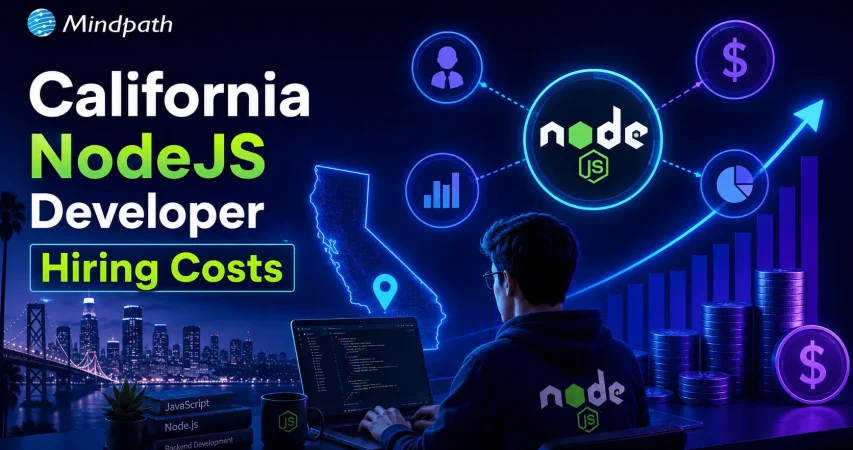
Understanding the Cost of Hiring NodeJS Developers in California

Understanding the Cost of Hiring NodeJS Developers in California

Hiring a Node.js developer in California can be expensive owing to high demand and living costs. Experience, geography, and specialized skills have a considerable influence on pricing. The following are major cost factors for hiring Node.js developers in California.

1. Experience Level

The developer’s experience is vital in deciding the pricing. Junior developers (less than 2 years of experience) often charge $60-$80 per hour, whereas mid-level developers (3-5 years of experience) charge between $80-$120 per hour. Senior Node.js developers with substantial experience in backend architecture, team leadership, and system optimization earn $120-$150+ per hour. The more experienced the developer, the higher the charge; nevertheless, the investment frequently benefits in increased productivity, better problem-solving, and scalable solutions. When recruiting, match the developer’s experience to the project’s complexity to achieve cost-effectiveness and high-quality outcomes.

2. Location in California

California’s technology clusters have a substantial impact on Node.js developer rates. San Francisco, San Jose, and Los Angeles have some of the highest development expenses due to their concentration of technology enterprises. Developers in these locations frequently charge $100 to $150 or more per hour. In contrast, places outside large urban hubs, such as Sacramento or San Diego, have slightly lower costs, ranging from $80-$120 per hour. Remote recruiting from low-cost countries can help firms save money while still obtaining access to excellent talent. When picking developers, consider the cost vs in-person cooperation tradeoff.

3. Specialized Skillset

Developers that specialize in real-time applications, cloud technology, or complex database administration typically charge premium rates. Node.js developers who are skilled in WebSockets, AWS, GCP, and microservices architectures may earn between $120-$160 per hour, since these talents are in great demand for scalable and high-performance applications. Similarly, familiarity with enterprise-level security, DevOps processes, and AI connections can drive up expenses. Hiring developers with specialized knowledge provides optimal performance, security, and long-term scalability, but at a higher cost. Determine whether your project requires specialist skills or broad backend development.

4. Hiring Models: Freelance or In-House

The decision to use freelancers, in-house developers, or outsource to an agency affects total expenses. Freelancers are frequently less expensive, with hourly rates starting at $60, although they can’t always be available for long-term assignments. Full-time in-house developers demand pay, benefits, and office expenditures, which can increase yearly costs over $150,000-$200,000 for top positions. Hiring from development organizations gives you access to a team of qualified developers, but it frequently costs more per hour, ranging from $100 to $180. The appropriate employment strategy is determined by the project’s duration, budget, and the requirement for continuous assistance.

Looking for expert Node.js developers at competitive rates? Mindpath connects you with highly skilled developers specializing in scalable applications, APIs, cloud solutions, and real-time systems. Whether you need a freelancer, in-house developer, or a dedicated team, we provide the right talent to match your project’s needs.

Don’t let high costs slow your project down! Partner with Mindpath to get the best Node.js talent in California within your budget.

Related Post

Discover the ultimate guide to hiring Node.js developers in London. Learn about the skills, benefits, and cost factors involved in finding the right talent for your project.
How much does hiring a ReactJS developer cost? Learn about factors affecting rates, and how to find the best talent within your budget.

Related Post

Mobile app development tools

In today’s rapid technological environment, businesses and developers are always trying to find new ways to create apps that engage users and run efficiently. This is why understanding what is mobile application development is essential. In short, mobile application development is the creation of software applications that run on mobile devices, such as smartphones and tablets, involving both creativity and technical skill. Selecting the best mobile app development tools can greatly enhance speed, quality, and innovation. The right tools will make coding, design, testing, and deployment easier for teams of people. It fosters the idea developed into a real app more quickly and effectively.

Investigation into the mobile app development ecosystem demonstrates a rapid and reliable delivery of apps to users. Tools shape the entire process, from user interface design to backend integration. This indicates that choices of tools are critical to success. The right set of tools maximizes people’s efficiency while conserving time, minimizing mistakes, and encouraging collaboration on projects. This provides support for more modern amenities. In this blog, we will highlight some of the best mobile development tools that are leading the industry today. So, keep reading further!

With advanced knowledge and expertise, Mindpath offers mobile app development services that are designed to deliver high-performing and user-centric apps, also ensure that your mobile product stands out in performance and design.

What is a Mobile App Development Tool?

A mobile app development tool is designed to simplify the process of creating mobile applications. It offers developers tools such as integrated development environments, templates, and code-free solutions to make the app-building process faster and easier. These also enable API integration, data syncing, and analytics in the app creation process, while still aiming to build robust and user-friendly apps.

By employing mobile app development tools, developers can operate in a visual environment with hardware reliability and flow design. They also simplify the backend of features such as push notifications and cloud services. App development becomes equitable, faster, organized, and with fewer errors leading developers to be able to innovate and enhance quality.

Want to build a mobile app but don’t know which technology to use for better execution? Learn from the mobile app development technologies blog to understand what suits best for your business.

Top 10 Mobile App Development Tools

Selecting the appropriate mobile app development tools is essential for developing performant and conveniently accessible applications. The right development tool simplifies coding and design, enhances collaboration, and increases testing and deployment features. It helps developers bring their ideas to reality more effectively. Here is a list of some of the best mobile app development tools:

1. React Native

React Native is one of the best mobile application development frameworks for producing high-quality applications across platforms. It lets developers apply their existing expertise in JavaScript and React framework to develop native-like interactions for iOS, Android, and other platforms. The cross-platform features of React Native let developers build applications with a higher degree of speed, efficiency, and consistency while maintaining performance.

2. Ionic

Ionic is another notable cross-platform mobile app development tool that allows developers to create applications for iOS, Android, and the web, all using standard web technologies, such as HTML, CSS, and JavaScript. It offers a vast set of UI components that have been pre-designed to help you build engaging and visually enhancing applications. It allows developers to enhance their engagement in the applications while maintaining a consistent level of speed and efficiency for multi-platform development.

3. Xamarin

Xamarin is a powerful mobile app development software that provides developers the ability to build Android, iOS, and Windows apps using a single C# codebase. It integrates nicely with Microsoft Visual Studio, allowing developers to build apps more quickly and efficiently. Xamarin allows the development of high-performance apps that will feel and appear native-like while multiplexing and simplifying maintenance.

4. Flutter

Flutter is a widely used development framework by Google that enables developers to build native applications for iOS, Android, the web, and even desktop, all from a single codebase. Thanks to its large offering of fully customizable widgets, developing visually attractive, highly responsive applications is easy. Its cross-platform capability allows teams to develop applications rapidly while continuing to provide a level of consistency across devices.

5. Xcode

Xcode is a full-fledged development environment focused on developing applications on Apple devices (iOS, macOS, iPadOS, watchOS, tvOS). It is an integrated development environment (IDE) that has a structured interface, designed to create, debug, and manage a significant project effectively. Additionally, it provides support for a number of languages, enabling developers to produce the high quality of Apple’s native applications.

Also Read: Application Security Best Practices 

6. Swift

Swift is regarded as one of the top tools for mobile application development, specifically for creating apps on iOS, macOS, and watchOS. Its speed, security, and user-friendliness enable developers to build high-performance native applications easily and swiftly. Modern syntax and capabilities make Swift the preferred programming language for application development work on Apple.

7. Kotlin Multiplatform

Kotlin Multiplatform is considered one of the best tools in mobile app development because it allows developers to share code across platforms but still maintain native performance. That is, it allows you to build apps for Android, iOS, and more using a single codebase and reusing your business logic, while still using the native user interface libraries. With support from Google and a growing community, Kotlin Multiplatform is an excellent option for cross-platform mobile app development.

8. Firebase

Firebase is one of the top mobile application development tools. It supplies developers with a complete backend platform for constructing mobile applications and continually enhancing, updating, or developing for future use. It also provides high-level services such as, real-time databases, authentication, analytics, and cloud messaging to make managing a mobile app much easier. Firebase allows developers to solely focus on the front end of the mobile app. Developers use Firebase when they want a fully functioning backend infrastructure that allows for the mobile app to run smoothly.

9. Apache Cordova

Apache Cordova is a mobile app development tool that is popular among developers because it provides the framework to create cross-platform applications using standard web technologies (HTML, CSS, and JavaScript). It makes it easy to develop applications for an entire app by interfacing with native device features through a variety of plugins. Cordova supports faster development and an easy maintenance process while delivering applications that run effectively and efficiently across multiple platforms.

10. Titanium SDK

Titanium SDK is a widely used mobile application development tool framework that affords developers the ability to create native applications for iOS and Android using a single codebase in JavaScript. It also provides access to native device features and enables teams to test simultaneously across platforms. Titanium SDK helps teams iterate faster at development without sacrificing performance or consistency of mobile applications.

Curious how mobile apps can leverage AI to transform your business and stay ahead in 2025? Explore our blog on Mobile App Development Trends to discover how these innovations can enhance user experiences.

Ready to Choose the Right Mobile App Development Tool?

Selecting the right mobile app development tools can make a significant difference in creating high-quality, efficient, and engaging applications. The tools highlighted in this blog help streamline coding, design, testing, and deployment, enabling developers to deliver reliable and innovative apps faster. Choosing the right framework ensures better performance, consistency, and a smoother development process.

At Mindpath, we offer professional mobile app development services that help businesses turn their ideas into fully functional applications. Their team uses modern tools and frameworks to deliver scalable, secure, and high-performing apps for iOS, Android, and cross-platform projects. Mindpath focuses on quality, efficiency, and user experience, ensuring that your app stands out in today’s competitive market.

Recruit Computer Programmers in 2024

Looking to hire a computer programmer in 2024 but feeling overwhelmed by the process? Wondering how to find the perfect fit for your team amidst the sea of talent? Don’t worry! In this blog we will learn about the simple steps to recruit a computer programmer in 2024. 

A computer programmer writes and fixes code for software and apps. They utilize specialized programming languages to write instructions that computers follow to do things. This means they create the applications and programs we use every day, ranging from social networking apps to corporate tools. Programmers frequently work alone or in collaboration with other technical specialists, such as software developers and engineers. Their job includes not only developing code, but also identifying and resolving any issues that may arise, ensuring that everything functions well. 

As technology grows more integrated into our daily lives, talented programmers are in high demand in many sectors. Hiring a computer programmer is vital because they help in developing and updating the software that keeps our digital world working smoothly. Without them, many of the tools and apps we use would not exist or function correctly. 

So, let’s dig in to explore the simple steps to recruit a computer programmer! 

Steps to Recruit Computer Programmers

1. Define Your Requirements

Before you start looking for a computer programmer, you should know exactly what you’re looking for. Determine which programming languages the programmer should be familiar with, such as Java, Python, or JavaScript, based on the requirements of your project. Consider what technologies and tools they should be familiar with, especially if you’re creating anything specific such as a website. Decide if you need someone with extensive knowledge to take on leadership responsibilities or someone with a few years of experience to undertake routine tasks. Consider the personal abilities you value, such as being an effective communicator or team player. Knowing these details can assist you in finding the ideal programmer for your requirements. 

2. Estimate Your Cost

Before you begin looking for a computer programmer, you must first determine your budget. The cost of employing a programmer varies greatly depending on their degree of expertise, location, and the unique abilities they bring to the table. For example, a highly experienced programmer or one with specialized abilities may command a greater wage than someone with less experience or more generic skills. Setting a budget ahead of time not only helps you identify a programmer that fits inside your budget, but it also ensures that you are realistic about your financial situation. 

3. Clear Job Description

When recruiting a computer programmer, it’s essential to have a clear job description. This allows potential applicants to understand exactly what you’re looking for, ensuring that you recruit the right kind of individuals. Begin by using plain and straightforward language. Avoid using technical terms or sophisticated terminology that may mislead candidates. Clearly outline the position, including the activities and responsibilities that the programmer will be handling. Be precise about the technologies and programming languages they’ll be using. 

Include a list of the required qualifications and skills, such as years of experience and any specific background needs. Do not forget to add the soft skills essential to you, such as teamwork or communication. This manner, you’ll attract individuals that not only have the necessary technical talents but also fit in with your company’s culture. 

4. Conduct Interview

Conducting interviews helps you get to know the individuals and assess their abilities. Enquire about their programming background, problem-solving skills, and communication style. You might also assign them a coding challenge to put their abilities to the test.  

Interviews can be conducted via video, phone, or in person, and should include both technical and behavioral topics. The technical section evaluates coding abilities, whereas the behavioral section examines communication and team fit. Involve other team members in the selection process to verify the candidate is a good fit for the team. 

5. Evaluate Skills

A computer programmer’s communication abilities are critical to the success of any project. They must properly communicate their ideas and work successfully with team members. During the employment process, these soft skills should be assessed. To assess a candidate’s ability to break down technical nuances, ask them to describe a complicated programming concept in easy words. Additionally, assess their responsiveness and clarity in responding to your enquiries. 

Good communication skills include the ability to listen and deliver constructive feedback. Pay attention to how they connect with others; this might provide insight into their teamwork and problem-solving ability. Ensuring that a programmer can explain their ideas and collaborate well with your team will considerably improve the overall success of your projects. 

6. Propose an Offer

Once you’ve identified the best computer programmers for your project, make an official offer. To minimize misunderstandings, clearly state the project scope, timing, and budget. Be precise about what to expect and how the project will be managed. Discuss your communication expectations properly. This covers preferred modes of communication, frequency of updates, and response time frames. If your staff are in separate time zones, make rules to manage possible obstacles, such as overlapping working hours or dealing with urgent concerns. Include any additional terms or conditions, such as confidentiality agreements or specific targets. This guarantees that both parties are on the same page and contributes to a strong basis for a successful working relationship. 

7. Onboarding the hire

To ensure a seamless start to your collaboration, you must efficiently onboard your new hire. Once the hiring procedure is complete, it’s time to put your new computer programmer’s skills into action. Begin by giving them full access to systems and tools. Introduce them to the immediate staff and make sure they understand their roles and duties. Begin the project by outlining the initial tasks and setting expectations for delivery. This will allow your new team member to integrate fast and contribute to the project’s success from the beginning. 

Ready to hire top computer programmers? 

Connect with Mindpath to find the perfect fit for your project and start achieving your goals today! 

Hire Computer Programmers at Mindpath

At Mindpath, recruiting computer programmers is a simple and advantageous procedure that ensures your project’s success. We start by knowing your specific needs and goals to connect you with the right personnel. Our objective is to make the hiring process as simple and efficient as possible, offering ongoing help from beginning to end.  Here’s how we make hiring easier: 

1. Discuss Your Needs

Reach out to us to discuss your project requirements. We’ll work with you to create a detailed plan that outlines the project scope, timeline, and budget. 

2. Find the Right Programmer

Based on your needs, we’ll recommend skilled programmers who are well-suited for your project. You’ll have the opportunity to interview and select the ones who fit best with your vision. 

3. Start the Project

Once you’ve chosen your programmer, we’ll kick off the project with a clear plan and timeline. We’ll keep you informed with regular updates and seek your feedback to ensure everything is on track. 

4. Get Ongoing Support

We’ll continue to assist you throughout the process and beyond, addressing any issues promptly and ensuring your goals are met. 

Wrapping Note!

Recruiting an appropriate computer programmer is an essential stage in achieving your project’s objectives and assuring success. By following the simple but effective steps outlined—defining your requirements, estimating costs, creating a clear job description, conducting thorough interviews, evaluating skills, proposing a well-defined offer, and effectively onboarding—you can streamline the hiring process and find a programmer who perfectly fits your needs. 

Mindpath simplifies the process by providing specialized help at every stage. We offer a seamless and productive recruiting process by knowing your project needs and finding and integrating the perfect programmer. Our aim is to give continuing support and resolve any concerns, ensuring that your project not only meets, but exceeds, your expectations. 

Looking for dedicated programmers?

Mindpath makes hiring easy and efficient. Contact us now to get started and elevate your project with the best! 

WordPress Vulnerabilities

WordPress powers more than 43.4 percent of the websites (Source: W3Techs), making it a top choice among businesses, developers, and bloggers. However, with immense popularity comes a higher risk. WordPress’s widespread use and open-source nature have made it a prime target for malicious exploits, cyberattacks, and data breaches. So, it is crucial for site owners to understand and mitigate WordPress vulnerabilities.

A compromised website can cause various devastating consequences, including damage to your business reputation and financial loss. Some major reasons behind security breaches are weak credentials, outdated software, insecure configuration, and third-party plugins. 

This detailed guide will help you learn more about the common WordPress security vulnerabilities. Besides, you will explore some actionable strategies to protect your website. 

If you want to safeguard your WordPress site against attacks, expert intervention can make all the difference. Mindpath offers WordPress development services where we focus on building secure websites according to your business needs.

How Secure is WordPress- Is it Really Vulnerable?

WordPress is popular for its vast ecosystem, ease of use, and flexibility. However, its security architecture is not that robust, leaving room for improvement. Well, that doesn’t mean you should stop using it. You just need to follow a more sophisticated approach to handle every WordPress vulnerability precisely.

Given WordPress’s dominance on the web, it is no surprise that it attracts malicious attacks frequently. A notable example is CVE-2024-10924. It allowed attackers to log into WordPress sites with administrative rights. With this, attackers can execute code across millions of sites remotely. 

There are other WordPress security issues that can expose your site to attackers, like exposed endpoints, arbitrary file uploads, and path traversal. These are regularly documented in the WordPress vulnerability database. While this CMS remains a robust platform, these threats have forced businesses to focus more on ongoing vigilance.

Must Read: Custom WordPress Development

Why Should Businesses Prioritize WordPress Security?

Before exploring the “how”, let’s understand the ”why”. Remember that a security breach can lead to disastrous consequences for businesses. Some impactful consequences of WordPress exploits are: 

1. Search Engine Blacklisting

If your website is compromised, search engines can flag it as malicious redirects, malware, or spammy backlinks. As a result, your site may get blacklisted, affecting your organic traffic and visibility. 

2. Dat Breaches

A vulnerable website makes it easier for hackers to access sensitive data, including users’ names, payment details, addresses, passwords, and more. This can erode customer trust and attract legal penalties. 

3. Downtime

Cyberattacks can lead to a complete shutdown or defacement of your website. Besides, it can take several days or weeks to recover your site, leaving your business inaccessible to customers. 

4. Financial Fallout

The cost of a data breach can go beyond just technical cleanup. Affected businesses face legal penalties, reputational damage, and more. For small businesses, it can be catastrophic.

5. Loss of Admit Control

Attackers can lock out users, escalate privileges, and change credentials, making it challenging to regain admin control without technical intervention. 

The only way to avoid such consequences is by securing your WordPress site with proper security measures. Besides, it is crucial to check website safety regularly. Read on to know more about WordPress Vulnerabilities and how to fix them. 

Do you want your website to be accessible to every visitor? Learn how to improve WordPress web accessibility can help you reach more users and create an inclusive online experience.

Major WordPress Security Vulnerabilities and Solutions

While WordPress itself is regularly maintained and updated, WordPress exploits generally arise from outdated components, insecure integration, etc. Understanding those security risks is the first step toward creating a resilient and secure website. Below, we have listed some common vulnerabilities along with effective mitigation tactics.

1. Outdated Components- The Biggest Threat

Most dangerous and frequent WordPress vulnerabilities arise from outdated components, such as plugins, themes, and the core. Outdated components can offer an easy entry point to hackers. WordPress core updates come with crucial security patches, and the same applies to plugins and themes. 

 Solutions:

  • Regularly check for updates to plugins, core, and themes. 
  • Enable automatic updates wherever possible.
  • Remove unsupported and unused extensions. 
  • Use a WordPress vulnerability scanner to check the website regularly. 

2. Brute Force Attacks

Attackers use trial-and-error methods to guess user login credentials, exploiting common and weak passwords. Once they gain access, hackers can take over the site and carry out various malicious actions.

Solutions:

  • Deploy robust password policies and create passwords combining special symbols and numbers. 
  • Enable 2FA or two-factor authentication to access the admin panel. 
  • Use security plugins such as Limit Login Attempts Reloaded to prevent unauthorized logins. 
  • Be careful while assigning user roles. 

3. Vulnerable Themes and Plugins

Not all plugins are the same. Poorly coded extensions can lead to serious security issues, including XSS or Cross-site Scripting, SQL injection, as well as remote code execution. 

Solutions:

  • Check update history, active installations, and reviews before installing a plugin.
  • Install plugins and themes only from WordPress.org and trusted developers, like the WordPress Cue theme. 
  • Use powerful security plugins such as Sucuri and Wordfence to effectively monitor WordPress plugins vulnerabilities
  • Stay away from pirated themes to prevent potential malware attacks.  

4. Malware Infections

Malicious software programs are designed to steal data, damage systems, and disrupt regular operations. Malware can take different forms, like trojans, ransomware, or spyware. These infections are challenging to detect. 

Solutions:

  • Keep the system updated and ensure you are using the latest version of WordPress. 
  • Limit admis access and follow secure login practices. 
  • Schedule regular malware and backups utilizing advanced tools. 

5. Cross-Site Scripting

This is a common type of injection attack where attackers inject malicious scripts into websites. Poor security configurations and outdated components let attackers inject JavaScript or client-side scripts into a website. Once injected, attackers can access credentials, session cookies, and can also redirect visitors to a malicious site. 

Solutions:

  • Validate and sanitize every user input. 
  • Prefer to encode output data to avoid script execution.
  • Carry out a detailed WPcheck and use response headers to control browser behavior.

Unsure whether your WordPress project is following the right development standards and best practices? Check out our WordPress developer checklist to make sure every essential step is covered for a smooth and successful build.

6. SQL Injections

This WordPress vulnerability happens when attackers inject SQL code through input fields such as contact forms, login, or signup to access the database. This vulnerability can expose sensitive information, compromise credentials, and alter your site content. 

Solutions:

  • Change the WordPress database prefix in the config.php file. 
  • Install a WAF or Web Application Firewall to prevent injection attempts. 
  • Properly sanitize as well as validate user inputs. 

7. DDoS Attacks

Distributed Denial-of-Service is a type of attack where attackers overwhelm servers with fake traffic, making your website inaccessible to visitors. This can cause SEO damage, and downtime. 

Solutions:

  • Carefully monitor your website traffic patterns for unusual spikes.
  • Use rate-limiting tools and extra server bandwidth.
  • Deploy a firewall service or CDN, such as Cloudflare or Bunny.net, to reduce the risk of DDoS.

8. Poor Hosting Platforms

Shared or insecure hosting platforms can expose your site to various WordPress vulnerabilities from other websites using the same hosting environment. A compromised server can damage multiple websites, causing widespread damage. 

Solutions:

  • Choose a trusted and managed WordPress hosting provider.
  • Ensure that the hosting has strong security protocols.
  • Opt for a dedicated IP address.
  • Ensure the hosting offers regular backups, malware scanning, and firewalls

9. Phishing Attacks

Deceptive messages and emails trick users into sharing personal data or clicking on malicious links. After clicking the links, attackers get access to credentials and can inject malware into websites. 

Solutions:

  • Don’t respond to unknown senders or URLs. 
  • Regularly inspect the website’s code to identify and remove phishing pages. 
  • Take backups of your website regularly and before changing code. 

10. CSRF or Cross-Site Request Forgery

Also known as session riding, it tricks visitors into carrying out unintended activities through deceptive forms or links. A CSRF attack can lead to admin-level exploits, data exposure, and unauthorized transactions. 

Solutions:

  • Deploy session validation and secure coding practices.
  • Educate admins and users about social engineering techniques and phishing tactics. 
  • Verify user requests using CSRF tokens. 

Now that you understand the common WordPress vulnerabilities and how to fix them, it’s time to explore some powerful tools that can help you in this. 

Want to make sure your WordPress website runs seamlessly with the latest technology? Discover how WordPress PHP compatibility can protect your site and enhance its performance.

Top WordPress Security Plugins to Consider

To effectively protect your site from a wp vulnerability, using the right security plugins is crucial. Security Plugins listed below offer proactive monitoring, protection, as well as recovery features, helping to reduce the risk. 

Plugin Key Features
Sucuri Security Remote malware and WordPress vulnerabilities scanning, website firewall, malware removal, CDN, and security activity auditing
Wordfence Security Malware scanner, country blocking, live traffic monitoring, and login security
MalCare One-click malware removal, regular malware scanning, offsite scanning, and brute force protection
SecuPress Anti-brute force, security scanner, 2FA, backup and malicious IPs blocking
Cloudflare Turnstile CAPTCHA, free SSL certificate, email routing, and DNSSEC- Domain Name System Security Extension 
SolidWP Magic Link, version management, regular backups, and continuous monitoring
Defender Pro Firewall rules, malware scanning, IP blocking, login protection, and vulnerability reports
Jetpack Security Real-time backups, brute-force protection, spam filtering, and downtime monitoring 

Selecting the right WordPress vulnerable plugins depends on your WordPress website’s requirements. However, installing any of these can boost your website’s security features. 

Planning to upgrade your website but unsure if switching from HTML to WordPress is the right move? Learn the benefits of converting HTML to WordPress and how it can boost your site’s performance, scalability, and user experience.

WordPress Post-Hack Protocol- Follow These Steps

Even with the best WordPress vulnerability scanner and necessary security strategies, no site is 100 percent safe. If your WordPress site has been hacked, a strategic and swift action is crucial. With a clear post-hack strategy, you can restore functionality and regain control. 

1. Immediately restrict public access to your site to prevent further damage. 

2. Change the database password and administrative passwords immediately. 

3. Restore your website using a backup created before the hack. 

4. Use reliable security plugins to detect infected files, entry points, and unauthorized changes. 

5. After restoring your site, patch all the components with the latest updates. 

6. Change default login URLs, implement strong firewalls, and disable the file editing function. 

7. Establish continuous security scans and monitor activity logs to identify potential threats early. 

8. If the hack has exposed user data, inform your users about the breach. 

9. In the wp-config.php file, change the security salts and keys. 

A proactive WordPress recovery plan ensures your site bounces back more secure and stronger from WordPress vulnerabilities.

Wondering how to hire the right WordPress developer to help your business grow online? Explore our detailed guide on Hiring a WordPress Developer to discover expert insights that guide you toward making the best hiring decision.

Build A Secure and Resilient Website with The Right Security Measures

Securing your WordPress website against these WordPress vulnerabilities is vital in this digital world, where cyberattacks are common and increasing. Understanding major flaws, applying the right security measures, and partnering with a trusted WordPress developer can reduce the chance of cyberattacks while keeping your site running smoothly.

Mindpath’s web development team has years of experience in creating secure, accessibility-compliant, and scalable WordPress websites. Our experts keep themselves updated with the latest WordPress security problems and vulnerabilities to offer you end-to-end WordPress development services. From plugin vetting and WordPress vulnerability audits to security configuration and continued support, we will help you stay ahead of every WordPress exploit while ensuring a seamless user experience.