Top Reasons to Choose ReactJS for Progressive Web App development 

Join our Newsletter!

Featured Posts

Support Is One Click Away

Home

Top Reasons to Choose ReactJS for Progressive Web App development 

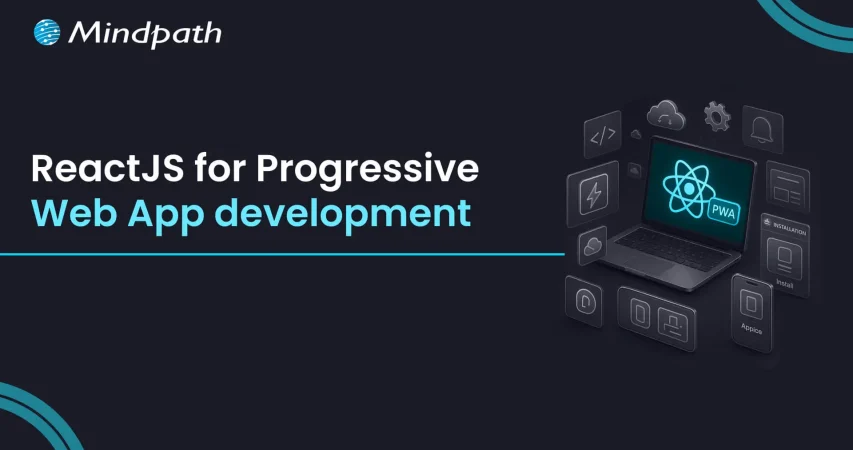
ReactJS for Progressive Web App development

Top Reasons to Choose ReactJS for Progressive Web App development 

Creating applications that are fast, dependable, and smooth on all devices is important for every company today, right? So, when you think of building something like that, ReactJS for Progressive Web App development may be a wise option for you. It allows you to create applications that give the experience of a native application without the cost or intricacy. There are many modern companies already using this approach to enhance performance and keep users invested with consistent user experiences.

ReactJS offers speed, flexibility, and user-centric features that are perfectly aligned with progressive web app goals. ReactJS has reusable components and fast rendering, making it easy for developers to build responsive and high-performance apps. PWAs built with ReactJS are responsive and load fast, work offline, and allow a smooth mobile experience that users will enjoy. In this blog, we will examine the top reasons why ReactJS is great for developing PWAs.

Looking to engage users with fast and seamless web applications? At Mindpath, we offer ReactJS development services where our experts help you create user-focused Progressive Web Apps that give users a smooth digital experience.

Understanding the Fundamentals of PWAs

Progressive Web Apps (PWAs) are modern web applications that function like mobile apps. With a PWA, you can open it in a web browser, but it behaves like a real app on your phone or computer. They are designed to function seamlessly across all devices (smartphones, tablets, or desktops), which is nicer than having separate mobile websites, apps, and desktop apps.

Progressive Web Apps are created using HTML, CSS, and JavaScript. They are fast to load; they work when users are offline and can send push notifications. They also allow access to certain phone functionality, such as the camera or location. PWAs can help businesses save time and money since they must build one app that can work everywhere.

Looking for specialists who can handle complex front-end challenges in your business? Learn why partnering with an expert React Development Company is a smart move.

Advantages of Using ReactJS for Progressive Web App development

Using ReactJS for PWA development is a great choice for creating secure and fast web applications. With the growing ReactJS trends, developers hope that they can deliver seamless and user-friendly experiences. Here is how ReactJS is perfect for your PWAs.
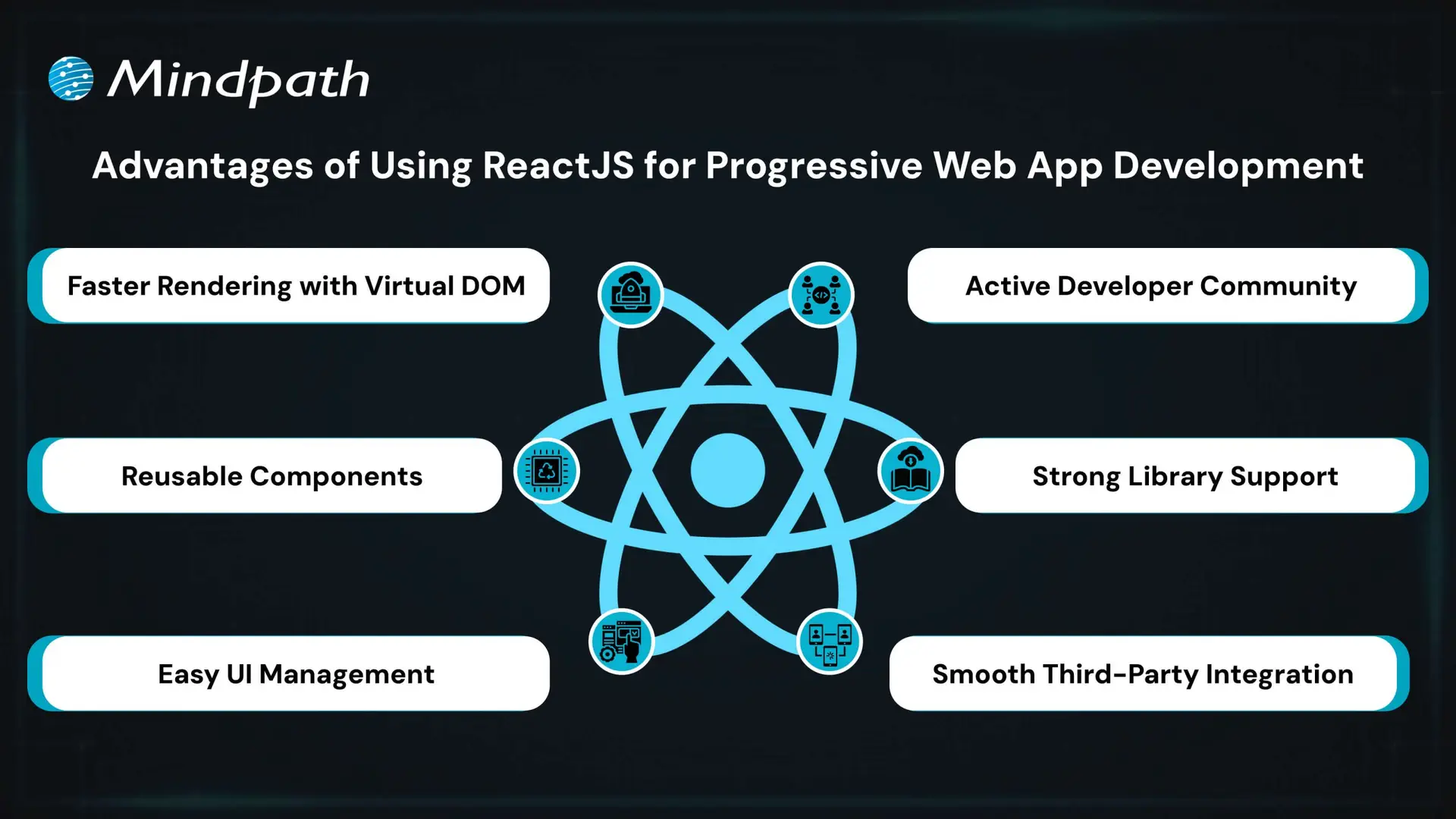
Advantages of Using ReactJS for Progressive Web App development

1. Faster Rendering with Virtual DOM

React uses a Virtual DOM to update only the parts of the page that change. This speeds up performance and ensures a smooth user experience. It’s ideal for building fast and responsive ReactJS PWA solutions.

2. Reusable Components

React’s component-based structure allows developers to reuse code across the app. This makes it easier to manage the app and scale it as it grows. It’s a key reason why teams choose ReactJS for progressive web app development.

3. Easy UI Management

React follows a declarative style for creating user interfaces. This makes it simple to manage and update interactive elements in the app. It helps deliver a smooth and engaging ReactJS progressive web app experience.

4. Active Developer Community

React has a strong global community that shares solutions, tools, and tutorials. This support helps developers solve problems faster and stay updated. It also contributes to the future of ReactJS in modern web development.

5. Strong Library Support

React has many libraries like React Router and Redux that simplify routing, data flow, and offline features. These tools help developers add advanced features to PWAs with less effort. They make building a PWA with React more efficient and reliable.

6. Smooth Third-Party Integration

React works well with tools needed for Progressive Web Apps, such as service workers and web app manifests. These tools help enable offline access, background syncing, and “Add to Home Screen” functionality. This makes it easier to implement full PWA capabilities when building with React.

Want to keep your large React app fast and responsive as it scales? Discover the best practices for optimizing React performance for large applications.

Steps to Set Up a React PWA

Getting started with React is a smart move when building modern web apps that work offline and feel like native apps. If you’re planning to use React for progressive web app development, here are the key steps to set it up properly.
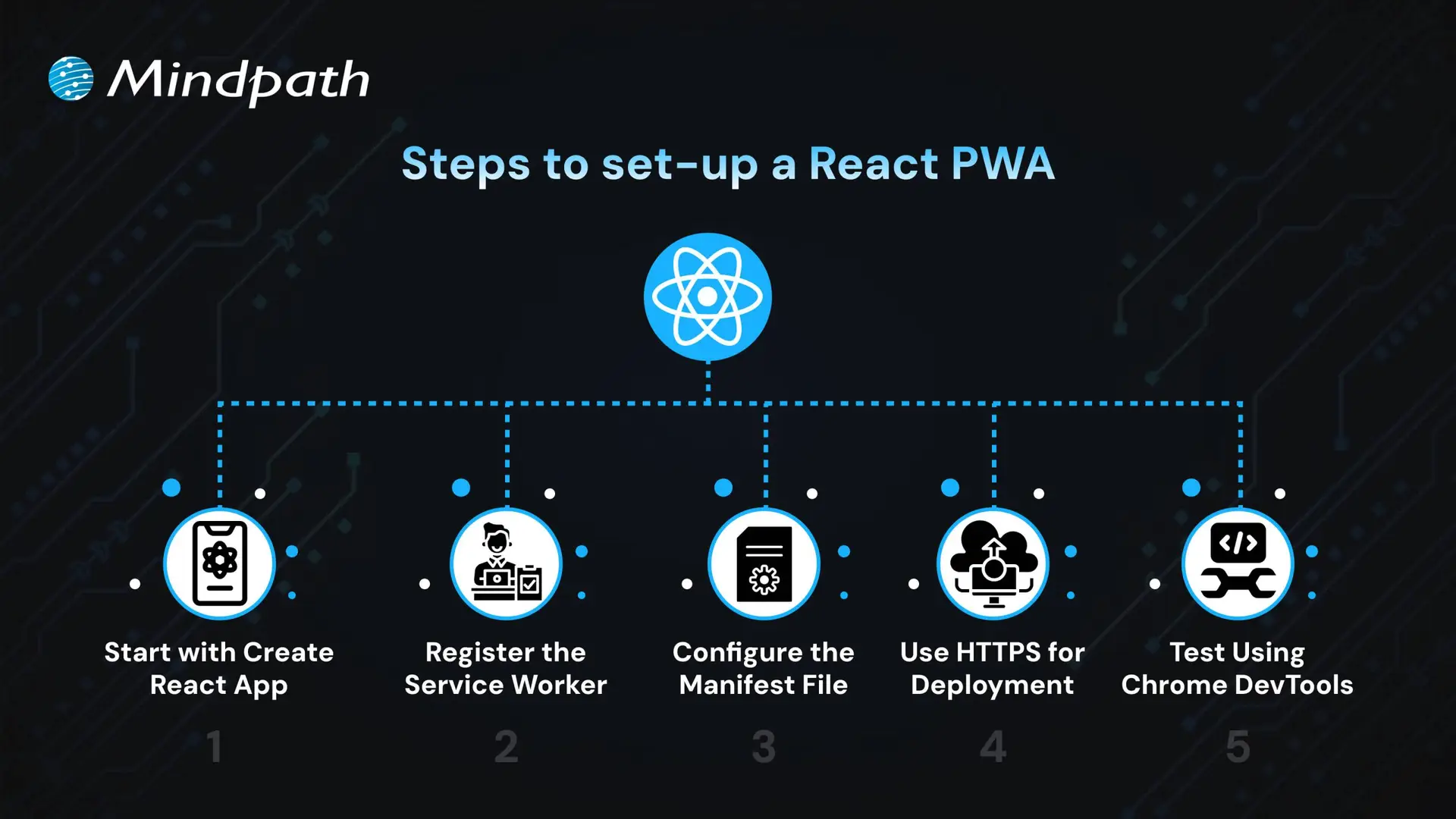
Steps to Set Up a React PWA

1. Start with Create React App

The easiest way to begin is by using Create React App, which includes built-in support for PWAs. It sets up a basic structure with everything needed for ReactJS PWA development, including service workers and a manifest file. CRA also optimizes the build process, making your app production-ready. This setup ensures you have a strong foundation to build a scalable and responsive PWA.

2. Register the Service Worker

To activate offline support, register the service worker by calling ‘serviceWorkerRegistration.register()’. This enables background caching, which is key to building a progressive web app with React that works without an internet connection. A registered service worker allows the app to cache assets and serve them even when the network is unavailable. It also helps improve performance by reducing server requests, ensuring a better user experience in the future of web development.

3. Configure the Manifest File

Update the manifest.json file in the public folder to define your app’s name, icons, theme color, start URL, and display mode. These settings control how your app appears when installed on a device. A properly configured manifest ensures your PWA looks and feels like a native app. This also helps in enabling features like splash screens and full-screen display, supporting the growth of progressive web apps with React development.

4. Use HTTPS for Deployment

For security, PWAs must be served over HTTPS. Local development through CRA handles this, but for live deployment, ensure your server uses a valid HTTPS setup. A secure context is required for service workers and features like push notifications. Using HTTPS also improves user trust and SEO performance.

5. Test Using Chrome DevTools

Use Chrome DevTools to inspect and test your PWA setup. You can verify service worker status, cached files, and manifest settings. Lighthouse audits can also help you improve your app based on best practices for React for progressive web app development. Testing ensures your PWA meets performance, accessibility, and usability standards.

Seeking a development approach that reduces complexity while enhancing functionality? Read why React Web Development is ideal for modern projects.

Ready to Build a Powerful PWA with ReactJS?

ReactJS offers all the essential tools to build fast, reliable, and interactive web apps that feel like native experiences. Its reusable components, strong ecosystem, and smooth performance make it a top choice for modern applications. Choosing ReactJS for progressive web app development is a future-focused decision that brings real value to your business.

At Mindpath, we deliver expert ReactJS development services tailored to your goals. We build responsive, scalable, and feature-rich PWAs with smooth offline access and high performance. Our experienced team uses the latest tools and trends to create apps users love. Partner with Mindpath and bring your next ReactJS PWA to life with speed and quality.


Frequently Asked Questions

1. How do Progressive Web Apps compare to traditional mobile applications in terms of maintenance?

Progressive Web Apps are easier to maintain because they use a single codebase across devices. Updates are applied centrally and reflected instantly for all users, unlike native apps that require separate updates and approvals. This reduces long-term maintenance effort and ensures consistency.

2. What factors should be considered before choosing ReactJS for PWA development?

It is important to evaluate project complexity, performance requirements, and scalability needs. ReactJS works best when applications demand dynamic user interfaces and fast updates. Compatibility with existing tools and the availability of skilled developers also play a key role in the decision.

3. How does a PWA built with ReactJS handle poor or unstable network conditions?

PWAs use service workers to cache important assets and data, allowing the application to function even with limited or no internet connectivity. This ensures a stable experience, reduces loading time, and keeps essential features accessible during network interruptions.

4. Can ReactJS PWAs support advanced features like push notifications and device access?

Yes, ReactJS PWAs can support features such as push notifications, location tracking, and limited hardware access through browser APIs. These capabilities enhance user engagement and allow web applications to deliver experiences closer to native mobile applications.

5. How scalable are ReactJS-based PWAs for growing user demands?

ReactJS supports scalable architecture through component-based development and efficient state management. As user demand increases, applications can be expanded with minimal disruption. This makes it easier to handle higher traffic, add new features, and maintain performance over time.

Related Post

Get insights on React developer hiring costs, including experience, location, and hiring models. Plan your budget effectively with our comprehensive guide.
Optimize your React app for better speed and scalability. Explore advanced performance techniques, including virtualization and useMemo.

Related Post

software development life cycle

In today’s rapidly evolving technology landscape, the software development life cycle defines how powerful digital solutions are conceptualized, developed, and delivered. It provides structure to a multi-faceted process, which permits development teams to remain focused, minimize risk, and deliver stellar results. This life cycle clearly delineates the sequence of steps that support the journey from idea to launch, while ensuring that each phase contributes to the development of software that delivers user needs, as well as business needs.

Developing software requires following a more structured process than just writing code; it requires a clear and organized process to keep projects on-track and ensure value is being delivered. If you have an understanding of the journey, then you are more equipped to build software that does what it needs to do! To detail this journey is what this blog aims to do with some context on the phases, models, and best practices relating to the development life cycle. So, let’s dive in! 

Want to transform your business with smarter technology solutions? At Mindpath, we provide innovative software development services that build smart tools to meet your unique business needs.

What is SDLC?

The software development life cycle (SDLC) is a process that provides your team with a method for planning, building, and delivering software products. The SDLC divides the entire software development journey into distinct stages, allowing for better management of time, cost, and quality of the product being developed. Adhering to the SDLC can help reduce risks, avoid schedule delays, and deliver a system that meets the user’s requirements.

This approach can also help a team when dealing with changing requirements and multiple team members. It provides clarity in the process, aligns the development team on quarter goals, and improves communication between everyone. The process of custom software development becomes predictable, organized, and focused on providing value with the SDLC. 

Now that we are clear on the SDLC definition, let us learn about the software development life cycle stages. 

Must Read: Software Development Cost

What Are The 7 Stages of the Software Development Life Cycle?

The SDLC is broken down into a series of well-defined stages, which provide guidance to a project from start to completion. Each stage has a distinct purpose and contributes towards ensuring the end product is functional, efficient, and meets user requirements. Here are the 7 stages: 

1. Planning

In the planning stage, the team comes together to define what the software should do and what problems it will solve. They also look at whether the project is realistic in terms of technology and budget. During this phase, important documents like the Project Plan and Software Requirement Specification are created to guide everyone. 

2. Requirements

In this stage, the team focuses on understanding what users need from the software. They gather information by talking to stakeholders through interviews and surveys. Then, they review the data to identify the essential features. This leads to a clear document that guides development and ensures the software meets user expectations. 

3. Design

Turning ideas into a clear plan during the design stage. The team maps out how the software will function, what it will look like, and how data will flow. All these details are recorded in a software design document that serves as a guide for developers. This stage bridges the gap between planning and building, ensuring the software works smoothly and is easy to use. 

Curious about what makes a software engineer truly effective at every stage of development? Discover qualities of a good software engineer and see the skills and traits that drive successful SDLC implementation.

4. Coding

This phase brings the software design to life through coding. Developers write the program following clear guidelines to ensure everything functions correctly. Regular code reviews help catch errors early and maintain quality. By the end, a working version of the software is ready to move on to testing and refinement. 

5. Testing

Quality checks take center stage during the testing phase to find any bugs or issues in the software. The team runs different tests, from checking small parts of the entire system, to making sure everything works well. When problems are found, they are recorded and sent back to the developers for fixing. This cycle continues until the software meets all the set requirements and runs smoothly. 

6. Deployment

Once the software is ready, it is carefully released to the users during the Deployment phase. Different methods are used to make sure the launch goes smoothly without disrupting users. Support, like user guides and training, is often provided to help users get started. 

7. Maintenance

After deployment, the maintenance stage keeps the software running smoothly and up to date. The team fixes bugs, makes improvements, and responds to user feedback to meet changing needs. Regular updates and support help users get the most from the software. Over time, the software may need major upgrades or replacement to stay useful and relevant. 

Curious how businesses are building world-class software teams without geographical limits? Explore how our offshore software development can deliver skilled talent and cost-effective solutions.

Models of Software Development Life Cycle

Different models guide how software development is planned and carried out. Each model offers a unique way to manage the process and reach project goals. Here are some popular software development life cycle models used by teams. 

1. Waterfall Model

The Waterfall Model is a step-by-step approach where each phase must finish before the next begins. It is very structured and relies on clear documentation at every stage. This model works best when requirements are well understood from the start. 

2. V-Shaped Model

The V-Shaped Model focuses heavily on testing at every stage of development. Each development step has a matching testing phase to make sure everything is working correctly. This helps find and fix problems early in the process. 

3. Iterative Model

The Iterative Model builds the software in small parts called iterations. After each part is developed and tested, feedback is used to improve the next version. This process repeats until the software meets all the requirements. 

4. Spiral Model

The Spiral Model mixes planning, prototyping, and testing in repeated cycles. Each cycle creates a new version of the software that can be improved based on feedback. This model helps manage risks but can be expensive and time-consuming. 

5. Big Bang Model

The Big Bang Model is very simple and starts development without detailed planning. It relies on trial and error, making it flexible but also unpredictable. This model is mostly used for small projects or when there is no fixed deadline. 

Looking for technology that fits your business perfectly instead of forcing you to adapt? Explore the custom software development benefits that deliver tailored solutions and real results.

Best Practices to Improve SDLC

Improving the Software Development Life Cycle (SDLC) helps teams deliver better software more efficiently. Following best practices can reduce errors, save time, and keep everyone on the same page throughout the project. 

1. Define the Scope Clearly

Without a clear scope, developers may feel lost and end up redoing tasks. Outlining deliverables, timelines, and milestones early avoids confusion and reduces wasted effort.

2. Manage Workflows Effectively

When work is not organized well, the development process slows down. Keeping an eye on key metrics like cycle time and sprint health helps teams plan tasks better and improve SDLC development.

3. Integrate Continuously

Using CI/CD allows teams to test and deploy code often, which prevents delays and reduces errors. It also makes the final product more secure and reliable.

4. Use Smart Scrum Practices

Following scrum routines like daily stand-ups and retrospectives helps teams stay connected. It also makes it easier to spot and fix problems early in the development cycle.

5. Keep Documentation Updated

Good documentation keeps everyone aligned and helps avoid repeated mistakes. It also saves time later by providing a clear record of security issues and project details.

Curious to know how small oversights in custom software development can cause major issues? Discover the most common custom software development mistakes and learn in detail how to prevent delays and deliver software that truly meets your business goals.

Why does the Software Development Life Cycle Matter Today?

The software development life cycle is key to building reliable, efficient, and user-friendly software. From planning to maintenance, every step in the SDLC adds structure and clarity to the process. By following best practices based on real software development examples, teams can deliver high-quality solutions with fewer setbacks. 

At Mindpath, we guide you through every stage of SDLC with our software development services. From gathering requirements to post-launch support, we help create software that fits your needs, goals, and timelines. Whether it’s a simple software or a full-featured application, our team ensures your vision becomes a successful reality. 

Frequently Asked Questions

1. Why is the software development life cycle important for businesses today?

The software development life cycle helps businesses build reliable and high-quality software without confusion. It brings structure to the entire process, reduces risks, and ensures that the final product meets both user expectations and business goals while staying on time and within budget.

2. Can the software development life cycle handle changing requirements during a project?

Yes, the software development life cycle is flexible enough to handle changes, especially when using modern models like Agile or iterative approaches. These methods allow teams to adjust features, improve functionality, and respond to feedback without disrupting the entire development process.

3. How does choosing the right SDLC model impact a project’s success?

Selecting the right model directly affects how smoothly a project runs. Some models work best for fixed requirements, while others support frequent changes. Choosing wisely helps teams manage time better, reduce errors, and deliver software that aligns with expectations.

4. What challenges can arise during the software development life cycle?

Common challenges include unclear requirements, poor communication, and lack of proper planning. These issues can delay timelines or affect quality. Following best practices like clear documentation and regular updates helps teams overcome these challenges effectively.

5. How can teams improve efficiency in the software development life cycle?

Teams can improve efficiency in the software development life cycle by using automation tools, maintaining clear communication, and tracking progress regularly. Adopting practices like continuous integration and proper workflow management also helps reduce errors and speeds up delivery.

MVP for startups

Every entrepreneur believes that they have the next big “idea” that could disrupt an industry. The chances of success for your startup depend completely on how you translate that idea into a product that solves the problems of customers. This is where you need to think about the value of MVP of startups and their impact on your growth. 

The MVP or minimum viable product is an important step in building the foundation required to achieve the desired goals for your startup. Without an MVP, you are likely to invest in developing products that may not be successful. Learning about the significance of a minimum viable product can help you identify the reasons to build one for your startup.

Are you a startup struggling to validate your idea before investing heavily? Mindpath offers MVP Development Services to help you test concepts and launch faster with minimal risk.

Understanding the Definition of MVP

Before you dive into the benefits of MVPs, you must understand its definition. The minimum viable product is the simplest version of the product you intend to sell to your customers. It includes only the basic features and helps you check the utility and relevance of the product with the help of feedback from actual users. The growing popularity of MVP development for startups across various industries has led many entrepreneurs to think about its benefits. 

Is a MVP really necessary for your startup? Many startup owners will think that investment in developing a MVP may increase their financial burden. On the other hand, you should think about the consequences of creating a full-fledged product with everything you have and more, only to end up with failure. MVPs can help startups test their ideas without investing all their resources and make necessary improvements before creating final products. 

Demystifying the Reasons to Build an MVP for Startups

The notion of establishing your own startup might be an exciting one albeit with one big challenge. Did you know that almost 90% of startups fail? Therefore, many entrepreneurs choose MVP development services for startups to increase their chances of surviving the competition. An overview of the benefits of the minimum viable product can explain for why every startup must create one. 

1. Aligning Your Product with the Target Market

One of the foremost reasons for which startups should develop an MVP revolves around ensuring that the final product is suited for the target market. Entrepreneurs should know “what is MVP” and how to use it to find the right market for their product and services. Testing the basic version of the product you want to build with real users gives you access to actual and relevant feedback. 

Your MVP will tell you whether the target market needs your product and how to improve it with useful features. Startups can leverage MVPs to experiment with product design and refine it till they achieve the right product-market fit. The MVP can easily identify whether your product cannot solve a real problem for your target audience in early stages.

2. Developing Products for Your Core Audience

A minimum viable product not only helps you develop products for the market but also for your core audience. The core audience of a startup includes customers who are more likely to buy their products and services and contribute more to their revenue. Any entrepreneur searching for MVP startup meaning must know that creating products that cater to the core audience increases possibilities of success. Tailoring your product for the core audience ensures higher customer satisfaction as they will believe that their needs have been kept in mind while developing the product. 

The MVP offers an opportunity to obtain valuable feedback from the core audience and make product improvement decisions on the basis of actual user experiences. You can not only identify the features that your customers want in a product but also discover relevant market trends. As a result, you can ensure that your product can evolve along with market demands while addressing the needs of your target audience.

3. Introducing Products at a Faster Pace

The next promising reason to look for opportunities to create an MVP is the assurance of faster time to market. Most of the startups struggle to accelerate the time to market due to various constraints. The utility of MVP solutions for startups becomes clearly visible in faster testing of product ideas. If you can identify how your product will solve the pain points of your target audience, then you will gain an early advantage over competitors.

The feedback received for an MVP from actual users help in refining your product by identifying exactly what works the best. Startup owners can avoid assumptions and use insights that help in making informed decisions for improving their products. It provides an ideal tool to reduce unwanted expenses during the development process and streamline your efforts. You can rely on the MVP for building a community of early adopters and their experiences will provide a strong foundation to attract new users.   

Preparing to build software that truly matters, you need a clear and efficient starting point. Explore our blog on MVP in software development to learn how early validation and focused execution can turn your idea into a successful product.

4. Making Your Product More Flexible

Another top reason to hire a MVP development consultant for your startup focuses on creating more responsive products. The dynamic business landscape keeps changing constantly and so do your target audience’s needs. Startups cannot afford to build products that fail to adapt to changing user requirements. Your MVP plays a major role in adapting and refining your product on the basis of user feedback. 

The minimum viable product provides the guarantee that your product can evolve according to changing preferences of your target users. Entrepreneurs can check whether their product is responsive to user-centric updates and enhances customer satisfaction. Product flexibility is a crucial advantage of the MVP approach that offers the assurance of success for your product in the long run.

5. Playing Safe with Your Investment in Product Development

Any startup that begins product development without a MVP is likely to invest everything in creating a full-fledged product. What if the product you have created with almost all of your resources does not meet your customer’s expectations? This is where MVP development can save you from unwanted expenses by helping you scale up investment as your product gains traction. Entrepreneurs can leverage MVPs as a more sustainable approach to product development with financial safety. 

You can start with the basic version that will require minimal development costs and add features according to user feedback. The MVP reduces financial risk by avoiding a full-scale product launch before creating the ‘perfect’ product. On top of it, developing the MVP helps you with strategic allocation of resources. Startup owners can use their MVP to invest gradually in product development as the product design becomes more suitable for success.  

6. Leveraging Short-Term Wins for Long-Term Success

The list of benefits associated with MVPs for any startup would be incomplete without including the short-term wins. The milestones in MVP development for startups not only provide an effective roadmap for product development but also enhance the momentum for your project. Startups can view the successful completion of milestones as a source of motivation for their teams and stakeholders. 

Stakeholders and investors will perceive the short-term wins as the representation of a startup’s capabilities to deliver on their promises. When an investor notices tangible outcomes from the product development process, they are likely to continue supporting your product. Meeting user needs in early stages helps in building a strong user base for your product and guarantees long-term success.

7. Enhancing Precision in Product Development

Most of the explanations for MVP meaning in business emphasize the ways in which it helps in identifying relevant features. The minimum viable product serves as a useful tool to adapt the core features of your product to user expectations. The feedback obtained from real users of MVPs not only helps in identifying core features but also in refining them. 

Startups can focus on features that their target users care the most about and ensure alignment with user needs. The MVP development cost can prove to be a successful investment as it enhances precision in product development. Apart from prioritizing features, your MVP also helps you understand technical complexities in the product. As a result, you can introduce improvements that help your users navigate the complexities with ease.    

Want your MVP to move from concept to reality fast? Check out our blog on hiring full-stack developers for MVP to see what skills and qualities matter most, which leads to successful builds tailored to your needs.

Final Thoughts

The benefits of a minimum viable product for startups offer strong reasons to build one for every startup product idea. Many startups fail to recognize the fact that starting small delivers massive benefits in the long run. When you build MVP for a new product, it helps you develop products that align with the preferences of your target audience. In addition, the MVP proves to be a formidable resource for earning the trust of your stakeholders and investors.

Mindpath is a MVP development company with years of experience in building minimum viable products for startups in different industries. We have guided startup owners through the process of creating their MVPs with our expertise and resources. Our strengths in creating MVPs can spell the difference between success and failure for your startup. Reach out to our consultants and create your MVP now.

Benefits of saas

Are you still relying on on-premise software to manage your business operations? In today’s evolving world, traditional software models are considered costly, outdated, and also challenging to maintain. The shift towards SaaS (Software as a Service) is redefining how organizations function. Besides, the benefits of SaaS are truly impressive compared to traditional models. 

As cost-efficiency, rapid deployment, and remote work become top priorities for businesses, SaaS has emerged as a crucial element of modern IT strategy. In this blog, we will discover more about it and understand what are the benefits of SaaS. Furthermore, you will understand how these tools support business operations. So, let’s dive deep into it. 

Planning to move your business to a cloud-based software model for better flexibility and cost efficiency? Mindpath’s SaaS Development Services deliver tailored solutions that improve performance, scalability, and user experience.

What is SaaS? – A Simple Explanation

Software as a Service, or SaaS, is a cloud-based software model where tools are hosted by third-party providers. The service providers offer the tools to organizations on a pay-as-you-go basis. As a result, businesses can access SaaS applications anytime they want with an internet connection. 

Some common examples of SaaS platforms are Zoom, Salesforce, Google Workspace, Mailchimp, and Shopify. Speaking about some common benefits of SaaS, these are continuous innovation, seamless collaboration, and faster deployment. 

Some key characteristics of SaaS are: 

1. Accessible from anywhere and anytime 

2. Subscription-based pricing models

3. Automatic and hassle-free updates 

4. Flexibility and scalability 

Looking to match your business needs with a skilled SaaS development provider? Check out how to choose the right SaaS development services to ensure perfect alignment.

Key Benefits of Software as a Service

Now that we have an understanding of SaaS, it’s time to explore the values SaaS platforms bring to the table. From small startups to large organizations, SaaS tools offer powerful solutions to enhance productivity and streamline multiple operations. 

Here are some impressive software as a service benefits that make these tools a crucial element of every business’s success. 

1. Cost-Efficiency

We would say this is one of the most compelling Benefits of SaaS. Opting for traditional software means you will have to invest in IT personnel, hardware, and licenses. However, SaaS tools eliminate these expenses by providing you  with: 

  • Lower initial investment

There is no need to buy expensive software licenses and hardware. 

  • Transparent billing

With different subscription models, you can plan your budget easily. 

  • Low Maintenance Costs

The service providers will handle regular patches, updates, and service maintenance. 

These things make SaaS attractive for small businesses and startups with a restricted budget.

2. Scalability- It Grows with Your Business

As your organization grows, so do your software requirements. All trusted SaaS service providers have powerful and massive IT infrastructure. This makes it highly scalable and flexible. When your business grows, you can just change your subscription plan, and you are ready to go. 

Using SaaS platforms, organizations can: 

1. Upgrade and downgrade their plats based on requirements. 

2. Add or remove users with a few simple clicks 

3. Access modern features without making any changes to the tool. 

Organizations just need to pay for the services they use, making it an adaptable solution. 

Looking to understand how different development approaches impact SaaS performance? Check out the types of software development to gain insights for building high-quality SaaS solutions.

3. Mobility and Accessibility

In this world, where global teams and remote work are the latest trends, accessibility is vital. It can be achieved through SaaS solutions. These tools are easily accessible through any device with an internet connection.  

SaaS allows employees to effortlessly collaborate from any location. Besides, the software can be accessed from smartphones, laptops, tablets, and desktops. What’s more? Multiple teams can smoothly work on the same projects simultaneously. 

This high level of accessibility enhances overall productivity while supporting an agile workforce. 

4. Reliable Data Storage and Automated Backups

As SaaS is powered by cloud technology, your data will be regularly stored and backed up. Businesses can customize their storage options based on their needs. Furthermore, they can increase or decrease the features. 

On the other hand, with SaaS tools, you don’t need to worry about running out of space. No matter what your storage requirements are, you can easily find an ideal plan that will work for your business. 

Must Read: Cloud Security Tools

5. Hassle-Free Maintenance and Automatic Updates

Users of traditional software are well aware of the disruptive and time-intensive manual update process. One of the significant advantages of software as a service is that updates are handled by the service provider. 

Furthermore, there are other benefits to consider, such as: 

  • Continuous Improvement

Service providers regularly roll out new, advanced features along with security patches. 

  • No Manual Setup

Updates are delivered and installed by the SaaS service provider. Users don’t need to perform any action. 

  • High Uptime

All updates are deployed during off-peak hours to avoid disruption. 

It ensures that your organization has access to the latest security enhancements and features. 

6. Compatibility- Effortless Integration

Most SaaS tools utilize Application Programming Interface or API for data transfer. It makes these tools highly compatible, and they can be integrated with almost all technologies. 

Modern SaaS platforms easily connect with ERP, accounting, marketing tools, and CRM. As a result, it will be easier for you to manage and streamline repetitive tasks. The interconnected ecosystem boosts data visibility and supports informed decision-making.

7. Enhanced Security

Undoubtedly, security is a major concern for every business. And trusted SaaS providers always prioritize cybersecurity. With the best SaaS tool, you will enjoy the following security benefits: 

  • Regular Backup

Most SaaS tools support automated data backup, ensuring quick data recovery in the event of system failure. 

  • Data Encryption

SaaS providers use advanced security features to keep sensitive information protected. 

  • Compliance

These tools adhere to the major industry standards such as HIPAA, GDPR, and more. 

With the help of a SaaS provider’s expertise, your organization can attain the maximum level of security. 

Planning to create a SaaS application that perfectly fits your business needs? Discover the custom software development process to ensure your SaaS is designed for success.

8. Faster and Hassle-Free Deployment

One of the key advantages of SaaS is how quickly you can get started with it. These tools can be deployed within a few hours or days. There is no need to wait for months. You just need to sign up with the tool and start taking advantage of the features.

On the other hand, SaaS tools’ intuitive interfaces and easy-to-understand tutorials can help your team get started quickly. If deployed properly, you will be able to witness the changes within a few days. This rapid deployment supports your business’s quick digital transformation. 

9. Business Intelligence and Data Analytics

Many SaaS tools provide users with built-in analytics features. These features allow businesses to track multiple key performance indicators, evaluate operational efficiency, and monitor user behaviour. 

Moreover, these tools simplify reporting by offering actionable insights and visual dashboards. As you will have access to the latest, accurate data, making informed decisions will be easier. Whether you are refining your strategy or scaling it,  SaaS tools empower faster and smarter business moves. 

Curious about the common pitfalls businesses face with SaaS solutions? Check out the challenges of SaaS to safeguard your adoption strategy.

When to Opt for SaaS Instead of Traditional Software?

Although SaaS is not the right option for every scenario, some do. Let’s explore the key situations where SaaS may shine, with a focus on the software as a service advantages.

1. You are a Startup and Scaling Fast

SaaS allows you to launch a product faster, pay monthly, and it will scale seamlessly as you grow. It helps your team to stay lean. You don’t have to worry about lock-in or hardware investments. Just enjoy the agility. 

2. You Need Quick Deployment with Lower Upfront Costs

Ask yourself the following questions: 

  • Do you have a limited budget?
  • Do you need software that can work instantly for your business? 
  • Are you worried about costly  IT infrastructure?

If yes, SaaS is the right option for you. With this, you will get instant access along with a predictable monthly fee. The best thing is that most SaaS tools come with free trials and offer basic features for free. 

3. Your Team Needs Remote Access and Flexibility

If you are managing remote or hybrid teams, a SaaS platform can ensure smooth collaboration and access. In fact, these platforms are designed for accessibility and can keep your crucial data synchronized across devices safely. 

SaaS Readiness Checklist: Know If Your Business is Prepared

Transitioning to a cloud infrastructure doesn’t mean your organization can implement SaaS models. In fact, it has been seen that some organizations found SaaS tools unsuitable as their workflows and systems were not aligned with the cloud-based facility. 

However, if you have a robust software product, a trusted recurring payment system, and a huge customer base, then you are well-positioned to experience the Benefits of SaaS.  

When implemented properly with the help of an expert, a SaaS tool can benefit both service providers and users. It provides customers with user-friendly and seamless experiences. On the other hand, it enables your business to enhance its products and services. For a successful deployment, ensure that: 

1. Your software or product is market-ready.

2. A robust recurring payment system is in place.

3. Your existing infrastructure is compatible with the new cloud solution.

4. You have a scalable and responsive support team. 

5. Your compliance and data security protocols are robust. 

6. Your team can continuously measure as well as optimize product performance. 

If your organization aligns with these statements, then you can successfully embrace SaaS platforms and enjoy all the Benefits of SaaS. When you have a solid foundation, SaaS models can drive long-term success, customer satisfaction, and sustainable growth. 

Future Trends in SaaS

SaaS is evolving, driven by smarter cost control, industry-specific solutions, and AI. Talking about the future trends, we may expect to see a shift toward scalable, secure, and intelligent software ecosystems. 

Some major future Saas trends to consider are: 

1. AI-powered SaaS tools offering more Benefits of SaaS, including automated financial forecasting and AI-powered customer support. 

2. More sophisticated SaaS tools offering deeper compliance support, workflow alignment, and customization. 

3. No-code or low-code enablement to empower non-technical users.

4. Compliance-driven and privacy-first SaaS solutions. 

5. Increasing adoption of API-first and module SaaS tools that can help create custom stacks. 

Ready to Unlock the Full Potential of SaaS for Your Business?

SaaS is transforming the way organizations operate, offering scalability, enhanced collaboration, cost-efficiency, and robust security. By adopting SaaS solutions, businesses can streamline operations, improve productivity, and stay agile in today’s fast-evolving digital landscape.

At Mindpath, we deliver custom SaaS solutions tailored to your business needs. Our expertise ensures seamless integration, optimized workflows, and future-ready systems. Partner with us to harness the power of SaaS, maximize efficiency, and achieve measurable results while minimizing investment.