Home

Backend vs Frontend Developer – A Detailed Comparison

Backend vs Frontend Developer – A Detailed Comparison

Join our Newsletter!

backend vs frontend

The most common terms you will find in any web development cheat sheet are frontend development and backend development. These are the two critical components that make up a web application and work together to deliver the desired functionality. Therefore, understanding the backend vs frontend comparison is essential for every beginner who wants to learn web development before diving into practical work.

With more than a million live websites running worldwide, learning about frontend and backend development can give you a valuable advantage. Frontend developers work on the visual aspects of a website, including its layout, design, styling, and buttons. On the other hand, backend developers manage the systems that power a website behind the scenes, including its database, logic, and security. In this post, we will explore the key differences between frontend development and backend development.

Want to hire developers who can handle both front and backend development? At Mindpath, we provide full-stack development services to help you access versatile solutions and accelerate your project success.

Understanding Frontend Development

Before exploring the differences between frontend and backend development, it is important to understand their basic definitions. Frontend development, often called client-side development, involves creating the visual and interactive elements of a website or application that users see and interact with directly. It bridges design concepts and digital technology to deliver a seamless, responsive, and engaging user experience.

Frontend developers turn design ideas into functional elements on web pages. They use programming languages and technologies such as HTML, CSS, and JavaScript to create visually appealing user interfaces. Additionally, they use frameworks like React and Angular to build responsive interfaces and improve application performance.

At first glance, it may seem that frontend developers focus only on the appearance of web applications. However, the backend vs frontend comparison also highlights their responsibility for website architecture, CSS styling, build tools, and file organization. These tasks help ensure that an application remains maintainable, accessible, and efficient.

Understanding Backend Development

When discussing what is frontend and backend development, backend development refers to the server-side components of an application. It focuses on the behind-the-scenes mechanisms that power websites and apps, including databases, server logic, and APIs (application programming interfaces). These components process data and deliver responses to users.

Backend development also connects the server-side systems with the frontend to support the smooth flow of information. For example, when a user submits a form or signs in to an application, the backend processes the request and returns the appropriate response.

Backend developers work on scripting, website architecture, database management, server management, and API integration. To perform these tasks efficiently, they use technologies and frameworks such as Django and Ruby on Rails. These tools help streamline development while supporting reliable application architecture that aligns with project goals.

Identifying the Differences in a Backend vs Frontend Comparison

Frontend development and backend development are both essential parts of web development. However, each serves a different purpose in creating functional web applications. While the frontend focuses on the user experience, the backend handles the underlying systems that make the application work.

Understanding what is backend and frontend development can help you decide how to approach your next web project. The following differences explain how these components work together and why both are important.

1. Goal of the Development Process

The definitions of frontend development and backend development provide a clear understanding of their goals. Although many people assume that frontend development focuses solely on creating the user interface, its responsibilities extend beyond visual design. Frontend developers aim to deliver a positive user experience while improving performance, accessibility, and responsiveness across different platforms and devices.

In contrast, backend developers create and maintain the server-side architecture of web applications. An important difference in a frontend vs backend developer comparison is the range of responsibilities involved in backend development. These professionals build reliable systems that process requests accurately and efficiently. They must also address user requirements, strengthen security, and manage operational costs.

2. Technologies Used in the Process

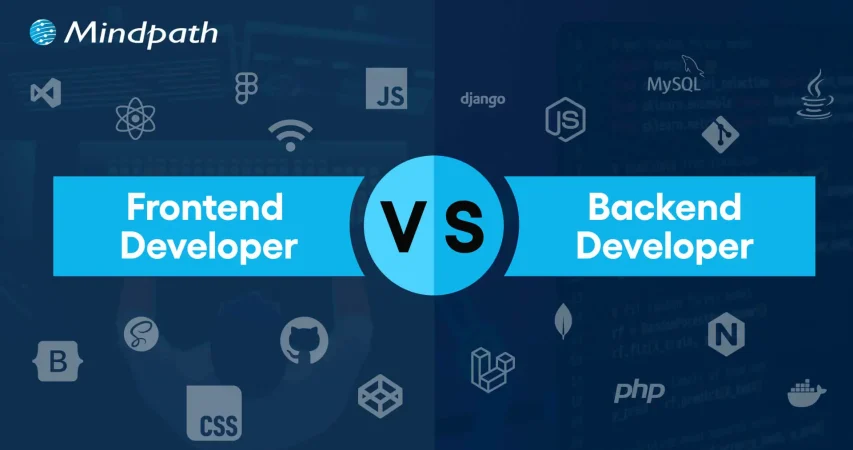
Another important difference between frontend development and backend development is the technology stack. Frontend developers commonly use HTML, CSS, and JavaScript to build user interfaces. Additionally, frameworks such as React, Vue, and Angular help them create applications that are interactive, intuitive, and responsive.

Backend development uses a different set of technologies to handle server-side operations. Popular programming languages include Java, Ruby, and Python, while frameworks such as Ruby on Rails and Django help developers build applications efficiently. Backend development also involves database management systems, API technologies, and storage solutions.

Want to upgrade your digital operations and improve development efficiency? Explore our blog on full-stack development benefits to learn how a unified skill set can cut costs, speed delivery, and elevate your product quality.

3. Security

Security is another important factor that distinguishes frontend development from backend development. Frontend security focuses on client-side scripts, input forms, and user authentication. Common measures include input validation, secure authentication workflows, and protection against malicious scripts. Users also play a role by protecting their passwords and devices.

Backend security, on the other hand, focuses on protecting data during transmission and storage. Backend developers manage authentication, session control, access permissions, databases, and APIs. Therefore, they must implement secure coding practices, strong authorization controls, and data encryption to protect sensitive information.

4. Concurrency

Concurrency is another area where frontend and backend development differ. The difference between a backend and a frontend developer becomes clearer when considering how applications handle multiple users and requests. Frontend developers generally focus on the behavior of an application within an individual user’s browser or device, although asynchronous operations and interface updates still require careful management.

Backend systems, however, often need to process many requests simultaneously. For example, an application may receive thousands of requests within seconds. To handle this workload efficiently, backend developers use techniques such as asynchronous programming, multithreading, and event-driven programming.

Looking to elevate your tech strategy this year? Explore our blog on full-stack development trends to discover what is driving innovation and how these trends can give your business a competitive edge.

Here is a brief summary of the backend vs frontend comparison.

Criteria Frontend Development Backend Development
Goals of the Process Frontend development focuses on creating a positive user experience and optimizing web apps for accessibility, visual appeal, and responsiveness. Backend development aims to build and maintain reliable application architecture that supports efficiency, accuracy, and performance.
Technologies Used Frontend developers use JavaScript, HTML, and CSS, along with frameworks such as Angular and React. Backend developers use languages such as Ruby, Python, and Java to write server-side code, along with frameworks such as Django and Ruby on Rails.
Security Frontend security emphasizes input validation, secure authentication workflows, and protection against client-side threats. Backend security focuses on secure coding, strong authentication and authorization, and data encryption.
Concurrency Frontend developers primarily manage interactions and asynchronous operations within the user’s browser or device. Backend developers use techniques such as multithreading and asynchronous programming to handle concurrent requests.

Ready to strengthen your tech capabilities with minimal complexity? Explore our blog on hiring full-stack developers to see why full-stack professionals can support faster development, innovation, and cost-effective growth.

Build Better Web Applications with Full-Stack Development

The comparison between frontend development and backend development shows that both components must work together to create effective web applications. Understanding the backend frontend relationship helps businesses and developers turn ideas into functional digital products. Although frontend and backend development differ in their technologies, security responsibilities, and approach to concurrency, both contribute to a reliable application.

At Mindpath, we specialize in frontend and backend development and bring years of industry experience to our projects. Our full-stack development services cover both sides of web application development. Our experts work with different frontend and backend languages and frameworks to create solutions that align with your business goals. Contact our team to explore the right approach for your next web development project.


Unsure Which Developer You Need?

We help you scope the right roles for your project.

Frequently Asked Questions

Front-end developers build the user interface users interact with, while back-end developers develop server-side logic, databases, and APIs that power application functionality.
No. Front-end delivers the user experience, while back-end processes data and business logic. Both are essential for creating secure, interactive, and fully functional web applications.
Front-end developers commonly use HTML, CSS, JavaScript, and frameworks like React. Back-end developers work with languages such as Python, Java, PHP, Node.js, and databases.
They collaborate through APIs, allowing the front end to exchange data with the back end and deliver seamless, real-time user experiences across web applications.
It depends on project complexity. Large projects often require specialized developers, while smaller projects may benefit from full-stack developers with expertise in both front-end and back-end development.

Support Is One Click Away

Featured Posts

Related Post

hiring offshore developers

The software development market size is expected to reach USD 1.11 trillion by 2031. Software development is all about building applications and programs that are used on our mobile devices and computers. This is why the trend of hiring offshore developers has escalated drastically due to the global shortage of skilled IT talent. Further, offshoring experts can be cost-effective while lowering your overhead charges.

As per a detailed survey of Manpower, around 76% of employers in the recent scenario lack the right talent in the IT sector. So, businesses growing with escalating digital demands need offshore development to stay competitive without overburdening their budgets.

Let us explore the major steps involved in choosing the right offshore developers while preventing common pitfalls.

Looking to scale your team quickly without long hiring delays? At Mindpath, we offer expert staff augmentation services to fill your talent gaps efficiently.

Who are Offshore Developers?

Offshore developers are software engineers, QA testers, and other tech professionals who work remotely from overseas locations to support your software development needs. Businesses hire them to reduce labour costs, tap into global talent pools, and scale their tech teams quickly, without the overhead of local hiring. These professionals span a wide range of roles, including backend engineers, DevOps experts, QA testers, frontend developers, and more.

When you hire offshore developers, make sure to maintain collaboration through advanced communication tools and effective workflows. Further, they also value structured project management processes.

What are Some Advantages of Hiring Offshore Developers?

Hiring offshore developers can be extremely beneficial for your company while unlocking potential opportunities. Some of the convenient aspects have been given here for your reference.

1. Enjoy Access to Global Technical Expertise

Local hiring markets majorly suffer from skill shortages and high competition. So, offshore software engineers give your business access to a wider pool of experienced professionals. Further, the experts will have utmost knowledge about emerging technologies like data engineering and AI to make your software perform effectively.

This global rich can make it easy for you to hire offshore development with industry-rich skills that you might not get locally.

2. Faster Development Cycles

Your team will be distributed across different time zones. This can support faster development cycles without hampering quality. So, while your one team signs off for the day, the other one will continue to make progress.

3. Cost Optimization with Sacrificing Quality

One of the most essential advantages of offshore hire is cost-effectiveness. Your company can easily reduce the development charges while still working with skilled professionals. Additionally, lower operational charges allow your business to invest more in product innovation and customer satisfaction.

Planning to scale your project without overspending? Explore our comprehensive guide on offshore software development strategies for expert insights.

What are Some Different Ways to Hire Offshore Developers?

It is very important for you to pick the right engagement model to achieve success. So, consider the values of hiring offshore developer as they are flexible and businesses can adapt them as per the project requirements.

1. Project-Oriented Offshore Development

This type of model suits businesses with a clear and defined scope while holding clarity about their budget and timeline. You can hire offshore developers to leverage specific features or applications. This makes it convenient for short-term or fixed-requirement projects.

2. Dedicated Teams

A dedicated offshore team majorly works on your project and functions as an extension of your in-house team. Additionally, this approach can benefit your long-term projects or evolving projects. This is efficient when you want to strengthen your team by scaling it up.

3. Offshore Staff Augmentation

Such an offshore development model allows your company to strengthen existing teams by adding software engineers with specific skill sets. This approach is extremely useful during peak workloads.

How to Hire Industry-Leading Offshore Developers?

You can go through the steps below to make your offshore hiring process effective and result-oriented. Moreover, these streamlined steps have always been advantageous for many leading tech giants.

1. Assess Your Requirements

Before you pick any offshore developers, it is necessary for you to understand your requirements. Figure out what you actually want to achieve from the project and what features it should include. As different projects require different skill sets, determine the specific talent you need from your offshore developers.

Set a timeline for your project and assess how much you are willing to spend on this development success. This approach can narrow down your search while fulfilling your requirements on time.

2. Search for Desirable Candidates

Once you are assured about your project requirements, you can start searching for the right candidate. Browse online platforms and efficient job portals to find reliable candidates. Further, you can value the recommendations and referrals of your colleagues and friends to find talented developers.

You can also search in the professional networks and communities to find a suitable offshore development team that strives for better results.

3. Conduct Interviews and Verify the Candidates

Prepare a list of useful questions before you conduct any interviews. Always include those questions that can help you assess the candidate deeply. You can ask about their experience in custom software development and how they are committed to their service. Further, you can also assess their technical expertise.

You can also ask them to explain certain concepts and how they can easily solve multiple levels of project risks. Also, verify their communication skills and how transparent they are with their points of view.

4. Onboard Your Developers

Once you are done with hiring the best developers from around the globe, you can onboard and manage them as per your project requirements. Further, to be assured of successful communication and effective collaboration, use necessary tools like Skype and Slack.

How to Evaluate the Talent of Offshore Developers?

Hiring an offshore development team requires more than just reviewing the resumes. So, a detailed assessment can ensure you are getting your hands on the right professionals.

1. Communication Expertise

Your offshore development team will work remotely. So, it becomes essential for them to value clear communication. You need to assess if they are capable of explaining multiple technical concepts, and they must respond to your feedback quickly.

2. Technical Knowledge

It is necessary to go through the offshore developers’ previous projects. Moreover, consider experts who have experience working with similar type of technologies that your industry prioritizes on daily basis.

3. Problem-Solving Techniques

Offshore developers should also be aware of authentic analytics skills instead of just coding knowledge. They should innovate and instead of strictly working on instructions.

Are you finding it challenging to keep your offshore development team aligned and productive? Learn about top remote work tools that simplify team management.

Conclusion

Hiring offshore developers comes with its own incredible benefits. However, the complete process of picking the right development team might feel challenging to you. So, if you are willing to leverage the expertise of the best offshore team of developers, then Mindpath can be your ultimate solution.

We bring a trusted expertise in custom software engineering and staff augmentation. With a focus on quality and long-term collaboration, we help businesses turn their offshore development into a competitive benefit.

Learn how to hire offshore developers with our comprehensive guide. Maximize your business growth by accessing skilled talent and streamlining your process.
AI readiness checklist

Artificial intelligence has heralded the beginning of a new era, the one of swift digital transformation with AI. The equation of AI and digital transformation has attracted the attention of businesses in almost every sector. As a matter of fact, adopting AI for digital transformation is no longer considered a luxury but a necessity. However, many business leaders feel that their organization is not ready for AI.

As artificial intelligence changes the course of digital transformation in the next few years, you cannot sit on the sidelines. Business leaders have to identify the best practices for integrating AI in their existing systems and workflows to solve real problems and create sustainable value. Let us discover a checklist to find out whether your business is “AI-ready”.

AI can revolutionize your business, but it requires the right guidance and support. Mindpath’s AI development services are designed to turn your challenges into opportunities and help you build future-ready solutions.

Why is AI Readiness Important in 2025?

No other technology trend has had a disruptive impact like artificial intelligence. The growth in demand for AI-driven digital transformation is not just an aftermath of the hype around AI. As a matter of fact, artificial intelligence has been responsible for inducing fundamental changes in the global business landscape. You can come across some of the common use cases of AI in every industry, such as automation of repetitive tasks and offering customer data analytics. 

Business owners must find the ideal solutions to harness the transformative power of AI unless they want to risk falling behind their competitors. On top of it, they must also understand that AI transformation is not just about adding new software to their workflow. It is important to acknowledge that adopting AI implies a paradigm shift in how an organization operates, competes in the market, and fosters innovation.  

Anyone cannot just introduce AI in their business and expect it to work like magic without preparing a strong foundation. The journey of AI-powered transformation of a business requires a holistic approach that blends technology with data, people, processes, governance, and strategy. When your business fulfills all the criteria of AI readiness, you can tap into the full potential of artificial intelligence.  

Why Do You Need an AI Checklist for Your Business?

The advantages of AI for businesses offer a credible set of reasons to embrace AI adoption right away. On the other hand, adopting AI directly without preparation can lead to poor implementation and wasted resources. At this point in time, you must know the answer to “What is an AI readiness checklist?” and how the checklist can help you with AI adoption. The readiness checklist can work as a manual for preparation to welcome AI into your organization. 

Business owners need the artificial intelligence readiness checklist to make smarter decisions for integrating AI in their operations and systems. Most importantly, the checklist can help in addressing most of the implementation challenges, such as resistance from teams. 

Important Points in Artificial Intelligence Readiness Checklist

The checklist to measure the AI readiness of your business might vary from source to source. However, the best AI readiness checklist is one that covers the essential facets that you must consider before embracing AI. You can use the following checklist for the critical evaluation of the preparedness of your business for artificial intelligence. 

1. Availability of Centralized and Clean Data

Data is the lifeblood of AI, and without quality data, artificial intelligence is helpless. You may have multiple artificial intelligence business ideas and still fail due to the lack of data. What is the significance of centralized and clean data? Centralization of data ensures that it is not scattered across different systems. Clean data is also essential for AI adoption as it ensures freedom from inconsistencies, duplicates, and errors in the data. 

Assume an example of an e-commerce company that wants to use AI for offering personalized product recommendations. With the browsing data, demographic information and purchase history of customers spread across different databases, the company cannot use AI to build accurate customer profiles. The same outcome is expected in cases where the data contains inaccuracies or errors. Therefore, you must check whether you have a centralized data warehouse and clean data before adopting AI.

2. Alignment of AI Use Cases and Business Goals

Businesses cannot just adopt AI without any purpose unless they want to waste resources. The AI readiness checklist for businesses also focuses on identifying clear AI use cases that directly address specific business problems. On top of it, the use cases should align with the broader strategic goals of your business. The use cases of AI in business may bring opportunities such as improving customer service, enhancing product recommendations, and automating internal communications. 

You can think of an example of a manufacturing plant that uses AI for predictive maintenance to reduce operational costs and machinery downtime. The manufacturing plant uses AI for a specific application to achieve its overall strategic goal of enhancing operational efficiency. 

3. Perception of AI by Teams in an Organization

One of the common misconceptions about AI is that it will replace humans from many jobs. On the contrary, businesses must show that AI will empower teams in an organization with diverse functionalities. Most of the guides on how to prepare for digital transformation with AI emphasize redesigning workflows where AI adds the most value for teams. If the teams in your organization perceive AI as a threat to their roles, then you might encounter trouble in AI adoption.

The best way to ensure that teams understand how AI fits into their workflows requires mapping the current process. Business leaders must recognize repetitive and data-intensive tasks that can be augmented or automated with AI. You have to make employees believe that AI is their partner to tap into the best of artificial intelligence.

4. Commitment of Leadership to AI-powered Innovation

Does your business leadership want to promote innovation with AI? The answer to such questions is crucial for business transformation using AI, as leadership plays a major role in successful AI adoption. Business leaders set the tone for AI integration initiatives and provide the strategic direction alongside access to essential resources.

Active participation of leaders in championing AI initiatives showcases the significance of AI to every member in the organization. For instance, if the CEO publicly endorses an AI-powered project and allocates a dedicated budget to the project, then they show their commitment to AI. As a result, more employees will buy into the projec,t and leaders can avoid potential roadblocks.       

5. Support for Cloud Solutions in the Technical Infrastructure

Business owners must also know that AI systems require significant amounts of computational power and data storage. Therefore, cloud-based solutions have emerged as the most beneficial components in the technical infrastructure of modern AI systems. The ideal checklist for AI-powered business transformation will ask you to prepare a robust technology infrastructure that supports cloud-based solutions.  

Let us assume that a business wants to use AI for analyzing large volumes of transaction data for fraud detection. The business owner must choose scalable cloud infrastructure like Google Cloud, Azure, or AWS that offers the flexibility and power to handle the humongous collection of transaction data. 

6. Attention to Data Privacy and Compliance Protocols

The dependency of AI on data calls for unconditional attention to the concerns of data privacy and compliance. You can guide your business through strategic AI adoption only with robust data privacy and compliance protocols. Some of the notable protocols that businesses should not ignore are GDPR and HIPAA. The primary purpose of these protocols is to ensure ethical data management and mitigation of legal risks. 

You can notice that healthcare providers using AI are the best examples of why data privacy and compliance protocols are important. For example, a healthcare institution using AI for patient diagnosis should follow strict patient data privacy rules. Protocols for secure data storage and data anonymization can safeguard sensitive information and earn the trust of users.

7. Accessibility of Ideal AI Tools and Technology Partners

The successful implementation of AI in your business operations and workflows depends a lot on the selection of the right AI tools and strategic partners. Businesses can improve their readiness for AI and automation with custom-built solutions or off-the-shelf AI platforms. Some leaders may also opt for collaborations with AI consulting firms or development services to integrate AI in their business.

What would a small e-commerce business do while implementing AI-powered personalized recommendations? A pre-built solution with AI features might be the best answer. On the other hand, a larger organization should collaborate with an AI development company to create custom solutions aligned with business requirements and goals.

8. Support for Experimentation and Agile Innovation

AI adoption is not a one-time process, as many business owners might have believed. Adopting AI in your processes and systems requires an iterative approach and calls for continuous learning and improvement. As a business leader, your digital transformation roadmap for AI must emphasize experimentation and agile methods. You must be comfortable with learning from failures and adapting your strategies according to emerging requirements.

Consider the example of a software development company that aims to use AI for optimizing code generation. The company can rely on experiments and agile approaches to test different AI models and collect feedback. Subsequently, the company can repeat the process to create more refined AI solutions.        

9. Clear Metrics to Evaluate AI Outcomes

Without the KPIs or Key Performance Indicators for your AI projects, you will be shooting in the dark. Business owners can measure the value of AI for their organization only with KPIs that will also guide improvements in their AI adoption strategy. The metrics for your AI projects must align with your business goals.

If you want to use an AI chatbot for customer service, then the KPIs will focus on the number of escalated tickets or an increase in customer satisfaction scores. A clear definition of KPIs helps businesses determine the effectiveness of AI and make data-driven decisions for improvement.

10. Willingness of Staff to Learn AI Skills

The success of your AI initiatives also depends significantly on the dedication of the workforce to learn AI skills. You cannot think about preparing your business for AI integration without resistance from employees. Therefore, you must foster a culture of continuous learning and upskilling to encourage employees to learn how to work with AI tools. 

Business owners must design special training programs to help their employees understand how to use AI-powered platforms and solutions. With a proactive approach to AI training and upskilling, your organization can harness the full power of the human element in your AI initiatives.

11. Realistic Expectations for AI Budget

The budget of a business for AI initiatives also plays a crucial role in determining the success of the initiatives. As a business owner, you must set some realistic expectations for the budget of AI projects. It will ensure that your AI project does not get derailed due to a lack of funds. 

The budget for AI adoption must include the initial development and licensing costs as well as the cost of ongoing maintenance, training, and data infrastructure. In addition, you should also pay attention to the costs of data acquisition and integration with existing systems.

12. Opportunities for Cross-Functional Collaboration

The scope of AI projects will include multiple departments, thereby calling for cross-functional collaboration. The best practices for future-proofing business with AI require business owners to understand how cross-functional collaboration can offer diverse perspectives on AI projects. 

You can promote cross-functional collaboration by developing a set of shared goals and creating open communication channels between relevant departments. Cross-functional collaboration offers a more holistic approach to AI integration while addressing the needs of every stakeholder.

13. Pilot or Prototype for AI Use Cases

Running a pilot project before full-scale deployment can help you save a lot of resources. The pilot use case or prototype for AI projects helps in testing and refining AI systems within controlled environments. For instance, you might use an AI-powered fraud detection system on a subset of transactions for the pilot use case.

The pilot use cases or prototype help in identifying potential issues, especially in the areas of model accuracy and data quality. On top of it, a successful pilot project will improve your confidence and offer valuable insights about AI systems before large-scale deployment.

14. Continuous Improvement with Feedback Loops

AI models have to go through dynamic changes as they learn from new data. Therefore, businesses must have frameworks for continuous monitoring and refining the models. Business leaders must implement feedback loops that allow AI systems to learn and evolve with time. 

The best example of continuous improvement with feedback loops is an AI-powered customer service chatbot. For instance, the chatbot can analyze user interactions, identify its weaknesses, and give that information to the model for retraining. As a result, the AI will not only provide effective answers but also adapt to new conditions and data.

15. Long-Term Roadmap for AI Adoption

The search for answers to “How can AI drive digital transformation in business?” will help you understand that AI adoption is a long-term journey. Businesses must have a long-term AI adoption roadmap to follow a strategic plan to expand their AI initiatives. The AI adoption roadmap will also guide business owners for deeper integration of AI in their business. 

The adoption roadmap must include an outline of future AI projects, planned updates, ongoing training requirements, and necessary infrastructure upgrades. With a clear roadmap, your business can follow the best strategic direction for AI investments and ensure sustained growth.

Ready to Turn Your AI Readiness Into Real Business Results?

The AI readiness checklist shows the most important things you must keep in mind while embracing AI in your business. As the popularity of artificial intelligence gains momentum, every business wants to measure its preparedness for AI. Mindpath is one of the prominent emerging leaders in end-to-end AI solution development for businesses across all industries. 

We have become the best choice for end-to-end AI development services due to our ability to articulate client requirements into tangible solutions. Our experts pay attention to client requirements, such as scalability, data privacy, and cost transparency, to help them embrace AI seamlessly in all business processes. Consult with our experts to find out the best path for integrating AI in your business systems, processes, or workflows now.

Frequently Asked Questions

1. How do you know if your business is actually ready for AI, or just thinks it is?

Readiness goes beyond having the budget or the enthusiasm. It comes down to whether your data is clean, your teams are aligned, and your goals are specific. Many businesses skip these fundamentals and struggle later when implementation begins.

2. What is an AI readiness checklist and does every business really need one?

An AI readiness checklist is essentially a structured way to evaluate whether your operations, data, people, and infrastructure can support AI adoption. Without it, businesses tend to rush in without a foundation, which leads to wasted resources and failed projects.

3. Can small businesses benefit from AI transformation, or is it mostly for large enterprises?

Absolutely, small businesses can benefit just as much. Pre-built AI tools make entry-level adoption very accessible today. Starting small with one specific use case, like customer support or inventory management, often delivers quicker results than large-scale rollouts.

4. What usually goes wrong when a company tries to adopt AI without proper preparation?

The most common problems are poor data quality, resistance from employees, and unclear goals. Teams that were never consulted during planning tend to push back hard. Without defined KPIs, there is also no way to measure whether the AI is actually working.

5. How long does it realistically take for a business to see results after adopting AI?

It depends heavily on the complexity of the use case and how prepared the organization was before starting. A focused pilot project can show measurable results within a few months, while broader transformation across departments typically takes a year or more to fully stabilize.

Artificial intelligence is changing how people interact with technology, access information, and complete everyday tasks. From AI-powered assistants to systems that analyze complex datasets, AI is becoming part of business operations, education, healthcare, and digital services. These developments offer new ways to improve efficiency, support creativity, and make informed decisions.

Key Takeaways

  • 01
    The future of AI will influence how businesses operate, people learn, and teams make decisions.
  • 02
    Generative AI, AI agents, machine learning, and multimodal systems are expanding the ways people use AI.
  • 03
    AI can support creativity, accessibility, cybersecurity, sustainability, and personalized services.
  • 04
    Businesses should connect AI initiatives to measurable goals, reliable data, and clear operational needs.
  • 05
    Responsible AI adoption requires human oversight, data protection, transparency, and ongoing evaluation.

The future of AI will depend not only on advances in technology but also on how people and organizations choose to use it. Businesses must evaluate where AI can create value, while addressing challenges such as data privacy, bias, security, and the need for human oversight. Understanding these opportunities and limitations can help organizations prepare for an increasingly AI-driven world.

Planning to integrate AI into your business? Mindpath provides artificial intelligence development services to help organizations evaluate, develop, and implement AI-powered solutions.

The Evolution of Artificial Intelligence

Artificial intelligence refers to computer systems designed to perform tasks that typically require human cognitive abilities, such as recognizing patterns, understanding language, generating content, and supporting decisions. Modern AI includes several approaches, including machine learning, deep learning, natural language processing, and generative AI.

AI has developed through decades of research and technological progress. Alan Turing’s work in the 1950s helped shape early discussions about machine intelligence. Researchers subsequently developed symbolic reasoning methods and expert systems, which used rules and structured knowledge to solve specific problems.

As computing power, data availability, and machine learning techniques improved, AI systems became capable of handling more complex tasks. Deep learning advanced applications such as image recognition, speech processing, and language understanding. More recently, large language models and generative AI have made it possible to produce text, images, code, and other content from user instructions.

Today’s AI systems vary considerably in capability. Some perform narrowly defined tasks, while others can assist with multiple related activities. Their usefulness depends on the quality of the model, the data and tools available, the task being performed, and the level of human supervision.

Related reading: AI for customer service explains how AI can support customer interactions and service workflows.

How AI Will Shape the Future

The future of AI will involve more than automating repetitive tasks. AI systems can support human creativity, help organizations analyze information, personalize digital experiences, and identify patterns that may be difficult to recognize manually. The following areas illustrate where these capabilities can make a difference.

1. Supporting Human Creativity and Productivity

AI tools can help writers develop outlines, designers generate concepts, and developers draft or review code. By assisting with repetitive or time-consuming activities, these tools can give people more time to focus on judgment, creative direction, and complex problem-solving.

However, AI-generated work still requires review. Human expertise remains important for verifying accuracy, maintaining originality, understanding context, and ensuring that the final output meets business or customer requirements.

2. Improving Decision-Making

AI can process large datasets, identify patterns, and generate forecasts that support business planning. Organizations can use these capabilities to analyze customer behavior, evaluate operational performance, identify potential risks, and compare possible courses of action.

AI in decision-making can help teams assess information more efficiently, but recommendations should be evaluated against reliable data and relevant business context. Human decision-makers remain accountable for consequential choices.

3. Personalizing Education and Learning

AI-powered educational tools can adjust practice activities, provide feedback, and recommend learning materials based on a student’s progress. Conversational interfaces can also help learners ask questions and receive explanations at their own pace.

These capabilities may make learning more flexible, but they do not replace teachers or educational judgment. Learning platforms should protect student data, check generated information for accuracy, and account for differences in accessibility and learning needs.

4. Making Digital Experiences More Accessible

AI can support accessibility through speech recognition, text-to-speech tools, automated captions, image descriptions, and language translation. These features can help people interact with digital products in ways that better suit their needs.

Accessibility tools should be tested with people who use them. AI-generated captions, descriptions, and translations may contain errors, so critical information should have appropriate review and alternative access options.

5. Supporting Sustainability and Resource Efficiency

AI can help organizations analyze energy consumption, forecast equipment maintenance needs, optimize logistics, and identify opportunities to reduce material waste. Predictive models and digital twins can also support simulations of operational changes before they are implemented in real environments.

The environmental value of an AI system depends on its implementation and actual outcomes. Organizations should assess energy use, infrastructure requirements, data quality, and measurable resource savings rather than assuming that AI automatically produces sustainable results.

6. Strengthening Cybersecurity and Risk Detection

AI systems can analyze network activity, flag unusual behavior, prioritize security alerts, and help security teams investigate potential threats. These capabilities can improve how organizations identify and respond to suspicious activity.

AI is also used by attackers to develop more convincing phishing messages and automate certain malicious activities. Businesses should combine AI-assisted security with access controls, monitoring, incident response procedures, and regular security reviews.

7. Improving Access to Information and Services

AI assistants and chatbots can answer common questions, guide users through processes, and help customers find relevant information. When connected to approved knowledge sources and business systems, they can also support tasks such as service requests and information retrieval.

Organizations should define which tasks an AI assistant can handle, when it must escalate a request, and how users can reach a human representative. These safeguards are particularly important when requests involve sensitive information or complex decisions.

8. Accelerating Collaboration and Innovation

AI can support collaboration by summarizing documents, organizing research, generating product concepts, and helping teams compare design or development options. AI agents may also coordinate multiple steps in a workflow when provided with suitable tools, permissions, and instructions.

Effective collaboration requires clear responsibilities and review processes. Teams should verify outputs, restrict access to sensitive systems, and monitor automated actions before allowing AI to perform higher-impact tasks independently.

Related reading: Generative AI use cases covers practical ways organizations can apply generative AI across different workflows.

Emerging AI Technologies Shaping the Future

Several areas of AI development are expanding what software can do. Their business value depends on the problem being solved, the maturity of the technology, and the safeguards used during implementation.

AI technology What it does Potential applications
Generative AI Creates content such as text, images, code, and summaries from prompts or other inputs. Content assistance, prototyping, software development, and knowledge work.
AI agents Use models and tools to carry out sequences of tasks toward a defined goal, subject to their permissions and controls. Workflow coordination, research assistance, and selected customer service tasks.
Multimodal AI Processes or combines different data types, such as text, images, audio, and video. Document analysis, accessibility, media understanding, and interactive assistants.
Retrieval-augmented generation (RAG) Uses retrieved information from selected sources to provide context for generated responses. Internal knowledge assistants, document search, and support systems.
Predictive machine learning Uses historical data and learned patterns to estimate outcomes or classify information. Demand forecasting, anomaly detection, maintenance planning, and risk analysis.

These technologies can be combined, but they are not interchangeable. For example, a predictive model may be better suited to forecasting demand, while a retrieval-augmented system may be more appropriate for answering questions using company documentation. Choosing the right approach starts with defining the task and evaluating the available data.

Strategic Approaches to an AI-Driven Future

Organizations need a practical strategy to turn AI capabilities into useful business outcomes. A successful approach begins with a defined problem, a manageable scope, and clear expectations about performance, cost, risk, and human involvement.

1. Define Clear Business Objectives

Identify a specific problem that AI could help solve, such as reducing manual data entry, improving search across internal documents, or assisting customer support teams. Define the existing process and establish baseline measurements before introducing a new solution.

2. Start With a Focused Pilot

Test the proposed solution on a limited workflow before expanding it across the organization. Use a representative dataset, define success criteria, and collect feedback from the people who will use the system. A pilot can reveal limitations before the business commits to a larger rollout.

3. Prepare Data and Integrations

AI systems need suitable data, secure access, and reliable connections to the systems they use. Review data quality, ownership, permissions, and retention requirements. For systems that retrieve internal information, make sure access controls also apply to the information returned by the AI.

4. Develop AI Skills Across Teams

Help employees understand what AI systems can and cannot do. Training should cover effective use, output verification, privacy, security, and escalation procedures. Teams responsible for building and maintaining AI solutions may also need specialized technical and governance skills.

5. Make Responsible AI Part of the Process

Establish policies for data protection, transparency, bias assessment, human review, and accountability. The level of oversight should reflect the potential consequences of an incorrect or inappropriate output. Sensitive or high-impact decisions may require stronger controls and additional expert review.

6. Measure Results and Improve Continuously

Evaluate AI using measures that relate directly to the original business objective. Depending on the application, these may include task completion time, error rates, customer satisfaction, operating cost, adoption, or the accuracy of generated responses.

Monitor performance after launch because data, user needs, and underlying models can change. Establish a process for investigating failures, collecting feedback, updating systems, and deciding when human intervention is necessary.

Building an AI roadmap? Review top AI trends and AI programming languages to understand relevant developments and technical options.

Challenges That Could Shape the Future of AI

AI creates opportunities, but its adoption also introduces technical, operational, and ethical challenges. Addressing these issues early helps organizations make more informed decisions about where and how to deploy AI.

Challenge Why it matters Practical response
Inaccurate outputs AI can generate plausible but incorrect information or recommendations. Validate important outputs, use trusted sources, and define review requirements.
Privacy and data security Improper handling of personal, confidential, or regulated information can create risk. Apply access controls, data minimization, approved tools, and retention policies.
Bias and fairness Data and model behavior can produce uneven outcomes for different groups. Evaluate representative cases, test for disparate outcomes, and review decisions.
Integration and cost AI systems can require infrastructure, maintenance, monitoring, and process changes. Estimate total operating costs and test integrations before scaling.
Overreliance on automation Users may accept outputs without checking context or accuracy. Set clear responsibility, escalation paths, and human oversight for important tasks.

Responsible AI is an ongoing process rather than a one-time technical check. Organizations should revisit their controls as applications evolve, usage expands, and new risks emerge.

Ready to Prepare Your Business for the Future of AI?

Artificial intelligence is influencing how organizations develop products, support customers, analyze information, and improve everyday workflows. Its long-term value will depend on selecting appropriate use cases, combining technology with human expertise, and addressing risks through responsible implementation.

Mindpath helps businesses assess and implement AI solutions aligned with their operational needs. Our AI development services can support organizations looking to build practical, scalable applications with appropriate attention to data, security, and business objectives.

Explore how is AI transforming future, impacting data privacy, job markets, and business automation. Learn about Mindpath’s AI Services.