Unlocking the Potential of ReactJS in Social Media Platform Development 

Join our Newsletter!

Featured Posts

Support Is One Click Away

Home

Unlocking the Potential of ReactJS in Social Media Platform Development 

ReactJS in Social Media

Unlocking the Potential of ReactJS in Social Media Platform Development 

Are you wondering how social media platforms manage to stay fast, interactive, and user-friendly? The secret often lies in the powerful framework behind them—ReactJS. With its ability to build dynamic and responsive user interfaces, ReactJS has become a top choice for developers creating social media apps. But how exactly does it help?  

In today’s fast-paced digital environment, social media platforms must provide smooth, responsive, and engaging user experiences to remain competitive. ReactJS  has emerged as an essential tool for constructing such platforms, providing a robust foundation for developing dynamic, high-performance apps. With its component-based design and quick rendering capabilities, ReactJS allows developers to create dynamic user interfaces that can manage enormous amounts of data and advanced functionality without sacrificing speed. This makes it an excellent alternative for social media sites that want to create a seamless and engaging user experience. 

So, let’s dive into how ReactJS is a game-changer in social media platform development. 

Guide to Build Social Media Platform Development Using ReactJS

1. Project Setup

When launching your social media platform, it’s essential to first determine what makes your network unique. Consider the type of interactions you wish to emphasize and the audience you are trying to reach. This will help you select which features to implement and will steer the general path of your project. Next, you’ll need to create your React project. Tools like Create React project can make this easier by offering a pre-built structure for your project, allowing you to focus on creating rather than setting things up from the beginning. Social media sites require a system to handle the vast amounts of data that are constantly changing, such as user profiles, postings, and comments. Using state management tools such as Redux or the Context API will help you keep everything organized and running smoothly as your platform grows. 

2. Creating UI Components

When developing the user interface for your social media platform, begin by creating components that can be utilized across the program. Examples include user profiles, post cards, and the feed display. Breaking down the UI into these modular components will ensure consistency and make future changes easy. Reusable components improve productivity by allowing you to make changes without impacting the entire project. 

Next, prioritize adding the key functionality that any social network needs, such as user registration, login, and profile editing. These are necessary for users to establish accounts and engage with the platform. Furthermore, combining password recovery and email verification guarantees customers have a smooth and safe experience. Once these foundational functions are in place, you can add more complex features such as friend requests or messaging to increase user engagement. 

3. Handling Data & APIs

When developing a social media site using ReactJS, it is crucial to address the backend. While ReactJS handles the front-end, your platform will require a powerful backend to store user data, manage features such as image uploads, and deliver alerts. Using Node.js and a database like MongoDB offers the infrastructure required to implement these functions. 

API integration is required to connect the frontend and backend. These APIs will enable your app to collect user data, create posts, and manage user interactions. Tools like Axios and Fetch make it simple to connect with these APIs and ensure smooth communication between the front and backend. Security is an important feature of every social media platform. To safeguard user information and guarantee a safe environment, secure authentication methods, the encryption of sensitive data, and the establishment of correct authorization processes must be implemented. 

4. Adding Social Features

Adding the social elements that set your platform apart is now the perfect way to make it come to life. Begin by providing key interactions such as post creation and display, comment and like functionality, and the ability to follow or connect with others. These essential elements are at the core of each social media network, driving user engagement. 

To take things a step further, you can offer real-time updates. You can employ tools like Socket.io or WebSockets to give rapid alerts for actions such as comments, likes, and messages. This keeps users interested and makes the site appear active and alive. If you want a more sophisticated experience, think about including elements that promote deeper inquiry and connections. You can establish user groups or communities, add search features to locate content and individuals, or enable direct messaging for private chats. These features improve user engagement, making your platform more engaging and interactive. 

5. Testing & Launching

To guarantee that your social media network functions effectively, conduct thorough testing. Check every area of your application, from the user interface to data flow and API connection, to ensure that users have a smooth experience. Using tools such as Jest or React Testing Library can assist you quickly find and resolve issues, making the testing process more dependable and organized. When your software is polished and ready, it’s time to release it to the public. Deployment platforms such as Netlify or Heroku provide easy and effective ways to host your application, allowing your users to access it easily. With thorough testing and deployment, your social network will be ready to provide an excellent experience to its users. 

Also Read: ReactJS – Best Choice for Progressive Web App Development

How Can Mindpath Help?

At Mindpath, we specialize in building powerful and scalable web applications, including social media platforms, using ReactJS. Our experienced team of developers can help you design and develop a feature-rich, user-friendly platform tailored to your unique needs. Whether it’s creating reusable UI components, implementing secure backend integration, or adding advanced social features like real-time updates and messaging, we’ve got you covered. We also ensure rigorous testing and seamless deployment, so your platform is reliable and ready to impress your audience. 

Wrapping Note!

ReactJS is a game-changer for social media platform development, offering speed, scalability, and flexibility to create dynamic and engaging user experiences. Its powerful tools make it easier to design user-friendly interfaces, integrate robust backend systems, and implement essential social features. If you’re ready to turn your vision into reality, Mindpath is here to help. With our ReactJS expertise, we’ll create a feature-rich, high-performance platform tailored to your needs. Let’s build something exceptional together! 

Ready to Build Your Social Media Platform?

Partner with Mindpath to create a scalable, feature-rich platform powered by ReactJS.

Related Post

Discover the key steps to hire top healthcare app developers. Learn how Mindpath’s innovative solutions can elevate your healthcare technology.
Discover key considerations for hiring React developers. Learn how Mindpath can provide the right talent for your project.
Discover Automation-as-a-Service (AaaS) and its benefits, including improved efficiency, cost savings, and seamless integration for your business.

Related Post

Advantages And Disadvantages Of Educational Software
Education software enables the organization of content, progress monitoring of students, and a corresponding decrease in associated costs. It also facilitates interactive lessons, inclusivity, with tools such as graphics and special needs software. Embrace all these developments to have dynamic, personalized learning and teaching experiences that simplify both activities.  Imagine a classroom where every child gets individual attention, lessons that are drawn and taught according to the pace of each learner, and administrative tasks are smoothly automated. This isn’t a dream but rather it is made possible with the use of education software development services. In this blog, we will get know the top benefits of education software services which can be an advance solution to revolutionize your educational approach.  The education software refers to a device designed for teaching and learning in a computer-aided environment. They are devices such as drills, tutorials, simulations, educational games, and reference tools, among others. These programs provide interactive and customized learning that makes education more captivating. They work on different devices and platforms; thus, this makes learning flexible and accessible. The global market size of education software stood at $35.14 billion in 2020 and is projected to reach $61.45 billion by 2026. This growth could be due to the increasing demands for online and virtual learning, growth in cloud computing, and, most importantly, affordable software availability. Governments of many countries also tend to support this by investing in school technology. Thus, more and more schools and students are using educational software to make learning interactive and easy to access.  Let us explore the top benefits of using education software development services.   So, let’s dig in! 

Benefits of Education Software Development Services  

1. Content Organization and Access 

You can keep all your teaching material and course structures in one secure place. Doing this, all the crucial information will be easy to manage, create different courses. Using a cloud-based LMS allows everybody on your team to reach these materials from any device. This becomes useful when groups of people in the same school or other educational settings are working together. Since the team member can log in anytime, the collaboration is time-zone agnostic.  

2. Monitoring Student Progress 

Another feature of educational software is student progress and behavior tracking and reporting. This kind of software provides ample useful information about a student’s performance, achievements, and behavior and thus can personalize information and support to the needs of every student. This information can be used in modifying course content to suit the abilities of students and improve the general learning outcomes. Moreover, the fact that these reports will be sent to students at regular intervals keeps them informed and improves the level of professionalism taken toward your online school.  

3. Reducing Education Costs 

One major benefit of school management ERP systems is that they make learning more effective. Online learning is a great way to reduce costs. By using digital tools, schools can cut down on expenses like rent, taxes, and educational supplies. This method not only saves money but also offers flexibility, allowing students to study at their own pace and from anywhere. Plus, it ensures that learning continues without the need for physical classroom space, making education more accessible and adaptable to individual needs. 

4. Lower Teacher Workload 

The educational software development services reduce the teachers’ workload by automating routine tasks. It simplifies areas like student information, assigning grades to students, checking homework, and other administrative duties. This helps save much time and manual effort for the teachers. It helps one manage parental communications, track student progress, and get materials for classes in order. Then, teachers will be able to make the learning process more dynamic and interactive, thus increasing the quality of education. 

5. Boost Student Engagement and Performance 

Educational software provides more engaging learning experiences for students, thus catering to their diversified interests and needs. Studies of younger classes like preschool and primary school can be followed by the addition of gamification and interactive activities to their curriculum to make them more enthusiastic and motivated. Such is the case with designing activities that include game like features and creative projects in the learning process, which will enhance student engagement and motivation to learn. This new approach will not only capture attention but also enhance performance by making learning a fun and effective experience. 

Types of Education Software    

1. Authoring System 

The authoring system is a powerful tool that aids the teacher or designer in creating customized educational software programs and multimedia titles without coding. They make the construction of customized lessons and quizzes very easy. Through an authoring system, the educator can exercise creativity in designing appropriate interactive and engaging learning experiences.  

2. Graphic Software   

Graphic software is a tool that aids you in creating, then editing visual content—diagrams, illustrations, charts. This will be useful in making infographics and presentations for clarifying complex ideas. The tool can be used by teachers and students alike to create engaging materials that grab one’s attention, hence changing learning into something more interesting. 

3. Reference Software 

Reference software helps a teacher and student by giving quick references for the resources like thesauruses, encyclopedias, atlases, and dictionaries required to complete projects. This software helps students in sourcing and applying a whole lot of information such that they can understand topics well and study accordingly. 

4. Tutorial Software 

Tutorial software is a computer-based tool that helps one learn through customized lessons. It provides the teacher with a chance to introduce new topics to the learners while allowing the students to learn through the whole process at their pace. It provides learners with new information accompanied by a lot of practice and quizzes that ensure learners have grasped the concept accordingly. 

5. Special Needs Software 

Special needs software is designed to give students with various learning needs the appropriate tools and features. It often interoperates with assistive technologies such as speech synthesizers and text-to-speech, which make lessons more accessible and easier to understand. This software creates an enabling learning environment where all students are given equal opportunities for success. 

How Mindpath Can Help You Build E-Learning Solutions   

Mindpath excels in developing customized e-learning solutions for your needs. From designing and developing online courses, creating engaging interactive learning materials, and user-friendly platforms, our crew will work with you on the content to ensure its engaging and effective. We use only the latest technology to do so, making learning accessible and fun. Be it developing from scratch or upgrading existing courses, Mindpath will help you at every step through experts to make your e-learning project a success. We emphasize course usability and ease of understanding, with loads of features that make learning fun and interesting. We provide ongoing support and updates to keep your e-Learning solutions up-to-date and effective.  

Curious about how we can transform your e-learning vision into reality?  

Discover the possibilities with Mindpath and bring your educational goals to life. 

Conclusion 

Educational software development services are creating an impact in changing the learning-teaching process of students and educators in today’s digital world. Such solutions help make the learning environment more dynamic and approachable by adding to these software features such as content organization, progress tracking of the students, and cost reduction. Additional tools, including authoring systems, graphic software, and special needs software, make education inclusive and interactive for every kind of student. Using advanced technologies and individual learning experiences, it aids the school or teacher in the effective management of the diversified needs of its students while reducing administrative burdens. 

Whether you’re just getting started or seeking ways to enhance existing content for success, Mindpath offers the expertise and technology for any e-learning project. Our team can help guide you through each level of the process—from initial design to ongoing support and updates.  

What are you waiting for? Contact Mindpath today and let’s revolutionize your educational approach!

Looking for an Education Software Developer for your next project?

Discover how education software transforms learning with benefits like content management, student tracking, and cost savings. Revolutionize education with Mindpath!
Openai fine tuning api tutorial

In current times of generative AI, prompt engineering is not sufficient to address the requirements of advanced applications. There is a need among content strategists, developers and product teams to have models that can be used to analyze domain-specific language and provide a uniform output. And that is where OpenAI’s fine-tuning tutorial comes in to guide developers through the complicated process of training various models. From healthcare to legal tech, fine-tuning has enabled customization of pre-trained models, opening new opportunities in AI-powered solutions. This blog will allow you to know more via a simple OpenAI fine-tuning API tutorial, as well as some OpenAI fine-tuning examples. We will also talk about why it is crucial for developers. 

Ready to use customised AI models that align precisely with your business data, goals, and customer expectations? Mindpath’s AI development services provide end-to-end solutions from design to deployment.

OpenAI’s Fine-Tuning – What is It All About?

Let’s begin this OpenAI fine-tuning API tutorial by understanding the basics, i.e, what OpenAI fine-tuning is. 

OpenAI models such as ChatGPT are trained on huge web-scale datasets. These are designed to perform across different domains. However, when it comes to handling specialized use cases, for example, technical support, expert reasoning, or legal context analysis, these models need more targeted control. OpenAI fine-tuning API for developers has made it possible. It enables developers to train base models using task-specific datasets. This, in turn, assists models in acquiring new skills and behavior, based on the needs of the business. Regardless of whether you are building a personalized chatbot, advanced summarization systems, or scaling content generation, fine-tuning provides you with accuracy, performance, and control.

Must Read: Low-Rank Adaptation (LoRA) 

Importance of OpenAI Fine-tuning for Developers

The OpenAI fine-tuning API tutorial focuses on the crucial nature of AI model fine-tuning. Fine-tuning ChatGPT is an essential strategy for developers aiming to create custom AI solutions. By customizing models, they make those models offer more consistent and smarter outputs. The following are a few points that explain why fine-tuning is a necessity for every developer.

1. Better Relevance and Accuracy

For all domain-specific queries, fine-tuned models will perform better compared to generic models. They will offer more contextually relevant and accurate responses.

2. Reduced Cost and Latency

Fine-tuned OpenAI models are more efficient. How? Well, they can attain better results with fewer prompts, lowering token usage. Besides, it leads to a faster response time. 

3. Consistent Communication Style and Tone

Wouldn’t it be great if your AI model could speak just like your brand? You can make that a possibility with fine-tuning. You will be able to train the model with specific style, vocabulary and voice such that the outputs match the brand identity.

4. Enhanced Format Handling

If your application demands outputs in a specific reporting format or JSON structure, fine-tuning ensures the model follows those requirements. 

5. Robust Safety and Control

By training your AI models on domain-safe and curated data, you can reinforce desired behaviour. This, in turn, will significantly reduce the risk of harmful or off-brand responses. 

6. Unlocking New Opportunities

Fine-tuning OpenAI models can be used for multiple applications. Developers can train models to manage tasks, prioritizing expertise and specific interaction styles. 

Curious about the concepts that make AI models like OpenAI’s so powerful? Explore the attention mechanism explained, which shows how attention transforms the way models understand and generate data.

OpenAI Models Developers Can Fine-Tune for Custom Tasks

As described in this OpenAI fine-tuning API tutorial, the fine-tuning API allows developers to fine-tune various advanced models, increasing their capabilities. Now, let’s have a look at the OpenAI models that can be fine-tuned for specialized applications. 

1. GPT-3.5

Undoubtedly, GPT 3.5 is a top choice among developers. Some major reasons behind this popularity are cost-effectiveness and low latency. Fine-tuning this model allows developers to reduce the complexity and increase consistency. Product recommendation guides, FAQ bots and customer service automation are some of the common uses of GPT 3.5.

2. GPT-4o

This is OpenAI’s flagship multimodal model. It can process images, audio, videos, and text. This model offers users advanced customization features without losing speed and efficiency. It can be optimized by the developers for domain-specific tasks that demand enhanced textual as well as visual comprehension. Financial document analysis and advanced customer support bots are some common OpenAI fine-tuning examples centered on GPT-4o.

3. GPT- 4.1

This OpenAI model is created to handle multi-step tasks, structured problem-solving and extensive reasoning. It is a perfect option for complicated processes. Fine-tuning this model allows developers to introduce the tools capable of adhering to the domain-specific formats, which makes them a great choice in case of technical planning or automating research.

4. O-Series Models

O-series models are based on GPT-4o and are optimized for efficiency and performance. You can use these models for tasks where GPT-4o’s functionality may be excessive. These models can be fine-tuned to be cost-effective and scaled to a large extent without reducing their accuracy. They come in handy with several industry-specific applications in sectors like SaaS, legal tech, and healthcare.

Wondering how large language models work behind the scenes? Explore the Large Language Model (LLM) detailed guide to discover the foundations of AI that make fine-tuning possible.

Tips to Use Open-AI Fine-Tuning API Effectively

The OpenAI fine-tuning API tutorial can provide useful information on the optimization methods of AI models. These practices can improve mode reliability if utilized in the right manner. Here are some best practices to consider for effective fine-tuning.

1. Data Quality

It’s obvious! The AI models will not be capable of providing precise results without clear, well-constructed, and relevant datasets.

2. Right Model

As mentioned above, only a few OpenAI models can be fine-tuned. For instance, GPT-3.5 or GPT-4o.

3. Tune Hyperparameters

Experiment with batch sizes, training cycles, and learning rates. This will help you find the right configuration. 

4. Evaluate Regularly

Properly monitor progress, identify overfitting, and optimize the training approach. 

By focusing on all these factors, developers can fine-tune OpenAI models with confidence. This is the foundation for fine-tuning ChatGPT or other models for tailored applications that can offer precise results.  

Want to know how fine-tuned AI models can improve business decisions? Explore AI in decision-making to discover how intelligence-driven insights optimize strategy and operations.

When to Fine-Tune vs When to Use Prompt Engineering?

This is a common question that most developers would ask when learning OpenAI fine-tuning API concepts. After all, choosing between prompt engineering and fine-tuning is a vital decision for every developer creating AI-powered tools. Let’s break it down. 

Begin With Prompt Engineering

Well, for most use cases, prompt engineering can be an ideal option. A well-developed system prompt, combined with clear instructions and examples, can enable a generic AI model to perform efficiently. In fact, they can attain around 80 to 90 percent task accuracy. Moreover, prompt engineering is cost-effective, fast, and there is no need to maintain a custom model for it. It is also ideal for low-volume tasks and prototyping.

Scenarios Where Fine-Tuning Actually Makes Sense

Based on this OpenAI fine-tuning API tutorial, we can state that in cases where you need to be more consistent and in control, fine-tuning makes a great choice. You can consider it when:

  • You want a consistent style and tone format in communications.
  • You wish to decrease the cost of the API.
  • The existing model offers irrelevant output that can be resolved through curated examples. 
  • You want to enhance the AI model’s ability to accurately process complex instructions. 

Fine-tuning is a major investment. It requires time for accurate data preparation and training costs. However, the long-term results are really impressive. Wondering how? Well, when you learn fine-tuning API methods, you can easily unlock the ability to boost the model’s efficiency, reliability, as well as performance.

Looking to understand where AI is headed next? Discover generative AI trends to explore emerging applications and practical use cases of intelligent systems.

Custom AI: The Future We Will Witness Soon

OpenAI’s fine-tuning API clearly shows a significant leap in making modern AI models bespoke and adaptable. It offers developers who want to go beyond what general AI does the means to add specific domain experience, brand voice, and intelligence to the models. This OpenAI fine-tuning API tutorial proves that it will unlock the next generation of custom AI models.

If you want to join the trend and enhance your business’s functionality with custom AI solutions, you can always count on Mindpath. We provide AI development services that help organizations develop as well as fine-tune their AI foundation models. Our team helps you align AI models with your workflows and domain-specific data. Partner with us today and build a custom AI solution to support your business growth. 

Mobile app development technologies

Mobile app development technologies are important in the fast-paced environment of technology because they define how companies engage with users and keep them engaged. Each swipe, tap, and click is based on technology that is getting faster, smarter, and more interactive. If you’ve ever noticed, some apps feel effortlessly smooth, and others do not. The difference is usually related to the frameworks and platforms chosen for the business objectives and user expectations, and understanding these technologies provides a big advantage over others.

Delving into the newest trends in mobile application development often presents a plethora of choices that can seem confusing. However, choosing the appropriate technology can improve app performance, security, and the overall user experience. Developers routinely test technologies, frameworks, languages, and software solutions to create apps that can more easily rise above the fray. In this blog, we will explore the latest trends and the specific technologies that power the successful mobile app today.

Want to use top mobile app development technologies into a functional app? Mindpath offers mobile app development services, which will turn your imagination into a fully working, high-quality app.

What are Mobile App Development Technologies?

Mobile app development technologies refer to the programming languages, frameworks, and tools used to develop applications for mobile devices. These technologies provide developers with the means to develop compatible applications that would run across devices on platforms such as Android and iOS.

The landscape of mobile development technologies consists of native development tools, cross-platform frameworks, and backend services. The combination of these tools enables the development of applications that provide rich user experiences, work with cloud services, and utilize the native features provided by the device. Choosing the appropriate technology allows developers to build all of these easily, efficiently, and in a scalable way.

Also Read: AI in Mobile Apps

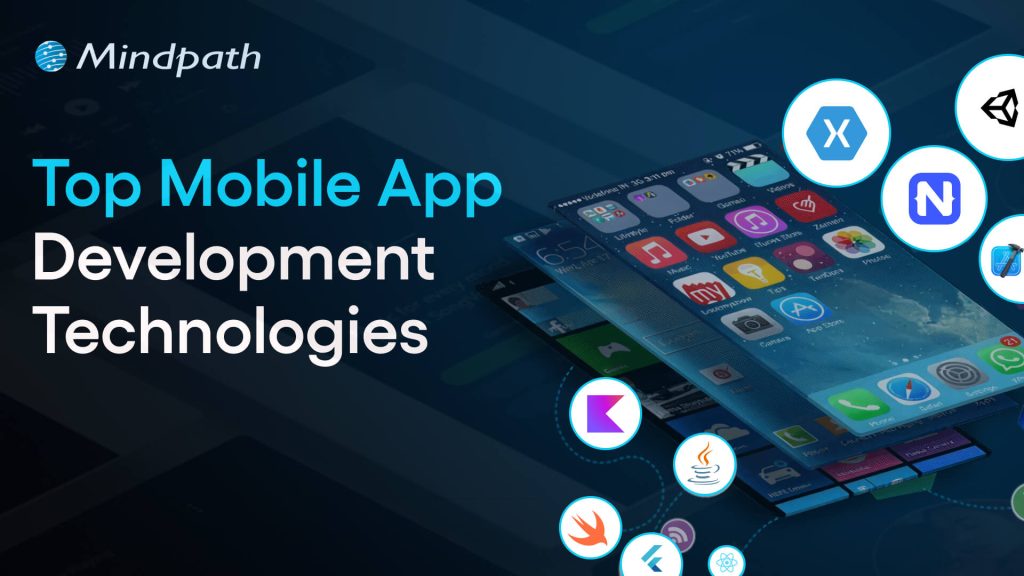
Top Mobile App Development Technologies in 2025

In order to remain competitive as an app developer, it is important to stay informed about the best technology for mobile app development in 2025. The choice of development tools can positively affect the performance, usability, and scalability of modern applications.

1. Flutter 3.22

Flutter 3.22 is a highly favored mobile app development platform to help developers develop applications for mobile devices, the web, desktop, and embedded devices. It provides high-performance and smooth animations that allow applications to run quickly and feel responsive. Developers also appreciate its professionally designed UI components, making it easy for developers to create stunning and consistent user interfaces.

2. Kotlin Multiplatform Mobile (KMM)

Kotlin Multiplatform Mobile (KMM) is a mobile app development framework that allows developers to share code for Android and iOS apps. It utilizes the modern, efficient programming language Kotlin to simplify the process of creating a mobile app for two platforms at once. This translates into a significant time saving, might help to reduce errors, and assure consistent behavior across your Android and iOS devices.

3. C++

C++ is among the most robust mobile app development technologies currently available for building high-performance applications. It enables developers to take direct control of system resources, which is often favored for complex applications or graphics-intensive applications. Also, by using C++, you can rest assured your apps are running as efficiently as possible, even as they traverse between different platforms.

4. Swift

Swift, a mobile application technology developed by Apple, is for building native iOS applications. It is fast, safe, and reliable, while also allowing seamless integration into AI and machine learning. With Swift, developers can build iPhone and iPad apps that are fast, safe, and modern.

5. AR/VR Integration Tools

AR/VR integration tools are tools for mobile app development that help developers add augmented reality and virtual reality features to an app. Integrating augmented and virtual reality features into apps is a valuable way to engage users while making an experience much more entertaining or immersive. These integrations are extremely popular in gaming and even found in some education and retail apps to enhance user experiences.

Ready to build smart mobile apps, but still wondering how AI can transform your development approach? Discover our blog on the benefits of AI in mobile app development to understand how AI can reshape modern app development.

6. AI-Assisted Development Tools

AI-Assisted Development Tools refer to tools such as GitHub Copilot and Amazon CodeWhisperer that support the automation of coding tasks. They streamline developers’ efforts in application development through code suggestions, error detection, and execution of tests. The upshot is that developers can create apps faster and also more efficiently.

7. React Native

React Native is another top mobile app development technology that enables developers to create apps for both iOS and Android using JavaScript. It provides a native look and feels with one complete codebase, reducing development time and duplication of effort. Companies are drawn to React Native because of its quick development period and strong support from the community.

8. Ionic

Ionic is a hybrid app framework and is a popular option among mobile app development technologies, allowing developers to write cross-platform apps using HTML, CSS, and JavaScript. It allows developers to write one codebase to operate on multiple devices. Ionic is very much favored by developers to create efficient and visually striking apps.

9. NativeScript

NativeScript is a flexible framework that matches the up-to-date trends in mobile application development with the ability to create fully native apps using JavaScript, TypeScript, Angular, or Vue.js. With NativeScript, you have full access to the native APIs offered by the OS, meaning that your application will work and perform like a truly native solution. NativeScript enables developers to build highly efficient and rich-featured mobile applications.

10. Xamarin (.NET MAUI)

Xamarin (.NET MAUI) is a framework aligned with mobile app development trends through the creation of native apps for Android, iOS, Windows, and macOS. While using C# and the .NET ecosystem, developers can share code and have a consistent experience across all platforms. Overall, this reduces development time, and provides high-quality apps.

Want to understand where custom mobile applications are creating real competitive advantages across the market? Discover our blog on the Custom Mobile Application Development Services to uncover high-impact opportunities and emerging trends.

Ready to Build the Next Successful Mobile App?

Mobile app development technologies continue to evolve, offering smarter tools and faster frameworks to help developers create better apps. Choosing the appropriate technology guarantees improved performance, security, and scalability. With the growth of innovation, staying up to date with current tools is critical for a company to provide seamless and engaging mobile experiences.

At Mindpath, we provide expert mobile app development services intended to turn your ideas into strong digital solutions.  Our experienced developers create secure, high-performing, and easy-to-use applications by applying modern tools and proven approaches. Partner with us to build an app that empowers your brand and creates long-lasting value for your users.