Home

What Is Low-Code/No-Code? A Beginner’s Guide for Businesses

What Is Low-Code/No-Code? A Beginner’s Guide for Businesses

Join our Newsletter!

Low-code No-code Development

The app development arena has been undergoing constant evolution. One of the major developments that has captured the attention of one and all is the Low-Code/ No-Code modular approach. It is a must for modern businesses as well as individual app developers to familiarize themselves with low-code no-code development. It certainly holds the potential to revolutionize the application development process. 

Key Takeaways

  • 01
    Low-code and no-code platforms speed up app development without complex coding.
  • 02
    No-code tools let non-developers build apps through simple drag-and-drop interfaces.
  • 03
    These platforms significantly lower app development costs for growing businesses.
  • 04
    Limited flexibility can restrict customization for highly specialized app requirements.
  • 05
    Security and integration challenges remain key concerns with no-code platforms.

According to the recent report by Future Business Insights, the low-code development platform is expected to grow from $ 37.39 billion in 2025 to $ 264.40 billion by the year 2032. This major jump automatically highlights the growing popularity of low-code platforms. In order to leverage this application development model, it is imperative for businesses to have a clear understanding of what is low-code or no-code development.

Want to take your business to the next level with the use of low-code development services? Contact us and get full guidance and support on how you can implement low code/ no code innovation for your organization.

What Is Low-Code/No-Code? Complete Guide to Modern App Development

Low-code/no-code is a modern application development approach that enables businesses to build software faster with minimal or no manual coding. These platforms provide visual development environments, reusable components, and drag-and-drop interfaces that simplify app creation for both developers and non-technical users.

As organizations continue to accelerate digital transformation, low-code/no-code development has become a practical solution for reducing development time, lowering costs, and improving business agility.

Mechanism of Low-Code No-Code Development

In the traditional app development process, app developers or programmers had to engage in highly complex coding processes. Such processes were essential to create the features as well as the functions of the intended apps. As a result, app developers were expected to possess solid skills and expertise relating to coding and computer programming languages. 

However, by using the Low-code No-code Development approach, it is possible to visually choose and connect reusable components. By doing so, app developers and businesses can identify the specific components that represent specific capabilities. Then they can link them together in order to develop the desired workflow. 

Low-code and No-code tools undoubtedly simplify how developers create apps. By using such tools, they can easily develop applications as if they were drafting a flowchart instead of writing code in a detailed manner. Moreover, such platforms come with several features that allow developers to experiment during the app development process. The simple drag-and-drop interfaces of low-code and no-code tools streamline the entire application development process. 

As low-code and no-code solutions continue to grow, it’s helpful to see where they fit among the top web development trends in 2026, shaping the industry.

Benefits of Low-Code No-Code

In the past, the development of software applications was quite time-consuming. Businesses would have to deploy teams that would be responsible for app development. However, today the situation is very different as they have the option to use low-code/no-code tools.  These tools have the potential to simplify how applications are developed. Now that you know the low-code no-code meaning it is time to explore its benefits. 

1. Faster app development process

One of the fundamental benefits of low-code and no-code revolves around a faster development process. By using the best low-code no-code platforms, businesses can certainly speed up their app development process. Such tools create the opportunity for app developers to design apps efficiently without having to do complex coding from scratch. 

2. Lower app development cost

The cost relating to app development can give rise to financial constraints for businesses. In fact, conventional app development processes were quite costly. However, by adopting the low-code no-code model, businesses can develop top-performing apps in an affordable manner. By choosing top tools, the need for high-cost development resources can be reduced considerably.  

3. Ideal tool for non-developers

Non-developers who have limited insight into software development can capitalize on low-code and no-code tools to venture into the development space. These tools can act as the perfect partners that can aid in designing a diverse range of applications. Businesses can utilize the model to democratize app development. As a result, the reliance on IT teams for app development can be reduced considerably. 

4. Higher agility

In the prevailing digital context, the low-code no-code approach enables businesses to undertake diverse processes relating to prototyping and testing. By using low-code or no-code platforms, businesses can modify the workflow, data sources, and user interfaces. Moreover, such modifications can be done in a quick and agile way. 

While low-code/no-code tools offer speed, traditional approaches still have value; learn more about optimising development with Custom Web Development Services.

Drawbacks of the Low-Code No-Code Model

To get a comprehensive insight into low-code and no-code development, it is essential to understand the associated drawbacks. Only by being aware of the shortcomings can businesses decide how they can optimally use low-code or no-code. Some of the major drawbacks of low-code and no-code include:

1. Restricted degree of flexibility

One of the main drawbacks of the low-code no-code approach is that it diminishes flexibility for app developers. This is because their ability to customize their app is reduced to a considerable extent. As low-code and no-code frameworks rely on pre-built components, businesses that wish to develop highly tailored apps may not be happy with the outcome. 

2. Issues relating to performance

Another major drawback of low-code and no-code that businesses need to be aware of revolves around performance concerns. Sometimes, the apps that are developed using low-code or no-code tools may struggle to handle a large volume of data. Similarly, concerns relating to scalability may also arise in case there is a surge in user load. Such concerns may have an adverse impact on the overall satisfaction and experience of users. It may even impact the reputation of businesses. 

3. Challenges relating to integration

A common concern that may arise for businesses centers around integration challenges. It might not be easy to integrate the apps that have been developed using low-code or no-code platforms with the existing systems. Thus, app developers and businesses may require extra time as well as resources to address these integration concerns. 

4. Security issues

The use of no-code platforms may give rise to serious security concerns for businesses. This is because such platforms typically have limited security features. In the highly unpredictable and uncertain digital environment, this drawback has the potential to compromise the quality of an app. Moreover, security-related concerns may give rise to severe consequences for not only businesses but also their customers.   

Final Words

In the technology-driven business world, app development is a must for most businesses. Thus, it is crucial for businesses to broaden their insight relating to low-code and no-code development. By capitalizing on this app development model, businesses can certainly develop top-quality apps in an efficient manner. Before applying the specific model, businesses can surely refer to some real-life low-code no-code development examples.

To make the most of the low-code and no-code approach, it is essential to consider the associated advantages and drawbacks as well. The comprehensive insight can definitely guide modern businesses to develop novel apps with the help of low-code and no-code tools. Mindpath‘s low-code development services help you make the strategic use of such tools can empower businesses and shape the experiences of their target audience.  

Want Internal Tools Built Faster?

We deliver on low-code platforms and extend with custom code.

Frequently Asked Questions

It depends on the complexity required. Low-code works well for many enterprise needs, but highly customized or data-heavy applications may face performance and scalability limits. Businesses with very specific requirements often combine low-code tools with traditional development for the best results.
The choice depends on technical skill and project needs. No-code suits simple apps built by non-developers with no coding background. Low-code fits projects needing more customization, where some coding knowledge helps extend functionality beyond what drag-and-drop tools alone can offer.
Integration is possible but not always seamless. Some platforms connect easily with common business tools, while others require extra configuration or custom connectors. It is worth testing integration requirements early before committing fully to a specific low-code or no-code platform for a larger project.
Businesses should review the platform’s data encryption, access controls, and compliance certifications before deployment. Since no-code tools often have limited built-in security features, sensitive applications may need additional safeguards or a more controlled development approach to avoid potential vulnerabilities down the line.
Some basic understanding of logic and workflows helps, though deep coding expertise is not required. Low-code platforms are designed to be accessible, but users who understand programming concepts tend to build more efficient and scalable applications compared to those with zero technical background.

Support Is One Click Away

Featured Posts

Related Post

Web development technologies
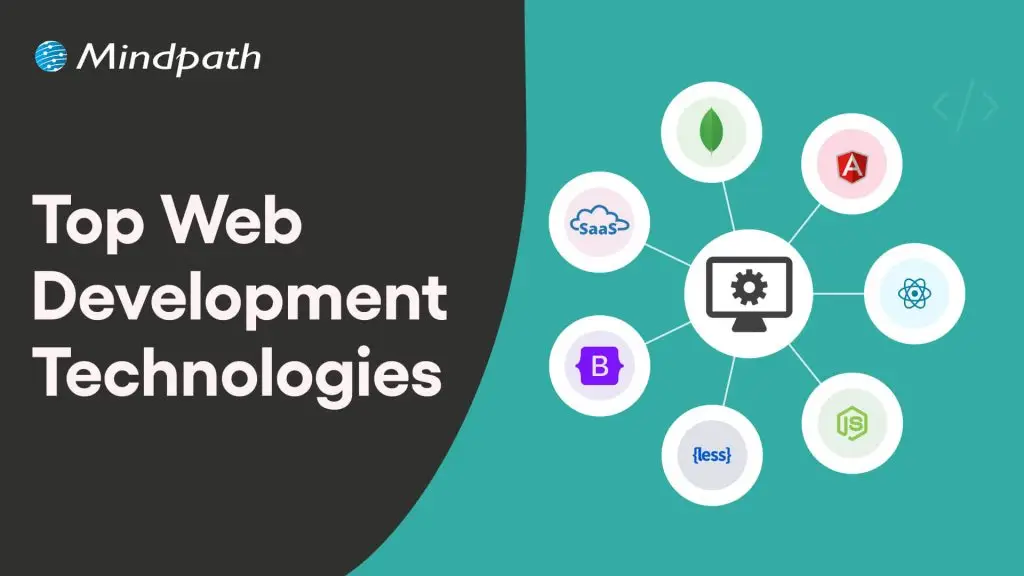
Web development involves more than building a website. It includes creating digital experiences that help businesses serve customers, support internal operations, and deliver services efficiently. The right web development technologies can help organizations build websites and web applications that meet their performance, usability, security, and growth requirements.

Key Takeaways

  • 01
    Web development technologies include the languages, frameworks, architectures, and tools used to build and maintain websites and web applications.
  • 02
    AI, headless CMS, progressive web apps, serverless computing, and WebAssembly support different website and application requirements.
  • 03
    Front-end and back-end frameworks should be selected according to project complexity, performance, integrations, and team expertise.
  • 04
    Businesses should evaluate accessibility, security, scalability, maintenance costs, and compatibility before adopting new technologies.
  • 05
    The right technology stack supports business goals when it is backed by clear requirements, testing, and ongoing performance monitoring.

In 2026, technologies such as artificial intelligence, modern JavaScript frameworks, headless content management systems, serverless platforms, and progressive web apps offer different ways to build digital products. However, no single technology is the best choice for every project. The right combination depends on the business problem, application complexity, existing systems, budget, and development team’s expertise.

This guide covers important web development technologies, compares popular front-end and back-end frameworks, and explains how businesses can select a technology stack that supports their objectives.

Planning a new website or web application? Mindpath’s web development services can help you evaluate technical options and build a solution aligned with your business requirements.

What are Web Development Technologies?

Web development technologies are the programming languages, frameworks, libraries, protocols, services, and tools used to build, deploy, and maintain websites and web applications.

These technologies work together across different layers of an application. HTML defines page structure, CSS controls presentation, and JavaScript supports interactive behavior in the browser. Back-end technologies handle application logic, data processing, authentication, and communication with databases or external services. Protocols such as HTTP and HTTPS enable communication between browsers and servers.

Modern web projects may also use APIs, content management systems, cloud infrastructure, testing tools, analytics platforms, and security services. Choosing suitable technologies helps businesses balance development effort, user experience, maintainability, and long-term operating costs.

Major Web Development Trends to Consider in 2026

Technology choices are influenced by changes in user expectations, development practices, and business requirements. The following trends are useful considerations when planning a website or web application.

  • Performance and efficiency: Lightweight interfaces, efficient data requests, caching, and performance monitoring help improve responsiveness.
  • Accessible user experiences: Semantic HTML, keyboard navigation, readable content, and assistive technology support help make websites usable by more people.
  • Scalable architectures: Modular applications, suitable cloud services, and well-designed APIs can support changing traffic and feature requirements.
  • AI-assisted experiences: AI can support search, content workflows, personalization, and selected customer interactions when implemented with appropriate controls.
  • Security and privacy: Secure authentication, dependency management, data protection, and ongoing testing are essential throughout development.
  • Resource-efficient development: Efficient code, optimized assets, and appropriate infrastructure can reduce unnecessary processing and resource use.

These trends should inform technology decisions rather than dictate them. A small business website may need a simple content management system, while a complex enterprise application may require a more specialized architecture.

Building a tailored digital product? Read about custom web application development to understand how application requirements influence architecture and implementation.

Key Web Development Technologies in 2026

The following technologies address different parts of the web development process. Their suitability depends on the features required, the systems involved, and the resources available to maintain the application.

1. Artificial Intelligence and Machine Learning

Artificial intelligence and machine learning can support selected development tasks and add intelligent features to web applications. AI-assisted tools can help developers draft code, generate test cases, explain existing code, and identify potential issues. These outputs still require technical review and testing.

Within applications, machine learning can support recommendations, classification, forecasting, anomaly detection, and personalization. Technologies and libraries such as TensorFlow.js and scikit-learn serve different use cases, depending on where the model runs and the language or environment being used.

Businesses should assess data quality, privacy, operating costs, accuracy, and human oversight before adding AI features. AI is most useful when it addresses a clearly defined problem rather than being included simply because it is available.

Related reading: AI in web development.

2. Headless CMS Architecture

A headless content management system separates content management from the presentation layer. Content can be managed centrally and delivered to websites, applications, or other supported channels through APIs.

This approach allows teams to choose a front-end framework independently of the content management system. For example, a headless WordPress setup can deliver content through the WordPress REST API to a front end built with a framework such as Next.js or Vue.

A headless architecture can be useful when a business needs multiple publishing channels, a highly customized interface, or greater control over front-end implementation. It also introduces additional considerations, including preview workflows, caching, hosting, and the technical resources needed to maintain separate systems.

Related reading: Programming languages and their evolution.

3. Progressive Web Apps

Progressive web apps (PWAs) use web technologies to deliver app-like experiences through a browser. Depending on browser and platform support, they can offer installation, offline functionality, caching, and notifications.

PWAs can be useful for businesses that want to provide convenient access across devices without maintaining a separate native application for every platform. Service workers can support selected offline and caching behaviors, while HTTPS helps protect data in transit.

However, installation and notification capabilities vary by browser and operating system. Businesses should verify platform requirements and test the experience on the devices their audiences use.

Related reading: Progressive web apps.

4. Jamstack Architecture

Jamstack is an architectural approach that emphasizes decoupled front ends, APIs, and prebuilt markup where appropriate. Many Jamstack sites serve pre-rendered pages through a content delivery network and use APIs or server-side functions for dynamic functionality.

This architecture can be suitable for marketing websites, documentation, content-heavy websites, and landing pages. Pre-rendering and caching can reduce server work for repeat requests and help improve delivery performance.

Dynamic features such as personalized dashboards, transactions, or frequently changing content may require additional services. Businesses should evaluate the full architecture, including rendering strategy, API dependencies, caching, and operational complexity.

5. Serverless Platforms and Edge Computing

Serverless platforms allow developers to deploy functions or application components without directly managing the underlying server infrastructure. Cloud providers handle much of the provisioning and scaling, while developers remain responsible for application logic, configuration, security, and cost management.

Services such as AWS Lambda and Microsoft Azure Functions can support event-driven workflows, API endpoints, scheduled tasks, and selected back-end operations. Serverless systems can reduce infrastructure management, but execution limits, cold starts, service dependencies, and pricing need to be evaluated.

Edge computing places certain processing or content delivery functions closer to users or data sources. Depending on the architecture, this can reduce latency for suitable tasks. It does not automatically reduce every application’s cost or improve every type of workload.

Related reading: The role of edge computing.

Security must be considered across the entire stack. Review application security best practices when planning a web or mobile application.

6. HTMX

HTMX extends HTML with attributes that allow developers to make HTTP requests and update parts of a page without writing large amounts of custom JavaScript. It can work well with server-rendered applications that return HTML fragments.

Potential use cases include forms, internal dashboards, administrative interfaces, and applications with server-driven interactions. HTMX may simplify some front-end workflows, but it does not replace JavaScript in every situation. Highly interactive interfaces may still need additional client-side logic.

7. WebAssembly

WebAssembly (Wasm) is a binary instruction format that enables supported code to run in compatible environments, including web browsers. It can be useful for computationally intensive tasks such as image processing, simulations, audio processing, and selected graphics applications.

WebAssembly can complement JavaScript when a workload benefits from compiled code or an existing library written in another language. It is not a universal replacement for JavaScript, and performance depends on the workload, implementation, and interaction with browser APIs.

8. Motion UI and Interface Animation

Motion design uses transitions, animation, and visual feedback to help users understand how an interface behaves. Examples include showing that a form has been submitted, indicating a change in navigation state, or helping users understand the relationship between interface elements.

Animations should support usability rather than distract from content or slow down important tasks. Developers should consider reduced-motion preferences, accessibility, device performance, and the impact of animation on page responsiveness.

Related reading: ReactJS web development.

Popular Front-End Web Development Frameworks

Front-end frameworks and tools help developers build interfaces, manage components, organize code, and optimize development workflows. The following options serve different purposes and should not all be treated as direct substitutes.

Technology Primary purpose Suitable use cases
React JavaScript library for building component-based user interfaces. Interactive dashboards, complex interfaces, and single-page applications.
Next.js React framework with routing and multiple rendering options. Content-driven websites, e-commerce platforms, and full-stack React applications.
Vue.js Progressive JavaScript framework for building interfaces. Interactive features, web applications, and projects that benefit from gradual adoption.
Svelte UI framework that compiles components into optimized JavaScript. Interactive applications where a compiler-based component approach fits the project.
Tailwind CSS Utility-first CSS framework for styling interfaces. Consistent design systems, responsive layouts, and rapid UI implementation.
Vite Development server and build tool for modern web projects. Fast local development and production builds for supported front-end frameworks.
Framer Visual website design and publishing platform. Marketing sites and visually driven websites that fit its platform capabilities.

For example, React can be used to build interface components, Next.js can provide application-level features around React, and Tailwind CSS can handle styling. Vite serves a different role as a build tool. Teams should select a combination that meets the project’s rendering, deployment, accessibility, and maintenance needs.

Popular Back-End Web Development Technologies

Back-end technologies handle application logic, data access, authentication, integrations, and communication between services. The right option depends on the complexity of the application, performance requirements, available expertise, and the systems it needs to connect with.

Technology Primary purpose Suitable use cases
Node.js JavaScript runtime for server-side applications. APIs, real-time applications, and I/O-heavy services.
Express.js Minimal web framework for Node.js. HTTP APIs, web servers, and lightweight back-end services.
Laravel PHP framework with common web application features. Business applications, APIs, and database-driven websites.
Ruby on Rails Full-stack web framework with convention-based development. Data-driven web applications and early-stage product development.
Go Programming language suited to concurrent and networked services. APIs, cloud services, and microservices.
Spring Boot Java framework for building stand-alone, production-oriented applications. Enterprise applications, APIs, and service-based systems.
Supabase Backend platform built around PostgreSQL and related services. Applications needing database, authentication, storage, and API capabilities.

These options have different operating models. Node.js and Go are runtimes or languages, while Express.js, Laravel, Rails, and Spring Boot provide frameworks. Supabase is a managed backend platform rather than a traditional back-end framework. Understanding these distinctions helps teams make more accurate technology comparisons.

Related reading: Improving web performance with Node.js development.

How to Choose the Right Web Development Technology Stack

A technology stack should support the product’s requirements and the team’s ability to build, operate, and maintain it. Consider the following factors before making a decision.

1. Define the Business and Technical Requirements

Identify the main purpose of the website or application, its target users, essential features, expected traffic, and integration requirements. A content-focused website and a real-time collaboration platform have different architectural needs.

2. Evaluate Performance and Scalability

Consider page loading, response times, data processing, traffic patterns, and future growth. Select technologies that meet realistic performance requirements, and validate them with testing rather than relying only on framework popularity.

3. Check Compatibility and Integration Needs

Review how the proposed stack will connect with existing databases, APIs, identity providers, content systems, and business applications. Verify that supported integrations meet security and data-handling requirements.

4. Assess Security and Accessibility

Evaluate authentication, authorization, input validation, dependency management, and data protection. For the front end, consider semantic markup, keyboard navigation, readable contrast, and assistive technology compatibility from the beginning.

5. Consider Developer Expertise and Support

Assess the team’s experience, documentation quality, available libraries, community resources, and long-term maintenance requirements. A technically capable framework may still be a poor fit if the organization cannot support it reliably.

6. Compare Total Cost of Ownership

Account for development, hosting, licensing, third-party services, testing, maintenance, monitoring, and future upgrades. Open-source software may reduce licensing costs, but it still requires implementation and operational resources.

7. Test Before Committing

Build a small proof of concept when important requirements are uncertain. Test the riskiest integrations, performance constraints, or user interactions before committing to a large implementation.

Need a structured plan for your project? Read Mindpath’s web development roadmap for guidance on planning and delivering a web application.

Why Web Development Technologies Matter for Business Growth

Technology choices affect more than the development process. They influence how customers use a digital product, how easily a business can introduce new features, and how much effort is required to maintain the system.

  • Better user experiences: Responsive interfaces, accessible design, and reliable performance help users complete tasks more easily.
  • Operational efficiency: APIs, automation, and integrated workflows can reduce repetitive manual work.
  • Search visibility: Crawlable content, suitable rendering, clear information architecture, and strong performance can support SEO.
  • Scalable delivery: Suitable infrastructure and application architecture can help a product accommodate growth.
  • Improved maintainability: Well-structured code, automated testing, and supported dependencies make changes easier to manage.
  • Informed decisions: Analytics and appropriate monitoring help teams evaluate how the product performs against business objectives.

These benefits depend on implementation quality and ongoing management. Choosing a modern framework alone does not guarantee higher conversions, better rankings, or lower costs. Businesses should measure results against a clear baseline and improve the application as user needs change.

Build a Business-Ready Website With the Right Technology Stack

Web development technologies provide the foundation for websites and applications that support customer experiences, business processes, and digital services. From front-end frameworks and back-end platforms to AI, serverless computing, and modern content architectures, each option serves a different purpose.

The right approach starts with clear business requirements and considers performance, security, accessibility, integration, scalability, and long-term maintenance. Careful selection and ongoing evaluation help organizations build digital products that can adapt as their needs evolve.

Mindpath provides web development services to help businesses plan and build websites and web applications aligned with their goals. Our approach focuses on choosing suitable technologies, designing effective user experiences, and building maintainable solutions for evolving business requirements.

To keep your technology strategy aligned with changing needs, read our guide to web development trends.

ReactJS and AI

The demand for interactive user interfaces has gone beyond expectations. The requirement for an app that will learn from users’ behavior and adapt according to the user preferences is an essential part of modern web development. So, this effective resolution has pushed developers to rethink how modern frontends are built. This is where ReactJS and AI come together.

Key Takeaways

  • 01
    ReactJS provides a flexible frontend foundation while AI enables smarter and more adaptive user experiences.
  • 02
    AI can analyze user behavior and personalize content, interfaces, and recommendations in React applications.
  • 03
    ReactJS and AI can work together to improve UI testing, accessibility, decision-making, and continuous learning.
  • 04
    Smart search, personalized interfaces, and predictive assessment are key use cases of AI and React applications.
  • 05
    AI-driven React frontends also require responsible data use, bias evaluation, privacy, and security considerations.

The market size of AI is most likely to reach USD 826.73 billion by 2030. So, every reputed ReactJS development company has been fueling its strategies through AI tools. By combining React’s component-driven architecture with AI, your team can build frontends that continuously improve experiences. This blog explores how AI and React are shaping smarter frontend development and why this combination is necessary for your future-rich applications.

Planning to combine ReactJS with AI for smarter web applications? Mindpath offers AI development services to build intelligent and scalable solutions for your business.

Why ReactJS Remains the Top Pick for Modern Frontend Development?

ReactJS is tagged as an open-source JavaScript library developed by Facebook to create user interfaces specifically for single-page apps. It allows you to generate large web apps that can render and upgrade effectively in response to your data changes. This is why the library has become a top preference of the developers.

1. Reusable Components

Components are more likely to be building blocks. So, once they are created, your developers can reuse them across multiple parts of the application.

2. Easy to Learn

The learning curve of React is comparatively much lower than Angular or Vue.js. So, if you are well aware of JavaScript, you can easily get started with ReactJS.

3. Effective Rendering

The virtual DOM of ReactJS encourages rendering performance. Additionally, it enables you to leverage seamless user experiences.

4. Precise Adaptability

The developer tools browser extension of React can help you inspect your component hierarchies. This approach can help your team debug more easily.

5. SEO-Effectiveness

It is easy for you to render React on the server with the use of Next.js or similar frameworks. This can increase your search engine optimization.

Ready to select a front-end framework that supports AI-enhanced features? Discover React vs Vue to check out their pros, cons, and ideal use cases.

How AI Impacts Frontend Development?

Artificial intelligence has become much more than just being used in backend analytics and experimentation. Moreover, it has become an essential force that shapes modern frontend experiences. In the recent scenario, AI is influencing the user interactions with apps and how interfaces respond to user behavior. Additionally, AI in React ensures frontend development is shifting from static design to futuristic interactions.

1. Captures User Behavior

AI-driven React applications can assist you in analyzing the user behavior, patterns, and preferences. This is how your audience can expect a seamless user experience from your application that also builds trust.

2. Real-time Content Personalization

React frontends can make you acquainted with custom content through the behavior of your audience and AI models. Starting from product recommendation to custom dashboards, AI ensures your users see data that aligns with their preferences and intent.

3. Prompt UI Testing

AI-integrated testing features can easily assess the inconsistencies present in your UI, along with usability gaps and performance risks. This concept fastens the development cycles in AI and React environments. Further, it can reduce manual testing efforts while continuously optimizing your user experience.

4. Better Accessibility and Interactive Design

AI plays a vital role in enhancing accessibility by adopting interfaces for users with multiple abilities. Moreover, React applications have the power to adjust your text size and assistive features along with the navigation flow. This ensures your customers are gaining credible digital experiences.

Ready to get the most value from AI in your front-end projects? Discover the benefits of AI consulting to check out how guidance from specialists can improve outcomes and efficiency.

How ReactJS and AI Can Enhance Your Frontend Development?

Developers can elevate their front-end development efforts with the combined approaches of ReactJS and AI. React can make sure your UI is functioning properly while maintaining your customer interactions. Similarly, AI prioritizes futuristic predictions & pattern learning. So, when you make sure to leverage the work of ReactJS and AI together, it gives rise to a continuous feedback loop that directly enhances the interface.

1. Assesses Behavior

AI models use the data captured from the interaction to assess trends and search patterns of the audience. Further, such models can detect frequently used features or engagement signals. This helps in forming a foundation for smarter UI decisions within AI/React applications.

2. Catches User Interactions

React can seamlessly trace user interactions by assessing your customers’ clicks and scrolling behavior. Such interactions are extremely important as they make you aware of customers’ preferences and intent. So, by managing state changes in real time, React offers a structure and potential way to gather frontend behavioral data.

3. UI Upgrades

React strongly sticks to the data and updates leveraged by AI, and accordingly refines the interface. This encourages customized content while streamlining your UI elements to be much more goal-oriented.

4. Access Intelligent Decision Making

Implementation of AI insights into the React components can help your application to abide by real-time decision-making. Moreover, this leverages faster responses and reduces friction for a more effective digital experience. So, the AI+React stack changes frontends from static presentation layers into adaptive systems.

5. Ensures Continuous Learning

As users interact with your updated UI, new data is processed in the AI models. This gives rise to a continuous improvement cycle where your frontend becomes smarter with every interaction it makes. Moreover, it also enhances long-term user experience.

Ready to achieve peak performance in your ReactJS applications? Discover the best techniques to optimize ReactJS performance to check out expert approaches for enhancing efficiency.

What are Some Real Use Cases of AI and React Applications?

Here, you can go through some real use cases of ReactJS and AI that have helped a series of companies establish their relevance in the digital space.

1. Smart Search

Search experience through AI and React has gone beyond keyword assessment. AI can easily assess the search intent and relevance. Similarly, React values instant UI feedback. This component can offer faster searches while satisfying your customers with better results.

2. Personalized User Interfaces

AI models have the power to understand what your customers demand. Further, React renders recommendations, customized layouts, and content in real time. This approach is widely valued in platforms like e-commerce and streaming services.

3. Predictive Assessment

With React development with AI, applications can easily detect the behavior of your customers and what they are most likely to do. Whether they click, scroll, or convert, the UI flow will be adjusted proactively. This feature can increase user retention, conversion rates, and overall efficiency of your user experience.

Planning to integrate AI into your next web or mobile app? Learn about AI app development to discover strategies for building intelligent and responsive applications.

What are Some Ethical Considerations You Need to Adopt In AI-Driven Frontends?

No doubt AI development with React can energize your frontend abilities. However, it also gives rise to critical security and ethical responsibilities. As per the trends, around 97% share of organizations reported an AI-related security incident. AI-driven interfaces generally process sensitive user data. So, it becomes necessary to be transparent in decision-making efforts. Further, users should understand how predictions and recommendations are generated to ensure trustworthiness.

1. It is also important for you to avoid bias in data inputs. AI models processed with inefficient datasets can leverage misleading UI behavior. This can negatively hamper your user experience and brand credibility.

2. You must consider regular audits and bias evaluation to keep the outcomes ethically positive. Further, securing data is an essential requirement in AI and React apps. Further, this reduces data exposure.

3. Compliance with privacy regulations is extremely important. So, a well-curated AI+React stack balances your innovation with responsibility. Further, this ensures your intelligent experiences are ethical and secure.

Want to stay ahead in front-end development with AI-powered solutions? Discover AI trends to learn how the latest advancements are shaping smarter, more interactive interfaces.

Conclusion

Combining AI and React is no longer a future concept in 2026. It has turned out to be a competitive necessity. Starting from personalization to accessibility and automation, this combination can assure you of smarter and user-centric frontend experiences. Moreover, you can predict what your customers demand and how their search patterns have been evolving with time.

However, proper success with AI in React is far beyond just adopting the trending tools. Your architectural vision should be very clear. Further, your performance optimization knowledge should strive to leverage goal-oriented results. So, if you are someone who is looking forward to adopting AI in React, you require a development partner that has plenty of experience in understanding the frontend architecture.

This is where Mindpath can become your ultimate partner. Our expertise in AI development services and ReactJS development services have already helped a series of clients with scalable frontend development. Further, we ensure the solution matches your vision while putting you ahead in the competition.

Learn how combining React and AI enhances front-end development, offering smarter, personalized user experiences and dynamic features.
Enterprise AI Deployment Checklist

What happens when an enterprise AI system reaches production before the business is truly ready? Small gaps in data, security, infrastructure, or ownership can quickly turn into costly problems. An enterprise AI deployment checklist helps teams catch these gaps early and create a smoother path to production.

Key Takeaways

  • 01Define clear business goals, ownership, and success measures before starting enterprise AI deployment.
  • 02Validate data quality, infrastructure, access controls, and production requirements before moving AI systems into production.
  • 03Build security, governance, compliance, monitoring, and rollback controls into the deployment process.
  • 04Track technical performance, operational costs, and business value to measure AI success after deployment.
  • 05Standardize deployment practices to scale AI securely across teams, systems, and business workflows.

Enterprise AI deployment needs careful planning because production systems must support real users, business workflows, sensitive information, and changing demands. A structured checklist brings these moving parts together and gives teams a practical way to review readiness before launch. In this blog, we explore the key areas every enterprise should review before deploying AI. Let’s keep reading further!

Ready to make your enterprise AI deployment more reliable? Mindpath offers AI Consulting Services to help businesses plan, deploy, and scale AI solutions around clear business goals. 

Why Enterprise AI Needs a Deployment Checklist?

Enterprise AI systems influence business decisions, workflows, customer experiences, and sensitive data. A deployment checklist gives teams a clear process for reviewing critical requirements before launch, helping them identify gaps that could affect performance, security, compliance, or business outcomes.

It also creates consistency across AI projects by giving technical and business teams shared expectations. As deployments become more complex, a checklist makes responsibilities clearer, reduces avoidable errors, and helps organizations establish a stronger foundation for reliable and scalable AI adoption.

An AI deployment checklist is important because it helps teams:

  • Reduce deployment risks by identifying technical and operational gaps early.
  • Strengthen security by reviewing access, data protection, and control requirements.
  • Improve consistency by following a standard process across AI deployments.
  • Clarify ownership by assigning responsibilities before the system reaches production.
  • Support compliance by documenting governance and regulatory requirements.
  • Measure readiness by validating performance, infrastructure, and business requirements.
  • Prepare for scale by creating processes that can support future AI deployments.

Enterprise ai deployment checklist

Enterprise AI Deployment Readiness Checklist

A clear enterprise AI roadmap gives teams direction as they move toward an important stage of AI adoption. The following checklist brings together the key areas that deserve attention before moving forward.

1. Preparing the Business Case and Objectives

Before starting AI implementation, enterprises need a clear reason for investing in the technology. Defining the expected outcome, business owner, target users, and success measures helps teams stay focused and gives every stakeholder a shared understanding of what the deployment should achieve.

  • Define the business problem the AI solution is expected to address.
  • Assign clear ownership across business, technical, and operational teams.
  • Set measurable outcomes that show whether the deployment is successful.
  • Identify key stakeholders who influence adoption, approval, and ongoing use.
  • Establish ROI targets based on expected business value and costs.

2. Assessing Data and Infrastructure Readiness

Strong data and reliable infrastructure create the foundation for successful AI implementation. Before deployment, teams should confirm that production data is accurate, accessible, protected, and ready for use. They should also verify that the technical environment can support expected workloads, integrations, and future requirements.

  • Validate data quality for accuracy, completeness, consistency, and relevance.
  • Check pipeline reliability to ensure data reaches AI systems consistently.
  • Review access controls and limit data access to authorized users and systems.
  • Apply data masking where sensitive or confidential information requires protection.
  • Confirm versioning and infrastructure for models, data, compute resources, and production platforms.

3. Designing Security, Governance, and Compliance

A strong AI Deployment Checklist should cover the controls that keep enterprise AI secure, accountable, and compliant. Before launch, teams need clear ownership, defined policies, and safeguards that continue throughout the AI lifecycle. These measures help reduce exposure while supporting responsible and controlled AI use.

  • Assign ownership for the AI system, data, security, and ongoing decisions.
  • Define lifecycle controls for development, approval, deployment, updates, and retirement.
  • Maintain audit trails to track important system activity, changes, and decisions.
  • Apply responsible AI practices covering privacy, fairness, transparency, and model behavior.
  • Align with requirements from applicable regulations and internal enterprise policies.

4. Building a Repeatable Deployment Process

A structured AI rollout process helps teams move from testing to production with fewer surprises. Instead of relying on individual judgment at every stage, organizations can use consistent checks to validate readiness, monitor performance, and respond quickly when something goes wrong after launch.

  • Validate model readiness against agreed performance, quality, and reliability requirements.
  • Complete release testing across workflows, integrations, security, and expected production conditions.
  • Set monitoring and alerts for performance changes, errors, usage, and unusual behavior.
  • Define rollback procedures so teams can quickly restore a stable version when required.
  • Document release approvals to reduce human error and maintain accountability throughout deployment.

5. Measuring Performance, Cost, and Business Value

An AI system should continue proving its value after deployment. Teams need to track technical performance, operational costs, and business outcomes together to understand what is working and where improvements are needed. Regular reviews help keep AI investments aligned with changing business priorities and expected ROI.

  • Track technical performance through accuracy, response quality, latency, reliability, and error rates.
  • Monitor operational costs including infrastructure, model usage, maintenance, and support expenses.
  • Measure business outcomes against the objectives and baseline established before deployment.
  • Set review schedules to identify performance gaps, rising costs, or changing business needs.
  • Optimize continuously by improving models, workflows, infrastructure, and resource usage based on results.

6. Scaling AI Across the Enterprise

As AI adoption grows, organizations need a consistent approach for expanding successful solutions across teams and workflows. An AI Deployment Checklist helps maintain common standards while new use cases are introduced, ensuring integrations, governance, user readiness, and performance remain aligned as adoption increases.

  • Integrate existing systems with enterprise applications, APIs, data platforms, and business workflows.
  • Enable teams through practical training, clear responsibilities, and ongoing technical support.
  • Extend governance with consistent approval, security, monitoring, and lifecycle practices across deployments.
  • Standardize deployment processes so teams can replicate successful AI solutions efficiently.
  • Improve continuously using user feedback, performance data, business results, and changing requirements.

Common Enterprise AI Deployment Mistakes to Avoid

Enterprise AI deployments can lose momentum when teams focus heavily on the technology but overlook preparation and ongoing management. Recognizing common mistakes early helps organizations address weak points before they affect users, operations, security, or business outcomes.

1. Starting without clear objectives

Teams may deploy AI without defining what success should look like. This makes business impact difficult to measure and justify.

2. Ignoring data readiness

Poor quality or inconsistent data can affect AI performance from the beginning. Teams should validate data before moving into production.

3. Leaving ownership unclear

AI projects can stall when no one is accountable for key decisions or issues. Clear business and technical ownership keeps deployment responsibilities defined.

4. Skipping security and governance

Missing controls can expose sensitive data and create compliance risks. Security and governance should be addressed before the system goes live.

5. Neglecting post-launch monitoring

AI performance can change as data, users, and business conditions change. Regular monitoring helps teams identify problems and improve the system over time.

Ready to Make Your Enterprise AI Deployment More Reliable?

Enterprise AI deployment becomes easier to manage when every critical area is reviewed before launch. From business objectives and data readiness to security, governance, monitoring, and scalability, a structured checklist helps teams reduce risks and create a repeatable path toward reliable AI adoption. It also keeps technology decisions connected to measurable business outcomes.

Mindpath helps enterprises turn AI initiatives into secure, scalable, and production-ready solutions through our expert AI development services. Our team supports businesses across AI strategy, development, integration, deployment, and ongoing optimization. By combining technical expertise with business-focused planning, Mindpath helps organizations move from AI ideas to solutions that deliver practical value. Contact us to discuss your enterprise AI requirements.

Frequently Asked Questions