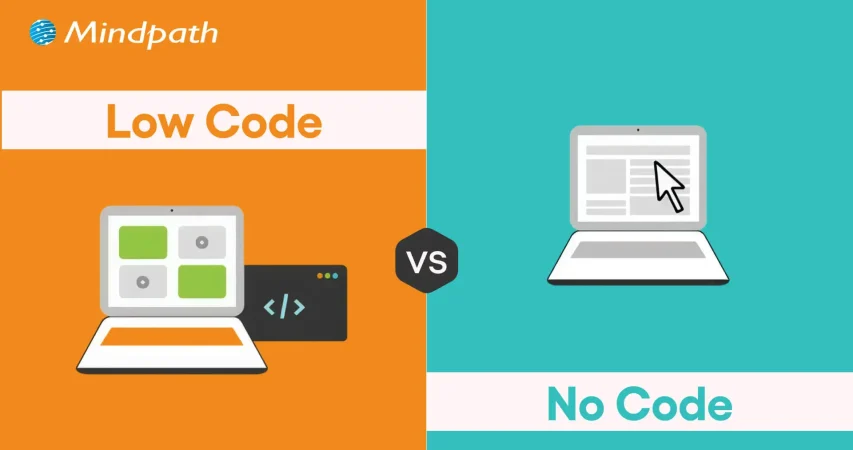
Low-Code vs. No-Code Development: Which is Better in 2026?

Join our Newsletter!

Featured Posts

Support Is One Click Away

Home

Low-Code vs. No-Code Development: Which is Better in 2026?

low code vs. no code

Low-Code vs. No-Code Development: Which is Better in 2026?

The rapidly growing demand for digital transformation has had many businesses thinking about effective ways to align with new trends. You must have heard about the low-code vs. no-code debate in discussions about software development in 2026. As a matter of fact, Gartner has pointed out that 70% of new applications will use low-code or no-code technologies by 2026.

Do you feel that the modern technology landscape is evolving at a speed that you find difficult to match? Your business must also be struggling to find the ideal developer talent for your new IT projects. No-code and low-code solutions can address these concerns by offering convenient alternatives to the conventional software development process. 

The right development choice makes a huge difference. Contact us, and we will guide you on whether low-code or no-code development best suits your business.

Understanding the Basics of Low-Code

You can know a lot about low-code from the name itself, which implies the use of less code. Low-code is a new approach to software development that involves automated code generation with visual building blocks. The functionality of low-code platforms revolves around automation that offers a middle ground between manual coding and no-code development. It allows developers to add code in auto-generated code, thereby retaining the human element.    

Common applications of low-code development in business process management platforms and cross-department tools have been gaining traction. Low code serves as the most useful solution for web and mobile app development and achieving integration with external plugins. Many businesses have successfully leveraged the low-code approach for the modernization of legacy apps. 

Where Does No-Code Come into the Picture?

The curiosity about no-code development is also gaining momentum in 2026 as businesses seek new avenues for innovation. You can describe the answers to “what is no-code development” as a prominent subset of the low-code development approach. The no-code development approach is completely free of human intervention and depends completely on visual tools.

You can find the most applications of no-code development in self-service apps for business users and dashboards. Businesses can rely on the no-code development approach to build standalone apps with simple UIs and automation. One of the notable examples of no-code development is evident in tools for online order management and automated customer service in e-commerce. 

Are your low-code and no-code apps delivering the best possible user experience for your audience? Explore the latest UX/UI design trends to discover how modern interfaces and interactions can make your apps more engaging and effective.

How is Low-Code Different from No-Code?

Many people generally assume that low-code and no-code approaches are essentially the same thing, with different terminology. However, the answers to ‘what is low code development’ and the definition of no-code development showcase a completely different picture. You must know the differences between low-code and no-code development to pick the ideal development approach for your next project.

1. Coding Skill Requirement

The first thing you must check while choosing between low-code and no-code development is the requirement of professionals with coding skills. In the case of low-code development, you will need professionals who have a basic understanding of coding. You must know at least one programming language fluently to use the low-code development approach. Therefore, low code is a difficult approach in cases where non-technical employees don’t know about coding or any programming language.

On the other hand, answers to ‘what is no-code development’ clearly reveal that anyone can use the no-code approach without coding skills. It helps you build applications by replacing the coding portion with blocks of code. You can just drag and drop the blocks of code to build the application you want.

2. Best Use Cases

The next point of comparison between low-code and no-code draws the limelight towards scenarios where they serve the right fit. You can rely on low-code application development platforms to develop applications with many complex features. Low-code development approach involves the use of an exhaustive component library that can be used for applications with heavy logic. In addition, the low-code approach also supports scalability and integration with other apps and external APIs. 

You can leverage no-code platforms for creating apps that deal with analytics, workflow management, project tracking, and progress reporting. It is also important to know that no-code application development platforms also have features that can help you build complex apps without writing code. No-code is a trusted development approach for front-end apps that pull data from different sources. It can serve as a useful solution to repetitive administrative tasks like reporting in business teams.  

3. Development Speed

Another notable aspect in the comparison between low-code and no-code development approaches is the speed of development. The low-code development approach is a rapid application development methodology tailored to develop applications at a faster pace. However, the low-code approach requires coding for certain parts of an application, which leads to longer development time. 

On the other hand, the no-code development approach does not require any coding. You can refer to the difference between low code and no code to understand that the no-code approach does not rely on coding skills. Business owners and entrepreneurs can build applications or create working prototypes in no time. As a matter of fact, some businesses have reported that they created apps with no-code development within a year.

Looking to deliver apps quickly but unsure if your business needs custom solutions? Discover the signs that indicate it’s time for a custom web application to accelerate growth and efficiency.

4. Target Users

The discussions around differences between the low-code and no-code development approaches will also focus on who should use them. Low-code development approach is the ideal pick for professional developers who want to avoid the burden of replicating basic code. It offers more space for developers to focus on complex aspects of development and encourages innovation. The low-code approach ensures automation of the standard parts of coding without depending on the syntax. You should know that low code benefits professional developers by offering opportunities for reskilling.      

The no-code development approach is more suitable for business users who have extensive domain knowledge. It complements their lack of ability to write code and allows them to use their domain expertise efficiently. Hybrid teams with software developers and business owners are also the most prominent target users of no-code development. Small business owners as well as HR, legal and finance teams in an organization, can also choose no-code over low-code development approach.  

5. Expansion of Architecture

The search for differences between low-code and no-code development approaches will also lead you to think about their architectural range. How will the two approaches support your applications as they grow in future? The no code vs. low code comparison suggests that the low-code development approach offers more support for scalability. In addition, it also offers space for cross-platform compatibility, thereby making it an ideal choice for modern business apps. The low-code approach also offers flexibility for using custom code and custom plugins to achieve a broad range of implementations.

On the other side of the debate, no-code approach has limited potential when it comes to flexibility. You cannot extend no-code apps and they showcase limitations in achieving integration with other platforms or legacy systems. It is important to remember that no-code development is useful only for a narrow collection of use cases. Furthermore, the no-code approach also implies limited scope for scalability.

6. Open or Closed System

The low-code development approach follows an open system as it allows users to extend the functionality of apps through code. It offers the advantages of enhanced flexibility and reusability. Users can develop custom plugins or data oracles according to their use cases and add them later in the apps. However, you will have to test the new upgrades and patches with manually introduced code.

The review of no-code benefits in software development reveals that it works best as a closed system. You have to rely on templates of feature sets to extend the functionalities of no-code apps. As a result, you will find limited use cases with no-code apps and restrictions on access to boilerplate integrations and plugins. However, the no-code approach offers support for backward compatibility as it does not involve manually written code.

Trying to build mobile applications quickly without compromising quality? Check out the top mobile app development tools to learn which frameworks and technologies help teams deliver robust, scalable apps faster.

The following table provides an overview of the differences between low-code and no-code development approaches.

Criteria Low-Code No-Code
Coding Skill Requirement Low-code development requires prior coding knowledge and fluency in one programming language. No-code development does not need coding expertise or awareness of coding languages.
Best Use Cases Low-code development is suitable for complex apps that require heavy business logic. No-code development is ideal for front-end apps, UI apps and internal apps that don’t require extensive functionalities.
Development Speed Low-code is faster than traditional development albeit with need for manual coding. No-code is faster than the low-code approach as it follows a plug-and-play approach.
Target Users Low-code is more suitable for professional developers. No-code is the ideal choice for business users, non-IT teams and hybrid development teams.
Expansion of Architecture Low-code supports scalability and cross-platform compatibility. No-code has limitations in integration with legacy systems and reduced scalability.
Open or Closed System Low-code approach works as open system that supports extension of functionalities through code. No-code approach is similar to a closed system as you can add features only through pre-defined template sets.


Final Thoughts

The decision to choose between low-code and no-code development in 2026 may be a difficult one. Each development approach is meant to help you build and deploy applications quickly without compromising functionality. However, you can pick one from low-code or no-code development according to your project requirements and technical expertise.

Mindpath is one of the leading software development agencies with specialization in low-code and no-code development methodologies. We have achieved fluency in the modern software development approaches with experience in different types of projects. Our experts have delivered high-performance solutions tailored to the needs of clients with unparalleled perfection. Reach out to us and find the ideal development solutions for your business right now.


Related Post

Explore how digital transformation reshapes businesses, boosts efficiency, enhances customer experiences, and drives sustainable growth for success.
Discover how Infrastructure as Code (IaC) improves IT operations with faster deployments, enhanced security, and increased efficiency.

Related Post

Need Expert Legal Software Solutions

Looking for that one legal software developer who will turn your idea into a real project? Choosing a partner may seem truly overwhelming, but it doesn’t have to be. In this blog we will know about the factors to consider while hiring legal software developers. 

The legal tech market is growing beyond walled gardens, with newly built tools fueled by demand from law firms, corporate legal departments, and individual practitioners. Legal software is specialized to be applied in managing specific legal tasks such as secure electronic signatures and contract reviews; it’s not quite like the general genre of technological tools illustrated by email systems or file-sharing services. This can take the form of tools for in-house legal departments that streamline internal processes, such as document management and compliance; law firm management software for keeping cases, billing, and client communications in check; and consumer applications to help them with personal legal problems, whether concerning bankruptcy or parking tickets. 

Hiring legal software developers becomes essential to ensure that your legal software development services runs effectively and does everything that you would want it to do. The developers working on this legal software specialize in creating and customizing solutions regarding case file management, deadline tracking, document management, and more. They help build tools that better law firms by handling tasks such as searching case files, running calendars, following tasks, even access to information on-the-go through their mobile features. By hiring skilled legal software developers, you get the assurance that your software will be well-designed and secure, coupled with features tailored to meet your specific requirements, making the task of managing legal cases and firm operations much smoother and efficient. 

Let us dive deep into this blog to know about the factors to consider before hiring legal software developers. 

Factors To Consider Before Hiring Legal Software Developers   

Factors To Consider Before Hiring Legal Software Developers

1. Define Needs  

Before you hire legal software developers, the needs must be clearly defined. It means determining what one wants the developers to be able to do. Consider the integration of the software with other systems in use like email and file storage for perfect workflow. This includes setting a budget, which will serve as a guideline regarding priorities and finding a developer or developers to deliver what you will need within your financial limits. Defining your needs will allow you to communicate your needs to the developers, hence bridging to a more successful, tailor-made software solution. 

2. Evaluating Developer Expertise   

Before hiring, critically evaluate the expertise of legal software developers. Are they technically competent? Do they have the skill sets and experience using their tools? Engage developers who have experience in working with legal software. After all, their better understanding of the unique needs of law firms and legal departments is good enough for saying so. Just look at all the client testimonials that app developers have gotten to understand that they do quality work. Make sure they are good at communication and that they are responsive, friendly developers. That way, by appraising their expertise, you can find developers who would be well equipped to build the software for you. 

3. Reviewing Past Projects and Client Testimonials 

Before you start hiring legal software developers, view their past projects; what kind of work they have done, how many projects they have handled. See if they have done any similar projects as you want. They can deliver qualitative software related to the legal field. Moreover, you can look over the client testimonials and reviews to know how the previous clients feel about their experience. It will provide you with positive feedback, thereby giving you confidence in their ability and reliability. This step helps in choosing a developer who has the potential to prove his results and satisfy your needs accordingly. 

4. Communication and Collaboration Skills   

When looking to hire legal software developers, try and pay attention to their communication and collaboration skills. Pick the ones you can talk with easily and hear you out. They should be responsive, updating you on the progress of their work. Good collaboration means they can work well with your team, share ideas, and solve problems together. Effective communication means everyone is on the same page, thus leading to a smoother development process toward a successful software solution. 

5. Cost and Budget Considerations   

The cost or budget for hiring a legal software developer should be considered. It will be important for you to decide just how much you are prepared to pay for your project and then compare legal software developers who can work within your budget. Different pricing models—like fixed price or hourly rate—might suit your needs better. Be sure to discuss extra costs that may arise. This will help you to understand better the financial aspects of the matter and find out the developers who offer maximum value for your money.

Looking for Expert Legal Software Development?

At Mindpath, we offer comprehensive legal software development services to meet your unique needs.

Legal software development services at Mindpath    

We have a variety of legal software development services designed to make your life simple and give you more time. Our solutions improve client service, streamline operations, and help remain compliant with regulations. 

legal software development services designed

1. Legal Website Development 

We provide law firms with professional websites that are attractive, user-friendly, and search engine friendly, so you will have an excellent online presence that really attracts potential clients. 

2. Legal Chatbot Development 

Our chatbots automate client interactions through answering questions, setting up appointments, and providing updates. They offer support 24/7 to help reduce the admin workload and increase client satisfaction. 

3. Legal Case Management Software 

Our software simplifies case management by providing real-time data and automated tasks so you will be able to have full control over your cases and gain valuable insights into their progress. 

4. Legal App Development 

We create user-friendly apps on iOS and Android to handle client interactions and case information from anywhere, creating a better experience for the client. 

5. Compliance Management Software 

This software takes extra care to keep you compliant with the legal framework and provides automated tracking of risk management to keep your practice updated. 

6. Cloud Migration 

We ensure the safe transfer of your data to the cloud so that flexibility and security are enhanced with easy access anywhere, along with system performance during cloud optimization. 

Conclusion 

The fast-changing legal technology landscape dictates that law firms and legal departments should catch up. In the modern world, technology is the way to achieve efficiency, better customer service, and compliance. While hiring a legal software developer, due consideration of things such as defining your needs, evaluating experience, and good communication can result in successful partnering and effective software solutions. 

At Mindpath, we look to simply your process and introduce you to innovation that will automate your legal practice. By choosing Mindpath, you’re putting your money into innovation and expertise to drive your success against competition in the legal arena. Stay ahead with Mindpath and focus on what you do best by providing exceptional legal services.  

Looking to Revolutionize Your Legal Practice?

At Mindpath, we build custom legal software websites, chatbots, and case management systems just for you.

Discover essential factors for hiring legal software developers and see how Mindpath’s custom solutions like websites and chatbots can transform your practice.
AI implementation
Have you ever wondered how companies such as Amazon or Google come to decisions quickly and easily, and how they use technology to simplify complex tasks? The answer lies in Artificial Intelligence (AI). But how can you harness this powerful technology to transform your own business? In this blog we will explore the implementation of Artificial Intelligence which can be the solution for you. So, let us dive in! 

What is AI Implementation?   

AI implementation makes use of smart technology in making your business function better. It simply embeds AI tools into your daily activities to make them easier and more efficient. This could be anything from responding to customer inquiries to analyzing massive data or even predicting what the next possible sale to a given customer would be. Basically, this is meant to save time and improve customer service and think smarter. This way, your business will be able to grow and make your goals a reality very fast due to working smarter, not harder.  Artificial Intelligence is important in today’s world because it makes life and working procedures easy. It helps organizations in automating tasks, analyzing data, and making speedy decisions. AI improves healthcare by supporting doctors in the diagnoses of diseases and improves the customer experience within retail shops through the personalization of shopping activities. As technology grows, AI becomes even more vital in helping us innovate and stay competitive. 

AI Implementation Strategy    

1. Data Type   

If you really want to start leveraging the power of AI properly, then it becomes quite important to use the right model for your data type. Use models that treat pictures well for image data, those that understand the language for text, and those that track changes over time for time-based information such as stock prices. Using the appropriate AI model according to your data makes it work better and gives you more accurate results. 

2. Problem Complexity   

Keep in mind how complex your problem will be when using AI. Easy problems likely can be satisfactorily solved with some pre-trained model that has been set up for common issues. For more unique or complex problems, you will want an AI tailor-made for your requirements. Matching an AI model with your problem’s complexity enables much better results and effective solutions. 

3. Labeled Data  

Deep learning requires a lot of labeled data—information that has been tagged with correct answers. Check whether you have enough labeled data for the project to be executed; otherwise, you can use techniques such as transfer learning, where you get a model that is already trained on similar data. In that case, you can still have good results with limited labeled data. 

4. Managing Computational Resources  

While using AI, do not forget to think about what kind of computing power you have. Big models, like GPT-3, really eat through resources—of course, not all companies will have these resources. Therefore, ensure that your infrastructure can sustain the computing burden for the kind of AI model you intend to use. This way, it will align the needs of the model with your computing means, thus implementing both smoothly and effectively. 

5. Interpretability  

Consider the interpretability at which you need to understand how your AI model works. In domains like healthcare or finance—where models must explain their decisions to be compliant and build trust—choose AI models that are transparent enough to interpret and justify their outputs. 

Step For Successful AI Implementation   

1. Set Clear Goals and Objectives  

Clearly define what you want to achieve before implementing AI in business. Be specific on the problems that must be solved, the gains to be achieved, improve customer satisfaction, or boost productivity. Knowing the target will help in choosing the correct tools and technologies of AI for you. 

2. Find the Best Data Sources  

AI’s ability to work correctly depends on the use of relevant data sources. This can involve using either internally generated data, like customer information or financial information, or even external sources such as social media and news feeds. Ensure that data used is relevant, accurate, and up to date. 

3. Pick the Right AI Tools  

With the plethora of tools in artificial intelligence at your fingertips, select only those that work for your business. These could be machine learning, language processing, or even analytic tools. Consider things like cost, scalability, and usability in finding the right fit for your business. 

4. Create a Solid Data Plan  

AI systems require enormous amounts of data to perform well. Build a robust data plan indicating how you will collect, store, process, and analyze your data. This includes setting up data management policies, ensuring the security and privacy of your data, and architecting a data system that works for your AI needs. 

5. Invest in Training and Skill Development  

An AI business can only succeed past the tools if equipped with the right people for the job. Invest in training and education for workers so that they develop appropriate skills for working with AI. The upskilling may entail learning more about data science, machine learning, or other skills that are relevant in AI. This will equip your team to effectively use the AI system to maximize its benefits. 

6. Start with Small Projects and Expand  

AI implementations can be very complex and time-consuming. Start small, engage in doable tasks that will yield some sense of how AI works for you in business. Test it in only one area or department of your business. From the experience and confidence, you will build from these first projects, over time, you can spread AI to other areas of your business. 

7. Monitor and Adjust 

Once your AI system is in place, monitor its performance. Key metrics should be observed, which include accuracy, speed, and efficiency. Monitor user feedback and adjust your AI algorithms or data strategy accordingly. Regular adjustments help ensure that your AI will continue working effectively for you.

Ready to take your business to the next level with AI?

At Mindpath, we offer cutting-edge AI development services designed to enhance efficiency and drive innovation.

AI Development Services at Mindpath    

Enrich your business with cutting-edge AI development services at Mindpath. We deal in predictive analytics, helping you foresee future trends and make decisions in advance. Machine learning applications will let you create automated decision-making for the enhancement of operational efficiency in your business. Additionally, data-driven insights are delivered to let your business understand and act upon the data appropriately. Our Business Intelligence services turn raw data into insightful visualizations and comprehensive reports so that you have a view of the performance of your business from a bird’s eye perspective. You could, therefore, make informed decisions that would drive strategic planning and make processes optimized with data-driven intelligence.  We also offer conversational AI services in developing smart chatbots and virtual assistants that increase engagement, provide real-time support, and automate tasks to create a seamless, highly personalized experience for users. At Mindpath, our AI development services are designed to innovate efficiency in your business to make it thrive in the rapidly changing digital landscape. 

Conclusion 

Artificial Intelligence offers transformative power to any business that can innovate and adapt. It aids in understanding and implementation of artificial intelligence at each level of your journey—from defining clear goals and selecting the right tools for your job through managing data—so that you unlock new levels of efficiency and insight. The AI development services offered at Mindpath will help you harness this power by turning complex data into actionable intelligence and automating processes for fueling growth. Embrace the future of technology with AI and see your business not only competing but leading in today’s dynamic market. 

Want to see how AI can revolutionize your business?

Mindpath’s expert team is here to help you leverage advanced AI technologies for smarter decision-making and greater success.

Discover how AI can revolutionize your business with predictive analytics, machine learning, and conversational AI for smarter decisions and improved efficiency.
The cost of hiring a ReactJS developer in New Jersey varies based on several factors, including experience level, project complexity, and location. Developers charge different rates depending on their expertise, with junior developers costing less than senior professionals. Additionally, project costs can range from a few thousand dollars for simple applications to tens of thousands for complex enterprise solutions. Understanding these costs can help you budget effectively and find the right developer for your needs. Below is a breakdown of ReactJS developer costs in New Jersey.

1. Hourly Rates by Experience Level

Hourly rates for ReactJS developers depend on their expertise. Junior developers charge between $12 and $40 per hour, making them ideal for basic projects. Mid-level developers charge $40 to $80 per hour and are suitable for more complex applications and API integrations. Senior developers with extensive experience in large-scale projects can cost $80 to $150+ per hour. The higher the experience level, the higher the rate, but also the greater the efficiency and quality of work.

2. Cost for Simple ReactJS Projects

For small-scale applications, prototypes, or basic websites, hiring a ReactJS developer in New Jersey can cost between $5,000 and $15,000. These projects often involve standard UI development, minimal backend integration, and basic features. If you need a simple yet effective React-based solution, hiring a junior or mid-level developer may be the most cost-effective approach. However, ensuring quality requires choosing a developer with at least some hands-on experience.

3. Cost for Complex ReactJS Applications

If your project requires advanced functionalities, API integrations, database management, and optimized performance, expect to pay anywhere from $20,000 to $60,000 or more. These applications often need mid-level to senior developers who can write scalable, maintainable code and handle challenging development tasks. Costs also increase if you require additional services like UX/UI design, third-party tool integrations, or real-time features.

4. Factors That Affect the Cost

The total cost of hiring a ReactJS developer isn’t just about hourly rates; it also depends on factors like project timeline, required skill set, and location. Developers in major cities may charge higher rates, and if your project demands full-stack development, additional frameworks, or post-launch support, the cost will rise. To optimize your budget, clearly define project needs and hire the right developer with the necessary expertise.

Looking for skilled ReactJS developers in New Jersey? Mindpath offers expert ReactJS development services tailored to your project needs. Whether you need a simple web app or a complex enterprise solution, our experienced developers deliver high-quality, scalable, and cost-effective solutions. Hire top ReactJS talent today and bring your vision to life with Mindpath’s expertise.
Contact us now to get started!

Discover the ultimate guide to hiring Node.js developers in London. Learn about the skills, benefits, and cost factors involved in finding the right talent for your project.