
Home

Top ReactJS Trends to Watch in 2027: What’s Next

Top ReactJS Trends to Watch in 2027: What’s Next

Join our Newsletter!

ReactJS Trends 

React continues to shape modern front-end development, with changes in rendering, performance optimization, developer tooling, and application architecture influencing how teams build web applications. Understanding the latest ReactJS trends can help developers and businesses make informed decisions about technology choices, maintainability, and user experience.

In 2027, React development involves more than building reusable UI components. Server Components, the React Compiler, TypeScript, modern frameworks, and AI-powered interfaces are influencing how applications are designed and maintained. This guide covers ten important ReactJS trends, their practical applications, and the considerations businesses should evaluate before adopting them.

Key Takeaways

  • 01
    React Server Components and modern rendering strategies give developers more options for organizing application logic and delivering content.
  • 02
    The React Compiler can automate certain performance optimizations, reducing the need for some manual memoization when properly configured.
  • 03
    TypeScript, testing tools, and improved debugging workflows help teams maintain larger React applications with greater confidence.
  • 04
    AI-powered interfaces, reusable design systems, and React Native create opportunities for richer digital experiences across web and mobile products.
  • 05
    Businesses should evaluate ReactJS trends based on measurable performance, security, accessibility, development needs, and long-term maintenance costs.
Planning a modern web application? Explore Mindpath’s ReactJS development services to discuss a development approach aligned with your product requirements and business goals.

How ReactJS Has Evolved

Since its introduction in 2013, React has developed from a library focused on building interactive user interfaces into a broader ecosystem supported by frameworks, development tools, and rendering capabilities. Its component-based approach remains central to how developers organize interfaces, while newer features address application performance, asynchronous updates, and server-side rendering patterns.

React 18 introduced concurrent rendering capabilities, including automatic batching and improvements to Suspense. React 19 added features such as Actions, the use API, support for document metadata, and stable React Server Components for compatible environments. Subsequent releases continue to evolve the library and its development workflows.

The React team’s official release notes are the best reference for version-specific changes. Developers should check compatibility and migration guidance before upgrading an existing application.

For a broader view of React’s development direction, read the React roadmap.

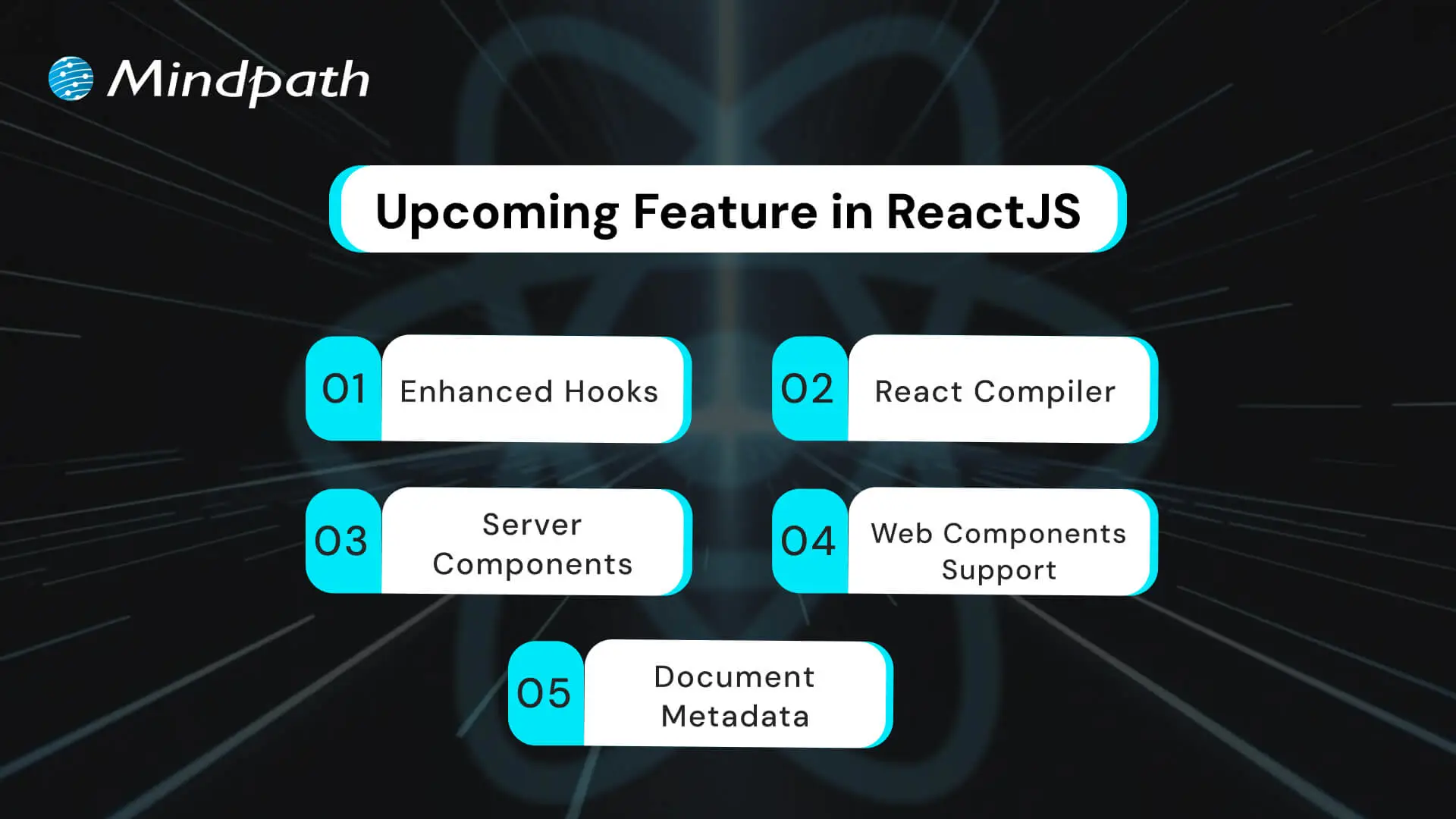
ReactJS Features and Updates to Understand in 2027

React’s recent development has focused on improving application architecture, rendering, data handling, and developer workflows. The following capabilities are particularly relevant when planning or modernizing a React project.
ReactJS features and updates for modern web development

1. React Actions and Modern Hooks

React 19 introduced Actions and APIs such as useActionState and useOptimistic to help manage common asynchronous workflows. These capabilities can simplify form submissions, pending states, error handling, and optimistic interface updates.

For example, a customer portal can display a pending state while a user updates account information. An interface may also show an expected change immediately while the application waits for the server to confirm the operation.

These APIs do not eliminate the need for backend validation, error handling, or secure data processing. They provide building blocks for managing the user experience around asynchronous operations.

2. React Compiler and Automatic Optimization

The React Compiler reached its first stable release in October 2025. It can automatically optimize React components and Hooks through memoization, reducing the need for some manual performance optimizations.

Traditionally, developers may use techniques such as memo, useMemo, and useCallback to avoid unnecessary calculations or rendering work in appropriate situations. The compiler can handle certain optimizations automatically when the code meets its requirements.

Teams should still measure performance, review compiler compatibility, and follow the recommended setup process. The compiler is not a substitute for efficient data fetching, sensible component design, or profiling real application behavior.

3. React Server Components

React Server Components allow components to render in a server-side or build-time environment separate from the client application. In compatible frameworks, they can help developers keep selected data access and rendering work on the server instead of sending all of that logic to the browser.

This approach can be useful for content-heavy pages, product catalogs, and applications that retrieve information from server-side data sources. Server Components and Client Components serve different purposes, so teams need to understand which features require browser-side interactivity.

Server Components do not automatically guarantee faster applications or better security. Performance depends on the architecture and delivery strategy, while sensitive operations still require correct authorization and data handling. Teams should also use compatible framework and bundler implementations.

4. Document Metadata and Custom Element Support

React 19 introduced native support for rendering document metadata elements, including title and meta tags, from components. It also improved support for custom elements, making it easier for React applications to interact with standards-based web components.

Metadata support can simplify some implementations by allowing page-specific titles and descriptions to be declared closer to the relevant content. However, larger applications may still benefit from framework-level metadata management for route handling, canonical URLs, and other SEO requirements.

Custom element support can also help teams integrate existing web components into a React interface. These capabilities are established features rather than merely upcoming React updates; the important consideration is how well they fit the application’s architecture.

Want to plan a React application around current capabilities and future requirements? Review the React roadmap and assess which updates are relevant to your product.

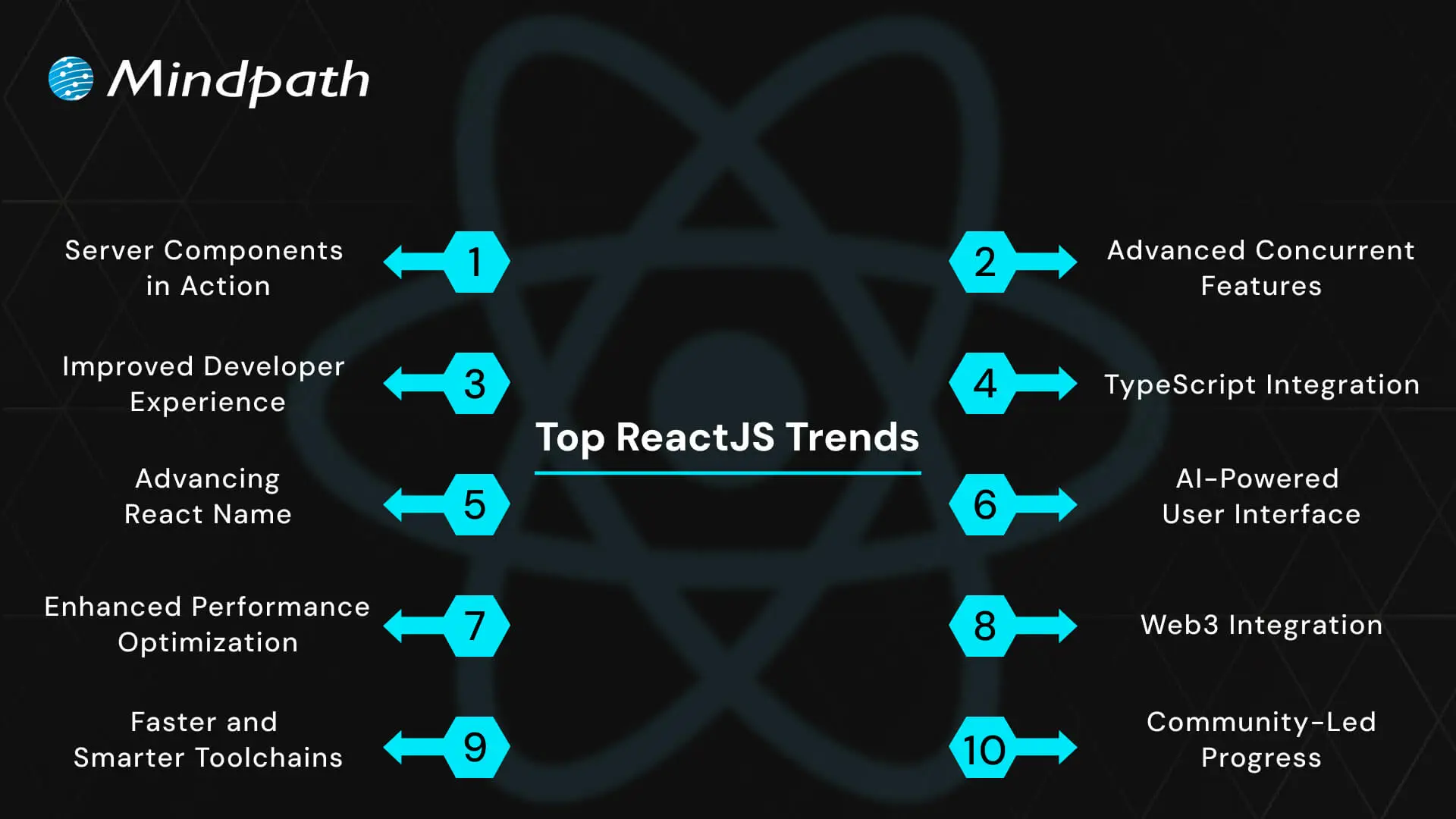
Top ReactJS Trends to Watch in 2027

The following trends reflect how teams are using React and its surrounding ecosystem to develop modern digital products. Some are based on established React capabilities, while others are broader development practices that continue to influence React projects.
Top ReactJS trends influencing web application development in 2026

1. Server-First Application Architecture

One of the important ReactJS trends is the growing use of server-oriented rendering and data access patterns. Server Components, server-side rendering, and static generation provide different ways to deliver content and manage work across server and client environments.

For example, a product listing page may render much of its content on the server while using Client Components for interactive filters, cart controls, or other browser-side actions.

The right approach depends on how frequently the content changes, whether a page requires user-specific data, the infrastructure available, and the application’s performance goals. Server-first architecture is not mandatory for every React application, especially when a simple client-rendered interface is sufficient.

2. Automated Performance Optimization with React Compiler

The React Compiler is changing how developers approach certain rendering optimizations. Instead of relying exclusively on manually added memoization, teams can use compiler-supported optimization to reduce some unnecessary recalculations and re-renders.

This can make performance-oriented code easier to maintain, particularly in interfaces with many reusable components. However, results vary with the application, its dependencies, and the code being compiled.

Developers should still use profiling tools, monitor Core Web Vitals for public-facing websites, and investigate expensive rendering, network requests, or large JavaScript bundles. Automated optimization works best as part of a broader performance strategy.

3. Concurrent UI and Responsive Interactions

React’s concurrent rendering capabilities allow rendering work to be prioritized so that urgent interactions can remain responsive while less urgent updates are prepared. Features such as transitions and Suspense help developers manage updates and loading states in suitable application designs.

For example, a search interface may keep text entry responsive while results update in the background. A complex dashboard can use loading boundaries to display useful interface elements while selected content is being prepared.

These capabilities require thoughtful implementation. Suspense boundaries, transitions, data loading, and error states should be designed around actual user journeys rather than added without a clear purpose.

4. TypeScript for More Maintainable React Applications

TypeScript continues to be a useful choice for React teams that need clearer contracts between components, reliable data models, and maintainable codebases. It adds static type checking to JavaScript and can identify certain mistakes during development before the application runs.

For example, a reusable component can define the properties it accepts, while an API response can be represented using an explicit data type. These practices help teams understand how different parts of an application fit together.

TypeScript does not prevent every runtime error, validate untrusted API data automatically, or replace testing. Teams still need appropriate runtime validation, automated tests, code reviews, and consistent development practices.

5. Better Developer Tooling and Testing Workflows

React development increasingly relies on tools that help teams inspect component behavior, diagnose rendering issues, test user interactions, and automate code-quality checks. React Developer Tools, browser profiling tools, testing libraries, and static analysis can help identify problems earlier in the development process.

A reliable workflow may combine component tests, integration tests, end-to-end testing, accessibility checks, and continuous integration. These practices are especially important for applications with complex workflows or frequent releases.

Tools should be selected based on the project’s requirements, team familiarity, and maintenance needs. Adding more tools is not inherently better if they create duplicated checks or unnecessary complexity.

Building an application that needs to remain responsive as it grows? Read our guide to optimizing React performance for large applications for additional implementation considerations.

6. AI-Powered User Interfaces

React is frequently used to build interfaces for applications that include AI-powered features. These may include conversational assistants, content generation tools, semantic search, document summarization, recommendation interfaces, and AI-supported workflow automation.

React can manage the interactive interface while backend services handle model requests, data retrieval, permissions, and business logic. Streaming responses and clear loading states can help users understand that a request is in progress.

AI-powered interfaces need more than an attractive front end. Developers should plan for latency, errors, usage limits, privacy, access controls, and the possibility of inaccurate model responses. AI output should be presented with appropriate context and verification options when accuracy matters.

7. Performance, Accessibility, and User Experience

Performance remains an important consideration for React applications, but user experience depends on more than rendering speed. Developers must also consider navigation, keyboard access, readable layouts, error recovery, responsive design, and how quickly users can complete important tasks.

Useful practices include code splitting, efficient data fetching, optimized assets, accessible components, and testing with real devices. Public-facing websites should also monitor Core Web Vitals and investigate issues identified through performance measurements.

The best optimization priorities come from evidence. Teams should identify the pages and interactions that create friction, measure the impact of changes, and avoid adding complexity for improvements that do not meaningfully benefit users.

8. React Native and Shared Product Experiences

React Native remains relevant for businesses that want to build mobile applications using React concepts and JavaScript or TypeScript. It provides a separate development approach from React for the web, while allowing teams to share selected business logic and development knowledge where appropriate.

A company may offer a React web portal alongside React Native mobile apps. Shared validation rules, API clients, and domain logic can sometimes be reused, while navigation, UI components, and device integrations may require platform-specific implementations.

Cross-platform development should be evaluated against the required native capabilities, accessibility, performance, release process, and available skills. Code reuse can be valuable, but it does not remove the need for platform-specific testing and maintenance.

9. Modern Frameworks and Faster Development Toolchains

Frameworks and build tools influence how React applications handle routing, rendering, data loading, bundling, testing, and deployment. Tools such as Vite and frameworks such as Next.js offer different workflows and capabilities depending on the project.

A lightweight client-rendered application may need a different setup from a content-heavy website that benefits from server rendering or static generation. Developers should choose a toolchain based on deployment requirements, integrations, team experience, and long-term maintenance.

Faster local builds and convenient development feedback can improve day-to-day productivity. However, build speed alone should not determine the architecture. Production performance, security, reliability, and upgrade paths also matter.

10. Design Systems and Reusable UI Components

As applications grow, design systems and shared component libraries help teams maintain consistent visual patterns and interactions. A design system may include typography, spacing, colors, accessible form controls, navigation patterns, buttons, tables, and documented component behavior.

In a React project, reusable components can reduce duplicated implementation and make updates more consistent across pages. A shared component library can also help multiple teams work from common interface standards.

To be effective, a design system needs clear documentation, accessibility testing, versioning, and a process for handling changes. Teams should avoid creating abstractions for every small variation when a simpler component would meet the requirement.

Want to build a scalable React application around your business needs? Talk to Mindpath about ReactJS development services and plan the right approach for your product.

How Businesses Can Evaluate ReactJS Trends

Not every new capability needs to be adopted immediately. Businesses should evaluate ReactJS trends based on the problems they are trying to solve, the constraints of their existing applications, and the value a change is expected to deliver.

1. Start with a Specific Business or User Need

Identify whether the priority is page performance, maintainability, a new interactive feature, a better mobile experience, or a more efficient development workflow. A clear goal helps teams choose relevant technologies instead of adopting tools simply because they are new.

2. Review Compatibility and Migration Requirements

Check React version requirements, framework support, dependencies, deployment constraints, and migration risks before introducing a new feature. For established applications, a phased rollout may be safer than changing multiple architectural elements at once.

3. Test Performance and Usability

Use profiling, automated tests, accessibility checks, and real-user feedback to evaluate whether a change improves the application. Record a baseline before implementation so that results can be compared objectively.

4. Account for Security and Maintenance

Review dependency health, access controls, data handling, update policies, and operational responsibilities. AI features and server-side capabilities may introduce additional data and security considerations that need to be addressed before deployment.

5. Measure Results Before Scaling

Start with a limited pilot when possible. Measure outcomes such as task completion time, error rates, page performance, development effort, and user feedback. Expand the implementation when the results support the original objective.

Challenges to Consider When Adopting New ReactJS Practices

New features and tools can improve development workflows, but adoption also introduces trade-offs. Businesses and development teams should consider these common challenges.

1. Compatibility and Migration Complexity

Older applications may depend on libraries, build tools, or patterns that are not immediately compatible with newer React capabilities. Teams should review upgrade guides, test critical workflows, and schedule migrations according to risk and business priorities.

2. Performance Is Not Automatic

Server Components, compilers, and modern toolchains provide useful options, but no single feature guarantees an optimal user experience. Applications still need careful data fetching, asset management, error handling, and performance testing.

3. Learning Curve and Team Readiness

New rendering patterns and tools may require changes to how developers structure components, load data, and test interfaces. Documentation, code reviews, training, and incremental adoption can help teams build confidence without disrupting delivery.

4. Security and Data Governance

Server-side rendering and AI integrations introduce important questions about access permissions, sensitive information, API usage, and data retention. Teams must ensure that server-only logic and credentials remain protected and that user-specific data is handled correctly.

What Is Next for ReactJS Development?

React’s continued development points toward more flexible rendering strategies, automated optimization, improved asynchronous workflows, and closer integration with modern application frameworks. At the same time, broader engineering practices such as TypeScript, accessibility testing, reusable design systems, and AI integration are shaping how React applications are built.

The most useful direction for a business is not necessarily the newest feature. It is the combination of technologies and development practices that addresses real user needs, supports the product roadmap, and remains maintainable over time.

Teams should follow official release notes, test upgrades in controlled environments, and regularly review their performance, security, and accessibility requirements. This approach helps businesses adopt relevant changes while avoiding unnecessary technical complexity.

Final Thoughts

The key ReactJS trends in 2027 include server-oriented application architecture, React Compiler, concurrent UI patterns, TypeScript, improved developer tooling, AI-powered interfaces, performance and accessibility, React Native, modern frameworks, and reusable design systems.

Each trend offers opportunities, but the right choice depends on the application’s goals, technical requirements, team capabilities, and long-term maintenance plan. By evaluating changes carefully and measuring their impact, businesses can keep their React applications aligned with evolving user expectations and development practices.

At Mindpath, we help businesses build and modernize digital products around their technical and operational requirements. Our ReactJS development services support organizations planning interactive, maintainable, and scalable web applications.


Planning your next React project or modernizing an existing application? Contact Mindpath to discuss your requirements and identify a practical development approach.

Is Your React Stack Falling Behind?

We build and update React apps with current tooling.

Frequently Asked Questions

Server components and TypeScript integration deliver the most immediate practical value. Server components reduce browser workload and improve page load speeds noticeably, while TypeScript adoption reduces runtime errors and improves long-term code maintainability. Teams that implement both together consistently report faster development cycles and significantly fewer production issues across complex applications.
Traditional client-side rendering sends all JavaScript to the browser, which then builds the interface. Server components render parts of the UI on the server before delivery, sending less code to the browser entirely. The result is faster initial page loads, reduced bandwidth consumption, and noticeably improved performance especially on lower-powered devices and slower connections.
For most teams, absolutely. TypeScript catches errors during development rather than at runtime, which prevents costly debugging sessions after deployment. Larger teams benefit especially from improved code readability and collaboration. The initial learning investment typically pays back quickly through fewer bugs, cleaner architecture, and significantly easier onboarding of new developers joining existing projects.
AI integration allows React applications to adapt dynamically to individual user behavior, delivering personalized content and anticipating actions in real time. Beyond user experience improvements, AI-powered development tools are also accelerating the coding process itself. Developers using AI assistance within React workflows report meaningful reductions in repetitive coding tasks and faster overall delivery timelines.
It is gaining momentum but remains specialized for now. Businesses in finance, gaming, and supply chain are actively exploring React-based Web3 applications involving blockchain wallets and smart contracts. For mainstream business applications, adoption will depend heavily on regulatory clarity and user familiarity with decentralized technologies. Developers building familiarity with Web3 tools today will hold a clear competitive advantage tomorrow.

Support Is One Click Away

Featured Posts

Related Post

Introduction to OpenAI o1

Curious about how artificial intelligence is transforming the world? Dive into the future with OpenAI’s o1 Model! What if I told you that this cutting-edge technology is setting new benchmarks for AI capabilities? How does it compare to its predecessors, and what groundbreaking advancements does it bring to the table? In this blog, we will explore the revolutionary features of OpenAI’s o1 Model and uncover how it’s reshaping the landscape of AI technology. So, let’s dive in! 

Overview of OpenAI o1 Model

OpenAI has now released a preview of their latest AI models, the o1 series, often known as Project Strawberry or Q*. These new models are meant to think more thoroughly before offering solutions, making them especially good at tackling complicated issues in science, math, and coding. 

The o1 series stands out because it exceeds the capabilities of previous AI models. For example, the o1-preview model excels at difficult arithmetic issues, answering 93% of AIME math questions and outperforming human specialists in several scientific assessments. Along with this, OpenAI has introduced the o1-mini, a more economical version that maintains good coding skills while costing 80% less, making it an excellent choice for developers. 

Key Features of OpenAI o1 Model

1. Better Safety Measures

OpenAI has considerably enhanced the safety of its o1 models by including new security measures. These models are made to efficiently perform delicate duties, stay away from potentially hazardous information, and resist efforts to bypass their safety protocols. As AI technology advances, jailbreaking—in which individuals attempt to mislead AI into creating harmful or immoral responses—becomes riskier. The o1 model, particularly the o1-preview version, has demonstrated extraordinary resilience to these types of attacks. It performs exceptionally well in security tests because of its sophisticated reasoning capabilities, which allow it to adhere more tightly to ethical rules. This makes it far more difficult for malicious users to control the system, resulting in safer and more consistent performance in important applications. 

2. Enhanced STEM Performance

The o1 models have shown outstanding performance in a variety of academic challenges. They succeed at programming competitions, demonstrating their strong coding and problem-solving talents. In maths competitions, the models have also demonstrated their abilities by achieving admirably on high-level exams. These results demonstrate the o1 models’ exceptional ability to tackle challenging STEM problems, making them very useful tools for both coding and mathematical problem solving. This impressive achievement demonstrates their capacity to deal with complex and intricate issues, establishing a new benchmark for AI in academic and technological fields. 

3. Diverse Data Training

The o1 models were trained using a wide range of data sources, including public information, private content, and carefully curated datasets. This diversified training guarantees that the models are well-versed in a wide range of general knowledge and specialized subjects. By combining diverse forms of data, the o1 models develop a thorough grasp of both popular and unique issues. This thorough and diverse training improves not only their conversational skills, but also their thinking abilities, allowing them to handle a wide range of enquiries and scenarios with more accurateness and relevancy. This method makes the o1 models extremely adaptable and capable of providing intelligent and contextually appropriate replies. 

4. Affordable and Cost-Effective

OpenAI’s o1-mini model is a cost-effective alternative to the more complex o1-preview, costing 80% less while still achieving excellent performance in domains like mathematics and coding. The o1-mini, designed exclusively for developers, delivers great precision and consistent results at a fraction of the cost, making it an excellent solution for applications that require cost control. This targeted pricing makes powerful AI technology available to a broader variety of customers, including educational institutions, startups, and small enterprises. OpenAI’s cheaper alternative enables these organizations to harness strong AI capabilities without considerable financial burden, boosting greater adoption and innovation in a variety of areas. 

5. Greater Fairness and Less Bias

The o1-preview model surpasses GPT-4 in terms of bias and fairness. It excels at reducing stereotyped responses, resulting in more balanced and unbiased answers. In fairness evaluations, the o1-preview model consistently picks the most suitable and impartial responses, demonstrating a significant increase in its ability to handle confusing or complicated queries. This achievement not only improves the model’s capacity to provide fair replies, but it also demonstrates OpenAI’s dedication to developing AI systems that are more aware of and responsive to ethical problems. The o1-preview approach contributes to more inclusive and polite AI interactions by reducing bias and boosting fairness, making it a desirable tool for applications that need impartiality. 

6. Monitoring Thought Processes and Detecting Deception

OpenAI incorporates experimental techniques into the o1 models to track their reasoning process, allowing the system to determine when it is presenting misleading or purposely incorrect data. This “chain-of-thought” monitoring aids in the detection and reduction of misleading behavior, hence increasing the model’s reliability and credibility. Early findings indicate encouraging progress in reducing the hazards associated with AI-generated misinformation. 

The o1 models represent a significant advancement in AI thinking, notably in STEM fields such as mathematics, computing, and scientific problem solving. These models, including the high-performing o1-preview and the low-cost o1-mini, are intended to successfully handle difficult jobs. They also include better safety and ethical safeguards, such as rigorous testing and red teaming, to ensure more responsible AI implementation. 

AI Developemnt Services at Mindpath

Mindpath provides top-tier AI development services, utilizing the most recent advances in artificial intelligence to help organizations remain ahead in an ever-changing digital world. Our team specializes in developing customized AI solutions that are geared to your unique requirements, such as automating procedures, boosting decision-making, or increasing consumer engagement.  With models like OpenAI’s o1, we can employ advanced AI reasoning to solve challenging problems in fields like mathematics, computing, and science. Mindpath’s AI development services combine this cutting-edge technology to create solutions that are not only unique, but also dependable and scalable. Our knowledge covers several industries, guaranteeing that we can satisfy the specific needs of each customer, from startups to huge corporations. 

Final Note

OpenAI’s o1 models are pushing the limits of artificial intelligence with improved problem-solving ability, fairness, and safety features. They symbolize a new age of AI in which ethical considerations and sophisticated thinking coexist to solve hard problems in STEM and beyond. Whether you’re searching for high performance or low-cost solutions, the o1 series delivers with accuracy and dependability. Mindpath uses the power of these ground-breaking models to provide bespoke AI solutions that help organizations innovate, automate, and grow. With our experience and OpenAI’s cutting-edge technology, your organization is well-positioned to prosper in the rapidly developing world of AI-driven solutions. 

Want to leverage advanced AI?

Unlock the potential of OpenAI’s o1 model with Mindpath’s expert AI development.

Explore OpenAI’s o1 models, revolutionizing AI and learn how Mindpath’s expert AI development services deliver innovative solutions.
Augmented Analytics

Are you ready to take your business intelligence to the next level? Imagine if you could make faster, smarter decisions with the help of advanced analytics tools. That’s where augmented analytics comes in. But what exactly is it, and how can it revolutionize the way businesses unlock insights? Let’s explore how this cutting-edge technology is transforming the world of business intelligence.  

What Is Augmented Analytics?

Augmented analytics is a new approach to data analysis that makes use of technology such as machine learning (ML), artificial intelligence (AI), and natural language processing (NLP). These technologies collaborate to simplify and accelerate the process of gaining insights from data. The fact that augmented analytics does not require extensive technical expertise distinguishes it from other approaches. It is intended to provide relevant information to people at all levels, from business users to data analysts, without the requirement for specialized expertise. Users can ask basic enquiries and receive immediate responses using techniques such as natural language queries and natural language creation. In many circumstances, augmented analytics can deliver more complete and precise insights in minutes, reducing time and boosting decision-making. Even someone with no technical knowledge can now identify crucial trends and patterns in data, which would have previously needed the skills of a data scientist. This makes it a game changer for firms that want to be more data-driven and responsive.  

How Augmented Analytics Work?

Augmented analytics employs artificial intelligence, machine learning, and natural language processing to simplify and accelerate data analysis. It automates the process of gathering, cleaning, and linking data from diverse sources, allowing teams to prepare data without requiring complex technical expertise. Instead of manually developing models, users can ask queries in plain language, and the system will instantly analyze the data and deliver thorough insights. These insights are presented instantaneously via dashboards, with real-time answers and explanations, reducing the time and effort often necessary to create reports and visualizations. This makes data analysis more accessible and efficient for everyone in the organization.  

Advantages of Augmented Analytics in Business Intelligence

1. Breaking Data Barriers

In traditional business intelligence, each team frequently develops its own data models to address specific concerns. However, these models may not contain all important data, resulting in missed opportunities. For example, a marketing team can analyze CRM data while ignoring crucial findings from sales or customer support, which could have an influence on their marketing strategy. This results in data silos, in which important information is kept inside one department and not shared across the organization. Augmented analytics accelerates this process by integrating all of your data sources into a single streamlined solution. When you ask a question, the system collects data from all linked platforms, databases, and storage places to provide a comprehensive, correct response. It also updates itself with each query, resulting in tighter links across data sets. The insights and visualizations created are easily shareable across teams, allowing employees to collaborate and access the data they want. This not only eliminates silos but also guarantees that everyone in the organization is on the same page, using the most up-to-date information for improved decision-making and faster solutions to business difficulties. 

2. Smarter Business Choices

Waiting weeks for vital insights can lead to missed chances, whilst speeding the analysis can result in forgetting important facts. Augmented analytics tackles both of these issues by analyzing billions of information in seconds and providing timely and accurate insights. It doesn’t end there; augmented analytics explain the “why” behind each insight, giving you more information to make smarter decisions. This provides business users with not just the answers they want, but also the knowledge to properly comprehend the data.  Real-time insights allow teams to act on information immediately, increasing overall efficiency and responsiveness. Whether it’s recognizing new trends, analyzing customer preferences, or making fast changes to strategy, augmented analytics guarantees that business choices are made using the most accurate and up-to-date information. By simplifying the process and lowering the risk of human mistakes, it allows organizations to remain agile and make wiser, more confident decisions, resulting in better commercial outcomes.  

3. Real-Time Data

Unlike standard business intelligence tools, which can take a long time to process data and give insights, augmented analytics returns results practically instantaneously. Simply ask a query, and the AI will process billions of data points in milliseconds. It then offers clear and simple insights and visualizations, allowing you to understand exactly what is going on in your business. Since the insights are supplied in real time, teams can act on them instantly, helping firms to seize time-sensitive opportunities. This speed not only facilitates speedy decision-making but also guarantees that firms remain agile and responsive to change. Whether it’s modifying strategy, recognizing patterns, or resolving difficulties, augmented analytics guarantees that users always have up-to-date, actionable insights at their fingertips, making the process faster, smarter, and more efficient. 

4. More In-Depth Analysis

Getting precise understanding from your data used to be a complicated and time-consuming process. However, with augmented analytics, you can swiftly delve into your data by analyzing billions of data points and many elements in only seconds. This provides you with more precise and granular insights that were previously difficult to obtain. Not only does it help you understand the “why” behind the findings, but it also reveals hidden patterns and trends that can be used to guide future decisions. This higher degree of research helps you to go beyond surface-level discoveries and uncover previously unknown aspects. Augmented analytics can uncover subtle links between variables by analyzing large volumes of data in real time, delivering a more comprehensive view of your organization.  The capacity to do in-depth analysis assists firms in making well-informed, data-driven choices, whether it’s increasing the customer experience, optimizing processes, or refining strategy. Companies can utilize this powerful tool to more accurately identify growth possibilities, minimize risks, and forecast future trends, providing them with a competitive advantage in an ever-changing market. 

5. Accessible Data for All

Traditionally, business intelligence systems depended significantly on IT teams and data experts to do the majority of the workload. However, augmented analytics transforms this by allowing anybody in the organization, regardless of technical experience, to access precise information. Augmented analytics enables users to study data in real time and construct their own visualizations to make sense of it. This change enables data scientists and analysts to focus on more complex duties, while the rest of the team can freely investigate and use data to make choices. By making data more available to everyone, augmented analytics creates a data-driven decision-making culture throughout the organization. Employees from many areas, including those who lack technological expertise, may now utilize the power of data to improve their processes, solve problems, and spot new opportunities. This data democratization not only boosts the general use of business intelligence tools, but it also helps to break down team barriers, fostering cooperation and creativity. When everyone is on the same page, organizations can make faster, smarter choices and achieve better business results. 

How Mindpath Can Help?

Mindpath makes it easy for your organization to use augmented analytics. Our skilled staff assists you in implementing cutting-edge BI technologies, ensuring that everyone, from data scientists to non-technical team members, has quick and easy access to vital information. We expedite data analysis by integrating new technologies such as AI and machine learning into your systems, allowing you to make better, quicker decisions based on real-time insights. Our technologies break down data silos, allowing your teams to interact and operate more efficiently together. With Mindpath’s help, you’ll have everything you need to maximize the value of your data, making it accessible, comprehensible, and actionable for everyone in your organization.  

Wrapping Thought!

In today’s fast-paced corporate environment, keeping ahead requires making better judgements faster. Augmented analytics is the key to uncovering real-time, in-depth insights that improve your company’s performance. This breakthrough solution allows everyone in your organization to make data-driven decisions, regardless of technical skills, by breaking down data silos, allowing smarter decision-making, and democratizing data access. With Mindpath’s experience, your company can easily implement augmented analytics, expedite data processing, and ensure that everyone—from data scientists to non-technical team members—has access to vital insights. We help you incorporate AI and machine learning into your processes to increase collaboration, decision-making, and general efficiency. 

Want to unlock the full potential of your data with Mindpath's augmented analytics solutions?

Partner with us today to transform your business insights and decision-making!

Discover how augmented analytics revolutionizes business intelligence with real-time insights, smarter decisions, and data democratization for faster growth.
small language models vs large language models
Businesses want AI that delivers strong results without creating unnecessary costs, complexity, or infrastructure demands. Small language models vs LLM has therefore become an important discussion for teams planning AI adoption. While SLMs offer speed and efficiency for focused tasks, LLMs provide broader capabilities for complex business requirements.

Key Takeaways

  1. SLMs suit focused tasks requiring speed and efficiency.
  2. LLMs handle complex workloads requiring broader capabilities.
  3. Model size alone does not determine business value.
  4. SLMs can reduce infrastructure and inference costs.
  5. Hybrid models can balance cost, speed, and accuracy.

Choosing the right model depends on the workload, data, accuracy expectations, deployment environment, response speed, and budget. A larger model may offer greater flexibility, but a smaller one can be more practical for specific applications. This blog compares both approaches to help businesses make informed AI decisions.

Understanding Both Small and Large Language Models

Small language models (SLMs) are compact AI models designed to handle specific tasks with fewer computational resources. Their focused architecture can deliver faster responses, lower infrastructure requirements, and more efficient deployment. Businesses can use SLMs for tasks such as classification, summarization, document processing, internal knowledge queries, and workflow automation where highly specialized performance matters.

Large language models (LLMs) are built with significantly larger parameter sets and broader training capabilities. They can understand diverse instructions, manage complex context, generate detailed content, and support advanced reasoning across different business scenarios. For LLM vs SLM for business, the right choice depends on the complexity of the workload, expected performance, deployment requirements, and available budget.

The key difference is not simply model size. It is how effectively each model matches the task it needs to perform. An SLM can be highly effective for a focused workflow, while an LLM can provide greater flexibility for applications requiring broader capabilities. Businesses can also explore this large language model guide to understand LLM capabilities in greater detail.

How Do Language Models Work?

Language models learn patterns in text and use those patterns to generate relevant responses based on the input they receive. During training, a model processes large amounts of data and adjusts its parameters to recognize relationships between words, concepts, and context. During inference, it uses this learned knowledge to predict and generate an appropriate output.

The main difference between small and large models comes from their scale, training approach, and resulting capabilities. SLMs generally use fewer parameters and require less computing power, making them suitable for focused tasks. LLMs use larger architectures that can handle broader context, complex instructions, and diverse workloads. However, model size alone does not determine performance. Data quality, fine-tuning, retrieval, prompting, and evaluation also influence how effectively a model performs for a business use case.

Businesses considering model customization can also explore RAG vs fine-tuning to understand different approaches for improving AI performance.

Lightweight AI Models vs Large Language Models: Key Business Differences

Choosing between SLMs and LLMs requires looking beyond model size. The small language models vs LLM decision should consider how each option performs against practical business requirements such as speed, accuracy, infrastructure, privacy, and customization.

1. Performance and Accuracy

LLMs generally have an advantage when applications require complex reasoning, broad knowledge, or varied instructions. SLMs can deliver strong results for narrowly defined tasks, especially when they are trained or fine-tuned for a specific business domain.

2. Speed and Latency

Smaller models typically need fewer computational resources, which can support faster responses. This makes SLMs useful for high-volume applications where even small delays can affect user experience or operational efficiency.

3. Infrastructure Requirements

LLMs often require greater memory and computing capacity for deployment and scaling. SLMs can operate with lighter infrastructure, making them attractive for businesses with limited resources or applications that need local or edge deployment.

4. Privacy and Control

Businesses handling sensitive information may prefer architectures that provide greater control over where data is processed. Smaller models can support private or controlled deployments, although security ultimately depends on the complete AI architecture, data practices, and access controls.

5. Customization

SLMs can be highly effective when a business has a clearly defined use case. Fine-tuning or domain adaptation can help optimize them for specialized tasks, while LLMs provide broader capabilities when applications need to support many different types of requests.

The better choice depends on the workload. Businesses should evaluate actual performance, operating costs, infrastructure needs, and business outcomes instead of assuming that the largest model will deliver the best overall value. An AI readiness checklist can also help businesses assess their requirements before selecting an AI approach.

Small Language Models vs Large Language Models: Comparison

Factor Small Language Models (SLMs) Large Language Models (LLMs)
Model Size Smaller and task-focused Larger with broader capabilities
Performance Strong for specific workloads Strong for complex, diverse workloads
Response Speed Generally faster Can require more processing time
Infrastructure Lower compute and memory requirements Higher infrastructure requirements
Operating Cost Typically lower at scale Typically higher at scale
Accuracy High for well-defined tasks Better suited to complex and varied tasks
Customization Easier to optimize for specific use cases Broad customization across diverse applications
Privacy & Deployment Well suited to controlled or local environments Often requires more robust deployment infrastructure
Scalability Efficient for high-volume, repetitive tasks Better for applications with varied and growing demands
Best For Classification, extraction, summarization, focused automation Complex assistants, reasoning, content generation, broad AI applications

Small Language Model vs LLM Cost: What Should Businesses Consider?

Cost can vary significantly based on model size, usage volume, hosting, and infrastructure. The small language models vs LLM decision should therefore consider total operating cost, not model pricing alone.

1. Compute Requirements

SLMs generally require lower computing resources than LLMs, which can make them more practical for workloads where infrastructure efficiency is a priority.

2. Infrastructure Cost

SLMs generally require lower infrastructure resources, while LLMs often require more powerful computing capacity for deployment and scaling.

3. Inference Cost

SLMs can have lower inference costs for many high-volume tasks. LLMs can cost more when workloads require larger amounts of computation.

4. Hosting

SLMs can run on lighter infrastructure, making them suitable for certain controlled or local environments. LLMs often need more powerful compute to maintain expected performance.

5. Scaling Cost

Smaller models can be more economical for repetitive, high-volume workloads. LLM costs can increase significantly as usage grows, particularly for resource-intensive applications.

6. Fine-Tuning

Fine-tuning can be practical for SLMs when the objective is to optimize performance for a focused task. LLM fine-tuning may require greater compute resources depending on the model and approach.

7. Operational Cost

SLMs generally consume fewer resources, while LLMs can require greater infrastructure and operational capacity.

8. Best Cost Advantage

SLMs can offer a strong cost advantage for high-volume, specialized tasks. LLMs can justify higher costs when advanced reasoning, flexibility, or broader capabilities directly support valuable business outcomes.

The most cost-effective option depends on the workload. An SLM can reduce recurring compute expenses, while an LLM may justify its higher cost when advanced reasoning, flexibility, or broader capabilities directly support business value. Businesses can also explore the cost of AI agents to better understand how AI architecture can affect operating expenses.

Small Language Model vs LLM for Business: Which Use Cases Fit Each?

The right model depends on what the business needs the AI system to accomplish. SLMs are often effective for focused, repetitive workloads, while LLMs are better suited to applications that require broader knowledge, complex reasoning, and flexible interactions.

1. When Small Language Models Make Sense

  1. Text classification: Categorize customer requests, documents, or internal records.
  2. Information extraction: Identify names, dates, entities, and other structured information.
  3. Summarization: Condense reports, tickets, meeting notes, and internal documents.
  4. Workflow automation: Handle predictable steps within business processes.
  5. Internal knowledge tasks: Answer focused questions using company-specific information.
  6. High-volume processing: Manage repetitive requests where speed and operating cost matter.

These use cases can benefit from efficient models that deliver consistent performance without requiring the broader capabilities of a large model. Businesses can also explore relevant AI use cases for business when identifying opportunities for specialized AI models.

2. When Large Language Models Make Sense

  1. Complex reasoning: Analyze situations that require multiple steps or broader context.
  2. Customer-facing assistants: Handle diverse questions and changing conversation flows.
  3. Content generation: Create detailed marketing, business, technical, or creative content.
  4. Coding assistance: Support development tasks across multiple programming languages and frameworks.
  5. Complex document analysis: Understand and connect information across lengthy or varied documents.
  6. General-purpose AI applications: Support multiple business functions through a single flexible model.

LLMs can be valuable when applications need to support diverse requirements through a flexible model. Businesses integrating AI into existing systems can also review AI integration in business for additional considerations.

3. When a Hybrid Approach Works Better

Businesses do not always need to choose one model for every task. A hybrid architecture can route simple requests to an SLM while sending complex or uncertain queries to an LLM. This approach can help balance cost, speed, accuracy, and capability as AI workloads grow.

Which Language Model Is Right for Your Business?

Choosing between an SLM and an LLM should start with the business problem, not the model’s size. Small models can deliver speed, efficiency, and lower costs for focused workloads, while LLMs offer broader capabilities for complex applications. The right choice depends on performance needs, data, infrastructure, scalability, and long-term business value.

Mindpath AI development services help businesses select, build, fine-tune, and optimize AI models around their specific requirements. From model selection and fine-tuning to RAG development and AI application development, Mindpath helps create AI architectures that balance performance, cost, security, and scalability.