How Much It Costs to Hire NodeJS Developers in London

Join our Newsletter!

Featured Posts

Support Is One Click Away

Home

How Much It Costs to Hire NodeJS Developers in London

Hire NodeJS Developers in London

How Much It Costs to Hire NodeJS Developers in London

The cost of hiring Node.js developers in London varies according to expertise, project complexity, and firm size. Junior developers often charge £30-£70 per hour, but experienced developers charge between £70 and £150 per hour. It’s critical to assess your project’s requirements and budget appropriately. The following are significant factors that determine these expenses.

1. Experience Level

The experience of a Node.js developer significantly impacts the hourly rate. Junior developers with limited experience in Node.js typically charge lower rates, between £30 – £70 per hour. They can handle basic tasks but may need more guidance. In contrast, senior developers with extensive experience in complex Node.js projects and advanced skills may charge £70 – £150 per hour. Their expertise includes managing large-scale applications, leading teams, and solving intricate technical challenges, justifying their higher rates.

2. Project Complexity

The complexity of the project plays a crucial role in determining developer rates. Projects requiring expertise in advanced Node.js frameworks (such as NestJS or Express) or specialized areas like cloud integration and real-time services will demand developers with advanced skills. Such projects often require a deeper understanding of architecture and scalability, leading to higher rates. Developers with specialized knowledge will charge more to reflect the increased technical demands and the project’s overall complexity.

3. Company Size and Location

The size of the company and its location can also influence Node.js developer rates. Larger companies located in central London typically offer higher hourly rates, ranging from £70 to £150. These companies often have more significant resources, larger budgets, and complex projects. In contrast, smaller startups or businesses based in suburban areas may offer lower rates, typically between £30 to £70, as they often work with tighter budgets and smaller-scale projects. However, location does not always guarantee lower rates, as other factors such as the project type can still affect pricing.

At Mindpath. we offer expert Node.js developers with the right experience to meet your project’s needs, whether you’re looking for junior talent or senior developers with specialized skills. Our developers are proficient in advanced frameworks, real-time solutions, and complex cloud integrations, ensuring your project is in capable hands.


Start building your team with Mindpath today!

Related Post

Discover key DevOps challenges and effective solutions to streamline development and operations, and boost deployment efficiency.
Discover top tech trends transforming the travel industry, from AI to IoT, and learn how Mindpath can help your business stay ahead.

Related Post

cloud computing trends

Have you been following the newest cloud computing trends? It seems that every day, there is something new to change how we store, share, and secure data. Perhaps you’ve been wondering if your business is missing out on smarter ways of working, or worried about staying ahead of the game in this digital world. Whatever your thoughts are, there is one thing for sure: cloud technology is not just for tech giants anymore; it is shaping the way we all connect, create, and grow.

As we move to 2026, these cloud trends will continue to open bigger opportunities for businesses, no matter how big or small. With faster, many times AI-driven services, greener cloud solutions, a flexible and secure future is more promising than ever. Being aware of what is next will enable you to make an informed decision about the future and give you a competitive edge. If you’re wanting to find out more about where the cloud is headed, continue reading. In this blog, you will learn what’s coming next.

Looking to build scalable, secure cloud applications that drive business growth? Mindpath offers expert cloud development services to help you design and optimize cloud solutions tailored to your needs

Understanding Cloud Computing

Cloud computing is simply the storing and accessing of data and programs over the internet instead of your computer’s hard drive. It is considered internet-based computing, allowing businesses and individuals to use servers, storage, and software that is also provided by cloud providers. One of the benefits is that maintenance is limited, which means there are lower costs associated with users storing files, documents, images, etc. Cloud computing offers flexibility in keeping important data secure and available.

It works through remote servers hosted online that store, manage, and process data rather than relying on local hardware. Users can access these resources whenever they need and scale them up or down as their needs change. This makes it easy to save money on physical infrastructure, increase efficiency, and keep operations running smoothly with more reliability and speed.

The market for this technology keeps expanding rapidly as more businesses adopt cloud solutions. According to Grand View Research, the global cloud computing market size was around USD 752.44 billion in 2024 and is projected to reach USD 2,390.18 billion by 2030. This growth is mainly driven by the rise of big data, artificial intelligence, and machine learning, which all depend on powerful and scalable cloud infrastructure.

Curious how modern cloud apps run without servers? Explore our blog on Serverless Architecture in Cloud Computing to see how serverless solutions are shaping the future of cloud trends.

What are the Latest Trends in Cloud Computing?

Staying updated with cloud computing trends 2026 can help your business stay competitive and ready for what’s next. Companies everywhere are paying close attention to the current trends in cloud computing to boost efficiency and security. Here are some key developments you should watch for in the coming year.

Latest Cloud Computing Trends in 2025

1. Rise of Multi & Hybrid Cloud

Many companies now use a multi-cloud strategy and hybrid cloud approach to run workloads across different cloud providers and their own data centers. This setup lets them combine the strengths of public and private clouds while keeping sensitive data secure. Using multi and hybrid cloud solutions also gives businesses more flexibility and better control over risks.

2. Automation

One of the latest trends in cloud computing is using automation to make systems work faster and more efficiently. Good automation helps teams deliver better results, reduce downtime, and improve overall quality. With better AI tools and user-friendly platforms, cloud providers are making automation easier for everyone to use.

3. AI/ML Capabilities

Better AI and machine learning are becoming the next big thing in cloud computing. Many providers now offer smart tools that help businesses use advanced analytics and automation. These cloud computing trends make it easier to build intelligent applications and boost efficiency without needing deep technical skills.

4. Cloud Cost Management

Managing expenses is a big part of the future of cloud computing as more businesses move to the cloud. New tools and services help companies track and control their spending more easily. These cost management features make it simple to budget, monitor usage, and find ways to save money.

5. Edge Computing

Edge computing is one of the cloud latest trends bringing data processing closer to where it’s created. This helps reduce delays and cuts down on the amount of data that needs to travel long distances. By doing this, businesses can work faster and use their networks more efficiently.

6. Low-Code and No-Code Services

One of the growing cloud services trends is using low-code and no-code tools to build apps faster. These solutions help people create software without needing advanced programming skills. Such cloud computing trends save time and lower development costs for businesses.

7. Open-Source Cloud Solutions

One of the growing cloud computing trends is the move toward open-source cloud solutions. These solutions give businesses more control and flexibility to adjust their cloud setup as needed. Open-source options can also help companies save money compared to traditional cloud providers.

8. Cloud-Native Applications

Building cloud-native applications is an important part of the future of cloud computing. These apps are made to run smoothly on cloud systems and use all the benefits the cloud offers. More tools are now available to help businesses create and launch these apps quickly and easily.

9. Focus on DevSecOps

DevSecOps brings security into every step of software development instead of adding it later. This approach helps teams find and fix issues early, keeping systems safe. Many cloud providers now offer tools that make it easier for businesses to build secure applications from the start.

10. Green Computing Initiatives

One of the important cloud computing trends is the push for greener solutions. Providers are using renewable energy and building energy-efficient systems to cut down on carbon emissions. These efforts help businesses meet their sustainability goals while using cloud services.

Struggling with speed, collaboration, or automation in DevOps? Our DevOps Challenges and Solutions blog explains how modern businesses address these issues.

Which Industries are Adopting Cloud the Fastest?

Many industries are moving to the cloud to work faster and serve their customers better. Companies see cloud solutions as a way to cut costs and stay flexible in a changing market. Let’s look at which sectors are adopting cloud the fastest right now.

Top Industries Accelerating Cloud Adoption

1. Retail: Real-Time Data Control

Retailers use the cloud to manage sales, stock, and customer data in one system. Real-time updates improve supply chains and marketing campaigns. This boosts profits and keeps work going smoothly.

2. Financial: Stronger Data Security

Banks and financial firms trust the cloud for secure data storage and better protection. They can handle tasks like billing and client help more easily. Better security helps them grow safely.

3. Media: Better Content Delivery

Media companies use the cloud to create, store, and share content worldwide. Teams can work together from different places and finish faster. They handle big audiences without spending more.

4. Telecom: Scalable Network Support

Telecom companies use cloud solutions to manage networks and huge data. This helps them handle changing demands and roll out 5G and IoT services. Cloud computing trends keep people connected and ready for new tech.

5. Insurance: Smarter Risk Insights

Insurance companies use the cloud for flexible data and cost savings. They analyze big data to predict risks and detect fraud early. This helps them stay competitive with better customer service.

6. Education: Better Learning Tools

Schools adopt the cloud to manage tight budgets and get new technology. Teachers and students can share lessons and resources in one secure place. This makes learning flexible and improves teamwork.

Looking for ways to optimize your cloud strategy? Explore our Multi-Cloud Strategy blog to see why businesses are spreading workloads across multiple clouds.

Is Your Business Cloud Ready for 2026?

Staying on top of cloud computing trends can help any business unlock new opportunities, save money, and stay secure. As you’ve seen, trends like automation, AI, green computing, and smart cost management are shaping the way companies grow and compete. Keeping an eye on what’s next means you’re always ready to adapt and make smarter technology decisions.

At Mindpath, we help you stay ahead with trusted cloud computing services designed to match your goals. Our team can support your move to the cloud, help manage costs, and keep your data secure. We focus on delivering solutions that fit your business needs today and tomorrow. Connect with us and see how we can make your cloud journey easier.

Discover the top cloud computing trends for 2025, including AI, quantum computing, and hybrid solutions, and learn how they can shape your business’s future.
AI in Decision Making

Do you know that 75% of leaders believe that AI gives them a major edge when it comes to making smart decisions? That’s a big number, isn’t it? Through this, we get an idea of how much trust today’s decision makers are placing in AI. If you ever thought about how AI can help in better business decisions, you are not alone. Today, AI in decision-making has developed into a legitimate, trusted resource for leaders embracing the opportunity to work with greater clarity and confidence.

Artificial intelligence is becoming more prevalent in various industries today to aid in planning, minimize uncertainty, and achieve increased efficiency. It is assisting teams with understanding the needs of customers, forecasting demand, and many other areas. AI is quickly becoming a valuable business partner in day-to-day decision-making. Pretty fascinating, right? In this blog, we will review practical implementations and the advantages of using artificial intelligence in decision-making. So, let us dive in!

Ready to elevate your decision-making with AI? Discover how Mindpath’s advanced AI solutions can transform your business strategies and drive success. 

What is AI Decision Making?

Artificial intelligence decision-making refers to computer systems that support intelligent decision-making based on data. Think of it as a super advanced program to assess large volumes of data (i.e., numbers, text, images, sensors, etc.) and determine the best action. These systems process information and provide intelligent actions following rules or models, including sophisticated models like neural networks. AI systems can also learn from previous decisions and improve performance over time through machine learning.

Unlike conventional methods that require human effort for collecting, cleaning, and analyzing information, AI can take any combination of messy and complicated input and not get confused with too many opinions or fatigued by too many details. AI moves quickly, doesn’t miss patterns, and continually learns. This makes artificial intelligence a useful mechanism for businesses that deal with enormous amounts of data and need to make clean decisions quickly and accurately.  

Curious about bringing AI into your business but unsure how to begin? Read our blog: Is Your Business Ready for AI?

Benefits of AI in Decision Making

Using AI for decision-making is becoming a key part of how modern businesses operate. With AI adoption on the rise, it’s important to understand what makes this technology so valuable in today’s decision-making process.  

1. Boost Productivity

AI works like a nonstop helper that gives decision makers quick answers and useful insights. It saves time by handling data and helps people focus on bigger tasks. With decision maker AI, you can get more done without working extra hours.

2. Lower Risks

AI benefits help in spotting problems early by studying past data and finding patterns. It can warn decision makers about things like fraud or sudden changes in the market. This helps businesses act early and avoid big mistakes.

3. Make Faster Decisions

AI looks at data quickly and gives answers in real time, helping businesses respond fast. It saves time by doing the hard work of sorting and studying information. This helps decision makers act faster and stay ahead in a fast-moving market.

4. Improve Efficiency

AI helps speed up tasks by collecting and studying data without delays. It shows decision makers the right information fast and helps fix weak spots in the process. This means teams can work better and get more done every day.

5. Ensure Consistency

AI follows the same rules every time, which helps make decisions fairer and steadier. It removes personal bias and uses data to guide choices in the same way for everyone. This helps businesses build trust and keep their work smooth and reliable.  

Curious to know how AI can enhance your e-commerce strategy and give your business a competitive edge? Read our detailed blog on how AI in e-commerce is transforming the future.

Real World Use Cases of AI in Decision Making

Real-world use cases of AI in decision-making highlight how this technology supports smarter choices in everyday business. Many industries are using AI to handle complex tasks, spot patterns, and guide important decisions with greater confidence.

1. Sales

In sales, AI in business strategy studies customer data to help teams focus on the best leads and plan better strategies. It suggests the right prices, products, and ways to talk to customers based on what works best. AI also checks team performance and gives ideas to improve sales results.

2. Manufacturing

The role of AI in decision-making is helping manufacturers keep machines running smoothly by spotting problems before they happen. It also helps manage materials, workers, and production by studying live data and showing the best way to use resources. AI gives useful ideas to improve processes and keep product quality high at every step. 

3. Marketing

In marketing, AI for customer service helps teams understand different customer groups and choose the best ones to focus on. It studies what people like and helps create content and ads that feel more personal and effective. By checking results from ads and social media, AI supports better decisions that improve marketing success.

Also Read: AI in Healthcare

4. Finance

AI helps financial experts find market trends by studying large amounts of data and giving clear insights. It also checks for possible risks and suggests safer ways to manage money and plan investments. With this support, decision makers can adjust portfolios and make smarter financial choices.

5. Customer Relationship Management

AI helps businesses understand what customers need by studying their behavior and feedback. It supports better decisions in improving service, keeping customers happy, and reducing the chance of losing them. AI also shows the best ways and times to talk to customers for stronger relationships. 

6. HR Operations

AI helps HR teams find the right candidates faster by quickly checking resumes and matching skills. It also looks at how employees are doing at work and gives useful ideas to support their growth. AI suggests fair pay and benefits by studying company budgets and market trends, helping keep employees happy and motivated.

Ready to leverage the transformative power of AI? Explore our blog AI transforming the future, to learn how to create a clear strategy and successfully adopt AI technologies in your organization

Ready to Make Smarter Business Decisions with AI?

AI in decision-making is helping businesses move faster, reduce risk, and improve results. It supports better planning, smarter insights, and more consistent actions. Many industries are now using AI as a trusted tool for everyday decisions. With the right approach, AI becomes a reliable partner that helps businesses grow with confidence.

At Mindpath, we deliver AI development services tailored to your unique business goals. Our expert team builds intelligent solutions that help you work smarter and stay ahead. With a focus on innovation, performance, and simplicity, we are here to support your digital journey. Let’s build intelligent systems that shape your future. 

Are you looking for skilled NodeJS developers in California to build a fast and scalable web application? Do you need experts who can turn your ideas into reality with efficient backend solutions? Whether you’re launching a startup or upgrading an existing system, hiring the right NodeJS developers can make all the difference.

Finding the appropriate NodeJS developers in California is essential for organizations that want to create high-performance, scalable apps. With the growing need for real-time and data-intensive solutions, hiring competent NodeJS developers guarantees smooth backend operations, faster development, and better user experiences. Whether you’re building a powerful web application, an API, or a microservices architecture, having the proper team is essential. California, being a tech hotspot, has access to top NodeJS developers that can assist bring your concept to reality.

Let’s explore how you can find the best talent for your project!

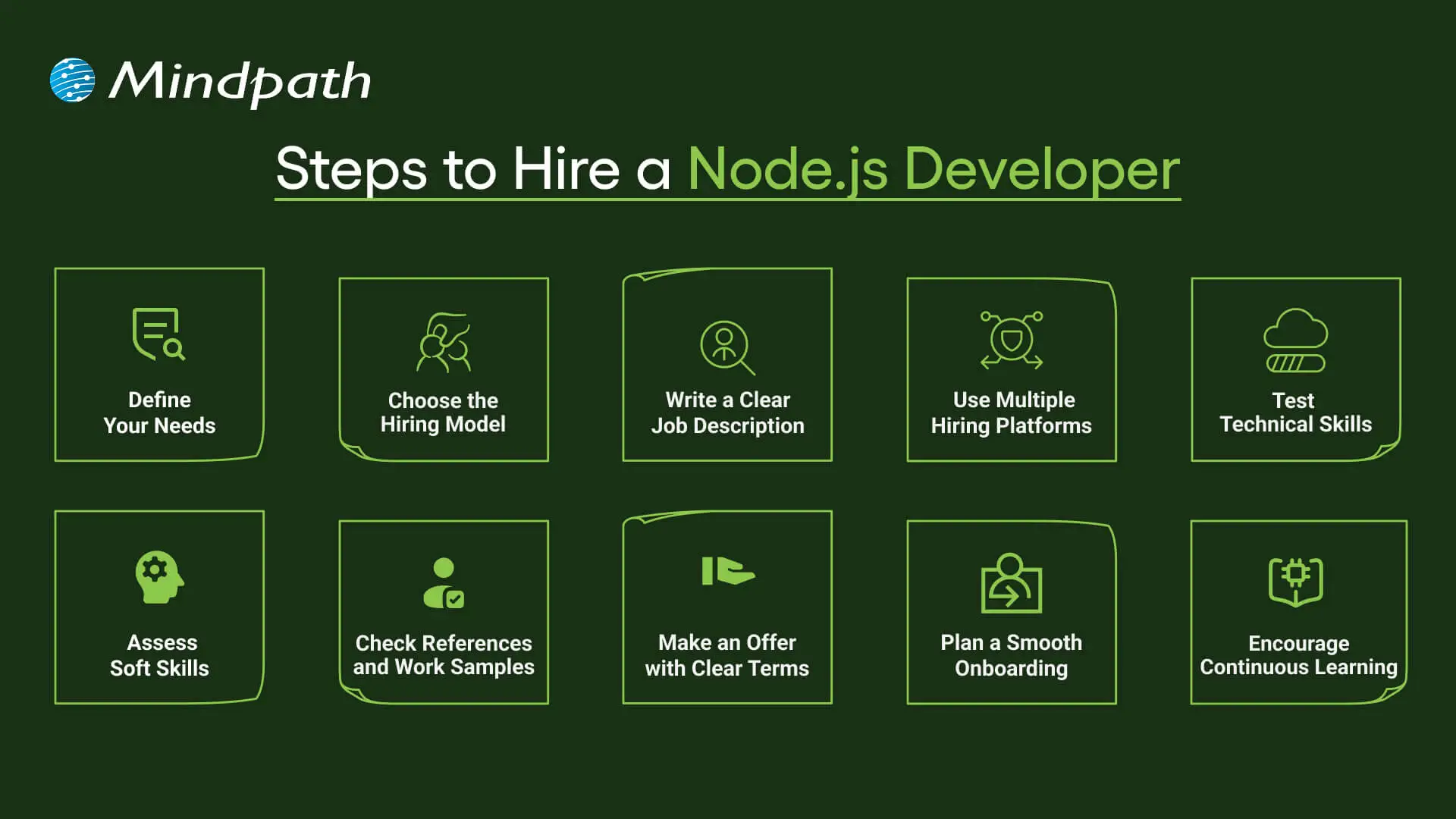
Steps to Hire NodeJS Developers in California

1. Define Your Requirements

Before you begin the hiring process, carefully define your requirements for a Node.js developer. Determine the technological requirements, such as knowledge of JavaScript, Node.js frameworks (Express, Nest.js), databases (MongoDB, PostgreSQL), and cloud services (AWS, Azure). Depending on the intricacy of your project, you might need a junior, mid-level, or senior developer. Also, specify the sort of employment: full-time, contract, or freelance. Setting a budget is also important, as developer prices in California vary depending on experience and competence. A well-documented criteria list guarantees that you attract qualified individuals who meet your company’s demands.

2. Create A Detailed Job Listing

Once you’ve determined your needs, the following step is to write a thorough job description and promote it on appropriate sites. Include important tasks, necessary skills, preferable experience, and information about your organization. Posting on job boards like LinkedIn, Indeed, and Glassdoor, as well as specialized tech recruiting sites like Toptal, Upwork, or Stack Overflow Jobs, boosts your chances of obtaining top talent. If you want to find local talent in California, check into networking events, tech meetings, and development groups. A well-written job posting attracts talented Node.js developers while screening out unqualified applications.

3. Shortlist And Screen Candidates

After receiving submissions, thoroughly analyze resumes and portfolios to narrow down the most potential applicants. Look out for relevant Node.js programming experience, past projects, and industry-specific knowledge. Conduct a first screening via phone or video conversations to evaluate their communication skills, problem-solving strategy, and cultural fit. Examine credentials or other technical skills, such as DevOps understanding, API development, or performance optimization, as needed. Effective screening helps limit the pool of applicants to those that genuinely meet your project demands.

4. Conduct Technical Assessments

To employ a professional Node.js developer, a comprehensive technical examination is required. Begin with coding challenges on sites such as HackerRank, Codility, and LeetCode to assess problem-solving abilities, algorithmic thinking, and code efficiency. Assess their knowledge of asynchronous programming, RESTful APIs, error handling, and database management—all of which are required for Node.js development. In addition to standardized assessments, a live coding session or take-home project can help students analyze their approach to real-world challenges. This might entail creating a basic API, optimizing a database query, or addressing performance concerns. Reviewing their code quality, logic, and debugging abilities can help you establish their level of experience. In addition, evaluate their capacity to work with frameworks such as Express.js and technologies such as Docker or AWS, if applicable. A well-structured technical examination guarantees that you employ a qualified and efficient Node.js developer who can contribute effectively to your project’s success.

5. Conduct An Interview And Finalize The Hire

The final stage in recruiting a Node.js developer is to conduct organized interviews to assess both technical and soft abilities. Begin by addressing their prior projects, familiarity with Node.js frameworks, and problem-solving techniques. Enquire about real-world problems such as managing high-traffic apps, improving API performance, and adopting security best practices. This helps to examine their practical knowledge and ability to operate under pressure. In addition to technical capabilities, assess their communication, cooperation, and adaptability—all of which are required for smooth collaboration. Examine how they manage comments, contribute to debates, and fit within your company’s culture. A candidate that knows agile development, CI/CD pipelines, and cloud technologies can provide significant value. Once you’ve discovered the right developer, negotiate a wage, finalize contract conditions, and talk about job objectives. Ensure a smooth onboarding process by providing project details, necessary tools, and clear communication channels. A well-structured hiring process guarantees the right Node.js talent for your team.

Looking for skilled Node.js developers in California to build high-performance applications? At At Mindpath , we connect you with experienced Node.js experts who can deliver scalable, secure, and efficient solutions tailored to your business needs. Whether you’re developing a web app, API, or enterprise platform, our developers have the expertise to bring your vision to life.

Ready to hire the best Node.js talent in California? Contact Mindpath today and let’s build something great together!

Discover the ultimate guide to hiring Node.js developers in London. Learn about the skills, benefits, and cost factors involved in finding the right talent for your project.