Why IT Staff Augmentation is a Cost-Effective Hiring Strategy?

Join our Newsletter!

Featured Posts

Support Is One Click Away

Home

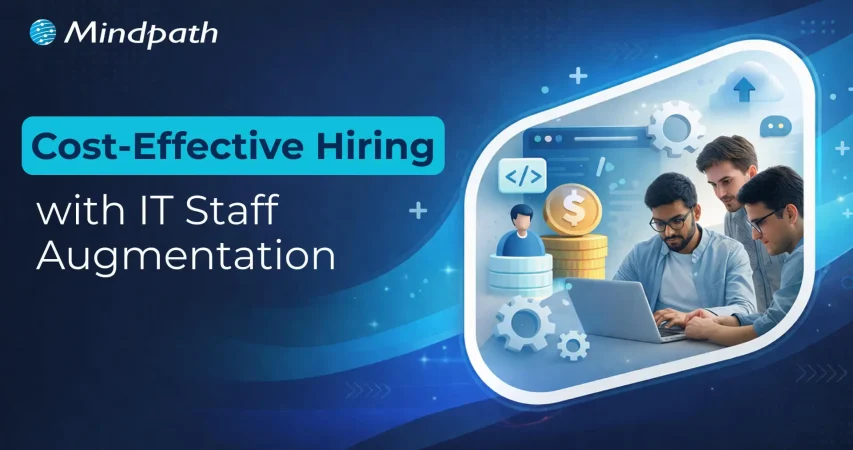
Why IT Staff Augmentation is a Cost-Effective Hiring Strategy?

affordable IT staffing

Why IT Staff Augmentation is a Cost-Effective Hiring Strategy?

Enterprise technology leaders are under constant pressure to leverage innovations while managing operational expenses effectively. Moreover, software development, digital product engineering or AI integration needs skilled expertise. So, hiring full-time experts can sometimes go out of your budget. In such a situation, staff augmentation has emerged as a strategic workforce model. It enables your company to minimize development costs without compromising on quality.

As per the recent trends by Verified Market Research, IT staff augmentation is ready to touch USD 857.2 billion by 2032. Unlike traditional hiring models, staff augmentation allows your company to extend its in-house teams on demand. Let us further discuss how cost-effective IT staff augmentation can boost your operations.

Looking for reliable staff augmentation solutions to fill critical skill gaps in your team? At Mindpath, we offer customized staff augmentation services that connect you with highly skilled professionals for seamless project execution.

What is Cost-Effective IT Staff Augmentation?

IT staff augmentation is generally a hiring model where your business will temporarily add skilled technology professionals to your existing teams. Further, such professionals work alongside your internal staff to support your ongoing projects while filling the skill gaps. Most importantly, it is capable of easily accelerating the development timelines.

  • Cost-effective IT staff augmentation allows you to retain full control over the project management while benefiting from the external expertise.
  • This approach is viable for companies that demand specialized technical skills for short-term projects.
  • It is also essential for people who want to scale their development teams quickly.
  • So, if you are looking forward to reducing IT hiring costs, this staff augmentation can be flexible without any long-term commitments.

As per the recent reports, around 26% of cybersecurity jobs go unfilled in the U.S because of the talent gap. Further, tech skills only last for 2.5 years, which requires constant up-skilling.

Curious about how to seamlessly integrate external experts into your existing workflows without delays? Discover how effective augmentation staff onboarding can streamline collaboration and boost productivity from day one.

Why Affordable IT Staffing Can Be Your Smartest Choice in 2026?

It takes around 35 days to hire IT professionals in the US. So, here, affordable IT staffing can be a great choice for you in the current age. Let us go through the reasons why IT staffing is convenient for your business.

1. It Prevents Exceptional Budgets

Augmentation can easily reduce the recruitment charges, employee overheads and training expenses. For example, outsourcing Indian staff allows organizations in the US to optimize their staff augmentation pricing without compromising on quality aspects.

2. It Offers Faster Access to Talent

Global organizations can easily select specialists from a huge pool of worldwide talent. So, instead of waiting for months, you can achieve the talent that your company desires.

3. Flexibility

Businesses can easily scale their team up or down as per the needs of their projects. So, you don’t need to deal with long-term contracts and inefficient headcount.

4. Bridge Your Skills Gaps

To seek digital transformation, you require niche expertise in cybersecurity, AI or cloud technologies. So, IT staff augmentation ensures you can hire the needed experts quickly. This approach is also viable for short-term project requirements.

5. Achieve Collaborative Terms

With remote work setting the trends, cost-effective IT staff augmentation can enable your company to work seamlessly with professionals from all around the globe.

Planning to scale your tech team quickly while maintaining efficiency in a remote-first environment? Check out how IT staff augmentation helps businesses access global talent while ensuring seamless collaboration.

Why Traditional IT Hiring is Expensive?

To understand the true values of staff augmentation, it is necessary to look at the expensive side of traditional hiring, as mentioned below.

1. Recruitment Expenses

You need to go through a series of steps, like job postings, recruiting agencies and internal HR resources. These aspects can increase your overall hiring charges.

2. Time-Taking Hiring Process

Finding the right candidate can take a long time. So, this aspect can delay your projects and overall productivity.

3. Training Approaches

Your new employees might require thorough training sessions and onboarding guidance to understand your workplace culture and functionality.

4. Essential Add-Ons

A company needs to offer a series of benefits to its employees for a long-term partnership. All these get added to the overall cost.

5. Risk of Hiring Wrong Candidates

Hiring the wrong candidate can result in project delays and additional recruitment expenses.

For businesses that handle multiple technology initiatives, these costs can quickly escalate their budget. So, you can easily reduce IT hiring costs through staff augmentation.

Wondering whether there’s a more flexible and cost-efficient alternative to traditional hiring models? Learn the key differences in staff augmentation vs managed services to make a more informed business decision.

A Quick Comparison between IT Staff Augmentation and Traditional Hiring

Here, you can go through the individual approaches of IT staff augmentation and traditional hiring through a table.

Major Elements Traditional Hiring Affordable IT Staffing
Time to Hire Comparatively slow and takes between 3 and 6 months. You can access quick onboarding within one to two weeks.
Cost Remains High Comparatively low
Flexibility Fixed employees are hard to scale. Offers on-demand scaling.
Suitable For Long-Term Projects Dynamic and for specialized roles.

How to Successfully Implement Staff Augmentation?

To upgrade your budget effectiveness and IT workforce optimization, your team requires a proper integration approach as given below.

1. Define Clear Skill Requirements

Always make sure to understand the precise technical expertise required by your company. Whether you need cloud engineers or developers, always stay strong with your decisions.

2. Prefer a Strategic Expert

Selecting the right partner ensures your access to professionals with proven industry-grade knowledge. Experts will always streamline the staff augmentation strategies with effective transformation goals. This can help the augmented teams to integrate effortlessly with the existing ore team.

Looking to hire the right talent without long recruitment cycles or overhead costs? Discover how staff augmentation hiring can help you quickly onboard skilled professionals aligned with your project goals.

Major Challenges that Most Businesses Face in IT Staff Augmentation

While IT staff augmentation leverages a series of benefits, you should also understand the challenges related to this hiring model. Further, being aware of these factors can help your business manage the augmented teams more efficiently while maximizing the value of your investments.

1. Getting Along with the Internal Team

One of the biggest risks is ensuring the augmented experts get along with your team members effectively. Differences in workflows and time zones might give rise to coordination gaps. So, it is essential to handle them efficiently.

2. Picking the Right Talent Partner

The success of cost-effective IT staff augmentation mainly depends on the quality of professionals being hired. So, working with unreliable teams can lead to skill mismatches while delaying your productivity & project delivery.

3. Maintaining Consistent Project Communication

When your team includes both in-house teams and external professionals, maintaining consistent communication can be a bit tough for you. Moreover, without proper coordination, you might slow down the progress, and it can affect your project quality.

4. Managing Security Elements

When your external professionals access the internal systems or sensitive data, your organization must include essential security measures. Additionally, you should implement strict access controls.

Despite all these challenges, businesses that adopt the right management practices can still leverage the essentiality of affordable IT staffing to build scalable teams.

Wondering how businesses are evolving their workforce strategies while maintaining security and efficiency? Discover the latest IT staff augmentation trends that are shaping how organizations scale teams and manage distributed talent securely.

Conclusion

Your enterprise must innovate continuously in this vast technology landscape. Traditional hiring models somehow limit your agility while increasing the fixed expenses. So, cost-effective staff augmentation can work as an alternative approach by providing flexible access to specialized talent.

Organizations that want to boost their technological relevance in a cost-efficient way, such as providers like Mindpath, can make a difference. Clients from all around the world have believed in our expertise, and this has led us to become an industry expert. So, schedule an appointment with us and let our professionals handle your requirements.

Related Post

Discover the latest DevOps trends to enhance collaboration, streamline processes, and drive business success.
Want to know about the potential conversational AI use cases? You have reached the right place;

Related Post

Benefits of Using NodeJS Development Services (1)

Node.js stands at the forefront of web development, seamlessly integrating frontend and backend tasks with its JavaScript foundation. Its event-driven architecture and expansive npm ecosystem enable rapid development of scalable applications. Backed by a thriving community, Node.js continues to redefine digital landscapes, making it the premier choice for innovative, high-performance web solutions.

Are you curious about the tools that power some of the most efficient and dynamic web applications today? If you’re in the web development space, you have probably heard of Node.js. But what makes Node.js stand out among the myriads of options available? Let’s explore why Node.js might just be the game-changer you’ve been searching for. 

In this blog, let’s dive deep into the advantages of Node.js to uncover how it enhances application performance, scales seamlessly to meet growing demands, and streamlines development processes.

An Overview of Node.js 

Node.js is a web development platform that is revolutionizing the way applications are developed and distributed on the internet. It is a standout force in the dynamic field of online development. Node.js, which leverages the widely used JavaScript language, enables developers to easily integrate the frontend and backend development processes. Node.js development services benefit from its lightweight, event-driven design, which is very useful in the modern digital environment.  

It makes it possible to develop scalable, highly responsive apps that can manage several connections at once. Because of its effectiveness, Node.js is the best option for real-time applications where responsiveness is crucial, such chat platforms, online games, and collaboration tools. Additionally, Node.js encourages creativity by streamlining the development process. Its robust package and library ecosystem, made possible by npm (Node Package Manager), speeds up development and enables programmers to take advantage of pre-existing tools for a range of features. This feature improves web applications’ scalability and maintainability while also saving time and resources.  

Key Benefits of using Node.js 

  •  High Performance 

Node.js development services achieves great performance because of its non-blocking, event-driven architecture, which enables it to handle several requests concurrently without waiting for prior actions to finish. In real-time applications where responsiveness is essential, this efficiency is crucial. Node.js translates JavaScript straight into machine code by using the V8 JavaScript engine, which is well-known for its speed and optimization. This leads to quicker execution times.  

The core of Node.js’s ability to provide great performance across a range of applications is this Google-developed engine. For example, Node.js is used by PayPal and LinkedIn because it can easily handle large amounts of traffic and provides real-time updates.  

  • Scalability 

Node.js excels in scalability because of its unique architecture and features designed for large-scale applications. Because of its event-driven, non-blocking architecture, Node.js servers can process several requests at once without experiencing I/O operation blocking. Applications that need to manage massive data streams in real-time or serve a high number of concurrent users must have this capacity.  

Node.js is lightweight and efficient, allowing it to scale horizontally across multiple cores or servers, enhancing its scalability. Because Node.js is an asynchronous programming language, developers may leverage its ease of deployment across distributed systems to maximize resource consumption and maintain excellent performance even under severe loads. 

  • Efficient Development Process   

By using JavaScript for both frontend and backend development, Node.js streamlines the development workflow and lowers the learning curve for developers who are already familiar with JavaScript, enabling an efficient development process.  

By writing code for the complete stack using a single language, developers can increase code reuse and reduce the amount of time they spend moving between multiple programming languages.  

The strong npm (Node Package Manager) module ecosystem of Node.js is another element that makes development easier. A sizable collection of reusable tools and libraries that make typical development tasks easier are provided by npm. Third-party modules are simple for developers to incorporate into their projects, which shortens development timeframes and eliminates the need to create essential features from scratch. 

  • Rich Ecosystem 

Node.js has a rich ecosystem, which increases its attractiveness and usability in modern web development. The largest open-source library ecosystem in the world, npm (Node Package Manager) is at the center of this ecosystem. With more than a million packages, modules, and tools covering almost every facet of application development, npm provides developers with an extensive repository.  

With the help of this large library of npm packages, developers may speed up development processes by using pre-made solutions for typical tasks like database integration, testing frameworks, UI components, and authentication.  

  • Strong Community Support 

Strong community support is one of Node.js’s greatest assets and is essential to its expansion, uptake, and continuous improvement. This dynamic group of contributors, enthusiasts, and developers works together to enhance Node.js, exchange information, and offer helpful resources to other developers.  

The accessibility and inclusion of the Node.js community is one of its main advantages.  Developers of all skill levels, from beginners to seasoned professionals, are welcomed and encouraged to participate. A large number of people contribute to the ecosystem by making npm packages, frameworks, tools, and instructional materials. This collaborative effort ensures that Node.js remains innovative, responsive to industry trends, and capable of addressing evolving development challenges. 

Case Study and Success Stories   

Node.js development service has shown its mettle in a number of well-known applications, showcasing its adaptability and reliable performance in a variety of sectors.  

Walmart, a massive retailer, is the subject of an interesting case study. The company used Node.js to improve its online shopping experience. By choosing to hire Node.js developers for their backend services, Walmart improved page load speeds and overall site performance, which raised consumer happiness and increased sales conversions

Similarly, Netflix has streamlined its content delivery systems with Node.js, guaranteeing millions of consumers globally a flawless streaming experience. These triumphs demonstrate the tactical benefit of working with a professional Node.js development services firm. Through these collaborations, companies may efficiently utilize Node.js’s capabilities, utilizing its event-driven, non-blocking design to create scalable, high-performance apps that satisfy the demands of the contemporary digital landscapes. 

How to Hire Node.js Developer 

  • Define Project Requirements: Clearly outline the skills and experience needed, such as JavaScript proficiency, knowledge of asynchronous programming, and experience with frameworks like Express.js. Understanding why hire NodeJS developers can help ensure you bring in the right talent to leverage these skills for your project’s success.
  • Draft a Detailed Job Description: Highlight the required technical skills and any additional qualifications, including database management or API development experience.
  • Conduct Thorough Technical Interviews: Assess problem-solving abilities, Node.js knowledge, and hands-on skills through technical interviews and coding challenges.
  • Evaluate Cultural Fit and Communication Skills: Ensure candidates can collaborate effectively and fit well with your team dynamics, especially if working in a remote environment.
  • Check References and Past Work: Validate reliability and performance by checking references and reviewing past work experiences. 

Conclusion 

Conclusively, Node.js emerges as a key component of contemporary web development, presenting unmatched advantages including high performance, scalability, a productive development process, an extensive ecosystem, robust community support, and proven performance in the real world. Node.js stays ahead of the curve as web development patterns change over time, adding new features and developing its ecosystem. Adopting Node.js enables companies to develop and prosper in a cutthroat online marketplace while also ensuring reliable and scalable systems. 

At Mindpath, we specialize in leveraging Node.js to drive transformative solutions for businesses of all sizes. Whether you’re looking to optimize performance, scale your applications, or innovate with new features, our expertise in Node.js development services can empower your digital journey. What are you waiting for? Contact us today to explore how we can help you harness the full potential of Node.js. 

Looking for a NodeJS Developer for your next project?

Transform your web development with Node.js: integrate frontend & backend effortlessly, leverage event-driven power, and join a thriving developer community.
ai and business

Have you ever considered how AI and business actually fit together? You may have heard a lot about AI being faster and smarter, but is your business actually prepared for it? Many people are excited about new technology, but they often overlook whether they have a solid foundation. Take a second to think about it- is your business possibly ignoring some signs that say you are not prepared for AI yet?

AI can help any business develop, but starting without preparation can create issues. There are companies that jump into AI without having the right tools or people, or even ideas. This could waste valuable time and resources and lead to frustration. Integrating AI in business strategy from the start ensures you’re prepared and can identify potential challenges early. In this blog post, you’ll learn five easy indicators that show your business may not be ready for AI yet.

Want to future-proof your business with AI? We at Mindpath offers exceptional AI development services that help your business get AI-ready and unlock next level of growth! 

What Being ‘AI Ready’ Really Looks Like?

Being ready for AI means your business has the right people, tools, and plan to make it work well. When you think about AI and business together, it’s more than just buying new software. You need good data that’s easy to use, a team that knows how to work with AI, and clear goals that AI can help you reach. A business ready for AI knows how to bring people and smart technology together.

Look at Amazon. They show how AI in e-commerce can work side by side with business to help customers and save money at the same time. This happens because they plan ahead and know exactly how AI will help. If you want your business to be ready to use AI, start by checking your data, training your team, and making a simple plan that fits your real needs. When you get this right, AI in business can really help you grow.

Must Read: Benefits of AI

What is an AI Readiness Checklist?

An AI Readiness Checklist is a simple tool that helps you see if your business is really ready to use AI in the right way. It covers important things like your data, your technical tools, and how well your team understands AI. When you think about AI helping your business grow, this checklist shows you what’s strong and what needs more work.

A good AI checklist looks at your technical setup, the quality of your data, your team’s skills, and whether your company is open to new ways of working. This way, you can fix any gaps before you bring AI into your business. By using an AI checklist, you can make sure you’re set up for success and get real value from AI in business.

How is AI reshaping the way websites are built and optimized? Explore our detailed article on AI in Web Development to see how it’s driving smarter design, faster deployment, and better user experiences.

AI Readiness Checklist for Businesses

Before you bring AI into your daily operations, it’s important to know where you stand. A good AI readiness checklist will help you see if your business is truly prepared for this step. Here are the key areas to focus on as you plan your AI and business journey.

AI Readiness checklist for businesses

1. Robust Data Foundations

Good data is the backbone of any artificial intelligence business idea. Check that your data is clean, organized, and ready for AI tools to use well. Strong data governance keeps your insights trusted and prepares your business for AI integration.

2. Leadership and Team Alignment

A strong AI and business plan starts with people who believe in it. Make sure leaders fully support your strategy and teams understand the goals. A clear roadmap and open communication help everyone move toward strategic AI adoption together.

3. Technology and Process Readiness

Your tools and workflows must support AI smoothly. Research the best AI solutions for your existing systems and test them with pilot projects. Use simple frameworks to track results and find the best areas for automation.

4. Governance, Ethics, and Security

Responsible AI needs strong rules and security in place. Create clear ethical guidelines and monitor how AI works in your company. A good AI checklist helps protect your artificial intelligence business ideas and builds trust for the long term.

5. Financial Planning and ROI

Every digital transformation roadmap needs clear budget planning. Create realistic budgets, show expected returns, and track savings as you go. This makes it easier to get leadership buy-in and keeps AI and business costs under control.

Looking to streamline your business operations and enhance customer experiences? Discover how conversational AI chatbots can help your business transform its workflows and boost efficiency in our blog.

5 Signs Your Business is Not Ready for AI

Many companies jump into AI without checking if they’re really prepared. Missing a few basics can lead to wasted time and money. Here are five signs that show your business is not ready for AI yet.

5 Signs Your Business is Not Ready for AI

1. Stuck in Paper-Heavy Processes

Paper forms, files, and manual approvals slow down daily work and limit growth. AI needs clean, digital data that is easy to find and process. If you’re still tied to paper, you’ll struggle to get real results from AI. Going digital is the first step to connect AI and business ideas that really work.

2. Running on Outdated Technology

Old systems can hold you back from adding smart AI tools. If your technology can’t talk to modern platforms, your AI plans won’t go far. Keeping rigid, legacy software in place only adds roadblocks. Updating your systems is essential for future-proofing your business with AI.

3. Poor Data Quality and Structure

Messy or incomplete data will confuse even the best AI tools. AI needs clear, well-organized data to find patterns and deliver insights. If your data is spread everywhere and filled with errors, you’re not ready yet. A strong data foundation helps your AI and business strategy succeed.

4. No Clear Data Strategy in Place

Without a clear plan, your data might be scattered, outdated, or not useful at all. AI can’t do much if it doesn’t have good data to work with every day. A strong data strategy shows what to collect, how to store it, and who can use it. This is key for turning business ideas AI into real results and leveraging AI in decision-making.

5. Lack of Real-Time Data Insights

AI works best when it has fresh, up-to-date information at its fingertips. If you only rely on old monthly reports, you will miss the full power of AI. Real-time data helps AI spot changes and take action fast. It’s a big step for future-proofing businesses with AI in any industry.

Want to future-proof your AI strategy? Don’t miss our insights on the Top AI Trends in 2025 every business should be ready for.

Ready to Make AI and Business Work Together?

Preparing your business for AI means more than just buying new tools. It’s about building strong data foundations, modern systems, and a clear strategy that connects people and technology. Knowing the signs that you’re not ready yet can save time, money, and stress. With the right plan, AI can help your business grow stronger together and bring real results.

Mindpath’s expert AI development services help you create practical, future-ready solutions. Our team works closely with you to plan, build, and integrate AI into your daily operations. We focus on clean data, secure systems, and smart strategies that fit your business needs. Let us help you connect AI and business in ways that truly work.

Frequently Asked Questions

1. How do you realistically assess AI readiness before committing significant budget to implementation?

Begin with an honest internal audit covering data quality, technology infrastructure, team capabilities, and leadership alignment. Businesses that skip this assessment almost always encounter expensive surprises mid-implementation. An AI readiness checklist provides a structured starting point that identifies genuine gaps before they become costly, time-consuming problems during actual deployment.

2. Can a small business with limited resources realistically prepare for AI adoption?

Absolutely. AI readiness is not about budget size but about foundational preparedness. Cleaning data, digitizing paper processes, and establishing clear goals cost relatively little compared to the waste caused by premature AI implementation. Small businesses that build strong foundations first consistently achieve better outcomes than larger organizations that rush in underprepared.

3. How long does it typically take a business to become genuinely AI ready?

It varies considerably depending on current data infrastructure, team expertise, and technology maturity. Businesses with organized data and modern systems can prepare within months. Those still relying on paper processes or legacy technology may need a year or longer. Rushing readiness to meet competitive pressure almost always produces disappointing results and wasted investment.

4. Why does poor data quality cause AI projects to fail even with the right technology in place?

Because AI models learn entirely from the data provided. Disorganized, incomplete, or error-filled data produces unreliable outputs regardless of how sophisticated the AI tool is. Technology cannot compensate for a weak data foundation. Establishing proper data governance and cleaning existing datasets before implementation is the single most impactful preparation step any business can take.

5. What role does leadership alignment play in successful AI and business integration?

A critical one. AI initiatives without genuine leadership support consistently stall due to budget conflicts, unclear priorities, and team resistance. When leadership understands the strategy, communicates goals clearly, and actively champions adoption, teams follow with significantly less friction. Cultural readiness driven from the top determines whether AI integration delivers sustainable value or simply creates organizational disruption.

Wordpress vs workflow

In the year 2025, the debate of WordPress vs Webflow is hotter than ever. This is because business entities and content creators are looking for the best platform to build secure as well as SEO-friendly websites. It is true that WordPress has been dominating the CMS market thanks to its vast plugin ecosystem coupled with high flexibility. But it is essential to bear in mind that Webflow has been gaining momentum with designers as well as startups, thanks to its no-code visual editor along with built-in hosting. 

In case you are wondering, is Webflow better than WordPress? You need to look at the main difference between these tools. You need to know which one is better so that you can choose the tool that perfectly aligns with your needs. The guide breaks down everything you need to know while choosing Webflow or WordPress.

Choosing the right platform makes all the difference when it comes to performance and growth for your online presence. Explore Mindpath’s WordPress development services for expert guidance on what your business needs.

A Deep Dive into WordPress

WordPress is undoubtedly the most popular content management system in the world. It powers a large number of websites that exist in the online realm. WordPress has gained massive popularity thanks to its ease of use coupled with flexibility. It serves as an ideal tool for beginners, professionals, and businesses in the digitalized setting.  

At the core of WordPress is open-source software. It means that WordPress is free to use. Moreover, it is supported by a global community of developers. One of the biggest strengths of WordPress is its SEO-friendly structure. The novel platform generates clean and crawlable code that adds value to search engines’ index content efficiently. Users can even leverage useful plugins such as Yoast SEO and Rank Math for optimizing titles and meta descriptions that can improve the visibility in search results.

An Insight into Webflow

Webflow serves as a robust no-code website builder. It is capable of bridging the gap between design and development. Unlike conventional drag-and-drop platforms, Webflow provides a visual interface that allows users to write clean and production-ready code. This feature of Webflow certainly makes it a favorite among designers who want to have creative freedom without relying on developers.

A standout feature of Webflow that you need to be aware of is related to its design flexibility. Users have the option to create fully custom layouts as well as animations without having to write a single line of code. Webflow basically combines the best of graphic design tools along with the functionality of a content management system. For businesses that need more tailored solutions, custom WordPress development offers similar flexibility with the added power of plugins, themes, and scalability, allowing organizations to build websites that precisely meet their unique requirements. It serves as a valuable tool for businesses and startups that wish to leverage its ability to deliver professional and responsive websites effectively and efficiently.

Must Read: WordPress Developer Checklist

Comparison Between WordPress and Webflow

Now that you have an insight into Webflow WordPress, it is time to look at the difference between these novel tools. Developers as well as businesses need to understand the difference between WordPress and Webflow so that they can make a wise selection. The core differences have been presented by focusing on specific areas such as ease of use, design, customisation, and many other features. 

1. Ease of Use

Webflow offers a visual no-code editor. It is highly appealing to designers as well as marketers. In fact, it is great for rapid prototyping along with pixel-perfect layouts. On the other hand, WordPress requires setup with a theme or page builder. So beginners may take some time to learn how to use the tool. However, developers with proper knowledge and experience can get full control over the tool. Thus, while discussing Webflow vs WordPress, a major difference between them revolves around the ease of use.  

2. Design and Customization

Webflow serves as an ideal tool for making custom designs without requiring any coding. The responsive control built in can ensure that users can derive optimum value from the tool even if they have limited coding-related skills. On the other hand, WordPress has a large ecosystem of themes as well as plugins. These elements make it highly customizable in nature. But this maturity also makes it plugin-dependent at times.

3. SEO Features

Webflow provides built-in SEO tools such as meta tags and schema options. It even delivers strong performance when it comes to integrated hosting. However, WordPress relies on plugins such as Yoast SEO for advanced SEO control. Thus, this feature makes WordPress extremely powerful, which is capable of precise optimization. You need to bear in mind that, starting from Webflow to WordPress, the role of top SEO features is a must for users.

Stuck deciding whether WordPress or Drupal is a better match for your business? Our WordPress vs Drupal guide breaks down key differences to help you pick the perfect solution.

4. Security

While talking about WordPress vs Webflow, it is a must to take into account the security aspects. Webflow is certainly more secure by default in comparison to WordPress. This is mainly because it offers built-in security features such as DDoS and SSL protection. The top-notch security feature of Webflow acts as its major strength. When it comes to WordPress, the security mainly depends on users. You need to manage separate security plugins and carry out frequent maintenance in order to prevent vulnerabilities. In order to boost the level of security, you need to make sure that you, as a user, maintain cybersecurity resilience while developing your website. 

5. Performance

Webflow is capable of offering better out-of-the-box performance. This is mainly because of integrated hosting coupled with a global Content Delivery Network and clean code. On the other hand, when it comes to WordPress, its performance mainly depends on the chosen hosting and plugins. The selected theme can also impact the performance that is delivered by the tool. If you use Webflow, your website can load faster by default. But if you choose WordPress, you can rest assured about the site performance if you choose appropriate hosting. 

6. Pricing

If you are wondering – is Webflow similar to WordPress in terms of pricing, the answer is no. The pricing of WordPress is variable in nature. You may have to incur separate costs for different things, such as hosting and a domain. Similarly, the price also depends on the chosen plugins and themes. So it may seem cheaper initially, but its price may increase with additional functionality. When it comes to Webflow, the pricing is based on the all-inclusive subscription model. It can become expensive for you if you opt for higher-tier plans.  

Want to make sure your WordPress site is accessible to everyone? Check out our post on improve WordPress web accessibility to learn practical steps for making your site more inclusive and user-friendly.

WordPress vs Webflow – Comparison Table

The difference between WordPress and Webflow has been presented in the table below. You need to understand how Webflow and WordPress are different from each other so that you can choose the ideal tool wisely. The insight can surely guide you to decide which platform you intend to use to fulfil your specific needs. 

Features Webflow WordPress
Ease of Use  No Coding Knowledge needed  Coding knowledge is not strictly needed but can help for advanced customization
Design and Customization Highly flexible in nature  Availability of extensive themes for customization
SEO Features Built-in SEO tools Availability of SEO friendly structure 
Security  High security  Low security 
Performance High optimization for speed Performance depends on hosting 
Pricing Subscription-based pricing model Variable pricing model

Final Winner Between WordPress and Webflow

You must choose Webflow if you prioritize visual design control along with built-in hosting. Webflow is the better choice if you need to manage your website in a simple way. It is well-suited for small business entities as well as startups that want to launch their site quickly with a clean and modern design.

WordPress is an ideal choice for you if you are looking for scalability and advanced SEO capabilities, along with flexibility through plugins. In such cases, WordPress can certainly act as a stronger platform that can meet your needs perfectly. The platform is best-suited for enterprises and e-commerce stores that wish to have full control over SEO as well as integrations. 

Therefore, both Webflow and WordPress serve as useful tools. You need to choose between WordPress and Webflow by considering your needs. In case you are wondering – Does Webflow work with WordPress? The good news is, yes! Webflow can definitely work along with WordPress if you utilize the official Webflow Pages plugin. It will certainly allow you to build pages in Webflow while serving them on your WordPress site.

Worried about security risks and vulnerabilities on your WordPress site? Read our guide on safeguarding WordPress vulnerabilities to learn how to protect your site and keep it secure against threats.

Final Words

The emergence of WordPress and Webflow has been transformational in the prevailing business world. Both these platforms have their unique strengths and advantages. The ultimate choice between WordPress and Webflow in the year 2025 mainly depends on the goals of your website and your budget. You also need to take into consideration the long-term growth plan before making the choice between WordPress and Webflow.

If you wish to derive optimum value from WordPress, you need to partner with a reliable partner. Mindpath’s top-grade WordPress development services can certainly help you develop a world-class website. It can offer the ultimate go-to solution in terms of scalability as well as limitless customization. You can also take advantage of the advanced SEO-friendly structure in order to boost the online visibility of your website. It can certainly give an edge to businesses in the competitive business world.