Home

AI Model Monitoring: Best Practices for Production Systems

AI Model Monitoring: Best Practices for Production Systems

Join our Newsletter!

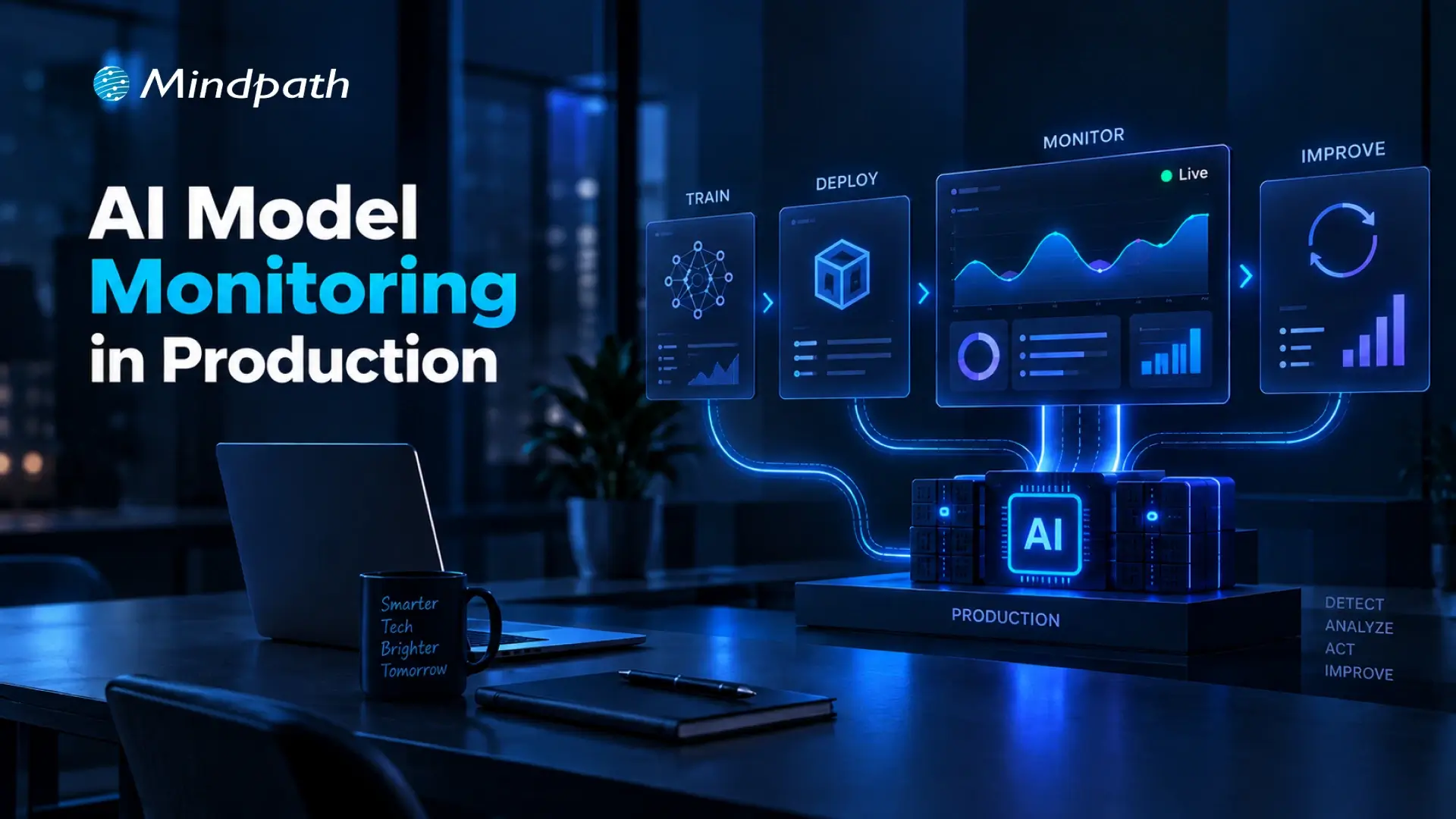
AI Model Monitoring in Production

What happens when a production model starts making weaker predictions despite passing every pre-deployment test? Changing data patterns, evolving user behavior, feature inconsistencies, and shifting business conditions can gradually affect performance. AI model monitoring gives engineering teams continuous visibility into these changes before they become costly production issues.

Key Takeaways

  • 01
    Continuous monitoring helps identify production issues before they affect business operations.
  • 02
    Clear baselines make meaningful changes in model behavior easier to detect.
  • 03
    Monitoring data quality and drift helps maintain consistent model performance.
  • 04
    Effective alerts connect detected issues with clear ownership and timely action.
  • 05
    AI monitoring should support retraining, rollback, validation, and long-term lifecycle decisions.

That visibility helps teams understand what changed, where performance is slipping, and when intervention is needed. By tracking model behavior alongside data quality, drift, operational signals, and real-world outcomes, teams can respond before small deviations become production failures. In this blog, we explore the best practices for building reliable monitoring into production AI systems.

Ready to build and operate reliable production AI systems? Mindpath offers AI Development Services to help businesses build scalable and production-ready AI solutions.

What is AI Model Monitoring?

AI model monitoring is the continuous process of observing a deployed model to understand how it performs in real-world conditions. It tracks changes in predictions, input data, output patterns, accuracy, latency, and other signals that can indicate emerging problems after deployment.

Unlike offline evaluation, which measures a model against a fixed test dataset, production monitoring observes how the model behaves as real data and usage patterns change. This ongoing visibility helps engineering teams identify performance issues, investigate their causes, and maintain dependable AI systems over time.

Why Does AI Model Monitoring Matter?

Effective monitoring gives teams the visibility needed to maintain model reliability while production conditions continue to evolve.

1. Detects Performance Changes

Identifies declining accuracy or unexpected prediction patterns early.

2. Reveals Data Issues

Highlights missing values, anomalies, schema changes, and unusual input distributions.

3. Identifies Model Drift

Shows when production data or model behavior moves away from established baselines.

4. Improves Operational Visibility

Tracks latency, failures, throughput, and resource usage alongside model metrics.

5. Supports Faster Response

Gives teams evidence needed to investigate, retrain, roll back, or review a model.

6. Connects AI to Outcomes

Helps teams understand how model behavior affects customer experiences and business processes.

Best Practices for AI Model Monitoring in Production

Reliable monitoring starts with the right signals, clear baselines, and defined actions. A practical approach to model performance monitoring helps teams spot changes early and maintain consistent production behavior.

1. Define the Right Production Metrics and Baselines

Effective monitoring starts with clear metrics and reliable baselines. Teams should track signals that reflect model quality, data health, operational performance, and business impact.

  • Model quality

Accuracy, precision, recall, F1 score, or task-specific metrics.

  • Data quality

Missing values, anomalies, schema changes, and distribution shifts.

  • Prediction behavior

Confidence scores, output patterns, and prediction frequency.

  • Operational health

Latency, throughput, errors, and resource usage.

  • Business impact

Conversion rates, customer outcomes, or process-specific KPIs.

Baselines provide a reference point for identifying meaningful changes without creating unnecessary alerts.

2. Monitor Data Quality and Model Drift

Production data can change quietly and affect model behavior over time. Monitoring input distributions, missing values, feature patterns, and prediction changes helps teams identify model drift before it affects critical workflows.

AI monitoring tools can automate these checks and flag unusual patterns against established baselines. Teams can then investigate the underlying data or model changes before deciding on actions such as retraining or rollback.

  • Data drift

Detects changes in production input distributions.

  • Concept drift

Identifies changes in the relationship between inputs and outcomes.

  • Performance decay

Flags declining model quality over time.

  • Feature anomalies

Highlights unexpected values or sudden distribution changes.

  • Drift alerts

Notifies teams when defined thresholds are exceeded.

3. Build Reliable Alerts and Response Workflows

AI model monitoring becomes useful when detected issues lead to clear action. Teams should define alert thresholds, severity levels, and ownership so production changes can be investigated without unnecessary delays.

A simple response workflow can include:

  • Detect

Identify unusual model or data behavior.

  • Alert

Route the issue to the responsible team.

  • Investigate

Check data, features, model versions, and recent changes.

  • Act

Retrain, roll back, adjust, or send cases for manual review.

  • Document

Record the issue, response, and outcome for future analysis.

Clear runbooks and ownership also reduce alert fatigue and keep production incidents manageable.

4. Extend Monitoring to AI Agents and LLM-Based Systems

AI agents and LLM applications require broader monitoring because their behavior depends on prompts, context, tools, and multi-step interactions. Teams need visibility across the entire execution flow, not only the underlying model.

Key signals include:

  • Response quality

Relevance, accuracy, and task completion.

  • Tool usage

Successful calls, failures, and unexpected actions.

  • Runtime behavior

Latency, token usage, and execution patterns.

  • Safety controls

Guardrail failures, policy violations, and risky outputs.

  • User feedback

Ratings, corrections, and recurring failure patterns.

Teams evaluating AI agent behavior can also consider dedicated AI agent testing practices to identify issues before they affect production users.

5. Connect Monitoring to the Model Lifecycle

Monitoring should feed directly into model lifecycle decisions. Production signals can show when a model needs investigation, validation, retraining, rollback, or eventual retirement.

A practical lifecycle looks like:

Monitor → Investigate → Validate → Retrain → Test → Deploy → Monitor

  • Retraining

Consider when performance declines consistently.

  • Validation

Test updated models against current production conditions.

  • Rollback

Restore a previous version when serious issues emerge.

  • Version tracking

Maintain visibility across deployed model versions.

  • Retirement

Remove models that no longer meet operational or business requirements.

A structured MLOps approach can help connect model deployment, monitoring, and lifecycle management.

6. Avoid Common AI Monitoring Mistakes

Even well-designed monitoring can become ineffective when teams track the wrong signals or lack clear response processes. Avoiding these common gaps keeps AI model monitoring focused and actionable.

  • Tracking too many metrics

Creates noise and alert fatigue.

  • Ignoring baselines

Makes meaningful changes harder to identify.

  • Overlooking model drift

Allows changing data patterns to affect predictions unnoticed.

  • Weak alerting

Delays investigation when critical thresholds are crossed.

  • Poor data lineage

Makes it difficult to trace the source of production issues.

  • Monitoring too late

Leaves gaps between deployment and reliable production oversight.

7. Choose AI Monitoring Tools That Fit Your Production Stack

The right tools should fit the model architecture, data environment, and operational workflow. Teams should prioritize capabilities that make monitoring easier to manage as deployments grow.

Look for:

  • Drift detection

Identify changes in data and model behavior.

  • Real-time monitoring

Track production signals as they occur.

  • Pipeline integration

Connect monitoring with existing ML workflows.

  • Alert management

Route critical issues to the right teams.

  • Model tracking

Maintain visibility across versions and deployments.

  • Scalability

Support cloud, on-premises, and hybrid environments.

How Can You Keep AI Models Reliable in Production?

AI model monitoring helps teams maintain reliable production systems as data, user behavior, and operating conditions change. By establishing meaningful metrics, detecting drift, creating clear response workflows, and connecting monitoring with the model lifecycle, teams can identify issues early and keep AI performance aligned with real-world requirements.

Mindpath AI development services help businesses build and operate production-ready AI systems with the right monitoring, data engineering, model lifecycle, and cloud capabilities. Our team can help establish practical monitoring frameworks that improve visibility, support faster response, and keep AI systems dependable as they scale.
Build Smarter AI Solutions

Turn your AI idea into a reliable, production-ready solution.

Frequently Asked Questions

Monitoring frequency depends on model usage and risk, but critical production systems benefit from continuous checks and timely alerts.
Drift should trigger investigation first, helping teams determine its cause before choosing retraining, rollback, adjustment, or manual review.
Monitoring cannot prevent every degradation, but it can reveal early warning signals and give teams time to investigate and respond.
Data quality, prediction patterns, latency, errors, resource usage, user feedback, and business outcomes can reveal issues accuracy alone may miss.
A structured monitoring framework provides consistent visibility across models, versions, teams, and environments as AI deployments expand.

Support Is One Click Away

Featured Posts

Related Post

AI API Integration

Businesses are under pressure to do more with the systems they already have. Replacing a CRM, ERP, or support platform just to add AI is rarely practical. AI API integration offers another path: connect AI directly to existing workflows to automate tasks, accelerate decisions, and create more value from technology investments already in place.

Key Takeaways

  • 01
    AI APIs connect intelligent capabilities with existing business applications and workflows.
  • 02
    Businesses can add AI without replacing established technology systems.
  • 03
    Choosing the right AI capability depends on specific business goals and data.
  • 04
    Secure architecture helps manage data, performance, costs, and scalability.
  • 05
    Phased implementation makes AI integration easier to test, measure, and expand.

But adding an AI API is not as simple as connecting two systems. Businesses must consider data, security, compatibility, performance, and scalability before AI can work reliably in day-to-day operations. In this blog, we will explore how businesses can integrate AI APIs with existing systems effectively. Let’s begin!

Ready to connect AI with your existing business systems? Mindpath offers AI Integration Services to help businesses connect AI capabilities with existing applications and workflows.

Understanding AI APIs and System Integration

Businesses often have valuable data, established workflows, and critical applications they cannot afford to replace. AI APIs provide a practical way to add intelligence to this existing infrastructure. They act as a bridge between business applications and AI services, allowing systems such as CRMs, ERPs, and support platforms to send data to AI models and use the results within existing workflows.

Most AI services use endpoints through a REST API for AI models, with requests and responses commonly exchanged in JSON. This lets development teams integrate capabilities such as summarization, classification, content generation, and information extraction without building models from scratch. The business can focus its resources on connecting AI to the right processes while keeping its existing technology foundation intact.

Choosing the Right AI Capabilities for Your Business

AI integration creates value when the capability solves a specific business problem, rather than when AI is added simply because it is available. Before choosing an API, businesses should identify the task, the people using it, the data involved, and the outcome they want to improve.

Some practical capabilities include:

1. Text generation

Create product descriptions, emails, reports, or internal content faster.

2. Summarization

Turn lengthy documents, meetings, or customer conversations into concise insights.

3. Classification

Categorize support tickets, customer feedback, documents, or incoming requests automatically.

4. Image recognition

Extract information from images, forms, invoices, or visual content.

5. Recommendations

Personalize products, content, or actions based on customer and business data.

6. Forecasting

Analyze historical information to support demand, sales, or operational planning.

The right AI API for business should fit the existing workflow, data environment, and technical requirements. Starting with one clearly defined use case also makes it easier to measure results before expanding the integration.

How Does AI API Integration Fits into Existing Systems?

Choosing the right AI capability is only the first step. The next question is how that capability will fit into the systems and workflows already running across the business. AI API integration works best when businesses map where AI can add value without creating unnecessary changes to existing applications or processes.

A practical integration should consider:

1. Existing systems

Identify the CRM, ERP, support tools, databases, and applications AI needs to connect with.

2. Data flow

Define what information AI receives, how it is processed, and where the output goes.

3. Integration layer

Use middleware, adapters, or API gateways when direct connections are difficult, especially with legacy systems.

4. Security

Protect API credentials and control which systems and users can access AI services.

5. Performance

Account for response times, API limits, traffic volumes, and expected workloads.

6. Scalability

Design the integration so new AI capabilities and business systems can be added without major rework.

This approach helps businesses introduce AI without disrupting established operations while creating a reliable foundation for future use cases.

How to Integrate AI APIs Into Business Systems?

Once the right AI capability and integration architecture are identified, businesses can move toward implementation. A structured approach helps development teams connect AI without disrupting existing workflows. This becomes particularly important when businesses need to connect AI to legacy systems, where older applications may lack modern API support.

Here are eight practical steps for integrating an AI API:

1. Define the Business Use Case

Start with one specific workflow and identify the task AI will improve. Define the expected outcome, users, data requirements, and measurable success criteria before development begins.

2. Select the Right AI API

Compare available APIs based on capability, output quality, pricing, latency, documentation, security requirements, and usage limits. The selected API should fit both the business objective and technical environment.

3. Map Existing Systems

Identify the applications, databases, workflows, and integration points involved in the process. For legacy applications, determine if middleware, adapters, or an API gateway is needed to establish communication.

4. Configure API Authentication

Set up secure authentication using API keys, tokens, or other supported methods. Credentials should be stored securely and access should follow the principle of least privilege.

5. Build and Validate Data Flows

Define how data will move between the business system and the AI API. Validate request payloads, data formats, permissions, and sensitive information before sending data to the model.

6. Add Error and Rate-Limit Handling

AI APIs can experience timeouts, service errors, or usage limits. Build retries, timeout controls, rate-limit handling, logging, and fallback workflows so temporary failures do not disrupt business operations.

7. Test With Realistic Workloads

Test the integration using representative data and expected traffic levels. Evaluate response accuracy, latency, security, system stability, and how AI outputs affect the downstream workflow.

8. Roll Out and Monitor Gradually

Begin with a controlled deployment instead of connecting AI across every workflow at once. Monitor API usage, costs, performance, output quality, and user adoption before expanding to additional systems and use cases.

Securing and Managing AI API Integrations

Connecting an AI API to a business system also means giving AI access to business data. That makes security and governance a core part of the integration, not an afterthought. Businesses need controls that protect sensitive information while keeping AI services reliable, cost-efficient, and aligned with internal policies.

Key areas to manage include:

1. Secure authentication

Protect API keys, tokens, and service credentials through secure storage and controlled access.

2. Data privacy

Limit the information sent to AI services and apply appropriate controls to sensitive or personally identifiable information.

3. Access controls

Define which applications, teams, and users can access specific AI capabilities and data.

4. Audit logging

Track API requests, system activity, errors, and AI outputs to support monitoring and accountability.

5. Output controls

Validate AI-generated results before they trigger important business actions or enter downstream systems.

6. Performance monitoring

Track response times, failure rates, API usage, and output quality to identify issues early.

7. Cost management

Monitor request volumes, token usage, and model selection to prevent unexpected API expenses.

8. Fallback mechanisms

Maintain alternative workflows when an AI service becomes unavailable or produces an unusable response.

Measuring the Value of Artificial Intelligence API Integration

AI integration should deliver measurable business value, not simply add another technology layer. After deployment, teams should track how the integration affects workflows, users, costs, and outcomes.

Useful metrics include:

1. Time saved

Measure reductions in manual work and processing time.

2. Accuracy

Track the quality and consistency of AI outputs.

3. Adoption

Monitor how frequently employees or customers use the integrated capability.

4. Cost efficiency

Compare API and implementation costs with operational savings.

5. Business impact

Measure improvements in customer satisfaction, productivity, or process efficiency.

Once results are clear, businesses can expand the integration to additional workflows and systems while using the initial learnings to guide future AI initiatives.

AI API Integration Challenges and How to Avoid Them

Artificial intelligence API integration can deliver strong business value, but common technical and operational challenges can slow adoption. Planning for these issues early helps teams build integrations that remain reliable as usage grows.

1. Poor data quality

Clean and validate data before sending it to AI APIs.

2. Legacy compatibility

Use middleware or adapters to connect older systems.

3. Security gaps

Apply strong authentication, access controls, and data protection.

4. API dependency

Design flexible integrations to reduce vendor lock-in.

5. High latency

Choose suitable models and optimize request and response flows.

6. Unexpected costs

Monitor API usage, token consumption, and request volumes.

7. Unreliable outputs

Add validation and human review for critical workflows.

8. Scaling issues

Test higher workloads before expanding across business systems.

Comparing AI API Options for Business Integration

Businesses can choose different approaches based on their requirements for control, cost, scalability, and maintenance.

AI API Provider Core Strength Ideal Business Use Case Key Technical Highlight
OpenAI API Advanced language and reasoning models AI agents, automation, content workflows Strong tools, structured outputs, long context
Anthropic Claude API Long-context reasoning and analysis Document analysis, coding, research workflows Large context windows, strong reasoning capabilities
Google Gemini API Multimodal AI and data processing Video, audio, document-heavy applications Large context, multimodal model capabilities
Groq Fast, low-latency inference Real-time chat and voice applications High-speed inference across supported models
SiliconFlow Flexible multi-model AI infrastructure Multi-model applications and AI platforms Unified access to multiple AI models
AWS Bedrock Managed enterprise AI infrastructure Regulated workloads and AWS environments Multiple models with AWS governance controls
Azure OpenAI Enterprise AI within Azure Microsoft-based business applications Azure security, compliance, and integration capabilities

Ready to Connect AI With Your Existing Systems?

AI API integration gives businesses a practical way to add intelligence without replacing established systems. With the right use case, architecture, security controls, and implementation approach, organizations can build reliable AI-powered workflows that improve efficiency, decision-making, and business performance.

Mindpath AI development services help businesses connect AI capabilities with existing applications and workflows. From integration planning and API development to AI implementation, we help businesses build scalable integrations aligned with their technical and business requirements.

wordpress-react-combine project
Are you curious about how to elevate your web app to the next level? Imagine combining React’s cutting-edge user interfaces with WordPress’s robust content management. Interesting right? In this blog, we’ll guide you through the process of merging these technologies to build a web app that’s both visually stunning and highly functional. So, let’s dig in! 

Overview of React 

React is a JavaScript library that enables the building of user interfaces, mostly single-page applications. It gives a possibility to create interactive elements and dynamic web pages by breaking their content into smaller, re-usable components. It helps in managing updates to the user interface and hence makes applications faster and more responsive. React is essential to today’s digital makeup since it will help in the creation of a much faster, interactive, and dynamic web application that would go a long way in enhancing user experience. Due to its component-based architecture, React simplifies the development process and supports complex applications with high performance, making it a preferred choice for modern web development, where user engagement and responsiveness count the most. 

Overview of WordPress 

WordPress is an extremely popular content management system, and millions of websites are running on it worldwide. Its user interface is very simple, so users can easily create, edit, and manage website content without needing to know how to code. With high flexibility in themes and various plugins, WordPress can be put to any purpose—from personal blogging to the most complicated business sites. WordPress is important due to the flexibility and user-friendliness in creating and managing websites efficiently for any kind of user. It provides access to unlimited customization because of its extended base of themes and plugins, hence becoming a mainstay tool in the modern world for web developers and content creators. 

Why Combining React and WordPress Can Be Beneficial for Developers.   

Integration of React with WordPress enriches development by putting the power of both together. React is empowered for reusing the components, which means simplicity in terms of coding and speed in development. Fast rendering with efficient state management means web applications work harmoniously and respond as the user expects. JSX syntax, with its combination of JavaScript and HTML, enables easier writing and readability of codes. WordPress complements React by taking care of the content and providing a clear user interface. The fact that React can keep data away from the presentation and manage it nicely helps not to lose data under any conditions. Taken together, React and WordPress make the building process much faster and more convenient for creating powerful and extremely dynamic web apps. 

Key Considerations When Building Your Web App with React and WordPress    

1. Existing Infrastructure  

Your existing infrastructure does affect how well React and WordPress work together. If your current system is compatible, the integration of React will go through smoothly and more quickly. For example, a headless setup where React is doing the front end and WordPress the back end could be best for modern needs. This, however, requires more development work, changes in your back-end system, and special expertise to do it correctly. 

2. Maintenance And Updates  

Regular updating and maintenance are vital in the case of a React and WordPress site. In case you do not update them regularly, your site will eventually have performance issues, it will be vulnerable to security exploits, or even crash. When it’s headless—in a setup where React and WordPress run separately—the updates become easier; one could independently update the front end and back end, which will be helpful in keeping the site’s stability and safety. 

3. Developer Skillset  

It requires a wide skill set to build a website with React and WordPress. One needs to be proficient in JavaScript, to understand JSX, and to use state management tools like Redux. One would also want to be familiar with modern development tools like Webpack and Babel and know how to work with APIs. If these competencies are missing in your team, including an expert on a project basis will make the development process smoother and more efficient. 

4. SEO Considerations 

SEO is critical to have your website show up in search results and bring in visitors. Using React with WordPress, SEO can be a little more complex. As its client-side rendering, React may make it hard for search engines to index your content. You can either implement SSR or SSG to make it easier for search engines to crawl and rank your site. Besides, meta, sitemaps, and canonical URLs should be properly set up for effective SEO within a headless WordPress setup. 

Ready to elevate your website to new heights?

At Mindpath, we seamlessly integrate React with WordPress to create dynamic, responsive web experiences.

Configuring React to Work with WordPress      

1. Write Modular Code 

Breaking your code into smaller, self-contained parts makes it easier to handle and reuse. This is like keeping your workspace organized: when everything has its place, it’s much easier to find anything that you may need and use it. Small, reusable components in React are ways by which you can keep your code neat, making changes or fixes on parts of your site without affecting the other parts. 

2. Use A State Management Library   

A state management library, like Redux, that keeps every bit of information of your app in one place. This is good for complicated websites where you deal with a great deal of information. This way, it becomes easy to handle changes and updates for your website to run smoothly and in the desired manner. 

3. Optimize Performance   

Performance optimization of the website enables quick and enjoyable usability by the user. This is achieved through caching, breaking down the code into smaller pieces that load only when needed, or lazy loading—parts of the website only load after becoming visible to the user. Doing this will get your site up and running quickly; this will also improve responsiveness. 

4. Implement A Consistent API   

A good API—like WordPress REST API or GraphQL—will help your React app and WordPress site to communicate smoothly. A consistent API would mean that data flows between the two without any problems. REST APIs offer flexibility, but their design is often varied. GraphQL APIs are more homogeneous and predictable, so it helps in use and understanding. 

5. Plan For Extensibility   

Make a site that will expand and evolve over time without a problem. That means keeping ahead by finding out ways to add new features or update existing ones without breaking the rest of the site. Having an extensible design means it will let your site easily change to meet future needs without having to start from square one. 

6. Automated Testing 

Automated testing means running your code for errors using tools automatically. This will ensure that mistakes are noted and cured in the beginning, thus ensuring that your website does what you want it to. Automated testing saves time and keeps your site stable; this reduces the chances of problems frustrating users. 

Build Your Web Using React and WordPress with Mindpath    

The experienced team at Mindpath uses React to improve user experience and WordPress as the foundation for creating powerful websites. With its incredibly strong and practical content management system, editing and managing website material is effortless. By integrating React, we can increase your site’s speed and amount of interaction while engaging users on a deeper level. Create a dynamic frontend for your website using React to make it load quickly and react to user input as smoothly as possible.

Mindpath offers the best of both worlds: the ease and versatility of WordPress paired with the contemporary, dynamic capabilities of React. We take care of the technical setup and customization so you can have an outstanding website experience and concentrate on your content and business objectives. 

Conclusion  

Combining React and WordPress gives synergy to your Web application, offering a digital experience that is at once impressive and compelling. Being able to interact with dynamically displayed interfaces from React and a robust content management system like WordPress, you are assured of having a site that is at once engaging, powerful, yet very easy to manage. Inherently, this automatically ensures the improvement of user interaction and performance while also making it seamless to update content and manage sites. Embrace this mix of technologies to develop a web app which would be fast, functional, and future-ready. This way, your web presence will always be at the top of its game.
Mindpath excels at bringing this integration to life. Our expert team combines the power of React with WordPress to deliver an ultra-fast, interactive site that is also easy to maintain and update. With Mindpath, you can confidently navigate the complexities of modern web development, ensuring your digital presence is both cutting-edge and effortlessly managed. 

Looking to enhance your WordPress site with cutting-edge React features?

Mindpath is your go-to partner! We specialize in integrating React’s dynamic capabilities with WordPress’s robust CMS to deliver stunning web experiences.

Combine WordPress and React for powerful web apps. Discover how to leverage robust content management with dynamic interfaces for enhanced user experience.
front end vs back end vs full stack

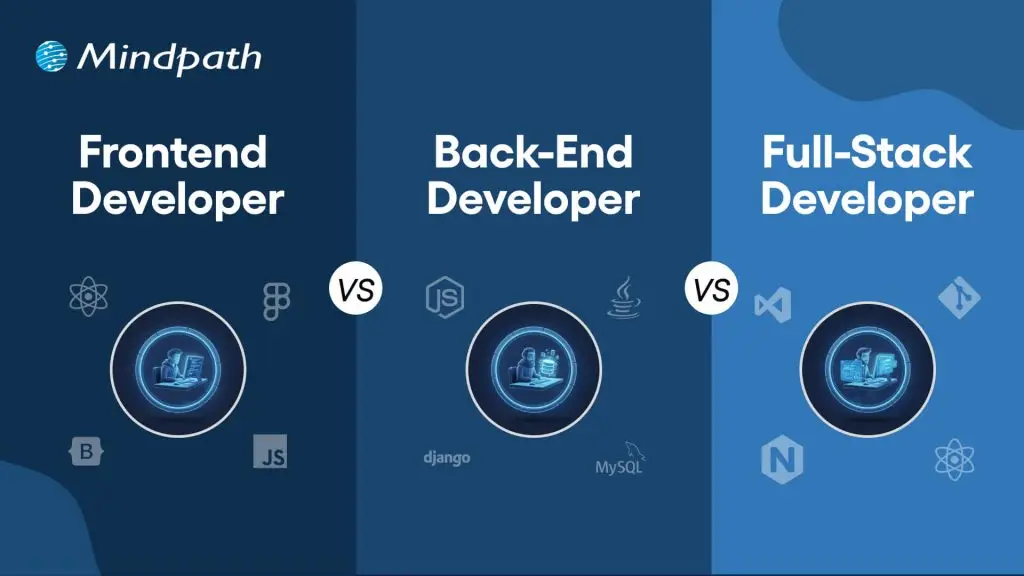
Web development is one of the formidable tools that have helped businesses stay strong in the era of digital transformation. It has also attracted attention towards the frontend vs backend vs full stack comparison, since the three distinct components have a distinct role in web development. If you have to begin your next web project anytime soon, then it is important to learn the significance of these terms.

Businesses have been tapping into the digital revolution with the help of websites and web applications to establish their digital presence. However, business owners must know whether they should pick full-stack developers or a combination of frontend and backend developers. Let us compare frontend development, backend development, and full-stack development to find the best choice for your next web project.

Not sure about what to choose, frontend, backend, or full-stack developer for your next project? At Mindpath, our web developmet services give you the best of both expertise that speeds up your development process and provides seamless end-to-end solutions.

Unraveling the Components of Web Development

The general impression about web development is that it focuses on building websites or web applications. As you dive deeper into web development, you will find the backend and frontend divisions quite clearly. Where does full-stack development enter the picture? You can find a perfect answer to the question with brief overviews of the two crucial components in web development.

Fundamentals of Frontend Development

The term ‘frontend’ gives out the meaning of frontend development. It stands for the part of web applications that is visible to users. Frontend developers have to create different aspects of the user interface, including text font, colors, menu styles, and buttons. Most of the frontend vs backend vs full stack development comparisons paint frontend development as the process of creating the aesthetics of web applications. On the other hand, the comparisons miss the fact that frontend developers also create the user experience.

Frontend developers take on different tasks such as developing intuitive user interfaces, optimizing for performance, and ensuring accessibility on different devices. The other crucial tasks involved in frontend development include testing the frontend for errors and ease of navigation, and optimizing the user experience. Working as a frontend developer means that you will have to use languages like JavaScript, HTML, and CSS. On top of it, developers should know how to use frameworks like React and Angular to improve performance and responsiveness.   

Fundamentals of Backend Development

The backend of a web application represents the components that run the application from behind the scenes. Most of the answers to “What is a backend developer?” reveal that they focus on the server, databases, and APIs. Backend developers have to ensure that all these components work in unison with each other efficiently and provide the desired functionalities. The responsibility of backend developers starts with understanding the main objectives of the website or web application and creating the relevant architecture.

Backend developers will have to ensure that there are ideal systems in place for data storage with the assurance of easier scalability. The biggest task of a backend developer is to create and optimize the server-side logic for efficient performance across different devices. Another crucial task that separates the front and back ends of a web application is API management for seamless functionality on diverse platforms. As a backend developer, you should also focus on creating the website architecture with flexibility for adding upgrades in the future. 

The extensive list of responsibilities of backend developers also includes the implementation of algorithms, backend security, and integrating payment systems. To achieve all these responsibilities, a backend developer must be an expert in one of the server-side programming languages, like PHP, Python, and Java. Backend developers also use frameworks like Django to expedite the development process. The skills required for backend developers also include tools like SQL and Oracle.

Why Do You Need Full Stack Development?

The overview of frontend development and backend development reveals their significance in the web development lifecycle. However, the front-end, back-end, and full-stack relationship becomes clearly evident when you combine the two crucial processes of web development. A full-stack developer can do the work of frontend and backend developers with little to no support from other professionals. The primary responsibilities of full-stack developers revolve around the user experience, servers, data modeling, databases, and hosting. 

Full-stack developers write code for the frontend and backend of web applications while collaborating with design teams and stakeholders. In addition, they also optimize the code with consistent testing and debugging. You can notice the full-stack vs frontend vs back-end development differences in the other responsibilities of full-stack developers. For instance, a full-stack developer not only implements servers and databases on the backend but also designs the user interactions on the frontend of the application.   

The tasks in full-stack development indicate that developers will need better technical proficiency than frontend or backend developers. Apart from fluency in frontend and backend programming languages, full-stack developers must also have strong soft skills.

There are unique advantages that full-stack development brings beyond its technical skills. Explore the benefits of full-stack development, which empowers businesses to accelerate innovation.

Diving Deeper into the Frontend vs Backend vs Full Stack Debate

Business owners who want to create web projects must be worried about the decision between choosing full-stack developers or backend and frontend developers. You can use the frontend vs full stack vs back-end developer comparison to determine the staffing requirements for your next web project. 

1. Focus Areas

Creating an effective web application or website requires attention to different areas of the application. The best way to differentiate frontend development and backend development from full-stack development requires the identification of the areas they focus on. Frontend development focuses on the graphical user interface and user experience, while backend development focuses on the server-side operations and data management. 

Full-stack development involves combining the focus areas of front and back ends of an application to deliver the required functionalities. The focus area of a full-stack developer is the complete application development lifecycle.

2. Objectives

The next important point of difference between frontend development and backend development focuses on the goals. Frontend developers work to deliver a positive user experience with a website or web application that looks good. The goals of frontend development also revolve around creating an appealing aesthetic for the web application while ensuring responsiveness and accessibility. 

The frontend vs backend vs full stack comparison also sheds light on how backend developers aim to create a high-performance and efficient app. Backend development relies on leveraging logic to achieve different functionalities alongside addressing user experience issues.    

3. Responsibilities

You can get a better impression of the differences between full-stack, frontend, and backend developers by learning about their responsibilities. The primary responsibility of a frontend developer involves implementing visual designs and layouts for a web application. Frontend development responsibilities also include creating a responsive design and interactive elements for the user interface. As a frontend developer, you will also have the responsibility of ensuring cross-browser compatibility for the application.

The responsibilities of a backend developer revolve around database management, API development, and backend security. Backend development also focuses heavily on creating, implementing, and maintaining the server architecture. The back-end vs full-stack vs frontend comparison will draw attention to the ways in which full-stack developers take on a broader set of responsibilities. Some of the notable responsibilities of full-stack developers include end-to-end development, system integration, and server and website architecture design. On top of it, full-stack developers must also take complete ownership of the project. 

4. Technical Skills

Another effective approach for comparing frontend and backend developers with full-stack developers is the technical proficiency required for the jobs. The full-stack vs back-end vs frontend debate in web development becomes quite simple in terms of the technical proficiency required in each area. Frontend development involves the use of technologies like HTML, JavaScript, and CSS. The other notable tools used in frontend development include frameworks like React, Vue, and Angular. 

Backend developers rely on programming languages like Python, PHP, and Java to write server-side logic. On the other hand, they also utilize frameworks like Django to leverage tools for faster and efficient development. Full-stack developers use a combination of all backend and frontend technologies, depending on the project requirements.

Here is an overview of the differences between full-stack, front-end, and backend developers.

Criteria Frontend Backend Full Stack
Focus Areas Frontend development focuses on the user interface and experience. Backend development revolves largely around server-side operations and database management. Full-stack development focuses on the complete application development lifecycle.
Objectives Frontend developers aim to make the application look good and easy to interact with. Backend developers aim to ensure that the web application works as intended by the client. Full-stack developers focus on building a complete web app with the frontend and backend elements.
Responsibilities Frontend developers take the responsibility of creating interactive elements and implementing visual designs with better responsiveness. Backend developers have to take care of server architecture, database management, API development, and backend security. Full-stack developers are responsible for designing the complete architecture, end-to-end development, and system integration.
Technical Skills Frontend developers know how to work with HTML, CSS, JavaScript, and frameworks like React and Angular. Backend developers know how to use programming languages like Python, Java, and PHP for server-side coding and other backend frameworks. Full-stack developers must have a strong command of backend and frontend technologies.

Want to know if full-stack development is becoming essential for modern web projects? Explore on how it helps businesses integrate systems efficiently and drive growth in our blog: Is full-stack development the future of web projects?

Final Thoughts

The insights on the differences between backend, frontend, and full-stack development reveal how full-stack offers a better choice. Why should you choose two different developers when one full-stack developer can do their jobs? However, the frontend vs backend vs full stack development comparison shows that frontend and backend developers also have unique strengths. Therefore, you need to consult with experts before you prepare a strategy for your next web project.

We at Mindpath have been offering expert web development services and delivering to one client after another with continuously growing customer satisfaction. You can come to us with any idea for web applications, and we can promise to create robust and appealing solutions that can attract your target audience. We have a team of experienced full-stack developers, frontend developers, and backend developers who have worked on multiple projects. Reach out to our consultants and make the most of our expertise in web development now. 

Frequently Asked Questions

1. When comparing front end vs back end vs full stack development, which option is most cost-effective for a growing business?

Cost-effectiveness depends on project scope. A full stack developer covers both sides, reducing hiring overhead for smaller projects. Larger, complex builds often benefit from dedicated specialists working in parallel. Assessing the project’s technical demands before making a hiring decision saves both time and budget.

2. How does a business owner without a technical background evaluate whether a developer actually has the skills they claim?

Request a portfolio with live projects rather than just code samples. Ask them to walk through a past project, explaining decisions made on both the visual and functional side. Their ability to communicate technical choices clearly often reflects the depth of their actual expertise.

3. Is it realistic to expect one full stack developer to handle an entire web project without any additional support?

For straightforward projects, yes. For complex platforms requiring specialized logic, advanced security, or high-performance architecture, a single developer may become a bottleneck. The scope, timeline, and technical complexity of the project should drive that decision rather than cost savings alone.

4. How long does it typically take to see a working product when working with a web development team for the first time?

A basic functional version, often called an MVP, can be ready within six to twelve weeks depending on complexity. Clear requirements, timely feedback, and minimal scope changes during development are the factors that most consistently keep delivery timelines on track.

5. What is the most common mistake businesses make when hiring web developers for a new project?

Prioritizing cost over capability. Developers hired purely on budget often deliver technically weak solutions that require expensive rework later. Evaluating communication style, problem-solving approach, and past project outcomes alongside rates leads to far better long-term results for the business.