
Latest Insights On

GenAI, Tech, and Digital Transformation 

Stay updated with expert insights, success stories, and real-world applications of cutting-edge technology.

AI tools for devops

Artificial Intelligence has certainly surfaced as a transformative force in the DevOps realm. In the current times, DevOps teams and professionals have the opportunity to leverage top Artificial Intelligence tools in order to streamline the software development process while promoting resource optimisation. 61% entities have reported that the adoption of AI in DevOps has significantly boosted their delivery ability.

Both novice and experienced DevOps professionals need to familiarise themselves with the strategic role of AI for the DevOps approach. The insight is crucial to capitalise on the capabilities of AI and strengthen how the DevOps approach is adopted while developing software solutions. Let’s identify some of the major AI tools that are revolutionising DevOps at the moment.

Want to adopt AI in DevOps with full potential? Mindpath’s AI Development Services provide full assistance on how you can select and implement the right tool according to your specific requirements.

Best AI Tools for DevOps Teams

Artificial Intelligence has been gaining high prominence in the DevOps arena. Within a short span of time, diverse AI tools have emerged that have simplified the work of DevOps teams. These tools have immense potential to redefine the DevOps approach.

It is imperative to identify the AI tools for DevOps so that you can simplify diverse processes relating to automation, security, code development and many more. Some of the top AI tools for DevOps professionals include:

1. GitHub Copilot

GitHub Copilot is undoubtedly one of the most popular AI tools for DevOps experts that exists today. It can be used as an extremely useful tool that is powered by Artificial Intelligence, which simplifies coding. It is capable of making suggestions to coders. Moreover, it can also assist coders by providing valuable assistance in entire functions. As a result, by leveraging the specific tool in the DevOps landscape, it is possible for developers to write code in an efficient manner. Furthermore, by leveraging the specific tool, the possibility of making errors is substantially reduced. GitHub Copilot represents a significant step toward the future of AI in software development and DevOps workflows.

2. AWS Codeguru

The popularity of Amazon Codeguru has been skyrocketing in recent times. It serves as a perfect tool that DevOps professionals can use for the purpose of automating code analysis. A highlight of this particular artificial intelligence for DevOps is that it is capable of making intelligent recommendations relating to code reviews. Coders and software developers can also rely on the specific tool to gain insightful suggestions relating to the performance of applications. With the help of this top-grade AI tool, DevOps teams can locate issues and improve the quality of their code, and fully leverage the benefits of AI in their development workflows.

3. Datadog

Datadog is a popular AI-driven platform that simplifies the processes for development teams. It is certainly among the top DevOps for business tools that can be used for diverse purposes such as monitoring, security, and performance. This tool offers rich insights to DevOps teams in terms of the behaviour of the software application and the overall health of the infrastructure. It certainly serves as a holistic tool that can offer observability power in an end-to-end manner to DevOps teams. You can definitely capitalise on this tool to achieve goals relating to real-time observability, unified monitoring, and troubleshooting.

4. Splunk

Splunk has gained a solid reputation in the DevOps scene of the current times. It acts as a robust data analytics and monitoring platform that can be used by DevOps teams. By choosing the specific AI-based tool, you can get complete visibility across the full software development lifecycle. In case you have limited familiarity with the particular tool, you can consider partnering with top providers of DevOps services. DevOps teams can leverage Splunk for diverse purposes, including monitoring of performance, event and log monitoring.

5. Sysdig

Sysdig serves as one of the most comprehensive DevOps platforms available for software developers at present. It has been specifically designed for diverse purposes such as monitoring and security in containerised environments. A chief highlight of the tool is that it integrates operations along with top security and offers unified control and visibility to teams. Thus, throughout the software development lifecycle, DevOps professionals can have a solid insight into the process. Moreover, you can rest assured about compliance and monitoring aspects by utilising the tool.

Trying to keep up with the rapidly evolving DevOps landscape as we move into 2026? Explore the latest DevOps trends shaping modern development, automation, and AI-driven workflows.

6. Dynatrace

In the contemporary DevOps landscape, the Dynatrace tool has been playing a cardinal role. It acts as an ideal observability platform that can be leveraged by DevOps teams while developing top-notch software applications. You can take advantage of this app to simplify processes relating to monitoring, collaboration, and automation. Furthermore, Dynatrace offers a broad range of tools that can create value for you relating to resilience engineering, release validation, and automated remediation of problems. The powerful capabilities of the AI tool can empower your DevOps team while developing novel software solutions.

7. Ansible

Ansible is a popular open source automation tool that streamlines DevOps practices for professionals. This tool is primarily used for the purpose of streamlining as well as automating a broad range of IT tasks and processes. It significantly contributes to the DevOps process by focusing on areas such as configuration management, deployment of applications, and the provisioning of infrastructure. Moreover, DevOps teams can leverage the AI-based tool to perform orchestration. This is because Ansible facilitates the orchestration of complex workflows and supports the coordination of multiple tasks.

8. Harness

In the current DevOps realm, Harness has emerged as a holistic software delivery platform., By using the specific tool, your DevOps team can automate the full software development process. Therefore, starting from continuous integration and continuous delivery, you can automate ongoing tracking of errors. Harness has been recognised as one of the most useful tools for DevOps professionals. With the help of the AI tool, your DevOps team can certainly accelerate the software development process and minimize the possibilities of errors and mistakes.

9. Argo CD

In recent times, Argo CD has surfaced as a popular AI tool that can be used by DevOps professionals. It is basically a declarative continuous delivery tool. By using the tool, it is possible for DevOps teams to automate the management as well as the deployment of software apps within Kubernetes clusters. The fact that it is open source in nature enables DevOps teams to use it in a highly versatile and flexible manner. The specific tool offers a broad range of features to users, such as single sign-on integration, multi-cluster management, and many more.

10. Snyk

While adopting the DevOps approach to develop software solutions, one cannot ignore the security aspect. This is when the Snyk tool comes into the picture. Snyk is a developer-first platform that incorporates security elements into the software development process. You can utilize this specific AI tool in your DevOps process for scanning vulnerabilities in code, containers and open-source dependencies. This tool is well-suited for diverse DevOps teams since it perfectly integrates with various elements, such as developer workflow, as well as cloud platforms. You can leverage the tool since it offers actionable insights that can enhance the overall quality of your software solution.

Looking to overcome DevOps hurdles such as security risks, and scalability issues? Discover DevOps challenges and solutions that help organizations overcome these issues and improve operational efficiency.

Benefits of AI Tools in DevOps

The use of AI tools in DevOps processes can give rise to a host of benefits for DevOps teams. Some of the major benefits that you must be aware of include:

1. Better reliability

DevOps teams can leverage AI capabilities to create highly reliable software solutions. This is mainly possible by making use of the predictive analysis function of AI technology.

2. Faster Software creation process

Software development can be quite time-consuming. However, by leveraging AI tools, it is possible to automate diverse processes. It can ultimately speed up the software development process for teams.

3. Proactive resolution of issues

Issues can act as major bottlenecks while developing software applications. With the help of the right AI tools, it is possible for DevOps teams to proactively deal with issues. Therefore, the overall quality of the software solution can also improve.

4. Improved collaboration

By using AI tools or generative AI tools for DevOps, it is possible for professionals to enhance collaboration. Collaboration can certainly open up new and better opportunities that can strengthen the overall process relating to the development of software solutions.

Want to learn how DevOps can transform your business and accelerate your development processes? Discover the benefits of DevOps for a deeper understanding of its impact and value.

Final Words

In the dynamic DevOps arena, the use of artificial intelligence tools is considered to be a necessity. DevOps teams need to be aware of the top tools so that they can strategically use them while creating software solutions. The selection of the right kinds of tools can certainly streamline the software development processes for you. Some of the top tools that you must be aware of include GitHub Copilot, AWS Codeguru, Datadog, Splunk, Sysdig, etc.

We at Mindpath help businesses to make the most of the top AI tools for DevOps with our AI Development Services. Our professionals ensure that the perfect AI tools are chosen that are in line with your DevOps processes. Moreover, you can see how intelligent DevOps can strengthen the quality of your software solutions.

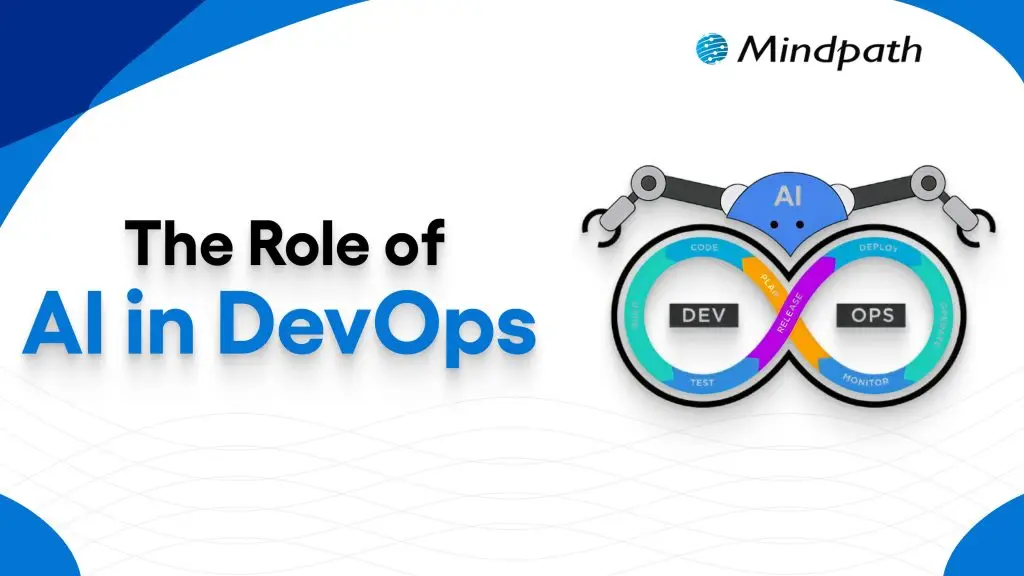
AI in Devops

Artificial Intelligence is undoubtedly a transformative force that exists today. Within a short span of time, AI has brought about radical changes in diverse domains. A specific realm that has undergone significant change thanks to artificial intelligence is none other than DevOps.

In recent years, the adoption of AI in DevOps has gained momentum like never before. The AI in the DevOps global market is likely to reach USD 24.9 billion by the year 2033. It shows that the popularity of DevOps AI is rising at a fast pace. Let us explore the vital role of artificial intelligence in the DevOps realm.

Implementing AI in DevOps can be tricky and challenging; it requires deep knowledge and expertise. Mindpath’s DevOps Consultation & Implementation services are set up in a way that simplifies this complicated process and delivers end-to-end support.

What is DevOps?

DevOps is a combination of the terms “development” and “operations.” It is a cultural philosophy and set of technical practices that bridges the gap between software developers and IT operations teams. This approach fuses both teams to shrink the software development life cycle, enabling continuous delivery of high-quality software faster and more reliably, with shared accountability. The main purpose of DevOps is to break down conventional silos that exist between teams and promote collaboration. A proper understanding of DevOps is essential before exploring the role of AI in its context.

In the past few years, AI in DevOps has been gaining popularity at a rapid pace. At present, a large number of DevOps teams are leveraging Artificial Intelligence technology for diverse purposes, including making market projections, exploring new AI tools, and optimizing pipelines. The relevance of Artificial Intelligence for DevOps is certainly expanding with each passing day.

Must Read: Top DevOps Trends

Role of Artificial Intelligence in DevOps

Currently, Artificial Intelligence plays a strategic role in the realm of DevOps. In case you are wondering – How to get into DevOps? It is a must to know the role of AI in DevOps. Artificial Intelligence in DevOps mainly involves the use of machine learning (ML) and other AI technologies for automating as well as optimizing software development processes. One must bear in mind that DevOps for machine learning has created new possibilities to create novel software solutions.

Teams are able to capitalize on AI for DevOps to promote faster deployment, reduced errors, and increased productivity. Moreover, the use of AI tools for DevOps empowers teams to optimally manage the available resources. It has become fairly common for DevOps teams to focus on machine learning DevOps and extend the conventional scope of the approach by leveraging ML capabilities.

Curious about what kind of AI your business should prepare for? Explore the types of AI – ANI, AGI, and ASI shows the journey from automation to intelligence in DevOps.

Benefits of AI in DevOps

The strategic deployment of diverse Artificial Intelligence technologies within the DevOps landscape has the potential to give rise to a host of benefits. It is essential for DevOps professionals as well as DevOps teams to familiarize themselves with the key benefits of AI technology in DevOps.

1. High Automation

One of the chief benefits of using AI in DevOps revolves around automation. By leveraging AI technology, professionals do not have to rely on manual processes. DevOps teams can automate repetitive processes with the help of AI technology. Your DevOps team can ensure that top DevOps solutions are generated through automation.

2. Better efficiency

If you want to improve the efficiency of the DevOps process of your team, it is a must to use AI. AI can serve as the ultimate pillar that can help create intelligent DevOps solutions in an efficient manner. You will be surprised to see that your DevOps team can complete numerous projects without making errors.

3. Top-quality security

The role of AI is of high importance in DevOps since it can enhance the level of security.  Your team can automate processes relating to threat detection and threat identification. Therefore, your business will be empowered to take timely remedial actions to eliminate such threats. So, you can rest assured about DevOps security.

Wondering how businesses keep up with rapid tech changes? Discover the benefits of DevOps, which shows how it enables faster delivery, stronger collaboration, and AI-driven efficiency.

Key Steps for Using AI in DevOps

For capitalizing on AI technology to the fullest, it is crucial for DevOps teams to use AI in a methodical and structured manner. You can follow the steps below for using AI capabilities in a strategic manner in the DevOps context.

Step 1 – Choosing appropriate Artificial Intelligence Tools

The first step that your DevOps team must take is related to choosing the right AI tools. The tools that you choose must be aligned with your DevOps pipeline. It is a crucial step that can have major implications for the software application that you plan to develop.

Step 2 – Collection of Data

The next step that has to be taken by your DevOps team is related to data collection. It is necessary to bear in mind that relevant and appropriate data has to be gathered, which has to be fed into Artificial Intelligence systems. The quality of data that is gathered is a critical factor that is non-negotiable in nature. By using high-quality data, it is possible to make accurate predictions.

Step 3 – Taking Small Steps

In the next step, your DevOps team must remember to start small. So at this stage, you need to identify specific areas where you can use AI at a small level. The implementation of AI for small tasks is vital to ensure that it can play the desired role. Sometimes, DevOps teams may get too ambitious, which may adversely affect the use of AI in DevOps.

Step 4 – Monitoring and Optimization

At this stage, it is a must to focus on proper monitoring and evaluation of the performance of AI tools. By doing so, you can focus on optimizing the performance of such Artificial Intelligence tools. Based on the monitoring outcome, you can make necessary adjustments to leverage the novel tools in an optimal manner.

Step 5 – Training the team

The final step involves providing appropriate training to your DevOps team. By training them, you can ensure that the DevOps professionals possess the essential skills to leverage AI tools in an effective manner.

Struggling to keep your software delivery fast and reliable? Check out our blog on DevOps challenges and solutions to identify bottlenecks and implement smarter AI-driven strategies for smoother operations.

Best Practices to Use AI in DevOps

If you intend to leverage the capabilities of Artificial Intelligence in DevOps, it is essential to adopt the DevOps best practices. Some of the best practices that can equip your business to leverage AI optimally include:

1. Taking tiny steps

A common mistake that many DevOps teams commit is that they take big steps at an initial state. Instead, you need to start by taking small steps. You can begin by locating specific areas where you can capitalize on AI capabilities to extract maximum benefits. Moreover, you can reach out to diverse professions to seek DevOps support.

2. Involving relevant stakeholders

It is critical for businesses to engage with the right stakeholders while using artificial intelligence. This step is crucial to strengthening the overall effectiveness of AI DevOps tools. By interacting with them, you can understand their needs and expectations while developing software solutions.

3. Focus on ongoing evaluation

While using AI tools in the DevOps process, it is imperative to prioritize continuous evaluation. Your DevOps team must keep a tab on the performance of AI tools and technologies that are used in DevOps processes. Similarly, it is a must to understand DevOps platforms in an effective manner so that AI-driven processes can be optimally put in place.

Looking to boost efficiency and innovation in your company? Discover how DevOps for businesses can simplify workflows and enhance team collaboration with AI-powered tools.

Final Words

Businesses need to capitalize on Artificial Intelligence technology in their DevOps processes. The strategic use of DevOps AI tools can certainly open up new opportunities for your business. In addition to promoting automation, it can make the DevOps approach more intelligent and productive in nature.

In order to leverage AI technology optimally in DevOps, you can consider partnering with the professionals at Mindpath. Our experts use AI methodologies and DevOps best practices together to deliver optimum solutions. Your business can take advantage of our AI development services and develop top-grade software applications in a productive manner.

web application security

In the fast-paced digital era, a secure web application is the foundation of a reliable online business. Web application security ensures sensitive data remains protected, prevents cyber threats, and supports uninterrupted operations. Without robust protection measures, even high-performing applications are vulnerable to breaches that can disrupt business continuity and compromise user trust.

The importance of web application security goes far beyond preventing attacks. It supports compliance with regulations, protects brand reputation, and ensures consistent user experiences. Without it, businesses risk downtime, financial losses, and reputational harm. By prioritizing robust security strategies, companies position themselves for long-term success in an environment where trust and reliability define competitiveness. Are you interested in knowing more? In this blog, we will walk you through how you can protect your web application while, at the same time, building stronger trust with your customers. Keep reading to explore!

What is Web Application Security?

When we talk about the definition of application security, we simply mean protecting your web applications, including websites, APIs, and online services, from unwanted threats, attacks, and misuse. More specifically, it focuses on the application layer, ensuring your software functions as intended and sensitive user data stays protected, even in the presence of flawed code or misconfigurations. It guarantees that your data is safe, hackers are kept out of reach, and your online platforms run smoothly without any difficulty or fear. These protections start during the design and development stages of your application and continue even after the application goes live, so that it is kept secure over time.

Interestingly, a report from Fortune Business Insights shows that the global application security market was valued at USD 8.86 billion in 2022 and is forecasted to reach USD 25.30 30 billion by 2030. The continued increase shows that the business community is increasingly coming to terms with security as a necessity to protect its operations, to protect sensitive information, and to protect the trust of customers in an online space.

Concerned about rising threats and how AI can help your security strategy? Explore our blog on AI in cybersecurity to discover AI‑driven approaches that boost threat detection and resilience.

Most Common Web Application Threats

Let us have a clear look at some of the most common web application security risks that each and every business should have an idea of, to keep their online platforms safe:
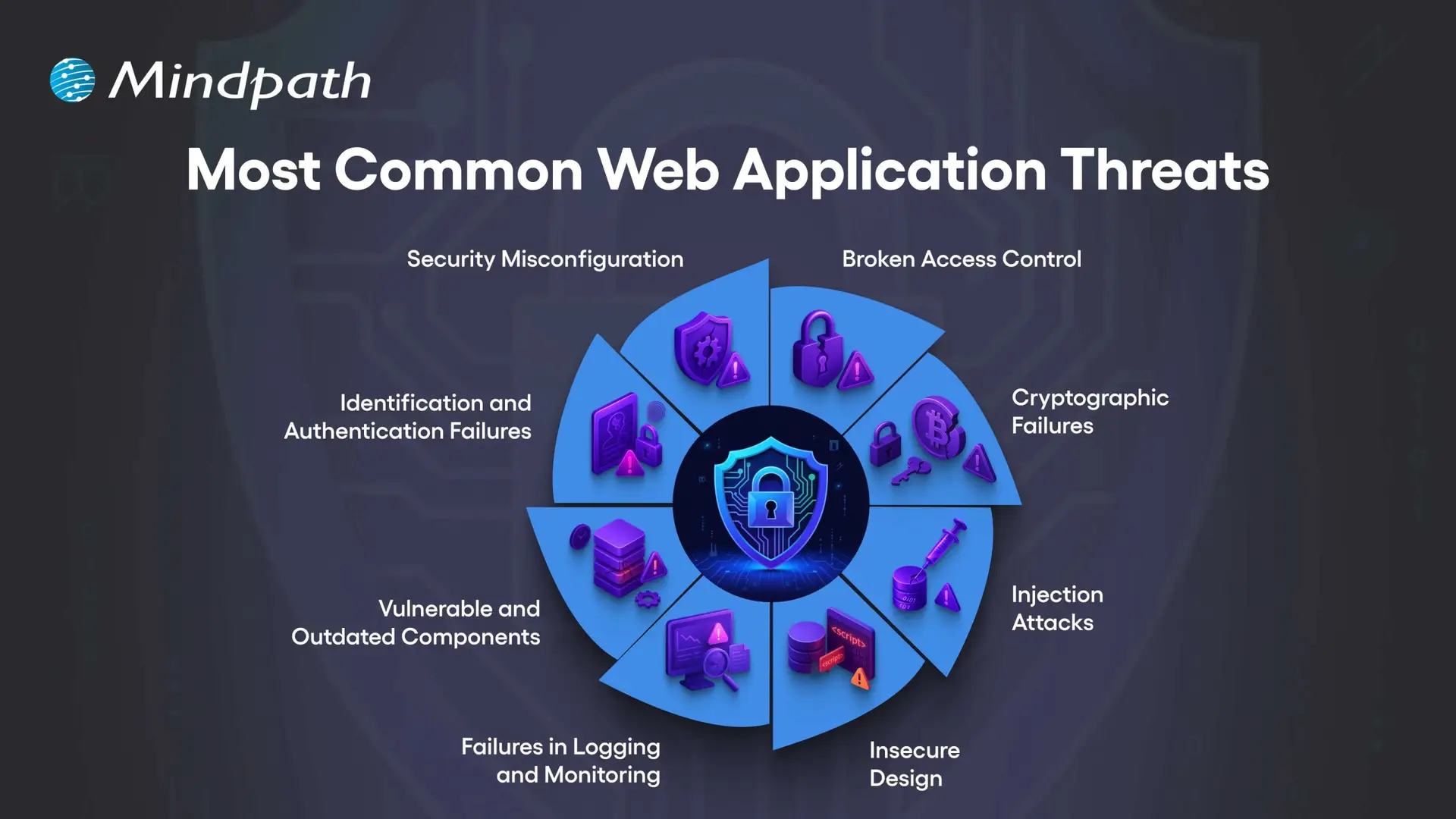
Most Common Web Application Threats

1. Security Misconfiguration

This usually occurs when your web application security settings are wrong or incomplete, leaving the app open to attacks.

2. Broken Access Control

This happens when users can access data or features they should not be allowed to see or use.

3. Cryptographic Failures

This occurs when sensitive data is not encrypted properly, making it easier for attackers to steal.

4. Injection Attacks

This occurs only when attackers insert malicious code into your application through the input fields or forms.

5. Insecure Design

This usually means that your app’s basic design has weak points that can be easily exploited by hackers.

6. Failures in Logging and Monitoring

When you have security issues that are not logged and monitored, your attacks will go unnoticed.

7. Vulnerable and Outdated Components

This is when your apps use old or unsafe software parts that hackers can target easily.

8. Identification and Authentication Failures

This happens when you have weak login systems, which make it much easier for an attacker to steal your user accounts.

Unsure how the technology you pick affects your application’s security posture? Read our guide on choosing the right tech stack to discover how secure, scalable technologies support safer web app development.

The Importance of Web Application Security

Robust web app protection is absolutely vital to protect your organization from online attacks and data loss. When you pay for your web app security, you are protecting sensitive information and building trust with your customers, while ensuring your operations are running smoothly.
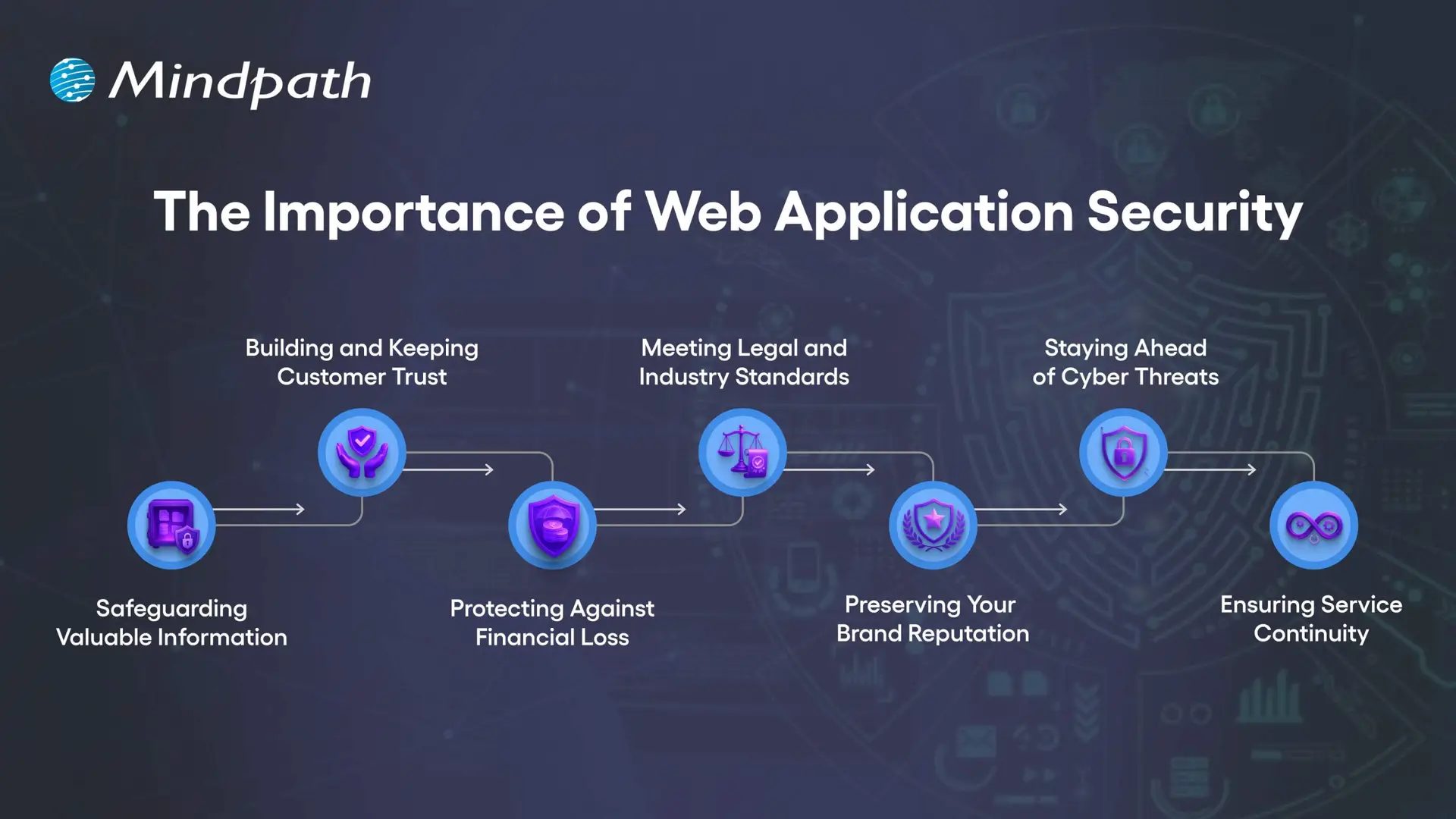
The Importance of Web Application Security

1. Safeguarding Valuable Information

Web applications collect sensitive information such as customer data, payment information, and company documentation. Any exposed information by attackers can be stolen and improperly used. Good web application security utilizes encryption, secure storage, and restricted access to protect the information.

2. Building and Keeping Customer Trust

When people use your online services, they trust you with their private information. A breach of security can cause that trust to break and hurt your business’s reputation. By focusing on web application security, you contribute to two goals: to show the customer that privacy and safety are important to you.

3. Protecting Against Financial Loss

Cyberattacks can cause massive damage to finances, from stolen funds to expensive recovery steps to legal fees, and also regulatory fines. A proper investment in web app security protects those risks and your profits.

4. Meeting Legal and Industry Standards

Numerous sectors must comply with strict data protection requirements. Failing to meet these requirements can result in costly fines and a loss of reputation. The web security basics and continual assurance will demonstrate that your web secure application meets these requirements..

5. Preserving Your Brand Reputation

A single security incident can tarnish your brand identity for years. Once lost, customers may not trust your company again, and negative word of mouth spreads quickly. By prioritizing web application security, you can avoid this type of loss and continue to preserve brand integrity.

6. Staying Ahead of Cyber Threats

Cybercriminals are always trying to exploit any weaknesses in an application. Regular web application scanning and updates may close off the weaknesses before an attacker finds them. Using a trusted web application vulnerability scanner allows you to improve your system.

7. Ensuring Service Continuity

Some ransomware and malware attacks are meant to stop or disrupt your online services. DDoS protection, load balancing, and secure configuration can keep your platform running. There are reliable web security applications to protect against these problems and keep your business producing.

Want to make sure security is built into every phase of your web development process? Explore our web app development roadmap for 2026 to discover how planning with security in mind improves reliability and trust.

Essential Best Practices for Strong Web Application Security

Securing your online properties requires more than basic protection. By implementing web application security best practices, organizations can reduce risks, better protect sensitive data, and provide a safer, trusted experience for each user.
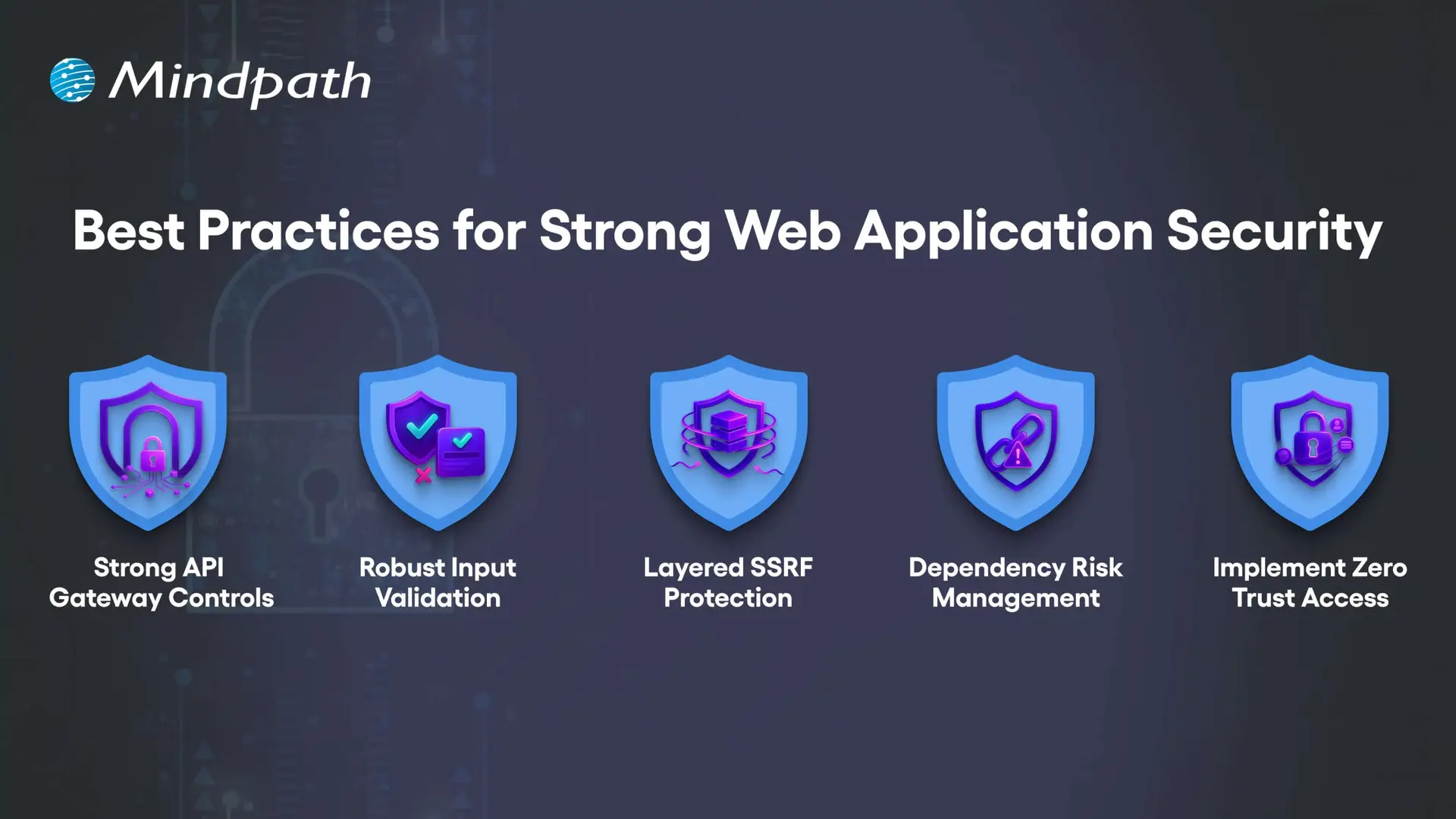
Best Practices for Strong Web Application Security

1. Strong API Gateway Controls

APIs should be protected with advanced rate limiting that adapts to user behavior, not just request counts. Tools like Kong or Envoy help apply different limits per endpoint while blocking abusive traffic patterns without slowing legitimate users.

2. Robust Input Validation

Validation must match the exact place where data is used, such as in SQL, HTML, or JavaScript. This means building rules for each context and scanning all inputs like headers, cookies, and hidden fields to block malicious payloads.

3. Layered SSRF Protection

SSRF attacks can trick servers into accessing internal systems or cloud metadata. Use strict allowlists, block private IP ranges, and inspect resolved IPs to prevent bypass tricks hidden in DNS lookups.

4. Dependency Risk Management

Not all vulnerabilities in dependencies are equally dangerous. Context-aware scanners like OSV or npm-audit help you find and fix the risks that truly matter to your application’s security.

5. Implement Zero Trust Access

Never assume a request inside your network is safe. Segment services, enforce mutual TLS, and verify identity for every request to reduce the risk of internal compromise.

Concerned about app vulnerabilities? Read application security best practices to learn proven ways to strengthen security across platforms.

Are You Ready to Strengthen Your Web Application Security?

In today’s digital world, investing in strong web application security is no longer optional. By understanding common threats and implementing proven best practices, you protect sensitive data, maintain customer trust, and keep your online services running without disruption. The earlier you act, the stronger your defense against costly cyberattacks will be.

At Mindpath, we create secure, high-performing web applications designed to withstand evolving cyber threats. Our web application development process integrates advanced web application security measures from planning to deployment, ensuring your platform is protected and reliable. With a tailored approach, we help your business deliver safe, seamless user experiences while meeting compliance and performance goals.

lead generation chatbot

Have you thought about the impact that a lead generation chatbot could have on attracting and engaging customers for your business? The benefits of chatbots are clear: Because these chatbots start conversations immediately, they create a welcoming experience that encourages visitors to leave their details. They make conversation feel fluid and natural, keeping prospects looking, listening, and engaged, without breaks. They can help you seize opportunities as soon as they arrive, ensuring no lead gets away, and usually bring a steady stream of interested prospects to your business.

In addition to just collecting contact details, these chatbots can also qualify a lead, figuring out their needs and pairing those needs with the appropriate solution. They can answer questions quickly, suggest services, and schedule meetings in real time. This efficient method saves time for your sales team while keeping the customer journey uninterrupted. Chatbots are automating lead management and personalizing lead management like never before. In this blog, we will take a closer look at their use cases.

What is a Lead Generation Chatbot?

A lead generation chatbot is an automated software tool that engages visitors on your website, social media, or messaging apps in real time, captures their contact details, and qualifies them as potential sales prospects. Unlike static contact forms, it uses a conversational interface to guide users through the sales funnel interactively, asking thoughtful questions in a friendly tone so no sales opportunity goes unnoticed while your business collects the information it needs.

A chatbot does not wait for visitors to do something like the outdated contact form. Its proactive behavior opens up the conversation and allows visitors to interact. A chatbot speaks to visitors instantly, answers questions, leads visitors to book a demo, or suggests the next step. Your chatbot can take information collected and send it directly to your marketing tools, so lead follow-up is fast and organized.

Looking to see how AI chatbots can boost your sales? Check out real-life examples of AI chatbots that increased conversions to discover strategies that truly work.

Benefits of AI Chatbots for Lead Generation

Lead bots are impacting how companies are collecting and converting potential customers through real-time interaction. Utilizing AI chatbots for lead generation allows for the quick acquisition of information while taking potential customers smoothly into the next step.
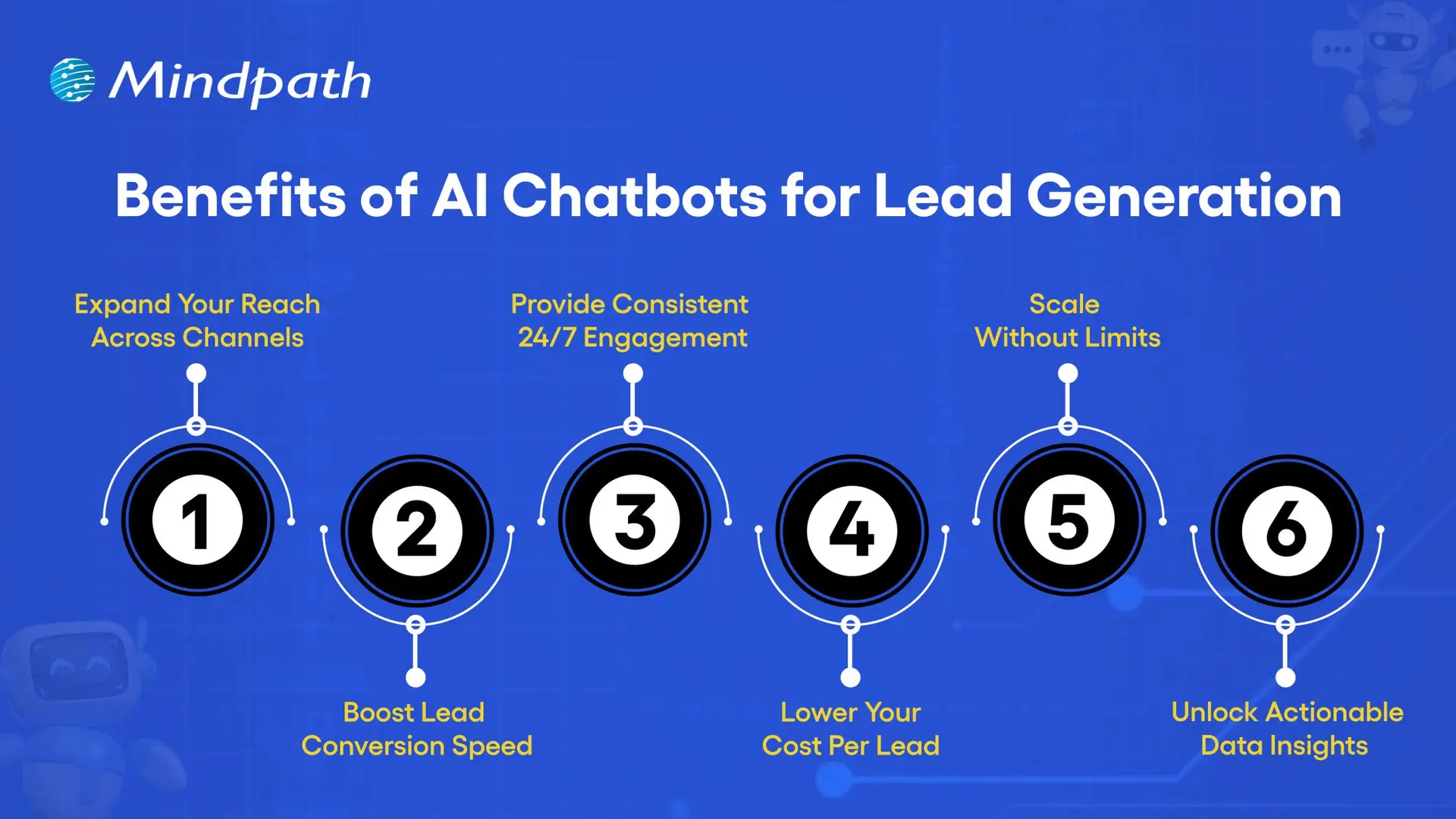
Benefits of AI Chatbots for Lead Generation

1. Expand Your Reach Across Channels

A lead generation chatbot can talk to prospects through your website, email, social media, and various messaging channels such as WhatsApp. You’re connected to customers on their most convenient platforms, and it makes it easy to have a conversation. The more dialogues you open across key communication points, the more customers will engage, putting you in a better position to convert a quality lead. When you utilize lead generation tools such as chatbots, your business remains prominent and accessible across all communications.

2. Boost Lead Conversion Speed

A sales chatbot AI can qualify prospects quickly and send them on to your sales team or follow-up system. With real-time engagement, you can respond to inquiries and gather needed information without delays. Which means that leads stay warm and are more likely to take action sooner rather than later. An AI chatbot for customer support can also help field questions that affect purchasing decisions, enhancing conversion rates even further.

3. Provide Consistent, 24/7 Engagement

A lead generation chatbot is available 24/7 and is able to engage with visitors when they show that they are serious about purchasing. Customers can get answers or help whenever they need them without waiting for store hours. This establishes trust with the customer and reduces the chances they will drop off during the purchasing process. This level of availability also strengthens connections with customers and the level of engagement overall.

4. Lower Your Cost Per Lead

Chatbot sales systems take away the manual and extra people that traditionally went into copy and qualifying leads, which will have a direct impact on chatbot pricing as more value is received for less money. Because of the efficiency of Conversational AI chatbot sales automation and how they scale, businesses won’t have to pay more to scale the amount of leads generated to scale resulting in every lead gained becoming progressively cheaper over time.

5. Scale Without Limits

By utilizing a chatbot for sales automation, businesses have the ability to manage hundreds of conversations simultaneously. This means you will never miss out on having a conversation with a potential customer, regardless of the demand, and your chatbot will operate seamlessly even during peak traffic and campaigns. Scalability like this means everything to growing businesses that want to take their reach to the next level.

6. Unlock Actionable Data Insights

A sales chatbot AI is able to collect in-depth insights around visitor behavior, intentions to buy, and preferences that can help improve your marketing campaigns and target customers more accurately. Captured custom chatbot analytics can inform more about which conversations converted into sales and why. Taking this data-driven approach, every single interaction, both now and in the future, improves through the method of practice.

Wondering how top businesses make smarter choices? Discover the importance of data-driven decision-making for businesses to drive growth and stay ahead.

How to Build Your Own AI Chatbot for Lead Generation?

Building a lead generation AI chatbot can help your business engage prospects, answer questions instantly, and collect valuable data automatically. With the right tools and strategy, you can create a chatbot that not only interacts with visitors but also converts them into potential customers.
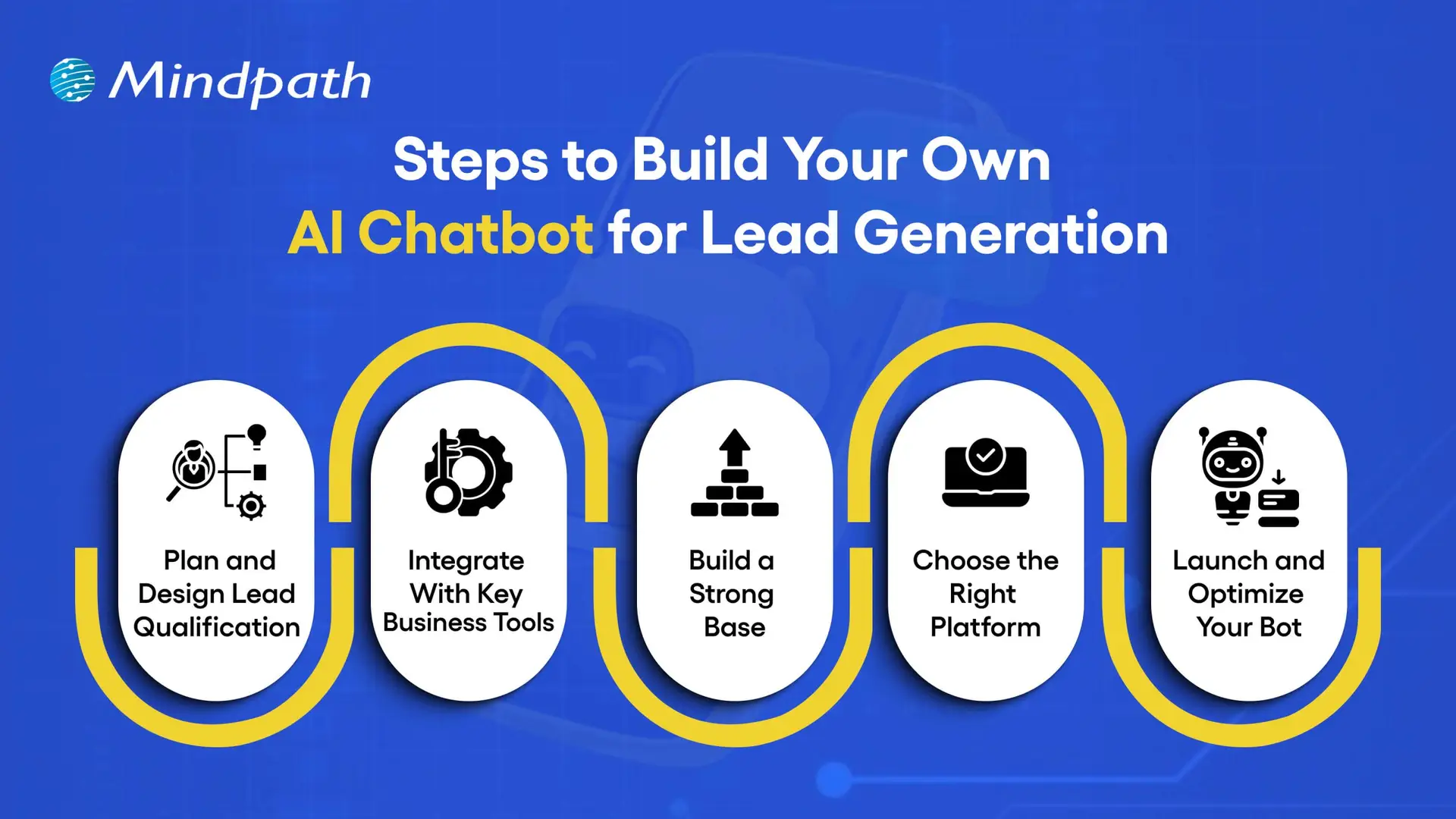
Steps to Build Your Own AI Chatbot for Lead Generation

1. Plan and Design Lead Qualification

Define what a valuable lead means for your business before creating your lead generation chatbot. Plan key questions to qualify prospects and decide the follow-up steps, such as sending them to sales or booking meetings. Choose the platforms, like your website or WhatsApp, where the chatbot can engage the most visitors.

2. Integrate With Key Business Tools

Connect your chatbot to essential tools like CRM for tracking, email platforms for follow-ups, and scheduling tools for instant bookings. Use analytics to track performance and refine your strategy. Whether through custom or pre-built options, integrations make your chatbot a powerful automated sales AI bot.

3. Build a Strong Base

Plug-in solutions offer ready-made bot structures but limit customization. AI-powered platforms can set up your chatbot quickly with features that save time. A DIY build gives full control but requires more effort to create a flexible and high-performing bot.

4. Choose the Right Platform

Pick a platform with features like lead scoring, CRM integration, and multi-channel capabilities. Decide between coding, low-code, or no-code options based on your team’s skills. The right choice will help you create a reliable lead generation chatbot template that supports your goals.

5. Launch and Optimize Your Bot

Deploy your bot where it can have the most impact, such as your website or popular messaging apps. Start with a small audience to test and refine performance. Keep updating it to ensure your lead generation chatbot consistently delivers results.

Curious how chatbots understand and respond like humans? Learn what conversational AI is to see how it powers smarter lead generation and sales.

Looking to Build a Custom Chatbot for Your Business?

A lead generation chatbot improves the way businesses connect with potential customers. It engages prospects instantly, qualifies them effectively, and guides them toward the next step. With features like multi-channel reach, scalability, and data insights, it streamlines lead capture and boosts conversion rates while ensuring a smooth and professional customer experience at every stage of the interaction.

At Mindpath, our custom chatbot development services are designed to create solutions that match your business goals and enhance lead generation. We build chatbots that engage visitors, qualify leads faster, and integrate smoothly with your existing systems. With our expertise, you can deploy a chatbot that drives conversions, strengthens relationships, and supports your business growth effectively.

Frequently Asked Questions 
Web apps features

A successful web application requires more than an attractive interface or fast loading times. The right web app features help users complete tasks efficiently, access services securely, and interact with a product across different devices. For businesses, these capabilities can support customer engagement, operational efficiency, and long-term product growth.

Key Takeaways

  • 01
    High-performing web applications need scalable architecture, reliable performance, and security controls to support changing business requirements.
  • 02
    Progressive web app capabilities, real-time functionality, and third-party integrations can improve access and streamline user workflows.
  • 03
    Simple navigation, responsive design, and accessibility help users interact with web applications across devices and abilities.
  • 04
    AI-driven personalization and analytics can support relevant experiences and better-informed business decisions when implemented responsibly.
  • 05
    Clear requirements, testing, deployment planning, and ongoing maintenance help businesses build reliable web applications.

In 2026, users expect web applications to be responsive, accessible, reliable, and easy to navigate. Depending on the use case, they may also need real-time updates, personalized experiences, secure integrations, and useful reporting tools. Businesses must prioritize these capabilities according to their users’ needs rather than adding features without a clear purpose.

This guide explains the 10 essential features of high-performing web applications, how to prioritize them, and the development practices that help maintain application quality over time.

What is a Web Application?

A web application is an interactive software application accessed through a web browser. Unlike traditional desktop software that generally requires local installation, a web application typically runs through a browser and communicates with server-side services to process information and deliver functionality.

Examples include online banking platforms, project management tools, e-commerce systems, customer portals, booking platforms, and business dashboards. Depending on the architecture, a web application may also support installation or selected offline capabilities through progressive web app technologies.

Businesses use web applications to manage information, automate workflows, support transactions, and deliver digital services. Their effectiveness depends on several factors, including usability, performance, security, reliability, and how well the application meets its intended business objectives.

Planning a web application? Review Mindpath’s web development roadmap for guidance on planning, building, testing, and maintaining a web solution.

10 Must-Have Features of High-Performing Web Apps

The right combination of features depends on the application’s purpose, audience, and technical requirements. The following capabilities provide a practical foundation for many modern web applications.
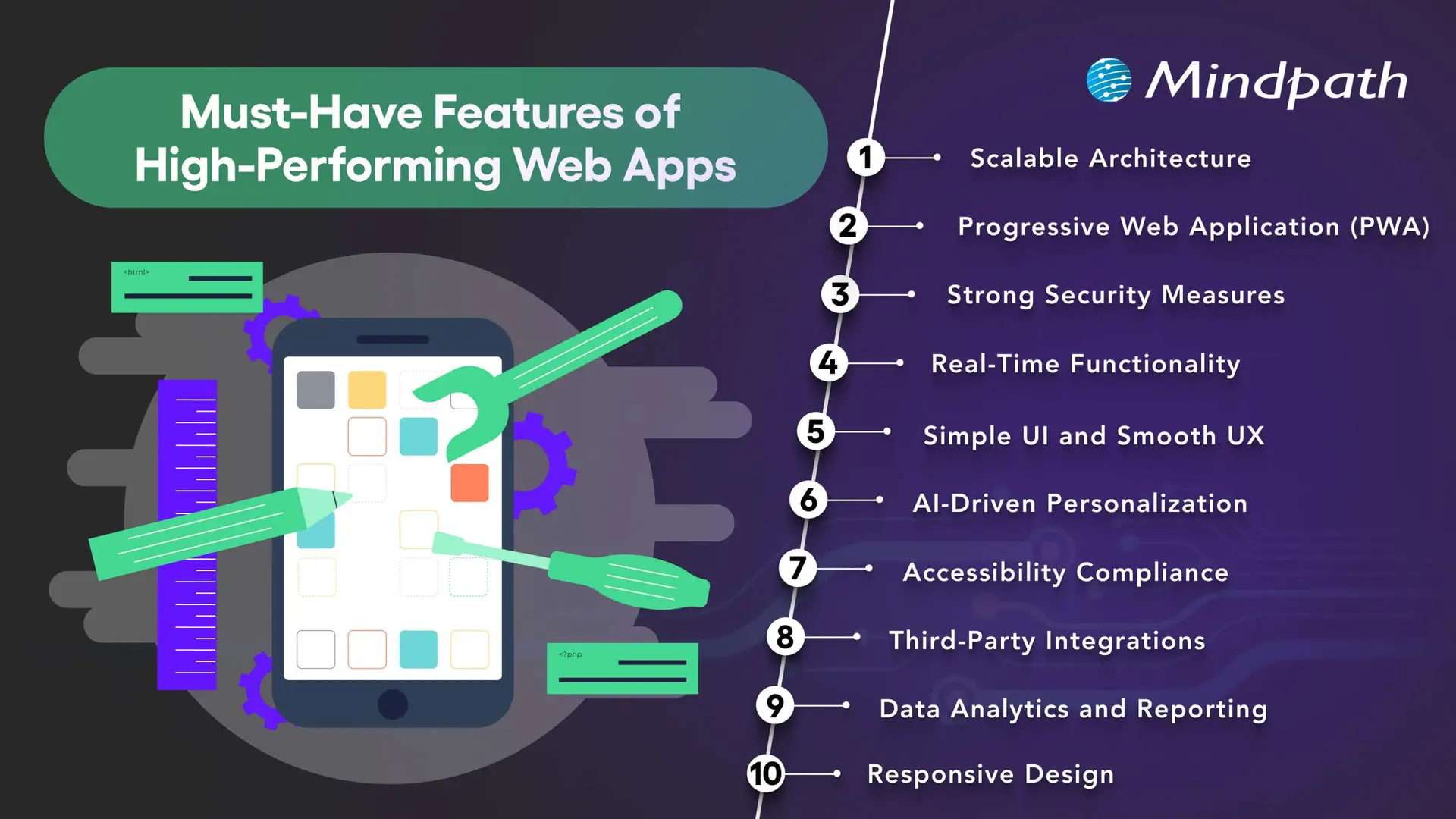
10 essential features of high-performing web applications

1. Scalable Architecture

A scalable architecture allows a web application to accommodate changing demand, new features, and increasing data volumes without requiring a complete redesign every time the business grows.

Depending on the application’s needs, scalability may involve cloud infrastructure, caching, database optimization, load balancing, and modular services. Microservices can be useful for systems with independently deployable components, but they also introduce additional operational complexity. A well-structured monolithic application may be more appropriate for a smaller product.

Businesses should plan for realistic usage patterns, monitor performance, and test how the application behaves under expected and peak workloads. The goal is to choose an architecture that supports growth without introducing unnecessary cost or complexity.

2. Progressive Web App Capabilities

Progressive web apps (PWAs) use web technologies to provide app-like experiences through supported browsers. Depending on the platform, they can offer installation, offline access to selected content, caching, and push notifications.

These capabilities can be useful when businesses want users to access services conveniently across devices without maintaining separate native applications for every platform. Service workers can support offline behavior, while responsive layouts help the interface adapt to different screen sizes.

PWA capabilities vary across browsers and operating systems. Before adopting this approach, businesses should confirm which features their target users’ devices support and test the experience under different connectivity conditions.

Related reading: Progressive web apps.

3. Strong Security Measures

Security is essential for applications that process personal information, business records, payments, or confidential data. Security controls should be built into the architecture and development process rather than added only after the application is complete.

Depending on the use case, important measures include HTTPS, secure authentication, multi-factor authentication where appropriate, role-based access controls, input validation, encryption, and protected API endpoints. Developers should also review third-party dependencies and conduct security testing before and after launch.

Applications that handle sensitive data may require additional privacy controls, retention policies, audit logs, and compliance reviews. No single security feature guarantees protection, so businesses need an ongoing process for identifying and addressing vulnerabilities.

Related reading: Web application security.

4. Real-Time Functionality

Real-time functionality allows an application to deliver updates with minimal delay when the use case requires it. Examples include collaborative editing, live dashboards, messaging, order status updates, and notifications about important events.

Technologies such as WebSockets, server-sent events, and event-driven systems support different types of real-time communication. The appropriate choice depends on whether the application needs two-way communication, server-to-client updates, or occasional notifications.

Not every application needs real-time processing. Businesses should consider the value of immediate updates alongside infrastructure costs, connection management, reliability, and the consequences of delayed information.

5. Simple UI and Smooth UX

A clear user interface and intuitive user experience help people understand an application and complete tasks with less friction. Consistent navigation, readable content, predictable layouts, helpful feedback, and clear error messages make it easier for users to interact with the product.

Businesses should design interfaces around real user journeys rather than simply displaying every available feature. Usability testing can reveal confusing steps, unnecessary fields, and navigation problems before they affect a larger audience.

Useful UX measures include task completion rates, form abandonment, user feedback, and the time required to complete key activities. These indicators help teams identify where improvements are needed.

Want to improve the usability of your application? Read about UI/UX design trends for ideas on designing more effective digital experiences.

6. AI-Driven Personalization

AI-driven personalization can help web applications adapt content, recommendations, search results, or assistance to users’ needs. For example, an e-commerce platform may recommend relevant products, while a business application may help users locate information in a large document collection.

The value of personalization depends on the quality of the data, the relevance of the recommendations, and how transparently information is used. Businesses should provide appropriate privacy controls, avoid unnecessary data collection, and evaluate whether personalization improves the intended user outcome.

AI features should also be tested for accuracy and reliability. Where a generated response or recommendation could affect an important decision, suitable verification and human oversight may be necessary.

Related reading: AI in web development.

7. Accessibility and Inclusive Design

Accessible web applications help people with different abilities use digital services. Accessibility considerations include keyboard navigation, visible focus indicators, sufficient color contrast, descriptive labels, meaningful headings, captions where needed, and compatibility with assistive technologies.

Developers should use semantic HTML and test important user journeys with keyboards, screen readers, and accessibility evaluation tools. Automated checks can identify some issues, but they do not replace manual testing or feedback from people with disabilities.

Businesses should assess applicable accessibility requirements and use the Web Content Accessibility Guidelines (WCAG) as a reference when planning and evaluating their applications.

Related reading: Web accessibility guidelines and improvements.

8. Third-Party Integrations

Integrations allow a web application to exchange information with other software and services. Depending on the business requirements, an application may connect to payment gateways, customer relationship management platforms, analytics tools, inventory systems, identity providers, or communication services.

Well-planned integrations can reduce duplicate data entry and connect workflows across business systems. APIs commonly support these connections, but their reliability depends on authentication, permissions, error handling, rate limits, and the availability of the external service.

Businesses should document integration dependencies, protect credentials, validate incoming data, and plan for service interruptions. Each integration should have a clear purpose and contribute to the application’s intended functionality.

9. Data Analytics and Reporting

Analytics and reporting help businesses understand how users interact with an application and whether key workflows are performing as expected. Depending on the product, useful measures may include feature adoption, completed transactions, search activity, error rates, task completion, and support requests.

Dashboards and reports can turn these measurements into information that teams use to prioritize improvements. Event tracking should be designed around specific questions, and the collected data should be accurate, relevant, and handled according to applicable privacy requirements.

Analytics alone does not explain why a behavior occurs. Teams should combine quantitative measurements with user feedback, usability testing, and operational context before deciding which changes to make.

10. Responsive Design

Responsive design allows a web application to adapt its layout and interactions to different screen sizes and input methods. Users should be able to complete essential tasks on smartphones, tablets, laptops, and desktop computers without unnecessary scrolling or broken layouts.

Responsive implementation typically uses flexible layouts, suitable breakpoints, scalable media, and touch-friendly controls. Developers should also test forms, navigation menus, tables, dialogs, and other interactive elements on smaller screens.

Responsive design supports usability across devices, but it should be combined with good content structure, accessibility, and performance optimization. Businesses should test the application using representative devices and realistic network conditions.

Security should remain a priority throughout development. Review application security best practices for additional guidance on protecting web and mobile applications.

Web App Features: Priority Comparison

Not every application needs all 10 features at the same level. Use the following table as a starting point when prioritizing development work according to the product’s purpose.

Feature Primary business value Priority guidance
Scalable architecture Supports growth and changing workloads. Plan early according to expected demand and complexity.
PWA capabilities Can improve access and support selected offline experiences. Prioritize when installation or offline access benefits users.
Security measures Protects data, accounts, and application functionality. Essential for every application, with controls based on risk.
Real-time functionality Provides timely updates and supports collaboration. Prioritize for workflows where delays affect the user experience.
Simple UI and UX Helps users complete tasks efficiently. Essential for every application.
AI personalization Can improve recommendations and information discovery. Add when there is a clear use case and suitable data.
Accessibility Supports inclusive use across abilities and assistive technologies. Include from the design and development stages.
Third-party integrations Connects application workflows and existing systems. Prioritize integrations required for core user tasks.
Analytics and reporting Helps teams measure performance and identify improvements. Define metrics around the application’s goals.
Responsive design Supports usability across screen sizes and devices. Essential for applications serving users across devices.

How to Develop a High-Performing Web Application

Successful web application development requires a structured process that connects business objectives, user needs, technical decisions, and ongoing improvement.
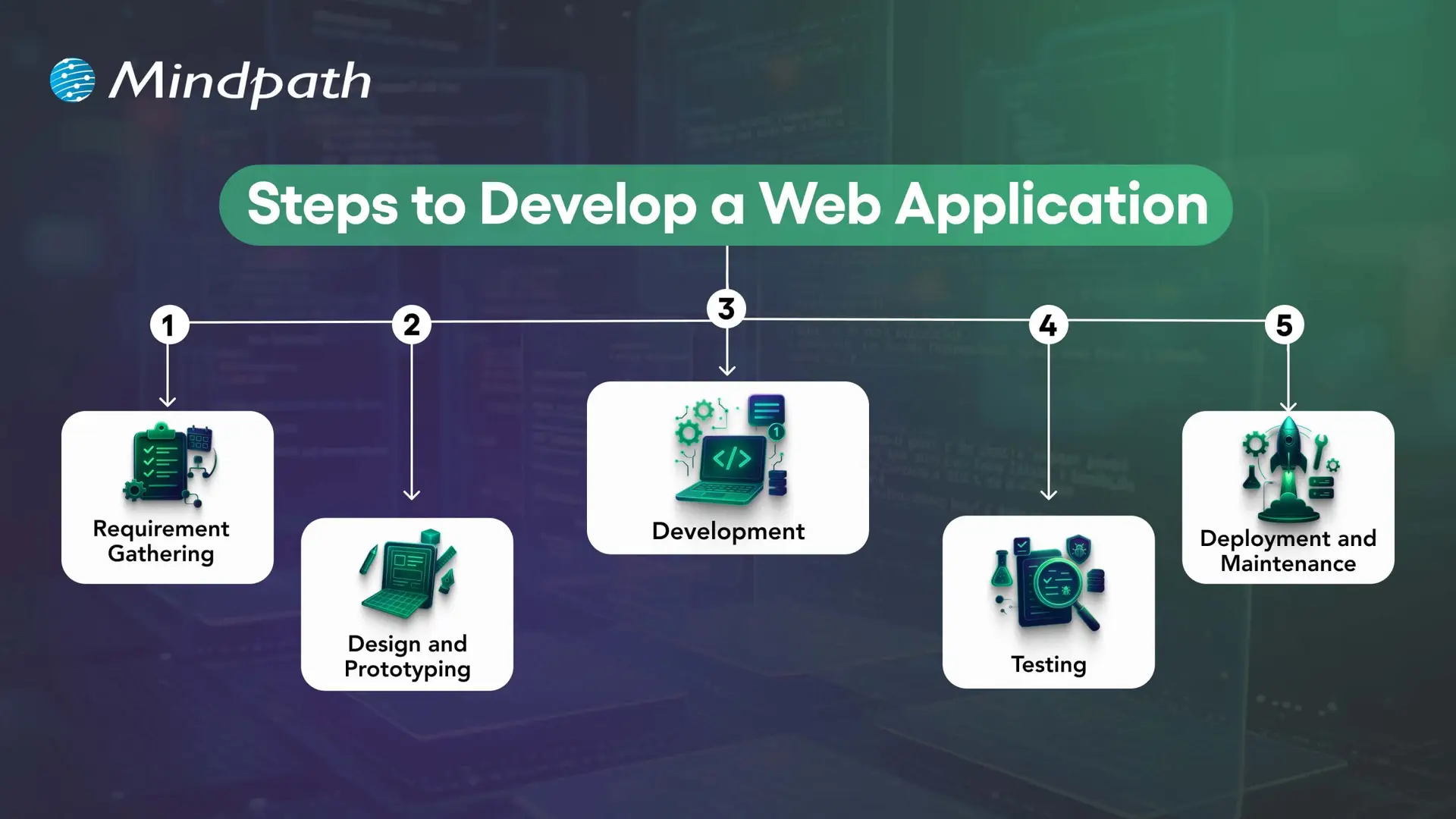
Key stages in web application development

1. Define Requirements and Plan the Application

Identify the problem the application will solve, its target users, essential workflows, and business objectives. Document functional requirements, security needs, integrations, expected traffic, and success measures before finalizing the scope.

2. Design the User Experience and Architecture

Create wireframes and prototypes to validate navigation, layouts, and key user journeys. At the same time, plan the application architecture, data model, integrations, and hosting approach. Early validation helps teams identify usability and technical issues before full development.

3. Develop the Front End and Back End

Front-end development implements the interface and user interactions, while back-end development handles business logic, data access, authentication, and APIs. The technology stack should match the application’s requirements and the team’s ability to maintain it.

4. Test Functionality, Performance, and Security

Unit tests check individual components, integration tests verify interactions between systems, and end-to-end tests validate important user journeys. Accessibility, security, performance, and user acceptance testing should also be included according to the project’s risks and requirements.

5. Deploy, Monitor, and Maintain

Deploy the application using a controlled release process and monitor errors, performance, availability, and user feedback. Ongoing maintenance includes fixing defects, updating dependencies, reviewing security, and improving features as business requirements evolve.

Need functionality tailored to your business? Read about custom web application development and how a purpose-built solution can address specific workflows.

How to Measure Web Application Performance?

Businesses should define measurable outcomes before launching a web application. The most useful metrics depend on the product, but the following indicators can help teams evaluate performance and identify areas for improvement.

Measurement area Example metrics What to assess
Loading performance Largest Contentful Paint (LCP), page load behavior How quickly important content becomes visible.
Interactivity Interaction to Next Paint (INP), task response times How quickly the interface responds to user interactions.
Visual stability Cumulative Layout Shift (CLS) Whether page elements move unexpectedly during loading.
Reliability Error rates, crash reports, service availability Whether users can complete tasks consistently.
User engagement Feature adoption, task completion, repeat usage Whether the application meets users’ needs.
Business outcomes Conversion rate, completed transactions, support volume Whether the application contributes to its intended business goals.

For web performance, Google’s Core Web Vitals provide useful reference thresholds: LCP of 2.5 seconds or less, INP of 200 milliseconds or less, and CLS of 0.1 or less. These are recommended targets, not guarantees of high rankings or business results. Evaluate performance using real-user data where available and test the pages and workflows that matter most.

Build a Future-Ready Web Application With Mindpath

High-performing web applications combine usability, responsive design, security, suitable architecture, and reliable functionality. Additional capabilities such as AI personalization, real-time updates, analytics, and third-party integrations can improve the experience when they address clear user and business needs.

The right development approach starts with well-defined requirements and continues through testing, deployment, performance monitoring, and maintenance. Businesses should prioritize features according to their users’ needs, technical constraints, and measurable objectives.

Mindpath provides web application development services tailored to business requirements. Our approach focuses on building secure, scalable, and maintainable solutions that support effective digital experiences and evolving operational needs.
Software development trends

Software development trends are changing businesses and their innovation and competitiveness. The rapid changes in technology present businesses with risks and opportunities where using the correct tools and methodologies can be the difference between success and failure. New frameworks, better automation, and cloud-based solutions are driving change to every aspect of software development and creation. Teams are adjusting strategies rapidly, exploring AI-driven development, and integrating collaborative platforms.

As new trends continue to gather momentum, leaders must start considering how current processes might be adjusted to create opportunities today. Agile practices, low-code platforms, and modern cybersecurity are rapidly reaching a baseline requirement for organizations. Knowing these trends and making the necessary adjustments allows businesses to work smarter, drive out cost, and improve user experience moving forward into 2026. So, keep reading to know more about the trends in software development in this blog.

Ready to achieve your unique business goals with custom software solutions? Mindpath offers custom software development services, which will provide you with more knowledge on how we turn your ideas into real-world solutions.

A Quick Dive into the Software Development

Software development is the systematic process of designing, coding, testing, and maintaining applications to solve problems or meet business goals, spanning everything from initial requirements gathering to final deployment and ongoing support. It can deliver service improvements, increased efficiency and scalability, and a better user experience. Companies utilize software development to automate, optimize, and support business goals. The four main types of software development are web development, mobile development, enterprise solutions, and application software. Each of these helps companies achieve their business goals.

Grand View Research reported that the global software market stood at USD 730.70 billion in 2024 and will likely reach USD 1,397.31 billion by 2030, growing with a CAGR of 11.3% in the forecast period of 2026 – 2030. The emergence of ongoing research, new technologies, and government initiatives that promote software is helping drive this growth, further fueling software development trends across industries.

Software Development Trends 2026

New trends in software development are changing the way businesses are building smarter, faster, and more secure solutions. When companies understand these advances, they can effectively prepare for the future of software development to keep ahead of the competition.
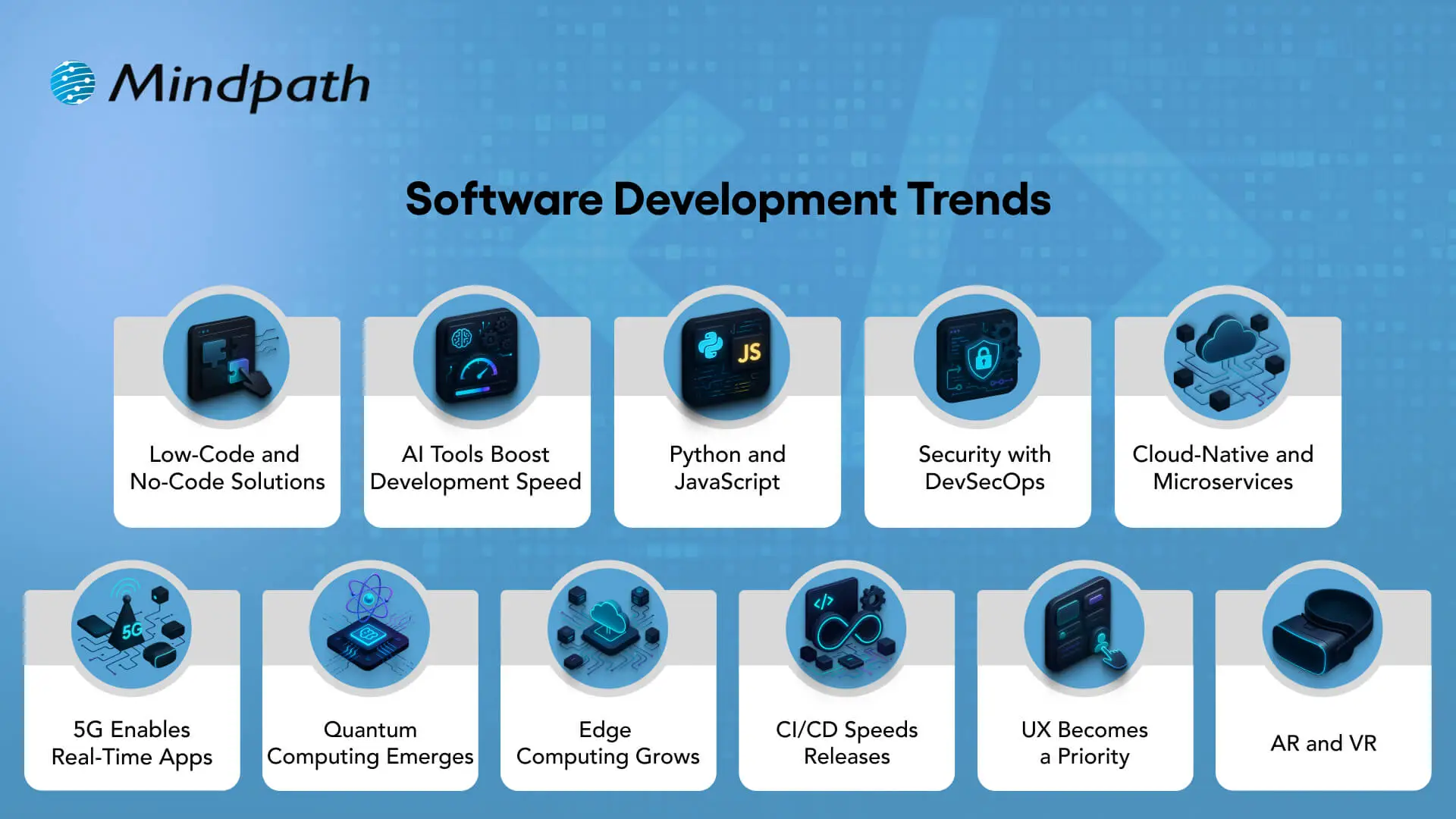
Software Development Trends


1. Low-Code and No-Code Solutions

Low-code/no-code tools enable a business to build apps with simple visual designs. The low-code and no-code platforms change the scope of full-code requirements and benefit non-developers with workarounds to build their own solutions.

This distance from the original requirement allows for enterprises and startups to accelerate their launch products. This balance between the two reflects a software development trend that benefits everyone, especially startup and enterprise applications.

2. AI Tools Boost Development Speed

AI-enabled tools are reshaping software writing and release processes for developers. GitHub Copilot instantly suggests code and removes repetitive tasks. Testing tools such as Test.ai extrapolate early bugs and generate stable releases.

This software development trend demonstrates how AI makes the overall software writing process more accurate, more rapid, and prepared for the future with cloud, along with more automation.

3. Python and JavaScript

Python and JavaScript remain at the forefront of software industry trends because of their extensive usage and flexibility. It drives AI, automation, and heavy data tasks, while JavaScript powers responsive web apps and cloud apps.

They both facilitate development cycles that enable more rapid innovation. These languages show how software development trends connect directly to real-world needs and digital transformation.

4. Security with DevSecOps

DevSecOps incorporates security into every process of the software development lifecycle. Automated scans, code checks, and in-flight monitoring can identify risks before they become threats. These tools allow teams to ensure software safety with tools like SonarQube and Checkmarx, without slowing down releases. In addition to the multitude of software engineering trends, DevSecOps is a notable software development trend that enables speed without sacrificing safety.

5. Cloud-Native and Microservices

Microservices are foundational for cloud-native development. With microservices-based applications, teams can deploy and update smaller components of an application without impacting the entire application. Docker and Kubernetes enable microservices-based development for organizations of every size. Cloud-native development is one of the many trends taking root in software development, allowing freedom of flexibility while supporting speed to growth.

Curious how cloud-native approaches boost software development agility? Discover the latest cloud computing trends that are driving innovation and growth in the industry.

6. 5G Enables Real-Time Apps

5G networks provide improved connectivity with almost no latency. This enables acceleration of applications that support smart cities, healthcare, and autonomous vehicles. For consumers, 5G improves mobile applications through richer and more interactive experiences. This advance is correlated with trending technologies in the software industry and also advances a software development trend focused on instant, connected solutions.

7. Quantum Computing Emerges

Quantum computing helps solve problems that classical systems simply cannot solve. Industries expect quantum computing to revolutionize processes like financial modeling, supply chains, and drug discovery. Quantum encryption will help keep sensitive data safe in the future.

Experts already list it as a technology trend in the Gartner Technology Trends 2026 report. This means it is a dominant trend in software development and will have a long-term impact.

8. Edge Computing Grows

Edge computing processes data close to where it is collected for faster results. This is helpful for smart factories, vehicles, and IoT devices. It allows organizations to use predictive maintenance and monitor in real time. Edge computing, as the newest form of software development technologies, allows further performance advantages and reduces the dependence on cloud computing.

9. CI/CD Speeds Releases

CI/CD pipelines enable teams to deploy faster while having fewer bugs. Developers integrate code multiple times a day, and automated deployments uphold stability and quality. This supports agility and reduces downtime. It highlights software industry trends where automation drives faster product improvement.

10. UX Becomes a Priority

User experience determines the success of modern software. Companies design apps to be intuitive, analyze behaviors, and test interface engagement. Both AR and VR make experiences immersive and interactive. One of the new technologies for software development is UX innovation, a software development trend that creates customer trust and loyalty.

11. AR and VR

Augmented reality and virtual reality are providing opportunities beyond entertainment in sectors like healthcare, training, and retail. Medicine professionals use VR to more accurately and affordably simulate surgeries; retailers use AR to display previews of products.

Both technologies provide value in learning and interaction and help to improve the customer experience. These represent the latest software development technologies to redefine industries through immersive digital experiences.

Want to know how much building software really costs? Check out our blog on software development cost to plan efficiently and maximize value.

Want to Stay Ahead with the Current Trends in Software Development?

Software development trends are reshaping the way businesses build, innovate, and compete. By adopting new technologies such as AI, DevSecOps, edge computing, and low-code solutions, companies can transform challenges into opportunities. Staying agile and forward-focused allows leaders to unlock growth, deliver better user experiences, and position themselves for success in 2026 and beyond.

At Mindpath, we align our software development services with the latest software development trends to help businesses stay competitive. Our team delivers solutions built on innovation, scalability, and security. By combining deep expertise with modern practices, we create applications that support growth and efficiency. Partnering with us helps your business achieve its digital transformation goals.

Cloud security risks

Cloud Computing has certainly emerged as a breath of fresh air for modern organizations. The novel technology has empowered businesses to carry out their operations in a flexible and scalable manner. However, you need to bear in mind that the adoption of cloud also gives rise to a number of risks and threats for businesses. 

Businesses need to broaden their insight into Cloud security risks. The knowledge can help them prepare themselves to strategically tackle the risks of cloud computing. It is time to dive into the realm of cloud computing and learn about the main risks that threaten businesses.

Looking for a reliable way to manage cloud security risks without putting your business data and operations in danger? Mindpath offers Cloud Infrastructure Services that help in mitigating risks by providing proactive monitoring.

Insight into Cloud Computing

Before looking at the top Cloud security risks, you need to have a clear insight into cloud computing technology. Cloud computing is the on-demand delivery of computing services—including servers, storage, databases, networking, and software over the internet. These services are available over the internet to the users, thereby allowing them to access the necessary services and make payment for only what they use. These capabilities have contributed to some of the most important cloud computing trends in recent years. 

Due to cloud computing, individuals and businesses do not need to purchase and maintain any physical hardware. They have the option to simply leverage the remote data centers of cloud providers. By doing so, they can access computing power as well as data in an efficient manner. 

Want to protect your cloud workloads from emerging threats? Learn about cloud security tools that help prevent and manage security risks effectively.

Top Cloud Security Risks

Poor cloud security practices have the potential to give rise to a broad range of security risks and threats. Both individuals and businesses need to be aware of such Cloud security challenges and risks. Some of the top risks include:

1. Data Breaches

Such types of risks arise when unauthorized actors gain access to sensitive data or information that is stored on the cloud. Such types of risks can give rise to grave consequences, such as financial damage and losses. Legal consequences may also arise for businesses because of data breach incidents. Some of the common causes of data breaches on the cloud include compromise of credentials, existence of vulnerable applications, and many more.

2. Poorly Configured Cloud Settings

Cloud security misconfiguration is a serious risk that may compromise the quality of security. These security challenges in cloud computing may arise because of open storage buckets, highly permissive IAM policies, and poor configuration settings. Organizations need to be extremely careful about the cloud settings that are in place so that such a risk can be tackled effectively. 

3. Insecure APIs 

The role of APIs is critical for the functionality of the cloud. In such a case, an insecure API may be a reason for cloud security issues and vulnerabilities. Typically, insecure APIs have weak encryption or authentication, which may be exploited by hackers. As a result, they may be able to gain access to valuable resources on the cloud. Since API vulnerabilities may go under the radar at times, they can be the favorite target for malicious actors. 

4. Account Hijacking

Account hijacking refers to the security risks of cloud computing, which occurs when an attacker makes use of stolen credentials to gain access to a cloud account. An attacker can carry out diverse manipulations with the data after they have taken over the account. For instance, they may steal the information, which may lead to the disruption of service. 

5. Insider Threats

These cloud security issues arise because of internal stakeholders. They could be employees, partners, or contractors who have access to the cloud resources of a business. They may either intentionally or unintentionally misuse the access that they have. You need to keep in mind that insider threats are extremely dangerous as they are carried out by people who are trusted. Such cloud security threats can easily bypass conventional security measures and thus may be hard to discover as well as mitigate. 

Want to understand what puts your cloud systems at risk? Discover cloud computing attacks and see how organizations mitigate modern threats effectively.

6. Data Loss

The data that is saved on the cloud may be lost because of diverse reasons. It may be lost due to accidental deletion, hardware failure, or the actions of malicious actors. In case organizations do not maintain regular backup, they face the risk of losing their valuable data on a permanent basis. Businesses need to be extremely cautious while handling their data on the cloud in order to prevent data loss of any kind.

7. Lack of Proper Visibility

When business entities grow, it may get difficult to maintain holistic visibility into the cloud environment. The lack of cloud visibility is one of the major security issues with cloud computing. This is because it can act as a barrier to threat detection as well as response. Malicious actors such as cybercriminals and hackers may get the opportunity to gain unauthorized access and compromise the security. It can heighten the risk relating to undetected breaches.  

8. Absence of Encryption Practice

Encryption is an integral part of safeguarding sensitive data that is stored or in transit in cloud environments. The data or information that is not properly encrypted is likely to become easy prey for access or interception by unauthorized users. The business entities that are unable to encrypt their sensitive data are exposed to the dangers of cloud computing.

9. Ineffective Identity and Access Management (IAM)

Poor practices relating to Identity and Access Management are considered to be serious cloud computing security problems. Poor practices may include weak password policies or giving undue permission to employees within the organization. Such poor practices can give rise to opportunities for cybercriminals to compromise cloud security.

10. Third-Party Risks

Third-party risks arise because of vendors or partners that deal in the cloud environment. Due to their poor security practices, security concerns may arise for businesses. There is a possibility that attackers may target a third-party vendor in order to gain access to the broader cloud ecosystem. In order to reduce this risk, it is essential for businesses to prioritize vendor risk management.

Looking for insights on cloud security risks? Check out cloud computing vulnerabilities to see how weaknesses are exploited and how to mitigate them.

Best Practices for Cloud Security

As security risks in the cloud setting are growing like never before, organizations need to adopt best practices to deal with such concerns. These practices can act as the ultimate cloud security solutions that can help you strengthen your security posture. Some of the best practices include:

1. Maintaining Solid Access Controls

Businesses should make sure that they have strong access controls in place. Some of the controls that you can introduce include multi-factor authentication along with strong password policies. They are believed to be good measures for securing access to cloud accounts. 

2. Encryption Practices 

Business entities need to place high emphasis on both data at rest and data in transit encryption. It is vital to encrypt sensitive data at all times by following strict encryption protocols.  Moreover, the implementation of encryption key management policies is also crucial to protect data in the best way possible. 

3. Monitoring and Auditing of Cloud Activities 

Businesses need to use advanced monitoring tools for the purpose of keeping a tab on the activities that take place on the cloud. You need to perform the audit of logs on a continuous basis so that you will be able to locate suspicious activities such as unauthorized access.

4. Safe APIs

You need to know that APIs serve as common entry points for cybercriminals as well as attackers.  In order to tackle the security risks of cloud computing relating to insecure APIs, you need to use safe APIs. You must ensure that there exists strong authentication as well as encryption for all types of API communications. 

5. Principle of Least Privilege

Businesses need to adopt the principle of least privilege. It will help you limit the access rights relating to users. Moreover, it is essential to monitor, review, and update controls on a frequent basis. This will help you identify if users get extra access in the cloud environment. 

Struggling to manage security risks in cloud applications? Learn about cloud-native development and discover how secure development practices protect your environment.

Final Words

There exists a diverse range of risks in the cloud environment that business entities need to be aware of in the current times. Some of the main risks include Data Breaches, poorly configured cloud settings, and many more. In addition to gaining knowledge about such risks, it is essential to familiarize yourself with the best practices relating to cloud security. Some of the best practices include maintaining solid access controls, encryption, and many more. 

You need to leverage Mindpath’s top-quality cloud solutions. The cloud managed services are perfect as they can help your business to flexibly leverage the resources. Moreover, the experts will ensure that you are safe from cloud security risks that exist in the current business world. 

Cloud computing vulnerabilities

In the contemporary business setting, more business entities are making use of cloud services like never before. The rising popularity of cloud computing technology can be attributed to diverse factors such as high cost-effectiveness and flexibility. These cloud computing trends have contributed to the rapid adoption of cloud services. However, the increasing reliance on the cloud has escalated the risks relating to cloud computing vulnerabilities.

Businesses that plan to move to the cloud or that have already moved to the cloud need to be aware of cloud computing vulnerabilities. In addition to this knowledge, they need to be aware of ways of fixing such vulnerabilities. Such holistic knowledge can truly empower modern businesses to leverage cloud services in an optimal manner. 

Looking for a proven way to fix cloud vulnerabilities and strengthen security? Mindpath’s managed cloud services deliver expert support and 24/7 protection so you can focus on scaling.

What are Cloud Computing Vulnerabilities?

Cloud computing vulnerabilities are security weaknesses, flaws, or gaps in a cloud computing environment, including infrastructure provided by platforms like Amazon Web Services (AWS), Microsoft Azure, or Google Cloud. Hackers and cybercriminals can exploit these gaps to gain unauthorized access, steal confidential business data, hijack user accounts, or disrupt normal business operations.

Businesses need to bear in mind that such vulnerabilities may exist anywhere in the cloud environment, in the infrastructure, communication pathways, or data storage. Because cloud systems are highly distributed and rely on shared infrastructure across multiple users, a single weak point can affect several organizations at once. These vulnerabilities are often caused by software bugs or the absence of proper encryption, which is why it’s critical for businesses to identify the root cause and address it promptly.

Planning to secure your cloud systems against potential weaknesses? Check out cloud security tools to learn how to detect and fix vulnerabilities before they’re exploited.

Types of Cloud Computing Vulnerabilities

In the year 2026, there are a number of common cloud vulnerabilities that businesses need to be familiar with. The insight is crucial so that they can understand the serious cloud computing threats that they face in the cloud setting. Moreover, the knowledge in these areas can help them to find the right solutions to these problems. Some of the top cloud security vulnerabilities that impact businesses today include:

1. Cloud Security Misconfigurations

Cloud security misconfigurations can be defined as mistakes or errors in the setup relating to cloud systems. Such errors may give rise to vulnerabilities. Some of the common errors that may lead to vulnerabilities include the use of insecure default settings and leaving the storage accessible to the public. It is key to bear in mind that such mistakes may lead to serious security incidents for organizations.  Some of the common consequences include unauthorized access, data breach incidents, and many other incidents. 

2. Insecure API

In cloud computing, insecure APIs can be defined as flaws or weaknesses in the application. These types of cloud security vulnerabilities may be because of the adoption of poor coding practices or the absence of proper API authentication protocols. Some of the common kinds of API vulnerabilities include injection flaws, high data exposure, and broken authentication. The insecure nature of APIs makes them vulnerable to different types of cyberattacks, such as injection attacks, as well as denial-of-service attacks. 

3. Absence of Visibility

In the cloud computing context, the issue relating to the absence of visibility arises when organizations struggle to monitor as well as track activities within their cloud environment. Due to this issue, they may not be aware of which users are accessing data or which particular data is being accessed in the cloud environment. In the absence of proper visibility, organizations are likely to face difficulty in effectively detecting cloud computing security threats. It is a serious vulnerability that business entities cannot ignore since it can increase the possibility of attacks on the cloud.

4. Poor Authentication and Authorization Protocols

In case cloud systems fail to effectively verify the identity of users and manage their access controls, it may lead to unauthorized users gaining access to the environment. It may compromise the quality of sensitive data. Some of the common authentication vulnerabilities include the use of weak passwords and the absence of multi-factor authentication. Furthermore, in case users are granted more access than necessary, it may lead to data leaks or abuse of power. It is key for organizations to make sure that only authorized users are able to access specific resources and data. 

5. Insider Threats

Insider threats refer to the cloud computing attacks that arise from individuals who exist within the organization. They could be employees, business partners, or even former employees. Insider threats basically have legitimate access to the cloud environment, and they take advantage of this power and are responsible for attacks on the cloud. They may misuse their power to steal confidential information or leak sensitive data to outsiders.

A broad range of vulnerabilities may exist in the cloud setting. Organizations need to adopt a proactive approach to tackle such issues in a prompt and proactive manner. It is essential to fix the vulnerabilities as soon as they are found, and also to promote cybersecurity resilience within the organization.  

Planning to simplify application deployment in the cloud? Explore serverless architecture in cloud computing to learn how you can build apps without managing servers.

Best Practices to Fix Cloud Computing Vulnerabilities

Now that you are aware of some of the most common cloud computing threats, you need to expand your insight into how to manage such vulnerabilities. Business entities need to adopt best practices and deploy proper measures in place so that they can capitalize on the cloud computing technology in an optimal manner. Some of the best practices that can help fix cloud computing vulnerabilities include:

1. Keeping Up with Patch Management

Business entities that use cloud services need to keep up with patch management. It is crucial for businesses to methodically identify, test, and deploy the necessary software updates. Moreover, they need to prioritize proper security configuration so that gaps can be eliminated that may be exploited by cybercriminals and other malicious actors. 

2. Using Identity and Access Management Solutions

It is a must for modern businesses to use Identity and Access Management (IAM) solutions. It can help restrict unauthorized access to the cloud resources and infrastructure of the business. You need to make sure that appropriate policies, practices, and protocols are in place that make sure that the right individuals can have the right access to the right kind of resources. 

3. Regular Back-Up of Data

Businesses face a high level of uncertainty in the prevailing business landscape. In such times, it is essential to maintain frequent back-ups of data. Additionally, the principle relating to least privilege access must be followed at all times. It is key to establish a zero-trust cloud security architecture while hardening the network security.  These cloud security solutions are a must to tackle the vulnerabilities that arise in the cloud environment. 

4. Strengthening Of Data Governance Policies

Business entities that intend to strengthen their cloud vulnerability management must make sure that robust data governance policies and standards are in place. It is equally important to consolidate cloud security solutions so that the issue relating to silos can be eliminated. Business owners need to prioritize an incident response plan as well. It can guide the authorized personnel to adopt appropriate measures while handling a challenging situation.

5. Enabling Multi-Factor Authentication

Multi-factor authentication is the security process that requires two or more verification methods for the purpose of logging in. It makes it harder for unauthorized users to gain access to an account. In order to minimize cloud vulnerabilities and mitigate cloud security risks, organizations need to adopt the practice of multi-factor authentication. It can minimize the risk of unauthorized parties gaining access to your cloud infrastructure. Multi-factor authentication is equally important to check API configurations as well as address any security misconfiguration issues that may exist. 

It is crucial for businesses to bear in mind that cloud vulnerability management is an ongoing process. Business entities need to be alert and vigilant at all times so that they can locate any kind of security weaknesses or gaps that may exist in the environment. Businesses must also train their staff so that they can identify gaps in the security posture and inform the appropriate personnel immediately. 

Ready to modernize your cloud infrastructure? Explore multi-cloud vs. hybrid cloud to see which strategy aligns with your goals.

Final Words

Organizations may not be able to predict cloud computing vulnerabilities as they are diverse in nature. However, malicious actors may exploit them and cause serious damage to the organizations that operate today. It is essential for business entities to be aware of the major cloud vulnerabilities. In order to maintain a secure posture, it is important to adopt best practices relating to cloud vulnerability management. 

Mindpath’s top-quality cloud-managed services can certainly ensure that no vulnerabilities arise in your path while leveraging our cloud services. Our experts will ensure that you can get professional help to effectively overcome possible complexities and challenges in your journey. 

Web development tools

In this competitive and evolving digital landscape of 2026, it has become crucial for businesses to stay ahead of the curve to make themselves competitive. Whether you are an established business that wants to scale operations or a startup launching new products, selecting the right web development tools can make or break your digital success.

Modern web app development tools are designed to enhance user experience, streamline workflows, and allow developers to create a perfect website as well as an application. In this blog, you will explore the best web dev tools that can significantly shape your business success in 2026. We will cover everything from front-end frameworks to AI-powered Web development tools and understand their importance in web development.

Looking to implement the latest web development tools to enhance your digital presence? Mindpath’s web development services can help you with professional support and customized solutions.

Importance of Modern Web Development Tools

We all know that the digital experience has become a primary touchpoint between customers and businesses. In 2026, users expect an intuitive interface, lightning-fast performance, and effortless integration. And all these things can be achieved by using the right web development tools. Here are the major benefits of using these tools:

1. Increased Productivity

By efficiently automating multiple repetitive tasks and providing users with features such as code generation, these tools can reduce development time. As a result, developers can focus on problem-solving and innovation.

2. Better Collaboration

Web development tools are designed to facilitate seamless teamwork among designers, developers, clients, and other stakeholders. This helps ensure a coordinated and cohesive web development approach.

3. Enable Scalability

Most web dev tools are designed for cloud integration and modular development. They help businesses to scale their website and apps easily based on growing demands while ensuring a consistent user experience and performance.

4. Quality and Reliability

These tools come equipped with integrated testing and debugging tools. As a result, developers can easily detect and fix errors early, leading to more reliable and stable web applications.

5. Enhanced Security

Tools like frameworks provide businesses with built-in security measures to protect web applications against threats like CSRF, XSS, and SQL injection. For example, the user authentication system of Django and the CSRF token protection feature of Laravel.

6. Cross-Platform and Cross-Browser Compatibility

Modern tools support cross-platform and responsive design features out of the box. This helps ensure a smooth user experience across multiple devices and browsers.

It can be said that web development tools are not just facilitators of design and coding. In fact, these are strategic assets that have the ability to transform how businesses approach web app development.

Now that you understand the benefits, let’s talk about the web app development tools that are the source behind these benefits and are reshaping the development process.

Wondering how to plan your web development process step by step for maximum impact? Check out the web app development roadmap for 2026 to learn how each phase fits into building a successful web application.

Top Web Development Tools to Consider in 2026

Below is the list of top tools for web development in 2026. All the tools are divided into different categories, spanning IDE, front-end, back-end, and more for an easy understanding. Have a look.

Best Front-End Tools for Web Development

Let’s begin the list with web application development tools that play an important role as they shape what customers see on a website. These tools help furnish and decorate your website with the right elements.

1. React

A product from Facebook, React is an ideal choice among developers to create complex and large-scale applications. It is based on a component-based architecture and facilitates code reusability, which is vital for long-term projects and large teams. React can handle various critical tasks such as static site generation, server-side rendering, APU routes, and more, leading to better SEO and amazing performance.

2. Vue.js

It is one of the best tools for website development and is well-known for its gentle learning curve and progressive adoption. Vue is an ideal option for businesses looking for a smooth integration of a front-end framework into their existing projects. The tool can adapt to your unique project requirements. The speed of Vue.js helps create a smooth user experience during web browsing.

3. AngularJS

Developed by Google, it offers a perfect solution for web development as well as testing. Some attractive features of AngularJS are its support for client-side Model-View-ViewModel and Model-View-Controller architectures. Besides, it also offers two-way data binding, UI with HTML, and more.

4. Svelte

If performance is your priority, then Svelte can be a game-changer for your project. It is an efficient compiler that converts code into efficient and small JavaScript bundles. That means the browser’s workload will be low, resulting in faster load times and a seamless user experience.

5. Tailwind CSS

It helps developers to create custom UI elements without spending time on writing multiple CSS codes. This eliminates issues like breakages caused by CSS code changes. Its classes are optimized for responsiveness, making it easier to develop mobile-friendly layouts.

Thinking about which frameworks or expertise your project really needs? Check out the top reasons to hire ReactJS developers for your next web project to understand why React remains a powerful choice for building responsive web apps.

Best Back-End Tools for Web Development

The back end is like the engine of your website or web apps, managing server logic, user authentication, and data. With the right back-end web development tools and technologies, you can ensure the scalability of your product.

1. Python

It is one of the easiest back-end programming languages to use, offering simple syntax and support for multiple major languages such as Java, C, and more. Besides, it can help with data analytics and visualization. What’s more? It offers robust web frameworks such as Flask and Django.

2. Node.js

For organizations creating real-time applications, microservices, and APIs, this back-end tool remains a top choice. Its non-blocking I/O and event-driven model make Node.js efficient at managing concurrent requests, which is crucial for developing data-intensive and modern web apps.

3. PHP

It can be used with multiple CMSs such as Joomla, WordPress, and more. PHP can be embedded with CSS, HTML, and other front-end systems. It supports integration for various DBs like MS SQL Server, Oracle, and MYSQL. PHP is free to use and scalable.

4. Express.js

It is one of the top-rated web development platforms created with Node.js and powered by Google V8 Engine. Using this, developers can create hybrid, multi-page, and single-page web apps. Express.js is popular for offering faster I/O, managing multiple servers, routes, and handling asynchronous requests smoothly.

Want to build a complete website without coordinating with multiple developers? Explore our post on full-stack development for web projects to discover how a full-stack approach simplifies your workflow and accelerates delivery.

Best Integrated Development Environments

For developers to handle fast development and deployment of web apps and handle large codebases, IDE web development tools and technologies play a major role. Some of the best options are:

1. Visual Studio Code

VS Code is an open-source and widely used IDE that allows developers to run and debug code. Developed by Windows, it supports multiple languages, including Python, PHP, and C++. Besides, it has built-in support for NodeJS, TypeScript, and JavaScript. Furthermore, it comes with IntelliSense to offer intelligent code recommendations.

2. GitHub’s Atom

It is an open-source desktop editor and supports multi-cursor editing, cross-platform development, and offers built-in Git control. Atom is created using HTML, Less, JavaScript, and other web technologies.

3. NetBeans

This is an excellent IDE for HTML5, CSS, PHP, and Java. The platform supports all major operating systems, such as Linux, Windows, Solaris, and Mac. NetBeans has a vast plugin support and facilitates code refactoring. Developers can use the FindBug tool to write clear code.

4. Eclipse

This free IDE for Java development supports Maven and JUnit. Besides, it comes with the necessary tools for web, testing, data, and performance. Additionally, Eclipse supports multiple plugins, languages, code refactoring, and can automate syntax validation.

5. PyCharm

It is an excellent IDE for web development projects based on Python. However, it also supports other major programming languages like Node.js, CSS, HTML, JavaScript, and more. Besides, PyCharm provides developers with out-of-the-box support for PyTorch, Gitm, FastAPI, Flask, Hugging Face, and more. It offers a detailed code analysis, an integrated unit tester, and a graphical debugger, reducing hassle for teams.

6. WebStorm

Developed by JetBrains, it is designed for web development. It can smoothly handle client-side and server-side Node.js development. Apart from JavaScript, it also supports Vue, HTML, React Native, CSS, Angular, and React. The platform offers features like auto-completion, Spy.js tools, smart code insights, and more.

Integrating CI/CD into your development cycle can boost productivity. Explore CI/CD Pipelines to discover tools and techniques for seamless automation.

Best Web App Testing and Debugging Tools

Delivering high-performing and bug-free web apps is crucial. The right testing tools can help ensure speed, quality, and compatibility across browsers and devices. Some of the best testing and debugging tools are:

1. Selenium

Selenium is a top-choice tool for automated browser testing. The tool supports various frameworks and programming languages, helping developers create test scripts for regression testing, continuous integration, and functional validation.

2. Sentry

If you are looking for a tool for real-time error tracking, Sentry would be an ideal option. It helps developers detect and fix bugs before they can affect the user experience. The tool offers real-time alerts and detailed context, reducing the effort and time required to maintain a healthy web app.

3. BrowserStack

It is a cloud-based web and app testing platform that enables teams to carry out cross-browser tests on real devices. It can also be integrated into other tools like Jenkins, Selenium, Firebase, Travis CI, Gitlab, and more. BrowserStack ensures compatibility and consistent performance across screen sizes, browser versions, and operating systems.

4. Katalon Studio

It is an all-in-one testing solution that automates the process. It supports testing of web, desktop, API, and mobile applications. With effortless CI/CD integration, built-in templates, and smart analytics, Katalon Studio simplifies testing while accelerating quality assurance workflows.

5. Lighthouse

It is an open-source website auditing tool by Google that evaluates web performance, SEO, and accessibility. After analyzing the components, it offers actionable insights to optimize site performance quality and user experience.

By integrating these tools into the workflow, you can easily detect issues early and develop trust among users, offering reliable and seamless digital experiences.

Are your web apps providing the best possible experience for users? Discover UI/UX design trends in web application development to learn how modern design trends can enhance usability and engagement.

Website Optimization and Performance Tools

In 2026, performance optimization of web apps is no longer an optional thing; it is a major priority for creating user-friendly, responsive, and fast digital experiences. Here are some tools web developer utilizes to optimize load times, diagnose issues, and optimize overall performance.

1. Google PageSpeed Insights

When talking about the best tools for website development, we can’t ignore this tool. It evaluates the content and structure of a website and offers effective suggestions to increase speed, Core Web Vitals, and mobile usability. It is an ideal tool for developers focused on performance and SEO.

2. Webpack

This is a powerful module bundler that streamlines code optimization and asset management. Webpack supports modern JavaScript frameworks and increases load times by reducing redundant code.

3. GTmetrix

GTmetrix provides developers with in-depth reports on website load behaviour, highlighting issues along with optimization opportunities. With historical tracking, performance scores, and waterfall charts, it helps optimize every layer of web applications.

Choosing the right technologies is crucial for building a high-performing web app. Explore the tech stack for your web app success to discover the best tools and frameworks for your project.

Top-Rated AI Tools For Web Development

As AI is evolving rapidly, it is changing how developers handle web development projects, making them more efficient and productive. Using these, it is possible to leverage AI to build web apps and integrate AI into the web apps.

1. GitHub Copilot

GitHub Copilot is a popular AI-powered coding assistance that provides users with real-time suggestions, code completion, and more. Created in partnership with OpenAI, it comes with a vast codebase that assists developers in writing code faster, increasing their productivity. It also streamlines the coding process.

2. Lovable

This AI-powered platform lets users create web apps and websites utilizing text prompts. That means one can create websites without any coding experience. It can generate a complete code base to create landing pages, tools, authentication systems, and dashboards. However, users with coding experience can edit the generated code to customize features and designs.

3. OpenAI Codex

Developed based on Codex-1, OpenAI Codex is designed specifically to simplify various software engineering tasks. For instance, software developers can use it to generate code or review pull requests. It can apply changes to your coding environment directly through its intelligent automation feature.

4. Wix ADI

Wix Artificial Design Intelligence has revamped the web design process. It can create customized websites automatically and quickly based on the inputs by users. First, it asks some questions to understand users’ preferences, and then, with the help of AI, it creates a fully functional website within a few minutes.

5. Applitools

This tool utilizes visual AI and automates the testing process of web applications, helping developers ensure that apps are functioning properly across different browsers and devices. Its smart mechanism compares the visual elements of an app with the baseline images and detects discrepancies.

These advanced AI-powered web development platforms simplify design, coding, and testing, making web app development smarter, more accessible, and faster.

Looking to build a website that drives engagement and conversions? Explore web design and development services to discover how professional design and development make an impact.

Top Web Development Trends to Watch Out For

Some top web development trends that may change the landscape in the future are:

1. Gesture and voice-based interfaces

2. AI-assisted development and design

3. Integration of real-time personalization systems

4. Blockchain-based user authentication

5. Massive adoption of no-code/low-code platforms

6. Increasing popularity of Headless CMSs

7. More focus on Core Web Vitals and Web performance

Businesses that are ready to embrace these changes will be able to deliver an amazing digital experience, establishing a robust online presence.

Want a web application built to match your workflow perfectly? Discover our custom web development services to learn how we create bespoke digital experiences.

Building Your Path to Digital Success in 2026

In 2026, creating a perfect website is not just about focusing on beautiful UI; it’s also about ensuring scalability, speed, seamless user experience, and selecting the right web development technologies. Whether you are creating a real-time web application or a content-rich website, choosing the right combination of developer-first technologies and front-end frameworks will be the key to success.

When it comes to creating world-class and high-performance websites, Mindpath stands out as a trusted web development company. With years of experience in this field, we combined modern design, long-term strategies, and top web development tools to offer you the solutions that can support your business growth. We have the expertise required to transform your unique digital vision into a reality. Are you planning to revamp your website or create a new one? Mindpath can be your reliable development partner in 2026.

AI Roadmap

Companies are pressured to adapt, innovate, and make faster decisions. Rapid changes in markets and increased competition mean that traditional approaches are not effective enough now.

This is the role that an AI roadmap will serve. It provides leaders with a framework to use AI in ways that allow them to be more efficient, more innovative, and provide meaningful value to the business.

However, developing one requires an appropriate balance of vision and pragmatic planning.

Rather than following fragmented opportunities, leaders need to craft a plan with steps that link AI to business objectives. The real power lies in asking the right questions, assessing their resources, and establishing priorities before starting execution.

With a map pointing in the right direction, the AI effort becomes a coordinated effort with measurable influence. Now, let us consider how businesses can develop this map with confidence and clarity.

Do you want to adopt the AI roadmap in your business? Then you need to get the right expertise that can navigate you through the process. Our AI development services will deliver full support from planning to execution to help you attain real and measurable outcomes.

What is an AI Roadmap?

An AI roadmap for business offers a systematic approach for describing how a business plans to leverage Artificial Intelligence to meet its aims. It allows teams to create specific and manageable goals, outline the best potential use cases, allocate resources, and plan timelines.

With an AI roadmap, managers can explain how the employees will move toward the longer-term strategy while providing confidence to the employee base.

A roadmap is a great tool for helping teams create the right skills and focus on the priorities they should be focusing on. It helps connect every AI project directly back to the AI in business strategy to ensure that your team’s work creates actual value and is not just a random attempt to test out AI.

Companies can use it for an organization-wide adoption, or they can focus on those specific aspects of the business. In either case, the roadmap makes AI a viable contributor to your growth and success.

Advantages of Having a Roadmap for AI

Developing an AI roadmap gives businesses clarity and helps eliminate uncertainty in the implementation stage.

Rather than jumping to general-purpose AI without a clear structure, a roadmap ensures every action you take is aligned to your real goal with measurable results. Here are the primary benefits of having an AI roadmap.
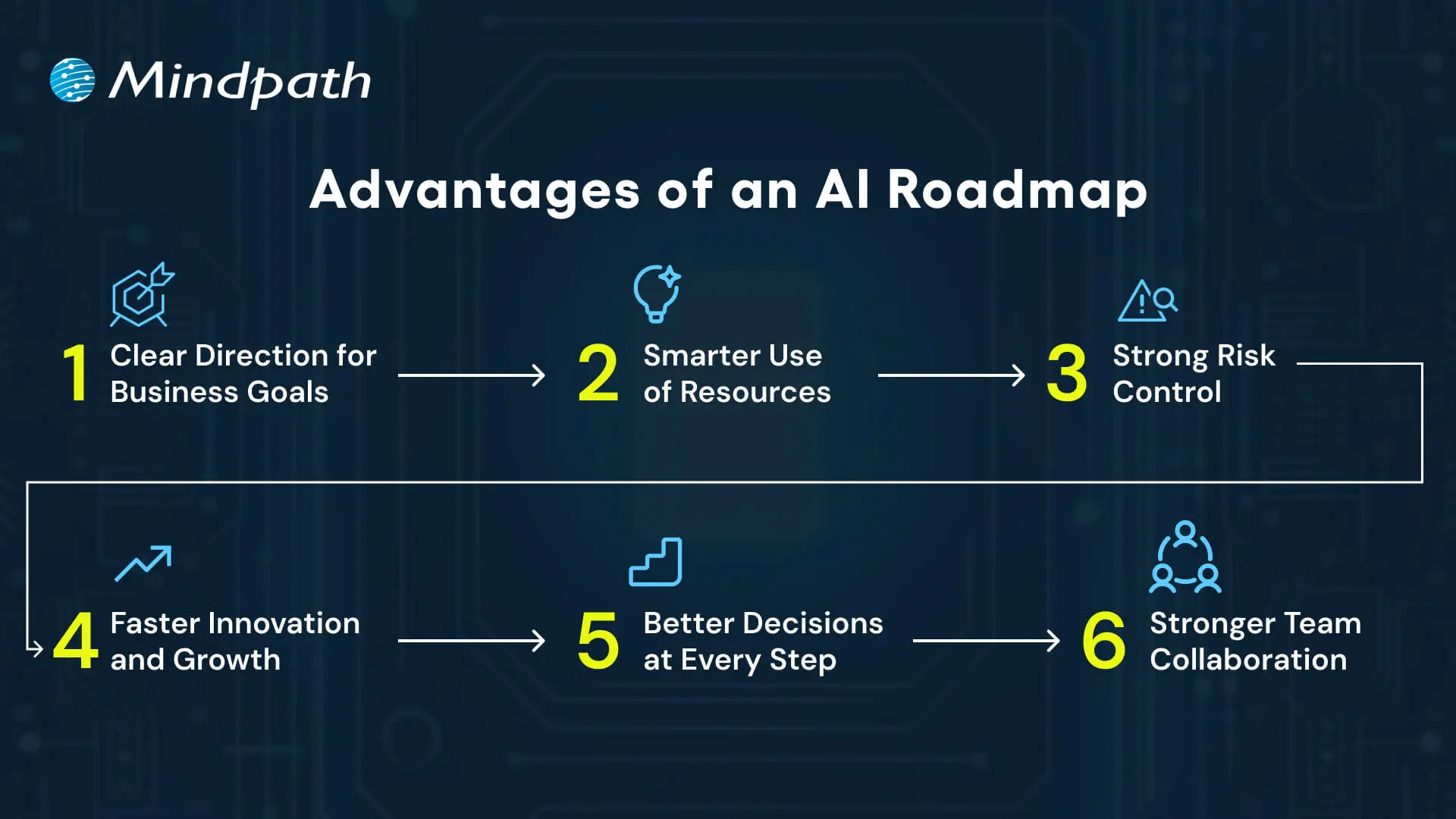
Advantages of an AI Roadmap

1. Clear Direction for Business Goals

An AI roadmap links all work to the company’s longer-term vision. This keeps both leaders and teams aligned and working towards the same purpose, minimizing any confusion or delays.

2. Smarter Use of Resources

Make each business plan deliberate and focused, so budget, skills, and tools are applied to the most impactful projects.

An AI roadmap generator can help you do this faster and with more precision.

3. Strong Risk Control

An AI roadmap allows organizations to tackle any aspects of security, compliance, or data quality up front.

Having a plan reduces risk for organizations and ensures a more streamlined implementation.

4. Faster Innovation and Growth

A roadmap allows organizations to have agility and the ability to experiment and scale solutions.

Even a beginner-friendly AI roadmap can outline the first steps that will lead to innovation and growth.

5. Better Decisions at Every Step

Leaders use the roadmap to select the appropriate use cases and monitor progress.

With this practical approach, it resembles an AI developer roadmap in which each step takes you to the next level of value.

6. Stronger Team Collaboration

An explicit roadmap promotes better communication across departments.

It builds teamwork and supports everyone in contributing to developing and using AI in the way it is most useful.

Struggling to make AI work for your business? Explore AI solutions for small businesses to discover practical, scalable solutions.

Key Steps to Build an AI Roadmap 2026

Constructing an AI roadmap in 2026 necessitates a defined plan that relates AI projects to real business objectives.

Companies must assess their focus on strategy, resources, and measurable outcomes in order to ensure the AI investments add value. Here are the key steps for building an effective roadmap.
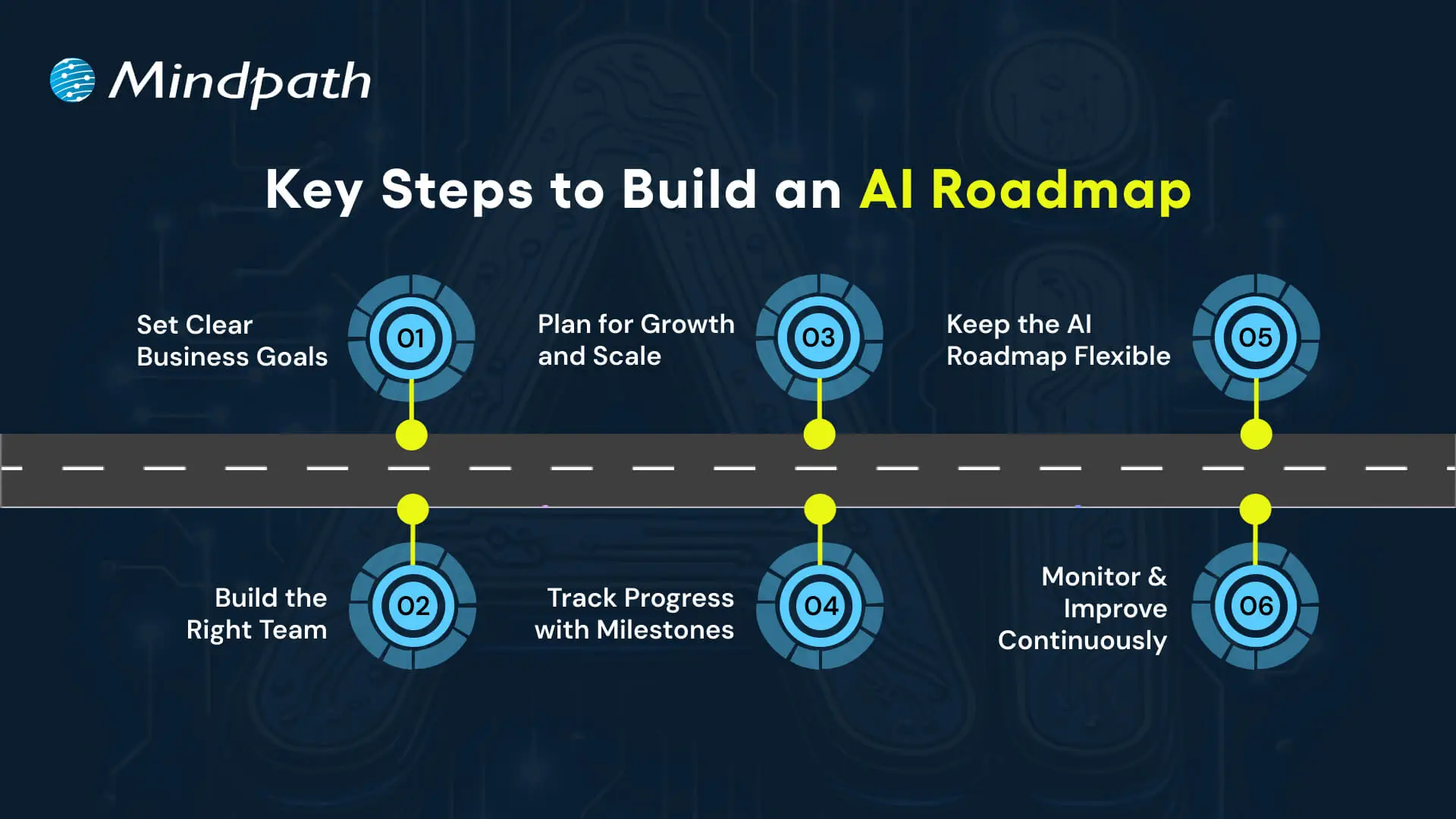
Key Steps to Build an AI Roadmap

1. Set Clear Business Goals

Every successful AI roadmap begins with a definitive goal. Set the desired outcomes that are most important.

Simply articulate it so everyone understands what it means to them. This clarity likewise connects each project to real business value.

2. Build the Right Team

A roadmap is only effective if the correct drivers are behind the wheel. Organize your engineers, strategists, and experts in the domain who can operate at the intersection of technology and business.

Taking a look at an AI engineer’s roadmap may help you frame up the skills you need to develop as a team.

3. Plan for Growth and Scale

A successful strategy looks to the future. Creating systems for larger datasets with multiple models and interconnected data with business apps.

It translates minor pilots into a comprehensive AI roadmap, facilitating ongoing growth.

Want to make faster and smarter business decisions? Discover how AI in decision-making enables leaders to transform data into actionable insights.

4. Track Progress with Milestones

Break the journey into smaller, actionable segments. Start with a pilot, grow to teams, and then link to enterprise systems.

As they reach a milestone, they will be able to see their progress and also validate that the roadmap is indeed compliant.

5. Keep the AI Roadmap Flexible

As the market landscape evolves, priorities shift.

Consistently update your AI roadmap to reflect new goals and possibilities. The adaptability within your roadmap will allow AI to remain relevant as your business develops.

6. Monitor and Improve Continuously

AI models must receive ongoing maintenance to remain valuable.

Form an AI team to monitor precision, solicit user feedback, and update models when the data or needs change.

Researching a generative AI roadmap can also help in developing new capabilities.

Wondering how your AI roadmap can go beyond automation to deliver smarter outcomes? Explore how Large Language Models (LLMs) can streamline operations and unlock new business value.

How will You Shape Your AI Roadmap for Success?

An AI roadmap provides businesses that want to adopt Artificial Intelligence with structure, direction, and confidence on their journey.

It allows business leaders to set and achieve organizational objectives, manage and allocate resources, reduce risk, and scale innovation with measurable outcomes.

With a flexible and constantly evolving AI roadmap, organizations can adapt their actions to changes in the market and continue to reap value from AI initiatives.

A solid plan will use a shared vision for long-term success.

At Mindpath, we are experts in conceptualizing and executing custom AI solutions, providing end-to-end AI consulting services, aligned with your business goals.

Throughout the entire process, from strategy & roadmap planning to development and scaling, our specialists will assist you.

Our passion for innovation and growth allows us to harness the real power of AI and transform complex problems into quantified outcomes.

Web Development Company

An effective online presence begins with a website that represents your brand and meets the needs of your audience. Partnering with the right web development company can turn your ideas into engaging digital experiences that support business growth. However, in a fast-moving digital environment, businesses need more than basic coding. They need a team that combines creativity, strategy, technical expertise, and AI in web development to create personalized and effective solutions.

Finding a development partner that aligns with your vision can make a significant difference in the final outcome. While some companies consistently deliver high-performing websites, others may struggle with quality, communication, or timelines. Therefore, it is important to evaluate experience, technical capabilities, communication, and processes before making a decision. In this blog, we explore the key factors to consider when choosing the right website development company for your business.

Looking to hire a website development company that can bring your ideas to life effectively? Mindpath offers web development services that provide dedicated teams and tailored solutions to help your business succeed online.

Importance of Choosing the Right Web Development Company

When establishing a strong online presence, choosing the right web development company is essential. Quality web development services can help create websites that are fast, secure, and easy to use. At the same time, they should align with your business objectives, support performance, and provide a better user experience. An experienced development team can also improve credibility, engagement, and conversions while helping you avoid costly mistakes.

Furthermore, effective web development solutions should consider SEO, scalability, security, and ongoing support. Reliable teams follow appropriate security, update, and backup practices to keep websites dependable over time. As your business grows, the right web development partner can help your website evolve with it. Therefore, choosing the right partner can save time, reduce risks, and support long-term online growth.

Looking for a reliable website design company for your business? Explore our website design company blog to understand what to expect and how to choose the right partner.

Key Steps to Choose the Right Web Development Company

The right development partner can directly influence your website’s performance and your overall online presence. Therefore, it is important to evaluate potential partners carefully. Here are the key steps to help you select professional web development services that align with your business objectives.

Key Steps to Choose the Right Web Development Company

1. Set Clear Goals

Begin by defining what you want your website to accomplish. Clear objectives help shape the website structure, features, and content from the beginning. As a result, your development team can plan the project more effectively and provide accurate estimates for timelines and costs. With well-defined goals, a web development company can build a solution that is focused on your specific business needs.

2. Know Your Audience

Understanding your audience is essential for creating useful digital experiences. Consider their needs, preferences, expectations, and online behavior. These insights can guide design decisions and help you prioritize the features that matter most. Moreover, a clear understanding of your audience helps align website development with actual market expectations and user needs.

3. Shortlist the Right Teams

Start by researching agencies with relevant industry experience. Review their portfolios to evaluate quality, usability, consistency, and the types of projects they have completed. However, look beyond visual design and consider the results of their previous work. Client feedback can also provide useful insights into reliability, communication, and project management. This process will help you narrow down your options with greater confidence.

4. Check Technical Strength

Strong technical capabilities are important for website performance, security, and scalability. Therefore, consider a company’s experience with current tools, technologies, and frameworks. This is particularly important when selecting custom web development services. An experienced team should be able to manage technical complexity without compromising quality. In addition, the right technical foundation can prepare your website for future growth.

5. Review Their Process

A clearly defined development process makes collaboration easier. Ask how the company manages planning, design, development, testing, and delivery. In addition, regular communication keeps progress visible and makes it easier to address issues early. Organized processes can reduce delays and miscommunication. As a result, you gain greater predictability and confidence throughout the project.

6. Plan for Ongoing Support

Post-launch support is an important part of long-term website performance. Regular updates help keep your website secure and functional, while timely issue resolution can prevent performance problems. Moreover, ongoing support protects your investment and helps the website adapt as your business changes. This adds long-term value to web design and web development services.

7. Compare Proposals

Ask shortlisted companies to provide detailed proposals covering project scope, timelines, deliverables, and costs. Clear information makes it easier to compare providers fairly. However, do not focus on price alone. Consider the overall value, technical expertise, support, and expected outcomes. Well-structured proposals also indicate how carefully a company has planned the project and can help prevent unexpected issues later.

8. Lock the Partnership

Before making a final decision, review the contract carefully. Make sure it clearly defines ownership, payment terms, responsibilities, deliverables, and other important conditions. Clear terms can prevent disputes and misunderstandings later. Furthermore, a transparent agreement creates a stronger foundation for collaboration and accountability. Ultimately, the right web development company should become a reliable long-term partner for your business.

Choosing the right development approach matters more than you think! Discover our Web Development vs Software Development blog to learn the key differences and choose what works best for your business.

Ready to Elevate Your Online Presence?

Choosing the right web development company is crucial for long-term business growth. Clear goals, audience understanding, technical expertise, and ongoing support all contribute to a website that performs effectively. Moreover, a structured selection process can help avoid unnecessary delays, control costs, and improve the user experience. By following the steps outlined above, you can find a development partner that delivers reliable, scalable, and high-quality web development services.

At Mindpath, we offer expert website development services that combine creativity, strategy, and technical expertise. Our team creates responsive, secure, and user-friendly websites designed around specific business objectives. We also focus on website performance, search engine optimization (SEO), scalability, and post-launch support. By partnering with Mindpath, businesses can work with an experienced web development company that supports their long-term growth and online success.

Agentic ai vs generative ai

Artificial intelligence created the biggest ripples in the domain of technology in the last decade. Following the adoption of generative AI tools, there is a new type of AI that showcases how artificial intelligence continues evolving. The agentic AI vs generative AI comparison has become a hot topic of discussion for businesses worldwide. Which one do you think delivers the best of AI for your business?

Since the public release of ChatGPT, many businesses have gradually incorporated generative AI in their workflows. However, agentic AI emerged as a practical solution to address the unrealistic expectations users had from generative AI. Is agentic AI better than generative AI? You should know that each one of them has distinct strengths for optimizing professional business practices.

If you are looking to build innovative AI solutions that help enhance your business performance. Explore Mindpath AI development services to see how you can leverage the best through our expertise in agentic and generative AI.

Understanding the Definition of Generative AI

Many people would think of ChatGPT and other tools like Midjourney upon hearing generative AI. How can you define generative AI in the present context? Generative AI is a subset of artificial intelligence and deep learning that uses trained models to create new, original content, such as text, images, audio, video, and code, in response to a simple prompt. Unlike traditional AI, which focuses on analyzing or classifying existing data, generative AI is built to synthesize something new. So if you want to create an image or a letter to your friend, all you have to do is offer instructions and it can generate that output for you.

How does generative AI create something new from your instructions? The core design of generative AI or gen AI revolves around models learning from existing data. Generative AI models use the knowledge gained from their training to create new output that features some elements of human creativity. 

You must have searched for ‘what is gen AI’ after learning about the mainstream adoption of ChatGPT, DALL-E and other generative AI tools. The effectiveness of these tools revolves around advanced machine learning models or neural networks to understand and recreate the patterns from their training dataset.

Even with the widespread adoption, generative AI does not come without limitations. The outputs by generative AI systems are as accurate and relevant as the data used for their training. On top of it, generative AI is not capable of making decisions on its own and just creates from the patterns it has learned.

Wondering how your business can leverage AI to stay competitive? Discover generative AI for business to learn how intelligent systems drive innovation, efficiency, and growth.

Emergence of Agentic AI

The quest to solve the limitations associated with gen AI led to the creation of agentic AI. With the use of smart agents, AI switched to proactive functionality from its traditional reactive nature. You can define agent AI as a new variant of artificial intelligence that focuses on specific tasks and autonomous operation. Smart AI agents will not only generate outputs based on your instructions but also learn in real time, make decisions, and implement actions required to achieve your goals. 

One of the most distinctive highlights of agentic AI, which makes it capable of autonomous decision-making, is adaptability. The best example of agentic AI is evident in agents used for customer support or in the infrastructure of autonomous vehicles. AI agents use sensors and algorithms to understand the environment and process information, followed by executing actions with different degrees of human oversight.

You can understand the answers to “what does agentic AI mean” in the fast-paced digital landscape by identifying how it acts with a purpose. Agentic AI is not only about responding to input like generative AI. On the contrary, AI agents understand the objectives and make informed choices to achieve the specific goals.     

Curious how Agentic AI and Generative AI fit into the broader AI landscape? Explore types of Artificial Intelligence to discover how ANI, AGI, and ASI provide the foundation for advanced AI systems.

Unraveling Key Differences in the Agentic AI vs Generative AI Debate

The arrival of agentic AI represents a major paradigm shift in the domain of artificial intelligence after generative AI. At the same time, you cannot ignore how generative AI is the most effective option for content creation. Therefore, an overview of the differences between agentic and generative AI is essential to pick the right option for your requirements.

1. Core Objectives

The foremost point in any generative AI vs agent AI comparison shall focus on the core purpose of the two types of artificial intelligence. Generative AI emphasizes creation and its core purpose is to create original content from user instructions. You can create images, draft emails or generate marketing materials with generative AI. The primary value proposition offered by generative AI revolves around augmenting the creativity of humans. Generative AI aims to achieve its purpose with the help of pattern matching and linguistic fluency.

Agentic AI works with the core purpose to achieve the goals assigned to it. The primary goal of agentic AI exceeds beyond content creation and aims to achieve a broader set of specific goals. The role of AI agents is to work autonomously without waiting for your prompts, which empowers them to identify opportunities and make relevant decisions. You can find answers to ‘what is agent AI vs generative AI’ in the fact that agentic AI can come up with different strategies and pick the right one to achieve the defined goals. For example, agentic AI use cases in software testing not only focus on writing test cases but also adopt a proactive approach to ensure software quality.

2. Dependence on Prompts

You wouldn’t get any prizes for guessing that generative AI is highly dependent on prompts. Generative AI has been designed to be reactive, which means that it responds only to user queries or prompts. You can have the most sophisticated LLMs in your generative AI systems and they won’t do a thing without human inputs. It clearly shows that generative AI is not capable of identifying problems or initiating conversations on its own. The reliance on prompts creates a significant roadblock for expanding the utility of generative AI. As a result, the most sophisticated generative AI models also need human oversight for every decision.

The difference between generative AI and agentic AI is evident in the fact that agentic AI has been designed for autonomy. AI agents operate within specific constraints to achieve defined goals albeit with complete autonomy. Agentic AI knows exactly when it must execute an action and determines the ideal strategy that can help in achieve the desired goal. You can notice the autonomy of agentic AI in how they leverage adaptive behavior and sophisticate decision trees in their architecture. Upon encountering problems, AI agents know how to solve them independently without human intervention.      

3. Use Cases in Real World

Another point of comparison between agentic AI and generative AI draws attention towards their utility. Generative AI has become the preferred choice for creative and analytical tasks that require human oversight. You can notice most of the use cases of generative AI in content creation and code generation. In addition, it also serves as a promising tool for design and visual creation by translating your ideas into real art. Businesses have also adopted generative AI as a promising solution for complex data analysis tasks to generate valuable insights.

The agentic AI vs generative AI comparison shall also showcase the growing use of AI agents in business functions. Agentic AI can streamline autonomous software testing with its capability to adapt to changes in the software application. Similarly, you can find successful examples of agentic AI applications in supply chain optimization. The other prominent use cases of agentic AI include algorithmic trading and robotic process automation.  

4. Workflow of Agentic and Generative AI

Most of the discussions on differences between agentic and generative AI also emphasize how the two variants of AI work. Generative AI works by providing unidirectional responses according to your input. For example, you provide instructions to generate an image and generative AI will create the image for you. Generative AI does not retain persistent memory or understand the objective you are pursuing as it focuses solely on the immediate instruction. It is one of the reasons for which using generative AI in multi-step processes involves human intervention at every stage.

Agentic AI stands out as the solution where generative AI poses problems. You can understand the difference between generative AI and agentic AI clearly in the various applications of agentic AI. Smart AI agents are capable of handling complex tasks that involve multiple steps and require memory retention. Agentic AI can maintain state across different interactions and track the progress made towards the defined objectives. Subsequently, it can adapt strategies on the basis of results in the intermediate steps to achieve the final goal.  

Looking to leverage the power of both autonomous and creative AI systems? Learn the benefits of AI to explore how Agentic and Generative AI together can transform strategy, operations, and customer engagement.

Agentic AI vs Generative AI: Key Differences

The following table showcases the notable differences between generative AI and agentic AI.

Criteria Generative AI Agentic AI
Core Objectives Generative AI aims to augment the creativity of humans by facilitating faster content creation. Agentic AI aims to achieve the defined goals with autonomous action.
Dependence on Prompts Generative AI is highly dependent on prompts. Agentic AI can take autonomous decisions without prompts.
Use Cases Generative AI is useful for content creation and data analysis tasks. Agentic AI is useful for autonomous software testing, algorithmic trading and robotic process automation.
Workflow Generative AI works by offering single-shot response to user instructions or queries. Agentic AI works with complex and multi-step workflows by adjusting strategies to achieve defined goals. 

Final Thoughts

The differences between generative and agentic AI reveal how artificial intelligence offers two distinct solutions to achieve different business goals. If you want to create content, generative AI is your best pick. On the other hand, you should choose agentic AI when you need your AI systems to work independently on specific tasks. The overview of the generative AI vs agent AI comparison can help you pick the ideal AI for your business.  

Mindpath is a leading platform to provide AI development services tailored to your business requirements. We also specialize in developing generative AI models to help you achieve promising improvements in productivity. Our ability to identify the pain points of the client and understand their vision helps us create the most relevant solutions. Reach out to us and give your business an additional edge in the AI revolution now.

Join our Newsletter!

categories

Join the world's largest training library and unlock new opportunities!

Featured Posts

Turn Insights Into
Real Business Solutions

Exploring trends is only the beginning. Whether you’re planning AI adoption, modernizing legacy systems, or building scalable software, our experts help transform ideas into practical business outcomes.