Home

How to Hire Dedicated Developers for Your Startup: Step-by-Step Process 

How to Hire Dedicated Developers for Your Startup: Step-by-Step Process 

Join our Newsletter!

Hire Dedicated Developers

Growing a start-up can be thrilling, but every technical choice made carries a lot of responsibility for your company’s future. You need to hire dedicated developers who will be able to transform your ideas into reality. When you look for developers, you are looking for someone with dedication, dependability, and shared intention.

At this point in time, there is usually a lot of pressure and excitement. You want your developers to be able to work together as a team and complete their tasks smoothly and efficiently. You want to set an example of how to maintain a good pace in this process by establishing expectations about pace, important tasks, and accountability.

When the momentum is strong, the hiring mindset gets more and more refined and purposeful. You actually look for clarity, consistency, and long-term alignment. Stable developers make your rapid plans more viable. On the other hand, bad choices can waste your time and confuse your team. Having a well-defined hiring approach saves you from that kind of trouble. It makes it easier to take good decisions and execute your plans without hitches. In this article, we will explain the steps that will give you confidence and guidance in hiring the right developers.

Want to hire dedicated developers who can bring your startup ideas to life efficiently and reliably? Mindpath provides expert developers and custom solutions that help startups build scalable and high-performing web applications.

Why Do Companies Need to Hire Dedicated Developers?

The companies that opt for dedicated teams benefit from their ability to provide consistent focus and measurable results. When you hire dedicated developers who work on a single project, the efficiency and effectiveness of the development team increase. Developers also bring an entirely different approach to the project based on their expertise. They create quality code that is free from errors, thus improving the quality and decreasing the time to market. In addition, dedicated teams are typically less expensive than managing a full-in-house team.

This method enables businesses to be adaptable and grow over time. Firms are able to hire developers according to the requirements of the project. Also, they have the freedom to extend their workforce without any waiting time or interruption. Skilled developers bring down the chances of unsuccessful outcomes by efficient organizing. Experienced developers also provide updates and support after the launch of a new product. Therefore, businesses continue to have direct control over their business goals and outcomes.

Key Responsibilities of a Dedicated Developer

1. A committed programmer assumes full ownership of the product. They deal with frontend and backend and mobile requirements with great ownership and coherency.

2. They create the MVP within a short time to gauge ideas in the market. This assists startups to learn quickly and adapt without wasting time.

3. They develop the product to expand alongside the business. They take care of updates, corrections and long-term support as well.

4. They introduce expertise that startups usually do not have in-house. That is the reason why most startups prefer to hire dedicated developers at an early stage.

5. They are knowledgeable about the startup vision, culture, and roadmap. This orientation maintains development towards actual business objectives.

6. Startups hire remote developers as part of the core team that works in the same direction. This guarantees quickness, efficiency, and good cooperation.

Planning to build and launch your product efficiently? Explore how creating an MVP for startups helps validate ideas faster and ensures you hire the right developers for early-stage success.

Key Steps to Hire Dedicated Developers for Your Startup

Recruiting appropriate technical talent determines the manner in which a startup is formed and developed. These are the major steps to hire dedicated developers for your startup in a clear-cut and controlled manner.

hire dedicated developer for your startup

1. Define Your Development Needs

Be clear about the tasks, responsibilities, and objectives of the developer position. Choose the technical infrastructure, level of experience, and the soft skills. Share these requirements to get the right candidates that would fit into your startup vision and culture. This will guarantee that you get the perfect match prior to the hiring process.

2. Create an Attractive Job Listing

Prepare a precise and brief job advertisement specifying the job, the requirements, and company benefits. Exhibit growth prospects and culture. Advertise in job boards, social media and professional networks to access competent candidates. A good listing attracts and enhances the quality of response.

3. Screen Resumes Efficiently

Filter through applications to identify those candidates who meet your requirements. Check technical skills, experience and applicable education. Find the transferable skills where necessary. Filter out applicants to proceed to the next step. This can save time and concentrate on the best talent.

4. Conduct Initial Interviews

Screen shortlisted candidates on the phone or via video call. Evaluate cultural fit, motivation, and communication skills. Question regarding experience and problem-solving. Present your business, objectives, and culture. This assists the two parties in assessing their compatibility prior to proceeding.

5. Test Technical Skills

Give coding challenges or relevant technical tasks. Evaluate skills based on your project needs. Ensure tests reflect real-world tasks they will handle. Review results carefully to confirm the candidate can deliver high-quality work. This step ensures practical readiness.

6. Make an Offer and Onboard

Share a clear job offer with salary, benefits, and start date. Upon acceptance, offer adequate on-boarding and support to ensure that they settle as soon as possible. Cultivate learning and development to create long-term engagement. This assists startups to successfully hire dedicated developers and assimilate them seamlessly.

Need to scale your development team quickly without long-term commitments? Explore our staff augmentation guide to learn how startups can add skilled developers on demand while staying flexible and cost-effective.

Ready to Hire Dedicated Developers in UK for Your Startup?

How well you hire the right tech candidate will help you to decide your startup’s future. If you stick to the proper procedure, you can effectively hire committed developers without wasting time. This will allow you to quickly develop and launch products, produce high-quality work, and build for long-term success. Defining what you are looking for, reviewing candidates, and assessing competencies helps minimize risks associated with the hiring process. Using this method will provide your company with a more effective development process and consequently generate superior business results.

Mindpath is your option to get the best solutions if you want to hire dedicated web developers for your startup. Our teams are committed to delivering bespoke web development services that are focused, fast, and of high quality. We are a perfect fit with your objectives as we keep on supporting and updating you. By selecting Mindpath, we guarantee your projects will be carried out efficiently, and with high technical standards.

Need a Dedicated Development Team?

Get engineers who work only on your product, start to finish.

Frequently Asked Questions

Dedicated developers provide consistent project focus, specialized expertise, and flexibility, helping startups build products faster without immediately creating a large internal development team.
Start by defining technical requirements, reviewing relevant experience, assessing communication skills, and testing practical abilities before making the final hiring decision.
Yes, dedicated developers can reduce hiring overhead while giving startups access to specialized skills and flexible development support based on project requirements.
Developers should have relevant technical expertise, problem-solving ability, communication skills, project experience, and an understanding of the technologies required for your product.
A dedicated team focuses consistently on one project, reducing context switching and helping startups move from planning and development to launch more efficiently.

Support Is One Click Away

Featured Posts

Related Post

ReactJS developers in New York

Hiring the right ReactJS developer in New York goes beyond checking technical knowledge. The ideal developer should be able to build fast, scalable, secure, and user-friendly web applications while collaborating effectively with your team.

Whether you’re building a new SaaS platform, upgrading an existing application, or developing a custom business solution, choosing a developer with the right combination of technical expertise and practical experience can significantly impact your project’s success.

Looking for a reliable ReactJS development partner to build high-performance web applications in New York? At Mindpath, we offer custom ReactJS development services that help businesses create scalable and feature-rich web applications.

This guide highlights the essential skills every business should evaluate before hiring ReactJS developers in New York.

Key Takeaways

  • 01
    JavaScript ES6+ fundamentals form the essential foundation for building scalable React applications.
  • 02
    Developers must master React Hooks, JSX, and Virtual DOM mechanics for efficient development.
  • 03
    State management libraries like Redux and Context API organize complex application data.
  • 04
    Performance optimization requires lazy loading, code splitting, and React Developer Tools usage.
  • 05
    Responsive UI development demands CSS Grid, Flexbox, and a mobile-first design approach.


1. Strong JavaScript (ES6+) Fundamentals

ReactJS is built on JavaScript, making it the most important skill to assess during the hiring process. A skilled ReactJS developer should have a deep understanding of modern JavaScript features, including:

  • ES6+ syntax
  • Arrow functions
  • Promises and async/await
  • Destructuring
  • Modules
  • Closures
  • Array methods
  • Event handling

Developers with solid JavaScript knowledge can write cleaner, more maintainable code and solve complex programming challenges efficiently.

Why it matters: Strong JavaScript skills form the foundation for building scalable and high-performing React applications.

2. ReactJS Core Concepts

A professional ReactJS developer should have hands-on experience with React’s core features, including:

  • Functional components
  • React Hooks (useState, useEffect, useMemo, useCallback)
  • JSX
  • Component lifecycle
  • Props and state
  • Conditional rendering
  • Event handling
  • Component composition

They should also understand how React’s Virtual DOM works and how it improves application performance.

Why it matters: Developers who understand React fundamentals can build reusable, maintainable, and efficient applications.

3. State Management (Redux & Context API)

As applications grow, managing data across multiple components becomes more challenging. An experienced ReactJS developer should know when and how to use state management libraries such as:

  • Redux
  • Redux Toolkit
  • React Context API
  • Recoil (optional)

They should understand actions, reducers, middleware, selectors, and best practices for organizing application state.

Why it matters: Proper state management improves application stability, simplifies maintenance, and reduces unnecessary re-rendering.

4. Performance Optimization

Fast-loading applications deliver better user experiences and improve customer satisfaction.

A skilled ReactJS developer should know how to optimize performance using techniques such as:

  • Lazy loading
  • Code splitting
  • React.memo
  • useMemo
  • useCallback
  • Dynamic imports
  • Bundle optimization

They should also be comfortable using React Developer Tools and React Profiler to identify performance bottlenecks.

Why it matters: Optimized React applications load faster, consume fewer resources, and perform smoothly across different devices.

5. Responsive UI Development

Today’s users access applications from desktops, tablets, and smartphones. Your ReactJS developer should be able to build responsive interfaces using:

  • CSS3
  • Flexbox
  • CSS Grid
  • Media queries
  • Tailwind CSS
  • Bootstrap
  • Material UI

They should follow a mobile-first development approach to ensure consistent performance across all screen sizes.

Why it matters: Responsive applications provide a seamless user experience regardless of device.

6. Git & Version Control

Version control is essential for collaborative software development.

A professional ReactJS developer should be experienced with:

  • Git
  • GitHub
  • GitLab
  • Bitbucket
  • Branch management
  • Pull requests
  • Merge conflict resolution

These practices help development teams collaborate efficiently while maintaining clean and organized codebases.

Why it matters: Effective version control minimizes development risks and streamlines project management.

7. API Integration

Modern React applications frequently communicate with backend services.

A qualified ReactJS developer should understand how to:

  • Consume REST APIs
  • Work with GraphQL
  • Handle authentication
  • Manage API errors
  • Secure API requests
  • Optimize API performance

Experience with Axios or Fetch API is also valuable.

Why it matters: Reliable API integration ensures smooth communication between frontend and backend systems.

8. Testing & Debugging Skills

Reliable applications require thorough testing before deployment.

Look for developers familiar with:

  • Jest
  • React Testing Library
  • Unit testing
  • Component testing
  • Debugging tools
  • Browser Developer Tools

Developers who prioritize testing can identify issues early and deliver more stable applications.

Why it matters: Testing reduces bugs, improves code quality, and lowers long-term maintenance costs.

9. Problem-Solving & Communication Skills

Technical expertise alone isn’t enough.

An excellent ReactJS developer should also possess:

  • Strong analytical thinking
  • Debugging abilities
  • Clear communication
  • Team collaboration
  • Time management
  • Adaptability

These soft skills contribute to smoother project execution and better collaboration with designers, QA teams, and stakeholders.

Why it matters: Developers who communicate effectively help projects stay on schedule and reduce misunderstandings.

10. Real-World Project Experience

Practical experience often speaks louder than certifications.

When evaluating ReactJS developers, review:

  • Portfolio
  • GitHub repositories
  • Previous React projects
  • Industry experience
  • Client testimonials
  • Code quality

Developers with experience building scalable business applications can usually contribute more quickly to your project.

Why it matters: Real-world experience demonstrates a developer’s ability to solve practical business challenges.

Why Hire ReactJS Developers from Mindpath?

Finding skilled ReactJS developers in New York doesn’t have to be difficult.

At Mindpath, we help businesses hire experienced ReactJS developers who specialize in:

  • Custom ReactJS application development
  • Enterprise web applications
  • SaaS platforms
  • API integration
  • Performance optimization
  • Responsive UI development
  • Ongoing application maintenance

Our developers follow modern development standards and industry best practices to deliver scalable, secure, and high-performing applications tailored to your business needs.

Looking to hire ReactJS developers in New York?

Partner with Mindpath and build reliable, future-ready React applications with experienced professionals.

Contact us today to discuss your project requirements.

Frequently Asked Questions (FAQs)

1. What skills should I prioritize when hiring ReactJS developers in New York?

Focus on JavaScript expertise, ReactJS fundamentals, state management, API integration, performance optimization, Git, responsive design, testing, and real-world development experience.

2. Why is Redux important for ReactJS development?

Redux helps manage application state efficiently, especially for large-scale applications with complex data flows. It improves maintainability, scalability, and debugging.

3. How do I evaluate a ReactJS developer’s experience?

Review their portfolio, GitHub profile, previous projects, coding practices, problem-solving approach, and experience working on applications similar to your business requirements.

4. Should ReactJS developers have backend knowledge?

While ReactJS is a frontend library, basic knowledge of REST APIs, GraphQL, Node.js, and authentication workflows helps developers collaborate more effectively with backend teams.

5. Why should businesses hire ReactJS developers in New York?

New York offers access to experienced ReactJS professionals who understand modern development practices, agile workflows, and enterprise application development, making them a strong choice for businesses seeking scalable digital solutions.

Discover the ultimate guide to hiring Node.js developers in London. Learn about the skills, benefits, and cost factors involved in finding the right talent for your project.
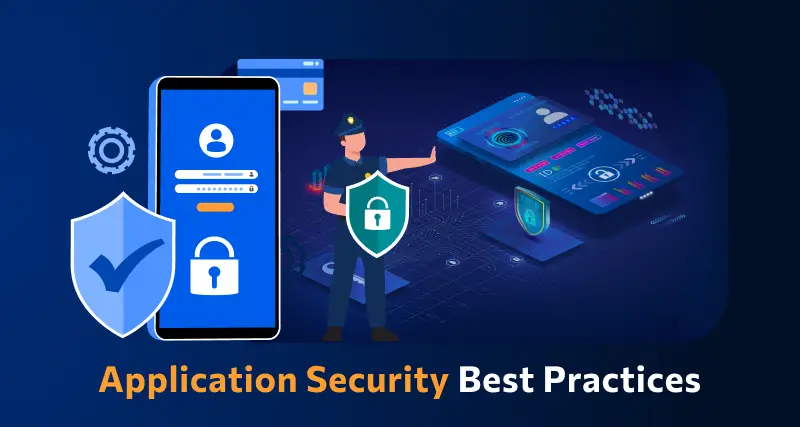
application security best practices

In this modern tech world, keeping your app safe and secure isn’t just a minor task anymore, but rather it has become a business priority. Whether you have built a mobile app or a web platform, the users trust you with their personal information every time they log in or make any transaction. Isn’t it true? This is the reason for which you should follow application security best practices because it can help you in protecting your app from hackers, data leaks and even costly breaches.

Strong security starts when you understand the correct strategy, starting from secure coding to regular updates and data protection. Do you want to know what is the best practice for application security for your web and mobile apps? Don’t worry, we will cover essential techniques for securing your applications in this blog, which can help you in staying one step ahead of threats and building trustworthy digital experience.

According to MarketsandMarkets Analysis, The mobile apps and web analytics market is expected to grow from 9.4 billion in 2022 to USD 20.2 billion by 2027, at a CAGR of 16.4%.

What is Application Security?

Application security refers to the practice of protecting your apps from threats that could steal all the data and even harm the system. It involves adding security features during the development stage and continuing to protect your app even after it is launched. This can ensure that both your app as well as the information it handles, are safe from hackers and other risks.

This protection can include hardware tools, software settings and regular security settings. For instance, a powerful router that obscures a device’s IP address provides hardware protections, while an application firewall embedded in the software frames actions. Security protocols, such as routine testing and upgrades, help to ensure risks are identified and rectified quickly so that the app continues to secure itself for years to come.

What are the 3 Pillars of Application Security?

To build a strong foundation for protecting any app, it’s important to focus on the core elements of security. These three pillars work together to keep applications safe and trustworthy.

1. Process:

This pillar includes the policies, procedures, and workflows that help manage and secure applications. These processes are designed to reduce risk and protect the app throughout its entire lifecycle.

2. Technology

Technology covers the tools and security controls used to keep applications safe. While new solutions keep emerging, it’s important to focus on the core security needs that protect the application effectively.

3. People

People are often the most overlooked part of application security, even though they play a key role. This pillar focuses on managing human risk, which includes the behaviors and actions of employees, contractors, and partners who have access to the system.

Web Application Security Best Practices

In today’s digital world, keeping your application and security strong is more important than ever. A single loophole can lead to serious trouble. That’s why it’s essential to follow a smart plan to protect your app from threats. Here are some best practices you can follow:

Web application security Best Practices

1. Spot and Understand the Weak Points in Your App

After setting up your app security plan, it’s time to check for weak spots. You are likely to find many issues, but not all are serious. Focus on the most dangerous ones first. Use a custom threat model or OWASP risk scores to help you sort and fix them smartly

2. Use Quick Fixes Like Virtual Patching and WAF

Waiting months to fix app issues is risky. Virtual patching and a Web Application Firewall (WAF) can protect your app right away. They block attacks, even before a complete fix is ready. Also, limit app features and keep watching traffic to catch problems early and stay safe.

3. Start with Fixing the Most Important Issues

Fixing every issue at once can feel overwhelming. Focus first on the critical and high risks that could hurt your business or brand the most. Once those are handled, move on to the lower-risk ones. This smart step-by-step plan helps save time and protects what matters most.

4. Group Your Apps by Risk Level

When you have many apps, it helps to sort them by priority. Put them in buckets like critical, serious, and normal based on how sensitive the data is. Fix the most important ones first. Retire unused apps, and keep your list updated to stay organized and reduce risk.

5. Build a Clear Map of Your App Security

When apps grow fast, it’s easy to lose track. Start by making a full list of all your apps, their purpose, and update status. Add details like how they’re used and update security steps. This clear picture helps you fix issues quickly and build stronger web application security.

6. Monitor Your Application Every Time

Virtual patching through a WAF helps you fix issues faster and keeps your app under watch. It shows which attacks are blocked and where they come from. This ongoing monitoring builds useful security insights and also helps stop app-layer DDoS attacks before they cause trouble.

Curious about the next step in mobile innovation? Explore Progressive Web Apps (PWA): The Future of Mobile-First Development to see how PWAs combine the best of web and mobile apps for faster, engaging experiences.

Mobile Application Security Best Practices

Mobile apps are a big part of our daily lives and keeping them secure is a must. Whether you’re building an app or managing one, these simple practices can help you protect your users and data from unwanted threats.

mobile application security best practices

1. Be Careful with Third-Party Libraries

Third-party libraries can save time but might bring security risks if not handled right. Always keep them updated and patched. Take time to check their safety before using them to avoid accidentally opening doors for hackers.

2. Make Login Stronger with Better Authentication

Use strong login methods to keep your app safe. Combine passwords with extra checks like one-time codes or fingerprint scans. Multi-factor authentication (MFA) makes sure only the right users can get in by asking for two or more ways to prove who they are.

3. Monitor and React to Threats Instantly

Use tools that keep an eye on your app and spot threats right away. When something suspicious happens, act quickly to protect your app. Having a clear plan for responding helps your team fix issues fast and keeps your app secure, following the best mobile security practices.

4. Set Clear Access Controls

Control what users can see and do in your app to keep data safe. By limiting access, you prevent unauthorized people from reaching sensitive information. This simple step is key to strong mobile app security and helps protect your app and users effectively.

5. Keep Your App Secure with Regular Updates

Regularly update your app and fix any security issues quickly. Patching helps close gaps that hackers could exploit. Setting up a routine for updates ensures your app stays protected and reduces the chance of breaches, keeping both your app and users safe.

6. Protect Your App with Tamper Detection

Use tamper detection to spot if your app’s code has been changed. Tools like checksums or digital signatures check the app’s integrity. If something is off, the app can stop running, alert your team, or even erase sensitive data to keep everything secure.

Wondering how a mobile app can boost your business? Explore the Benefits of Mobile App Development to discover how apps improve engagement, sales, and customer loyalty.

Are You Protecting Your App in the Right Way?

Application security best practices matter for everyone, not just tech teams. They help build trust, prevent data leaks, and keep users safe. Simple actions like checking your code, controlling access, and updating often can make a big difference. Staying secure today means staying ahead of threats.

At Mindpath, building secure digital experiences is our priority. Our web and mobile application development services follow proven application security best practices to ensure safety, performance, and reliability at every step. Partner with us to deliver robust and secure solutions you can trust.

Frequently Asked Questions

1. Why are application security best practices important for both web and mobile apps?

Application security best practices help protect user data, prevent unauthorized access, and reduce the risk of cyberattacks. Since both web and mobile apps handle sensitive information, following these practices ensures safer user experiences and helps maintain trust over time.

2. When should application security best practices be applied during development?

Security should be considered from the very beginning of the development process, not added later. Building security into design, coding, testing, and deployment stages helps prevent vulnerabilities early and reduces the chances of costly fixes after launch.

3. What are common mistakes that can weaken application security?

Common mistakes include ignoring regular updates, using outdated libraries, weak authentication methods, and poor access control. These gaps can make applications vulnerable to attacks, which is why consistent monitoring and timely fixes are essential for maintaining strong security.

4. How often should applications be tested for security issues?

Applications should be tested regularly, especially after updates or new feature releases. Continuous testing, including vulnerability scans and security audits, helps identify risks early and ensures the app remains protected against evolving threats over time.

5. Can small businesses also follow strong application security practices?

Yes, even small businesses can implement effective security measures. Simple steps like using secure coding practices, enabling strong authentication, and keeping systems updated can significantly reduce risks without requiring large resources or complex infrastructure.

WordPress maintenance
Is your WordPress site running as smoothly as possible? Do you know what kind of essential maintenance activities should be done on your website to keep it secure and running well? In this blog, we will explore the essential maintenance tasks that will keep your WordPress site in top shape. So, let’s dive in! 

Importance Of Website Maintenance   

Routine WordPress maintenance will help your website to be stable, secure, with better loading speed, and compatible with different browsers and devices. Regular backups guarantee that there is no loss of data in case of website crashing or malware attacks. Up-to-date plugins will ensure that slowdowns and security risks are prevented. Monitoring and analytics on user behavior help you make informed decisions and optimize your content. This provides better maintenance of your website, thus keeping it in top shape, and gives a better experience to the visitor. 

How Much Does WordPress Maintenance Cost?  

The cost of maintaining a WordPress site will be based on the size and complexity of the website. Routine maintenance in 2024 can range from as low as $5 a month to $120 per month or $40 a year to $1,200 a year. For a personal site, maintenance might be as low as $4 a month or $40 annually. Business sites usually start at about $8 per month or $80 per year. The pricing for running corporate websites is usually in the region of $12 a month or $120 yearly. The websites related to entertainment and eCommerce usually cost more, with the former starting at $16 per month and the latter at $20 a month. Routine maintenance includes updating plugins, themes, and WordPress core, managing backups, ensuring security, and keeping up performance. 

The Complete Checklist of Monthly WordPress Maintenance Tasks   

1. Optimize Your Database   

Over time, your WordPress database can become bloated with extraneous data from things like old post revisions, spammy comments, and deleted items, which slow down your site. To clean up your database, first back it up using a tool like Solid Backups to ensure all your data is safe. Then use a plugin such as WP Optimize to clear out any unnecessary data and boost database performance. Alternatively, if you know how to manipulate a database, you can clean up manually with phpMyAdmin. This method is useful when custom settings must be considered, and in all probability, it would be good to talk this over with a developer in case you are unsure. 

2. Manage Backups   

Backing up your website is something you should do regularly for safety against losses and quick recoveries in case of issues. Besides, with Solid Backups, you can configure backups automatically by using the plug-in known as UpdraftPlus. Schedule the backups frequently and let them be safely kept in the cloud, optimally. Moreover, review the process of restoration month by month to confirm that your backup procedure is working well, and in case of need, you will be in a good position to recover your site. 

3. Update WordPress Core, Plugins, And Themes   

WordPress core, theme, and plugin updating have implications for security, compatibility, and accessing new features. According to the Wordfence 2022 State of WordPress Security report, plugins in particular are a weak point, so keeping them up to date is very important. Keep checking for updates, and when found, update them one after the other. Begin with the WordPress core and then proceed to plugins and themes. Remember to always back up before doing any big update and update on a staging site so you can be sure everything works well with your current setup. 

4. Perform Security Scans   

Security scans to vulnerabilities, malware, and unauthorized access should be regularly scheduled. Run full site scans with a plugin like Shield Security, check the logs for any suspicious activity, and configure settings. You should, however, schedule these scans to run periodically, but at least revise them once a month. 

5. Analyze Site Speed   

A website’s speed has a massive impact on user experience and SEO. Among others, you can use Google PageSpeed Insights, GTmetrix, or Pingdom to check how fast your website loads. After testing, fix performance issues of your website against the results. If the speed problems continue, see if there’s a need to review and upgrade your hosting plan. 

6. Check For Broken Links   

Checking for broken links is important both for delivering a good user experience and SEO. Broken links may make visitors and search engines end up in so-called ‘dead ends,’ harming your site’s rankings and authority. Run a check using a plugin such as Broken Link Checker. Thereafter, repair or remove broken links upon finding them, possibly looking into scheduling automated checks to help identify new broken links in the future. 

7. Optimize Images   

Optimizing images will help to increase your site speed and performance radically, particularly when you have a heavy share of images on the site. Tools like Smush or ShortPixel do really well when it comes to compressing existing images. Remember the right formats—JPEG for photos and PNG for graphics where the requirement is transparency. Enable lazy loading; this defers the loading of off-screen images to further speed up page load times. 

8. Submit Your Sitemap   

Making sure that you are regularly submitting your sitemap to search engines will let them index your website in a better way and give you more exposure. Use a plugin such as Yoast SEO to create an updated sitemap, then take the time to manually submit this to search engines via their webmaster tools—like Google Search Console—to check that all your pages are correctly crawled and indexed for maximum search engine visibility. 

9. Monitor Site Performance   

Monitoring your site’s performance frequently will let you know when there is a problem. It helps in making informed decisions and will let you act swiftly. Use tools like Google Analytics and Jetpack to look through key metrics such as page views, bounce rate, and conversion rates. This setting of performance alerts about major changes or problems will let action be taken in time and thus your site runs smoothly. 

10. Test Your Forms   

Testing of forms at regular intervals is paramount to ensure that they work right and harvest data from users effectively. All forms should work well, and process input correctly. Check that email notifications are going to the right addresses, then test for user experience to make sure forms are usable, accessible, and responsive on different browsers and devices. 

11. Clear Site Cache 

It ensures that your site visitors have the most recent content. In addition, it will boost your website’s performance. Sometimes, cached data can become corrupt or outdated, causing display issues and slowing download time. Flush the server cache, then reset any plugin-built caches. Test your site for improved performance after flushing the cache. This can also be done in many ways depending on your unique setup. If you are not comfortable doing it yourself, use something like WP Super Cache and W3 Total Cache

Ready to optimize Your WordPress Experience?

Learn More About Mindpath’s Maintenance Services!

WordPress Development Services at Mindpath   

At Mindpath, we ensure your WordPress website runs at its best with comprehensive maintenance services. This includes regular updates to WordPress Core, plugins, and themes; daily backups for data security; and optimization of the performance of the site so that it loads faster. Our team conducts security scanning to save from threats, monitors and fixes broken links, and looks through analytics to bring about better user engagement. We test forms to make sure they are working well. You just focus on your business while we keep your site secure and efficient with our expert maintenance. 

Conclusion 

Maintenance, on the other hand, will ensure your WordPress site is not only smooth, safe, and high performing, but it will also be defended from many problems for the best user experience. From checking for broken links to analyzing site speed or running security scans, every step is important in keeping your website at its best. 

At Mindpath, we cut down the complexity of WordPress maintenance by offering every necessary service in one place to keep your site in top condition. Let our team take care of updates, backups, performance optimization, security checks, and more, so you can focus on growing your business while we work on keeping your website reliable and engaging. Our expert team at Mindpath makes sure your WordPress site is running at peak performance, ensuring you can get on with business and not worry about it. 

Want to achieve a Faster, Safer WordPress Site?

Find Out More About Mindpath’s Maintenance Solutions!

Ensure your WordPress site runs smoothly with essential maintenance tasks like updates, backups, security scans, and performance optimization.