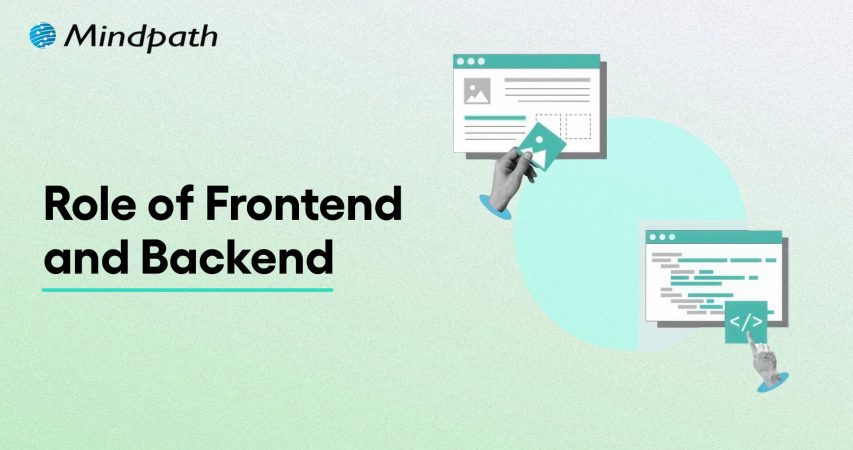
The Role of Frontend and Backend in Building Scalable Business Applications 

Join our Newsletter!

Featured Posts

Support Is One Click Away

Home

The Role of Frontend and Backend in Building Scalable Business Applications 

Frontend and Backend

The Role of Frontend and Backend in Building Scalable Business Applications 

Creating a strong business application depends on an important understanding of how you connect the frontend and backend to develop a consistent experience for the user. Picture a user on a platform that is fast, responsive, and intuitive. At every click, scroll, and keyboard input, there are systems running in the background to simulate that experience, all while interacting with a framework and keeping the user interface interesting. Technology, in turn, must be aligned with user experience and growth expectations to ensure a platform operates without flaws while keeping users satisfied.

As businesses grow, the proportion of back-end and front-end becomes more important than ever. The front-end dictates the manner in which users experience your platform, while the back-end powers the processes that allow everything to run smoothly. Ensuring that the two work closely together enhances performance, increases efficiencies, and guarantees a consistent user experience. This blog outlines the ways that both frontend and backend can be used to build a scalable business application.

Ready to build an application that provides your business with a unique and secure digital presence from front end to back end? Mindpath offers expert full-stack development services to help you design and develop scalable web application.

What are Backend and Frontend?

Frontend refers to the section of an application that users notice and directly participate with. The front end includes everything users can see and all the visual and interactive elements that facilitate interaction with the application. Frontend developers use technologies such as HTML, CSS, or JavaScript, and frameworks such as React, Angular, or Vue.js to create interactive designs and usability of the platform.

The backend is the server-side component of an application that enables the frontend to function. The backend is responsible for data management, processing user requests, and ensuring that everything works correctly. Backend developers use programming languages such as Python, Java, PHP, or Node.js, along with databases such as MySQL, SQL, or MongoDB. The backend layer ensures that the application functions reliably and efficiently, delivering the information the frontend needs.

Also Read: Front End vs Back End vs Full Stack Developer

How Frontend and Backend Work Together for Building Scalable Applications

The front-end and back-end collaborate appropriately to manage both user actions and the appropriate background processes that will occur. This collaboration will promote the applications’ responsiveness and scalable properties for more users and maintain the performance expected by the user.

1. API Communication

One of the main methods by which the frontend and backend cooperate is through APIs such as REST or GraphQL. The backend thus offers the frontend certain endpoints from which it can get data or to which it can send data.

The frontend on its part performs HTTP requests like GET, POST, and PUT to communicate with these endpoints. Such a division provides a possibility for different teams to develop the UI and business logic separately and thus more efficiently.

2. Microservices Structure

In order to handle the complexity of huge applications, an option is to split the backend into several small units referred to as microservices. Each microservice is responsible for one specific area of the application, for example, payments, user accounts, or products.

The front-end and back-end interact with each other through APIs for every service, thus being able to work on different parts at the same time. This organizational pattern allows applications to become scalable and the process of development to be more efficient.

3. Asynchronous Communication

The frontend and backend have the ability to interact asynchronously, which contributes to a better performance. In a situation where a user makes a request that takes a long time, the front end is able to give an immediate response to the user.

The backend is handling the request silently and when it is done, it sends a message to the frontend. This method is free from the problem of users having to wait for a long time and their experience is thus made better.

4. Efficient Data Handling

The data that is being transferred from the frontend to the backend and vice versa must be of the highest standard in terms of speed and efficiency. The backend is to send only the necessary data to the frontend, thus lessening the network or bandwidth usage.

One of the ways through which it is possible to load large datasets of records into small pieces is pagination. The use of JSON or some other lightweight formats is the way to shorten the response times.

5. Independent Scaling

Apps work better when the frontend and backend are allowed to scale separately as per their requirements. In such a case, the front-end servers will be able to deal with the increased traffic without inhibiting the backend services.

On the other hand, the backend can scale its database or processing power as per its needs without any intervention from the frontend. It is, therefore, a great way to ensure that performance remains steady, even at times of user activity spikes.

Ready to leverage frontend and backend roles to build scalable applications? Discover how full-stack development works together to unlock growth potential.

6. Secure Interaction

Front-end and back-end security are the basis of their cooperation. The frontend securely sends user credentials and handles authentication requests. The backend, on the other hand, is the one that verifies credentials, keeps sessions safe, and stops attacks such as SQL injection and XSS. Therefore, both sides must be in sync to keep data and users safe.

7. Centralized Data Management

Centralized state management keeps data consistent between frontend and backend. The frontend keeps API responses in a state that is shared by all components and thus accessible to them. This makes redundant API calls impossible, and all application parts having the same information and show it. Centralized data refresh the application faster and make it easier to update.

8. Performance Optimization

On the performance side, the frontend and backend teams are exerting a joint effort. Frontend developers minimize the sizes of assets, introduce lazy loading, and apply client-side caching. Backend developers optimize database queries and set up server-side caching for quicker API responses. Frequent coordination keeps the application fast and responsive.

9. Load Balancing

Load balancers are instrumental in making the frontend and backend capable of handling increased traffic efficiently. To users, the frontend with the help of the load balancer offers a single-entry point, thus giving the impression of an application that is seamless.

The backend, through the load balancer, is able to spread the incoming requests to different servers, thus sending the traffic to those servers which are the healthiest. This step not only avoids the overload of the servers but also keeps the performance at a good level and, hence, the application is able to handle sudden spikes in the number of users without crashing.

10. Centralized Logging and Monitoring

Frontends and backends through a centralized logging system can immensely improve their performance. Frontend logs are able to capture the situations of pages that take a long time to load, API calls that fail, or UI errors.

Backend logs monitor server health, API response time, and database queries. By uniting these logs, developers get the opportunity to quickly locate the problems, understand their source, and have a chance to optimize the application in terms of both reliability and speed.

Want to make sure that your applications are not only functional but also secure, compliant, and trustworthy for your users? Discover our blog on application security best practices to explore essential techniques for protecting your software and building trust.

Looking to Build Scalable Business Applications?

Understanding the role of frontend and backend is essential for building scalable, efficient, and user-friendly business applications. When the front-end and back-end work together seamlessly, applications run smoothly, respond quickly, and deliver a consistent experience. Focusing on clear communication, performance optimization, and security, ensure that your platform meets both user expectations and business growth needs effectively.

At Mindpath, we offer professional full-stack development services that ensure your application performs reliably and scales efficiently. Our team focuses on the role of frontend and backend, creating intuitive user interfaces supported by powerful backend processes. By combining technical expertise and best practices, we help businesses deliver high-quality applications that are fast, secure, and easy to manage.

Related Post

Explore how digitization transforms logistics with real-world use cases, benefits, and cutting-edge technologies that boost efficiency, reduce costs, and enhance customer experience.
Discover how AutoML simplifies machine learning for businesses. Learn about its benefits, including cost savings, accuracy, and faster deployment.

Related Post

benefit of custom wordpress

Does your business have a generic website that doesn’t quite suit your needs? Have you ever longed to take more control over the design or functionality of your site? Custom WordPress development might be just the perfect solution for you! In this blog, we will explore the primary benefits of custom WordPress development solutions for your website. 

Custom WordPress development relates to the creation of a custom website with WordPress as its base. Unlike working with pre-designed themes, a custom WordPress site is built or customized to a business’s or an individual’s exact specifications. This involves designing unique layouts, adding special features, and tailoring the user experience toward certain goals. One of the major reasons for WordPress’s widespread adoption is its flexibility, user-friendliness, and large community support. It is open source, free, and continually improved by developers from around the world. Low-code platforms allow users to build websites with minimal coding, using visual interfaces and drag-and-drop tools. When you’re ready to create your custom site, having a hiring WordPress developer checklist ensures you find the right talent with the skills needed to bring your vision to life.

Let us dive deep to explore the primary benefits of custom WordPress development solutions for your website! 

How Custom WordPress Design Contributes to the Overall Website Development Process? 

Custom WordPress design makes a real difference with graphics, layouts, and features that reflect your brand and your business needs. Unlike the usage of generic templates, custom designs give your site a feel and look of its own, hence making it more memorable and more likely to attract visitors. Designers ensure great user experience by picking the right colors, fonts, and layouts that let one navigate perfectly across all devices, hence improving user engagement and satisfaction. Interactive prototypes are created before coding begins, allowing for early feedback and avoiding costly changes later. Designers collaborate with the developers, giving all the necessary guides, hence making the development phase effortless. Advanced design techniques include psychological triggers to ensure or prompt a user to do certain things. In essence, custom WordPress design focuses on such elements, shaping your website into a powerful digital tool to help better engagement with users, generate more leads, and align it with business goals—a very worthy investment for any business desiring to have an online presence that has an impact.  

Benefits of custom WordPress Development Services       

1. Easy Maintenace  

With custom WordPress development, maintaining your website becomes very easy and inexpensive. WordPress manages most of the tasks itself at the backend with automatic updates; all you need to do is download the updates from time to time to have your site secure and in perfect condition. This ease of maintenance saves you both time and headache-like efforts, making it just ideal for businesses that don’t have much technical knowledge. Comparatively speaking, running a custom WordPress site would be way cheaper. For instance, keeping a custom e-commerce site may cost around $4,000 per month, while with a custom WordPress e-commerce site, it usually runs at $1,500 per month. All prices vary based on requirements, but generally, WordPress is very friendly to any pocket. 

2. Popularity 

WordPress is the most used website platform globally. In 2022, almost 43.2% of the websites online used WordPress, compared to 39.5% in 2021—that is, almost nearly half of all websites that exist are built on WordPress. one of the reasons for its popularity is the ease of use. It has a user-friendly interface with a lot of plugins and themes that provide you with the ability to customize your website without much effort. Another advantage of the popularity of WordPress is in its large community. With it, so many people use it that there are tons of resources for every single problem. You’ll find tutorials, forums, and experts to help you with anything you want to do on your WordPress site. All this support helps make the process of troubleshooting much easier and picking up new skills less painful. 

3. Quick Time to Market 

Another major advantage of custom WordPress development services is the quick time to market involved. In comparison with traditional websites, where every feature and functionality is coded independently, WordPress has a pre-built theme and a host of plugins that greatly accelerate the pace of development. This enables the building of a WordPress site within 200-300 hours, while a website from scratch would require at least 350 hours of building. Faster development time means that businesses can have their websites up and running within a very short period, thereby gaining a competitive advantage in the marketplace by reaching their audience on time. In this age of digitization, speed to market is very important. Secondly, the agility provided by WordPress allows for quick responses to changes in the marketplace with no long delays when updating websites.  

4. Compatible with SEO Strategies   

Custom WordPress sites are search engine friendly. This basically means it is easy to get ranked highly on Google or any other search engine. The reason for this is mainly because WordPress comes with clean, quality code supporting semantic markup, a markup that allows the search engines to know more about the structural content in a page. Further, WordPress supports most SEO-friendly features, such as good site navigation, sitemaps, fast page speed, and clean URL structures, all of which positively impact your site’s search rankings. Moreover, it also supports schema markup that makes rich snippets show up for your website in the search results, making it more attractive to users.

Ready to unlock the Full Potential of Your Website?

Our expert team at Mindpath is here to help you every step of the way.

Compare Between WordPress Website and Other Websites.  

Feature Custom WordPress Website Traditional Custom-Coded Website 
Cost of Maintenance Approximately $1,500 per month Approximately $4,000 per month 
Ease of Maintenance Easy; automatic updates, minimal technical skills required Complex; requires manual updates and technical expertise 
Popularity 43.7% of all websites use WordPress (2022) Less common, varies by specific technology used 
Ease of Use User-friendly interface with plugins and themes Custom-built, typically more challenging to use and manage 
SEO Compatibility Built-in SEO features, clean code, supports schema markup Requires custom SEO implementations; may involve more manual work 
Speed to Market Fast, with pre-built themes and plugins available Slower, due to the need to code every feature from scratch 

Custom WordPress Development Services at Mindpath   

Mindpath specializes in creating amazing, functional WordPress websites that bring out your uniqueness. Our WordPress developers are very experienced, with over 10 years of combined experience in developing scalable, reliable, and high-performance websites. We will build you a website that meets these criteria. Here are some of the WordPress development services we offer: 

1. Custom WordPress Website Development: We will design and develop customized websites according to your business goals, ensuring a perfect fit for your brand.

2. CMS Development: We will be able to develop intuitive content management systems so that you can manage your own website content at any time in the most painless way possible.

3. Plugin Development: Our developers create additional functionality by writing custom plugins to give your website special features, making it versatile.

4. WordPress E-Commerce Development: We help you build e-commerce websites in WordPress so you can sell products online and be able to manage your store efficiently.

5. WordPress Migration Services: Our services ensure an easy migration process to WordPress, without any loss of data, guaranteeing a smooth transaction. 

6. Enterprise WordPress Development: We provide high-quality and robust solutions for large businesses that offer reliability and scalability at the enterprise website level.

7. Theme Development & Customization: We create special themes through which your brand identity will be expressed and realized right on your website. 

8. SEO & Performance Optimization: Optimize your website for search engines and performance to be ranked higher.

9. Support & Maintenance: Avail services in support and maintenance to keep the website running smoothly. 

 Conclusion 

Custom WordPress development services provide a strong way of leveraging a website, not just to work but to make it unique. You will have an easy-to-maintain, cost-effective, and truly flexible solution by developing a custom WordPress website. Given its huge popularity, you are going for a tried and tested platform with active community support. Quick development time lets you go to the market faster and hence stay ahead of your competition. In addition, WordPress offers much better SEO capabilities so you can achieve a better ranking in search engine results pages with less hassle. For a successful project, refer to a guide to hire a WordPress developer to ensure you select the right professional for your needs.

Choosing Mindpath for custom WordPress development simply ensures you get the best solution, tailor-made to your business goals. We deliver superior quality, scalable, and user-friendly solutions that put us above the rest for redesigning your digital perspective. Allow Mindpath to carve out your vision into a powerful, real entity online, and move your business forward with a website truly representative of your brand and engaging to your audience. 

 Is your website ready for a custom WordPress makeover?

At Mindpath, we specialize in creating tailored WordPress solutions that are easy to manage.

Discover the top benefits of custom WordPress development—easy maintenance, SEO-friendly, quick launch, and more. Transform your website today with Mindpath!
Multi Cloud vs Hybrid Cloud

Deciding between multi-cloud vs. hybrid cloud strategies is becoming an important choice for organizations that want to remain agile and scalable. Every organization needs to find a way to balance flexibility, security, and performance, and this holds true with cloud architecture as well. The more complex challenge is determining which model can optimize operations while allowing the teams in the organization to innovate unhindered. As technology progresses to new heights, a strong cloud architecture can be a differentiating element within an organization’s growth.

It is essential to be certain of how both cloud models serve your business objectives and technical goals to make the better decision. It is not just an issue about infrastructure, but positioning your organization for the future and digital resilience. Understanding their differences helps organizations make confident and data-driven decisions in a world where technology changes rapidly. In this blog, we will explain some of the fundamental principles of multi-cloud and hybrid cloud so that the decision on which is best for you will be less difficult.

Want to determine which cloud strategy will be ideal for your organization? Contact us to get deeper insights and make smart business decisions that lead to future growth.

Understanding the Fundamentals of Hybrid Cloud and Multi-Cloud

A hybrid cloud combines both private and public cloud services in order to provide an adaptable and secure environment for computing. Organizations can house sensitive data in a private cloud to protect it, while still utilizing the on-demand, scalable, and cost-effective computing of the public cloud. Hybrid clouds offer enhanced control, resource utilization, and performance. Utilizing a hybrid cloud allows organizations to efficiently manage workloads across the types of cloud while enjoying the benefits of both cloud types.

A multi-cloud strategy uses multiple cloud service providers to achieve specific corporate objectives. In the multi-cloud vs. hybrid cloud debate, companies will tend to prefer multi-cloud solutions for flexibility, avoiding being locked into a single vendor platform, and minimizing operational risks such as downtime or loss of data. Each application in a multi-cloud environment can run on a public cloud platform or private cloud platform based on relative performance or cost needs.

Advantages of Hybrid Cloud

A hybrid cloud gives companies the right combination of flexibility and control, helping companies manage data securely and securely provide scalability and efficiency for operations.

1. Strong Security and Data Control

Hybrid cloud allows companies to maintain improved control of sensitive data and mission-critical systems. Companies can use private servers to store private information and public clouds for everyday tasks, allowing for a balance between security and freedom.

2. Smarter Cost Management

Businesses can reduce their costs by maintaining constant workloads on private systems, while variable workloads can move to the public cloud. This model allows for a pay-as-you-go system that reduces risk of overspending and improves cost optimization.

3. Faster Performance and Low Latency

Hybrid cloud enhances performance by positioning time-sensitive jobs, such as analytics or IoT applications, nearer to the end user. The configuration call for helps to reduce latency and increase response times for the users.

4. Reliable Disaster Recovery

Businesses are able to store crucial data in the public cloud while ensuring that a main version is also preserved on their premises and if there is a systems failure, they can quickly restore and resume business as usual with minor interruptions.

5. Greater Scalability on Demand

Organizations can easily scale their capacity up or down via the public cloud when they find themselves in busy periods or running promotional activities that bring in high traffic. After the busy period ends, they can scale down their capacity, so they aren’t wasting money and resources.

6. Better Compliance and Data Governance

Hybrid cloud helps companies follow data protection rules by keeping customer data on local servers. At the same time, they are still able to carry out non-sensitive work in a public cloud, thus making an informed decision on multi-cloud vs hybrid cloud.

7. Boosted Innovation and Flexibility

Teams can experiment with fresh tools and services in the public cloud without interfering with core systems. This illustrates that the difference between multi-cloud vs hybrid cloud can drive business innovation and flexibility within the digital age.

Examples of Hybrid Cloud

These are some real-world hybrid cloud examples and how organizations use this approach to improve business flexibility, security, and efficiency.

1. Digital Transformation

A hybrid cloud modernizes IT systems with a remote workforce and protects data in a secure environment.

2. Disaster Recovery

Hybrid clouds help your business continue operating normally by recovering data at a fast speed in the event of outages.

3. Development and Testing

Developers develop and test apps in their public clouds, then port to private clouds.

4. Cloud Bursting

During peak traffic, additional workloads move from private clouds to public clouds without impacting performance.

5. Edge Computing

Delivers and processes data near the user, resulting in faster and lower latency experiences.

6. AI & Machine Learning

A hybrid cloud supports AI workloads with the best scalability and the security of their data.

Advantages of Multi-Cloud

The following are the main benefits of a multi-cloud strategy that will help to improve business performance and facilitate better operations.

1. Business Continuity Edge

In comparing multi-cloud vs. hybrid cloud, one advantage of multi-cloud is that it allows operations to continue even if one of the providers has an outage. By spreading workloads across a combination of platforms, businesses provide continued performance and reliability.

2. Flexible Cost Management

In the hybrid cloud vs. multi-cloud comparison, another of the advantages of multi-cloud is improved cost control. This allows companies to choose the cheapest cloud provider for each workload and optimize resources effectively.

3. Customized Security Approach

Multi-cloud allows organizations to engage with providers that best suit their compliance and security requirements. This helps to ensure improved data security and better alignment with regulatory standards.

4. Independent Provider Choice

Using a multi-cloud strategy, organizations will have less reliance on one vendor. They will have the flexibility to move workloads, negotiate terms, and meet changing demand in the market.

5. Optimized Technology Access

Each cloud provider has a service that they do best, e.g., AI, analytics, or integration. Multi-cloud allows organizations to select the cream of the crop and combine them together to get the best performance and innovation.

6. Enhanced Global Reach

Multi-cloud allows applications to be deployed across multiple locations to minimize latency and enhance speed. This is especially useful for global companies that need to provide consistent, reliable speeds globally.

7. Ongoing Innovation Power

By utilizing countless ecosystems in the cloud, firms are able to engage with new, emerging technologies that give them flexibility and even a competitive advantage regarding innovation and continued growth.

Examples of Multi-Cloud

Here are real-world examples of multi-cloud that demonstrate how businesses use multiple providers to enhance their performance, flexibility, and reliability.

1. Specialized Services

A business may use Google Cloud for analytics and AWS or Azure for AI tools to get the best of each platform.

2. Disaster Recovery & Continuity

A financial firm can rely on OCI for core apps and IBM Cloud as a backup to ensure uninterrupted operations.

3. Cost & Performance Balance

A retailer may host its e-commerce site on one cloud and run analytics on another to save costs and improve speed.

4. Diverse SaaS Usage

An organization can follow a multi-cloud approach by using Salesforce for CRM and Workday for HR management.

5. Compliance & Data Security

A healthcare provider may store patient data in a private cloud while using a public cloud for general operations.

Multi-Cloud vs. Hybrid Cloud: A Comparison Table

Below is a brief comparison table showcasing the primary differences between hybrid cloud and multi-cloud, so you can gauge which model may work better for your business requirements.

Aspect Hybrid Cloud Multi Cloud
Definition Combines private and public clouds to work as one integrated environment. Uses multiple public cloud providers for different workloads.
Primary Goal Balance security with scalability by keeping sensitive data on private clouds. Maximize flexibility and performance by choosing the best services from each provider.
Architecture Integrates on-premise infrastructure with one or more cloud services. Operates across multiple independent cloud platforms without tight integration.
Data Management Data moves between private and public clouds based on need. Data is distributed across several cloud platforms for specific tasks.
Security Control Offers stronger control and compliance for sensitive workloads. Security depends on each provider’s standards and your management strategy.
Cost Efficiency Reduces cost by keeping predictable workloads in private environments. Optimizes cost by comparing pricing and using best-fit providers.
Use Case Ideal for regulated industries needing data privacy and scalability. Perfect for businesses aiming for high availability and vendor flexibility.
Example A bank using private cloud for transactions and public cloud for analytics. A retailer using AWS for e-commerce, Google Cloud for data, and Azure for AI.

Ready to Choose the Right Cloud Strategy for Your Business?

Deciding between multi-cloud vs. hybrid cloud depends on your organization’s needs for flexibility, performance, and security. Both approaches empower businesses to innovate and scale effectively. Understanding their core differences helps you design a cloud strategy that aligns with your goals and builds a strong foundation for long-term digital success.

At Mindpath, we deliver expert cloud computing services to help businesses design secure and scalable environments. Our team builds tailored multi-cloud vs. hybrid cloud solutions that enhance performance, reduce costs, and boost efficiency. Partner with us to create a future-ready infrastructure that keeps your business innovative, adaptable, and competitive in a fast-changing digital world.

Learn the key differences between multi-cloud and hybrid cloud strategies and discover how Mindpath’s cloud services can help.

Are you looking for skilled NodeJS developers in California to build a fast and scalable web application? Do you need experts who can turn your ideas into reality with efficient backend solutions? Whether you’re launching a startup or upgrading an existing system, hiring the right NodeJS developers can make all the difference.

Finding the appropriate NodeJS developers in California is essential for organizations that want to create high-performance, scalable apps. With the growing need for real-time and data-intensive solutions, hiring competent NodeJS developers guarantees smooth backend operations, faster development, and better user experiences. Whether you’re building a powerful web application, an API, or a microservices architecture, having the proper team is essential. California, being a tech hotspot, has access to top NodeJS developers that can assist bring your concept to reality.

Let’s explore how you can find the best talent for your project!

Steps to Hire NodeJS Developers in California

1. Define Your Requirements

Before you begin the hiring process, carefully define your requirements for a Node.js developer. Determine the technological requirements, such as knowledge of JavaScript, Node.js frameworks (Express, Nest.js), databases (MongoDB, PostgreSQL), and cloud services (AWS, Azure). Depending on the intricacy of your project, you might need a junior, mid-level, or senior developer. Also, specify the sort of employment: full-time, contract, or freelance. Setting a budget is also important, as developer prices in California vary depending on experience and competence. A well-documented criteria list guarantees that you attract qualified individuals who meet your company’s demands.

2. Create A Detailed Job Listing

Once you’ve determined your needs, the following step is to write a thorough job description and promote it on appropriate sites. Include important tasks, necessary skills, preferable experience, and information about your organization. Posting on job boards like LinkedIn, Indeed, and Glassdoor, as well as specialized tech recruiting sites like Toptal, Upwork, or Stack Overflow Jobs, boosts your chances of obtaining top talent. If you want to find local talent in California, check into networking events, tech meetings, and development groups. A well-written job posting attracts talented Node.js developers while screening out unqualified applications.

3. Shortlist And Screen Candidates

After receiving submissions, thoroughly analyze resumes and portfolios to narrow down the most potential applicants. Look out for relevant Node.js programming experience, past projects, and industry-specific knowledge. Conduct a first screening via phone or video conversations to evaluate their communication skills, problem-solving strategy, and cultural fit. Examine credentials or other technical skills, such as DevOps understanding, API development, or performance optimization, as needed. Effective screening helps limit the pool of applicants to those that genuinely meet your project demands.

4. Conduct Technical Assessments

To employ a professional Node.js developer, a comprehensive technical examination is required. Begin with coding challenges on sites such as HackerRank, Codility, and LeetCode to assess problem-solving abilities, algorithmic thinking, and code efficiency. Assess their knowledge of asynchronous programming, RESTful APIs, error handling, and database management—all of which are required for Node.js development. In addition to standardized assessments, a live coding session or take-home project can help students analyze their approach to real-world challenges. This might entail creating a basic API, optimizing a database query, or addressing performance concerns. Reviewing their code quality, logic, and debugging abilities can help you establish their level of experience. In addition, evaluate their capacity to work with frameworks such as Express.js and technologies such as Docker or AWS, if applicable. A well-structured technical examination guarantees that you employ a qualified and efficient Node.js developer who can contribute effectively to your project’s success.

5. Conduct An Interview And Finalize The Hire

The final stage in recruiting a Node.js developer is to conduct organized interviews to assess both technical and soft abilities. Begin by addressing their prior projects, familiarity with Node.js frameworks, and problem-solving techniques. Enquire about real-world problems such as managing high-traffic apps, improving API performance, and adopting security best practices. This helps to examine their practical knowledge and ability to operate under pressure. In addition to technical capabilities, assess their communication, cooperation, and adaptability—all of which are required for smooth collaboration. Examine how they manage comments, contribute to debates, and fit within your company’s culture. A candidate that knows agile development, CI/CD pipelines, and cloud technologies can provide significant value. Once you’ve discovered the right developer, negotiate a wage, finalize contract conditions, and talk about job objectives. Ensure a smooth onboarding process by providing project details, necessary tools, and clear communication channels. A well-structured hiring process guarantees the right Node.js talent for your team.

Looking for skilled Node.js developers in California to build high-performance applications? At At Mindpath , we connect you with experienced Node.js experts who can deliver scalable, secure, and efficient solutions tailored to your business needs. Whether you’re developing a web app, API, or enterprise platform, our developers have the expertise to bring your vision to life.

Ready to hire the best Node.js talent in California? Contact Mindpath today and let’s build something great together!

Discover the ultimate guide to hiring Node.js developers in London. Learn about the skills, benefits, and cost factors involved in finding the right talent for your project.