Home

DevOps Challenges and Solutions: A Guide to Streamlining Operations

DevOps Challenges and Solutions: A Guide to Streamlining Operations

Join our Newsletter!

DevOps challenges

DevOps has played a crucial role in transforming conventional approaches to software development. Businesses utilize DevOps to ensure faster software delivery with improved quality and better collaboration between development and operations teams. However, the discussions about DevOps challenges don’t come into the limelight, with most of the emphasis being on the benefits of DevOps.

Most of the teams working with the DevOps approach experience many struggles and roadblocks, which can be frustrating at times. Awareness of the prominent challenges for DevOps and their solutions can help a business owner find the best strategic approach for DevOps implementation. This post will help you discover some of the prominent challenges in DevOps and their potential solutions.

Don’t know how to tackle the challenges in the DevOps process? Mindpath offers DevOps Consultation & Implementation services, where our experts provide practical strategies to help you move forward and streamline your operations. 

Why does DevOps Face Challenges?

The most common answers to “What is DevOps?” paint it as a combination of software development and IT operations. However, you need to dive a little deeper to understand what DevOps actually entails. DevOps is not about introducing a new department in the organization or bringing a specific set of tools for better results. As a matter of fact, DevOps is a paradigm shift that requires businesses to change how they think about collaboration and communication.

You can notice that success in DevOps initiatives is more about the cultural and philosophical shift rather than the technical aspects. Even with the undeniable benefits of DevOps attracting the eyes of business owners, there is no way to ignore the challenges. Many organizations fail in DevOps implementation due to their inability to recognize the challenges that are not purely technical.

Exploring the Most Prominent DevOps Challenges

The utility of DevOps is clearly evident in the different advantages like faster time to market, easier recovery from incidents, reduced deployment failures, and enhanced efficiency. However, a lack of awareness of the challenges with DevOps can lead businesses to waste resources and end up with substandard results. The following sections will help you learn about the most critical challenges for DevOps implementation.

1. Cultural Resistance and Fragmentation

The most prominent challenge for DevOps is the cultural shift that comes with it. The traditional approach to software development involved development and operations teams working in silos. Both teams had different goals, mindsets, and metrics for the same project, thereby leading to conflict. For instance, developers focus on faster delivery and innovation, while the operations team emphasizes stability above everything.

The fundamental difference between the two teams can create problems in the adoption of the DevOps methodology for new projects. One of the notable problems that arises from differences between the development and operations teams is the ‘us vs. them’ mentality. In addition, professionals in both teams accustomed to traditional workflows will showcase resistance to new tools and practices. Furthermore, the lack of active involvement of leadership also creates difficulties for the cultural shift required in DevOps.

2. Complexity of Tools and Integration Process

Any business that wants to embrace DevOps can capitalize on a wide range of tools for every phase of the software development lifecycle. You can find DevOps tools for almost everything, including CI/CD, security, version control, and monitoring. The assurance of access to so many tools offers the flexibility to choose any tool according to your needs. At the same time, it also creates challenges for DevOps projects as choosing the right tools can be a considerably daunting task. Some businesses end up adopting a lot of tools that don’t align with each other, thereby leading to inefficiencies.

Businesses have to face difficulties in achieving seamless integration between different DevOps tools. On top of it, DevOps teams must learn about a wide range of tools, which calls for investing a lot of time in training. The challenges due to the complexity of tools also focus on the inconsistencies in development, testing and production environments that lead to deployment failures.

Looking to optimize your CI/CD pipeline with smarter automation and streamlined processes? Visit our blog on DevOps Best Practices to discover the strategies high-performing teams use to achieve consistent, stable releases.

3. Lack of Attention to Security

The next prominent challenge for businesses in the adoption of DevOps is the lack of attention to security. Since DevOps aims at ensuring faster software delivery, most of the focus of DevOps solutions is on speed. However, businesses forget about security until the final stages of the software development cycle. Pushing security to the later stages of development as an afterthought is responsible for many challenges in DevOps. One of the most critical outcomes of ignoring security till the last stage of development focuses on compliance issues. Without integrating security practices from the beginning, any DevOps initiative is likely to face regulatory penalties.

The delayed attention to security results in the discovery of bugs and errors in the final stages of development. As a result, businesses have to spend more resources and time fixing such errors. The possibilities of bugs passing undetected through different stages of development can lead to the creation of insecure code. The problems arising from insecure code, such as data loss and breaches, can damage the reputation of an organization.

4. Rigidity of Legacy Systems

Most of the organizations embracing DevOps work with legacy systems and applications in their infrastructure. The adoption of DevOps for businesses with legacy systems is a daunting task, as the old systems were not designed for agile paradigms. You can think of monolithic architectures that involve large and tightly coupled applications, which create difficulties in frequent modification, testing, and deployment.

The automation-first principle in DevOps is not applicable in legacy processes that rely heavily on manual configuration and deployment. Businesses have to go through nightmares to discover the complex dependencies in legacy systems during transformation efforts. At the same time, businesses must also remember that older systems have more security vulnerabilities, making it difficult to integrate them into a DevOps pipeline.

Planning to integrate security into your DevOps workflow? Explore our blog on DevSecOps to learn how automated security checks and continuous monitoring strengthen every stage of development.

Discovering the Ideal Solutions to DevOps Challenges

The insights on challenges for DevOps reveal that adopting a unified approach to development and IT operations is not easy. However, businesses can overcome these challenges by following a holistic approach to address the limitations of people, processes, and technology. The following sections offer an overview of some of the proven solutions to the challenges of DevOps implementation.

1. Culture of Collaborating and Sharing Responsibility

The foremost addition among the biggest DevOps trends points to efforts to break down silos and establish cross-functional teams. DevOps initiatives require shared goals around desired business objectives rather than focusing on KPIs of individual departments. Business owners must foster open communication and transparency between teams to create new paths for collaboration and knowledge sharing. Most important of all, leaders must showcase active participation in the projects and communicate with team members. When all team members share the same goals and responsibilities, the chances of cultural resistance and conflicts are reduced by a huge margin.

2. Adoption of Standardized Combination of Tools

The large assortment of tools for DevOps is obviously one of the most complex challenges for business owners. However, the solution suggests that adopting a standard set of tools with a thoughtful approach can prevent confusion. For instance, businesses must identify the critical areas for automation while choosing DevOps services and select tools that perform the best in the concerned areas. Most important of all, businesses must choose tools that facilitate easier integration with existing systems. Platforms such as Azure DevOps or GitLab can be the best picks for DevOps with their integrated version control, project management, and CI/CD capabilities.

3. Security from Early Stages

Another proven solution to a formidable DevOps challenge is the adoption of security as a shared responsibility in all stages of the development cycle. Integration of security practices and tools in the early stages of development can involve scanning the source code during development and testing applications to identify vulnerabilities in the running state. DevOps teams should also use techniques like software composition analysis to recognize and resolve open-source vulnerabilities. The other proven solutions to embrace security in the early stages include automated security checks for CI/CD pipelines and security training.

Looking to combine fast DevOps practices with automated security checks? Check out our blog on DevOps vs DevSecOps to understand how DevSecOps adds proactive, automated safeguards to every stage of your pipeline.

Want to Simplify DevOps and Achieve Faster Time to Market?

The overview of the notable DevOps challenges and the solutions recommended for them showcases that embracing DevOps is not easy. On the other hand, a holistic and strategic approach to fighting against the challenges can help businesses embrace DevOps easily. The right DevOps strategy will not only ensure faster time to market but also achieve new benchmarks of competitive advantage.

We at Mindpath have been serving our clients with end-to-end IT solutions, including DevOps services tailored to their needs and vision. Our experts have the experience required to understand the client’s vision and offer relevant solutions. Talk to our DevOps consultants and discover the ideal way to make the most of DevOps benefits now.

Facing DevOps Challenges?

Solve bottlenecks and streamline your operations.

Frequently Asked Questions

Failure often happens when organizations focus only on tools and ignore cultural alignment. Without proper collaboration, shared goals, and leadership support, even the best tools cannot deliver results. DevOps success depends equally on mindset, communication, and well-defined processes.
Success can be measured through key indicators such as deployment frequency, lead time for changes, system reliability, and recovery time after failures. These metrics help assess efficiency, stability, and the overall impact of DevOps practices on business performance.
Leadership plays a critical role in driving cultural change and setting clear goals. Strong leadership ensures team alignment, encourages collaboration, and supports continuous improvement. Without active involvement from leadership, DevOps initiatives may struggle to gain momentum and direction.
The transition should be gradual, starting with identifying critical systems and modernizing them step by step. Breaking monolithic systems into smaller components, automating processes, and testing continuously helps reduce risks and ensures a smoother shift to DevOps practices.
DevOps involves evolving tools, practices, and technologies. Continuous learning helps teams stay updated, adapt to changes, and improve their workflows. It also enables better problem-solving and ensures that teams can effectively handle new challenges as they arise.

Support Is One Click Away

Featured Posts

Related Post

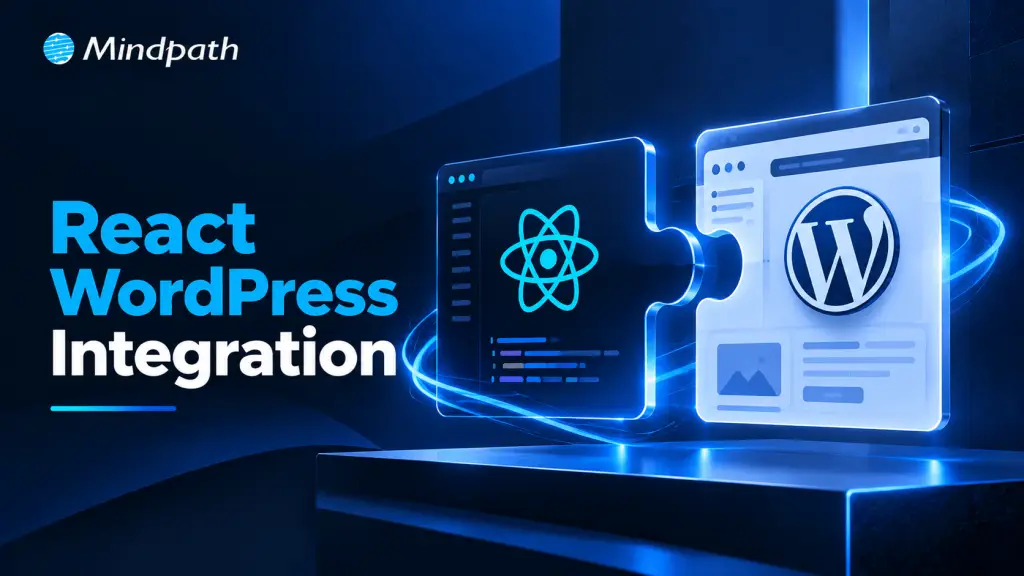
React WordPress Integration

Businesses need websites that are fast, interactive, scalable, and easy to manage. React WordPress Integration combines React’s dynamic user interface capabilities with WordPress’s flexible content management system (CMS). This approach helps developers build modern web applications while retaining WordPress as a platform for managing website content.

Key Takeaways

  • 01
    React WordPress Integration combines React’s interactive frontend capabilities with WordPress content management.
  • 02
    The REST API and GraphQL can connect WordPress content to React applications.
  • 03
    Traditional integration suits existing websites, while headless WordPress supports independently managed frontends.
  • 04
    SEO requires crawlable content, appropriate rendering, unique metadata, and technically correct URLs.
  • 05
    Security, caching, accessibility, and performance testing are essential for a successful implementation.

Whether you are creating a business website, an e-commerce platform, or a content-rich web application, integrating React with WordPress can provide greater flexibility and a more engaging user experience.

What is React WordPress Integration?

React WordPress Integration is the process of connecting React, a JavaScript library for building user interfaces, with WordPress to create interactive web experiences. WordPress manages content, while React can display that content through the WordPress REST API or GraphQL.

This integration supports two common approaches: adding React components to an existing WordPress website or using WordPress as a headless CMS with a separate React frontend.

Why Integrate React with WordPress?

Combining these technologies helps businesses benefit from WordPress content management and React’s component-based development approach.

1. Improved User Experience

React enables interactive interfaces, dynamic content updates, and responsive application components. These features can make navigation, product browsing, and form interactions smoother for website visitors.

2. Flexible Content Management

WordPress allows non-technical teams to publish and update content through its familiar dashboard. React retrieves and presents that content, helping developers create custom interfaces without requiring editors to manage frontend code.

3. Scalable Web Applications

React components can be reused across different sections of an application. When combined with well-designed WordPress APIs, this approach supports maintainable development and makes it easier to expand functionality as business requirements change.

4. Better Performance Opportunities

React can support efficient interface updates, while caching, code splitting, and server-side rendering can help improve loading performance. However, performance depends on implementation, hosting, API response times, and the rendering strategy.

How Does React WordPress Integration Work?

A typical integration follows these steps:

1. Set up WordPress

Install WordPress and configure the required pages, posts, custom fields, and content types.

2. Create the React application

Build the frontend using React components and a suitable development framework.

3. Connect the API

Use the WordPress REST API or WPGraphQL to retrieve content in a structured format.

4. Display the content

Map API responses to React components, including headings, images, articles, and other page elements.

5. Optimize and test

Check responsiveness, security, accessibility, loading speed, and SEO before deployment.

For example, a React frontend can request published blog posts from the WordPress REST API and display them in a custom article listing. WordPress remains the content management platform, while React controls how visitors interact with the listing.

Popular Approaches to React WordPress Integration

1. Traditional WordPress with React Components

In this approach, React is added to selected sections of an existing WordPress theme or plugin. WordPress continues to manage page routing, templates, and most of the website.

Best for: Existing WordPress websites that need interactive features, such as calculators, filters, dashboards, or dynamic forms.

2. Headless WordPress with React

A headless architecture separates the WordPress backend from the frontend. WordPress stores and manages content, while a standalone React application retrieves it through APIs.

Best for: Custom web applications, content platforms, and digital products that require greater frontend control.

Headless development also introduces additional responsibilities, including frontend hosting, routing, content previews, API security, and cache management.

React WordPress Integration Best Practices for SEO

Integrating React and WordPress requires careful SEO planning, particularly when the frontend renders content dynamically.

1. Choose the right rendering strategy: Use server-side rendering or static generation where appropriate so important page content is available in the initial HTML.

2. Optimize page speed: Compress images, minimize unnecessary JavaScript, implement caching, and monitor Core Web Vitals.

3. Manage metadata: Ensure every indexable page has a unique title tag, meta description, canonical URL, and appropriate social sharing metadata.

4. Maintain crawlable links: Use standard HTML links and ensure important pages are accessible through internal navigation.

5. Configure XML sitemaps: Include relevant, canonical, indexable URLs in the sitemap and ensure it reflects the frontend’s actual URL structure.

6. Implement structured data: Add valid, relevant schema markup where appropriate, such as Article, Organization, or Product.

7. Test indexing: Inspect rendered HTML and use Google Search Console to identify crawling, indexing, and page experience issues.

A React website is not automatically SEO-friendly simply because it uses WordPress. Rendering, metadata delivery, URL management, and technical implementation determine how effectively search engines can access its content.

Common Challenges and How to Address Them

React WordPress Integration can introduce challenges when the frontend and backend operate separately.

1. API connectivity

Configure API access correctly and handle errors, loading states, and unavailable content.

2. Security

Use HTTPS, validate inputs, apply appropriate authentication, and never expose private credentials in frontend code.

3. SEO management

Ensure metadata, redirects, canonical URLs, and structured data remain consistent across both systems.

4. Content synchronization

Implement cache invalidation or revalidation so published WordPress changes appear on the frontend promptly.

Addressing these issues early helps reduce maintenance costs and creates a more reliable application.

Build a Modern Web Experience with Mindpath

Want to create a scalable, interactive, and SEO-friendly web application? Mindpath can help businesses plan and develop tailored web solutions aligned with their technical requirements and growth goals.

Contact Mindpath to discuss your React and WordPress development requirements and explore the right integration approach for your business.

Combine WordPress and React for powerful web apps. Discover how to leverage robust content management with dynamic interfaces for enhanced user experience.
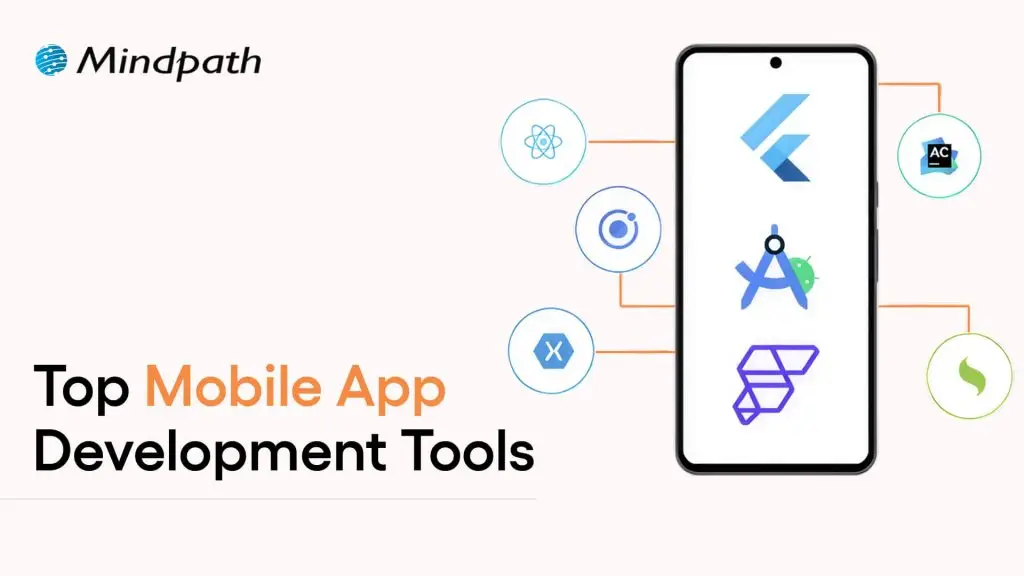
Mobile app development tools

In today’s rapid technological environment, businesses and developers are always trying to find new ways to create apps that engage users and run efficiently. This is why understanding what is mobile application development is essential. In short, mobile application development is the creation of software applications that run on mobile devices, such as smartphones and tablets, involving both creativity and technical skill.

Selecting the best mobile app development tools can greatly enhance speed, quality, and innovation. The right tools will make coding, design, testing, and deployment easier for teams of people. It fosters the idea developed into a real app more quickly and effectively.

Investigation into the mobile app development ecosystem demonstrates a rapid and reliable delivery of apps to users. Tools shape the entire process, from user interface design to backend integration. This indicates that choices of tools are critical to success.

The right set of tools maximizes people’s efficiency while conserving time, minimizing mistakes, and encouraging collaboration on projects. This provides support for more modern amenities. In this blog, we will highlight some of the best mobile development tools that are leading the industry today. So, keep reading further!

With advanced knowledge and expertise, Mindpath offers mobile app development services that are designed to deliver high-performing and user-centric apps, also ensure that your mobile product stands out in performance and design.

What is a Mobile App Development Tool?

A mobile app development tool is a software program, framework, or environment used to design, build, test, and deploy applications for mobile devices like smartphones and tablets. It offers developers resources such as integrated development environments, visual design interfaces, pre-built components, and code-free solutions to make the app-building process faster and easier. These tools also enable API integration, automated testing, data syncing, and analytics, all while helping teams build robust, user-friendly apps.

By employing mobile app development tools, developers can operate in a visual environment with hardware reliability and flow design. They also simplify the backend of features such as push notifications and cloud services. App development becomes equitable, faster, organized, and with fewer errors leading developers to be able to innovate and enhance quality.

Want to build a mobile app but don’t know which technology to use for better execution? Learn from the mobile app development technologies blog to understand what suits best for your business.

Top 10 Mobile App Development Tools

Selecting the appropriate mobile app development tools is essential for developing performant and conveniently accessible applications. The right development tool simplifies coding and design, enhances collaboration, and increases testing and deployment features. It helps developers bring their ideas to reality more effectively. Here is a list of some of the best mobile app development tools:

1. React Native

React Native is one of the best mobile application development frameworks for producing high-quality applications across platforms. It lets developers apply their existing expertise in JavaScript and React framework to develop native-like interactions for iOS, Android, and other platforms.

The cross-platform features of React Native let developers build applications with a higher degree of speed, efficiency, and consistency while maintaining performance.

2. Ionic

Ionic is another notable cross-platform mobile app development tool that allows developers to create applications for iOS, Android, and the web, all using standard web technologies, such as HTML, CSS, and JavaScript. It offers a vast set of UI components that have been pre-designed to help you build engaging and visually enhancing applications. It allows developers to enhance their engagement in the applications while maintaining a consistent level of speed and efficiency for multi-platform development.

3. Xamarin

Xamarin is a powerful mobile app development software that provides developers the ability to build Android, iOS, and Windows apps using a single C# codebase. It integrates nicely with Microsoft Visual Studio, allowing developers to build apps more quickly and efficiently. Xamarin allows the development of high-performance apps that will feel and appear native-like while multiplexing and simplifying maintenance.

4. Flutter

Flutter is a widely used development framework by Google that enables developers to build native applications for iOS, Android, the web, and even desktop, all from a single codebase. Thanks to its large offering of fully customizable widgets, developing visually attractive, highly responsive applications is easy. Its cross-platform capability allows teams to develop applications rapidly while continuing to provide a level of consistency across devices.

5. Xcode

Xcode is a full-fledged development environment focused on developing applications on Apple devices (iOS, macOS, iPadOS, watchOS, tvOS). It is an integrated development environment (IDE) that has a structured interface, designed to create, debug, and manage a significant project effectively. Additionally, it provides support for a number of languages, enabling developers to produce the high quality of Apple’s native applications.

6. Swift

Swift is regarded as one of the top tools for mobile application development, specifically for creating apps on iOS, macOS, and watchOS. Its speed, security, and user-friendliness enable developers to build high-performance native applications easily and swiftly. Modern syntax and capabilities make Swift the preferred programming language for application development work on Apple.

7. Kotlin Multiplatform

Kotlin Multiplatform is considered one of the best tools in mobile app development because it allows developers to share code across platforms but still maintain native performance. That is, it allows you to build apps for Android, iOS, and more using a single codebase and reusing your business logic, while still using the native user interface libraries. With support from Google and a growing community, Kotlin Multiplatform is an excellent option for cross-platform mobile app development.

8. Firebase

Firebase is one of the top mobile application development tools. It supplies developers with a complete backend platform for constructing mobile applications and continually enhancing, updating, or developing for future use.

It also provides high-level services such as, real-time databases, authentication, analytics, and cloud messaging to make managing a mobile app much easier. Firebase allows developers to solely focus on the front end of the mobile app. Developers use Firebase when they want a fully functioning backend infrastructure that allows for the mobile app to run smoothly.

9. Apache Cordova

Apache Cordova is a mobile app development tool that is popular among developers because it provides the framework to create cross-platform applications using standard web technologies (HTML, CSS, and JavaScript). It makes it easy to develop applications for an entire app by interfacing with native device features through a variety of plugins. Cordova supports faster development and an easy maintenance process while delivering applications that run effectively and efficiently across multiple platforms.

10. Titanium SDK

Titanium SDK is a widely used mobile application development tool framework that affords developers the ability to create native applications for iOS and Android using a single codebase in JavaScript. It also provides access to native device features and enables teams to test simultaneously across platforms. Titanium SDK helps teams iterate faster at development without sacrificing performance or consistency of mobile applications.

Curious how mobile apps can leverage AI to transform your business and stay ahead in 2025? Explore our blog on Mobile App Development Trends to discover how these innovations can enhance user experiences.

Ready to Choose the Right Mobile App Development Tool?

Selecting the right mobile app development tools can make a significant difference in creating high-quality, efficient, and engaging applications. The tools highlighted in this blog help streamline coding, design, testing, and deployment, enabling developers to deliver reliable and innovative apps faster. Choosing the right framework ensures better performance, consistency, and a smoother development process.

At Mindpath, we offer professional mobile app development services that help businesses turn their ideas into fully functional applications. Their team uses modern tools and frameworks to deliver scalable, secure, and high-performing apps for iOS, Android, and cross-platform projects. Mindpath focuses on quality, efficiency, and user experience, ensuring that your app stands out in today’s competitive market.

AI readiness checklist

Artificial intelligence has heralded the beginning of a new era, the one of swift digital transformation with AI. The equation of AI and digital transformation has attracted the attention of businesses in almost every sector. As a matter of fact, adopting AI for digital transformation is no longer considered a luxury but a necessity. However, many business leaders feel that their organization is not ready for AI.

As artificial intelligence changes the course of digital transformation in the next few years, you cannot sit on the sidelines. Business leaders have to identify the best practices for integrating AI in their existing systems and workflows to solve real problems and create sustainable value. Let us discover a checklist to find out whether your business is “AI-ready”.

AI can revolutionize your business, but it requires the right guidance and support. Mindpath’s AI development services are designed to turn your challenges into opportunities and help you build future-ready solutions.

Why is AI Readiness Important in 2025?

No other technology trend has had a disruptive impact like artificial intelligence. The growth in demand for AI-driven digital transformation is not just an aftermath of the hype around AI. As a matter of fact, artificial intelligence has been responsible for inducing fundamental changes in the global business landscape. You can come across some of the common use cases of AI in every industry, such as automation of repetitive tasks and offering customer data analytics. 

Business owners must find the ideal solutions to harness the transformative power of AI unless they want to risk falling behind their competitors. On top of it, they must also understand that AI transformation is not just about adding new software to their workflow. It is important to acknowledge that adopting AI implies a paradigm shift in how an organization operates, competes in the market, and fosters innovation.  

Anyone cannot just introduce AI in their business and expect it to work like magic without preparing a strong foundation. The journey of AI-powered transformation of a business requires a holistic approach that blends technology with data, people, processes, governance, and strategy. When your business fulfills all the criteria of AI readiness, you can tap into the full potential of artificial intelligence.  

Why Do You Need an AI Checklist for Your Business?

The advantages of AI for businesses offer a credible set of reasons to embrace AI adoption right away. On the other hand, adopting AI directly without preparation can lead to poor implementation and wasted resources. At this point in time, you must know the answer to “What is an AI readiness checklist?” and how the checklist can help you with AI adoption. The readiness checklist can work as a manual for preparation to welcome AI into your organization. 

Business owners need the artificial intelligence readiness checklist to make smarter decisions for integrating AI in their operations and systems. Most importantly, the checklist can help in addressing most of the implementation challenges, such as resistance from teams. 

Important Points in Artificial Intelligence Readiness Checklist

The checklist to measure the AI readiness of your business might vary from source to source. However, the best AI readiness checklist is one that covers the essential facets that you must consider before embracing AI. You can use the following checklist for the critical evaluation of the preparedness of your business for artificial intelligence. 

1. Availability of Centralized and Clean Data

Data is the lifeblood of AI, and without quality data, artificial intelligence is helpless. You may have multiple artificial intelligence business ideas and still fail due to the lack of data. What is the significance of centralized and clean data? Centralization of data ensures that it is not scattered across different systems. Clean data is also essential for AI adoption as it ensures freedom from inconsistencies, duplicates, and errors in the data. 

Assume an example of an e-commerce company that wants to use AI for offering personalized product recommendations. With the browsing data, demographic information and purchase history of customers spread across different databases, the company cannot use AI to build accurate customer profiles. The same outcome is expected in cases where the data contains inaccuracies or errors. Therefore, you must check whether you have a centralized data warehouse and clean data before adopting AI.

2. Alignment of AI Use Cases and Business Goals

Businesses cannot just adopt AI without any purpose unless they want to waste resources. The AI readiness checklist for businesses also focuses on identifying clear AI use cases that directly address specific business problems. On top of it, the use cases should align with the broader strategic goals of your business. The use cases of AI in business may bring opportunities such as improving customer service, enhancing product recommendations, and automating internal communications. 

You can think of an example of a manufacturing plant that uses AI for predictive maintenance to reduce operational costs and machinery downtime. The manufacturing plant uses AI for a specific application to achieve its overall strategic goal of enhancing operational efficiency. 

3. Perception of AI by Teams in an Organization

One of the common misconceptions about AI is that it will replace humans from many jobs. On the contrary, businesses must show that AI will empower teams in an organization with diverse functionalities. Most of the guides on how to prepare for digital transformation with AI emphasize redesigning workflows where AI adds the most value for teams. If the teams in your organization perceive AI as a threat to their roles, then you might encounter trouble in AI adoption.

The best way to ensure that teams understand how AI fits into their workflows requires mapping the current process. Business leaders must recognize repetitive and data-intensive tasks that can be augmented or automated with AI. You have to make employees believe that AI is their partner to tap into the best of artificial intelligence.

4. Commitment of Leadership to AI-powered Innovation

Does your business leadership want to promote innovation with AI? The answer to such questions is crucial for business transformation using AI, as leadership plays a major role in successful AI adoption. Business leaders set the tone for AI integration initiatives and provide the strategic direction alongside access to essential resources.

Active participation of leaders in championing AI initiatives showcases the significance of AI to every member in the organization. For instance, if the CEO publicly endorses an AI-powered project and allocates a dedicated budget to the project, then they show their commitment to AI. As a result, more employees will buy into the projec,t and leaders can avoid potential roadblocks.       

5. Support for Cloud Solutions in the Technical Infrastructure

Business owners must also know that AI systems require significant amounts of computational power and data storage. Therefore, cloud-based solutions have emerged as the most beneficial components in the technical infrastructure of modern AI systems. The ideal checklist for AI-powered business transformation will ask you to prepare a robust technology infrastructure that supports cloud-based solutions.  

Let us assume that a business wants to use AI for analyzing large volumes of transaction data for fraud detection. The business owner must choose scalable cloud infrastructure like Google Cloud, Azure, or AWS that offers the flexibility and power to handle the humongous collection of transaction data. 

6. Attention to Data Privacy and Compliance Protocols

The dependency of AI on data calls for unconditional attention to the concerns of data privacy and compliance. You can guide your business through strategic AI adoption only with robust data privacy and compliance protocols. Some of the notable protocols that businesses should not ignore are GDPR and HIPAA. The primary purpose of these protocols is to ensure ethical data management and mitigation of legal risks. 

You can notice that healthcare providers using AI are the best examples of why data privacy and compliance protocols are important. For example, a healthcare institution using AI for patient diagnosis should follow strict patient data privacy rules. Protocols for secure data storage and data anonymization can safeguard sensitive information and earn the trust of users.

7. Accessibility of Ideal AI Tools and Technology Partners

The successful implementation of AI in your business operations and workflows depends a lot on the selection of the right AI tools and strategic partners. Businesses can improve their readiness for AI and automation with custom-built solutions or off-the-shelf AI platforms. Some leaders may also opt for collaborations with AI consulting firms or development services to integrate AI in their business.

What would a small e-commerce business do while implementing AI-powered personalized recommendations? A pre-built solution with AI features might be the best answer. On the other hand, a larger organization should collaborate with an AI development company to create custom solutions aligned with business requirements and goals.

8. Support for Experimentation and Agile Innovation

AI adoption is not a one-time process, as many business owners might have believed. Adopting AI in your processes and systems requires an iterative approach and calls for continuous learning and improvement. As a business leader, your digital transformation roadmap for AI must emphasize experimentation and agile methods. You must be comfortable with learning from failures and adapting your strategies according to emerging requirements.

Consider the example of a software development company that aims to use AI for optimizing code generation. The company can rely on experiments and agile approaches to test different AI models and collect feedback. Subsequently, the company can repeat the process to create more refined AI solutions.        

9. Clear Metrics to Evaluate AI Outcomes

Without the KPIs or Key Performance Indicators for your AI projects, you will be shooting in the dark. Business owners can measure the value of AI for their organization only with KPIs that will also guide improvements in their AI adoption strategy. The metrics for your AI projects must align with your business goals.

If you want to use an AI chatbot for customer service, then the KPIs will focus on the number of escalated tickets or an increase in customer satisfaction scores. A clear definition of KPIs helps businesses determine the effectiveness of AI and make data-driven decisions for improvement.

10. Willingness of Staff to Learn AI Skills

The success of your AI initiatives also depends significantly on the dedication of the workforce to learn AI skills. You cannot think about preparing your business for AI integration without resistance from employees. Therefore, you must foster a culture of continuous learning and upskilling to encourage employees to learn how to work with AI tools. 

Business owners must design special training programs to help their employees understand how to use AI-powered platforms and solutions. With a proactive approach to AI training and upskilling, your organization can harness the full power of the human element in your AI initiatives.

11. Realistic Expectations for AI Budget

The budget of a business for AI initiatives also plays a crucial role in determining the success of the initiatives. As a business owner, you must set some realistic expectations for the budget of AI projects. It will ensure that your AI project does not get derailed due to a lack of funds. 

The budget for AI adoption must include the initial development and licensing costs as well as the cost of ongoing maintenance, training, and data infrastructure. In addition, you should also pay attention to the costs of data acquisition and integration with existing systems.

12. Opportunities for Cross-Functional Collaboration

The scope of AI projects will include multiple departments, thereby calling for cross-functional collaboration. The best practices for future-proofing business with AI require business owners to understand how cross-functional collaboration can offer diverse perspectives on AI projects. 

You can promote cross-functional collaboration by developing a set of shared goals and creating open communication channels between relevant departments. Cross-functional collaboration offers a more holistic approach to AI integration while addressing the needs of every stakeholder.

13. Pilot or Prototype for AI Use Cases

Running a pilot project before full-scale deployment can help you save a lot of resources. The pilot use case or prototype for AI projects helps in testing and refining AI systems within controlled environments. For instance, you might use an AI-powered fraud detection system on a subset of transactions for the pilot use case.

The pilot use cases or prototype help in identifying potential issues, especially in the areas of model accuracy and data quality. On top of it, a successful pilot project will improve your confidence and offer valuable insights about AI systems before large-scale deployment.

14. Continuous Improvement with Feedback Loops

AI models have to go through dynamic changes as they learn from new data. Therefore, businesses must have frameworks for continuous monitoring and refining the models. Business leaders must implement feedback loops that allow AI systems to learn and evolve with time. 

The best example of continuous improvement with feedback loops is an AI-powered customer service chatbot. For instance, the chatbot can analyze user interactions, identify its weaknesses, and give that information to the model for retraining. As a result, the AI will not only provide effective answers but also adapt to new conditions and data.

15. Long-Term Roadmap for AI Adoption

The search for answers to “How can AI drive digital transformation in business?” will help you understand that AI adoption is a long-term journey. Businesses must have a long-term AI adoption roadmap to follow a strategic plan to expand their AI initiatives. The AI adoption roadmap will also guide business owners for deeper integration of AI in their business. 

The adoption roadmap must include an outline of future AI projects, planned updates, ongoing training requirements, and necessary infrastructure upgrades. With a clear roadmap, your business can follow the best strategic direction for AI investments and ensure sustained growth.

Ready to Turn Your AI Readiness Into Real Business Results?

The AI readiness checklist shows the most important things you must keep in mind while embracing AI in your business. As the popularity of artificial intelligence gains momentum, every business wants to measure its preparedness for AI. Mindpath is one of the prominent emerging leaders in end-to-end AI solution development for businesses across all industries. 

We have become the best choice for end-to-end AI development services due to our ability to articulate client requirements into tangible solutions. Our experts pay attention to client requirements, such as scalability, data privacy, and cost transparency, to help them embrace AI seamlessly in all business processes. Consult with our experts to find out the best path for integrating AI in your business systems, processes, or workflows now.

Frequently Asked Questions

1. How do you know if your business is actually ready for AI, or just thinks it is?

Readiness goes beyond having the budget or the enthusiasm. It comes down to whether your data is clean, your teams are aligned, and your goals are specific. Many businesses skip these fundamentals and struggle later when implementation begins.

2. What is an AI readiness checklist and does every business really need one?

An AI readiness checklist is essentially a structured way to evaluate whether your operations, data, people, and infrastructure can support AI adoption. Without it, businesses tend to rush in without a foundation, which leads to wasted resources and failed projects.

3. Can small businesses benefit from AI transformation, or is it mostly for large enterprises?

Absolutely, small businesses can benefit just as much. Pre-built AI tools make entry-level adoption very accessible today. Starting small with one specific use case, like customer support or inventory management, often delivers quicker results than large-scale rollouts.

4. What usually goes wrong when a company tries to adopt AI without proper preparation?

The most common problems are poor data quality, resistance from employees, and unclear goals. Teams that were never consulted during planning tend to push back hard. Without defined KPIs, there is also no way to measure whether the AI is actually working.

5. How long does it realistically take for a business to see results after adopting AI?

It depends heavily on the complexity of the use case and how prepared the organization was before starting. A focused pilot project can show measurable results within a few months, while broader transformation across departments typically takes a year or more to fully stabilize.