Home

Benefits of Multi Cloud Strategy for Modern Enterprises

Benefits of Multi Cloud Strategy for Modern Enterprises

Join our Newsletter!

multi cloud strategy

Modern businesses operate in a highly dynamic environment. They need to focus on resilience and flexibility while performing in the market. The high intensity of competition that they encounter in their path further complicates their situation. This is when a multi-cloud strategy comes into the picture.

A multi-cloud strategy is an ideal option for contemporary businesses. It empowers business entities by increasing their flexibility and optimizing their costs. Moreover, such a strategic approach can even enhance the resilience of businesses in the unpredictable business landscape. It is the perfect time to explore the core benefits of a multi-cloud strategy for modern enterprises.

Wanting to leverage modern cloud technologies to make your operations faster and more scalable? Mindpath provides cloud infrastructure services that help you build, deploy, and manage systems with confidence.

What is a Multi-Cloud Strategy?

Before looking at the benefits of a multi-cloud approach, you need to have a clear understanding of the specific concept. A multi-cloud strategy is a plan to use computing services from two or more public cloud providers, such as Amazon Web Services (AWS), Microsoft Azure, and Google Cloud, simultaneously. Rather than relying on a single vendor, businesses distribute workloads across these providers to tap into each one’s strengths. You may be wondering why such a decision is essential. This is because a single cloud provider can restrict the full potential of the cloud strategy of a business. 

A multi-cloud strategy is ideal for businesses today because it directly addresses the key risks of single-provider dependence, namely vendor lock-in, limited flexibility, and single points of failure. It gives businesses greater control over their operations and measurably improves operational efficiency.

It’s worth noting that a multi-cloud strategy can span private cloud, public cloud, and specialized cloud services. When businesses adopt a multi-cloud infrastructure, they are no longer locked into the constraints of a single provider. Instead, they can pick the best tool for each job, choosing whichever platform best fits a specific workload while maintaining better control over their infrastructure. This flexibility lets them respond to market shifts quickly and operate with higher agility and improved system uptime.

Wondering which cloud technologies will shape the future of your business? Explore our blog cloud computing trends to discover the latest innovations driving scalability, efficiency, and growth.

How is the Multi-Cloud Strategy Different from the Single Cloud and Hybrid Cloud Approaches?

In order to get a comprehensive insight into multi-cloud architectures, you must know that it is different from single-cloud and hybrid-cloud approaches. In a single cloud approach, a business depends on a single cloud provider for all its workload. In the case of a hybrid cloud, businesses combine on-premise infrastructure with a private or public cloud. While talking about multi-cloud vs hybrid cloud, you need to remember that multi-cloud involves using multiple cloud providers for different workloads. 

In the case of a single cloud approach, the management is simplified. However, the issue relating to vendor lock-in may arise. It can automatically limit the overall flexibility for businesses. The hybrid cloud model, on the other hand, offers more balance between conventional IT and cloud solutions. 

However, businesses must remember that there is limited producer diversity. The multi-cloud approach offers multi-cloud benefits since it minimizes dependency on a single provider and boosts resilience for businesses. Thus, out of all these options, the multi-cloud approach creates immense value for contemporary business entities. 

Benefits of a Multi-Cloud Strategy

Now that you know, what is multi-cloud? It is time to look at some of the associated benefits. It is fundamental for businesses to remember that a multi-cloud strategy can give rise to a plethora of benefits. The awareness of these benefits can help them decide whether they want such a solution or not. 

1. Avoiding Vendor Lock-In

If businesses opt for the multi-cloud strategy, they can rest assured about the vendor lock-in issue. This issue mainly arises when businesses depend on a single provider; however, in the case of a multi-cloud strategy for businesses, they depend on diverse providers. Thus, the dependence on a single vendor gets reduced substantially. Thus, businesses are able to enjoy ample flexibility while operating in the dynamic and uncertain business environment.

2. Cost Efficiency

One of the main benefits of a multi-cloud strategy is related to cost efficiency. In fact, the multi-cloud strategy is ideal for businesses that intend to curb their IT spending. You need to remember that the public cloud option comes with less overhead. Moreover, it allows businesses to scale up or down as per their needs and requirements. Businesses can leverage a multi-cloud strategy and take advantage of the best pricing and performance options. 

3. High Reliability

A multi-cloud strategy undoubtedly reduces the risks relating to unplanned downtime. This is because it minimizes the risk relating to a single point of failure. An outage in a single cloud will not necessarily have an adverse impact on the services on other clouds. In case the cloud goes down, businesses can route their computing needs to another cloud. Thus, the reliability is high when businesses choose the multi-cloud strategy.  

4. Advanced Security

If businesses are looking for high security while leveraging cloud services, the multi-cloud strategy is an ideal option. This is because a multi-cloud strategy enables businesses to not only deploy and scale workloads but also implement robust security policies. You can also take advantage of compliance technologies in a consistent manner across all your workloads, irrespective of the service or vendor. In the highly unpredictable times, the role of heightened security cannot be negated for businesses.   

5. Best Feature of Each Cloud Solution

The multi-cloud approach enables business entities to choose from many cloud vendors. Thus, it offers ample flexibility in order to match the specific capabilities and features to optimize the workload of businesses. You can take into consideration diverse factors such as speed and performance, and choose the best cloud solution that perfectly aligns with your business needs.  

Looking to build applications that scale seamlessly across multiple clouds? Explore our blog cloud‑native development to discover how cloud-native architectures improve performance, flexibility, and business growth.

Disadvantages of a Multi-Cloud Approach

Businesses need to keep in mind both multi-cloud advantages and disadvantages while deciding on the multi-cloud strategy. It is necessary to be aware of the associated disadvantages so that businesses can set their expectations accordingly. 

1. Management Complexity 

One of the most common disadvantages is related to management complexity. It might not be easy for businesses to manage a multi-cloud strategy. They need to dedicate their time and effort so that the strategy can work in favor of the business. 

2. Operational Overhead

Businesses may find it challenging to coordinate between diverse platforms. Furthermore, it may increase the management overhead for the business. There is a need for sophisticated tools to manage all the platforms in a perfect manner. 

3. Heightened Cost 

Although all the services may be cheaper, the total cost may be higher. This is mainly due to the added overheads relating to the management of diverse cloud platforms. Thus, businesses need to understand the importance of careful planning as well as management. 

4. Heightened Security Risks

As each cloud provider has its own security and compliance model, ensuring consistency is not easy for businesses. The lack of consistency in terms of security can undoubtedly give rise to security risks. This is a serious disadvantage that businesses cannot ignore. 

Struggling to make informed decisions about your cloud investments? Discover our blog importance of data-driven decision making for businesses to learn how analytics and data insights improve cloud strategy outcomes.

Final Words

In the competitive business setting, businesses need to adopt a multi-cloud strategy. Before implementing the strategy, insight into the related benefits as well as disadvantages is essential. The key benefits and disadvantages relating to a multi-cloud strategy have been presented, which can guide businesses to make their cloud-related decisions. 

Mindpath’s top-notch cloud infrastructure services are ideal for modern businesses. The experts can make sure that the business can derive optimum value from their cloud approach. The strategy can certainly act as a source of competitive advantage in contemporary times. 

Running Across More Than One Cloud?

We design multi-cloud setups without duplicated cost and effort.

Frequently Asked Questions

A multi cloud strategy uses services from multiple cloud providers to improve flexibility, reduce vendor lock-in, enhance resilience, and optimize application performance across different environments.
Businesses use multi cloud to improve reliability, meet compliance requirements, optimize costs, and choose the best cloud services for different workloads.
Common challenges include managing multiple platforms, ensuring consistent security, controlling costs, integrating workloads, and monitoring performance across cloud environments.
Distributing workloads across multiple cloud providers minimizes downtime, enhances redundancy, and enables faster disaster recovery during service outages.
Businesses should define clear objectives, standardize security policies, automate cloud management, monitor costs, and partner with experienced cloud experts.

Support Is One Click Away

Featured Posts

Related Post

Infrastructure as Code

If you are into IT operations, you might have noticed that there is constant pressure to deploy faster and maintain reliability across complicated IT environments. But with traditional infrastructure management, you can’t keep up with the trends. Further, manual configuration might push you out of the competition. This is where Infrastructure as Code steps in as the game changer.

The market value of IaC is ready to reach USD 1582.04 million in 2026, and it can stretch up to USD 6939.73 million by 2034. In this blog, we will further explore the importance of IaC along with its practical values in modern IT operations.

Looking to simplify infrastructure management and scale your IT operations with speed and consistency? Mindpath delivers expert DevOps services, including Infrastructure as Code (IaC), to automate provisioning and accelerate delivery.

What does Infrastructure as Code mean?

Now you might be wondering about infrastructure as code meaning. So, it is the process of managing and provisioning your infrastructure through code instead of manual procedures. It allows your developers and IT teams to define servers, databases, and networks along with other resources through scripts and configuration files.

So, instead of setting up the whole infrastructure manually, you can get it done through code. Further, the process remains automatic and consistent. This approach ensures your infrastructure environments are repeatable and version-controlled.

Why is Infrastructure as Code Important for Modern IT Operations?

Today’s modern IT operations completely depend on speed, automation, and reliability. So, IaC can help you gain these capabilities with a lot of features.

  • It is capable of eliminating manual configuration errors from the beginning.
  • It supports quick deployment and rapid scaling for the company’s betterment.
  • You can be assured of better collaboration between your development and operations teams.
  • It can be integrated seamlessly with DevOps workflows.

IaC is also a strong pillar of infrastructure as code in DevOps. Additionally, it helps organizations in implementing CI/CD pipelines while delivering software quickly and efficiently.

Struggling to manage complex infrastructure and streamline your IT operations? Check out our blog on AI in DevOps to explore how intelligent automation is transforming modern workflows.

Infrastructure as Code Benefits for Quick Development Approaches

The IaC market has been growing effectively with a CAGR of 24.39%. Here are some evident infrastructure as code benefits that your company can leverage to win the interest of the market.

1. Standardization and Consistency

IaC can help you apply the same configurations across all system environments. So, it lowers the chances of any system failures because of any misconfigurations.

2. Speed and Efficiency

When you automate the management and provisioning of your infrastructure, the time taken to configure and set up the environment will be lessened.

3. Flexibility

IaC accesses your organization to scale resources up and down as per your requirements. Further, it doesn’t require any manual interventions.

4. Better Collaboration

Infrastructure as Code enables your team to use version control systems to handle the infrastructure. This enables better collaboration.

5. Cost Efficiency

Automation can easily reduce operational charges while minimizing the chances of resource wastage. This leads to better cost management.

Ready to simplify and automate your IT infrastructure with Infrastructure as Code (IaC)? Discover DevOps trends to stay ahead with the latest innovations in modern IT operations.

Popular Infrastructure as Code Tools and Platforms

To integrate IaC effectively, companies generally rely on a series of infrastructure-as-code tools and platforms. Further, each tool serves multiple purposes, like provisioning and configuration. Some of the most commonly used tools have been listed here.

1. AWS CloudFormation

It is used for Native IaC service for AWS environments.

2. Terraform

It ensures infrastructure provisioning across multiple cloud providers.

3. Azure Resource Manager

This is Microsoft’s IaC solution.

4. Puppet

It offers infrastructure configuration and management.

These infrastructure-as-code platforms can help you standardize processes and simplify complicated IT environments.

Want to improve scalability and efficiency through Infrastructure as Code (IaC)? Check out our blog on AI tools in DevOps to learn how automation is driving smarter IT operations.

Use Cases and Infrastructure as Code Examples

Infrastructure as Code has already become an integral part of modern IT operations. Further, it has offered a wide range of applications across multiple industries.

1. Cloud Deployment

This is the best infrastructure as code example you can think of. You can use IaC to set up and handle the whole cloud environment across multiple or single clouds. With IaC, you can codify your cloud infrastructure to ensure authentic resource allocation.

2. Automated Web App Deployment

This is also another impactful use case of IaC. You can define all important components for a web app, including databases, virtual machines, load balancers, and networking configurations.

3. Security and Automation

IaC includes security configurations and regulatory rules. Therefore, you can automatically apply security policies like firewall rules.

Planning to enhance your IT operations with more scalable and automated infrastructure? Explore our blog on DevOps best practices to discover proven strategies for efficient and reliable deployments.

What are Some Infrastructure as Code Best Practices?

To completely adopt the power of IaC, you should follow some proven infrastructure as code best practices.

1. Use Version Control

Store infrastructure code in repositories like Git to trace changes and enable collaboration.

2. Keep Your Codes Modular

Break your infrastructure into reusable components for better flexibility & scalability.

3. Ensure Testing & Validation

Always test your configurations before the deployment process to avoid errors in production.

4. Use Declaration Approach

Explain the desired state of infrastructure instead of step-by-step instructions.

5. Automate the Functions

You should integrate IaC with CI/CD pipelines for effective automation while getting rid of the manual workforce.

6. Ensure Security

Apply security verification and policies within your IaC workflows for better implementation.

What is the Role of Infrastructure as Code Software in the Future?

As businesses continue adopting cloud and automation, infrastructure-as-code software will be even more essential. Some of the evident trends include increased adoption of GitOps and AI-driven infrastructure automation. Further, it will encourage security and compliance tools while allowing you to use multi-cloud and hybrid cloud management.

IaC will continue to shape the future of modern IT operations while making the system more stable and flexible.

Challenges of Adopting Infrastructure as Code

While IaC offers a number of benefits, it still holds some challenges, as given here.

  • It offers a learning curve for teams that are not well aware of coding.
  • It might be difficult for you to manage complex configurations across a wide range.
  • You might expect risk of misconfigurations if you don’t test it properly.
  • Teams can expect security alerts if the scripts are poorly written.

However, with proper planning and best practices, you can easily avoid these challenges.

Want to streamline deployment processes with Infrastructure as Code (IaC)? Check out our blog on DevOps challenges and solutions to gain insights into solving modern IT issues effectively.

Final Words

Infrastructure as Code is not an option anymore. It’s essential for organizations that want to stay ahead of the competition in the current digital landscape. By automating infrastructure management and improving consistency, you can enable faster deployments while allowing you to innovate efficiently.

You can consider the efficiency of Mindpath, which can help your company adopt IaC and modern DevOps best practices. We can help you transform your IT operations while achieving long-term success. This way, your team can easily create, manage, and scale automation across your organization.

hiring a wordpress developer

WordPress remains a top choice for website development due to its scalability, ease of use, and flexibility. However, to unlock WordPress’s true potential, it is crucial to hire the right developer- an expert who can understand your goals, the technical nuances of WordPress, and your customers. Yet, hiring a WordPress developer is a major investment.

It is not just about finding a professional who can write code; it is a strategic partnership between your business and an expert who can offer you the required solutions. Besides, it involves more than just checking technical skills. This detailed hiring WordPress developer guide will guide you through the hiring process, helping you make an ultimate hiring a WordPress developer checklist.

Are you looking for expert help to build your WordPress site? At Mindpath, you can hire WordPress developers who are highly skilled and dedicated to building high-performing websites that drive measurable results.

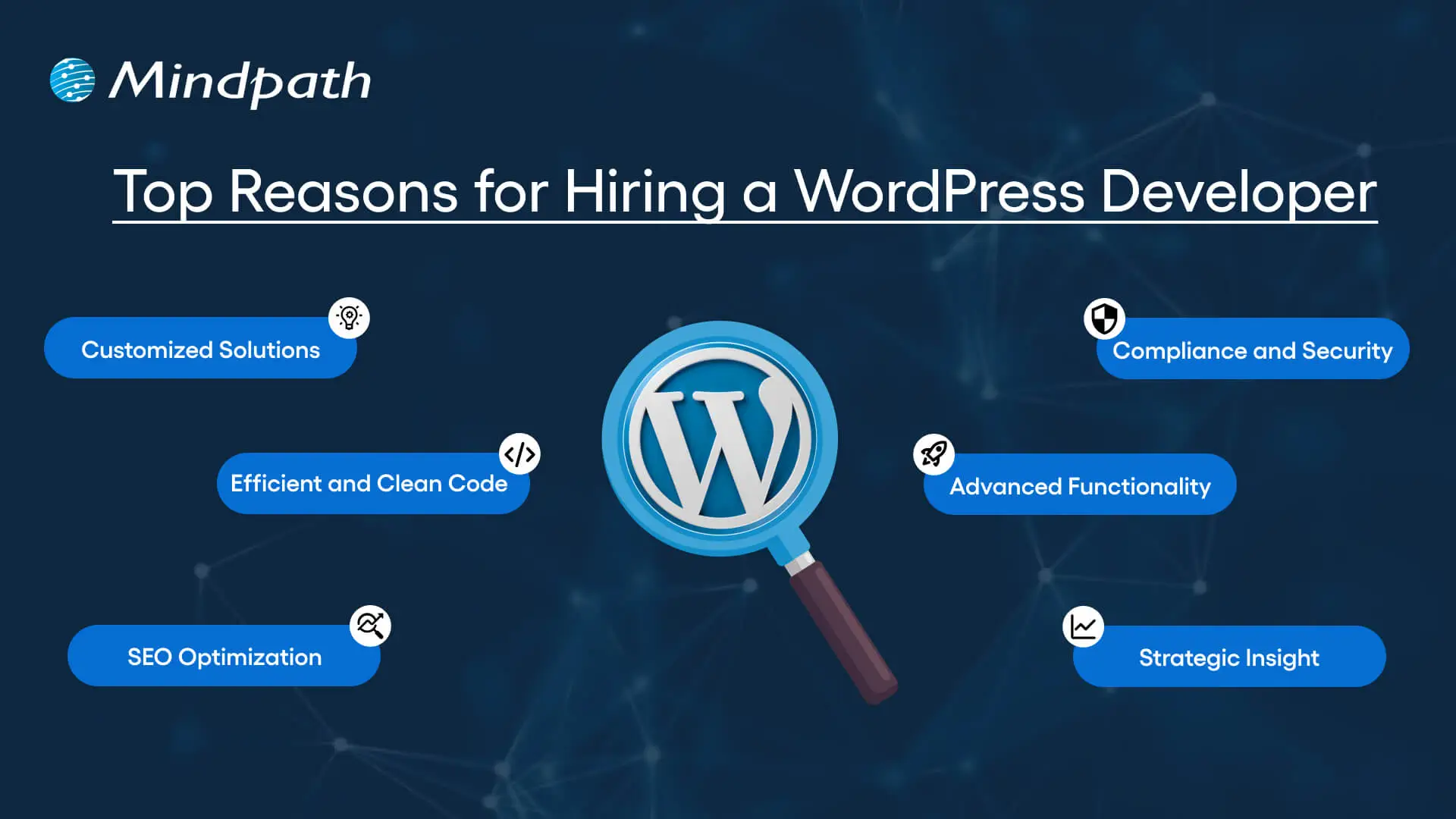
Top Reasons for Hiring a WordPress Developer

Before diving into the WordPress developer checklist to ensure a successful hiring, let’s understand why you should hire expert WordPress developer.

Top Reasons for Hiring a WordPress Developer

1. Customized Solutions

A professional WordPress developer can provide custom WordPress development for the site to match your unique brand identity, functional requirements, and user experience goals. Pre-built themes or plugins won’t offer you such flexibility.

2. Efficient and Clean Code

Skilled developers always prioritize writing scalable, secure, and optimized code. This ensures better SEO scores, fewer compatibility issues, and faster load times.

3. SEO Optimization

Developers know how to develop a website for search engines. For example, they use schema markup, semantic HTML, image optimization tools, and caching techniques that boost visibility and improve rankings.

4. Compliance and Security

From database protection to SSL configuration and plugin installation, professional WordPress developers deploy best security practices to protect your site from data breaches and malware. Besides, they ensure that all the plugins and elements are updated to the latest versions.

5. Advanced Functionality

Do you need a custom API integration or booking system? Well, a skilled WordPress developer knows how to integrate complex features that align with your user needs and business goals. They can also create custom plugins to expand the features of your site.

6. Strategic Insight

Apart from coding, WordPress developers help businesses to get detailed insight into conversion optimization, user behavior, latest trends, and more. All these things will help businesses in making smarter decisions.

Want to make sure your WordPress site is accessible to everyone? Check out our post on improve WordPress web accessibility to learn practical steps for making your site more inclusive and user-friendly.

Types of WordPress Experts- Which One Should You Hire

Understanding the benefits and value a developer can bring is just the beginning. To make the right decision on hiring a WordPress Developer, it is crucial to learn about the different types of WordPress developers you can hire. Remember that each brings a unique focus area and skill set.

1. Front-End WordPress Developers

These experts specialize in interactive and visual aspects of websites. They manage styling, layouts, and user experience and responsiveness using JavaScript, CSS, page builders, and HTML.

2. Back-End WordPress Developers

They focus on database management, server-side functionality, custom theme development, and plugin development. They work with WordPress core functions, MySQL, PHP, and more to create scalable websites.

3. Full-Stack WordPress Developers

Such experts handle back-end and front-end development tasks. They can create a website from scratch while ensuring seamless integration.

While hiring dedicated WordPress developer, you should choose the right type of developer to ensure your project aligns with the design goals, technical needs, and vision.

Curious about which developer’s role best suits your project? Dive into our article on Front-End vs Back-End vs Full-Stack to understand each role and decide which path aligns with your website’s needs.

WordPress Developer Checklist- Skills to Consider

Your hiring WordPress developer checklist should cover the key skills of WordPress developers. HTML, CSS, PHP, MySQL, and JavaScript rank among the key languages for WordPress development. Most developers are familiar with these languages, but knowledge of these technologies is not enough. Here are some skills that matter the most.

Hard Skills or Technical Capabilities

  • Knowledge of using core languages such as jQuery, JS, HTML5, CSS3, PHP, MySQL, React.js, and other languages.
  • Clear understanding of plugin architecture and WordPress core.
  • Building and customizing themes from scratch, and experience with various page builders like Beaver Builder, Gutenberg, Thrive Architect, Elementor, and Themify Builder.
  • Familiarity with REST API.
  • Knowledge of various optimization methods like scheme markup, image compression, caching, Core Web Vitals, minifying CSS, use of CDN, and more.
  • Understating security issues and applying fixes

Soft Skills

  • Ability to explain technical concepts in practical and simple terms.
  • Habit of making clear documentation.
  • Clarity and responsiveness in replies.
  • Ability to collaborate with backend teams and designers.
  • Familiarity with various management tools such as Jira, Trello, and Slack.
  • Willingness to accept feedback and incorporate it quickly.

Some Bonus Skills that Add Value

These skills are not that important for every project, but they can make a developer more valuable. These skills can include:

  • Experience in handling WooCommerce.
  • Knowledge about Headless WordPress configurations.
  • Use of Git or similar tools to manage collaborative workflows and code.
  • Experience in creating responsive and accessible designs to help websites meet the legal requirements of ADA.gov, etc.
  • A better understanding of the business’s goals, like lead generation, conversions, etc.

Want a more flexible and user-friendly website than a static HTML page can offer? Explore our blog on converting HTML to WordPress to see how shifting to WordPress can simplify maintenance and boost performance.

Hiring A WordPress Developer: Best Practices

Hiring a skilled WordPress developer can be a challenging process. That’s why utilizing a structured hiring a WordPress developer checklist is vital. A well-defined hiring checklist can help you save time, and you can hire the best talent for your projects. Here is how to begin your process to hire expert WordPress developer using a proven checklist.

1. Understand your Project Requirements and Goals

Before starting to search for a WordPress developer, it would be better for you to understand your project requirements. Do you want to create a new WordPress site from scratch or optimize an existing site? Are you creating a blog site, business website, or eCommerce platform?

Understanding these things will help narrow down the skills required. For instance, if you want to integrate APIs or advanced features into your site, then hiring a developer with skills in JavaScript or PHP would be a great choice.

Avoiding this step can lead to mismatched expectations. The more precise your needs, the easier your hiring a WordPress developer would be.

2. Selecting the Right Hiring Model

While hiring a WordPress developer, selecting the right engagement model is vital to aligning your development project budget, timeline, and scope. In general, WordPress developers come under three key categories these are:

  • Freelancers: Ideal for short-term and small projects due to their cost-effectiveness and flexibility.
  • Agencies: Offer complete solutions, including website design, development, SEO optimization, and maintenance. Agencies are ideal for large-scale and complex projects.
  • In-House Web Developers: They are best for organizations with ongoing development requirements. Businesses will enjoy faster turnaround and full control. However, this model requires businesses to invest in salaries, management overhead, and benefits.

Consider your budget, long-term objectives, and project size to choose the right model.

3. Developer’s Industry Experience

When using a hiring WordPress developer checklist, an important factor to consider is the developer’s industry-specific experience.

Working with a WordPress developer familiar with your business niche can significantly improve the outcomes while reducing costly trial and error. For instance, for creating an eCommerce website, hiring a developer with WooCommerce expertise will be the best option.

On the other hand, for a blog site, you should prefer to hire an expert with deep SEO and performance optimization knowledge.

This approach will accelerate development and boost functionality. And always ask developers whether they have built websites like yours.

4. Check References and Review Portfolios

Start by examining developers’ portfolios for design consistency, quality, and diversity of development projects that match your business niche. Also, check the custom developer tasks completed by developers to get an idea about their technical skills as well as problem-solving skills.

If possible, assess site performance, usability, and responsiveness to understand the developer’s attention to detail. Also, go through client references to confirm the developer’s support quality, professionalism, and reliability.

5. Conduct Technical Tests and Interviews

Don’t just rely on resumes. Conduct thorough practical tests and interviews. Start by creating targeted interview questions. For instance, you can ask, “How do you solve plugin conflicts”? Or “How do you check a site’s responsiveness?”

Practical tests can include fixing a site speed problem or creating a custom feature or post type. Such tests show developers’ technical skills, efficiency, and creativity. Besides, it helps you to know whether they can work under pressure. This step is pivotal for confident hiring decisions.

Stuck deciding whether WordPress or Drupal is a better match for your business? Our WordPress vs Drupal guide breaks down key differences to help you pick the perfect solution.

Common Mistakes to Avoid

Even with a solid WordPress checklist, mistakes can happen. Here are some common mistakes that you should avoid during the hiring process.

1. Don’t hire an expert based on just low rates. Focusing on the cost factor over quality can lead to poor site performance, missed deadlines, and you may end up with a site that may not meet your business goals.

2. Avoid developers who don’t want to sign confidential agreements. After all, keeping your business data, personal information, and intellectual property safe is important, especially when sharing sensitive details and backend access.

3. Don’t overlook maintenance service and ongoing support offered by the developer. Without this, your site may become vulnerable to bugs and security issues, affecting user experience, speed, and scalability.

4. Don’t ignore red flags such as lack of references, unclear communication, or vague answers.

5. Don’t make your hiring process long and complicated. Excessive interview rounds and lengthy assessments can frustrate candidates, and you may lose top talent.

6. Developers can only create and customize your site. They are not content strategist or designers. So, expecting them to handle everything would be a big mistake, leading to missed opportunities and misaligned results.

Hire Smart and Built Better with Mindpath

Hiring a WordPress developer is a major investment that you make in your business. This can greatly influence your business’s digital future. By following this detailed WordPress developer checklist, you can avoid common mistakes and find a WordPress developer who can create a website that will boost your online presence.

If you are searching for a trusted platform to hire an experienced WordPress developer, you may not find a better option than Mindpath. We specialize in providing the industry’s best WordPress developers, who combine creative design skills, deep technical knowledge, and commitment to quality to develop a perfect solution. Your website needs creative vision, thoughtful design, and expert attention that can bring your brand to life. And for this, you can always count on Mindpath.

Cost to build an AI Agent

Small businesses today are watching AI agents handle customer queries, automate workflows, and close sales round the clock. Exciting? Absolutely. But many business owners jump in without truly understanding the cost to build an AI agent. That gap between excitement and reality often leads to budget overruns. So, let’s talk numbers, trade-offs, and what actually goes into building one.

Key Takeaways

  • 01
    The cost to build an AI agent ranges from $3,000 to $50,000 upfront.
  • 02
    Complexity, integration, and data readiness are the biggest cost drivers.
  • 03
    Hidden costs like token bloat and API fees catch most small businesses off guard.
  • 04
    Starting with one narrow task keeps your budget controlled and ROI measurable.
  • 05
    Consistent maintenance and prompt tuning protect your long-term agent investment.

Furthermore, the pricing rarely tells the full story. Vendors show you the entry plan; they rarely show you integration fees, maintenance costs, or what happens when your agent scales. Every layer adds up quietly. In this blog, we break down every real cost involved so you can plan smarter, spend better, and build an AI agent that actually works for your business. So, let us read further and know more!

Looking for a cost-effective way to implement AI? Our Agentic AI development services help businesses build scalable AI solutions with measurable ROI.

What Factors Influence the Cost to Build an AI Agent?

Building an AI agent is never one flat price. Implementing an AI agent cost shifts dramatically based on what you need, how complex your workflows are, and which technology stack your team chooses. Several moving parts quietly push the budget up or down. Understanding these factors upfront saves you from nasty surprises later. Let’s break down exactly what drives the cost.

1. Scope and Complexity

Rule-based chatbots follow fixed scripts and cost far less to build. True agentic AI that reasons, plans, and adapts autonomously demands significantly more development effort and budget.

2. Integrations and Tooling

Every external system your agent connects to, such as your CRM, ERP, or payment gateway, adds development time. Giving the agent capabilities like web browsing or database querying also requires rigorous security testing.

3. Data Readiness and Preparation

Unstructured or siloed data needs heavy cleanup before your agent can use it effectively. Setting up vector databases and memory architecture to support long-term recall adds another layer to your AI automation cost.

4. Technology Stack

Your choice between proprietary LLMs, open-source models, and no-code builders directly shapes both upfront and recurring costs. Custom frameworks like LangChain offer more control but require significantly more development time.

5. Security and Compliance

Regulated industries like healthcare and finance carry strict compliance requirements including HIPAA and GDPR. Penetration testing, security audits, and data privacy measures push the AI automation cost noticeably higher.

6. Maintenance and Continuous Training

Launching your agent is only the starting point. Production environments demand ongoing prompt tuning, knowledge updates, and performance monitoring throughout the agent’s entire lifecycle.

What Is the Actual Cost to Build an AI Agent for Small Businesses?

The AI customer service agent cost for small businesses ranges from $3,000 to $50,000 upfront. Monthly maintenance and token fees add $50 to $1,000 more.

1. Cost Breakdown by Agent Type

Costs vary widely depending on complexity and autonomy level. Here is what each tier typically costs small businesses today.

2. Off-the-Shelf Configured Agents: $3,000 – $10,000+

No coding is needed here. You pay for prompt setup, branding, and basic routing configuration.

3. Basic Custom Agents (MVP): $10,000 – $25,000

These agents handle customer support, lead qualification, and simple automation. They connect to your website or one external API.

4. Mid-Level and Internal Agents: $25,000 – $50,000+

These require multi-step planning and deep CRM integration. Human-in-the-loop oversight adds complexity and cost.

5. Ongoing Operational Costs

Building the agent covers only the starting investment. Monthly operational costs keep it running and improving.

6. API and Token Usage: $20 – $500+ Per Month

Usage costs depend on query volume and your chosen LLM. OpenAI, Anthropic, and Gemini all price differently.

7. Cloud Hosting: $50 – $300 Per Month

This covers serverless functions and knowledge base storage. Costs scale as your agent handles more traffic.

8. Maintenance: 15% – 30% of Build Cost Annually

Regular updates, bug fixes, and prompt refinements are essential. Strong ROI of AI agent development depends heavily on consistent maintenance investment.

Hidden Costs of AI Agents Nobody Talks About

1. Agentic Token Bloat

Reasoning loops silently stack up your LLM API charges.

2. AI Drift Maintenance

Changing business rules add 15-20% to annual build costs.

3. System Integration and API Fees

Custom API connections cost $25,000 to $75,000 additionally.

4. Debugging and Monitoring

Silent agent failures waste valuable developer time and money.

How Can Small Businesses Reduce the Cost to Build an AI Agent?

Building an AI agent does not have to drain your budget. Smart planning and the right approach can significantly cut costs without compromising on quality or performance.

1. Leverage No-Code Agent Builders

Skip expensive developer fees with visual drag-and-drop platforms. Non-technical staff can build and integrate agents independently and affordably.

2. Mix Models and Use Open-Source

Avoid paying GPT-4 prices for every routine task. Smaller open-source models like Llama 3 cut token costs significantly.

3. Start With a Single Narrow Task

Target one high-volume process like scheduling or email replies. This keeps your initial AI agent ROI for small businesses measurable and clear.

4. Run in Parallel First

Test your agent alongside existing workflows for four to six weeks. This catches errors before full deployment and protects your investment.

5. Optimize Your Prompt Engineering

Well-structured prompts use fewer tokens and reduce unnecessary back-and-forth. This directly lowers how much does an AI agent cost per month operationally.

Is the Cost to Build an AI Agent Worth It for Your Small Business?

For most small businesses, the answer is yes. The cost to build an AI agent pays back quickly through saved labor, faster response times, and scalable automation. Start small, measure results, and expand only where it genuinely moves your bottom line.

At Mindpath, we provide AI development services tailored specifically for small business budgets and goals. We help you skip the guesswork, avoid hidden costs, and build agents that actually deliver results. Let us help you make the right investment from day one. Contact us today for a free consultation, and discover how the right AI solution can help your business save time, reduce costs, and grow with confidence.