Home

Essential Skills to Look for When Hiring a Node.js Developer in New York

Essential Skills to Look for When Hiring a Node.js Developer in New York

Join our Newsletter!

NodeJS developer in New York


Hiring the right Node.js developer in New York can help businesses build secure, scalable, and high-performing web applications. However, choosing a suitable candidate requires more than reviewing technical qualifications. Businesses must evaluate programming expertise, backend development experience, problem-solving abilities, and communication skills to ensure the developer can meet their project requirements.

Key Takeaways

  • 01
    Look for strong JavaScript, Node.js, and asynchronous programming skills.
  • 02
    Evaluate experience with backend frameworks such as Express.js and NestJS.
  • 03
    Check database management, API development, and application security knowledge.
  • 04
    Prioritize testing, debugging, and performance optimization experience.
  • 05
    Consider communication, teamwork, and industry-specific expertise.

Whether you are developing an e-commerce platform, a financial application, a SaaS product, or a real-time application, understanding the essential Node.js developer skills can help you make a confident hiring decision.

Looking to build a high-performance application with expert support? Mindpath helps businesses develop scalable and reliable solutions with experienced Node.js developers tailored to their project needs.

Why Should You Hire a Skilled Node.js Developer in New York?

Node.js is a JavaScript runtime that enables developers to build backend applications, APIs, and real-time digital solutions. Its event-driven architecture and non-blocking I/O make it suitable for applications that handle numerous concurrent connections.

For businesses in New York, including fintech companies, e-commerce brands, startups, and enterprise organizations, experienced Node.js developers can help create reliable digital products that support changing customer demands.

A qualified developer can also improve application performance, integrate third-party services, strengthen security, and reduce long-term maintenance challenges.

Essential Skills to Look for When Hiring a Node.js Developer

1. Strong JavaScript Fundamentals

JavaScript is the foundation of Node.js development. A developer should understand variables, functions, objects, modules, closures, and modern JavaScript features.

Look for practical experience with ES6+ features, including arrow functions, destructuring, Promises, and async/await. These concepts help developers write clean, reusable, and maintainable code.

What to check: Ask candidates to explain how they use asynchronous JavaScript to handle multiple requests efficiently.

2. Expertise in Node.js Frameworks

Backend frameworks simplify application development and help developers organize server-side code. Popular options include Express.js, NestJS, and Fastify.

Express.js is useful for building APIs and lightweight web applications. NestJS offers a structured approach for larger applications, while Fastify focuses on efficient request handling.

When hiring a Node.js developer in New York, select candidates whose framework experience matches your project’s complexity, architecture, and long-term requirements.

What to check: Review a previous project and ask why the developer selected a particular framework.

3. Database Management Skills

Most applications need reliable data storage and retrieval. A skilled Node.js developer should understand relational databases such as PostgreSQL and MySQL, as well as NoSQL databases such as MongoDB.

Candidates should know how to design database schemas, optimize queries, manage transactions, and prevent unnecessary database requests. Familiarity with tools such as Prisma, Sequelize, or Mongoose can also be valuable.

What to check: Ask how they would improve a slow database query or design a database for an online shopping application.

4. API Development and Integration

APIs allow different applications and services to communicate. Node.js developers frequently build REST APIs and may also work with GraphQL, depending on project requirements.

Look for experience with API design, request validation, authentication, error handling, and API documentation. Developers should also understand how to integrate payment gateways, CRM platforms, cloud services, and other third-party systems.

What to check: Ask candidates to explain how they would design a secure API for user registration or order processing.

5. Security and Authentication Knowledge

Application security is essential for businesses that handle customer information, financial transactions, or confidential business data.

A qualified developer should understand input validation, password hashing, secure session management, access control, and protection against common vulnerabilities. Knowledge of OAuth 2.0, JWT, HTTPS, rate limiting, and dependency security is also useful.

For New York businesses in finance, healthcare, and e-commerce, developers should be able to identify applicable security and compliance requirements and implement appropriate safeguards.

What to check: Ask how they would protect an API from unauthorized access and repeated malicious requests.

6. Testing and Debugging Abilities

Even well-designed applications can experience unexpected errors. Testing and debugging skills help developers identify problems before they affect users.

Look for experience with unit testing, integration testing, automated tests, and debugging tools. Candidates may use Jest, Mocha, or Node.js’s built-in test runner, depending on the project.

A good developer should also know how to interpret application logs, reproduce errors, and investigate the underlying cause instead of applying temporary fixes.

What to check: Give candidates a small code sample containing a bug and ask them to identify and resolve it.

7. Performance Optimization and Scalability

As applications grow, developers must ensure that performance remains reliable under increasing workloads.

A skilled Node.js developer should understand caching, database optimization, memory management, load balancing, and performance monitoring. Experience with Redis, message queues, and cloud infrastructure can be beneficial for larger projects.

They should also understand the event loop and recognize when CPU-intensive operations require worker threads or separate processing services.

What to check: Ask how they would investigate slow API responses or prepare an application for increased traffic.

8. Git, CI/CD, and Cloud Deployment

Modern software development requires collaboration, reliable releases, and efficient deployment processes.

Developers should understand Git, branching strategies, code reviews, and conflict resolution. Familiarity with CI/CD tools such as GitHub Actions and cloud platforms such as AWS, Microsoft Azure, or Google Cloud can also be valuable.

Docker knowledge and experience with automated deployment pipelines are additional advantages for projects with complex infrastructure.

What to check: Ask candidates to describe their process for testing, reviewing, and deploying code to production.

9. Communication and Problem-Solving Skills

Technical expertise alone does not guarantee project success. Developers must communicate clearly with product managers, designers, frontend developers, and other stakeholders.

Look for candidates who can explain technical decisions in simple language, estimate tasks realistically, respond constructively to feedback, and identify practical solutions when requirements change.

For distributed or remote teams, communication and documentation become even more important.

What to check: Ask candidates to describe a difficult technical problem they solved and how they communicated the solution to their team.

How to Evaluate a Node.js Developer Before Hiring

Before making a hiring decision, follow a structured evaluation process:

  1. Review the portfolio: Check previous applications, GitHub repositories, and relevant project experience.
  2. Conduct a technical interview: Assess JavaScript, Node.js, database, API, and security knowledge.
  3. Assign a practical task: Ask candidates to build a small API or troubleshoot a sample application.
  4. Evaluate code quality: Look for readable code, appropriate error handling, testing, and maintainability.
  5. Check communication skills: Assess how clearly they explain decisions and collaborate with others.
  6. Match experience to project needs: Consider whether the candidate understands your industry, architecture, and business goals.

Avoid evaluating candidates only on years of experience or the number of technologies listed on their resumes. Practical ability and relevant project experience provide stronger evidence of their suitability.

Conclusion

Hiring the right Node.js developer in New York requires a balanced evaluation of technical expertise, practical experience, and communication skills. From JavaScript fundamentals and backend frameworks to API security, testing, and performance optimization, each skill contributes to building dependable applications.

Businesses should define their project requirements, review real-world work, and use practical assessments to identify suitable candidates. If you need experienced professionals to build or scale your digital product, Mindpath can help you explore Node.js development solutions aligned with your business goals.

Contact MindpathTech to discuss your project requirements and find the right development approach for your next application.
Hire Skilled Node.js Developers with MindpathTech

Ready to start your project? Contact MindpathTech today to discuss your requirements and explore the right Node.js development solution for your business.

Frequently Asked Questions

Look for strong JavaScript fundamentals, Node.js expertise, backend framework experience, database management, API development, security knowledge, testing, and performance optimization. Communication and problem-solving skills are equally important.
Yes. Node.js can support enterprise applications, including APIs, SaaS platforms, e-commerce systems, and real-time services. The right architecture, security practices, database design, and infrastructure are essential for meeting enterprise requirements.
Express.js, NestJS, and Fastify are useful frameworks to consider. The best choice depends on the application’s complexity, performance requirements, development team’s experience, and maintenance needs.
Review their previous projects, conduct a technical interview, and assign a practical coding exercise. Evaluate code quality, API design, error handling, testing practices, security awareness, and problem-solving ability.
Both options can work well. Local developers may offer easier in-person collaboration, while remote developers can provide access to a broader talent pool. Choose based on project complexity, budget, time-zone overlap, communication needs, and required expertise.

Support Is One Click Away

Featured Posts

Related Post

conversational AI chatbots

How can businesses handle thousands of customer requests and provide 24/7 support? The answer is conversational AI chatbots. These intelligent assistants automate customer support, assist with sales, and integrate with existing business systems, helping organizations improve efficiency and deliver better customer experiences.

These AI chatbots are fast becoming a staple in today’s business toolset. Many organizations are beginning to use them, supplementing their customer interaction and task management processes. Chatbots can fit conveniently into many different areas of an organization. As usage continues to expand, understanding their value is important. This blog will detail how these AI chatbots are increasing the effectiveness of business operations in simple ways. 

Looking to enhance customer engagement with a personalized AI solution? Our custom chatbot development services specialize in building conversational AI chatbots tailored to your business needs and goals.

What is a Conversational AI Chatbot?

A conversational AI chatbot is an intelligent program that understands natural language and responds like a human. It helps users find information, resolve queries, and complete tasks through websites, apps, and messaging platforms, providing instant support 24/7.

These chatbots use natural language processing (NLP), machine learning (ML), and large language models (LLMs) to understand context and improve conversations. From assisting online shoppers to supporting employees, conversational AI chatbots help businesses streamline communication and enhance user experiences.

Curious to know how AI can enhance your e-commerce strategy and give your business a competitive edge? Read our detailed blog on how AI in e-commerce is transforming the future.

Types of Conversational AI Chatbots

Conversational chatbots come in different types, each designed to handle specific kinds of interactions. Understanding these types helps in choosing the right chatbot for your business needs.

1. NLP Chatbots

Natural Language Processing (NLP) chatbots can understand user intent and context, making them capable of handling complex or varied language inputs. Unlike rule-based bots, they interpret full sentences to deliver more relevant and precise answers.

2. Menu-Based Chatbots

Menu-based chatbots use decision tree-type logic and offer users a set of predefined buttons or options to choose from, guiding them through a structured conversation. These bots are ideal for handling simple FAQs like tracking orders or checking pricing but can be limited in handling complex queries.

3. Machine Learning Bots

Machine learning chatbots learn from past user interactions and improve over time, allowing for highly personalized and context-aware conversations. They can remember user preferences and reuse information in future chats, enhancing the customer experience.

4. Hybrid Chatbots

Hybrid chatbots combine rule-based systems with AI capabilities to deliver both structured and intelligent responses. They can escalate complex issues to human agents, allowing seamless integration between automation and live support.

5. Rule-Based Chatbots

Rule-based chatbots operate using if-then logic and keyword recognition, providing answers based on specific triggers set by the developer. They work best when queries are predictable and can be mapped to predefined responses using keywords or phrases.

All these chatbot types can be integrated into a powerful conversational AI platform to provide comprehensive and intelligent customer support solutions.

According to a study by Tidio, the conversation rate of chatbots in some industries has been observed to reach up to 70%.

Benefits of Conversational AI Chatbots For Business Growth

Conversational AI chatbots are becoming a powerful tool for businesses looking to improve how they work and grow faster. Here are some of the key benefits they offer for driving business growth:

1. Get Useful Customer Feedback Easily

Chatbots can ask for feedback right after a chat session by sending a quick question or rating option. To encourage responses, they can offer discounts or small rewards. Businesses can then check feedback and chat logs to discover common issues and improve services. It’s a smart way to collect insights without bothering the customer.

2. Understand Customer Needs

AI chatbots can figure out what the customer wants and how they feel by reading their words and tone. They understand if a message is urgent or if a customer is upset. When needed, they pass this helpful info to an agent. This gives the agent better context to respond more personally and calmly. 

3. Support Your Sales Team with Smart Help

AI chatbots help with sales by chatting with website visitors, gathering lead details, and booking demos. They answer common product questions and encourage customers to stay longer and learn more. This reduces cart abandonment, increases conversion rates, and supports upselling, all with minimal effort. 

4. Handle Repetitive Questions Automatically

One of the best AI chatbot features is the ability to answer common questions instantly. They manage simple tasks like order tracking, returns, and payment issues without needing a support agent. This saves time for both the customer and your team. It also reduces the number of tickets and keeps agents free from more serious problems.

If you’re exploring smarter ways to deliver customer support. Read our blog on AI for Customer Service, where we highlight how chatbots and virtual assistants can improve customer satisfaction and drive measurable business growth.

5. Increase Lead Generation

Instead of filling out forms, customers can chat naturally with AI bots to share their needs. Chatbots collect useful data like preferred products, location, and language. This data is shared with the marketing team, helping them create personalized campaigns and understand customer behavior better.

6. Keep Customers Engaged with Timely Updates

Chatbots can send helpful messages like order updates, appointment reminders, or payment alerts. They also follow up with feedback requests and help continue conversations across different platforms. With custom branding and fun elements like emojis or images, they make every interaction feel friendly and engaging. 

7. Lower Business Costs

Every business wants to reduce costs while improving service quality. Chatbots help by managing simple tasks, answering frequent questions, and routing chats to the right place. This reduces the need to hire additional agents. Some chatbot platforms are easy to set up without coding, saving time and helping businesses see value faster.

8. Scaling Customer Support Efficiently

Chatbots act like additional support agents by handling many customer questions at once. They manage simple requests efficiently, which helps your team focus on more complex issues. This makes it easier to serve a growing number of customers without increasing staff size, saving time, and reducing pressure on your support team. 

Wondering how to turn AI concepts into actionable business solutions? Check out our AI Consulting Services guide for insights on planning, deploying, and scaling AI effectively.

Want to Transform Your Business with Conversational AI Chatbots?

Conversational AI chatbots are changing how businesses talk to customers, manage support, and grow. From smart replies to handling repetitive tasks, these chatbots are now a valuable part of any modern business setup. They simplify operations, improve customer experience, and help teams work more efficiently without adding extra load. 

We at Mindpath are custom chatbot development company, we help businesses build custom conversational chatbots that fit their goals. Whether it’s for customer support, lead generation, or sales, our expert solutions make chatbot integration easy and impactful. Let us help you scale faster and connect better with your customers using the best AI chatbot tools.  

Discover the transformative power of conversational AI chatbots. From cost savings to increased sales, learn how chatbots can drive growth.
Agentic AI Workflows

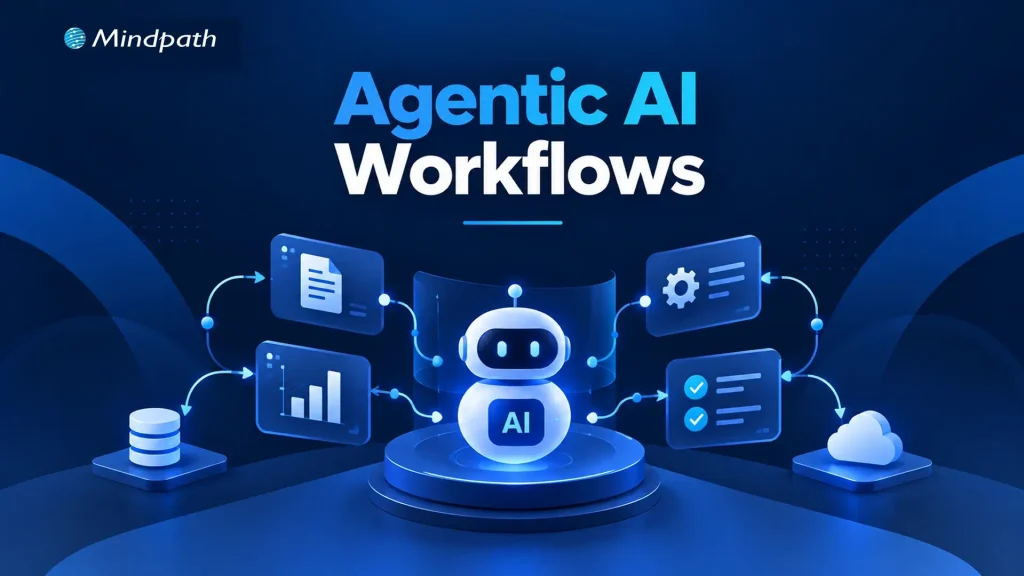
Traditional automation works well when processes follow predictable rules. However, business operations often involve changing conditions, incomplete information, and decisions that cannot be handled through fixed instructions alone. Agentic workflows help address these challenges by enabling AI agents to interpret context, select actions, and coordinate multi-step tasks within defined boundaries.

Key Takeaways

  • 01
    Agentic workflows help AI agents manage multi-step tasks and adapt to changing conditions.
  • 02
    Sequential, routing, planning, and parallel patterns address different business workflow requirements.
  • 03
    Human approval and clear permissions help control risks during sensitive business operations.
  • 04
    Reliable data, defined boundaries, and thorough testing support consistent workflow execution.
  • 05
    Monitoring performance and business outcomes helps improve workflows and guide responsible autonomy.

Building these workflows requires more than connecting AI tools. Businesses need clear objectives, reliable data, decision-making logic, and appropriate human oversight to ensure consistent execution. In this blog, we examine the design patterns, business applications, and implementation principles behind agentic workflows.

Looking to implement agentic workflows in your business?

Mindpath offers AI consulting services to help businesses identify suitable AI opportunities and design workflows aligned with their operational goals.

What Makes an Agentic Workflow Different from Traditional Automation?

Traditional automation executes predefined rules to complete repetitive tasks. AI-assisted workflows add capabilities such as interpreting documents, summarizing information, and recommending decisions. However, agentic workflows allow AI agents to choose appropriate tools, determine the next steps, and adjust their approach based on intermediate results, within established boundaries.

The key difference lies in how each approach handles decisions and changing conditions. Businesses must also determine which actions can run independently and which require human approval. Greater flexibility brings additional responsibilities for validating outputs, monitoring execution, and managing exceptions.

Capability Rule-Based Automation AI-Assisted Workflows Agentic Workflows
Decision-making Predefined rules AI-supported recommendations Context-based, bounded decisions
Adaptability Limited to configured rules Interprets variable inputs Adjusts actions based on results
Tool usage Fixed integrations AI features and connected tools Selects tools according to task needs
Human oversight Rule configuration and exception handling Often reviews AI outputs Sets autonomy limits and approval checkpoints

The right approach depends on task complexity, business risk, and the level of decision-making required.

Six Design Patterns for Building Reliable Agentic Workflows

An effective agentic AI workflow needs a structure that matches its business objective. Design patterns determine how agents process tasks, make decisions, coordinate actions, and manage exceptions. Choosing the right pattern helps businesses maintain control while improving execution.

1. Sequential Workflow Pattern

How it works: Tasks follow a defined sequence. Each stage uses the previous stage’s output.

Business example: An agent gathers customer requirements, analyzes needs, drafts proposals, and requests approval.

Design consideration: Validate outputs between stages. This prevents errors from affecting subsequent tasks.

2. Routing and Conditional Decision Pattern

How it works: An agent classifies requests and directs them to appropriate workflows or specialists.

Business example: Support requests are routed according to urgency, product, and customer impact.

Design consideration: Define clear routing criteria. Provide fallback paths for ambiguous requests.

3. Planning and Iterative Execution Pattern

How it works: An agent plans tasks, evaluates results, and adjusts subsequent actions.

Business example: An agent investigates supply delays, compares alternatives, and recommends recovery plans.

Design consideration: Limit execution steps, tool calls, and retries. Set time limits to prevent endless execution loops.

4. Parallel Execution and Aggregation Pattern

How it works: Independent tasks run simultaneously. Their results are combined into one validated output.

Business example: Agents assess vendor pricing, delivery reliability, and contract requirements concurrently.

Design consideration: Check every subtask for completion. Resolve conflicting findings before producing recommendations.

5. Supervisor and Specialized Agents Pattern

How it works: A coordinating agent delegates tasks to specialized agents and reviews their outputs.

Business example: Research, financial analysis, and compliance agents support vendor evaluations.

Design consideration: Assign distinct responsibilities to each agent. Control handoffs and validate combined results.

6. Human-in-the-Loop Approval Pattern

How it works: Work pauses when decisions require human authorization. Execution resumes after approval.

Business example: An agent recommends purchases but awaits approval before placing orders.

Design consideration: Define approval thresholds and escalation paths. Maintain audit records for consequential actions.

These patterns can operate independently or combine within larger agentic workflows, depending on task complexity and business risk. The priority is to balance autonomy with reliable execution, clear responsibilities, and appropriate oversight.

Five Business Examples of Agentic Workflows

Practical agentic workflow examples show how AI agents can coordinate business tasks, support decisions, and reduce repetitive work. Their value depends on reliable data, clear permissions, and appropriate human oversight.

1. Customer Support and Issue Resolution

AI agents classify tickets and retrieve relevant customer information. They draft responses or execute approved actions, escalating sensitive requests for review.

2. Sales Qualification and CRM Management

Agents research prospects and assess leads against predefined criteria. They update CRM records and recommend relevant follow-up actions.

3. Supply Chain and Procurement

AI agents monitor inventory, supplier updates, and pricing changes. They identify potential disruptions and recommend suitable procurement decisions.

4. Software Development and IT Operations

Agents investigate alerts, analyze logs, and run approved diagnostics. They recommend fixes while escalating risky changes for authorization.

5. Finance and Business Operations

AI agents extract invoice details and verify purchase order information. They flag discrepancies and route exceptions to authorized finance teams.

How to Design an Agentic Workflow for Your Business

Effective AI workflow automation starts with a suitable business process. A structured implementation helps businesses manage risks, maintain control, and measure results.

1. Identify a Suitable Business Process

Choose repetitive tasks involving multiple steps and decisions. Avoid processes where simpler automation already performs well.

2. Define the Agent’s Scope and Boundaries

Specify permitted actions, tools, and data access. Establish approval requirements and clear success criteria.

3. Connect Reliable Data and Business Systems

Integrate approved APIs, CRM platforms, ERP systems, and knowledge bases. Apply access controls and validate incoming data.

4. Test Before Expanding Autonomy

Evaluate accuracy, execution time, and failure recovery. Test edge cases before enabling real-world actions. A structured AI agent testing process helps identify weaknesses before workflows are deployed at scale.

5. Monitor Business Outcomes

Track completion rates, errors, costs, and processing time. Review results regularly and refine workflow logic.

Common Design Mistakes That Undermine Agentic Workflows

Poor implementation decisions can make AI workflows unreliable, expensive, and difficult to manage.

  • Excessive Autonomy: Allowing consequential actions without sufficient safeguards.
  • Unclear Responsibilities: Overlapping agents can duplicate tasks or conflict.
  • Poor Data Quality: Incomplete information can lead to incorrect decisions.
  • Missing Recovery Mechanisms: Unhandled errors can interrupt workflow execution.
  • Insufficient Monitoring: Missing logs make failures harder to investigate.
  • Unnecessary Complexity: Multiple agents can increase coordination overhead without adding value.

Reliable agentic workflows require autonomy levels and system complexity that match business needs. Clear responsibilities, validated data, recovery mechanisms, and appropriate oversight help maintain consistent execution.

How Can Your Business Put Agentic Workflows into Practice?

Successful agentic workflows depend on choosing suitable design patterns, connecting reliable data sources, and defining clear operational boundaries. Businesses should measure accuracy, efficiency, and task completion before expanding autonomy. A gradual approach helps teams identify limitations, strengthen safeguards, and establish confidence in AI-driven execution.

Mindpath helps businesses turn AI opportunities into practical implementations through AI consulting, AI agent development, data engineering, and business system integration. Our team can help design workflows aligned with your operational goals, existing infrastructure, and governance requirements.

AI Model Fine Tuning

Artificial intelligence is reshaping modern businesses across every industry. Yet generic models often fail to understand company-specific knowledge and business processes. To fine-tune AI model performance, organizations need a focused customization strategy. This approach improves accuracy, consistency, and relevance for real business applications.

Key Takeaways

  • 01
    Fine-tuning transforms general AI models into specialized business solutions with greater accuracy.
  • 02
    High-quality training data directly impacts model performance, consistency, and long-term reliability.
  • 03
    Fine-tuning delivers faster implementation and lower costs than building models from scratch.
  • 04
    Continuous evaluation and optimization keep AI models accurate, scalable, and business-ready.
  • 05
    The right customization strategy helps businesses maximize long-term value from AI investments.

Fine-tuning allows businesses to adapt AI without building an entirely new model. It also helps improve performance for specialized tasks and enterprise workflows. In this blog, you’ll learn what fine-tuning is, when businesses should use it, how the process works, and the best practices for building reliable enterprise AI solutions. So, let’s keep reading further!

Looking for a customized AI model that delivers better results? Discover Mindpath’s AI Model Fine-Tuning Services to optimize model accuracy, efficiency, and domain-specific performance.

What Does It Mean to Fine-Tune an AI Model?

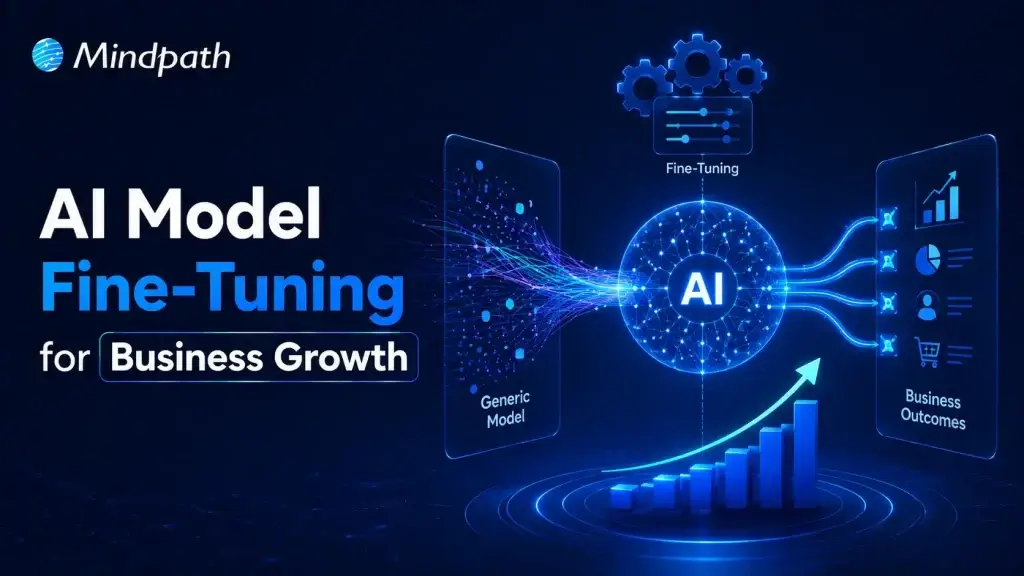
Fine tuning large language models helps businesses adapt pre-trained AI for specific tasks and industry needs. Instead of creating a model from the beginning, organizations refine an existing one using relevant business data. This process improves response quality, accuracy, and consistency across specialized use cases.

Pre-trained models understand general language but often miss company context and domain knowledge. Fine-tuning teaches the model using carefully prepared business datasets and real examples. As a result, it delivers more relevant responses, follows organizational standards, and performs better in practical business environments.

Core Components At a Glance

  • 01
    Foundation Model: Select a pre-trained model suited to your business objectives.
  • 02
    Domain-Specific Data: Train using clean, accurate, and relevant business datasets.
  • 03
    Supervised Fine-Tuning: Refine model behavior with labeled examples and expected outputs.
  • 04
    Parameter-Efficient Fine-Tuning: Reduce training costs by updating only selected model parameters.
  • 05
    Training Hyperparameters: Configure learning settings to improve model performance and stability.
  • 06
    Evaluation and Validation: Test accuracy and prevent overfitting before production deployment.

Fine-Tuning vs Training an AI Model from Scratch

Businesses often compare building a new AI model with choosing to fine-tune AI model performance. Both approaches improve AI capabilities, but they differ significantly in cost, time, resources, and business outcomes.

Understanding these differences helps organizations choose the right strategy for their goals. The right decision depends on data availability, project complexity, budget, and long-term scalability.

Category Training an AI Model from Scratch Fine-Tuning an AI Model
Definition Builds a completely new AI model using large-scale datasets. Customizes a pre-trained model for specific business requirements.
Data Requirements Requires enormous volumes of diverse training data. Uses smaller, high-quality, domain-specific datasets.
Development Time Typically takes several months or longer. Usually completes within days or a few weeks.
Development Cost Involves substantial investment in infrastructure and AI expertise. Significantly lowers development and operational costs.
Computing Resources Requires powerful GPU clusters and extensive computing capacity. Needs fewer computational resources for efficient training.
Customization Offers complete control but demands significant development effort. Delivers targeted customization with faster implementation.
Business Use Cases Suitable for creating entirely new AI models or research projects. Best for industry-specific applications, enterprise workflows, and AI assistants.
Best Choice Large enterprises with extensive budgets, proprietary data, and research teams. Businesses seeking faster deployment, lower costs, and measurable business value.

When Should Your Business Fine-Tune an AI Model?

Not every business needs to customize an AI model from the beginning. AI model customization for enterprise becomes valuable when generic models cannot meet specific business requirements or performance expectations.

1. Specialized Business Knowledge: Fine-tune AI model capabilities for industry-specific tasks and terminology.

2. Consistent Brand Responses: Ensure outputs match your company’s tone, style, and standards.

3. Complex Business Workflows: Handle specialized processes beyond basic prompt-based instructions.

4. High-Quality Training Data: Use curated datasets to improve accuracy and task performance.

5. Lower Operational Costs: Reduce prompt complexity while improving response efficiency and consistency.

How to Fine-Tune an LLM: Step-by-Step Process?

Understanding how to fine tune an LLM helps businesses build AI solutions that deliver better results. A structured process improves model accuracy, reliability, and long-term performance.

Step 1: Select Base Model

Choose a pre-trained model that aligns with your business objectives and use case. Selecting the right foundation improves AI model optimization and overall model performance.

Step 2: Prepare Training Data

Collect clean, relevant, and high-quality datasets for your specific business requirements. Well-structured data helps the model learn accurate patterns and produce reliable outputs.

Step 3: Process Data

Convert the dataset into a format the model can understand during training. Proper preprocessing improves learning efficiency and reduces errors throughout the fine-tuning process.

Step 4: Configure Model

Load the base model and define settings based on your intended task. Correct configuration ensures the model learns effectively from your specialized business data.

Step 5: Validate Performance

Measure model accuracy using evaluation datasets before final deployment. Regular testing identifies weaknesses and helps improve response quality and reliability.

Step 6: Train and Deploy

Train the model with optimized parameters and monitor its performance continuously. Deploy only after verifying consistent, accurate, and business-ready results.

What are the Best Practices to Fine-Tune AI Model?

Successful fine-tuning depends on more than selecting the right model and dataset. Knowing how to train an AI model using proven practices improves performance, reduces errors, and delivers better business outcomes.

1. Clean Training Data

Remove duplicate, outdated, and incorrect records. Clean data improves learning accuracy and consistency.

2. Prevent Overfitting

Reserve unseen data for performance evaluation. Test generalization before deploying the fine-tuned model.

3. Start with Small Datasets

Begin training using limited sample data. Verify results before scaling the complete dataset.

4. Optimize Learning Rate

Choose balanced training settings for stable learning. Avoid values that reduce model performance.

5. Use Efficient Training Methods

Apply lightweight techniques like LoRA whenever possible. Reduce computational costs without sacrificing model quality.

Common Challenges to Watch for

  • 01
    Poor Data Quality: Inaccurate datasets reduce model performance and response reliability.
  • 02
    Overfitting: Excessive learning limits performance on new, unseen business scenarios.
  • 03
    Knowledge Retention: Fine-tuning may reduce previously learned general model capabilities.
  • 04
    High Computing Costs: Training large models requires significant computational resources and infrastructure.
  • 05
    Performance Evaluation: Measuring response quality consistently remains challenging across complex business tasks.

Ready to Fine-Tune Your AI for Better Business Results?

Fine-tuning helps businesses transform general AI models into solutions built for their unique goals and workflows. With the right strategy, quality data, and continuous optimization, organizations can improve accuracy, deliver more relevant responses, and maximize the value of their AI investments.

At Mindpath, we provide end-to-end AI development services, including AI model fine-tuning, to help businesses build AI solutions that align with their unique requirements. Our team works closely with you to create scalable, reliable, and business-focused AI applications that