Home

Cloud Disaster Recovery: Why It Matters for Your Business

Cloud Disaster Recovery: Why It Matters for Your Business

Join our Newsletter!

Cloud Disaster Recovery

Have you ever wondered what would happen to your business if a disaster struck and you lost access to critical data or systems? Whether it’s a hardware failure, cyberattack, or even a natural disaster, the impact can be devastating. But what if there was a way to ensure that your business could quickly recover and keep running smoothly? That’s where Cloud Disaster Recovery comes in. In this blog, we will explore how this powerful solution can safeguard your data and help your business bounce back faster than ever. Let’s dive in!

What is Cloud Disaster Recovery?

Cloud Disaster Recovery (Cloud DR) is a dependable method for organizations to backup and recover essential data and systems in the event of an unforeseen catastrophe. It entails keeping copies of apps, information, and resources in a secure cloud setting. When disaster strikes, such as a hardware breakdown or a cyberattack, organizations can swiftly recover their data and restart operations. Cloud DR also includes capabilities like automation, which make the recovery process faster and more efficient. It is adaptable, letting businesses scale their storage and recovery requirements as they develop, assuring ongoing protection and minimal downtime.

Why is Cloud Disaster Recovery Important?

Cloud Disaster Recovery is vital because it enables organizations to remain safe and recover rapidly when unforeseen difficulties arise, such as system outages, cyberattacks, or natural catastrophes. Losing data or access to vital systems can result in delays, financial losses, and reputational damage. Businesses can use Cloud DR to swiftly recover their data and resume operations without taking extensive interruptions. It guarantees that essential information is always secure and ready for use. It also saves time and money by automating the recovery process and offering a flexible option to scale with the company’s demands. This makes it a wise and dependable option for being prepared.

Advantages of Cloud Disaster Recovery

1. Flexible Scaling

Traditional disaster recovery systems frequently rely on physical data centers, which can be expensive and limited in flexibility. Businesses must purchase servers, storage devices, and networking equipment while also maintaining the complete system for recovery operations. This method not only requires a significant initial expenditure, but it also fails to respond rapidly to changing needs. Cloud Disaster Recovery addresses this issue by providing flexible and scalable solutions. Businesses can employ resources on demand through services such as public cloud alternatives or Disaster Recovery as a Service (DRaaS). This means customers can adjust the capacity they require, like storage or processing power, immediately through user-friendly websites. This strategy saves money by removing the need for costly physical infrastructure and maintenance. It also enables organizations to adapt rapidly to expansion or unanticipated events, ensuring that they have the necessary resources when they need them. Businesses who migrate to cloud disaster recovery benefit from a cost-effective and adaptive solution to preserve their data and systems while focusing on their core activities.

2. Fast Recovery

Cloud-based disaster recovery guarantees faster and easier recovery operations, allowing organizations to minimize downtime. One of the primary benefits is the usage of virtual machines (VMs), which allow you to verify workload availability without impacting everyday operations. This allows firms to routinely review their recovery plans and ensure they are prepared to respond in the event of an emergency. The cloud also provides high-speed bandwidth and enhanced disc performance that can be customized to meet certain recovery time objectives (RTOs). These customizable solutions let firms recover vital systems and data more effectively. Unlike traditional techniques, which rely on physical resources, cloud services allow faster access to the tools and backups required for recovery. Cloud disaster recovery minimizes the time required to restart regular operations after an interruption by combining simplicity of testing, customizable choices, and quicker data retrieval. This guarantees that firms remain robust, retain loyal customers, and reduce financial and operational losses.

3. No Location Limits

Cloud Disaster Recovery (Cloud DR) has the benefit of being independent of a specific physical location. Unlike traditional disaster recovery solutions, which rely on local or remote data centers, Cloud DR enables enterprises to store backups in data centers located anywhere in the world. This avoids the possibility of losing access to important data and systems if a calamity strikes the principal site of the organization’s equipment. Businesses can utilize Cloud DR to pick backup facilities in various geographic areas, ensuring that their data is secured from local threats such as floods, fires, and power outages. This flexibility enables businesses to develop a disaster recovery strategy that meets their specific demands while avoiding any disruptions caused by physical location limits. Additionally, the cloud’s global reach enables organizations to expand and modify their recovery solutions to individual requirements, without being constrained by on-premises equipment. This gives greater protection and business continuity, regardless of where the calamity occurs.

4. Geo-Redundant Backup

Geo-redundancy in cloud disaster recovery improves data security and availability by utilizing a cloud provider’s worldwide network of data centers. These data centers are dispersed across numerous areas, allowing firms to store disaster recovery resources in various places. This regional spread serves as a safety net against local calamities such as earthquakes, floods, and power outages that can affect a particular region. Businesses that deploy disaster recovery resources in several areas can ensure that if one data center fails, backup systems in other places will continue to function. This not only improves the dependability of disaster recovery plans, but it also minimizes the likelihood of downtime and data loss. Geo-redundancy also offers shorter recovery times by allowing firms to retrieve their data from neighboring regions if one location faces issues. This worldwide approach to data security is especially useful for enterprises that operate in numerous locations, as it provides a resilient and scalable solution for protecting essential data and maintaining uninterrupted operations in the face of regional interruptions.

5. Usage-Based Pricing

The cloud disaster recovery pay-as-you-go model gives companies a cost-effective method to set up recovery facilities without having to pay large upfront fees. Unlike traditional managed co-location providers, which sometimes demand long-term contracts, cloud services allow businesses to pay only for the resources they utilize. This means that organizations might avoid making large initial expenditures and instead see catastrophe recovery costs as continuous, flexible expenses. With this strategy, corporations can adjust their payments depending on their real needs, adding or subtracting resources as needed. This allows organizations to grow their disaster recovery solutions without worrying about paying for wasted capacity. Pay-per-use alternatives assist firms in maintaining a cost-effective and adaptive data security strategy by converting substantial capital expenditures into affordable operational costs.

Also Read: Cloud Computing Attacks: A Comprehensive Guide for Prevention

Cloud Computing Services at Mindpath

Mindpath provides flexible and dependable cloud computing services to match your company requirements. Our cloud solutions provide safe data storage and access from anywhere. We have you covered for disaster recovery, data storage, and scalable computing power. Our pay-as-you-go strategy allows you to pay for just the resources you use, making it both cost-effective and flexible. This allows you to scale up or down as needed, without incurring significant upfront expenditures. Our cloud services are supported by a worldwide network of data centers, which guarantees excellent availability and security. Fast recovery options allow you to swiftly get back on track if something goes wrong.

Final Note!

Cloud Disaster Recovery is a crucial option for organizations seeking to secure data and reduce downtime in the event of unforeseen interruptions. Businesses can safeguard their operations while controlling costs by utilizing flexible scalability, rapid recovery, geo-redundancy, and usage-based pricing. The cloud provides unrivalled flexibility, speed, and global reach, making it the best option for modern disaster recovery. Mindpath offers dependable and scalable cloud computing services to help you stay safe, adaptive, and prepared for any emergency. With our pay-as-you-go strategy, you can focus on your core business while we handle catastrophe recovery, ensuring that your data and systems are always secure and accessible.

Ready to protect your business with reliable cloud solutions?

Partner with Mindpath today and discover how our flexible, cost-effective cloud computing services can keep you secure and run smoothly.


Contact Us!

Is Your Business Ready for a Cloud Disaster?

Protect critical systems and data with a reliable cloud disaster recovery strategy built for business continuity.

Frequently Asked Questions

Support Is One Click Away

Featured Posts

Related Post

generative ai applications for enterprises 

Generative AI is changing how modern firms operate, innovate, and grow. By harnessing generative AI applications for enterprises and adopting generative AI for business, organizations are finding better ways to create, plan, and deliver value. The technology helps teams speed up workflows, encourage creativity, and make data-driven decisions. As a result, businesses across industries are turning challenges into opportunities for growth.

With growing adoption, generative AI is becoming a central component of business strategy. One major application is improving customer experience, while Gen AI in market research helps organizations understand market trends, customer behavior, and emerging opportunities. Additionally, businesses can simplify processes and build adaptable systems that respond to changing market conditions. In this article, we will explore practical applications of generative AI and explain how companies use this technology to improve efficiency and innovation.

Ready to translate GenAI opportunities into real operational impact for your organization? Mindpath offers AI development services to help you turn your ideas into production-ready systems.

Understanding Generative AI: A Quick Dive In

Generative AI is changing how businesses innovate by generating useful outputs from data and user instructions. This technology is contributing to the ongoing Gen AI revolution across industries. It helps organizations encourage creativity, support decision-making, and accelerate processes across departments. Consequently, companies can turn ideas into practical solutions and identify new opportunities for business growth.

According to a report by Grand View Research, generative AI is estimated to have a market value of 16.87 billion USD in 2026 and is projected to grow to 109.37 billion USD by 2030, at a CAGR of 37.6%. This projected growth highlights the increasing interest in generative AI applications for enterprises. Businesses are adopting the technology to improve existing processes, develop new products, and maintain their competitive advantage in the digital era.

Looking to stay ahead of enterprise innovation in generative AI? Explore Gen AI trends to learn what is shaping real-world business adoption.

Benefits of Generative AI for Enterprises

Generative AI offers several benefits that help businesses improve productivity, creativity, and operational efficiency. Here are some of the key advantages for enterprises.

1. Generative AI makes sophisticated creative tools more accessible to a wider range of users. As a result, employees without technical or design expertise can create professional-quality content and explore new ideas. This accessibility can encourage innovation across different departments and industries.

2. It improves productivity by automating repetitive activities such as text summarization, code generation, and content drafting. Consequently, employees can spend more time on strategic responsibilities and other high-value tasks that support business goals.

3. Generative AI applications for enterprises can automate content creation, product design, and data analysis. By reducing the time required for these activities, businesses can streamline projects and manage operational costs more effectively.

4. Research and development teams can also benefit from generative AI. For example, the technology can help specialists explore hypotheses, analyze large volumes of data, and identify promising ideas more quickly. As a result, organizations may accelerate discovery and improve the pace of innovation.

5. Generative AI can work alongside people to develop fresh ideas and explore alternative designs. Furthermore, it gives creative teams new ways to experiment, solve problems, and expand their creative capabilities across different disciplines.

6. Generative AI also supports personalization by creating relevant content and recommending products or services based on user preferences. Consequently, businesses can deliver more tailored customer experiences and encourage stronger engagement.

Wondering how creative teams use generative AI beyond content generation? Explore generative AI in the creative industry to discover practical enterprise applications.

What Are the Applications of Generative AI in Businesses?

Businesses across industries are adopting practical generative AI use cases to improve creativity, accelerate workflows, and support better decisions. These applications show how organizations can transform operations, encourage innovation, and deliver more intelligent customer experiences. Let us explore some of the most common examples.

1. Software Development

Automating Software Testing

One way generative AI tools improve software testing is by helping developers create test cases and evaluate software quality. These tools can analyze code and identify potential errors earlier in the development process. Consequently, developers can investigate issues and address them before releasing an application.

Improving Code Quality

AI-powered coding assistants can analyze existing code and suggest improvements. They may also identify defects, recommend clearer implementations, and improve code readability. As a result, developers can maintain a more efficient and manageable codebase.

Writing and Completing Code Faster

Developers can use generative AI coding assistants to create code snippets or complete functions by providing text prompts. This capability reduces the time spent on repetitive coding tasks. In turn, development teams can focus more attention on complex problems and accelerate software delivery.

2. Marketing and Sales

Creating Social Media Content

One useful application of generative AI is the automated creation of social media content, including captions, visuals, and hashtags. This approach helps businesses maintain a consistent online presence while reducing the effort required to prepare content. Additionally, marketing teams can adapt their messages to different platforms and target audiences.

Personalizing Email Campaigns

Generative AI can help businesses create personalized emails based on customer preferences and behavior. For example, marketing teams can tailor messages to different audience segments and customer interests. As a result, businesses can deliver more relevant communications and strengthen customer engagement.

Writing Engaging Ad Copy

Businesses can also use generative AI to create concise advertising copy and alternative campaign messages. This gives marketing teams more opportunities to experiment with different creative approaches. Furthermore, they can test multiple variations and identify which messages resonate best with their target customers.

Planning to modernize financial workflows with intelligent automation? Explore Gen AI in finance to discover practical enterprise applications.

3. Finance Department

Detecting Fraudulent Activities

Generative AI can support financial fraud detection by helping teams analyze transaction patterns and identify unusual activity. When combined with appropriate monitoring systems, these tools can flag suspicious behavior for further investigation. Consequently, financial institutions can respond to potential risks more efficiently.

Automating Regulatory Compliance

Generative AI can assist financial institutions with regulatory monitoring and compliance documentation. For example, AI-powered systems can help summarize regulatory updates and prepare draft reports for review. This approach can reduce manual effort while helping compliance teams manage changing requirements more efficiently.

Personalizing Financial Advice

Generative AI can help financial advisors prepare personalized investment information based on a client’s objectives and risk preferences. It can also summarize portfolio information and explain financial concepts in more accessible language. However, qualified professionals should review recommendations before providing financial advice.

4. Manufacturing Department

Designing Products and Parts

Generative AI enables engineers to explore different product and component designs based on specified materials, measurements, and performance requirements. This makes AI in manufacturing a practical tool for supporting design decisions. Additionally, engineers can compare alternative designs earlier in the development process and identify promising options for further testing.

Optimizing the Supply Chain

Supply chain optimization is another potential application of generative AI for enterprises. AI-powered systems can analyze large datasets to help forecast demand, evaluate transportation options, and identify possible production delays. As a result, businesses can improve planning and respond more effectively to supply chain disruptions.

Enhancing Manufacturing Efficiency

Generative AI can help manufacturers analyze production processes and explore ways to reduce resource consumption. For example, teams can use AI-generated recommendations to investigate workflow improvements and identify potential sources of waste. These insights can support more efficient operations and improve resource utilization.

Ready to understand why enterprises are moving beyond prompt-based AI systems? Explore Agentic AI vs Generative AI to learn how intelligent agents can transform business workflows.

Ready to Unlock the Power of Generative AI for Your Business?

Generative AI is reshaping how businesses innovate, create, and operate. Its applications across different industries demonstrate how the technology can support creativity, improve productivity, and assist decision-making. Furthermore, organizations that implement AI strategically can respond more effectively to changing market conditions and identify new growth opportunities.

At Mindpath, we offer expert AI development services designed to help enterprises integrate and scale generative AI solutions with confidence. Our team builds intelligent systems that automate tasks, optimize workflows, and improve customer experiences. Partner with Mindpath to explore custom AI-driven solutions that support business growth and digital innovation.

fine tuning ai mistakes

Artificial intelligence has come far beyond a futuristic concept for us. Recently, almost every industry has sought the expertise of AI. As per the statistics, the AI market size is going to reach USD 434.42 billion in 2026. Starting from powering personalized recommendations to adopting advanced diagnostics, nothing can beat the accuracy of AI. So, while pre-trained models can offer a strong foundation, fine-tuning is what fuels them to offer business-ready results.

Key Takeaways

  • 01
    Define clear objectives before fine-tuning to ensure the model addresses a specific business or task requirement.
  • 02
    Avoid overfitting and underfitting by using suitable datasets, validation, monitoring, and training approaches.
  • 03
    High-quality, clean, diverse, and correctly formatted training data is essential for reliable fine-tuning results.
  • 04
    Real-world evaluation, edge-case testing, safety checks, and bias audits help reduce risks after fine-tuning.
  • 05
    MLOps, parameter-centric tuning approaches, cloud resources, and expert guidance can make fine-tuning more reliable and efficient.

However, fine-tuning is not as easy as a plug-and-play process. You might face unexpected outputs, performance decline, scalability issues due to fine-tuning AI mistakes, and much more. Such mistakes not only waste your time and resources but can also restrict the real potential of AI.

This is why we are here to analyze some of the leading fine-tuning AI issues throughout the blog. Further, this guide is curated to answer your real concerns while making you confident about the fine-tuning process.

Want to make sure your AI models are fine-tuned for accuracy and effectiveness? Mindpath’s AI development services help you design, optimize, and deploy AI solutions that align with your business goals.

Importance of AI Models Fine-Tuning

Before discussing common mistakes, let’s understand AI fine-tuning. It involves adapting a pre-trained AI model to perform better for a specific task, industry, or dataset without training it from scratch.

Fine-tuning saves time and computational resources, making it a cost-effective alternative to building a new model. It can improve task-specific accuracy, reduce irrelevant responses, and maintain a consistent output style. However, improper fine-tuning can introduce new performance issues.

Want to understand the foundations behind large AI models before fine-tuning? Discover Large Language Models (LLM) to learn how large language models work and why proper handling is key to avoiding mistakes.

What are Some Evident Tuning Mistakes that You Might Commit?

While fine-tuning leverages a series of advantages, it’s not without its challenges. As AI models evolve and your apps become more specific, you might face new challenges. So, it’s necessary to understand such complexities. This is your ultimate way to build high-performing and robust AI systems that never fail.

1. Fine-Tuning Without Proper Objectives

Many teams consider fine-tuning to be their next logical step that needs to be initiated for AI adoption. However, without a proper goal, you can’t expect the performance to improve and align with your business motives. Moreover, fine-tuning without clarity can keep your performance without any gains. Your models will start behaving inconsistently. This is one of the most overlooked fine-tuning AI mistakes many developers commit.

How to Avoid it?

To avoid such an issue, make sure to clearly define what problem the model must solve before you initiate fine-tuning. Further clarify what is better performance as per your point of view. In order to do this, you should also analyze whether fine-tuning is necessary or if prompt optimization will be enough. Fine-tuning should always be intentional without any experimental guesswork.

2. Overfitting the Model

Overfitting happens when a model becomes too specialized in the fine-tuning dataset and loses its ability to generalize. So, an overfitted model might perform well during the testing period but fails to showcase its prominence in real-world scenarios. It produces rigid outputs and struggles with unseen outputs.

How to Avoid it?

You must use validation and test datasets while applying early stopping techniques. Adjust your learning rates and include diverse examples to keep your dataset matched to every type of real scenario. Moreover, your ultimate goal is adaptability, not memorization. So, this fine-tuning AI approach can be your biggest effort.

Ready to streamline your fine-tuning process with the right technical approach? Discover the OpenAI Fine-Tuning API Tutorial to check out detailed implementation steps and optimization tips.

3. Using Low-Quality Training Data

Many organizations rush with their data collection aspect. They assume more data leads to better outcomes. But, in reality, quality matters more than quantity. Moreover, poor data gives rise to inaccurate data predictions and includes biases. It also increases the rate of hallucinations in language models. This is one of the most damaging fine-tuning AI issues because the model learns exactly what it sees.

How to Avoid it?

Make sure to normalize and clean datasets before initiating the training process. Remove outdated, duplicate, or conflicting samples. Ensure the examples are aligned directly to your target tasks. Quality being the most essential aspect of fine-tuning, you must balance the datasets to keep the outputs streamlined while restricting any unevenness.

4. Underfitting Due to Lack of Proper Training

Some developers lag behind in training or don’t use datasets that are small. This makes the model inefficient. Underfitted models generally showcase minimal improvements over the base models. It fails to capture task-specific orders and offers inconsistent outputs.

How to Avoid it?

It is essential to get a sufficient dataset size as per the complexity of the task. Moreover, monitor training loss and performance trends. Maximize your training potential and be assured of the outcomes. Here, you need to focus on balancing the training efforts to make the results more efficient.

5. Wrong Data Formatting

Many AI models can’t perform efficiently if the input format is not convenient. Formatting mistakes can lead to poor learning signals and incomplete or broken outputs. This is one of the concerning fine-tuning AI mistakes.

How to Avoid it?

It is essential to match tokenizers to the base level and maintain prompt-response structures consistently. Further, validate your data formats before training. Giving foremost attention to technical details can prevent hidden failures.

Facing unexpected roadblocks while implementing AI after fine-tuning? Identify the challenges of AI adoption and discover how to overcome barriers that impact scalability and ROI.

6. Neglecting Evaluation and Real-World Assessment

There are many developers who majorly prioritize training metrics and don’t care much about practical testing. So, without real-world evaluation, your models might fail in production. Your edge cases might remain undiscovered, and the business impact also remains unclear.

How to Avoid it?

It is important to initiate task-centric evaluation metrics. Further, test edge cases and unusual outputs. Most importantly, compare the results with alternative approaches for better results. Proper evaluation ensures fine-tuning AI encourages actual value.

7. Ignoring Safety and Alignment

Fine-tuning can unintentionally weaken safety mechanisms built into pre-trained models. Such issues can lead to biased outputs and unsafe responses. Further, this can put your organization at risk while ruining its reputational values.

How to Avoid it?

The evaluation pipelines must include safety checks, and you should initiate bias audits. If possible, maximize the model’s performance through human review. You must be assured of responsible fine-tuning that keeps the performance result-oriented.

Wondering why your fine-tuned AI model still lacks contextual accuracy? Check out the role of vector database in AI application to discover how semantic search enhances results.

What are Some Effective Strategies to Tackle Fine-Tuning AI Risks?

Your strategies and practices should be effective enough to prevent fine-tuning AI issues. Along with the best practices, you need to be aware of the tools that keep the process successful.

1. Invest in Quality Data and Assessment

Prioritize collecting high-quality data. Further, use intelligent augmentation techniques to expand your limited datasets and increase model generalization.

2. Adopt Parameter-Centric Tuning Approaches

Include methods like LoRA and Adapters to keep the process active. Such techniques can also reduce the computational risks while making the process accessible and cost-effective.

3. Consider Cloud Essentiality

For your scalable storage, cloud platforms can be the most essential factor. You can leverage the use of spot instances to analyze your cloud spend. Further, you can use serverless functions and reserved instances where necessary.

4. Include MLOps Practices

Consider your AI models like software products only. Initiate automated pipelines for development, deployment, testing, and rigorous monitoring. This stabilizes reliability while accessing rapid iteration.

5. Stick to Expert Guidance

Tuning AI issues sometimes requires special knowledge and suitable guidance. So, partnering with professional AI development teams can easily bridge the knowledge gaps. They can also help you accelerate your projects while helping you include cutting-edge solutions efficiently.

Planning to fine-tune models but unsure how they prioritize key data points? Learn about attention mechanism explained to discover how it strengthens language understanding and output quality.

How to Decide if Fine-Tuning AI is the Preferred Approach as Per Your Use Case?

Not every AI issue requires fine-tuning, and adopting it unnecessarily can give rise to complexities and cost. In cases like workflow management and prompt engineering, you can get authentic results without making any changes in the model. So, fine-tuning AI issues is necessary if you demand consistent output behavior at a large scale. You need to assess factors like data availability and performance gaps, and decide whether fine-tuning is necessary for you or not.

Final Words

Fine-tuning has the capability to present domain-centric results. However, it has to be done correctly for valuable outputs. Starting from clear objectives to evaluation gaps, the right strategies and expertise can help you avoid fine-tuning AI mistakes. Organizations that treat fine-tuning as a goal-driven process are more likely to get high-performing and quality AI systems. With data quality and evaluation, you can easily decrease the chances of fine-tuning while keeping the overall outcomes impactful.

This is where professional AI development partners like Mindpath play a crucial role. We can help your organizations design and fine-tune while deploying AI solutions that are practical. Further, we ensure sticking to ethical and future-ready approaches to make your fine-tuning efforts more effective and user-centric. We assist businesses in tackling fine-tuning challenges, whether it’s insufficient data or going through overfitting. Our customized AI development services are designed to align with your objectives while keeping your AI models’ performance consistent and efficient.

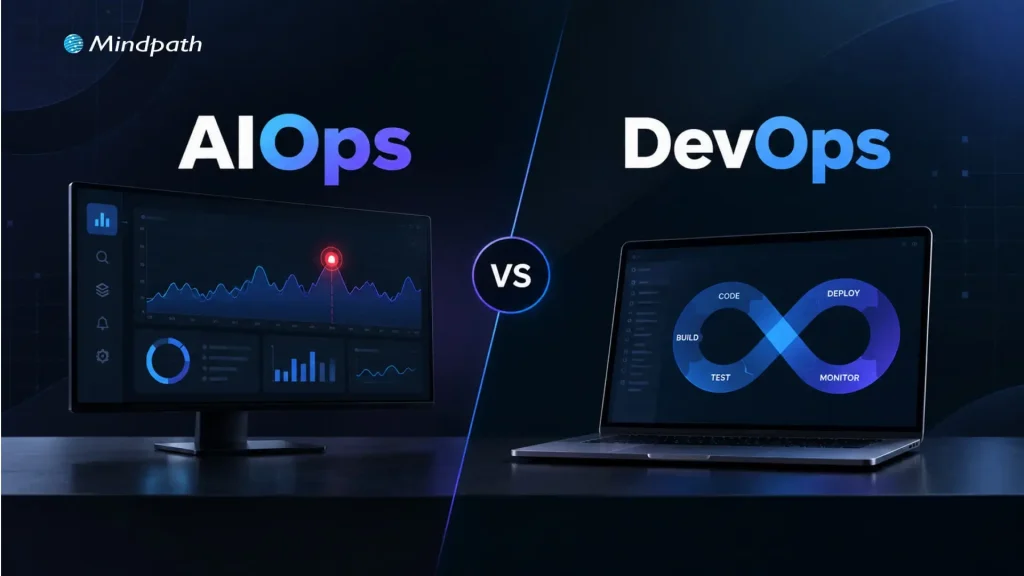
AIOps vs DevOps

Modern IT teams don’t struggle to collect operational data. They struggle to make sense of it. A single incident can trigger hundreds of alerts across monitoring tools, leaving engineers to sort through noise before they can even start fixing the problem.

Key Takeaways

  • 01
    DevOps improves software delivery through collaboration, automation, CI/CD, and continuous monitoring.
  • 02
    AIOps applies AI to analyze operational data, detect patterns, and support faster incident response.
  • 03
    AIOps and DevOps address different needs but can work together across modern IT environments.
  • 04
    Successful AIOps adoption depends on reliable data, strong observability, integration, governance, and human oversight.
  • 05
    Organizations can introduce AIOps gradually by applying AI to specific operational use cases.

DevOps gave teams the pipelines, automation, and collaboration to release software quickly and reliably. But faster delivery also means more services, more deployments, and more data to interpret. That’s why AIOps vs DevOps has become an important question for IT teams. DevOps speeds up how software is built and shipped, while AIOps uses AI to cut through alert noise, find root causes, and respond faster. In this blog, we’ll explore how the two differ and how an AI DevOps approach can bring them together.

Ready to build more intelligent IT operations?

Mindpath helps businesses apply AI to operational workflows, data, monitoring, and automation.

What Is DevOps?

DevOps is a software development and operations approach that brings teams, processes, and technologies together across the application lifecycle. It focuses on improving collaboration, automating repetitive tasks, and creating consistent workflows for building, testing, deploying, and maintaining applications.

By integrating development and operations practices, DevOps helps teams release software more frequently while maintaining reliability and operational control. It also supports continuous feedback, infrastructure automation, and faster responses to issues across development and production environments.

Key features and benefits of DevOps: 

1. Continuous Integration and Delivery

2. Automated Testing and Deployments

3. Infrastructure and Configuration Automation

4. Faster Software Release Cycles

5. Improved Collaboration Across Teams

6. Continuous Monitoring and Feedback

What Is AIOps?

AIOps applies artificial intelligence and machine learning to IT operations, helping teams analyze the large volumes of data generated by applications, infrastructure, networks, and monitoring systems. It combines operational data with intelligent analysis to identify patterns and surface relevant insights.

AIOps can correlate events across multiple systems, detect unusual behavior, support root-cause analysis, and automate selected operational responses. This helps IT teams handle complex environments with greater visibility while reducing the manual effort involved in monitoring and incident investigation.

Key features and benefits of AIOps: 

1. Intelligent Event Correlation

2. Anomaly and Pattern Detection

3. Automated Alert Analysis

4. Faster Root-Cause Investigation

5. Predictive Operational Insights

6. Automated Incident Response

7. Reduced Alert and Operational Noise

AIOps vs DevOps: What Is the Difference?

AIOps and DevOps both aim to improve IT operations, but they address different aspects of the technology lifecycle. DevOps focuses on collaboration, automation, and software delivery, while AIOps uses AI-driven analysis to make IT operations more intelligent and responsive.

Area DevOps AIOps
What it is A culture and set of practices that unites development and operations An approach that applies AI/ML to IT operations data
Core objective Ship software faster and more reliably Detect, diagnose, and resolve operational issues faster
Main question it answers “How do we build and release this efficiently?” “What is going wrong, why, and what should we do?”
Where it operates Build → test → deploy → operate Monitor → detect → analyze → respond
Type of automation Rule-based and scripted (pipelines, IaC, deployments) Adaptive and data-driven (correlation, anomaly detection, suggested or automated remediation)
Data used Code, build logs, pipeline results, deployment history Logs, metrics, traces, events, alerts, and tickets at large scale
How decisions are made Predefined workflows and thresholds Learned patterns and statistical models
Typical use cases CI/CD, infrastructure automation, release management Alert noise reduction, anomaly detection, root-cause analysis, predictive alerts
Example tools Jenkins, GitHub Actions, GitLab CI, Terraform, Ansible, Kubernetes Dynatrace, Datadog, Splunk, PagerDuty, BigPanda
Key metrics Deployment frequency, lead time, change failure rate MTTD, MTTR, alert volume, false-positive rate
Primary users Developers, DevOps and platform engineers SREs, IT operations, NOC and incident response teams
AI dependency Not required Central to the approach
Main limitation Struggles to interpret huge, noisy operational data manually Depends on data quality and needs human validation

What Should Organizations Consider Before Adopting AIOps?

AIOps works best when organizations have the right operational foundation in place. AI-driven analysis depends on the quality of the data, systems, and workflows available to it. Before adoption, teams should assess how their existing IT environment can support intelligent analysis and automation.

1. Data Quality

AI is only as good as its input. Are logs, metrics, and events consistent and complete?

2. Observability

Observability provides context for accurate analysis. Do we have visibility across apps, infrastructure, and services?

3. Tool Integration

Integration enables cross-system analysis. Can monitoring, cloud, and ITSM tools share data?

4. Security and Governance

Security and governance help prevent unsafe automated actions. Do AI actions follow our access controls and policies?

5. Human Oversight

Human oversight keeps risk under control. Which actions are automated and which need approval?

6. Team Readiness

Team readiness drives trust and adoption. Do engineers know how to validate AI-generated insights?

AIOps adoption should therefore align with the organization’s existing DevOps practices and operational maturity. Starting with well-defined use cases, reliable data, and controlled automation can help teams introduce AI into IT operations without disrupting established processes.

How DevOps and AIOps Work Together?

The need for AIOps generally becomes clearer as IT environments grow in scale and complexity. Teams managing distributed applications, cloud infrastructure, multiple monitoring systems, and high volumes of operational data may need capabilities that extend beyond conventional DevOps automation.

For organizations building an AI DevOps strategy, AIOps can complement existing processes by adding intelligence to monitoring, incident analysis, and operational decision-making. The approach can be particularly relevant when teams face recurring incidents, excessive alert volumes, fragmented operational data, or increasing pressure to respond quickly.

1. Handle Growing Operational Data

Analyze large volumes of logs, metrics, events, and traces.

2. Reduce Alert Overload

Identify relationships between related events and focus attention on significant issues.

3. Improve Incident Response

Provide additional context during investigation and troubleshooting.

4. Manage Complex Environments

Connect operational signals across cloud, applications, infrastructure, and services.

5. Extend Automation

Support intelligent actions alongside established DevOps workflows.

Lifecycle Stage DevOps Contribution AIOps Contribution
Build and test Automated CI pipelines and testing Flags patterns in failed builds or flaky tests
Deploy Automated, repeatable releases Detects anomalies right after a release
Monitor Dashboards, alerts, and feedback loops Correlates events across systems and reduces noise
Incident response Runbooks, on-call processes, rollbacks Suggests probable root cause and triggers low-risk fixes
Improve Post-incident reviews and process updates Surfaces recurring issues and trends

The decision does not have to be framed as AIOps vs DevOps. DevOps can remain the foundation for software delivery and automation, while AIOps adds intelligence where operational complexity demands deeper analysis and faster response.

Building an Intelligent IT Operations Strategy

Building intelligent IT operations is not about replacing existing DevOps practices with AI. It involves strengthening the operational foundation first, then introducing AI where it can provide meaningful analysis, automation, and decision support.

Step Action Example Success Metric
Strengthen DevOps Standardize CI/CD, IaC, and workflows Unified pipeline templates Deployment frequency, change failure rate
Improve observability Centralize logs, metrics, traces, and events One monitoring platform or data layer Coverage of monitored services
Connect data Integrate cloud, app, and ITSM tools Alerts linked to tickets and deployments Reduction in data silos
Introduce AI selectively Start with one use case Event correlation for one service Alert volume reduction
Automate carefully Begin with low-risk, repetitive actions Auto-restart a failed service MTTR, automation success rate
Measure and refine Review outcomes regularly Monthly incident trend review MTTD, MTTR, recurring incidents

This approach allows organizations to introduce AIOps gradually while building on established DevOps processes. The result is a more connected operating model where automation handles defined workflows and AI helps teams interpret complex operational signals.

How Can Your Team Combine AIOps and DevOps?

The AIOps vs DevOps discussion shows that both approaches address different operational needs. DevOps establishes efficient delivery and automation practices, while AIOps adds AI-driven analysis to complex IT environments. Together, they can help teams improve visibility, respond to incidents faster, and build more intelligent operational workflows.

At Mindpath, our AI development services help businesses apply AI across operational workflows, data environments, and business processes. From AI strategy and data engineering to intelligent automation, we help teams build practical AI capabilities aligned with their technical requirements and operational goals.