Home

Top 10 Benefits of Custom Software Development for Growing Businesses

Top 10 Benefits of Custom Software Development for Growing Businesses

Join our Newsletter!

custom software development benefit

Imagine this: your company is moving so fast, but your off-the-shelf software can’t keep pace. There are bottlenecks in your processes, your teams are slowing down, and your customers can feel the gulf. Here’s where the custom software development benefits can make a difference. You get tools that will be designed and built for your business goals. No extra features that you don’t need, and no limits that constrain you. It’s like you’re developing a system that scales with your growth, not against it. It’s smart, flexible, and designed for your journey.

As more organizations acknowledge the value of custom technology, businesses are increasingly demanding custom solutions to meet their specific requirements and functionality. Custom software solutions enable consistency and quality for your operational tasks, enhance the experience for your customers, and increase productivity for your team. Unlike off-the-shelf software, which offers limited flexibility and options for your business, custom solutions not only evolve with your organization but can reduce loss of time and expense in the long run. The benefits are real and tangible. In this blog, we will examine the top ten benefits of custom software development for growing businesses.

At Mindpath, our custom software development services are designed to help growing businesses build scalable, secure, and high-performing software solutions.

What is Custom Software Development?

Custom software development is the process of designing, building, deploying, and maintaining software solutions specifically tailored to a business’s unique requirements. Unlike off-the-shelf software sold to a wide audience, custom solutions are built from scratch to adapt to your exact workflows, rather than forcing your business to adapt to the software. A custom-built solution helps overcome specific challenges, streamline important processes, and exceed business goals. The overall process includes planning, designing, developing, testing, deploying, and maintaining to ensure long-term continued use.

Interestingly, Grand View Research reports substantial growth in the custom software development market. According to the reports, its market value was USD 43.16 billion in 2024, and it is projected to grow to USD 146.18 billion by 2030 at a CAGR of 22.6%, from 2025. This growth in market size represents an increase in demand for digital solutions that are flexible and designed for the unique needs of organizations. The enterprise software segment represented over 60% of the market, while cloud deployment comprised 57%, all showing a movement toward systems that can be scaled and accessed remotely. Large enterprises made up more than 60% of the total revenue in the market.

Top 10 Benefits of Custom Software Development

Picking the right software that meets the needs of your business is becoming increasingly important. If you are considering custom software development benefits for businesses, here are some of the greatest advantages that make it a brilliant and future-proof solution.
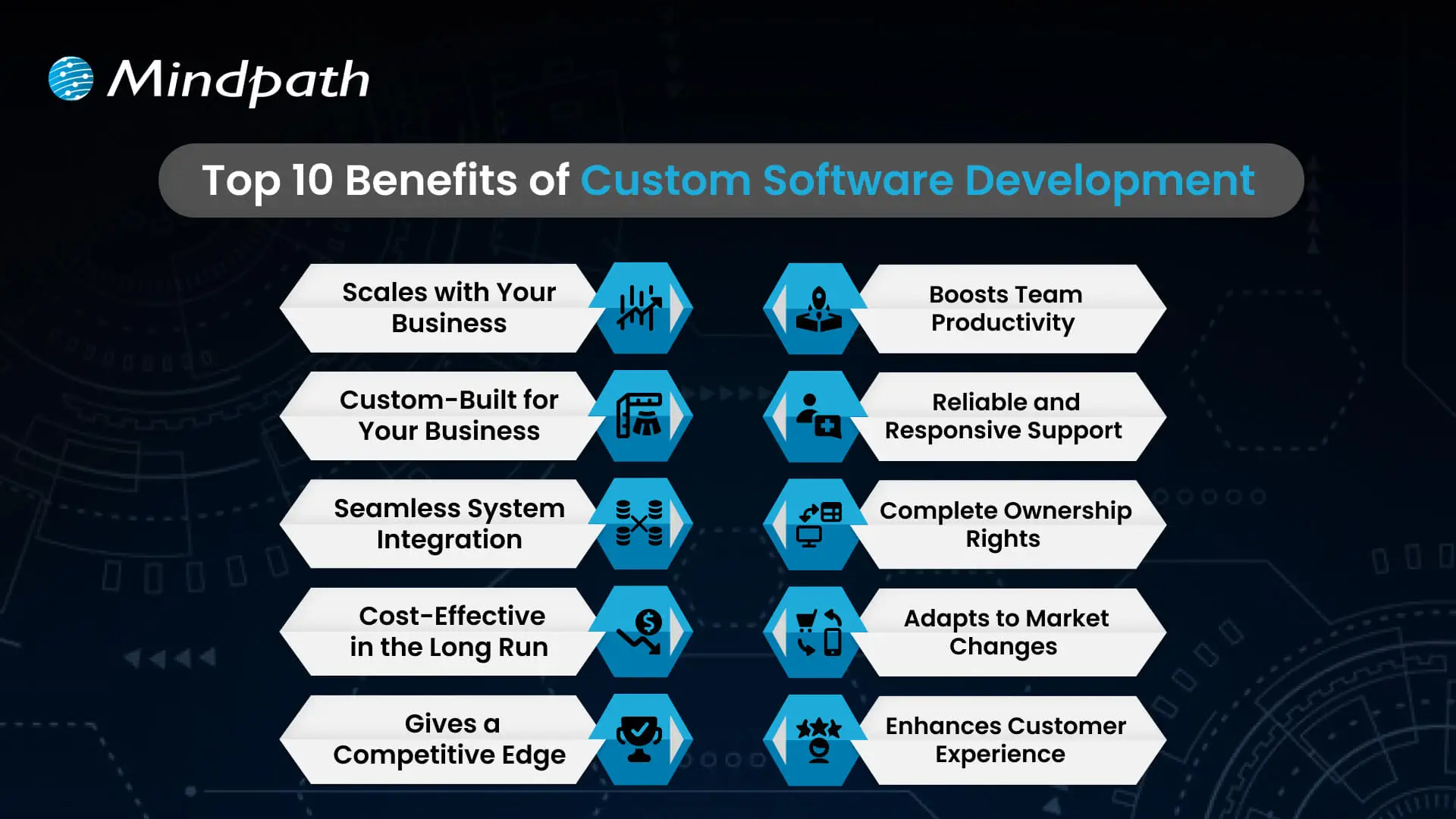
Top 10 Benefits of Custom Software Development

1. Scales with Your Business

One of the important custom software development benefits is that it grows as your business expands. Whether you open new locations or add services, customized software can easily adapt to your changing needs. It removes the limitations of ready-made tools that often require costly upgrades. With flexible and scalable features, your software stays aligned with your business goals.

2. Custom-Built for Your Business

Custom software is designed to match your specific workflows, goals, and daily operations. It helps avoid the inefficiencies that come with generic tools that don’t align with how you work. From logistics to finance, every feature is built to support what your business truly needs. This leads to better performance, less waste, and smoother processes across teams.

3. Seamless System Integration

Custom software works smoothly with your current tools and platforms. It helps different systems share data without the need for manual updates. This reduces errors and saves time across departments. The result is a more connected and efficient business operation.

4. Cost-Effective in the Long Run

A major custom software development benefit is reduced long-term costs. Unlike off-the-shelf tools, there are no ongoing license fees or expensive upgrades. You pay for what your business needs, and it stays efficient as you grow. Over time, this leads to better value and lower total cost of ownership.

5. Gives a Competitive Edge

Using custom software for a small business helps you create unique features that set you apart from others. It allows you to offer better user experiences and services tailored to your audience. This can increase customer loyalty and build a stronger brand. Staying ahead with the right technology gives your business a clear competitive advantage.

Wondering what it really takes to develop software that perfectly aligns with your business’s unique needs and goals? Explore the detailed custom software development process to see how thoughtful steps provide smooth execution and successful outcomes.

6. Boosts Team Productivity

Custom software streamlines your workflows by removing repetitive tasks and simplifying daily operations. It helps each team work faster and with fewer errors. When tools are designed for specific roles, employees can focus more on results than on fixing problems. This leads to better performance and a more efficient workplace.

7. Reliable and Responsive Support

With custom software, you get direct support from the team that understands your system inside out. This ensures quick responses and accurate fixes when issues arise. This custom software development benefits results in reduced downtime and improved reliability. Your business stays on track with expert help tailored to your specific setup.

8. Complete Ownership Rights

With custom software, your business has full control over features, updates, and improvements. You don’t have to rely on outside vendors or wait for scheduled upgrades. You can make changes anytime to match your growing needs. This gives you the freedom to make fast decisions and stay in control.

9. Adapts to Market Changes

Custom software allows your business to respond quickly when market demands shift. You can add new features or make changes without delay. This helps you stay competitive and meet customer expectations in real time. Being able to adapt fast keeps your business strong and relevant.

10. Enhances Customer Experience

Custom software allows you to create features that match your customers’ needs, making their experience smoother and more personal. This leads to higher satisfaction and stronger customer loyalty. It lets you design every interaction to reflect your brand and serve your audience better. It turns regular experiences into memorable ones that keep customers coming back.

Trying to understand the common pitfalls in creating custom software? Check out our blog to learn the essential custom software development dos and don’ts that every business should follow for a smooth process.

Looking to Build Software That Fits Your Business?

Custom software brings real value by helping your business grow, cut costs, and work more efficiently. It supports your goals with flexible tools that fit how you operate. Every custom software development benefit contributes to improving your team’s workflow and customer experience. Choosing the right solution now means fewer challenges and better results in the future.

At Mindpath, we offer expert custom software development services tailored to your business. As a trusted custom software development company, we build tools that match your goals and grow with you. From design to long-term support, our team works closely with you to deliver strong, flexible, and reliable solutions that keep your operations smooth and ready for the future.


Are Ready-Made Tools Limiting You?

We build software that matches how your business actually runs.

Frequently Asked Questions

Absolutely. Small businesses often benefit the most because custom software eliminates unnecessary features and focuses only on what matters. It reduces manual work, improves daily efficiency, and scales as the business grows. The long-term savings and productivity gains far outweigh the initial investment for most growing businesses.
Customizing an existing tool means adjusting settings within someone else’s system. Custom software is built from scratch around your specific workflows and goals. You own it completely, control every update, and face no vendor restrictions. That level of flexibility and ownership is simply not possible with any off-the-shelf product.
Almost every industry can benefit, but healthcare, logistics, finance, retail, and manufacturing see the strongest results. These sectors have complex, unique workflows that generic tools struggle to handle. Custom solutions built around industry-specific needs improve accuracy, compliance, and operational speed in ways that standard software rarely achieves.
Custom software lets businesses design every customer touchpoint intentionally. From faster response times to personalized interactions, the experience feels smoother and more relevant. When backend operations run efficiently, customers notice the difference in speed and service quality, which directly drives satisfaction, retention, and long-term brand loyalty.
Yes, and that is one of its strongest advantages. Many businesses juggle five to ten disconnected tools daily. Custom software can consolidate those functions into one integrated system, reducing confusion, errors, and subscription costs. A unified platform built around your workflows is almost always more efficient than multiple separate tools.

Support Is One Click Away

Featured Posts

Related Post

Benefits of AI consulting

In today’s fast-paced digital world, organizations need direction, as well as technology. Understanding the benefits of AI consulting can help companies see their way through the muddy landscape of choices and complex AI opportunities. Organizations need to understand how AI can be a catalyst for efficiency, better decision-making, and other growth-related opportunities; it is vital to bring experts who guarantee concrete results.

AI consultants help organizations turn abstract possibilities into concrete, achievable strategies that generate measurable outcomes and prepare the organization for the future. Working alongside AI specialists, organizations can identify high-value opportunities for companies to take action and execute a plan of action that blends seamlessly with their day-to-day work.

AI consultants provide clarity through roadmaps to success, help organizations identify pain points, and create value while ensuring projects remain aligned with strategic goals. Working together smooths the pathway toward innovation, builds organizational AI capabilities, and instills confidence for teams to lead AI adoption. In this blog, we will discuss AI consulting benefits and the superiority of helping your organization succeed.

Curious about how AI is transforming business as a game-changer? Explore our AI Consulting Services to discover how we turn cutting-edge technology into powerful growth opportunities.

Why Do Businesses Need AI Consulting?

Businesses regularly encounter obstacles such as complicated AI technologies and limitations of expertise in-house. Hiring an experienced AI consultant helps organizations overcome these complications by designing tailored solutions for companies that build towards their strategic goals. By doing this, they make sure that AI initiatives return value, increase efficiencies, and have longevity so that AI can be adopted organization-wide in a fluid and meaningful way.

AI consulting provides organizations with the guidance and direction to be successful with artificial intelligence. The major benefits of hiring an AI consultant include improved operations, smarter decision-making, and actionable productivity yields. AI consultants offer specialized as well as targeted strategies for businesses or organizations. They engage businesses to analyze their needs, flag viable AI applications, and pinpoint an ideal approach to navigating operational demands.

Key Benefits of AI Consulting

As AI continues to drive change across the landscape of business and industry, companies are often grappling with knowing and deploying it effectively. Below are the benefits of AI consulting and notes about why organizations are increasingly turning to professionals with expertise in complex AI decision-making and delivering solutions.

1. Expert AI Guidance

AI consulting firms possess specialized knowledge in machine learning, predictive analytics, and natural language processing. They will help to design solutions for your complex problems to assist you in developing creative and customized solutions for your business. They will also guide you through applying the newest methods and tools and the industry’s best practices to yield measurable and sustainable results for your company.

2. Tailored AI Solutions

The benefits of AI consulting include developing solutions built around your business goals and business challenges. The AI consultant evaluates your business and recognizes areas where AI can improve efficiencies, increase automation, and drive enhanced customer experiences. They provide a comprehensive, customized service to ensure your business achieves higher outcomes and makes the most of its return on investment.

3. Scalability and Flexibility for Growth

AI business consulting focuses on creating systems that are adaptable to shifting business necessities and workloads. Consultants build solutions that can accommodate more data better and new capabilities or functionalities at your pace as your business grows. The key to unlocking your long-term AI return on investment is flexibility to change and support new long-term growth.

4. Cost Efficiency

Companies get a much higher ROI from AI consulting when they prioritize the high-impact areas and avoid spending unnecessarily. AI consultants then deliver scalable solutions that save costs compared to having a hospitality AI team in-house. By working with a consultant, it also lowers the cost of trial and error and optimizes value from every AI initiative.

5. Data-Driven Decision Making

AI consulting for enterprises helps to analyze extremely large amounts of data to make sense of it. AI consultants use an AI analytics tool to identify trends, improve processes, support strategic decisions, and answer more complex questions. These insights give companies speed to insight, speed to decisions, and maintain their market competitiveness.

Want to know how an AI Consultant helps businesses in driving digital transformation? Explore our detailed blog on the role of AI consultant.

6. Enhanced Customer Experience

The benefits derived from AI consulting are enhancing the way businesses think about their relationship with customers through the interaction of AI-powered tools. AI consultants offer chatbots, recommendation engines, and sentiment analysis to help provide instant, thorough, and personalized support for every question. All these features can help increase engagement, loyalty, and satisfaction for AI consulting customers.

7. Reduced Business Risks

The benefits of AI consulting also cover risks associated with how companies use and apply AI technologies. Consultants will address issues around data security, compliance with regulations and other operational issues. In general, the consultant’s expertise helps lower operational and legal risk, thus implementing AI is a safer and more reliable prospect.

8. Stronger Competitive Edge

A benefit of AI in business strategy consulting is that we support organizations in implementing innovative solutions that give them an advantage in the marketplace. We help consultants create and develop AI tools for improving operations, delivering services, and minimizing expenses. Positioning improvements like these take you to the forefront of your field and maximize your chances for sustainable growth.

9. Ongoing Support and Optimization

The benefits of AI consulting services are more extensive due to continuous support for maintaining AI systems. In general, consultants make updates as needed, optimize algorithms, and resolve problems quickly. A lasting commitment on the part of consultants equates to effectiveness, dependability, and consistency in delivering results will be sustained over time.

10. Stay Ahead with Latest Innovations

One of the major benefits of AI consulting is allowing your business to maintain knowledge about current and developing AI technologies, etc. Consultants will keep your systems fresh, modern, efficient, and relevant to the marketplace. This way, you give your company every chance to prepare for the future and remain competitive.

Organizations are relying on AI, but don’t know the right way to use it effectively. Discover why organizations need AI consulting services to unlock growth and guide their business towards success.

Want to Unlock the Full Potential of AI?

AI consulting advances organizations to operate smarter and faster while driving real business value. By collaborating with an expert, organizations can undertake AI initiatives that can be scaled, adjusted, and cost-controlled while delivering tangible benefits to customer experiences, decreasing operational and legal risks, and enhancing competitive edge. Working with an AI consultant allows organizations to implement strategies with confidence and better utilize their resources while monitoring changing technology trends that can prepare them for the future and help sustain innovation and success.

Our AI consulting services help businesses create and implement AI strategies that align with organizational goals. The team provides ongoing support, integrates state-of-the-art AI technologies, and ensures every AI project maximizes return on investment. Mindpath enables smooth implementation, operational efficiencies, and ongoing value by providing practical, hands-on solutions to companies.

NodeJS Developer Skills in California

Hiring a Node.js developer in California necessitates assessing their technical skills and abilities to operate in a fast-paced development environment. An experienced Node.js developer should be well-versed in JavaScript, capable of asynchronous programming, and have firsthand knowledge with Node.js frameworks, databases, and API development. Furthermore, experience with version control and optimal coding standards allows easy communication. Here are the main abilities to look for when hiring a Node.js developer for your company.

1. Strong JavaScript Fundamentals

A Node.js developer must be well-versed in JavaScript, which serves as the foundation for Node.js applications. Proficiency with ES6+ features, closures, prototypes, event handling, and object-oriented programming is required. Since JavaScript is essential for backend development with Node.js, excellent coding abilities ensure developers can create efficient, maintainable, and scalable apps. A thorough understanding of error handling, debugging, and performance optimization also contributes to application dependability.

2. Experience with Asynchronous Programming

Since Node.js is based on a non-blocking, event-driven design, developers must be familiar with asynchronous programming. Mastery of callbacks, Promises, and async/await is required to handle concurrent requests efficiently. Asynchronous operations are properly implemented to provide smooth performance, decrease latency, and avoid difficulties such as callback hell. Understanding event loops and dealing with tools like Bluebird or RxJS can help improve speed in Node.js apps.

3. Proficiency with NodeJS Frameworks

A skilled Node.js developer should be conversant with popular frameworks such as Express.js, NestJS, and Koa in order to quickly construct online applications. These frameworks make routing, middleware management, and API creation easier, allowing developers to build strong apps faster. A thorough grasp of middleware, authentication mechanisms, and scaling approaches inside these frameworks leads to improved speed and security in Node.js applications.

4. Database Management Skills

A Node.js developer must be capable of dealing with both SQL (MySQL, PostgreSQL) and NoSQL (MongoDB, Firebase) databases. Understanding database design, performing optimized queries, and managing data effectively are critical to application performance. Knowledge of ORMs (Sequelize, TypeORM) and ODMs (Mongoose) facilitates database interfaces and increases development efficiency. Developers should also be able to use database indexing, caching, and security best practices.

5. API Development and Integration

Building and integrating RESTful APIs is an important skill for Node.js developers. They should be able to create safe, scalable, and well-organized APIs with Node.js and Express.js. Knowledge of GraphQL, WebSockets, and API authentication techniques (OAuth, JWT) is also useful. Strong API development abilities guarantee that frontend apps and third-party services integrate seamlessly, allowing for effective cross-platform data transmission.

Looking for expert Node.js developers to build high-performance applications? Mindpath connects you with top Node.js talent skilled in JavaScript, API development, databases, and scalable backend solutions. Whether you need a custom web application, API integration, or real-time features, our experienced developers ensure seamless project execution.
Boost your development team with the best Node.js experts! Contact Mindpath today to find the right developer for your project.

Discover the ultimate guide to hiring Node.js developers in London. Learn about the skills, benefits, and cost factors involved in finding the right talent for your project.
ai solutions for small businesses

AI solutions for small businesses help owners and startup teams automate routine work, improve customer communication, analyze business information, and create content with fewer manual steps. These solutions range from ready-to-use AI applications to custom systems integrated with a company’s existing software. The right choice depends on the business problem, available budget, team capacity, and data requirements.

Key Takeaways

  • 01
    AI solutions for small businesses can support content creation, customer service, marketing, bookkeeping, reporting, and routine workflow automation.
  • 02
    The main benefits include reduced manual effort, more consistent workflows, faster access to information, and better support for business decisions.
  • 03
    Tools such as ChatGPT, Microsoft 365 Copilot, HubSpot AI, Canva Magic Studio, and customer support platforms serve different business needs.
  • 04
    Businesses should compare features, pricing, integrations, privacy controls, and expected value before selecting an AI solution.
  • 05
    Starting with a measurable, low-risk use case helps small teams test AI, review the results, and expand adoption responsibly.

Small businesses do not need to build a complex AI system to benefit from the technology. They can begin with focused tasks such as drafting emails, organizing customer enquiries, summarizing documents, analyzing sales data, or preparing marketing content. By selecting tools that solve specific problems and measuring their results, smaller teams can evaluate AI’s value before making a larger investment.

Looking to apply AI to your business workflows? Mindpath’s AI development services can help you evaluate suitable solutions and plan an implementation aligned with your business goals.

What are AI Solutions for Small Businesses?

AI solutions for small businesses are tools and applications that use artificial intelligence to assist with specific business activities. Depending on the product, they may generate text, summarize information, answer customer questions, classify documents, analyze data, recommend actions, or automate parts of a workflow.

These solutions include ready-to-use software, AI features built into existing business platforms, and custom applications developed for particular requirements. A small retailer might use AI to prepare product descriptions, while a professional services firm could use it to summarize documents or organize client enquiries. A startup with more specialized needs might integrate an AI model with its customer relationship management system or internal knowledge base.

The objective is not to introduce AI into every process. It is to identify tasks where AI can provide practical value while maintaining appropriate human review, data protection, and quality standards. Businesses can begin with AI for customer service or other focused applications before considering more advanced implementations.

Benefits of AI Solutions for Small Businesses and Startups

Small businesses often work with limited budgets and lean teams. AI can help address some operational constraints by assisting with repetitive tasks and making business information easier to use. The actual benefits depend on the chosen tool, the process being improved, and how effectively the solution is implemented.

1. Increased Productivity

AI writing assistants, summarization tools, and workflow applications can help employees complete routine tasks with fewer manual steps. For example, a team member could use AI to prepare a first draft of a proposal, summarize a lengthy report, or organize notes from a meeting.

Employees should still review the output for accuracy and relevance. Measuring time saved and the amount of rework required can help businesses determine whether the tool improves productivity.

2. Improved Customer Engagement

AI can support customer communication by helping businesses draft personalized messages, answer common questions, summarize support conversations, and organize incoming requests. AI-enabled chatbots can also handle selected routine enquiries when connected to reliable information sources.

Businesses should make it easy for customers to reach a human representative when an issue is sensitive, complex, or outside the system’s capabilities. Customer satisfaction and resolution quality are more useful measures than automation volume alone.

3. Automation of Repetitive Tasks

AI-enabled applications can assist with tasks such as scheduling, document classification, data extraction, email drafting, and processing routine enquiries. When connected to business software, they may help coordinate multiple steps in a workflow.

Not every repetitive task requires AI. Fixed, predictable processes may be better suited to conventional automation. Businesses should choose the simplest approach that reliably addresses the problem.

4. Better-Informed Business Decisions

AI-powered analytics tools can help business owners summarize sales records, identify patterns, compare performance indicators, and prepare forecasts. These insights can support decisions about inventory, marketing campaigns, staffing, and customer retention.

AI-generated analysis should be checked against the underlying data and business context. Owners remain responsible for interpreting results and considering factors the system may not capture. Read our guide to AI decision-making use cases for related applications.

5. More Consistent Marketing and Content

AI tools can help small teams generate content outlines, prepare social media drafts, rewrite product descriptions, and adapt messages for different channels. They can also support brainstorming and editing when a business has limited in-house marketing resources.

Human review remains important for factual accuracy, brand voice, originality, and audience relevance. AI-generated content should reflect the company’s expertise and actual offerings rather than relying on generic material.

6. Support for Business Growth

As a business grows, the volume of customer enquiries, transactions, documents, and internal coordination can increase. Suitable AI tools may help a small team manage some of this additional work without immediately adding manual steps to every process.

Growth still depends on product quality, customer demand, sound operations, and effective management. AI can support these activities, but it does not guarantee revenue growth or eliminate the need for skilled employees.

For a broader view of business applications, read our article on the benefits of artificial intelligence.

11 AI Solutions Small Businesses Can Consider

The right AI tool depends on the work a business needs to improve. Some applications focus on writing and content creation, while others support customer service, marketing, accounting, analytics, or online store management. The following options reflect the tools covered in this guide; available features, product names, integrations, and plans may change over time.

Tool Primary use Potential business application What to evaluate
ChatGPT Writing, analysis, brainstorming, and general assistance Drafting emails, preparing outlines, summarizing documents, and organizing ideas Output accuracy, data handling, and suitability for the task
Microsoft 365 Copilot Assistance within supported Microsoft applications Working with documents, email, meetings, and business data Plan availability, application support, and organizational permissions
HubSpot AI Marketing, sales, and CRM assistance Supporting outreach, CRM workflows, and customer communication Existing CRM setup, feature availability, and pricing
Shopify Sidekick Assistance for Shopify merchants Supporting store-related tasks and understanding store information Shopify plan, supported capabilities, and store requirements
Grammarly Writing and communication support Reviewing grammar, clarity, tone, and professional messages Language support, integrations, and data policies
Canva Magic Studio Visual design and content creation Preparing marketing graphics, social content, and presentations Design requirements, brand consistency, and usage rights
Bookkeeping.ai Bookkeeping-related assistance Supporting transaction organization and financial workflows Accounting integrations, accuracy, and review requirements
Zendesk AI Customer service and support workflows Supporting ticket classification, responses, and service operations Support volume, integration needs, and plan availability
Tableau Pulse Business intelligence and metric insights Reviewing business performance and key indicators Data sources, analytics requirements, and licensing
Buffer Social media management Planning posts and coordinating social media activity Supported channels, scheduling needs, and available AI features
Lumen5 Video content creation Turning written material into video content Video formats, branding needs, licensing, and plan limits

1. ChatGPT

ChatGPT can assist small businesses with drafting content, brainstorming ideas, summarizing information, analyzing supported data, and preparing customer communication. For example, a business owner could use it to draft a product description, organize a meeting agenda, or create an initial response to a frequently asked question.

The tool is most useful when employees provide clear context, review the output, and adapt it to the business’s needs. Sensitive customer information and confidential company data should only be shared in accordance with the organization’s privacy requirements and the tool’s applicable data controls.

2. Microsoft 365 Copilot

Microsoft 365 Copilot brings AI assistance into supported Microsoft applications and workflows. Depending on the plan and configuration, businesses may use it to help draft documents, summarize meetings, work with email, or analyze information in supported applications.

It may be useful for small teams that already rely on Microsoft 365. Before adopting it, businesses should review licensing, supported features, data access permissions, and how the tool works with their existing documents and collaboration practices.

3. HubSpot AI

HubSpot offers AI capabilities across parts of its customer relationship management, marketing, sales, and service platform. Depending on the available features and plan, businesses can use AI assistance to support content creation, customer communication, sales workflows, and the organization of CRM information.

For a small business managing leads and customer relationships, the main consideration is how well the platform fits its current sales process. Review available integrations, automation limits, data quality requirements, and pricing before moving essential workflows into a new system.

4. Shopify Sidekick

Shopify Sidekick is an AI assistant designed for Shopify merchants. Depending on the supported capabilities, it can help store owners work with store information, understand business activity, and carry out selected store-management tasks.

An online retailer should assess whether the available features address its actual needs, such as managing product information or reviewing store performance. Verify the current availability and scope of features for the store’s plan before relying on them in daily operations.

5. Grammarly

Grammarly provides writing assistance that can help businesses improve grammar, clarity, tone, and professional communication. It may be useful when preparing proposals, customer emails, internal documents, and marketing copy.

Writing assistance can reduce editing effort, but it cannot replace subject-matter review. Employees should confirm names, figures, contractual details, and other important information before sending or publishing a document.

6. Canva Magic Studio

Canva Magic Studio provides AI-powered features for supported design and content workflows. Small businesses can use available capabilities to help prepare social media graphics, presentations, promotional materials, and other visual assets.

These tools can help teams produce initial design concepts, but the results should be checked for brand consistency, readability, factual accuracy, and appropriate use of visual assets. Important brand materials may still require review by a professional designer.

7. Bookkeeping.ai

Bookkeeping.ai is a bookkeeping-focused option to evaluate when looking for support with financial administration. Depending on its current capabilities and integrations, a tool in this category may help organize transaction information, support reconciliation workflows, or prepare financial summaries.

Financial records require a high degree of accuracy. Before adopting any bookkeeping tool, verify its supported accounting systems, data security practices, audit trail, and review process. Reconciliation results, tax-related information, and financial reports should be checked by a qualified person where appropriate.

8. Zendesk AI

Zendesk offers AI capabilities for customer service workflows. Depending on the configuration and plan, these may support ticket classification, response assistance, customer self-service, and other support operations.

Businesses with recurring customer enquiries can assess whether these features reduce manual triage and help representatives resolve cases efficiently. They should also define escalation rules for sensitive issues, complaints, and requests that require human judgment.

9. Tableau Pulse

Tableau Pulse is designed to help users engage with business metrics and data insights through supported analytics capabilities. Small businesses with organized sales, marketing, or operational data may use business intelligence tools to review performance and identify areas that need attention.

The usefulness of analytics depends on accurate data, well-defined metrics, and appropriate interpretation. Businesses should confirm that the product fits their data sources, licensing requirements, reporting needs, and level of analytical complexity.

10. Buffer

Buffer helps businesses organize and schedule social media content across supported platforms. Its available AI-assisted features may help users brainstorm ideas or prepare and adapt post drafts.

For a small marketing team, the main benefit is having a more organized publishing workflow. Content should still be reviewed for accuracy, brand voice, platform requirements, and relevance to the intended audience.

11. Lumen5

Lumen5 is a video creation platform that can help turn written material into video content using supported templates and media features. Small businesses may evaluate it when adapting blog posts, scripts, or other content into videos for marketing and communication.

Before choosing a video tool, assess the available formats, editing controls, branding options, media licensing, and export limits. Generated videos should be reviewed for visual consistency, captions, factual accuracy, and accessibility.

For more content-focused options, read our guide to generative AI tools for content creation.

How to Choose the Right AI Solution for Your Small Business

The best AI solution is not necessarily the one with the largest feature set. Small businesses should choose tools based on their most pressing needs, existing systems, budget, and ability to maintain the solution over time.

1. Identify a Specific Business Problem

Start by identifying a task that consumes time, creates avoidable errors, or delays customer service. Examples include drafting routine emails, sorting enquiries, preparing reports, or organizing product information. Define what a successful improvement would look like before choosing a tool.

2. Compare Features and Total Cost

Compare the features required for the task rather than paying for capabilities the team may not use. Consider subscription costs, usage limits, setup time, integration expenses, training, and ongoing maintenance when estimating the total cost of adoption.

3. Check Integrations and Compatibility

An AI tool is easier to adopt when it works with the software the business already uses. Check whether it integrates with existing email, accounting, CRM, e-commerce, or collaboration systems. Also consider whether information can be exported if the business changes tools later.

4. Review Privacy and Security

Understand what information the tool processes, how data is stored, who can access it, and what controls are available. Avoid entering sensitive business, financial, employee, or customer information into a service without reviewing its data handling practices and the business’s obligations.

5. Test Before Expanding

Run a small pilot with a defined workflow and a limited group of users. Compare the results with the existing process, including time required, error rates, output quality, and user experience. Expand adoption only when the results justify the cost and the risks are adequately managed.

How Small Businesses Can Implement AI Step by Step

A practical implementation process helps small teams move from experimentation to reliable use without committing to a large project too early.

1. Document the Current Workflow

Record how the task is completed today, who is involved, which systems are used, and where delays or errors occur. This provides a baseline for evaluating whether AI improves the process.

2. Select a Low-Risk Use Case

Choose a task where errors can be identified and corrected easily, such as preparing internal summaries or drafting marketing content. Keep a human reviewer involved while the team evaluates the output.

3. Configure the Tool and Set Guidelines

Define the information employees can use, the tasks the AI may support, the outputs that need review, and the situations that require escalation. Provide examples and instructions that help employees use the tool consistently.

4. Train Employees and Review Results

Show employees how to use the tool, recognize unreliable output, protect confidential information, and report problems. Collect feedback from the people using the system and compare performance with the original baseline.

5. Expand Based on Evidence

If the pilot produces meaningful improvements, consider applying the approach to similar tasks. Review the cost, accuracy, employee experience, and operational risks before expanding to more complex workflows or introducing greater automation.

Challenges of Using AI in Small Businesses

AI tools can be accessible, but adoption still involves practical considerations. Recognizing these challenges early can help small businesses select suitable applications and avoid unnecessary expense.

1. Cost and Subscription Management

Multiple subscriptions, usage-based charges, integrations, and training can increase the total cost of adoption. Businesses should review recurring expenses and confirm that the solution provides enough value to justify its ongoing cost.

2. Accuracy and Reliability

AI-generated text, analysis, or recommendations can contain errors or omit important context. Establish review procedures for customer-facing content, financial information, legal documents, and other outputs where mistakes could have significant consequences.

3. Privacy and Data Protection

Small businesses may handle confidential client records, financial information, or employee data. Review the provider’s data practices, set appropriate access controls, and ensure that employees understand what information can be entered into AI tools.

4. Employee Training and Adoption

A tool may not deliver value if employees do not understand how to use it or when to question its output. Provide practical training, clear usage guidelines, and a process for sharing feedback and resolving problems.

5. Choosing the Right Level of Automation

Not every task should be automated completely. Begin with AI assistance or draft generation when human judgment is important. Allow systems to take actions only when permissions, testing, monitoring, and recovery procedures are appropriate for the task.

The Future of AI Solutions for Small Businesses

AI tools continue to develop across content creation, analytics, customer support, workflow automation, and business software. Small businesses may increasingly encounter AI features built directly into applications they already use, reducing the need to adopt a separate tool for every task.

AI agents may also help coordinate multiple steps across connected systems, while low-code and no-code platforms can make selected workflows easier to configure. However, more advanced capabilities may introduce additional costs, integration requirements, and governance needs.

Rather than adopting technology based on predictions alone, businesses should evaluate new features against real operational needs. Tools that fit existing processes, protect business data, and deliver measurable improvements are more useful than systems selected simply because they are new.

For a related topic, read our guide to conversational AI and its role in customer communication.

Choose AI Solutions That Support Your Business Goals

AI solutions for small businesses can support everyday work across customer service, marketing, content creation, reporting, and operations. The most effective approach is to start with a clear business problem, choose a tool that fits the team’s requirements, and measure whether it improves the existing process.

As requirements become more specialized, businesses may need integrations or custom AI applications that connect their data, workflows, and existing systems. A planned approach helps teams balance potential benefits with cost, reliability, privacy, and ongoing maintenance.

Mindpath provides AI development services for businesses evaluating tailored AI solutions. Discuss your goals and technical requirements to determine whether an existing tool, an integration, or a custom application is the right fit.