Home

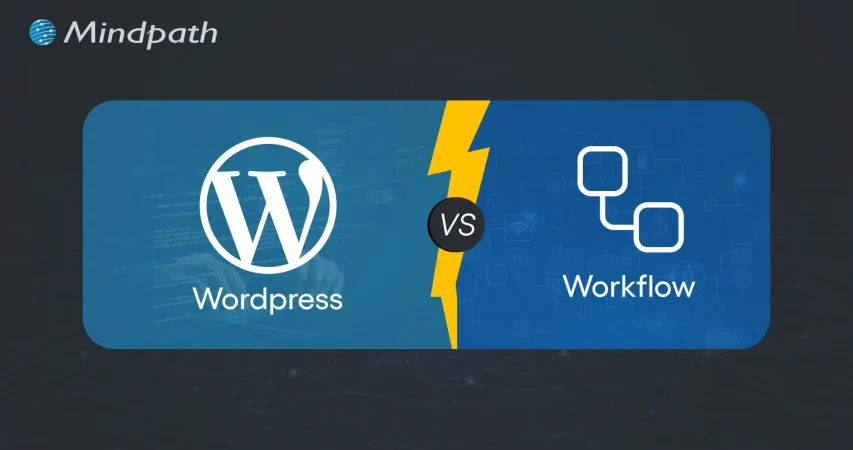
WordPress vs Webflow- Which One in Better in 2026?

WordPress vs Webflow- Which One in Better in 2026?

Lorem ipsum dolor sit amet, consectetur adipiscing elit. Ut elit tellus, luctus nec ullamcorper mattis, pulvinar dapibus leo.

Join our Newsletter!

Wordpress vs workflow

In the year 2025, the debate of WordPress vs Webflow is hotter than ever. This is because business entities and content creators are looking for the best platform to build secure as well as SEO-friendly websites. It is true that WordPress has been dominating the CMS market thanks to its vast plugin ecosystem coupled with high flexibility. But it is essential to bear in mind that Webflow has been gaining momentum with designers as well as startups, thanks to its no-code visual editor along with built-in hosting. 

In case you are wondering, is Webflow better than WordPress? You need to look at the main difference between these tools. You need to know which one is better so that you can choose the tool that perfectly aligns with your needs. The guide breaks down everything you need to know while choosing Webflow or WordPress.

Choosing the right platform makes all the difference when it comes to performance and growth for your online presence. Explore Mindpath’s WordPress development services for expert guidance on what your business needs.

A Deep Dive into WordPress

WordPress is the most popular content management system (CMS) in the world, currently powering over 40% of all websites on the internet. It lets you create, build, and manage your own website without needing coding knowledge. WordPress has gained massive popularity thanks to its ease of use coupled with flexibility, making it an ideal tool for beginners, professionals, and businesses alike.

At its core, WordPress is a free, open-source content management system. This means anyone can use, modify, or distribute it at no cost, and it’s continually improved by a global community of developers. One of the biggest strengths of WordPress is its SEO-friendly structure. The novel platform generates clean and crawlable code that adds value to search engines’ index content efficiently. Users can even leverage useful plugins such as Yoast SEO and Rank Math for optimizing titles and meta descriptions that can improve the visibility in search results.

An Insight into Webflow

Webflow is a cloud-based visual web development platform that lets you design, build, and launch responsive websites without writing code. It bridges the gap between design and development by letting users design visually on a canvas while the platform automatically generates clean, production-ready HTML, CSS, and JavaScript in the background. This makes Webflow a favorite among designers who want creative freedom without relying on developers.

A standout feature of Webflow that you need to be aware of is related to its design flexibility. Users have the option to create fully custom layouts as well as animations without having to write a single line of code. Webflow basically combines the best of graphic design tools with the functionality of a content management system (CMS), generating clean HTML, CSS, and JavaScript behind the scenes as you design. For businesses that need more tailored solutions, custom WordPress development offers similar flexibility with the added power of plugins, themes, and scalability, allowing organizations to build websites that precisely meet their unique requirements. It serves as a valuable tool for businesses and startups that wish to leverage its ability to deliver professional and responsive websites effectively and efficiently.

Comparison Between WordPress and Webflow

Now that you have an insight into Webflow and WordPress, it is time to look at the difference between these novel tools. Developers as well as businesses need to understand the difference between WordPress and Webflow so that they can make a wise selection. The core differences have been presented by focusing on specific areas such as ease of use, design, customisation, and many other features. 

1. Ease of Use

Webflow offers a visual no-code editor. It is highly appealing to designers as well as marketers. In fact, it is great for rapid prototyping along with pixel-perfect layouts. On the other hand, WordPress requires setup with a theme or page builder. So beginners may take some time to learn how to use the tool. However, developers with proper knowledge and experience can get full control over the tool. Thus, while discussing Webflow vs WordPress, a major difference between them revolves around the ease of use.  

2. Design and Customization

Webflow serves as an ideal tool for making custom designs without requiring any coding. The responsive control built in can ensure that users can derive optimum value from the tool even if they have limited coding-related skills. On the other hand, WordPress has a large ecosystem of themes as well as plugins. These elements make it highly customizable in nature. But this maturity also makes it plugin-dependent at times.

3. SEO Features

Webflow provides built-in SEO tools such as meta tags and schema options. It even delivers strong performance when it comes to integrated hosting. However, WordPress relies on plugins such as Yoast SEO for advanced SEO control. Thus, this feature makes WordPress extremely powerful, which is capable of precise optimization. You need to bear in mind that, starting from Webflow to WordPress, the role of top SEO features is a must for users.

Stuck deciding whether WordPress or Drupal is a better match for your business? Our WordPress vs Drupal guide breaks down key differences to help you pick the perfect solution.

4. Security

While talking about WordPress vs Webflow, it is a must to take into account the security aspects. Webflow is certainly more secure by default in comparison to WordPress. This is mainly because it offers built-in security features such as DDoS and SSL protection. The top-notch security feature of Webflow acts as its major strength. When it comes to WordPress, the security mainly depends on users. You need to manage separate security plugins and carry out frequent maintenance in order to prevent vulnerabilities. In order to boost the level of security, you need to make sure that you, as a user, maintain cybersecurity resilience while developing your website. 

5. Performance

Webflow is capable of offering better out-of-the-box performance. This is mainly because of integrated hosting coupled with a global Content Delivery Network and clean code. On the other hand, when it comes to WordPress, its performance mainly depends on the chosen hosting and plugins. The selected theme can also impact the performance that is delivered by the tool. If you use Webflow, your website can load faster by default. But if you choose WordPress, you can rest assured about the site performance if you choose appropriate hosting. 

6. Pricing

If you are wondering – is Webflow similar to WordPress in terms of pricing, the answer is no. The pricing of WordPress is variable in nature. You may have to incur separate costs for different things, such as hosting and a domain. Similarly, the price also depends on the chosen plugins and themes. So it may seem cheaper initially, but its price may increase with additional functionality. When it comes to Webflow, the pricing is based on the all-inclusive subscription model. It can become expensive for you if you opt for higher-tier plans.  

Want to make sure your WordPress site is accessible to everyone? Check out our post on improve WordPress web accessibility to learn practical steps for making your site more inclusive and user-friendly.

WordPress vs Webflow – Comparison Table

The difference between WordPress and Webflow has been presented in the table below. You need to understand how Webflow and WordPress are different from each other so that you can choose the ideal tool wisely. The insight can surely guide you to decide which platform you intend to use to fulfil your specific needs. 

Features Webflow WordPress
Ease of Use  No Coding Knowledge needed  Coding knowledge is not strictly needed but can help for advanced customization
Design and Customization Highly flexible in nature  Availability of extensive themes for customization
SEO Features Built-in SEO tools Availability of SEO friendly structure 
Security  High security  Low security 
Performance High optimization for speed Performance depends on hosting 
Pricing Subscription-based pricing model Variable pricing model

Final Winner Between WordPress and Webflow

You must choose Webflow if you prioritize visual design control along with built-in hosting. Webflow is the better choice if you need to manage your website in a simple way. It is well-suited for small business entities as well as startups that want to launch their site quickly with a clean and modern design.

WordPress is an ideal choice for you if you are looking for scalability and advanced SEO capabilities, along with flexibility through plugins. In such cases, WordPress can certainly act as a stronger platform that can meet your needs perfectly. The platform is best-suited for enterprises and e-commerce stores that wish to have full control over SEO as well as integrations. 

Therefore, both Webflow and WordPress serve as useful tools. You need to choose between WordPress and Webflow by considering your needs. In case you are wondering – Does Webflow work with WordPress? The good news is, yes! Webflow can definitely work along with WordPress if you utilize the official Webflow Pages plugin. It will certainly allow you to build pages in Webflow while serving them on your WordPress site.

Worried about security risks and vulnerabilities on your WordPress site? Read our guide on safeguarding WordPress vulnerabilities to learn how to protect your site and keep it secure against threats.

Final Words

The emergence of WordPress and Webflow has been transformational in the prevailing business world. Both these platforms have their unique strengths and advantages. The ultimate choice between WordPress and Webflow in the year 2026 mainly depends on the goals of your website and your budget. You also need to take into consideration the long-term growth plan before making the choice between WordPress and Webflow.

If you wish to derive optimum value from WordPress, you need to partner with a reliable partner. Mindpath’s top-grade WordPress development services can certainly help you develop a world-class website. It can offer the ultimate go-to solution in terms of scalability as well as limitless customization. You can also take advantage of the advanced SEO-friendly structure in order to boost the online visibility of your website. It can certainly give an edge to businesses in the competitive business world.


Frequently Asked Questions

WordPress offers greater flexibility through plugins and custom development, while Webflow provides a visual website builder with built-in hosting and design tools.
Both support SEO, but WordPress offers more advanced optimization through plugins and custom configurations, making it suitable for content-rich and scalable websites.
Webflow is generally easier for visual design without coding, while WordPress has a steeper learning curve but offers greater customization and functionality.
The choice depends on business needs. WordPress suits complex, scalable websites, while Webflow is ideal for design-focused websites with simpler functionality requirements.
Yes. Businesses can migrate content, designs, and assets from Webflow to WordPress, though custom functionality and layouts may require additional development work.

Support Is One Click Away

Featured Posts

Related Post

what is data-decision making

Every prosperous company in today’s modern world relies on insights, not on instincts. The importance of data-driven decision-making is that it turns the daily choices made by human beings into strategic moves guided by genuine facts. Businesses that rely on data are better positioned to identify new opportunities, make decisions faster to adapt to change, and make decisions accordingly to grow. Data-driven decisions are the difference between guessing your next step and knowing your next step. 

As companies embrace data as a trustworthy guide, they promote a culture of clarity and accountability. Decisions are sharper, and strategies are more in sync with customer and market needs. This pragmatic use of data helps organizations to keep their focus on the future and to remain competitive in today’s digital-first environment. In this blog, we are going to outline why data-driven decision-making is a crucial component of contemporary business success.

Looking to turn your business data into actionable insights? Explore Mindpath’s AI Data Analytics Services to uncover trends, improve decision-making, and drive measurable business growth.

What is Data-Driven Decision Making?

Data-driven decision making (DDDM) refers to making business decisions on the basis of facts, figures, and analysis rather than personal opinions or gut feelings.  It reduces uncertainty by collecting data from various sources that examine the relationship between actions taken, such as customer behavior, sales tracking, or market data on trends, to identify what is really working for the business.

When organizations use this approach, they make data-based decisions with direct evidence that reduces risks and reveals new opportunities. Analyzing data patterns enables businesses to plan more effectively and achieve success easily.

Here are the key fundamentals of data-driven decision-making:

1. Focus on Business Goals

Every data initiative must have a direct link to business goals. When teams better define their objectives, they can evaluate data with intention and make decisions that result in observable growth for the business.

2. Keep Data Clean and Reliable

All insights must be accurate, and therefore, the data must be from a trusted source. Ongoing checks for data quality and best practices in data cleaning should be conducted to guarantee decisions are based on sound data and not on missing or stale data.

3. Use Data as Proof, Not Assumptions

Effective decisions are built on true evidence. The importance of data-driven decision-making is that it eliminates the guessing and offers visibility that leads the decision-maker to act faster and more reflectively.

4. Make It a Continuous Effort

Data-based decision-making is an integral process. Companies should be consistently collecting, monitoring, and analyzing data so they can keep pace with shifts in market trends and customer needs.

5. Encourage Team Collaboration

Strong insights often develop in collaboration. When departments share their insights and discuss results, they create a collective plan that produces better and more consistent outcomes.

Want to know how modern businesses manage and analyze large volumes of data efficiently? Explore cloud‑native development to understand how cloud-native systems optimize data-driven operations.

The Importance of Data-driven Decision Making

Understanding the importance of data-based decision-making supports businesses in formulating better rationales and better results. It instills a culture of fact-based, accountable decision-making to foster growth and transparency in increasingly dynamic markets.

1. Smarter Communication Across Teams

Effective communication is one of the main benefits of data-driven decision-making. When all departments are working with the same reliable insights, updates are easier to share and alignment of goals is simpler. With transparency, collaboration is fostered, and coordination is improved. This enables leaders to make quicker, smarter choices for improved business performance overall.

2. Continuous Growth and Progress

The importance of data-driven decision-making is tied to its support for constant growth in the business. By looking at across practice areas to identify patterns that drive success, teams can recognize what affects success and improve decisions. Each decision that relies on evidence is a barometer for the future and ensures steady improvement. With time, this will fortify the organization and provide continued success.

3. Unlocking New Business Opportunities

Making decisions based on data allows organizations to discover new areas of growth and opportunities. When teams analyze customer behavior and market trends, they may identify opportunities that they never considered. This approach can result in more confidence in expansions, partnerships, and innovations. When focused by data, it allows the organization to have a distinct competitive advantage.

4. Building Knowledge and Innovation

Organizations that leverage data-based decisions regularly outperform firms that don’t. Studies have shown that data-driven firms have higher productivity and higher profitability. When we start considering information to be a valuable asset, teams begin to actually have a learning culture, where information flows both ways. This kind of culture leads to smarter thinking and out-of-the-box problem-solving.

5. Reducing Costs and Avoiding Mistakes

Choosing to make decisions based on gut feelings can lead to poor and costly outcomes in a business scenario. When leaders choose to make decisions based on data, they are making decisions based on certainty that is based on fact, instead of hunches. Relying on evidence instead of instincts leads to companies using their resources more efficiently. More clarity leads to reduced time and waste and naturally occurs in the flow of achieving sustainable cost efficiency.

6. Adapting to Market Changes Easily

Another importance of data-driven decision-making is its ability to assist organizations in being adaptable. Market conditions change and customer expectations fluctuate, and data keeps companies prepared. When companies can monitor trends and performance as they are happening, they can react quickly and with confidence. This ability to be adaptive will help to keep organizations competitive, relevant, and profitable.

Wondering how different AI systems impact decision-making in organizations? Discover types of Artificial Intelligence – ANI, AGI, and ASI and see which technologies can optimize your business insights.

Ready to Strengthen Your Business with Smarter Data Decisions?

The importance of data-driven decision-making is that it enables an entity to convert unprocessed data into efficient and effective measures. Businesses using data as their main resource are in a position to make decisions without hesitation, spot trends quickly, and hence, execute plans deftly to reach a steady level of growth. It becomes their corporate culture that they have fact-based support for every decision made, which eventually results in enhanced operational efficiency, greater flexibility, and durability in a very dynamic business environment.

At Mindpath, we empower businesses to harness the power of data through our advanced AI development services. Our experts design AI-driven tools that simplify complex processes, enhance decision accuracy, and drive smarter outcomes. By combining innovation with intelligent data use, Mindpath helps organizations improve productivity, streamline operations, and achieve measurable results that strengthen their competitive edge in the digital-first business world.

web scraping with node js

Web scraping with Node.js allows developers to collect and use website data quickly and efficiently. It is useful to make smarter decisions, automate tasks, and enhance digital projects. The process is easy and feasible as Node.js is speedy and is compatible with JavaScript. Mastering this skill will create new prospects of dealing with real-time information and putting it into practical use in the contemporary web development projects.

This blog describes the concept of web scraping and how web scraping works in a step-by-step manner. You will get to know what web scraping is, why you should use Node.js, and how to begin using it in your projects. All ideas are simple to comprehend and straightforward. At the end, you will have a clear background on how to effectively gather, store and utilize web data for real-life applications.

Planning to gather web data efficiently for your business? Mindpath offers expert Node.js development services to create fast, scalable scraping solutions.

What is Node.js Web Scraping?

Web scraping with Node.js lets developers collect website data automatically and use it for real projects. Node web scraping refers to the creation of scripts that will retrieve web documents. These scripts read their contents and retrieve information such as prices, contacts, or news. It is easy to process static sites with such tools as Axios or Cheerio. The interactive websites can be managed with the aid of Puppeteer. The speed and efficiency of Node.js ensure a more scalable and faster scraping.

The Node web scraping operates by making requests, retrieving HTML, and extracting data on the page. JavaScript is used to handle both the static and dynamic sites. Using Node.js, developers have the ability to automate the process of logging in to a website. They can click buttons and gather information on numerous websites simultaneously. This strategy makes the process effective, valid, and prepared to apply it in the real world.

Curious why developers choose Node.js for large-scale web scraping? Explore the advantages of Node.js to see how its performance and event-driven model simplify data extraction.

Key Benefits of Web Scraping with Node.js

High-speed and efficient web scraping with Node.js provides developers with a quick and efficient tool to deal with web data. It assists teams to process vast information without any additional effort. These are the best advantages that make Node.js a robust option in the collection and use of data in real projects.

1. Fast and Efficient Processing

A Node.js scraper does not have to wait to make a number of web requests. Node.js web scraping will allow you to gather massive data within a short time.

2. Handles Modern Websites

It is common to use dynamic JavaScript loading content on websites today. Such tools as Puppeteer or Playwright allow developers to see a complete page and obtain data correctly.

3. Single Language Development

JavaScript can be utilized by developers to perform front-end and backend scraping. This makes coding easier and allows the workflow to be similar.

4. Wide Range of Tools

Node.js scraper may utilize such libraries as Axios to make requests, Cheerio to process them, and Puppeteer to automate. These are the tools that can make web scraping using Node.js flexible to any project.

5. Scalable for Growth

The ability to work with large number of data streams simultaneously makes Node.js relevant to the large-scale web scraping project. It is capable of expanding along with your data requirements.

6. Easy Integration

Scraped information is often included in the form of JSON, which is automatically processed by the Node.js. This information may be inputted directly into web applications, databases, or analytics pipelines.

7. Automates Repetitive Tasks

Web scraping with Node.js provides an ability to log in, click on buttons, and scroll the pages automatically. A scraper made with Node.js saves time and makes the data collection regular.

8. Real-Time Data Monitoring

Using a Node.js scraper, it is possible to make continuous updates on the sites. This assists in the collection of new information within a short time to analyze or report.

Looking to ensure your Node.js scraping applications run fast and efficiently? Check out web performance with Node.js to learn how optimization techniques improve speed, scalability, and reliability.

Steps to Build a Node.js Web Scraper

Web scraping with Node.js lets developers collect data efficiently and apply it to real projects. A scraper to build needs the right planning and procedures. The key actions to develop a Node.js web scraper and begin the data extraction process successfully include the following.

Steps to Build a Node JS Scraper

1. Set Up Your Project

Make a new project folder and get it started using npm. This prepares your Node.js environment for web scraping with Node.js. The project will manage all dependencies through a package.json file.

2. Install Necessary Libraries

Install such tools as Axios to make the HTTP requests and Cheerio as the HTML parsing tool. The libraries simplify the creation of a Node.js scraper. They give you the core tools for web scraping with Node.js.

3. Choose Target Websites

Choose the sites that you would like to scrape. Ensure that you are obeying their rules and law. Target selection helps to make sure your web scraping of Node.js is safe and effective.

4. Fetch and Parse Pages

Get the HTML of the page using Axios or any other HTTP library. Load it into Cheerio or other similar to navigate and choose elements. The next thing that needs to be done is to prepare your data that your Node.js scraper will extract.

5. Extract and Organize Data

Even define the information you require, such as prices, titles, or links. It should be collected using CSS selectors. Export the data that has been extracted in a simple, easy-to-use format: JSON, CSV, or database.

6. Execute and Improve

Install and run your Node.js scraper and verify the output. Include error management and rate limiting to prevent problems. Refining your process ensures web scraping with Node.js runs smoothly and efficiently.

Looking to simplify web scraping with Node.js? Explore essential Node.js libraries to make data extraction faster and more reliable.

Ready to Unlock the Power of Web Scraping with Node.js?

Web scraping with Node.js allows developers to collect and use data efficiently, making it easier to support smarter decisions, automation, and digital innovation. By understanding the right tools, techniques, and workflows, businesses that hire Node.js developer can work seamlessly with both static and dynamic websites, manage large datasets, integrate data into applications, and gain real-time insights to enhance project prosperity

Mindpath is a trusted Node.js development company offering expert web and Node.js development services to build fast, scalable, and secure applications. Their team creates custom solutions for web scraping, data integration, and automation. With experience in modern technologies, they deliver efficient and reliable results. Choosing Mindpath ensures your Node.js projects run smoothly, save time, and meet your business goals with high-quality support.

front-end development trends

Modern digital experiences desire something dynamic and out of the box. So, front-end development trends have been shaping this shift while making the process highly optimized. In 2026, businesses and developers must adapt to the rapid changes in front-end technologies. Due to the rapid pace of front-end development, the rising demand for developers has reached 28.7 million. 

The upcoming year is going to encounter a series of viable trends, starting from AI-assisted development to immersive interfaces. The future of web development is going to be extensively smarter and more user-centric. This article explores the most essential front-end trends of 2026 and why they matter. 

Looking to combine modern front-end trends with powerful backend performance? Mindpath offers expert full-stack development services to build scalable and future-ready web applications.

Most Essential Front-end Development Trends in 2026

The front-end ecosystem is continuously growing beyond static interfaces and traditional frameworks. Here, we have listed some of the most unique front-end technology trends you can experience in 2026. 

1. AI Coding Assistants will be Your True Partners

If your team is still prioritizing debugging the edge cases manually, you are choosing the longer path than you need. 70% of leading developers have already started using AI coding assistants for this task. Further, this is one of the dedicated JavaScript frameworks trends in 2026. 

2. React Compiler

This is another front-end development trend you can expect in 2026. React is adopting its own compiler. For several years, developers were manually adding useMemo and useCallback hooks. They were doing this to verify the ongoing performance. So, it’s a tedious task and hampers your flow while completely cluttering the codebase. 

But React Compiler is going to handle this automatically during the creation process only. This is one of the most dedicated front-end development trends that is going to act as a performance expert assessing your code behind the process. 

3. Dynamic Computing Paradigms that Reshape Infrastructure

Speed is one of the essential factors in web development. So, developers demand high limits when it comes to data travel. As per the recent Front-end news, more than 40% of valuable enterprises might have adopted hybrid computing with paradigm architectures. 

With edge computing being reliable in the front-end development, you can bring computation closer to users while enabling quick response times and better experiences. Instead of every request reaching a central data center, edge nodes can handle them locally. 

4. WebAssembly to Ensure High-Performing Interfaces

WebAssembly allows developers to run high-performing code directly in the browser. So, in the front-end development trends of 2026, it is expected to support more modern use cases like data visualization, complicated animations, and interactive tools. This appealing trend can strengthen the position of your website as a serious alternative to native apps. 

Curious how combining front end and back end skills can strengthen your projects? Check out full stack development benefits and discover why businesses prefer end to end development solutions.

5. Motion UI and Micro-Interactions

As per the recent front-end news, subtle animations and micro-interactions have become appealing rather than decorative features. Moreover, such simple design elements can guide your users and provide them with better usability without complicating the interfaces. If you implement them thoughtfully, the motion encourages clarity and makes digital experiences feel intuitive. 

6. Performance-Rich Development

In this diverse digital network, users are expecting quick load times and seamless interactions. This is why front-end developers prefer performance optimization techniques like lazy loading, code splitting, and edge delivery. So, web development in 2026 is going to be fast and user-oriented. As a result, your faster website can improve engagement and conversions while pushing itself in the search rankings. 

7. Progressive Web Apps

Progressive web apps have recently become famous because of their offline features and fast performance. So, the future of web development will combine emerging technologies like WebXR to generate immersive and cross-platform experiences directly from the browser. 

However, to facilitate this trend, developers require a strong understanding of modern JavaScript frameworks. Further, they need expertise in performance optimization and UX awareness. 

8. The Influence of Core Web Vitals

Core Web Vitals of Google are turning out to be more important in how applications are created and ranked. So, smart developers are optimizing such metrics from the start rather than treating them as afterthoughts. The performance improvements can benefit the users while encouraging your discoverability. 

Looking for the best way to scale your digital growth? Discover why full stack development for web projects is becoming the smart choice for businesses.

How AI is Pushing the Limits of Front-end Development?

Artificial Intelligence is no longer a future promise. It has already stoned its foundation in the recent era while reshaping how developers work and create features. 

1. Code Generation and Suggestions

AI can simply automate your code while suggesting valuable components and refactorings. 

2. Error Detection and Bug Fixing

In the future front-end trends of 2026, intelligent analyzers can verify bugs and suggest corrections to get rid of future obstacles. 

3. Automated Design System

AI tools can seamlessly create UI components as per your required model. This makes your web development match your business requirements. 

Planning to validate your product idea quickly? Learn how hiring a full-stack developer for MVP accelerates development and increases success rates.

The Essentiality of Performance in Web Development

Speed and performance are necessary to uplift user engagement and conversion. So, if your interfaces slow down or lag, it might frustrate your users while making you lose conversions. So, to win the front-end trends, it is essential to extend your performance. It is necessary because your users expect instant feedback, and mobile experience dominates the usage stats.

Your team must be aware of doing edge computing that will serve assets closer to your users. Further, the developers must be aware of caching strategies to reduce load times. With the usage of smarter building tools, you can lessen the JavaScript and CSS sizes. Such patterns are featured regularly in Front-end news because high-performance experiences are becoming a necessity rather than optional enhancements. 

What Skills Front-End Developers Require in 2026 to Be at the Competitive Edge?

With the changing front-end ecosystems, the front-end developers must evolve their skills. 

1. Core Technical Knowledge

Talking about the technical skills, developers need to be experts in modern JavaScript and TypeScript. You need knowledge about component-based frameworks like React and Vue. Further, it is necessary to learn performance optimization techniques and responsive design knowledge. 

2. Complementary Skills

To complement your core skills, you can nurture your knowledge regarding basic UI/UX understanding. Moreover, you should learn about version control and accessibility standards. Most importantly, you need to familiarize yourself with WebAssembly basics. Developers who abide by both technical and complementary skills can lead the future of web development

Looking for a cost-effective way to build your next web project? Explore how hiring a freelance full-stack developer benefits your business and enhances your digital presence.

Why Collaboration is a Must in Front-end Development?

You can’t initiate front-end work alone. So, you must maintain a good collaboration between the backend teams, designers, and DevOps experts. Proper collaboration can align your design vision with good engineering. It improves deployment workflows while making the product viable for your business vision. It can also help you catch integration issues at an early phase while encouraging shared ownership. 

Modern front-end teams are generally adopting DevOps principles like automated testing and continuous deployment to include quality while making the product win the trends. With the collaborative measures, users in 2026 can expect instant performance and consistent experiences across devices. Further, it gives rise to interactive UI and accessible features. 

Ready to Turn Front-End Trends into High-Performing Web Experiences?

Front-end development trends for 2026 are not just about chasing every trendy framework. The focus is on choosing tools and approaches that effectively address real-world challenges while streamlining development. Teams and developers must embrace continuous, intentional learning to stay ahead and make the most of emerging opportunities. 

At Mindpath, our full-stack development services help businesses turn modern front-end trends into practical and high-performing digital solutions. Our experts combine advanced front-end technologies with strong backend development to build scalable and efficient web applications. With Mindpath, you can create fast, engaging, and future-ready digital experiences that support long-term growth.